TutoriAI
What it does
TutoriAI is a voice-first AI tutoring platform with two modes:
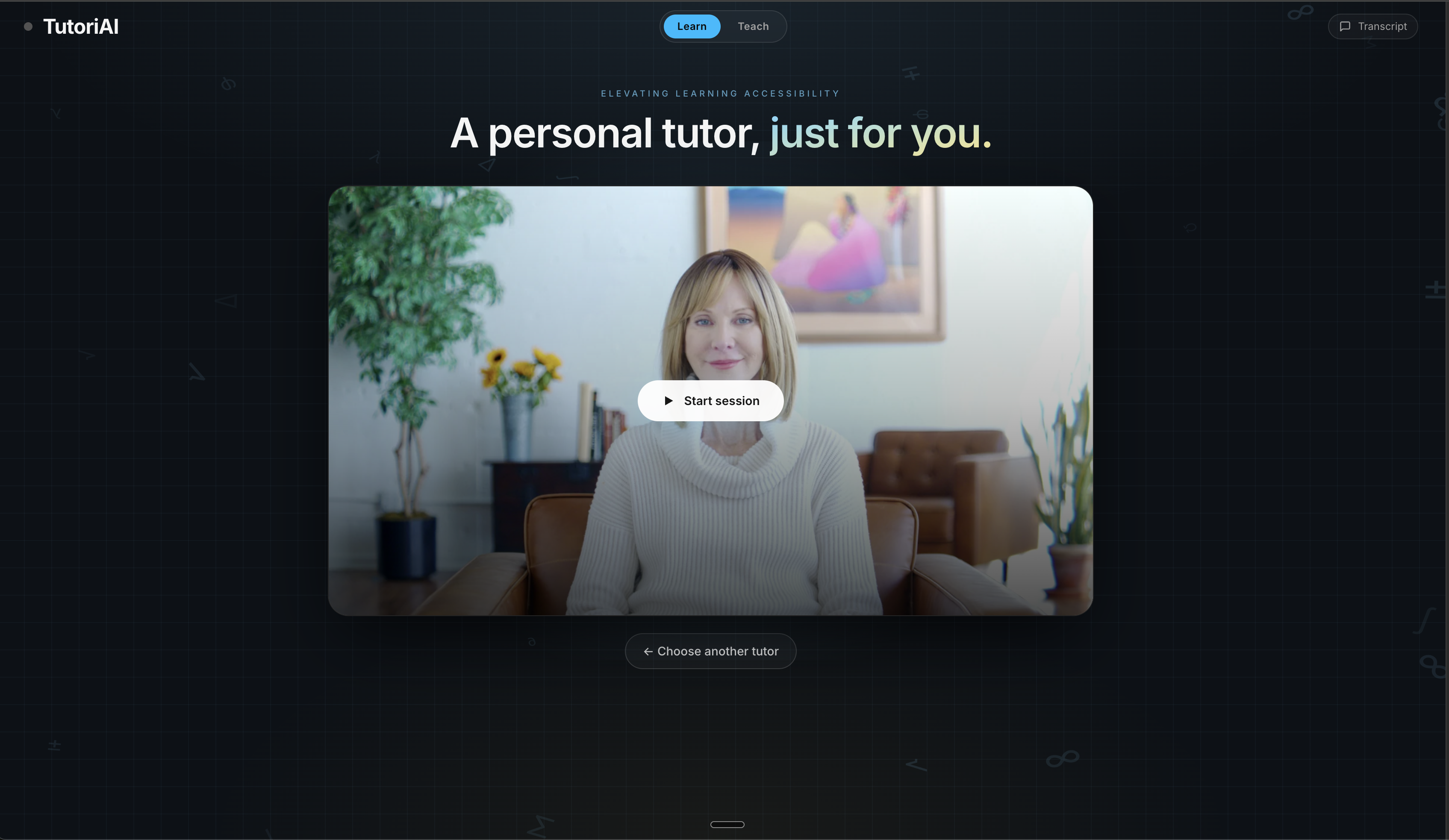
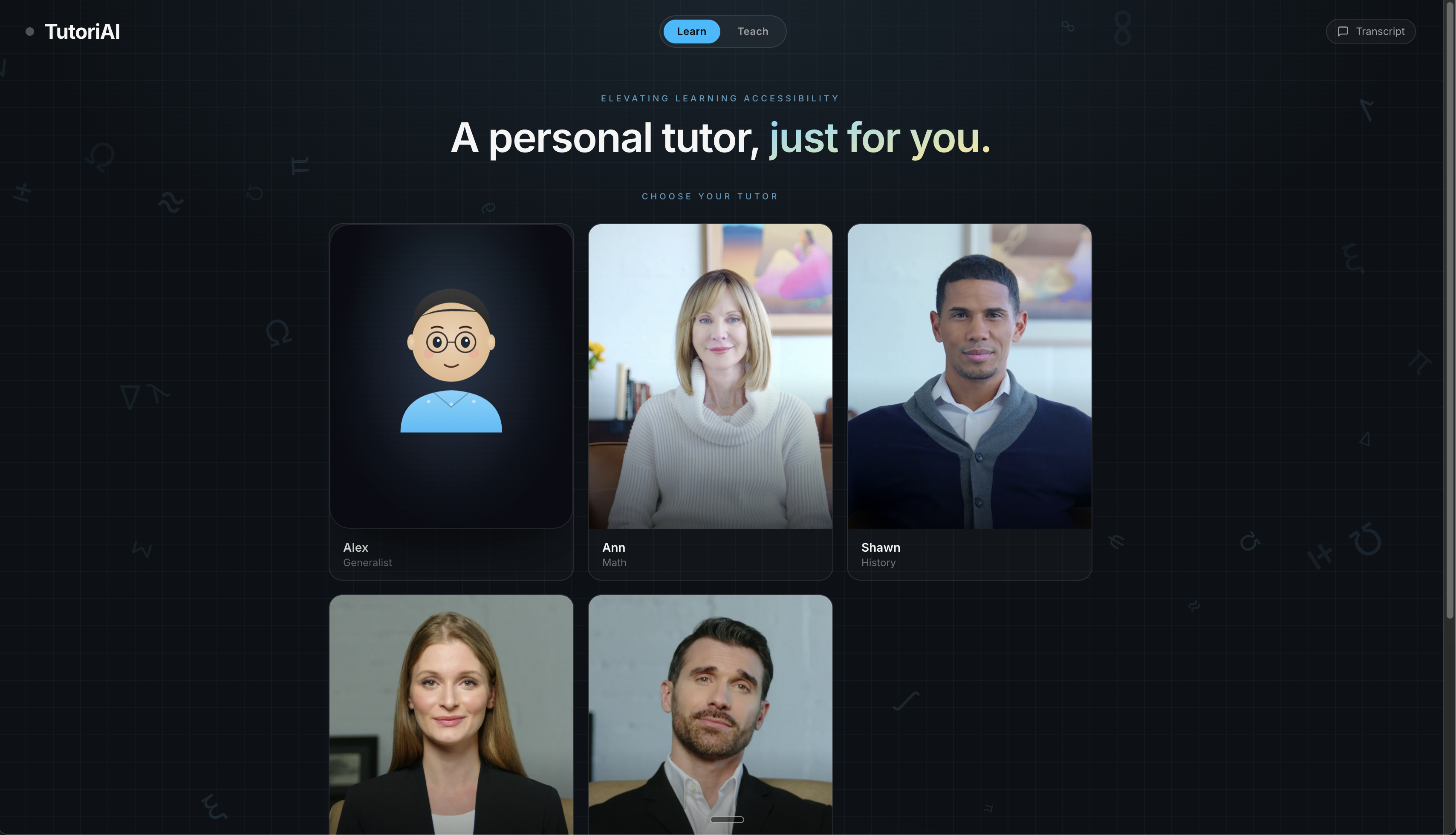
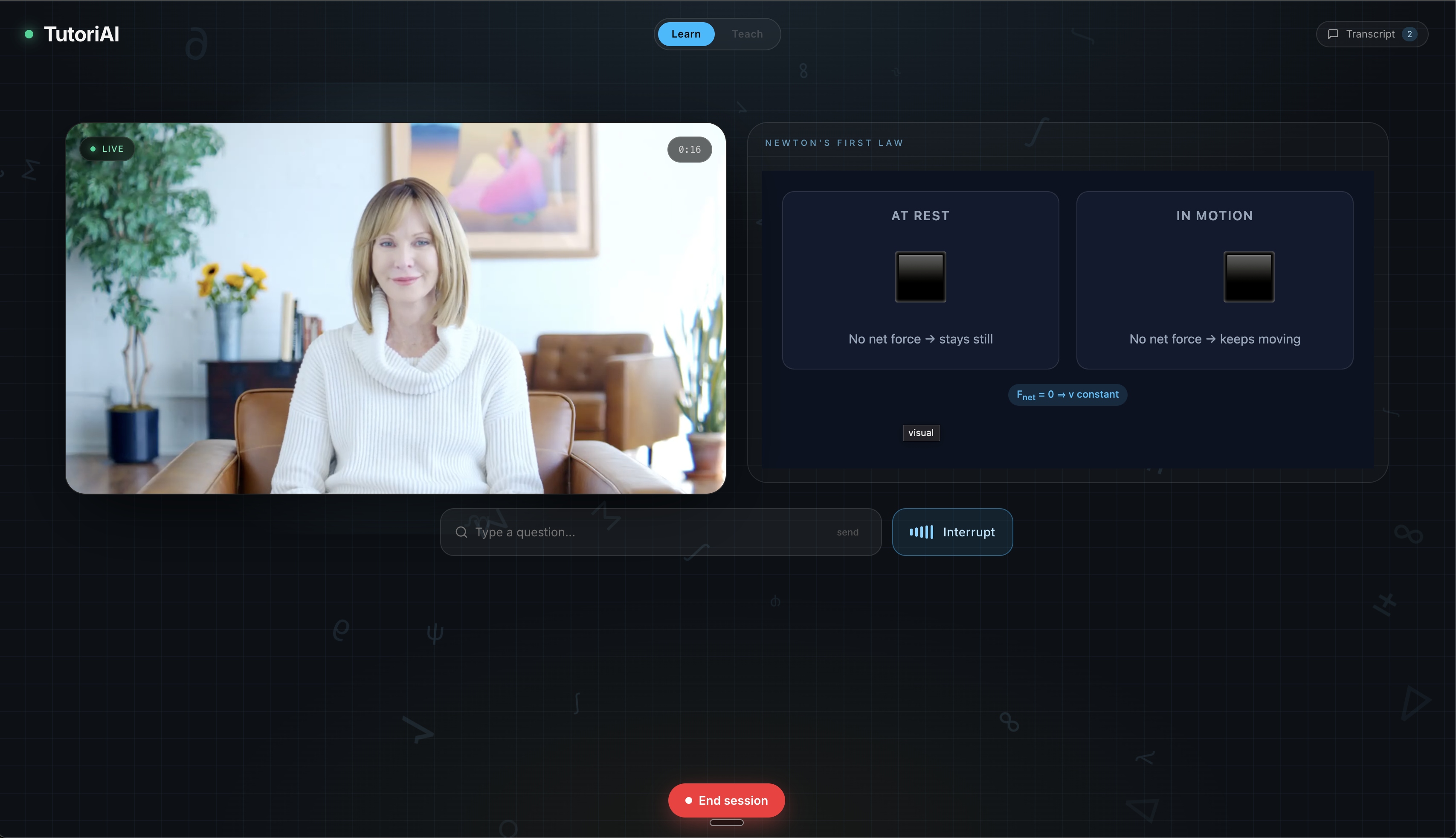
Learn — Pick a specialized tutor and start a real-time voice conversation. Choose from five tutors, each with a distinct personality and expertise: Alex (generalist), Ann (math), Shawn (history), Katya (interview coaching), and Graham (English). Four of the five appear as photorealistic live video avatars. As the tutor explains a concept, synchronized live visuals — flowchart diagrams, interactive graphs, SVG illustrations, or rich HTML — appear alongside the avatar in real time, generated on the fly by the tutor's AI.
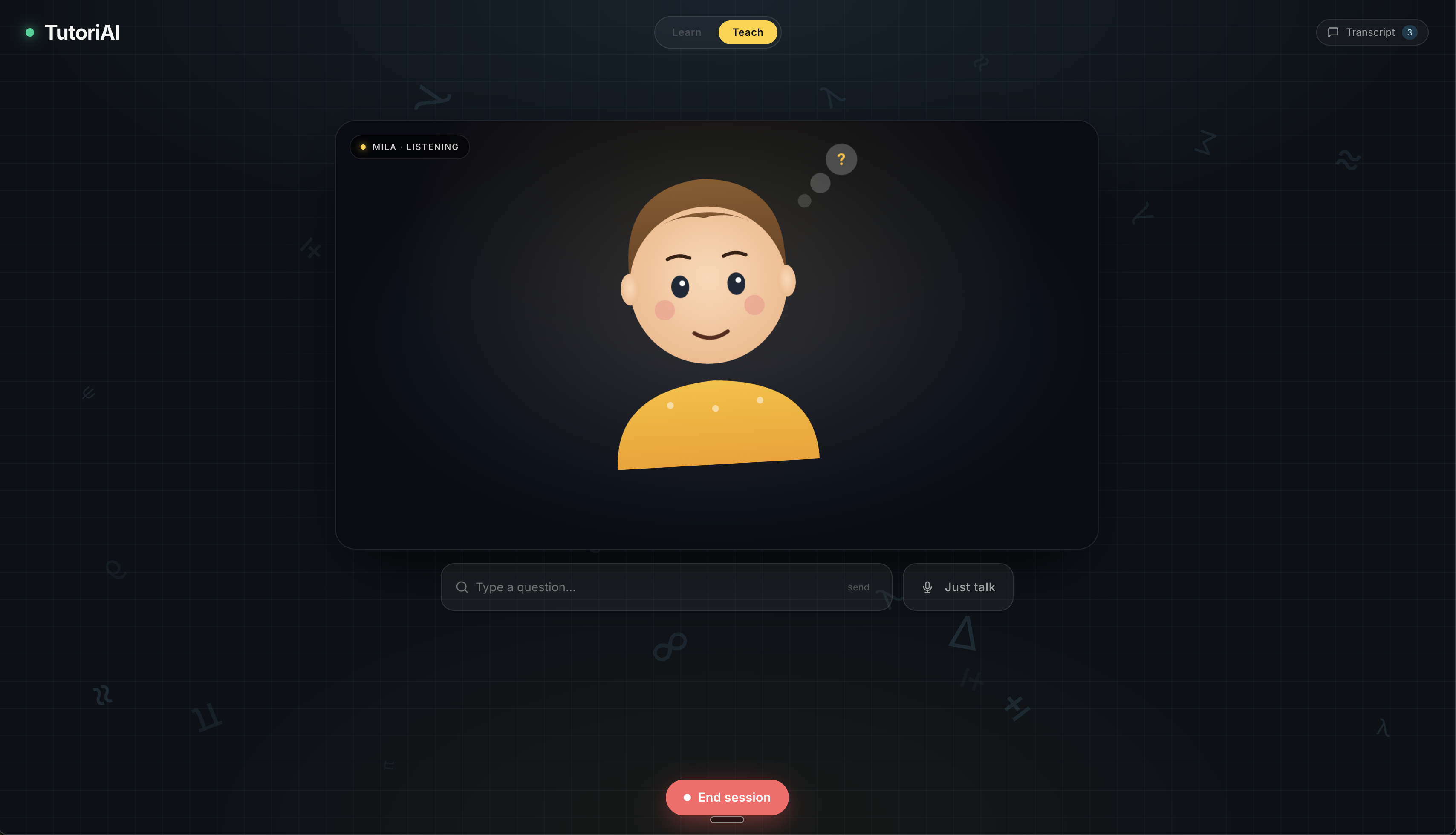
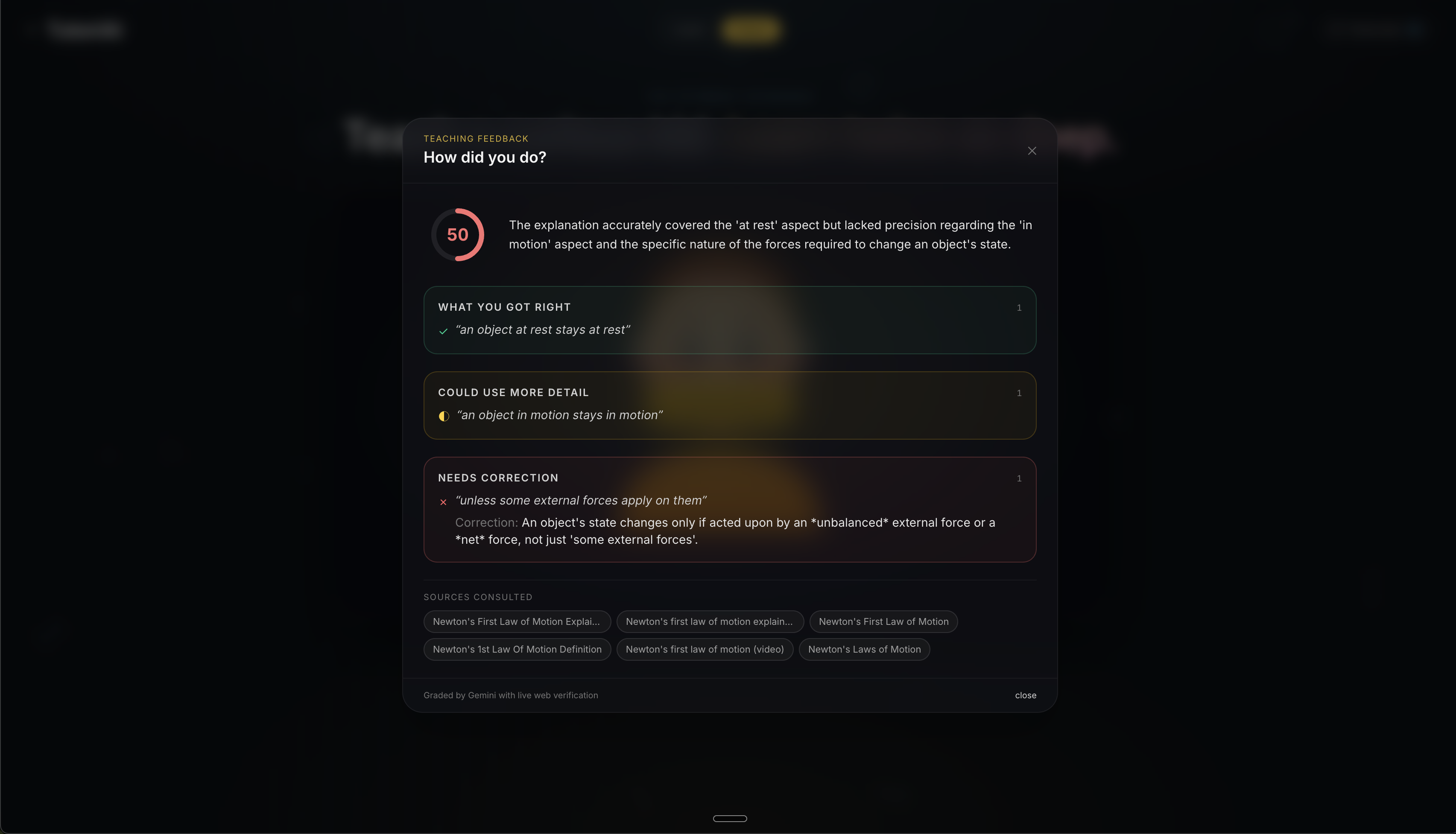
Teach — Practice the Feynman Technique by teaching a concept to Mila, a curious 8-year-old AI student. Mila asks genuine follow-up questions, pushes you to simplify jargon, and reacts like a real kid. When you end the session, TutoriAI runs your entire explanation through a fact-checking pipeline: it searches the web for authoritative references on your topic, then grades your explanation against those sources. You get a detailed scorecard showing what you got right, what needs more detail, and what needs correction — complete with cited sources.
How we built it
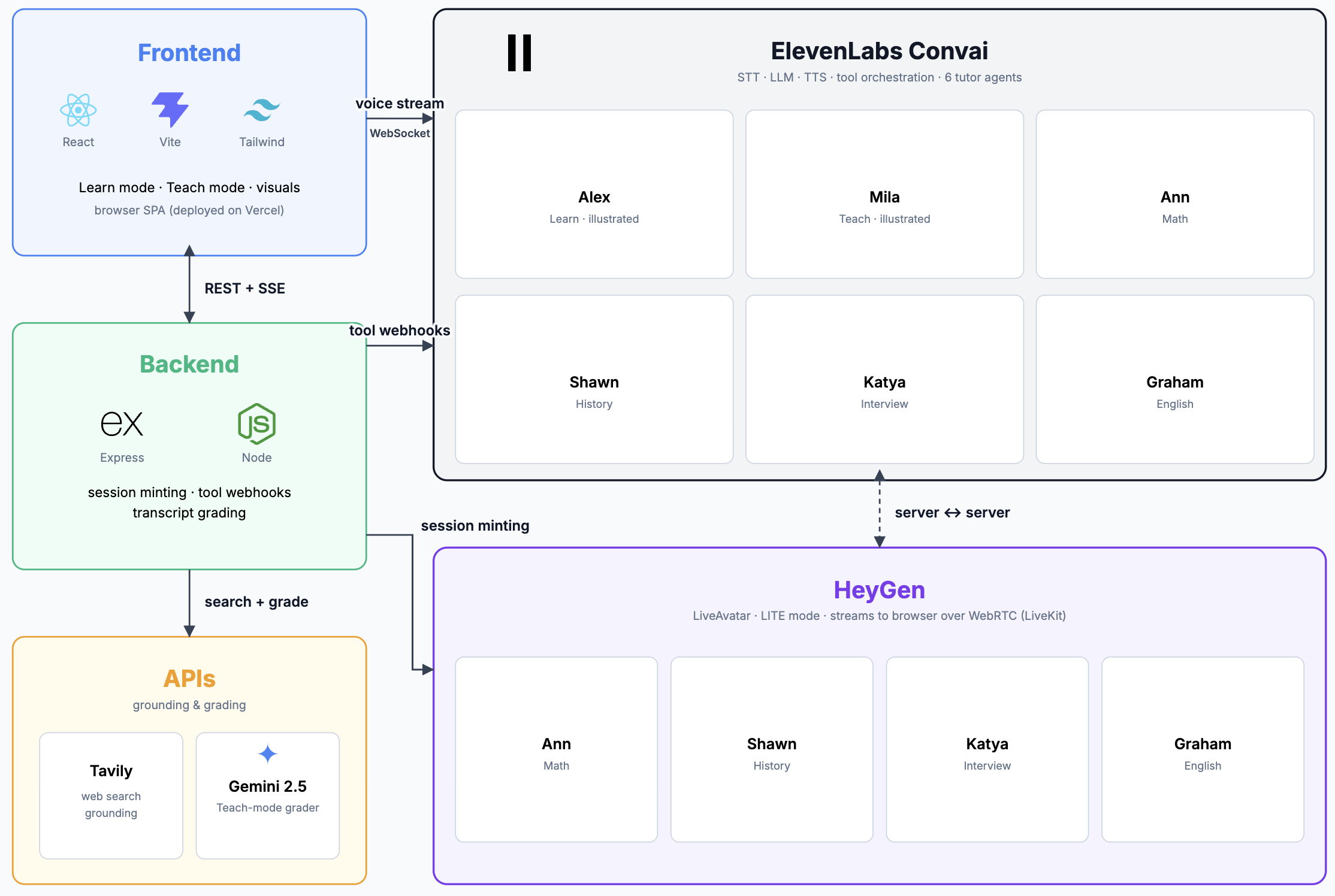
- Frontend: React 19 + TypeScript + Vite, styled with Tailwind CSS. The UI is a single-page app with mode tabs, a tutor picker grid, transcript drawer, text input, and a feedback modal.
- Live Avatars: HeyGen LiveAvatar Web SDK streams photorealistic talking-head video for the four specialist tutors. Audio intelligence is routed through ElevenLabs Conversational AI agents registered with per-tutor system prompts, web search tools, and a visual rendering webhook.
- Voice AI: ElevenLabs Conversational AI powers all voice interactions — both the tutor agents and the student agent (Mila). Each agent has a tailored system prompt, voice configuration, and tool bindings.
- Live Visuals: When a tutor decides a visual would help, it calls a render_visual tool. The backend receives the visual spec via webhook, pushes it over Server-Sent Events to the frontend, and the VisualRenderer component renders Mermaid diagrams, Desmos graphs, SVG, or arbitrary HTML in real time next to the avatar.
- Fact-Checked Feedback: After a Teach session, the backend sends the transcript to Tavily for web-grounded reference material, then passes the transcript plus reference to Google Gemini with a structured grading prompt. The result is a scorecard with an overall score, quoted correct/incorrect/unclear claims, corrections, and cited sources.
- Backend: Express + TypeScript deployed as a Vercel serverless function. Handles HeyGen session token minting, ElevenLabs agent secret registration, Tavily search proxying, SSE visual streaming, and the feedback grading pipeline.
Challenges we ran into
- Visuals not resetting on topic changes: When a tutor moved to a new topic mid-conversation, the previous visual would stay stuck on screen instead of clearing and rendering the new one. We had to track topic transitions and make sure the visual state properly reset before rendering incoming specs.
- Heavy visuals failing to render: Complex Mermaid diagrams and rich HTML visuals would silently fail because the payload size exceeded what the SSE bridge could handle in a single push. We had to debug and work around payload limits to get larger visuals through reliably.
Accomplishments that we're proud of
- A genuinely conversational, voice-first tutoring experience that feels natural — not like talking to a chatbot.
- Live-generated diagrams and graphs that appear in sync with the tutor's spoken explanation, making abstract concepts visual on the fly.
- A complete Feynman Technique loop: teach Mila, get fact-checked feedback, see exactly where your understanding is strong or weak.
- Five distinct tutor personalities, four with photorealistic video avatars, each with domain-specific knowledge and web search grounding.
What we learned
- The gap between "AI can answer questions" and "AI can tutor" is enormous. Good tutoring requires pacing, follow-up questions, and knowing when to show a diagram instead of saying more words.
- The Feynman Technique is even more powerful when the "student" actually pushes back with genuine confusion — designing Mila's persona to behave like a real curious kid was key to making the Teach mode effective.
- Multimodal AI experiences (voice + video + visuals) require careful architectural decisions around latency, connection management, and graceful degradation.
What's next for TutoriAI
- Session memory: Let tutors remember what you've already covered across sessions so they can build on prior knowledge and track your progress over time.
- More subjects and languages: Expand the tutor roster to cover science, coding, and test prep, and add multilingual support so non-English speakers can learn in their native language.
- Adaptive difficulty: Use the feedback scoring system to automatically adjust the tutor's pacing and depth based on how well you're understanding the material.
- Collaborative sessions: Allow multiple students to join a single tutor session, enabling group study with a shared AI instructor and live visuals.
- Mobile app: Bring the voice-first experience to a native mobile app so students can learn on the go with just their voice — no screen required for the Teach mode.
Built With
- elevenlabs
- express.js
- gemini
- heygen
- react
- tailwind
- tavily
- typescript
- vercel
- vite

Log in or sign up for Devpost to join the conversation.