-
-
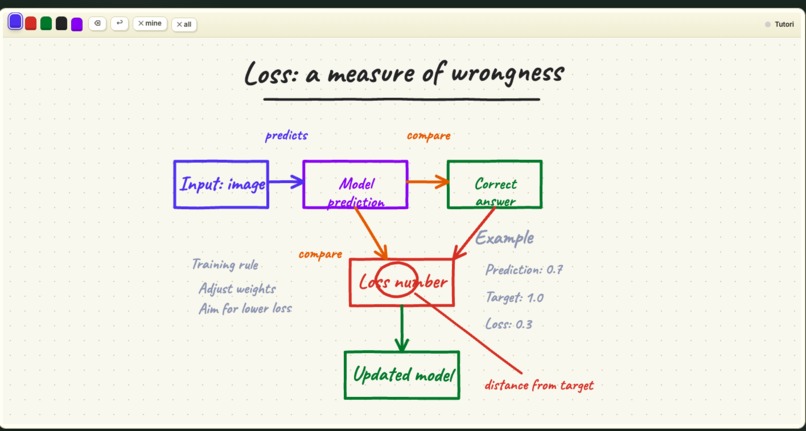
Tutori explains training loss with a live, collision-aware whiteboard diagram.
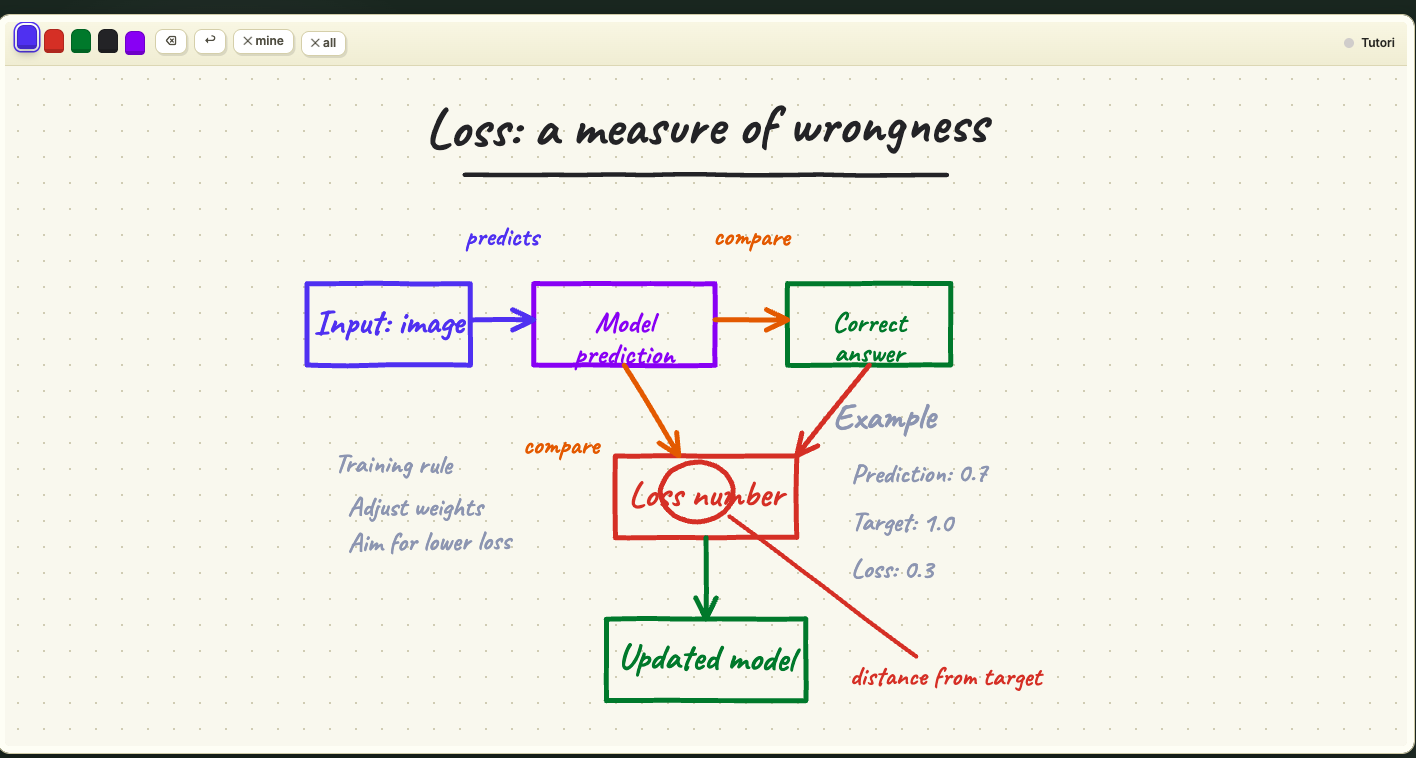
Inspiration
What it does
How we built it## Inspiration
Most AI tutors explain with paragraphs. Real teachers talk, sketch, revise, point, and pace a lesson around the learner. Tutori brings that feeling to the browser: ask a question by voice or text and watch an agent teach it on a living whiteboard.
What it does
Tutori turns any topic into a synchronized spoken and visual lesson. The agent plans a lesson, explains each idea aloud, and streams structured drawing operations to a continuous whiteboard. It can create diagrams, graphs, equations, timelines, and callouts; erase or clear parts of the board when moving to a new visual chapter; and continue for up to ten minutes. Lessons default to about three minutes so explanations have time to build intuition instead of ending after a quick answer.
Learners can ask follow-up questions by text or microphone. Tutori transcribes the question, decides whether current web research is useful, then adapts the narration and board.
Try it live: https://tutori.ssh.codes
Source code: https://github.com/SSHdotCodes/tutori
How we built it
Tutori is a Python and Gradio application with a custom HTML Canvas whiteboard. GPT-5.6 Luna, accessed through OpenRouter, powers planning, coaching, research synthesis, and structured drawing decisions. OpenAI Whisper Large V3 Turbo handles transcription, and OpenAI GPT Audio Mini generates narration. Speech is slowed slightly with a pitch-preserving audio filter for a calmer teaching cadence.
The model does not draw pixels directly. It emits validated board operations such as boxes, arrows, curves, labels, plots, erasures, and clear commands. A layout layer constrains these operations to safe zones, wraps and scales labels, routes callouts away from text, and checks collisions before the browser animates the strokes. The server streams narration and board events incrementally, keeping the explanation synchronized with the visual.
Challenges
The hardest problem was not generating more ink; it was generating useful ink. Early lessons had labels touching borders, arrows crossing text, and callout circles covering words. We added explicit spatial contracts to the agent prompt plus deterministic post-processing for label fitting, callout placement, and collision avoidance.
Low latency was another challenge. A tutor must acknowledge a question immediately, but planning, speech synthesis, and drawing all take time. We split the experience into stages, stream events as soon as they are ready, cache repeated work, and keep all client controls responsive while the lesson runs.
Accomplishments
We built a voice-first tutor that produces coherent multi-minute visual lessons, not a static image or a chat response with a diagram attached. The board can be reused continuously, and the agent can make room by selectively erasing or clearing content. The application is live, mobile-friendly, and fully open source under Apache 2.0.
What we learned
High-quality agentic interfaces need both model intelligence and deterministic guardrails. The model is best at deciding what to teach and which visual metaphor fits. Code is best at enforcing geometry, timing, validation, and recovery. Combining the two made the whiteboard dramatically more legible and the interaction much more reliable.
What's next
Next we want learner profiles, automatic checks for understanding, saved whiteboard chapters, more accessible narration controls, and richer interactive diagrams that students can manipulate during a lesson.
Challenges we ran into
Accomplishments that we're proud of
What we learned
What's next for Tutori
Built With
- audio
- canvas
- events
- ffmpeg
- gpt
- gradio
- html5
- javascript
- openai
- openrouter
- python
- server-sent
- whisper

Log in or sign up for Devpost to join the conversation.