-
-
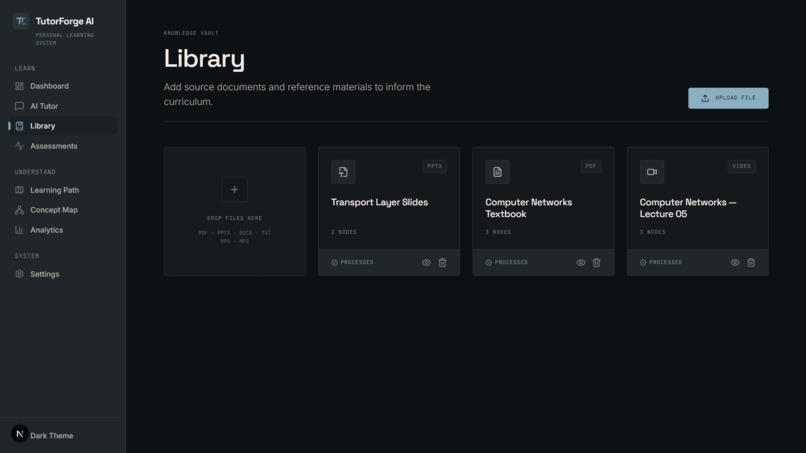
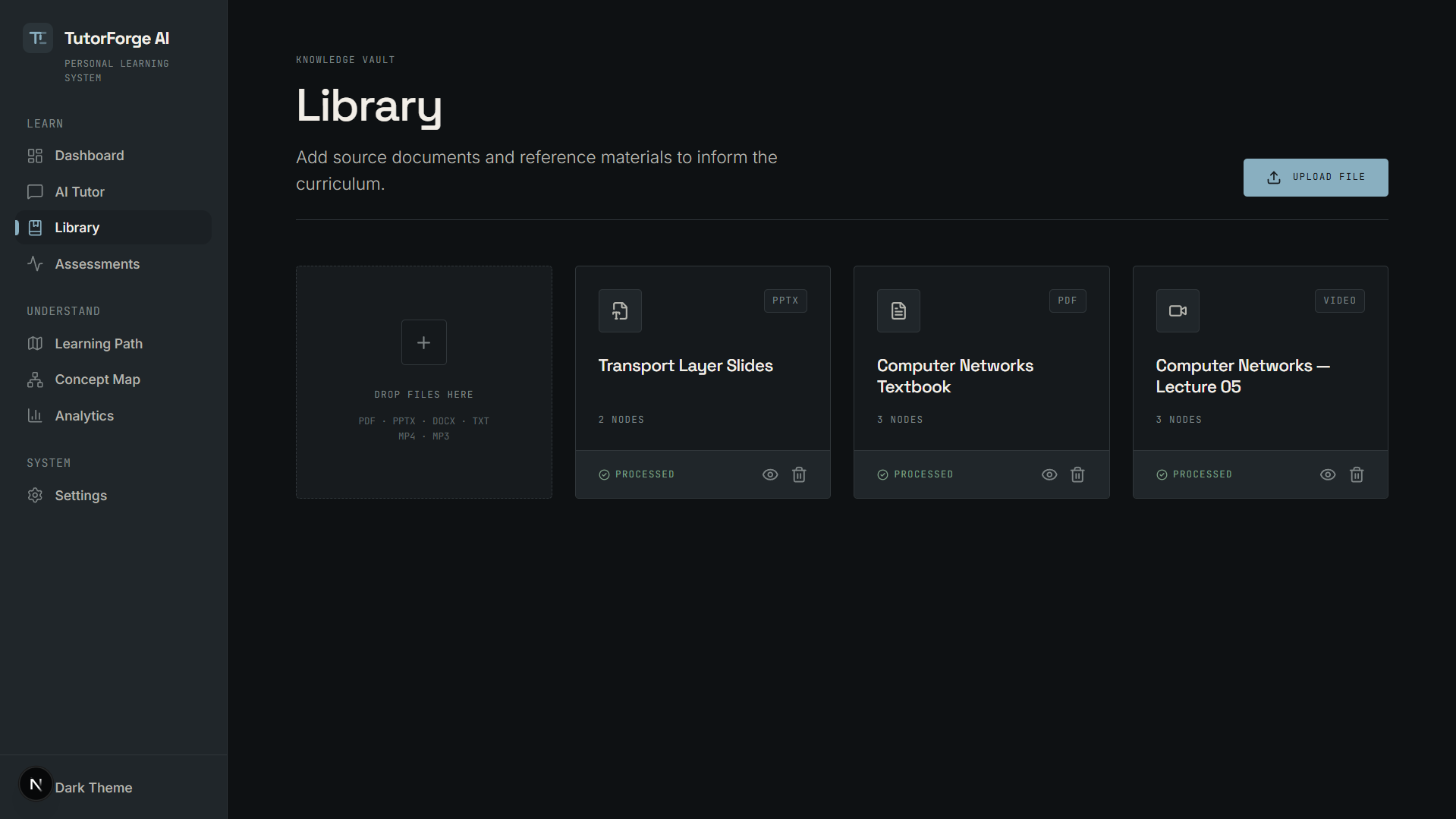
Upload and organize textbooks, lecture slides, notes, and other learning material in one place.
-
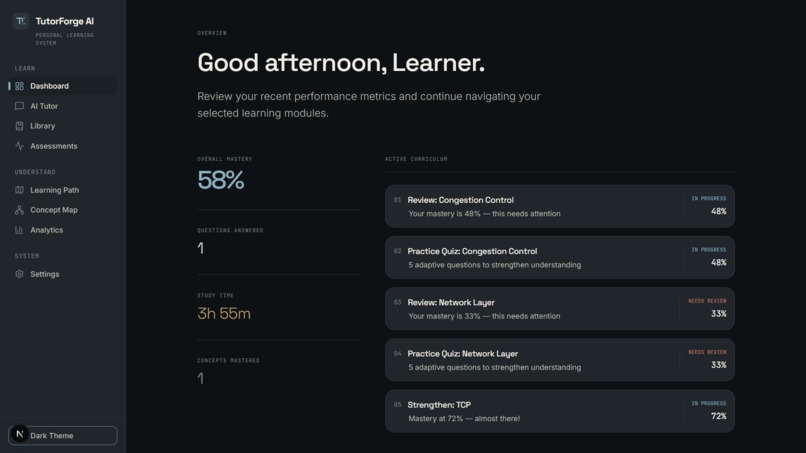
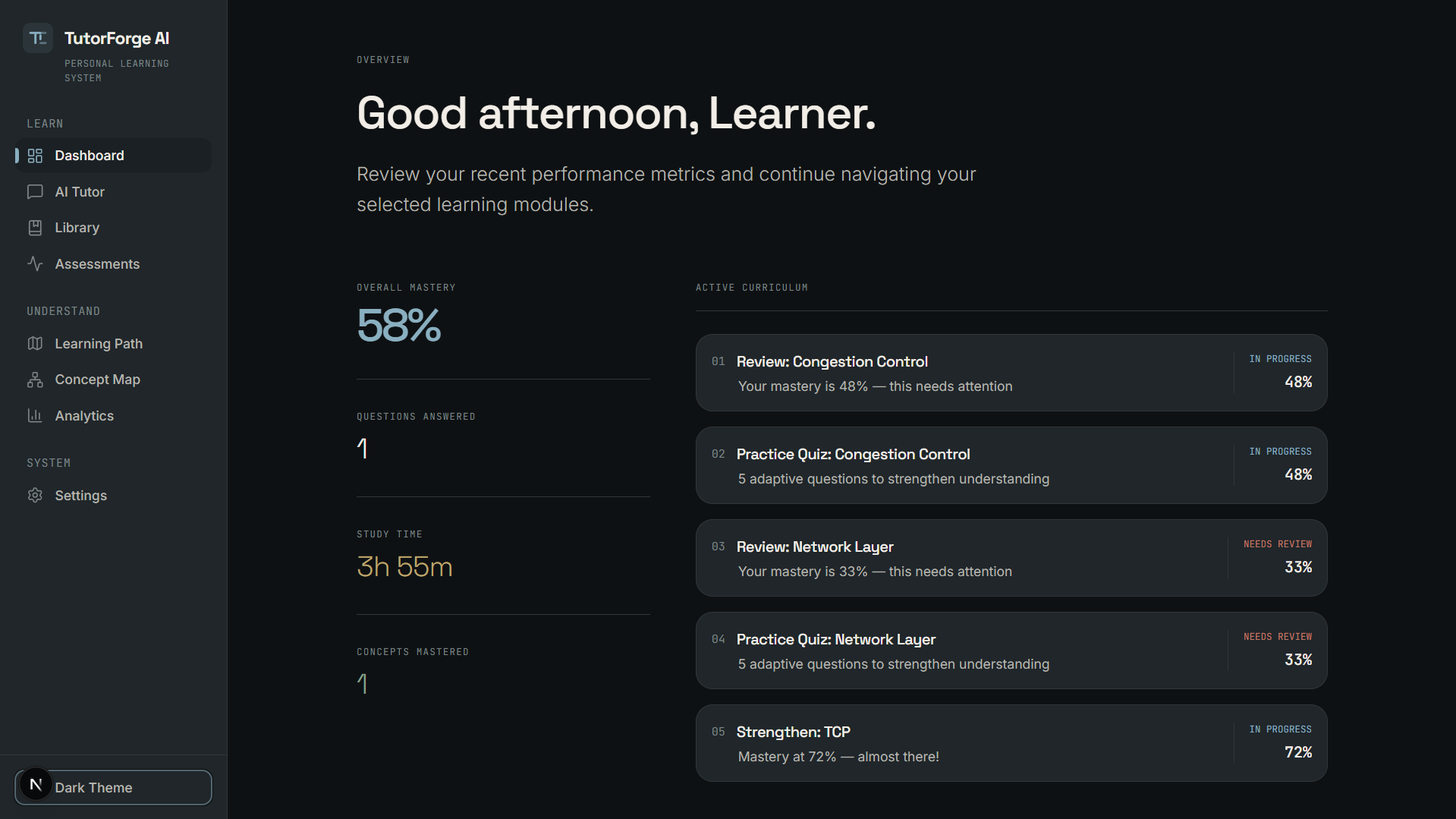
A personalized dashboard showing mastery, active learning modules, study progress, and recommended next steps.
-
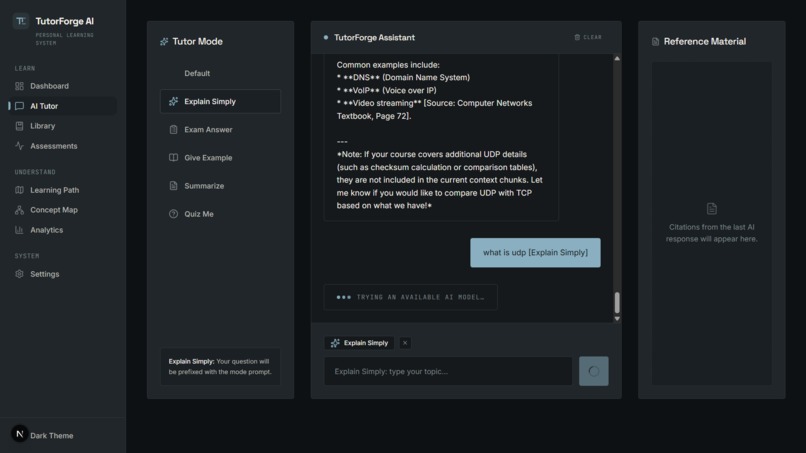
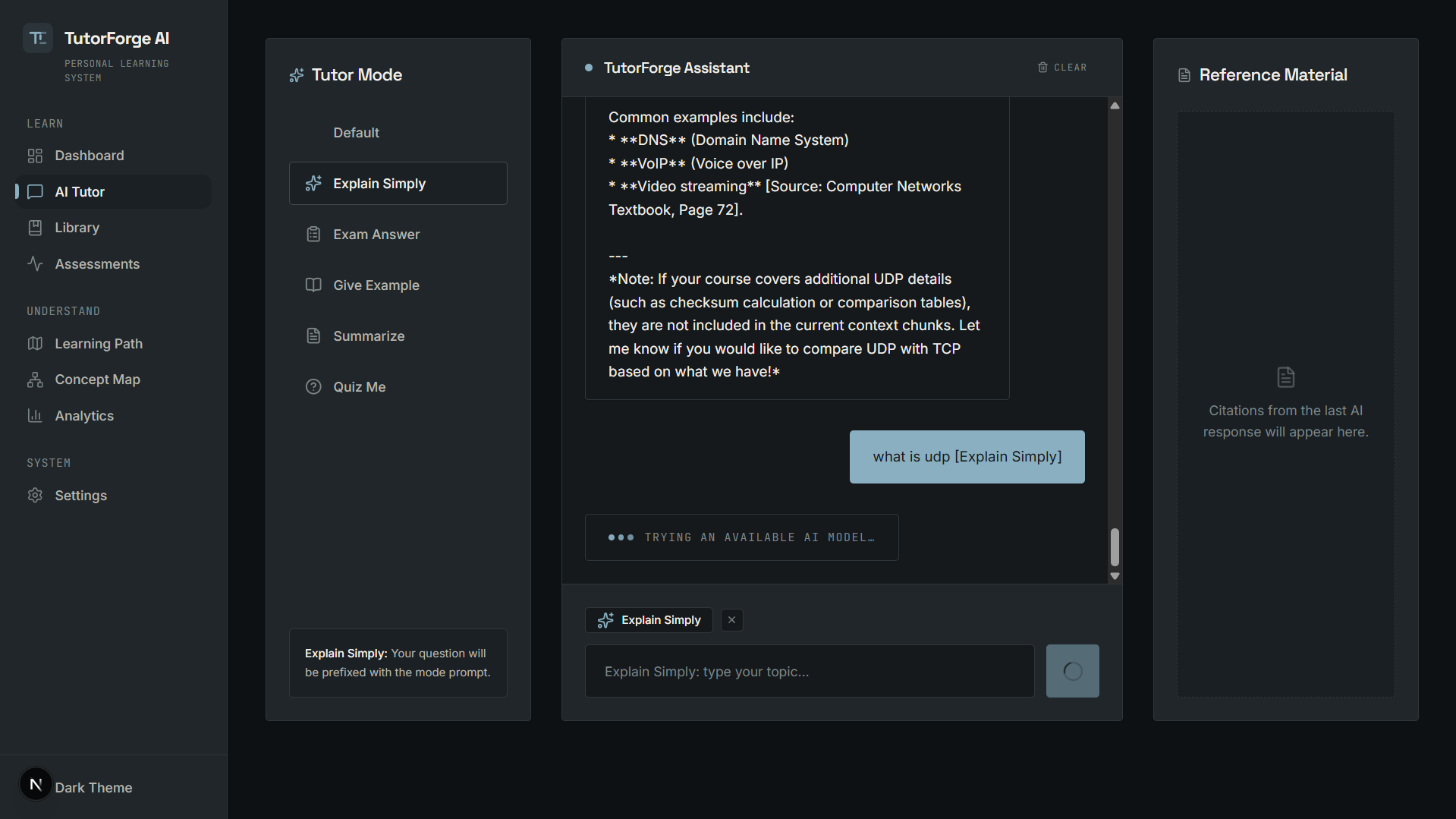
Ask questions about your learning material and get source-grounded explanations from TutorForge AI.
-
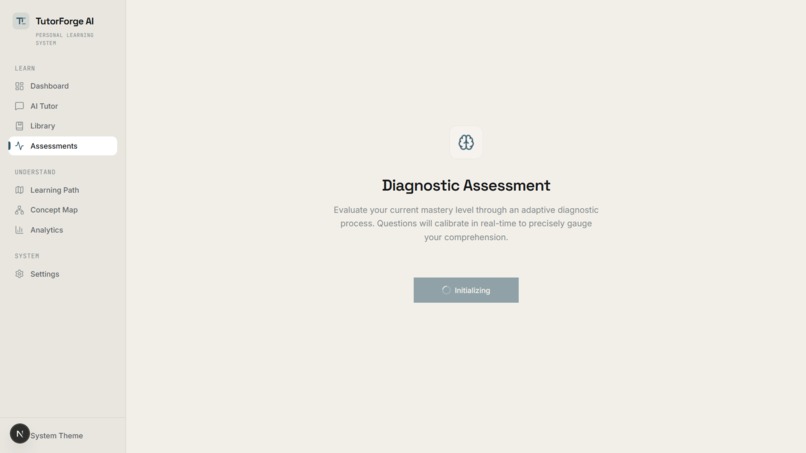
Open processed learning material and explore the content that powers TutorForge's grounded answers.
-
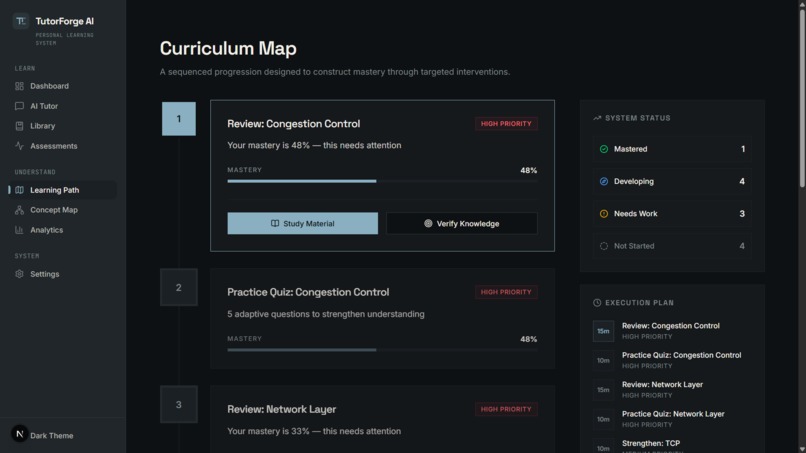
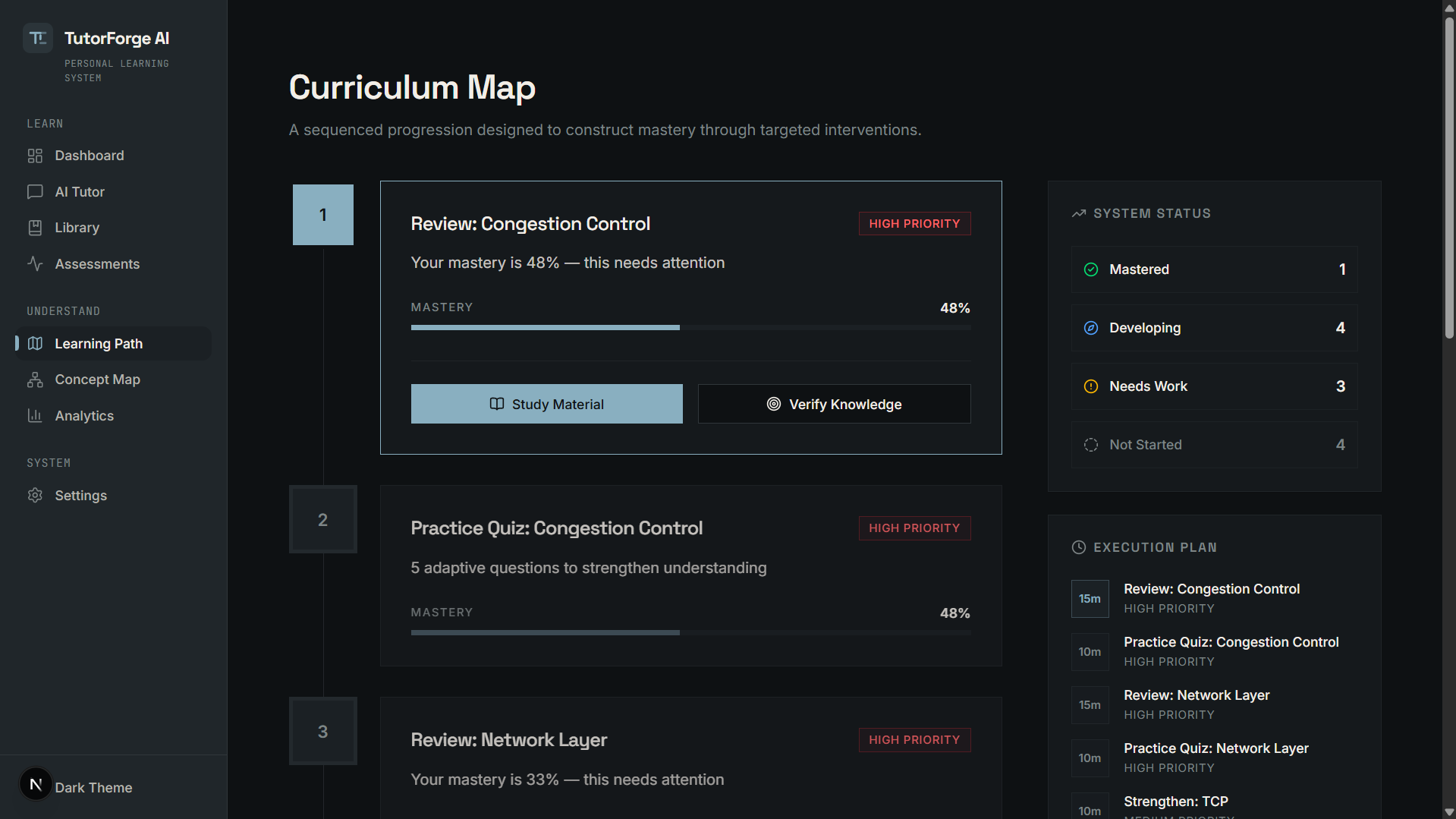
A dynamic learning path that prioritizes concepts based on the student's current mastery.
-
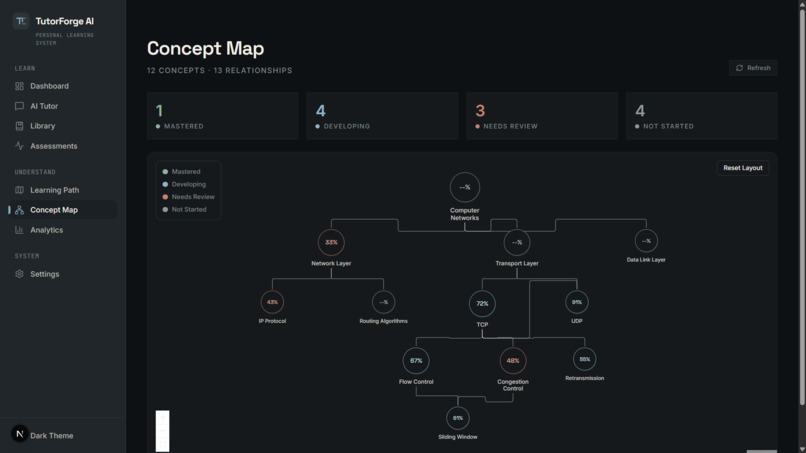
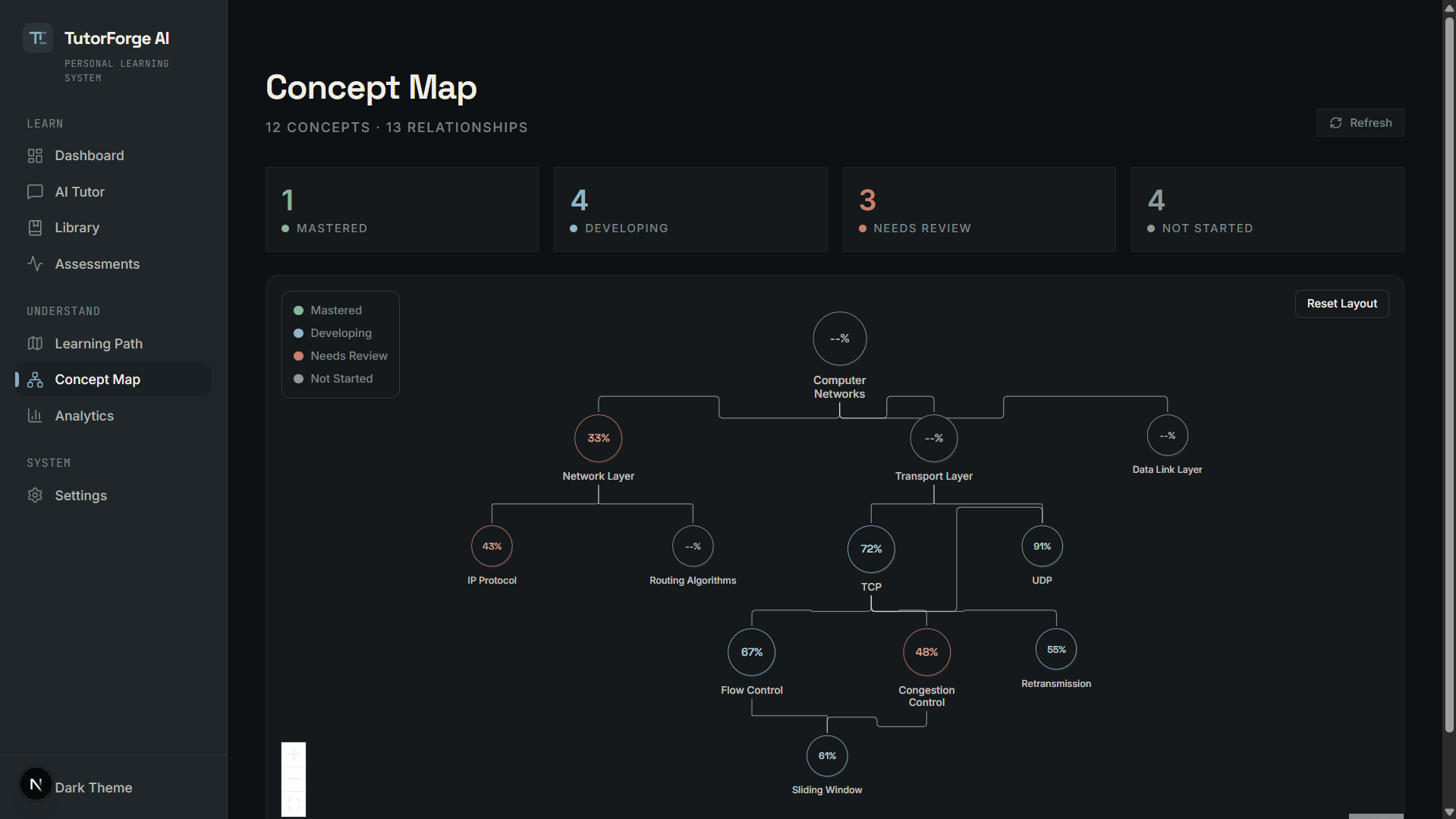
Explore relationships between course concepts while seeing current mastery for each topic.
-
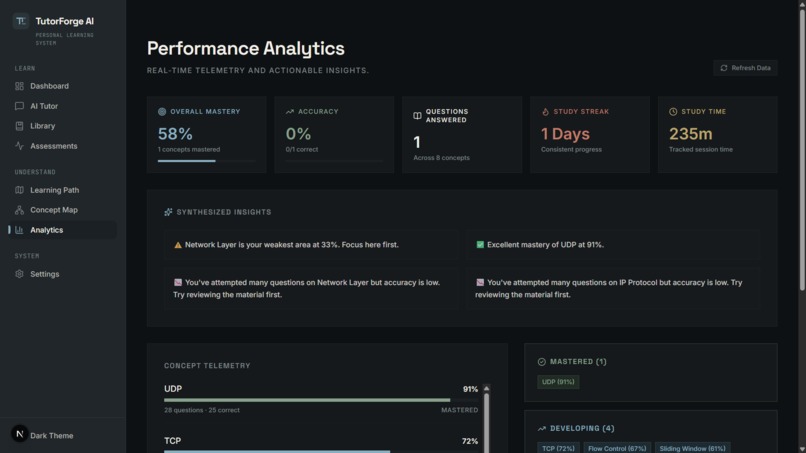
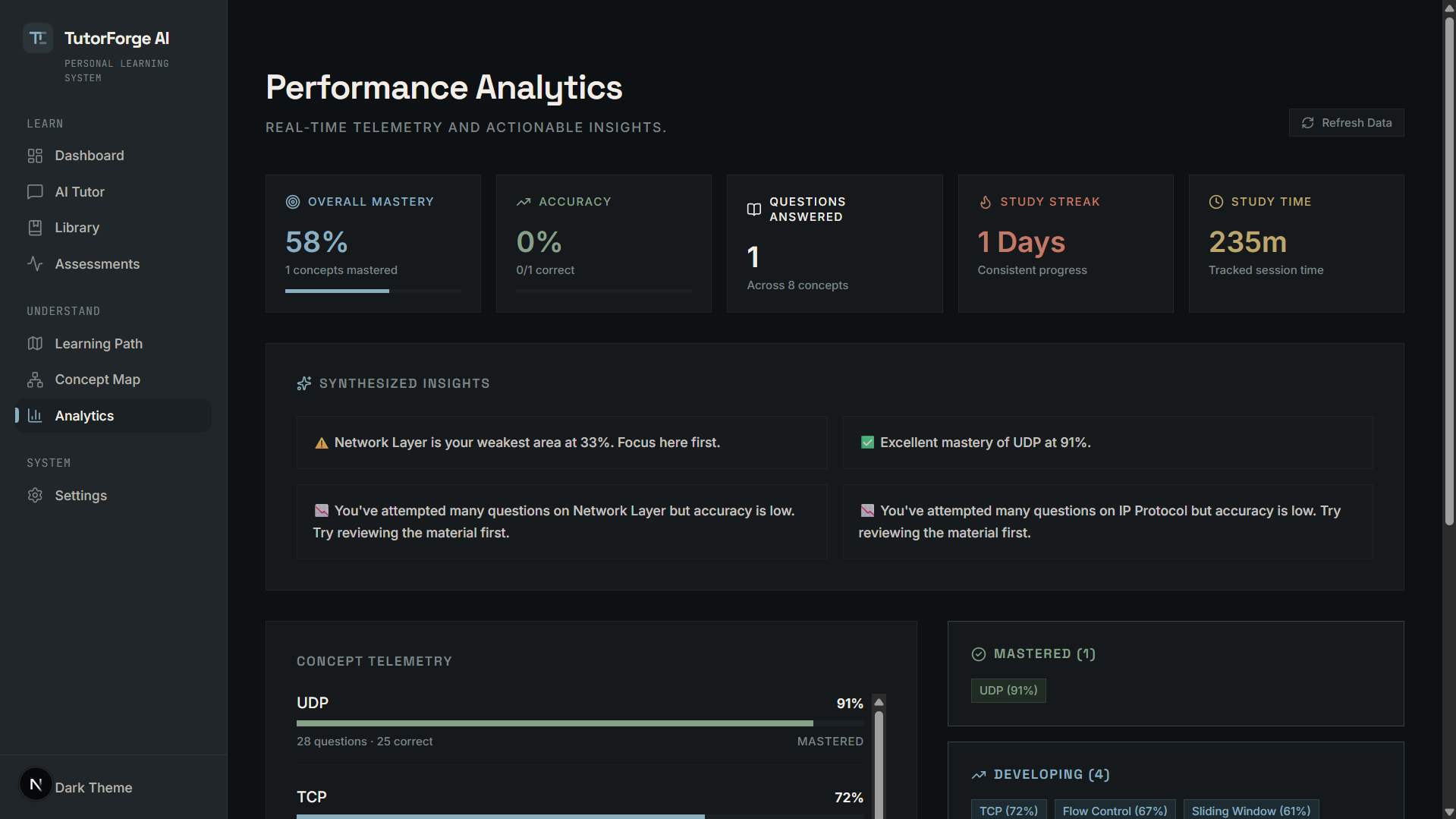
Track concept mastery, accuracy, learning signals, and overall study progress.
Inspiration
We started with a simple problem: studying for a course usually means jumping between a textbook, lecture slides, recorded lectures, notes, and random searches.
Then we thought — what if all of that could live in one place, and the system could actually understand what the student is studying?
That idea led us to build TutorForge AI.
We wanted something more useful than a normal AI chatbot. Instead of just asking an AI a question, we wanted the AI to understand the student's own study material, show where an answer came from, and use the student's performance to decide what they should study next.
What we built
TutorForge AI is a personalized study companion for students.
A student can upload learning material such as:
- PDF textbooks
- PPT/PPTX lecture slides
- text notes
- supported audio/video material
TutorForge processes that material and turns it into searchable knowledge.
From there, students can:
Ask an AI Tutor
Ask questions about their course material and get answers based on the uploaded sources.
For example:
"Explain TCP congestion control."
The response can include the source it used, such as a textbook page, slide, or lecture timestamp.
This makes it easier to check whether the answer actually came from the material being studied.
Take adaptive quizzes
TutorForge keeps track of how the student performs on different concepts.
If the student keeps getting questions right, the system can move toward harder questions.
If the student struggles with a concept, it can provide more focused practice.
Track mastery
Instead of showing only a quiz score, TutorForge keeps track of individual concepts.
For example:
- UDP — Mastered
- TCP — Developing
- Congestion Control — Needs Review
- Routing — Not Started
This gives the student a much better idea of what they actually understand.
Get a personalized learning path
The system uses those mastery levels to recommend what the student should work on next.
So instead of:
"Study Chapter 5"
the recommendation can become:
"Review Congestion Control → revisit the relevant lecture → practice 5 questions."
Explore a concept map
TutorForge also shows how concepts are connected.
A student can explore relationships between topics such as TCP, Flow Control, Congestion Control, Sliding Window, and Retransmission, while seeing their current mastery at the same time.
How we built it
We built TutorForge as a full-stack web application.
The frontend uses Next.js, React and TypeScript, with Tailwind CSS for the interface. React Flow is used for the concept map and Recharts is used for learning analytics.
The backend is built with Python and FastAPI, with SQLite and SQLAlchemy handling the application data.
For the AI layer, we use Google Gemini through the Google GenAI SDK.
The important part of the system is the pipeline behind the Tutor:
Upload material → process it → split it into chunks → retrieve relevant information → generate an answer → attach the source information
The same learning data then feeds the assessment, mastery, learning path, concept map and analytics.
Some of the challenges
Getting the idea to work was much harder than making a basic AI chatbot.
We ran into problems with document processing, vector search dependencies, frontend/backend API mismatches, adaptive assessment state, AI model availability, and even the layout of the concept graph.
At one point the concept map was technically receiving the correct data but the nodes were rendering incorrectly. We ended up switching to a deterministic layout so the graph would remain readable and predictable.
We also had to handle temporary Gemini model availability issues. Instead of letting a temporary AI failure break the entire application, we added retry and fallback behavior.
A lot of the work ended up being less about adding features and more about making sure the features actually worked together.
What we learned
The biggest thing we learned was that an AI application is much more than an LLM call.
The real challenge is connecting everything around it:
student material → retrieval → AI → citations → assessment → mastery → recommendations
We also learned that showing the source behind an AI answer matters a lot in an educational setting. A student should be able to understand not only what the AI said, but also where it came from.
What's next
TutorForge is currently designed around a course-level learning experience, but we want to take it further.
Some of the things we'd like to explore next are better semantic retrieval, deeper video understanding, more advanced mastery modelling, and tools for instructors to understand where an entire class is struggling.
The long-term idea is simple:
Make studying from your own material feel less like searching through files and more like having a tutor that actually knows what you're learning.
Built With
- fastapi
- framer-motion
- google-gemini
- google-genai-sdk
- next.js
- python
- react
- react-flow
- recharts
- sqlalchemy
- sqlite
- tailwind-css
- typescript

Log in or sign up for Devpost to join the conversation.