-
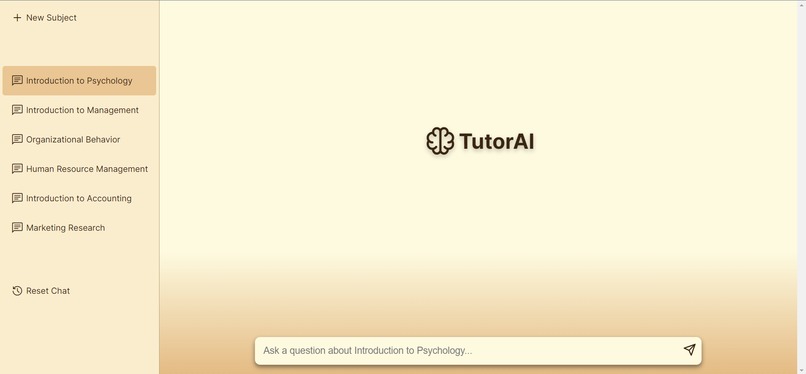
desktop chat service
-

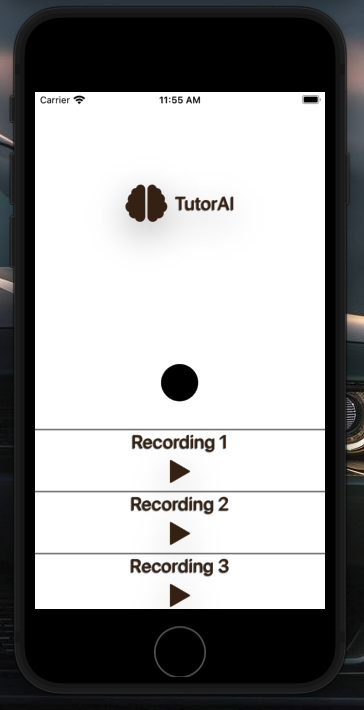
mobile lecture recording service

Inspiration
As students, we've all had the experience of being in large classes, where asking specific questions in lectures or outside of class is close to impossible, leading to a worse learning experience. And there are numbers to back this impact up. Data we scraped and analyzed from our own school, UT Dallas, going back to spring 2018, suggests a strong correlation between a higher median grade distribution and smaller class sizes.
We're inspired just like every student out there, to take control of our education. We know first-hand the struggle it is to be able to understand your lectures and course materials, especially when the material is dense and wordy. Sometimes, students just need an assistant that is solely dedicated to answering all the questions they're unable to ask their professors. Thats where our AI tutor, TutorAI saves the day!
What it does
TutorAI is an AI, that is trained to answer questions that are relevant to your coursework alone. You can train the AI by feeding it coursework data and recording lectures, so that it knows how to answer questions relevant to the courses that you are currently taking. In addition, you can also text your AI tutor on your mobile messages app to receive answers on the go! Finally, using the mobile app, you can record your lectures, further training the AI relevant data on your courses.
How we built it
We utilized GitHub extensively for collaboration and version control. The application has 3 major services: API, web frontend, mobile app.
The API is written in Python with Flask and LangChain, and deployed on Google Compute Engine. It handles the brunt of the business logic, using the same model behind ChatGPT, GPT-3.5. While these leaps in innovation are unprecedented and shouldn't be taken for granted, large language models like ChatGPT are notorious for confidently outputting slightly incorrect or completely false information, due to the wide range of data they are trained on. One approach to solving this problem is passing in all relevant data that responses should be generated from. We use sources that are known to be correct, such as user-supplied textbooks, where we can parse the text from PDFs, or even lectures, which we support by transcribing audio recordings using the Google Cloud Speech to Text API. But this approach doesn't scale, because LLMs typically have limits on the number of tokens, or words that can be passed in at one time. To solve this issue, we utilize embeddings, which allow us to take a user's question, and then send specific pages that are relevant to their question along with our prompts to the LLM. These embeddings are stored in a database optimized for vector data and similarity search, to optimize the speed of these operations, while other user data is persisted in Firebase.
The web frontend, built with Next.js, serves as an intuitive interface for users to select the class they are asking questions for, and submit a question.
The API is also integrated with Twilio, to allow users to send questions to an SMS number and get a quick response while on the go.
The mobile app, written with React Native is primarily for recording and transcribing lectures. Users can begin a recording in class, and as soon as the lecture is complete, we transcribe the lecture and add the content to a user's personal knowledge base.
Challenges we ran into
Because of the long duration and large number of lectures being processed, we need a way to begin a speech to text operation and get the results without any blocking operations on our API. To accomplish this, we begin by uploading the audio file to a private Google Cloud Storage bucket. Once the upload is complete, the user is free to close the app and perform other tasks on their device while the file is processed on the server. The Google Cloud Speech to Text API is called in the background, and is configured to store results as JSON files in another Google Cloud Storage bucket exclusively for transcription results. Thanks to Google Cloud Functions, we're able to trigger a function that runs exactly when files are added into the results bucket. This function simply makes a call to the API with the transcript, and embeddings are regenerated on the fly for the user to ask questions with their new data.
Accomplishments that we're proud of
Ultimately, we are proud of implementing a beautiful user interface that is easy to understand and engaging to the end user.
What we learned
We learned a lot about utilizing large language models, their advantages and disadvantages in certain scenarios, and ways to overcome them. We also learned a lot about Google Cloud and system design, as we architected the backend to efficiently handle long running transcription operations.
What's next for TutorAI
TutorAI will need to have some polishing, fine tuning and further programming in order to make it a robust app ready for the market. Implementing a flash card game as a type of brain teaser would definitely be a good feature to add.
Built With
- domain.com
- flask
- github
- google-cloud
- gpt3.5
- langchain
- llm
- nextjs
- python
- twilio
- vercel


Log in or sign up for Devpost to join the conversation.