Inspiration
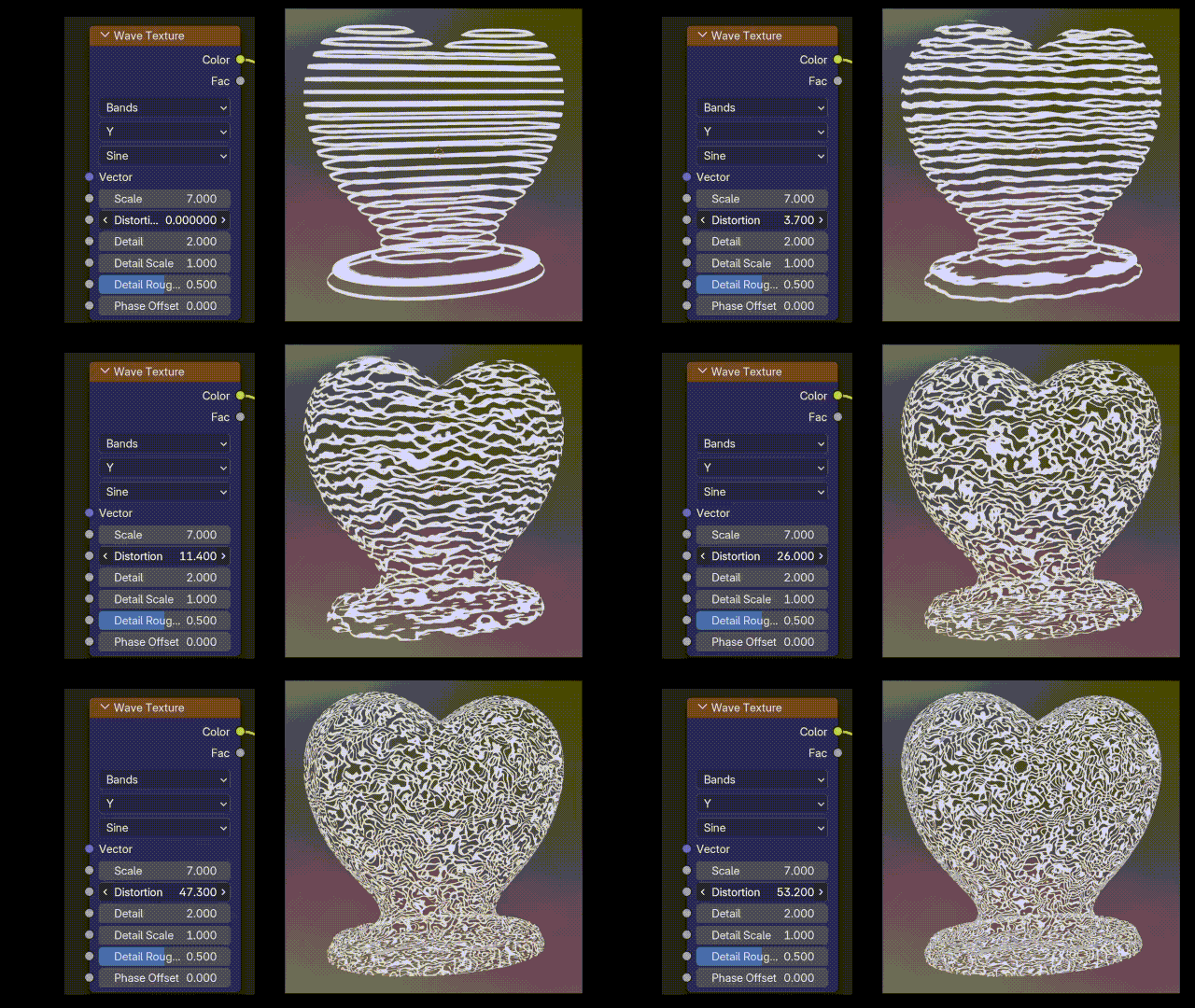
I wanted to give creators a new way to expand their visual toolkit in Horizon Worlds. Hologram textures felt like a fresh, exciting area that most creators hadn’t explored yet, and Blender’s Shader Editor offered an approachable way to achieve them.
What it does
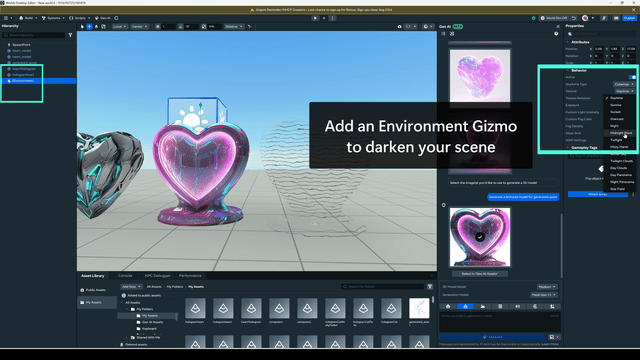
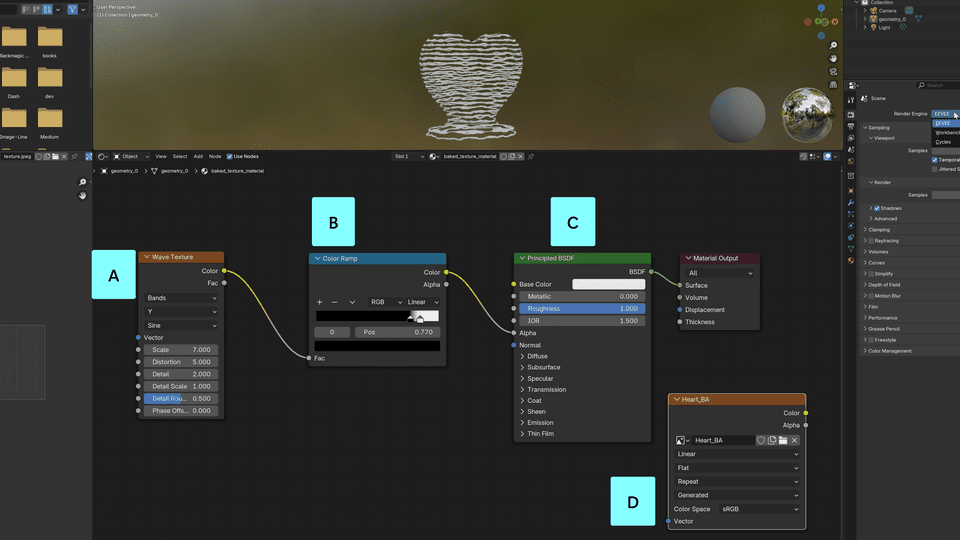
This workflow demonstrates how to use Blender’s Shader Editor alongside Horizon’s unlit blend materials to create glowing, semi-transparent holograms. The tutorial is designed to be modular and flexible, allowing creators to adapt the workflow for their own objects, textures, and world designs.
How we built it
I broke the process into a clear step-by-step workflow supported by narrated video, screenshots, and captions. Each step is designed so that creators of any skill level can follow along. To keep it engaging, I included a silly power-up game within the tutorial. I also included “creative variations” that show how to push the workflow further.
Challenges we ran into
Ensuring that screenshots and video footage clearly showed every step was surprisingly detail-oriented. From node connections in Blender to exporting textures with proper naming conventions for Horizon Worlds, every small step needed to be visible and understandable.
Accomplishments that we're proud of
The tutorial makes a complex toolset approachable. Creators can produce a professional-looking hologram within minutes. I’m proud that it blends technical depth with creative flexibility, giving the community something both practical and inspiring.
What we learned
Clearer ways to teach procedural materials in Blender. How Horizon’s unlit blend materials behave with custom textures. Techniques for producing more concise and visually clear tutorials.
What's next for Turn ANYTHING into a Hologram with Blender Nodes
I can't wait to see what people create with it! I'm interested in creating more shader-based workflows if there's interest.


Log in or sign up for Devpost to join the conversation.