-
-
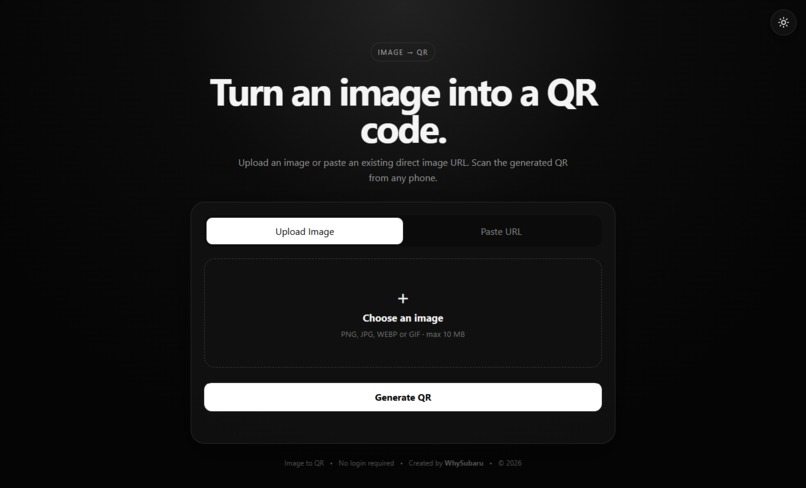
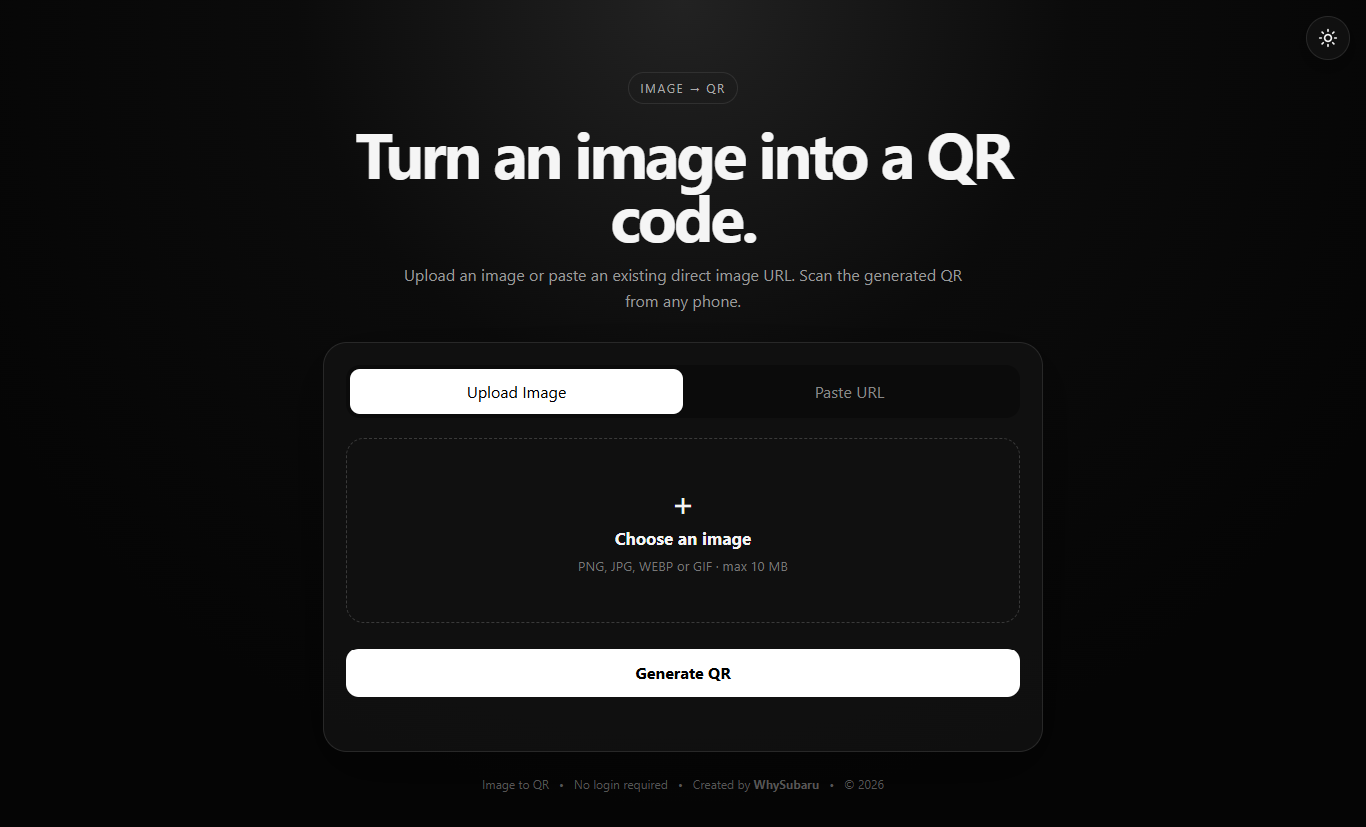
UI of Our Website
Inspiration
I wanted to build something simple that could make sharing images a little easier. Sometimes sending an image directly or sharing a long URL is not convenient, especially for posters, presentations, or printed content.
That gave me the idea to create a tool that turns an image into a QR code so it can be opened quickly by scanning it.
What it does
This project lets users turn an image into a QR code in just a few steps.
You can upload an image or enter an image URL, generate a QR code, and then scan it to access the image. The interface is kept simple so users can understand what to do without going through a complicated process.
How we built it
We focused on building a simple web interface where the whole process happens in one place.
The user provides an image or image URL, the application creates a QR code for it, and the result is shown on the screen so it can be shared or saved.
While building it, we focused mostly on keeping the interface clean and making the process quick.
Challenges we ran into
One of the main challenges was making sure the generated QR code actually worked correctly when scanned.
We also had to handle different types of image input and make the interface clear enough that users would not get confused.
Getting the functionality and the user experience to work smoothly together took some testing and adjustments.
Accomplishments that we're proud of
We are happy that we turned a simple idea into a working tool that can be useful in everyday situations.
The best part is that the process is very straightforward. You provide an image, generate the QR code, and you are ready to share it.
What we learned
This project taught us a lot about connecting different parts of a web application and handling user input properly.
We also learned that even a small idea can become a useful project when the experience is simple and focused.
What's next for Turn an image into a QR code.
We would like to add more customization options in the future, such as different QR styles, more download options, and better support for different devices.
We also want to keep improving the overall experience and make the tool even easier to use.
Built With
- css3
- html
- javascript
- qrcode.js
- supabase
- supabase-storage
- vercel
- vite

Log in or sign up for Devpost to join the conversation.