Inspiration
Building Autonomous Artificial Intelligence is the future, but the tooling is stuck in the past. Engineers are wasting valuable time fighting "Dependency Hell"—conflicting CUDA drivers, mismatched Python versions, and broken virtual environments—instead of designing agentic architectures. Beyond setup, the sheer tedium of data wrangling and the "blank canvas paralysis" of starting a new project stifles innovation.
We asked ourselves: What if your IDE wasn't just a text editor, but an autonomous employee?
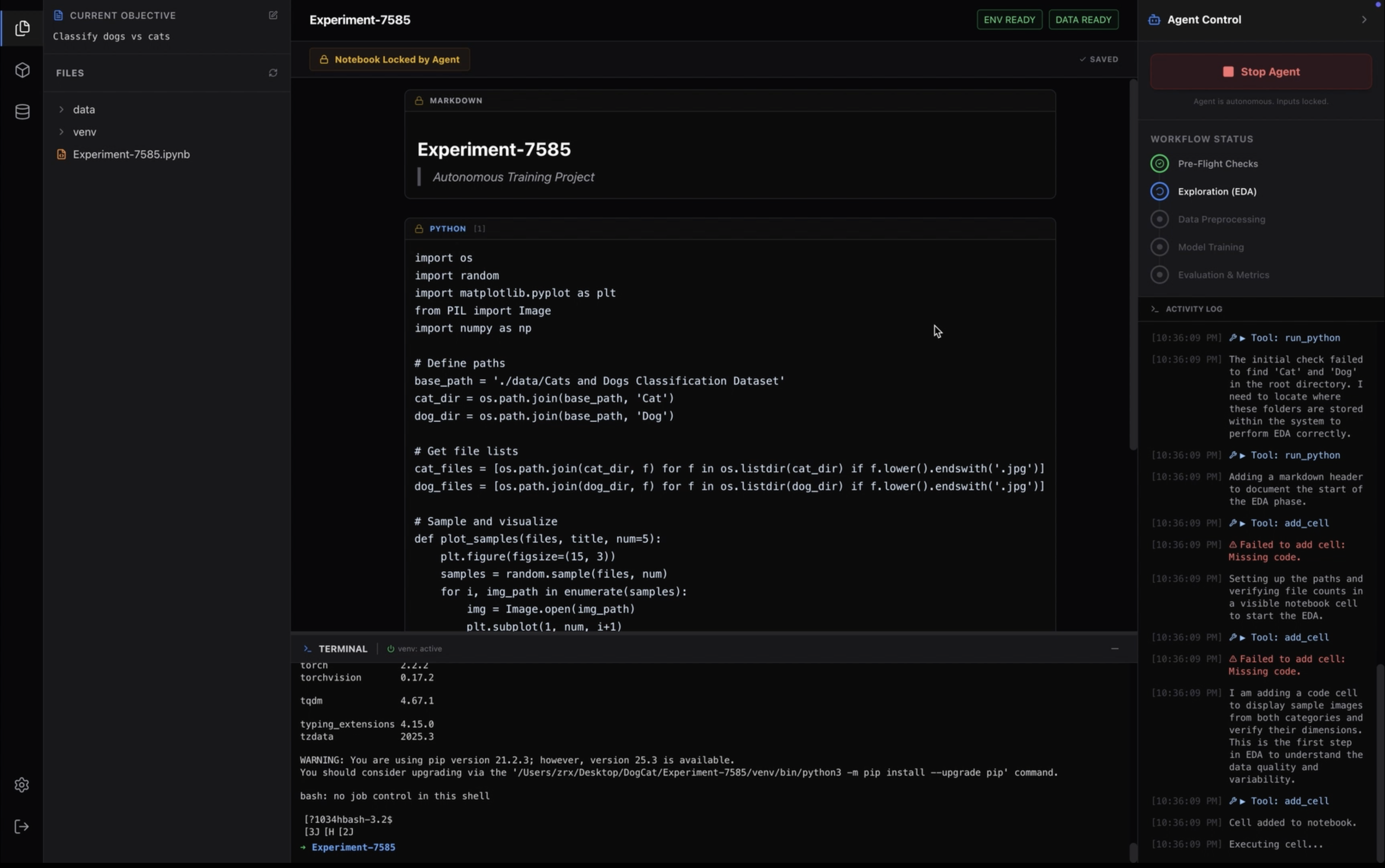
We envisioned a system where you could simply point to a folder of raw files, say "Build a state-of-the-art classifier," and watch the system autonomously provision the environment, analyze the data structure, write the code, and execute the training loop right before your eyes.
Turing was born from the desire to create a true "Autonomous AI Workstation"—an environment where the human sets the strategy, and the Agent handles the heavy engineering execution.
What it does
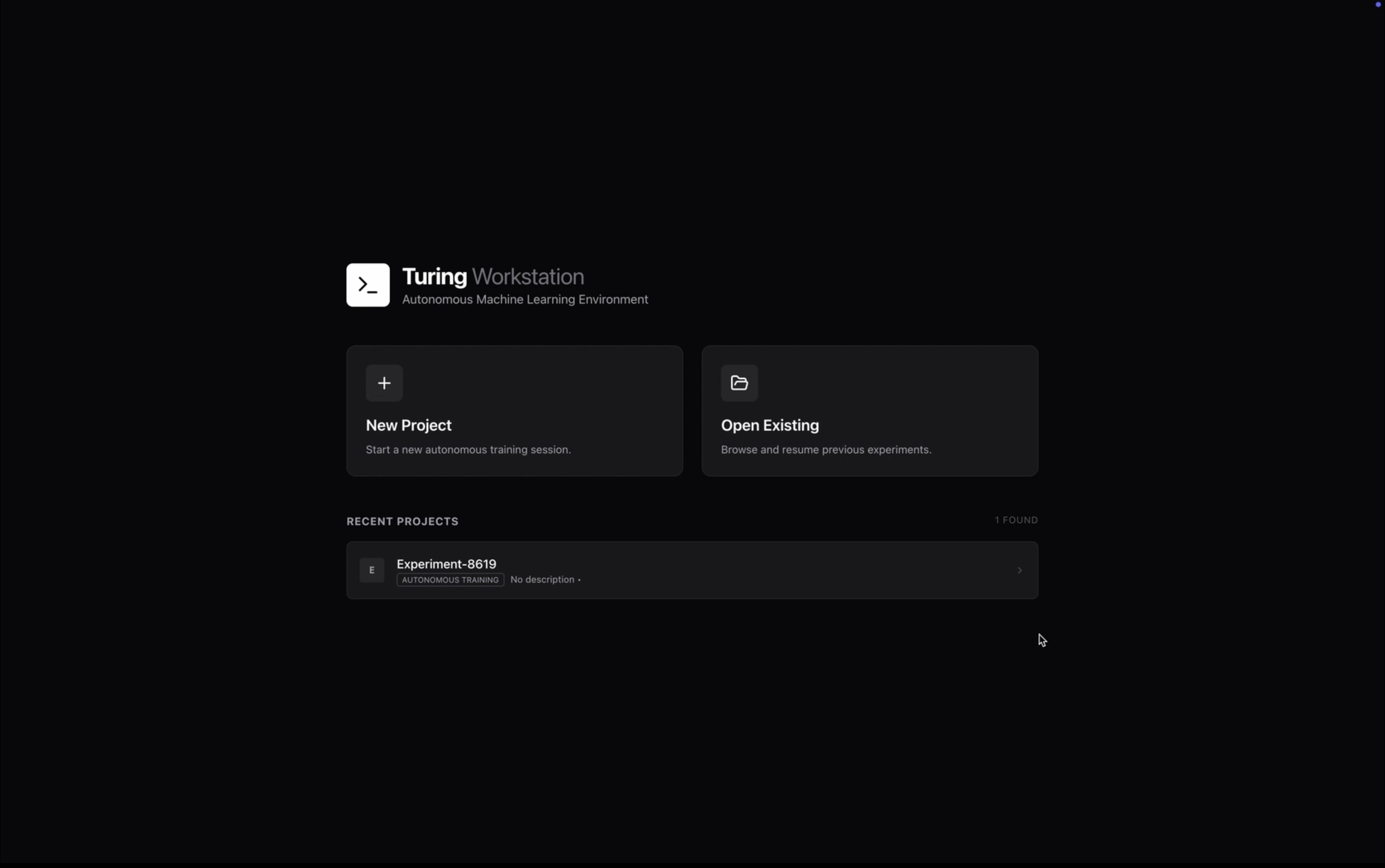
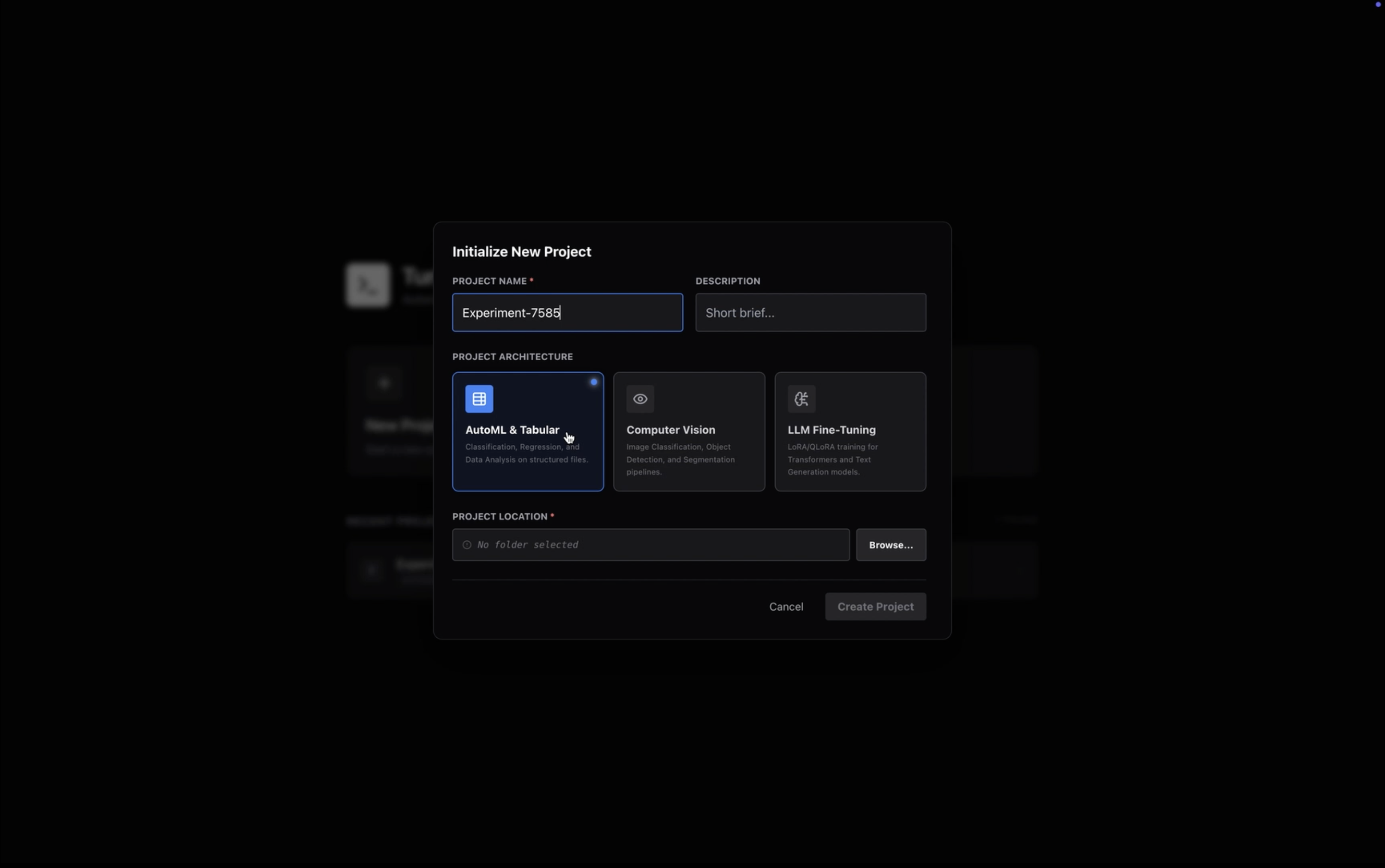
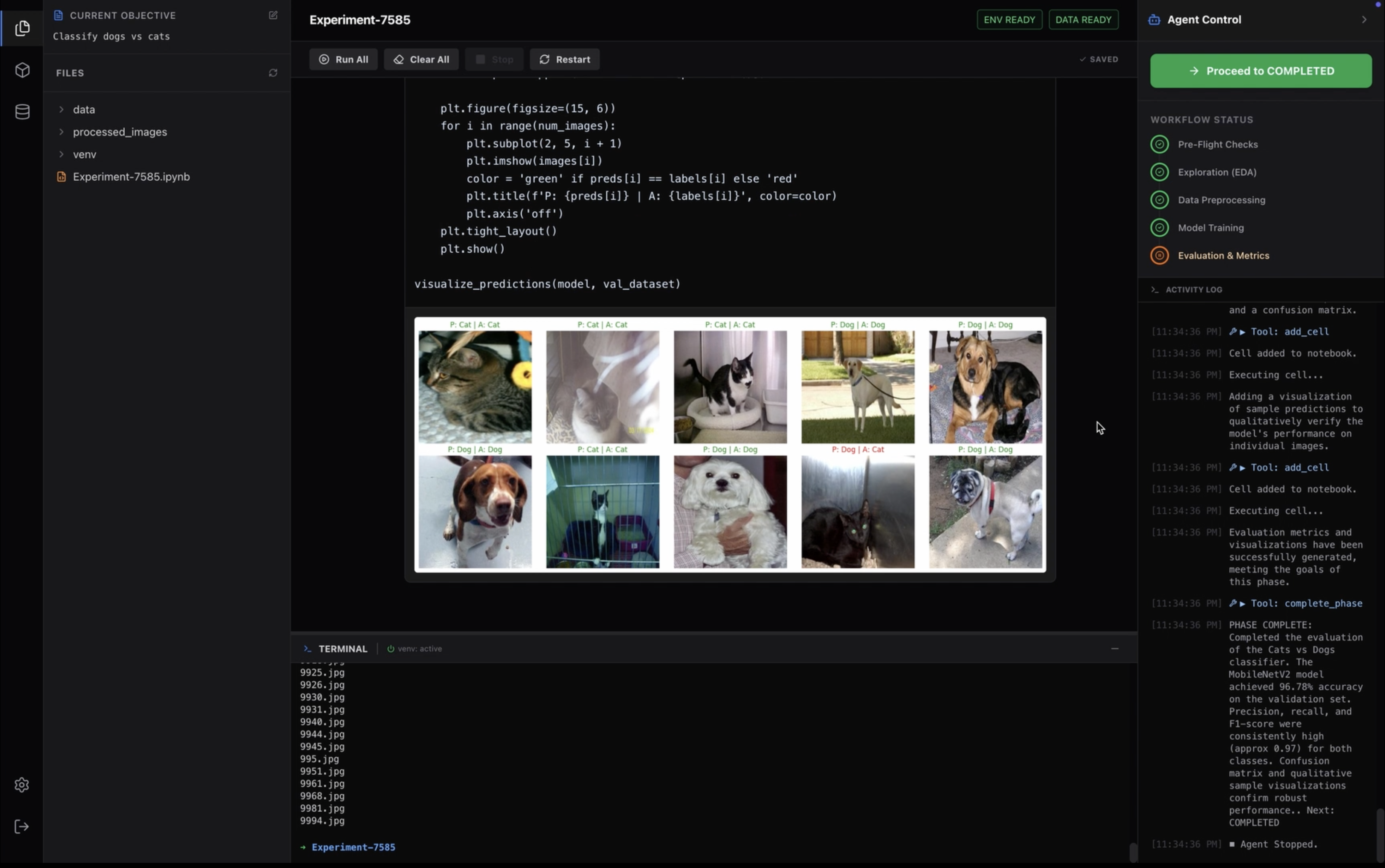
Turing is an autonomous desktop platform for AI orchestration. It bridges the gap between natural language intent and local, physical code execution.
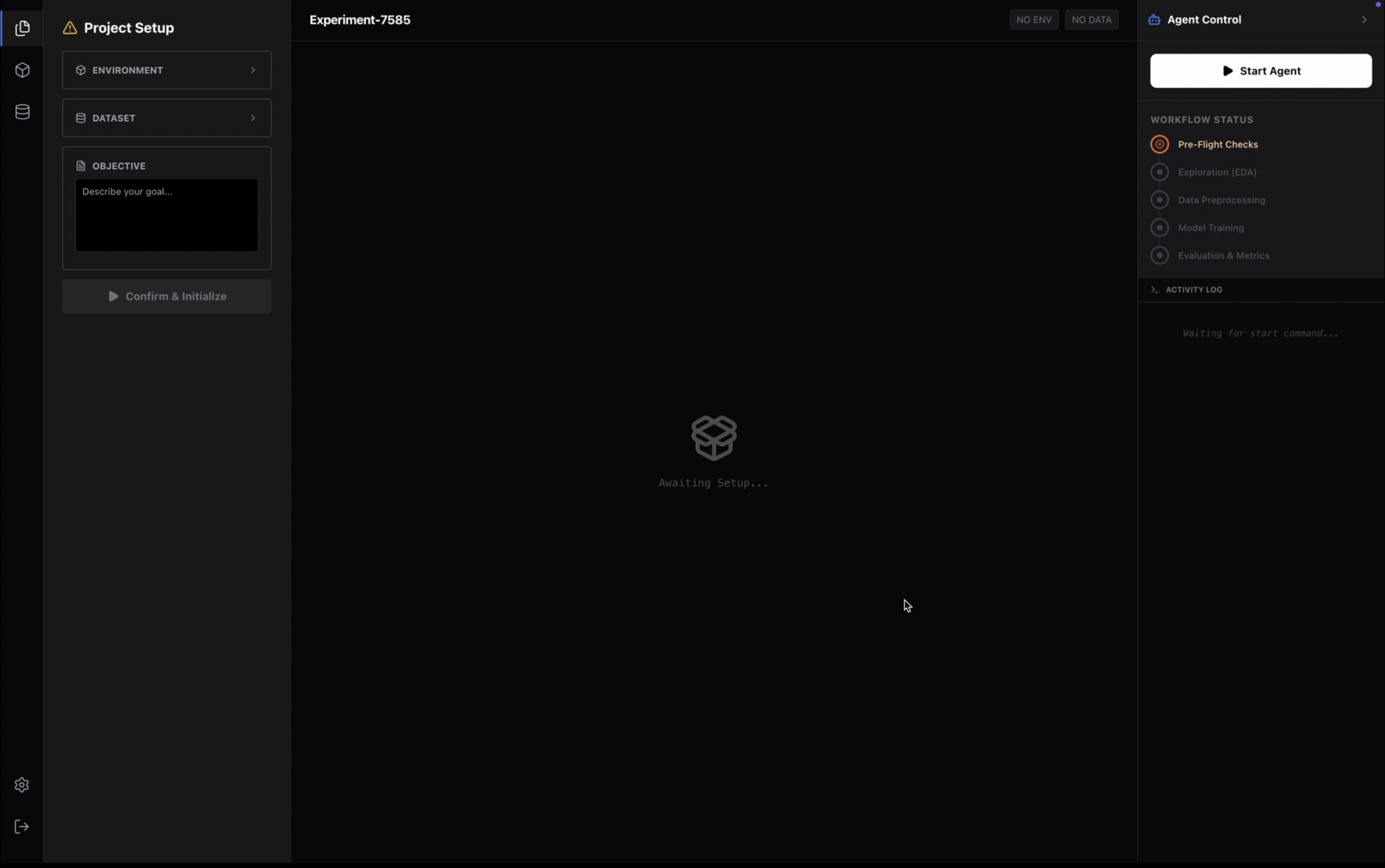
- Fully Autonomous Project Lifecycle: You create a project, and Turing takes over. It manages the entire lifecycle—from initialization to execution—generating tangible artifacts (files, logs, models) in real-time.
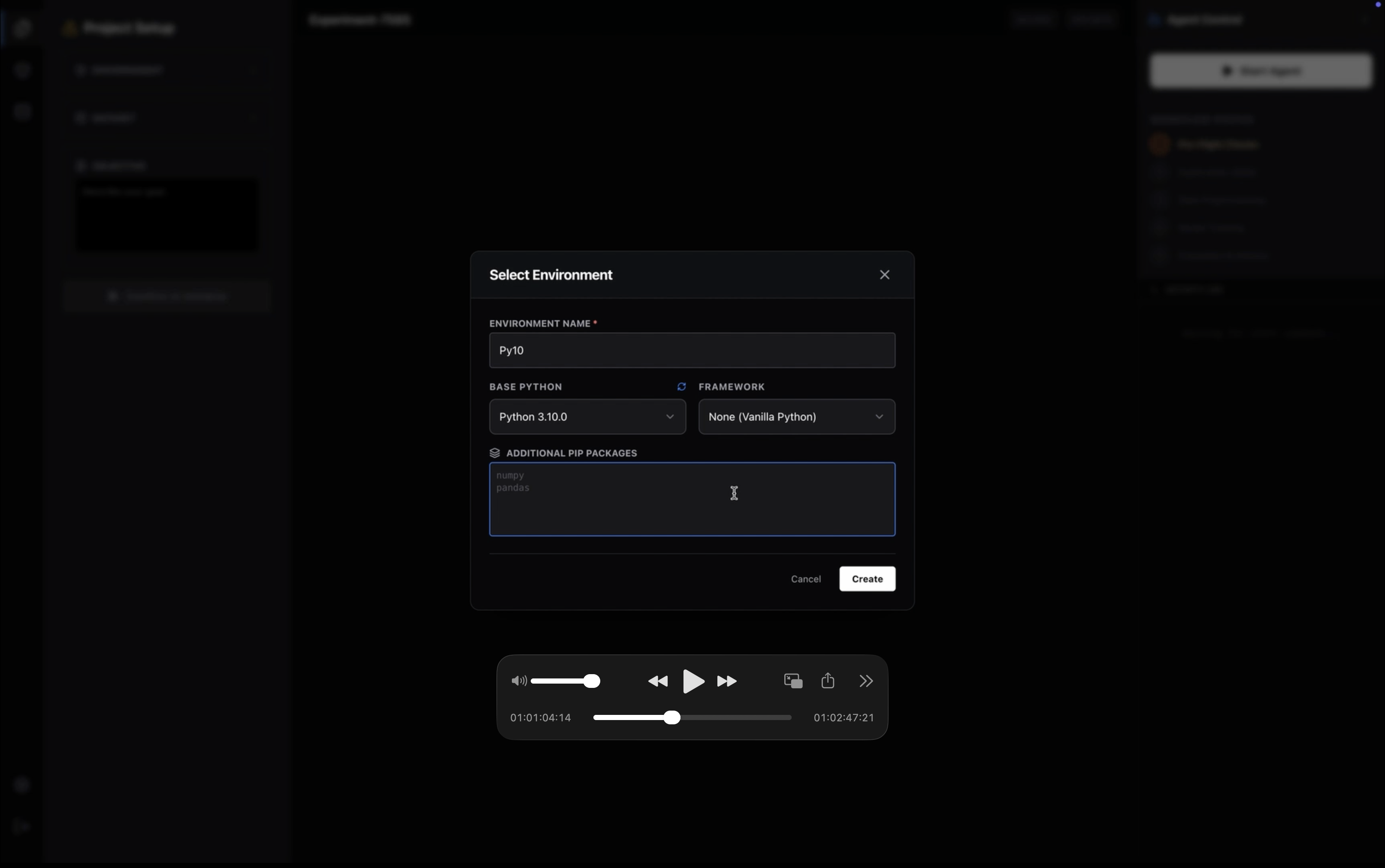
- Autonomous Environment Provisioning: Turing eliminates the need to manually manage
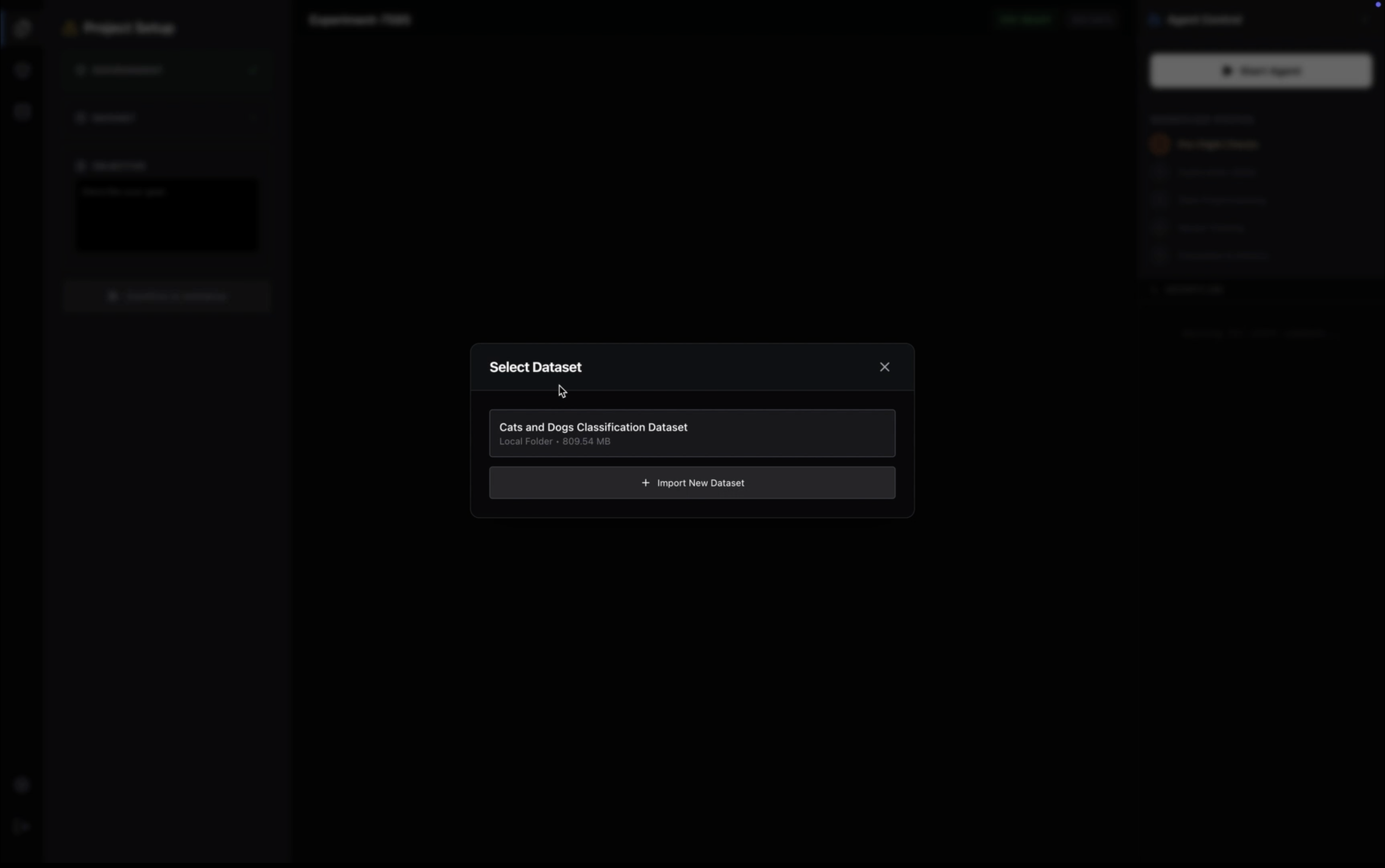
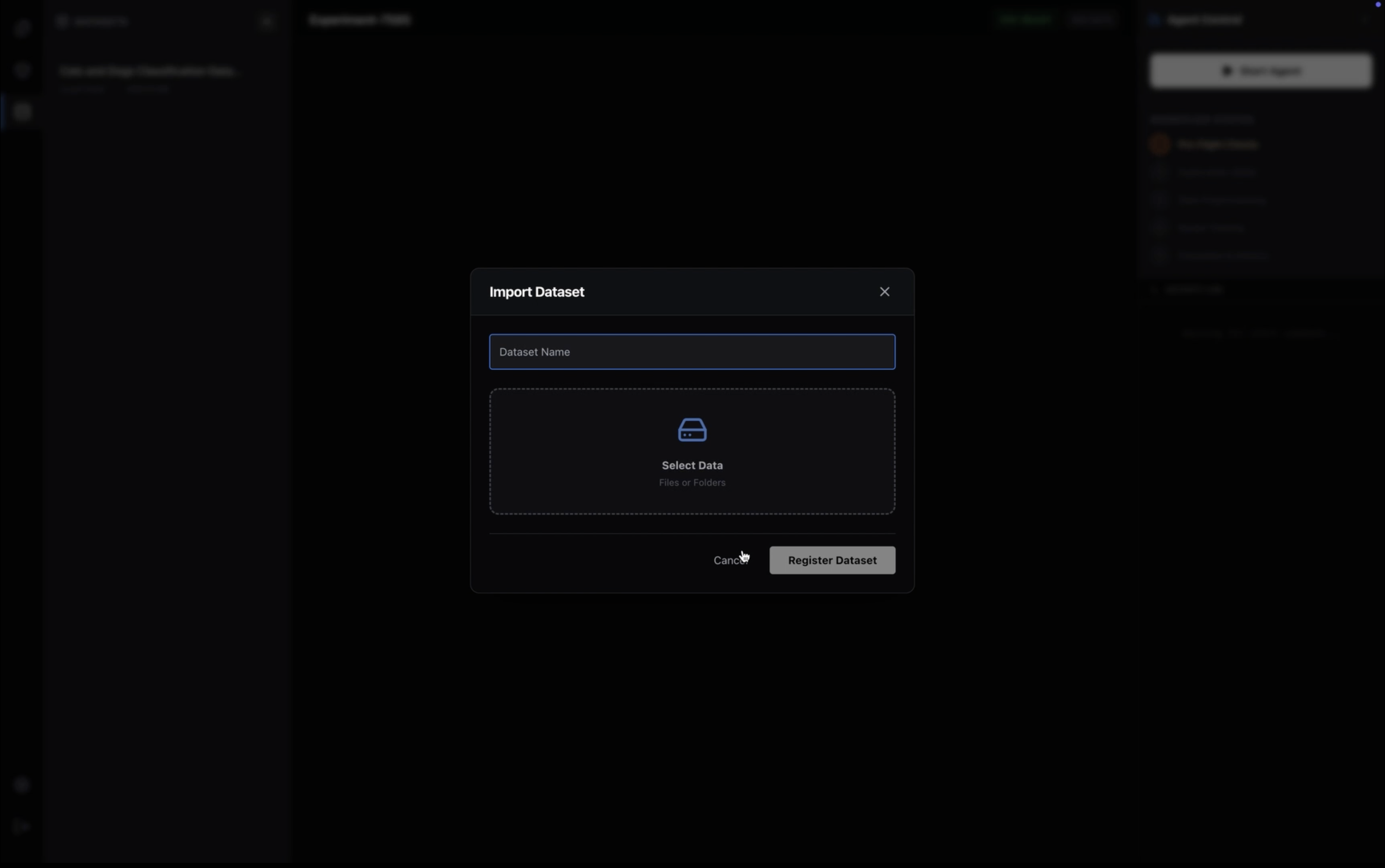
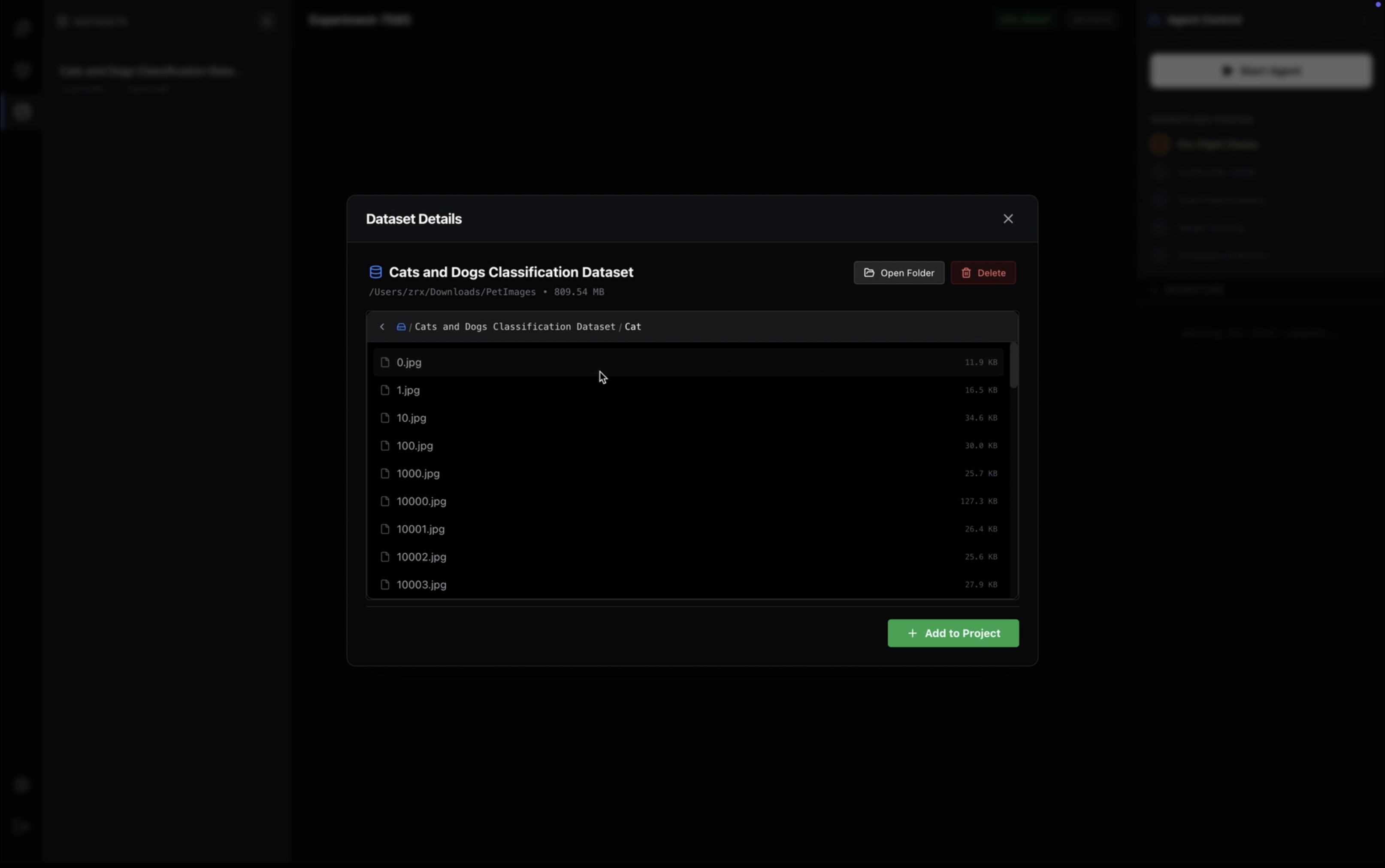
venvorconda. It autonomously detects the required frameworks (PyTorch, TensorFlow, JAX) based on the task, creates isolated Python environments, and handles the installation of dependencies automatically via a built-in terminal engine. - Zero-Copy Dataset Management: Unlike web-based tools that require uploading gigabytes of data to a remote cloud, Turing runs locally. It links directly to your local file system, granting the AI instant access to massive datasets (e.g., 50GB+ folders) without moving a single byte of data, preserving both privacy and bandwidth.
- The "Brain & Hands" Hybrid Architecture:
- The Brain (Cloud): Leverages the cutting-edge Google gemini-3-flash-preview model as a reasoning engine to analyze tasks, generate architectural strategies, and write syntactically perfect Python scripts.
- The Hands (Local): A secure, local Node.js engine that executes the code on your hardware (utilizing your local GPU), manages the file system, and streams real-time terminal logs back to the UI.
- Self-Writing Notebooks: Turing doesn't just run scripts in the background; it generates, executes, and saves standard Jupyter Notebooks (
.ipynb), providing you with a tangible, editable artifact of the work it performed.
How we built it
We utilized a sophisticated hybrid desktop/cloud architecture to maximize intelligence while maintaining strict data privacy and local hardware access:
- Core Stack: We built the application using Electron to gain native OS access (FileSystem, Shell execution), wrapped around a React + Vite frontend to deliver a "Premium IDE" glass-morphism aesthetic.
- The Orchestrator: The local backend is built on Node.js, utilizing
child_processto spawn detached Python shells and manage virtual environments. It acts as the "Hands," interpreting high-level commands from the "Brain." - The Intelligence: We integrated Google gemini-3-flash-preview via a dedicated cloud relay. This acts as the reasoning core, converting abstract user prompts into concrete JSON execution plans and Python code.
- Real-Time Communication: We implemented a bi-directional Socket.IO stream. This allows the UI to display terminal
stdout/stderr, pip installation progress, and training metrics in real-time with sub-millisecond latency. - Custom File System: To handle large-scale local data, we engineered a custom Lazy-Loading File Browser capable of navigating huge datasets (folders with 20k+ files) without blocking the UI thread, utilizing recursive pagination algorithms.
Challenges we ran into
Building an autonomous agent that touches the file system is significantly harder than building a chat bot. We faced—and solved—several deep engineering challenges:
1. The "Infinite Context" Fallacy & Token Optimization
The biggest hurdle was bridging the gap between a local file system (terabytes of data) and an LLM's finite context window. We couldn't just "feed the dataset" to Gemini.
- The Engineering Fix: We engineered a Semantic File Serializer. Instead of uploading raw files, our local engine recursively scans the directory structure, samples key data points (e.g., first 5 rows of CSVs, image resolutions), and generates a compressed JSON metadata schema. This reduces a 10GB dataset into a 2KB prompt, allowing the AI to "understand" the data structure without ever touching the raw bytes, optimizing both latency and cost.
2. Preventing Hallucinated File Paths (The "Brain-Hand" Disconnect)
Because the "Brain" (Cloud) and "Hands" (Local) are physically separated, the Agent would frequently write code assuming standard paths (e.g., /content/data), causing immediate runtime failures on the user's local machine.
- The Engineering Fix: We implemented a Strict Path Resolution Layer. We treat the Local Server as a "Sandboxed Tool." When the AI generates code, we inject dynamic environment variables at runtime that map the abstract paths in the generated code to the absolute physical paths on the user's hard drive (
C:\Users\...\Project\Data). This ensures code portability across any OS.
3. IPC Bottlenecks & Memory Leaks with Massive Datasets
When we stress-tested the application with the "PetImages" dataset (25,000+ files), the Electron IPC (Inter-Process Communication) bridge crashed. Trying to serialize 25,000 file objects from the Main Process to the Renderer Process froze the UI thread and spiked RAM usage to 4GB+.
- The Engineering Fix: We abandoned standard file walking for a Lazy-Loaded Recursive Pagination System. We rewrote the backend controllers to stream directory contents in chunks (pages of 50 items) on-demand. We also implemented stream piping for the Python execution logs, ensuring that even if a training script outputs 10 million log lines, the Node.js buffer never overflows.
4. Managing Python venv Hell Programmatically
Automating the creation of Python environments is notoriously difficult due to OS fragmentation (Windows uses Scripts/pip, Unix uses bin/pip, and some users have broken PATH variables).
- The Engineering Fix: We built a robust Environment Provisioning Engine that detects the host OS, spawns detached child processes, and handles the
stdout/stderrstreams ofpipin real-time. We had to implement regex parsers to catch "silent failures" wherepipexits with code 0 but prints errors about conflicting dependencies, allowing the UI to alert the user immediately.
5. Prompt Engineering for Structured Execution
Getting an LLM to chat is easy; getting it to return executable, syntax-perfect Python code wrapped in a parseable JSON object every single time is a nightmare.
- The Engineering Fix: We moved away from simple prompts to a Chain-of-Thought System Prompt. We force the model to output a specific JSON schema that separates "Reasoning" from "Code." We then implemented a rigorous validation middleware on the backend that strips Markdown artifacts, validates the JSON syntax, and "lints" the Python code before it is ever written to the
.ipynbfile.
Accomplishments that we're proud of
- The "Premium IDE" Aesthetic: We didn't want another clunky hackathon dashboard. We built a polished, dark-mode, glass-morphism interface that feels like a professional tool (similar to VSCode or Cursor).
- Seamless "Brain to Binary" Flow: There is a magical moment when you click "Run," watch the terminal light up with
pip installcommands autonomously, and then see the Python script execute successfully without writing a single line of code yourself. - Privacy-First AI: Because the execution happens locally, the user's raw data never leaves their machine. This makes Turing viable for healthcare and fintech applications where data sovereignty is paramount.
What we learned
- Electron is Essential for DevTools: For building tools that interact deeply with the OS (files, terminals, child processes), the web browser is too limiting. Electron bridges that gap perfectly.
- LLMs need Structure, not just Prompts: The difference between a demo and a product is error handling. We learned that the "glue code" that validates LLM output is just as important as the model itself.
- Latency Matters: Separating the "Heavy Lifting" (Python training) from the "UI Thread" (React) via WebSockets was critical. User trust evaporates if the UI freezes, even for a second.
What's next for Turing
- Autonomous Data Restructuring (ETL): The next version will not just read data, but fix it. We are building an autonomous ETL pipeline where Turing detects corrupt images, balances class distributions, converts formats (e.g., XML to JSON), and generates new folder structures on the fly before training begins.
- Local LLM Fine-Tuning Support: We are expanding beyond classical ML to support QLoRA and PEFT. Users will be able to point Turing to a text file and say "Fine-tune Llama-3 on this," and Turing will handle the quantization, memory offloading, and adapter training locally.
- Self-Healing Code: Implementing a feedback loop where, if a training script errors out (e.g., a CUDA OOM error or dimension mismatch), Turing captures the
stderr, feeds it back to Gemini, generates a fix, and re-runs the script automatically. - Hardware-Aware Optimization: Automatically detecting if the user has an NVIDIA GPU and configuring
torch-cudaspecifically for their installed driver version to maximize performance.

Log in or sign up for Devpost to join the conversation.