-
-
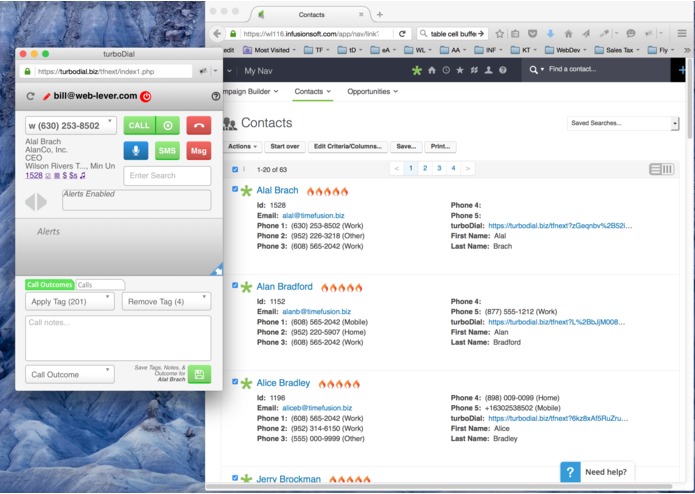
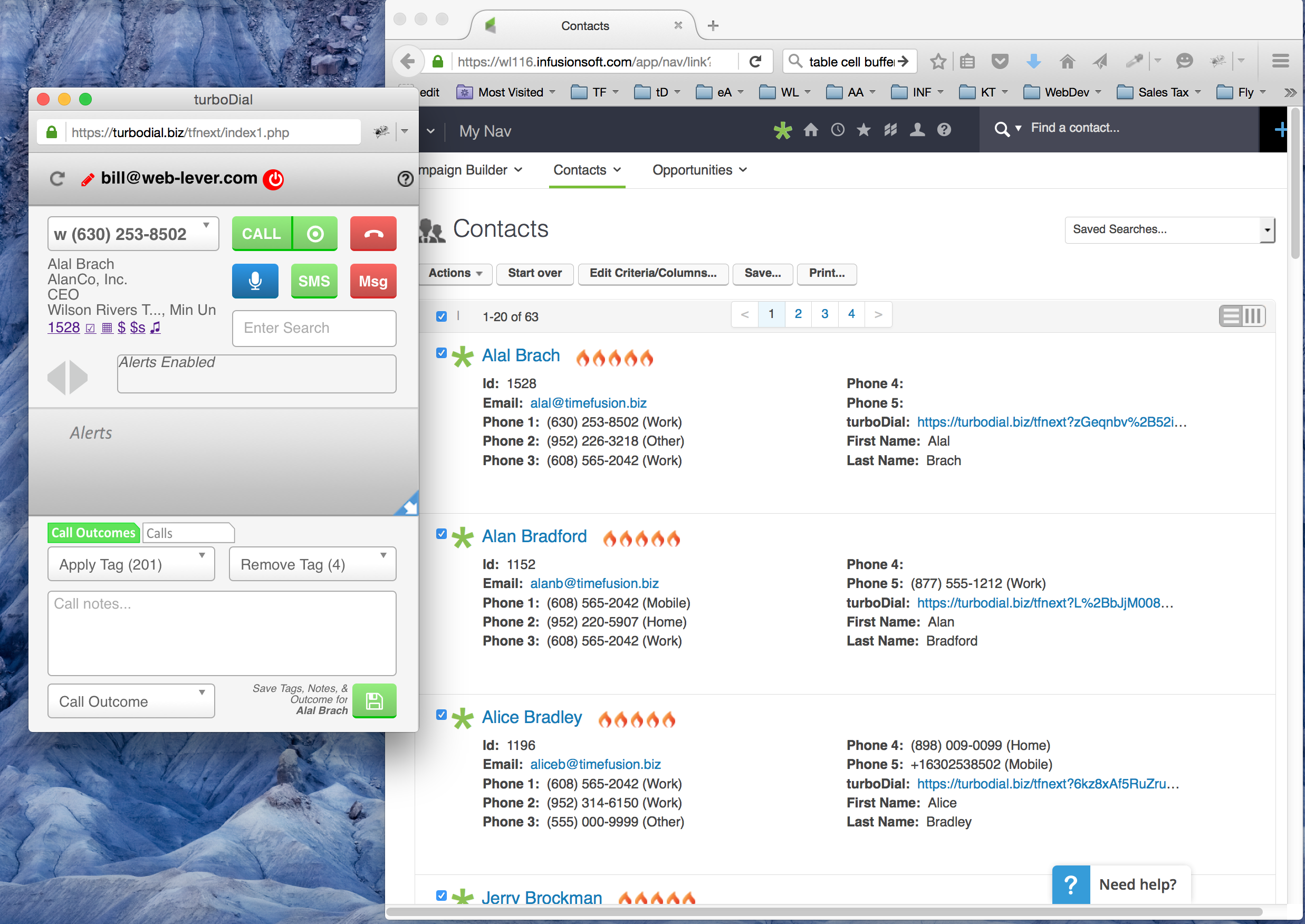
turboDial panel shown next to Infusionsoft with the turboDial button on each Contact Record
-
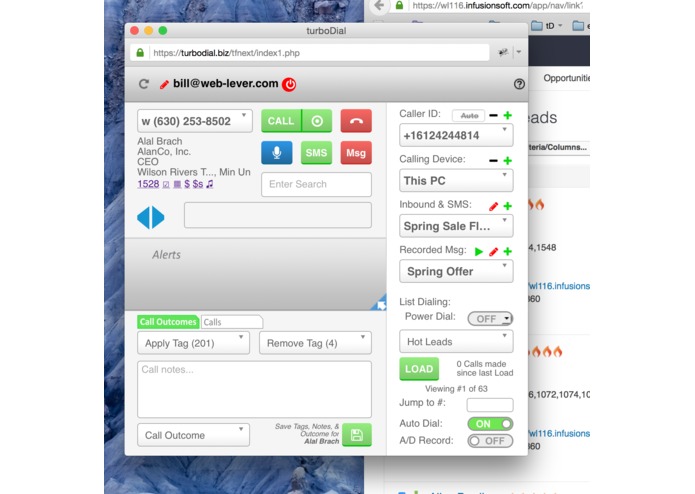
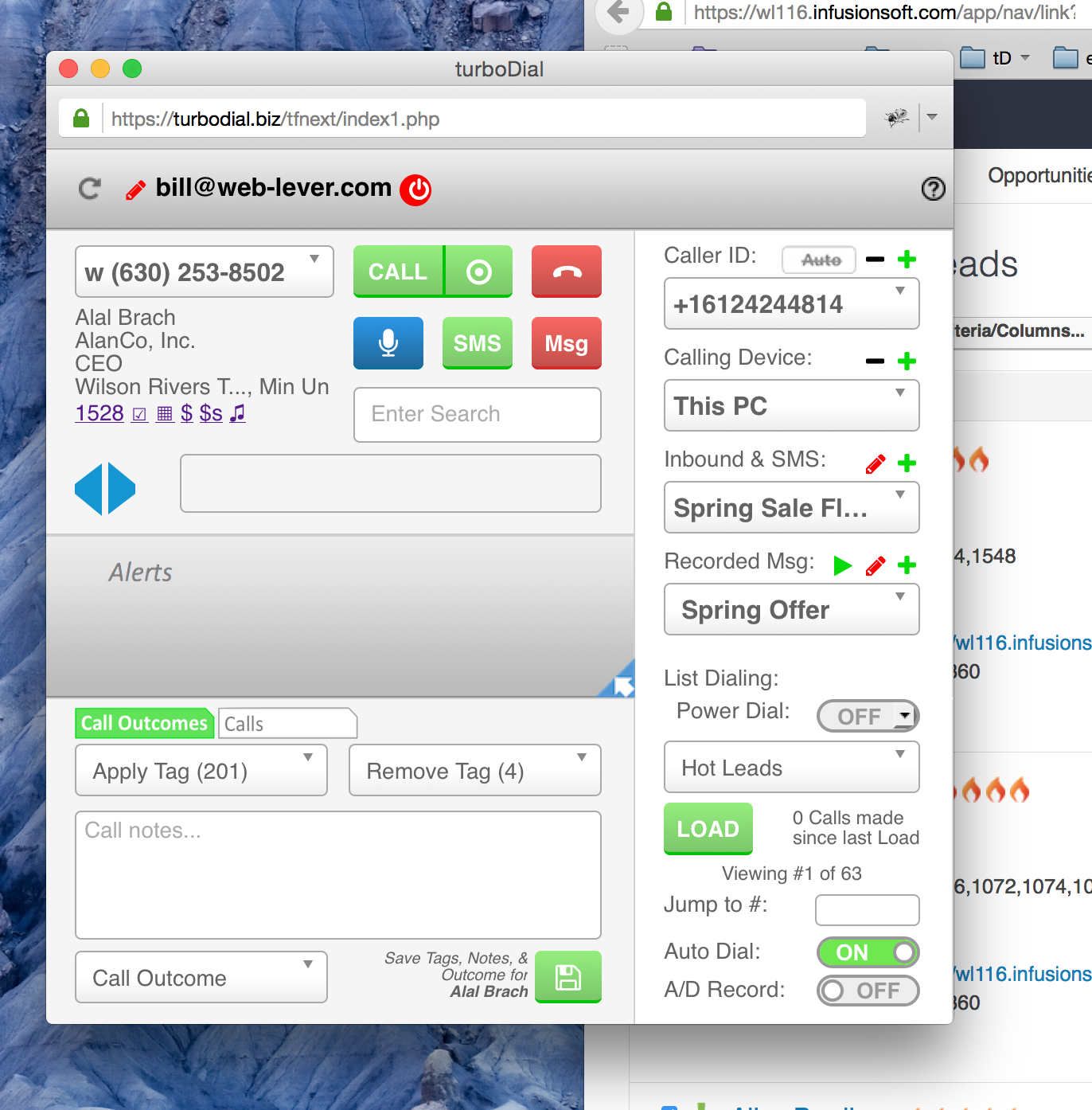
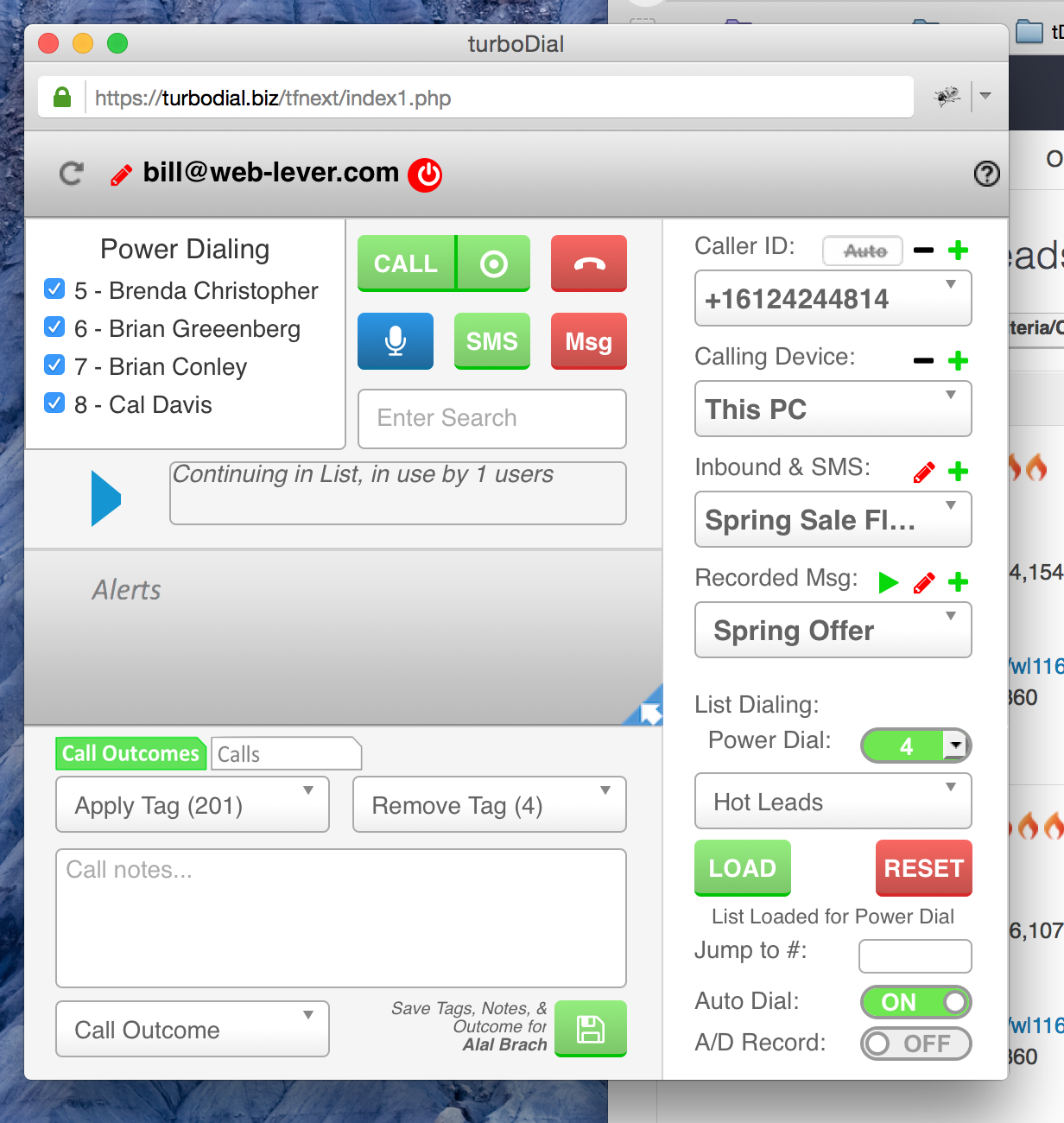
turboDial panel with the Configuration sections revealed
-
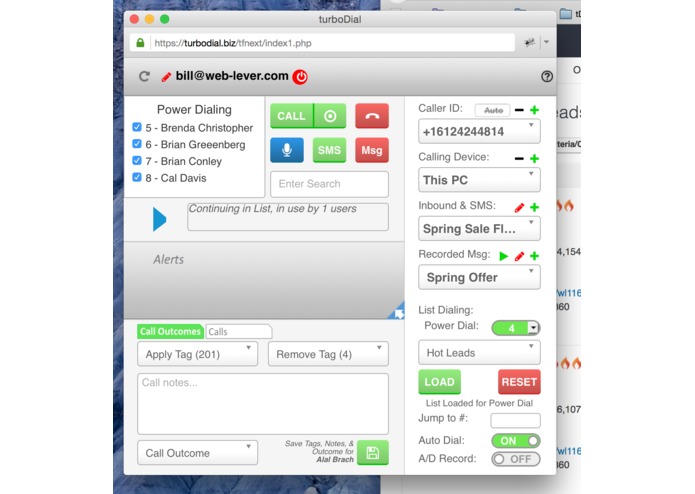
turboDial with a Saved Search list loaded and Power Dialing to the list
-
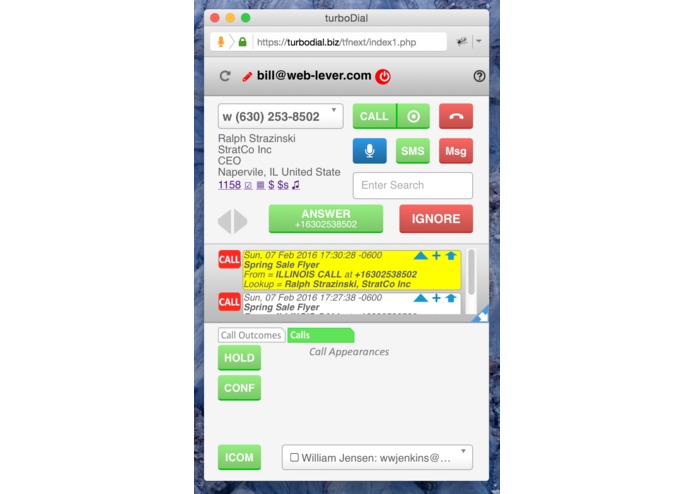
turboDial panel with an inbound call arriving, showing the Answer button and the Screen Pop with lookup in Infusionsoft
-
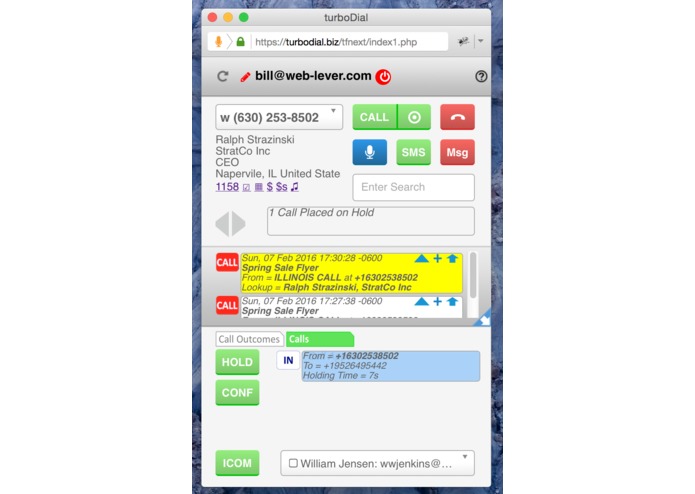
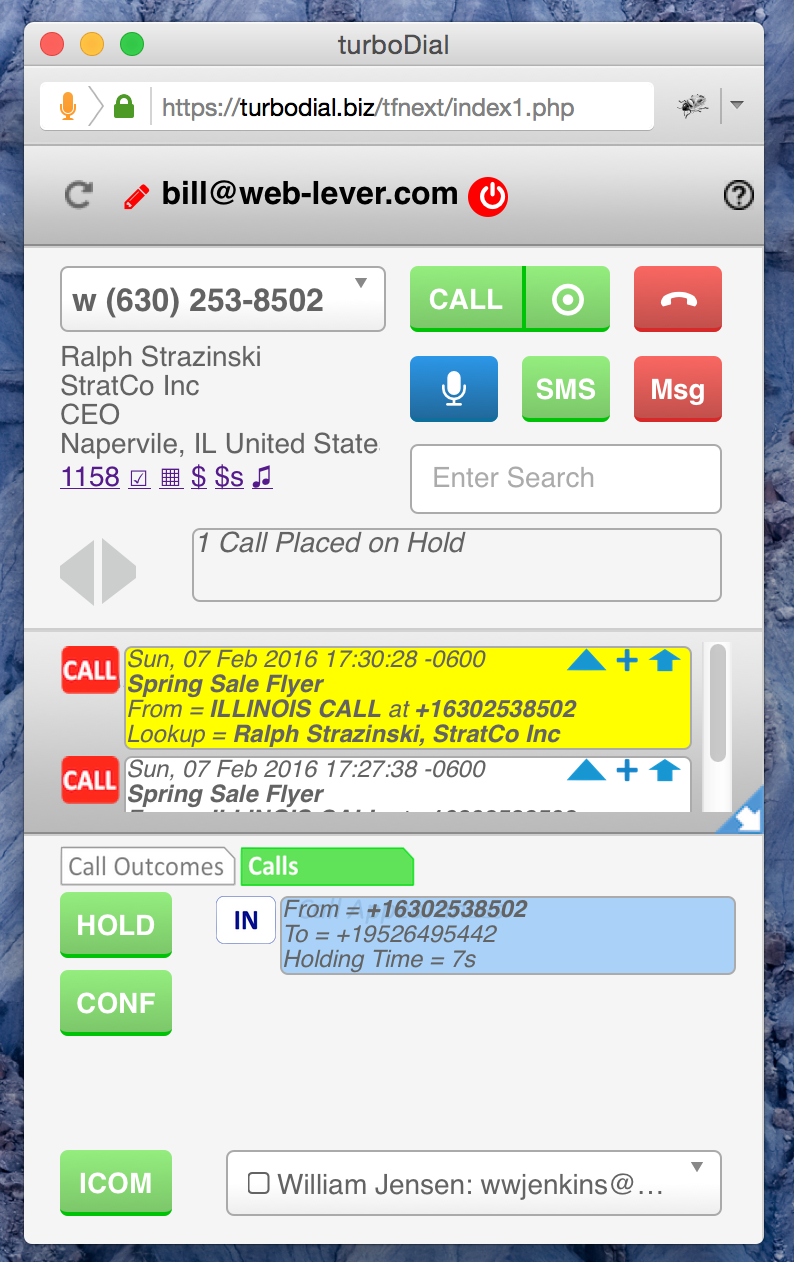
turboDial panel with a call placed on Hold
-
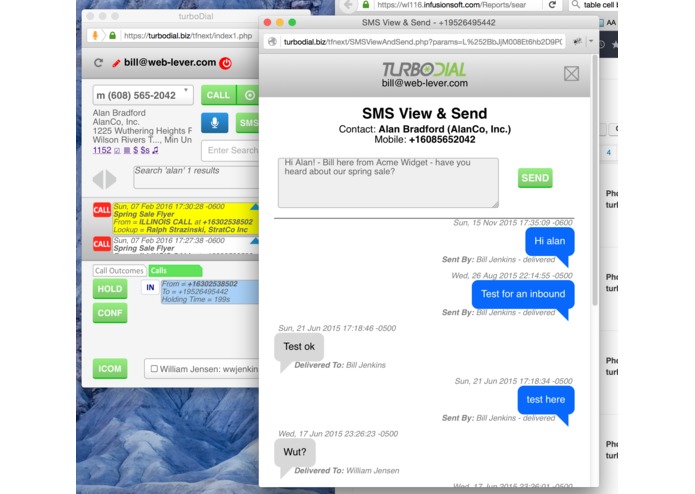
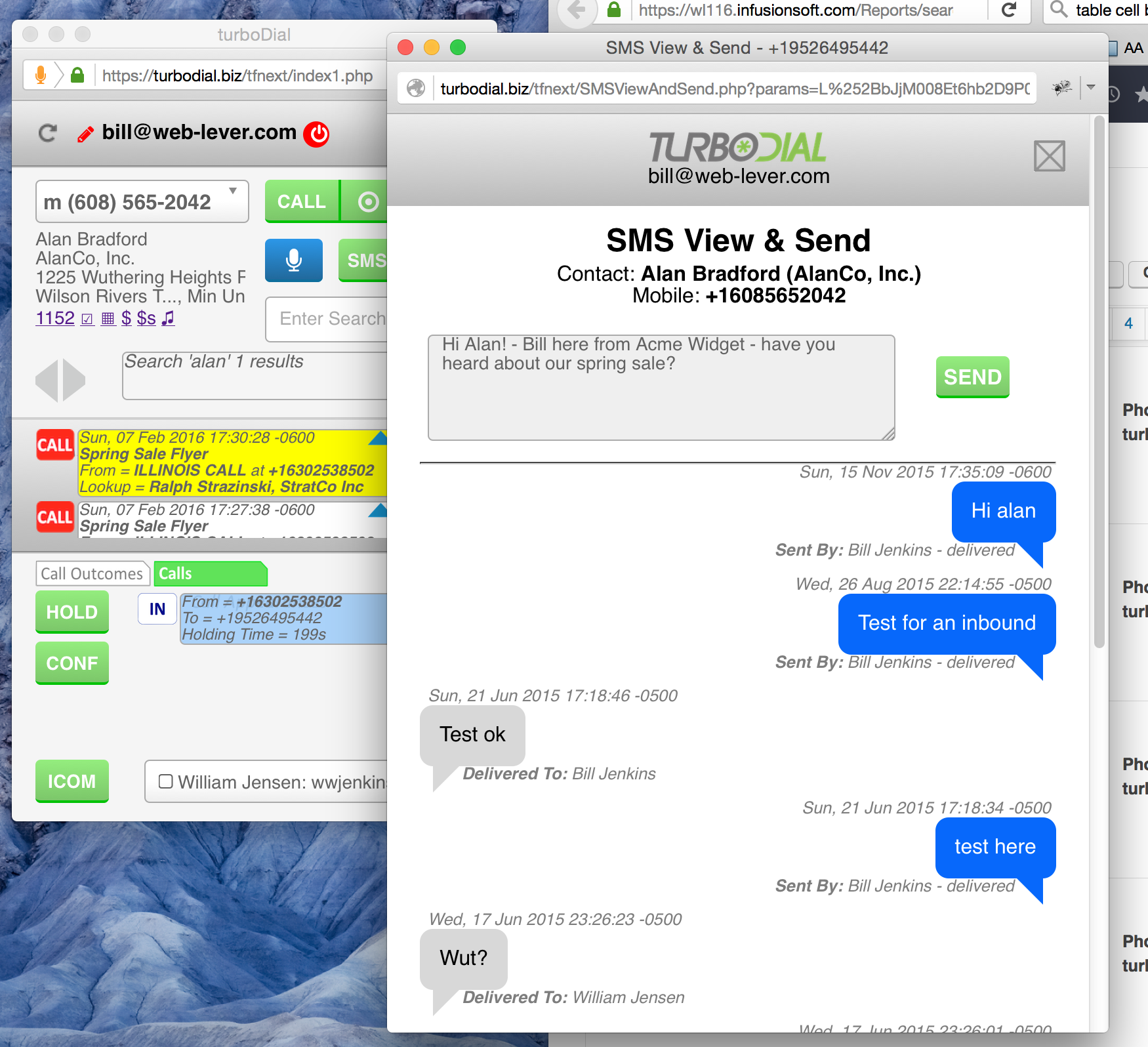
turboDial panel with the SMS Send & Receive widget popped up


Developed by: Bill Jenkins
Inspiration
The idea for turboDial came from the customers of my TimeFusion app. Several asked me to develop a dialer that integrated well with Infusionsoft and was easy to use. I had never considered it until hearing their requests.
What it does
turboDial began as a dialer and has evolved to be a suite of personal communications tools that are deeply integrated with Infusionsoft. Among its growing set of features here are some that stand out:
- Dial any Contact: turboDial places a button on every Contact and Opportunity record in Infusionsoft. Click that turboDial button then click CALL - and you're now calling the Contact. This close side-by-side relationship with Infusionsoft is the defining concept of turboDial.
- Call Outcome Automation: Users define their own call outcomes and create campaign automation in Infusionsoft for each call outcome. Then turboDial triggers the right automation after each call, according to the chosen call outcome.
- Voice Message Pre-recording: Users can pre-record the voice message for the list they're calling, and in the case where they reach someone's voice mail a button-click will cause turboDial to leave the voice message on their behalf while they move on to the next call on the list. This achieves a huge time-savings because typically more than 50% of calls reach voice mail.
- 2-Way SMS: This feature is not like other text messaging solutions for Infusionsoft - It's not for broadcast marketing or lead capture. With turboDial, text messaging is a personal communications tool for real-time 2-way conversations with clients and prospects who prefer texting rather than phone calls. These personal SMS conversations are a very effective method for connecting with people and advancing the sale.
- List Dialing: Like the others, this feature was designed with input from customers, and they specifically asked that it support Infusionsoft's "Opportunities". So, Contact and Opportunity saved searches can be pre-loaded and then auto-dialed. This feature is key for teams with high calling volume and saves them significant time.
- Dashboard Reporting: turboDial records a detailed Note for each call or text and users create powerful dashboard reports based on Task-Note Saved Reports. This report generation technique is new to many users and there is a how-to video on the turboDial website that walks them through it. Sales managers are depending on these reports to set goals and track results as they manage their teams.
- Price: turboDial is intentionally priced to be accessible to even the smallest sales teams - only $29.95/mo for the first user and $10.00/mo each for additional users. Also, turboDial is unique among all dialers in that the customer obtains their own account at Twilio - the VOIP telephony carrier. This allows the customer to pay Twilio's direct prices rather than marked-up prices passed through turboDial. The result is turboDial is often much more affordable than other dialers.
- Optional Upgrades: Many turboDial customers add these low-cost upgrades to to further increase efficiency and automation:
- Campaign SMS - start a text message conversation automatically in Infusionsoft.
- Hot Lead Calls - when a prospect submits a form turboDial can immediately call your sales rep and then connect them to the prospect to start a conversation.
- Power Dial - use turboDial to quickly call a large list to turn cold leads into active prospects.
- Enhanced Inbound - Flexible control of your inbound calls, including a screen pop with auto-lookup in Infusionsoft.
How I built it
I coded turboDial with the familiar technologies of Linux/Apache/MySQL/PHP and Javascript/HTML5/CSS. This "web app" approach is modeled after Infusionsoft and is the perfect approach to allow rapid evolution of the product.
turboDial is an "integration" between Infusionsoft and Twilio, both of which have very powerful and well-documented APIs. Twilio is the telephony carrier that handles the voice and text messaging for turboDial and I drew on my background in telecommunications R&D to achieve full utilization of their capabilities.
turboDial has one installable component - a light-weight browser extension that overlays a turboDial button onto designated Infusionsoft screens.
Challenges I ran into
The absolute #1 challenge with turboDial is the highly compact user interface (UX). There is constant tension between feature-richness and interface intuitiveness. My strategy is to compartmentalize the interface by broad functional grouping, and to allow the configuration sections to be hidden until needed. And then a lot of prototyping experiments and customer beta testing are used to finalize interface changes. Customer feedback indicates I have succeeded in maintaining intuitiveness while the feature set has continually expanded.
Accomplishments that I'm proud of
First and foremost is the good customer feedback. The reviews in the Infusionsoft Marketplace are only a small representative of the positive reactions I have received from customers. Secondly I'm proud that the success of turboDial has allowed me to transition my busines to focus 100% on app development.
It also feels good to have achieved a level of partnership in the Infusionsoft ecosystem: Infusionsoft brings new business to turboDial, and turboDial also brings new business to Infusionsoft. And many Users have commented that turboDial helped them increase their understanding and use of Infusionsoft.
What I learned
I have learned that customers are a tremendous source of knowledge for determining the feature roadmap of turboDial. turboDial itself began because of a customer request, and many of the features in turboDial were first conceived by customers. And customers love it when they see their favorite request appear as a working capability in turboDial.
What's next for turboDial
turboDial has an extended roadmap driven by customer input. As customers increase their use of turboDial they identify and propose features that would further improve their efficiency.
The next large turboDial upgrade will soon be released: "Advanced Call Handling." Again, originating by popular request from customers this new feature set includes the ability place a call on "Hold"", make "Intercom" calls within a company, "Warm Transfer" a call to another User or Contact, and create a "Conference" to bridge multiple calls together.
Conclusion
Thank you for this opportunity to enter the ICON16 Battle of the Apps contest!


Note to Judges about signing up for turboDial
If as part of the judging process you would like to try out turboDial then you are welcome to sign up for a Free Trial account at http://turbodial.biz. When you do so I would like to be notified so I can assist in 2 ways:
- I would like to enable the optional upgrade features which are not normally available to a free trial account.
- Since a Twilio account is required for turboDial I would like to allow you to use one of my test accounts with Twilio so you can avoid the $20 expense required to prepay a balance that your voice minutes can be charged against.
You can contact me at [email protected] to get support with those items.
Built With
- lamp-(linux/apache/mysql/php)-and-javascript/html5/css


Log in or sign up for Devpost to join the conversation.