-
-
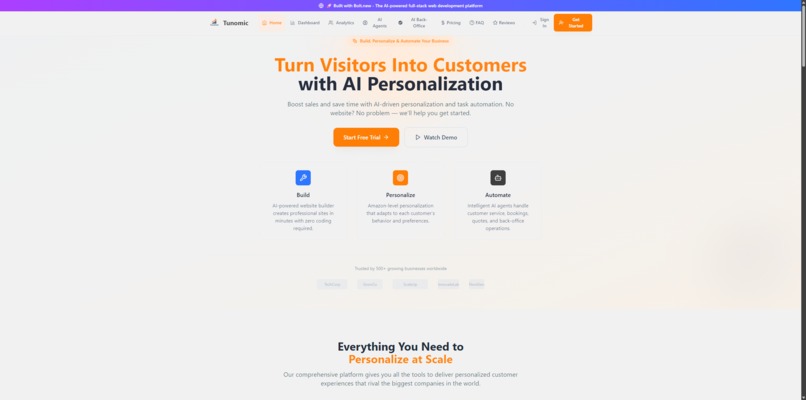
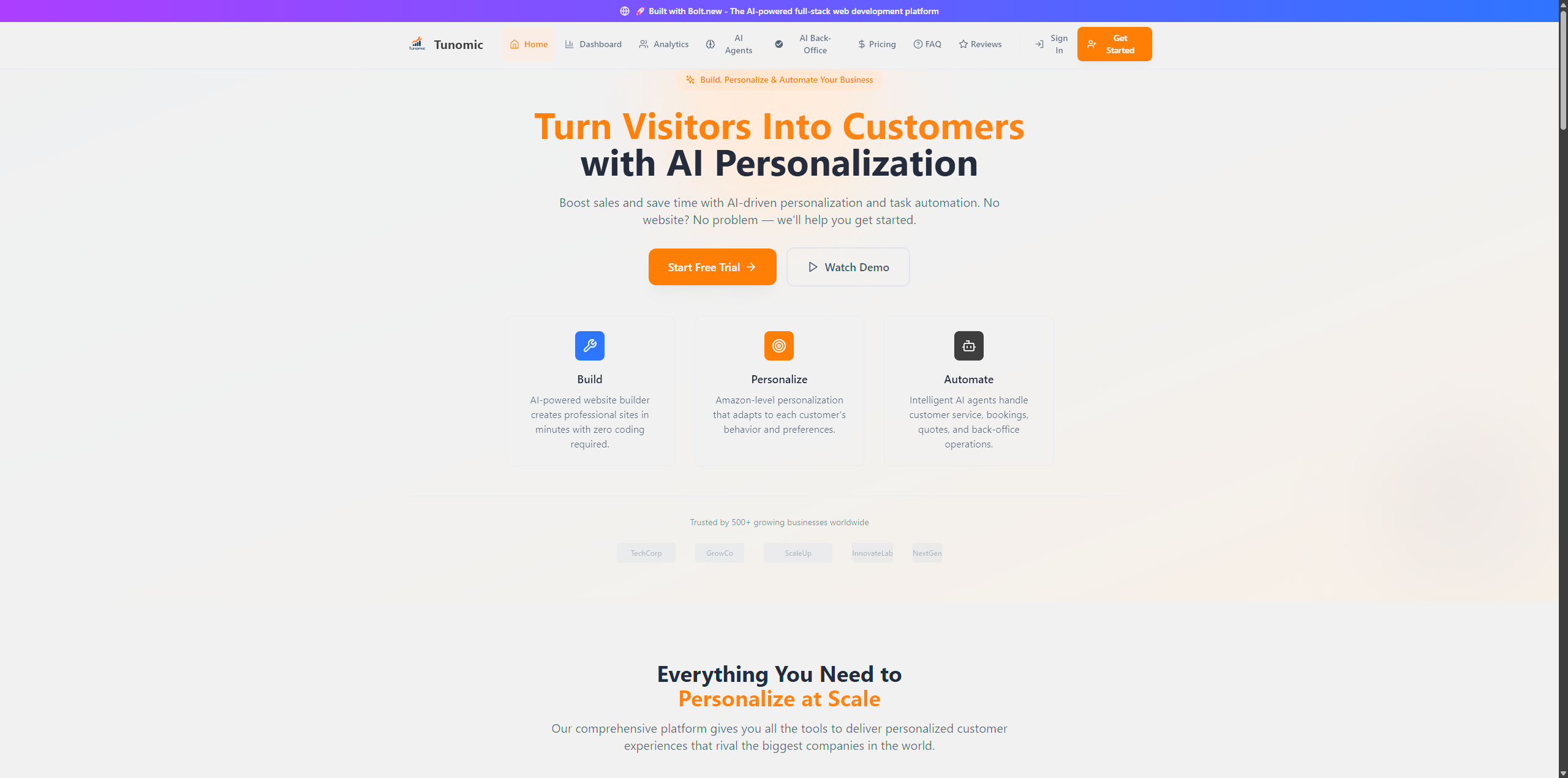
Tunomic Homepage – Instant Personalization Overview
-
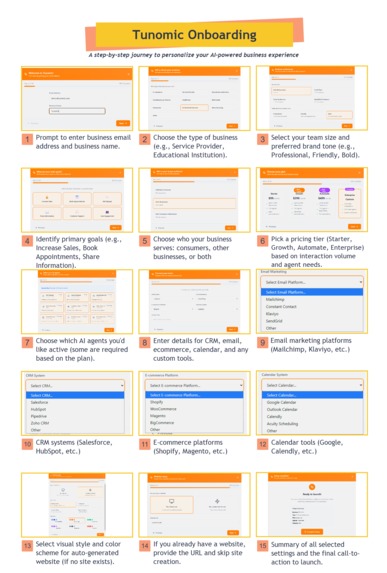
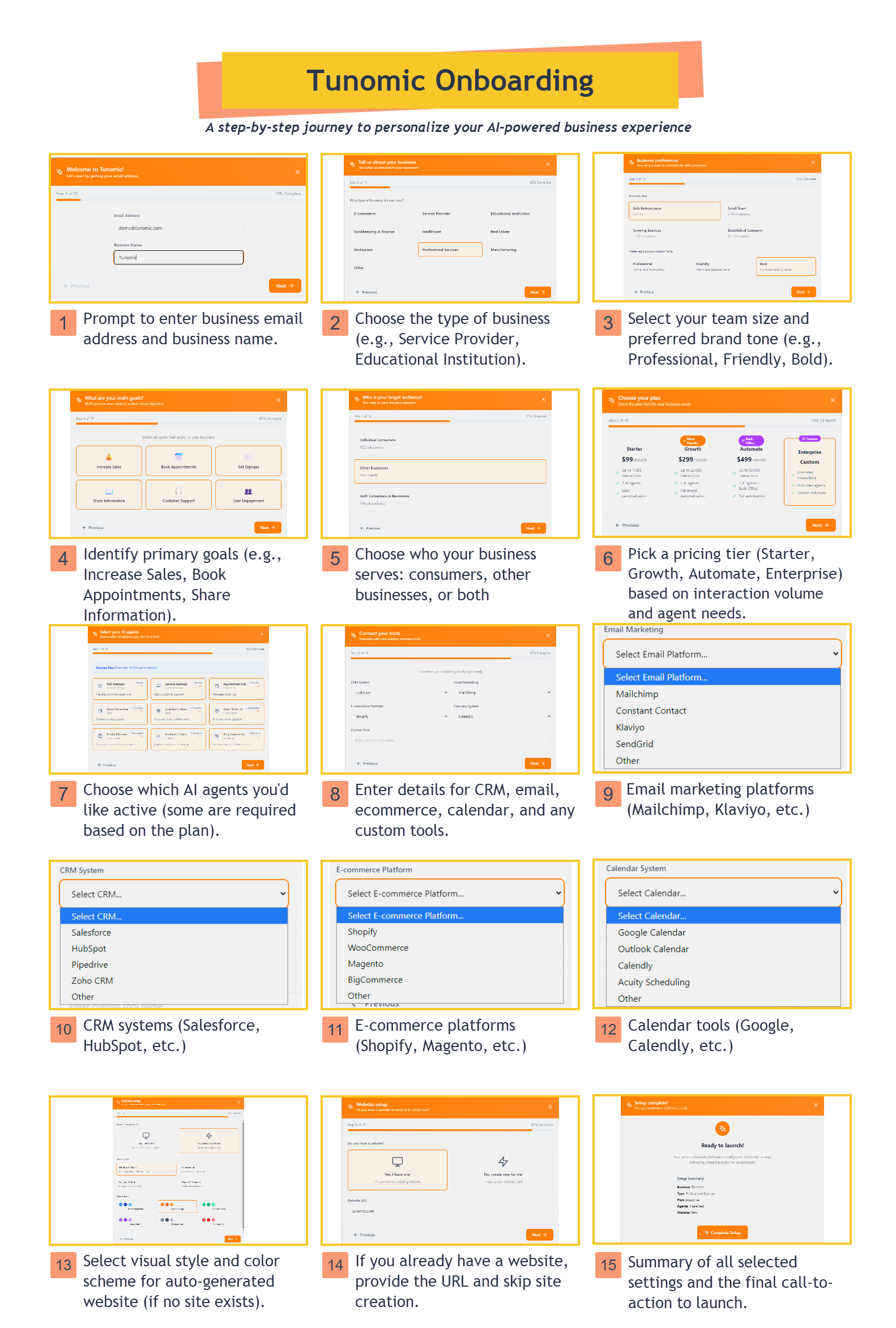
Guided onboarding walks users through business info, goals, AI agents, and website setup—fully personalized in minutes.
-
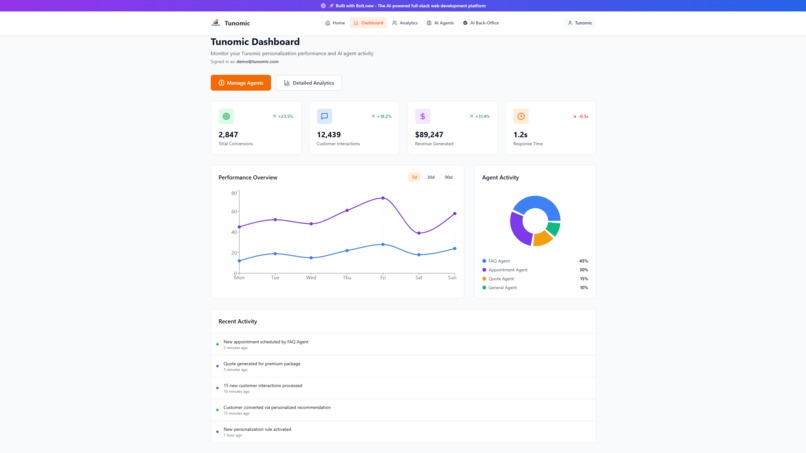
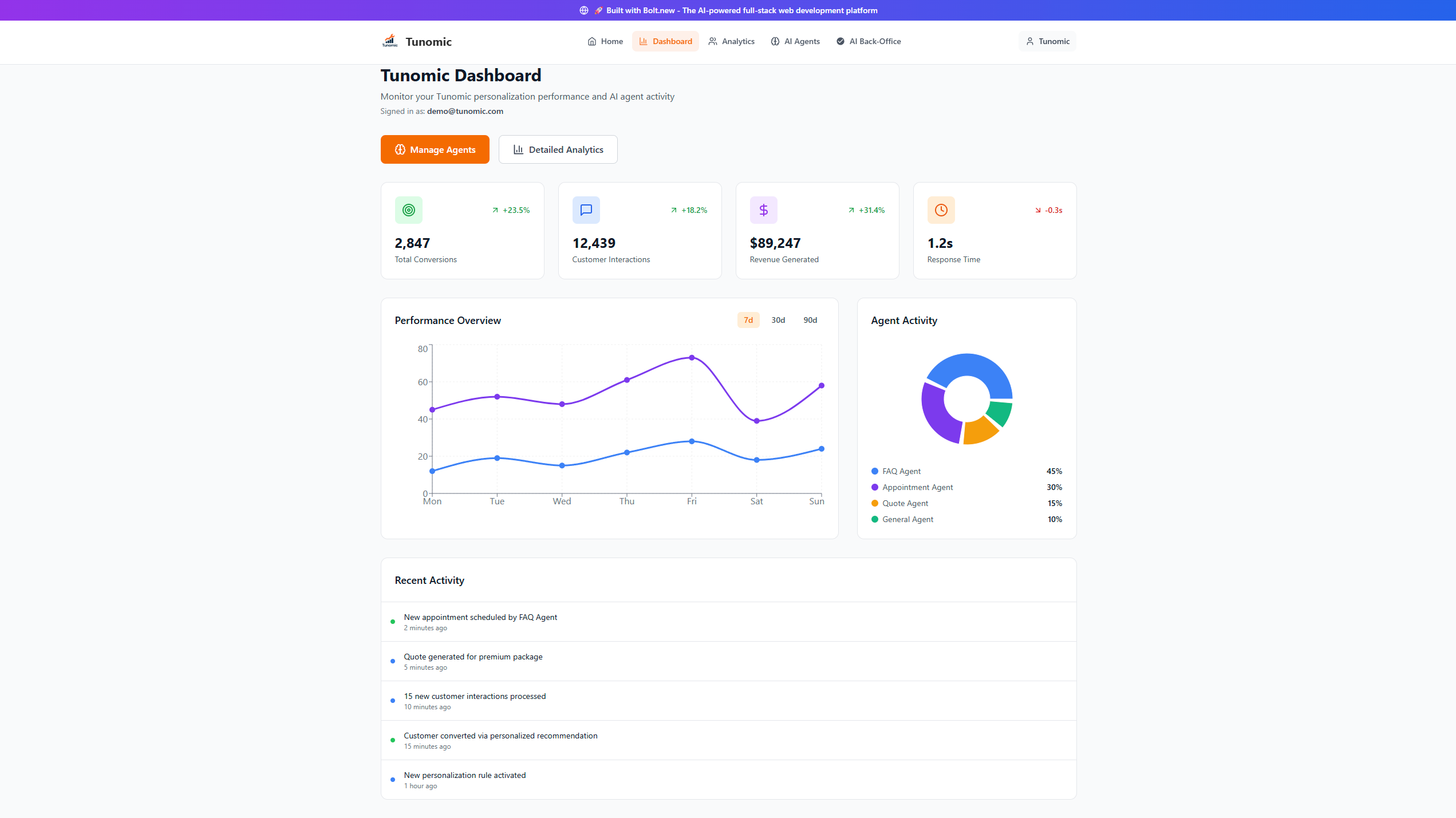
Track conversions, interactions, revenue, and agent performance in one unified view.
-
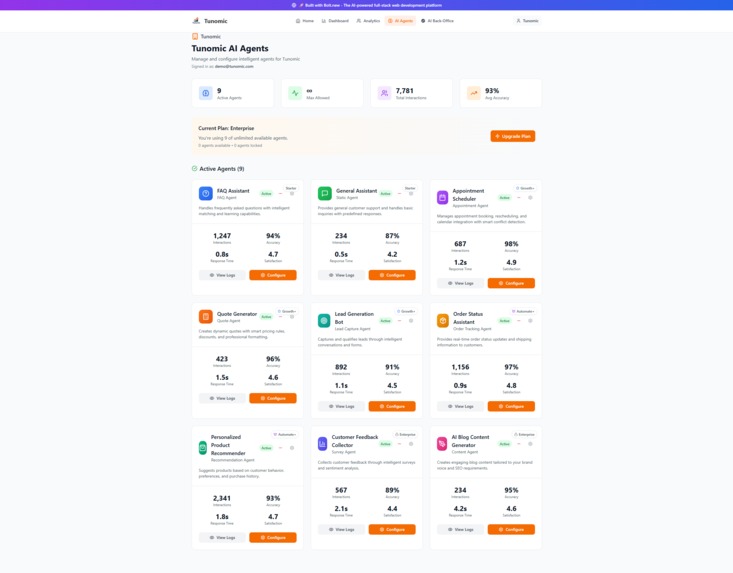
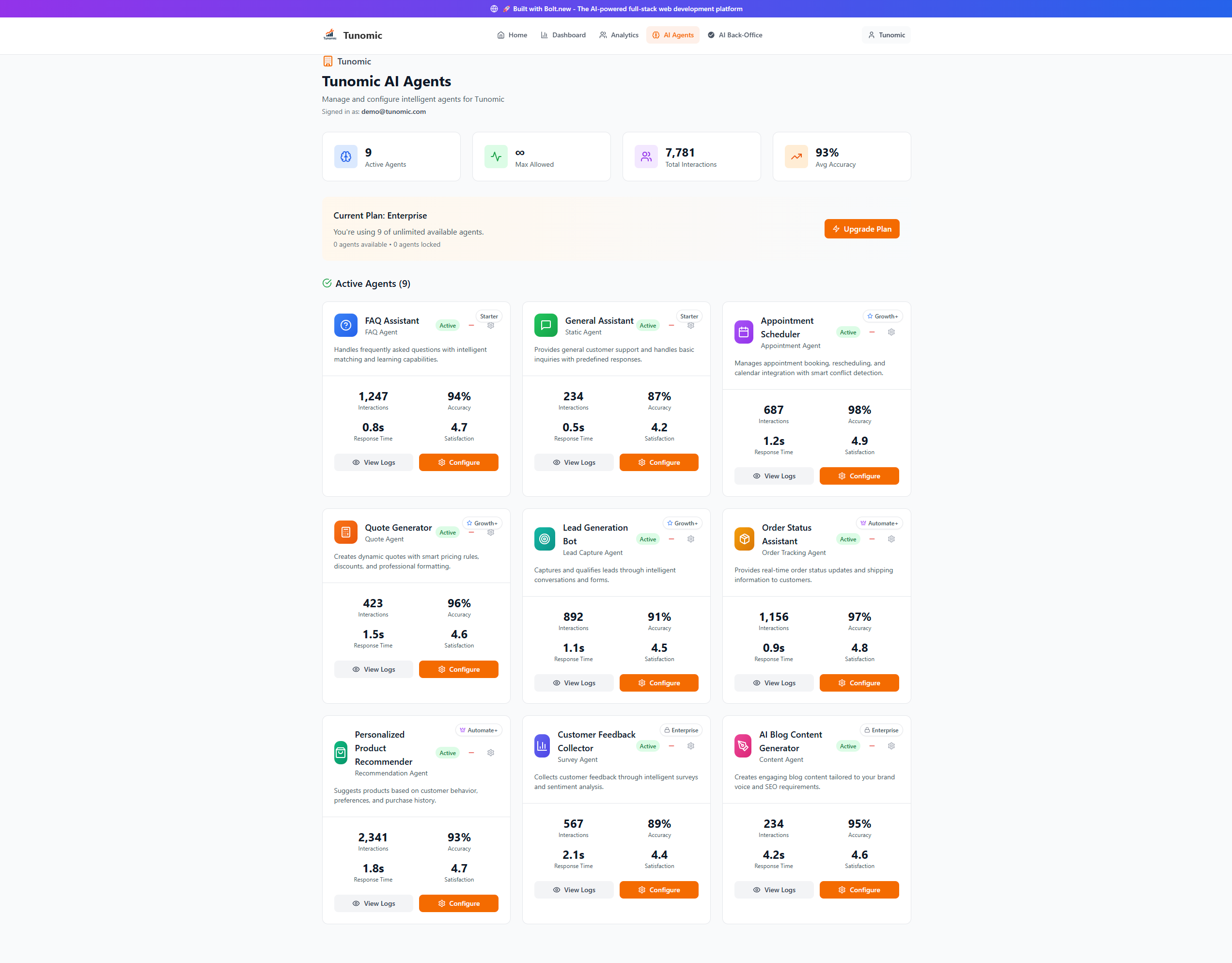
Manage and configure smart agents with real-time stats and role-based customization.
-
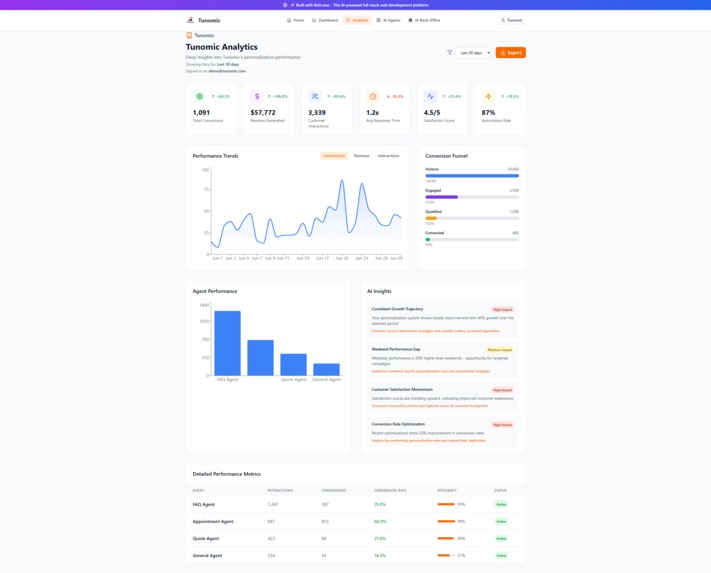
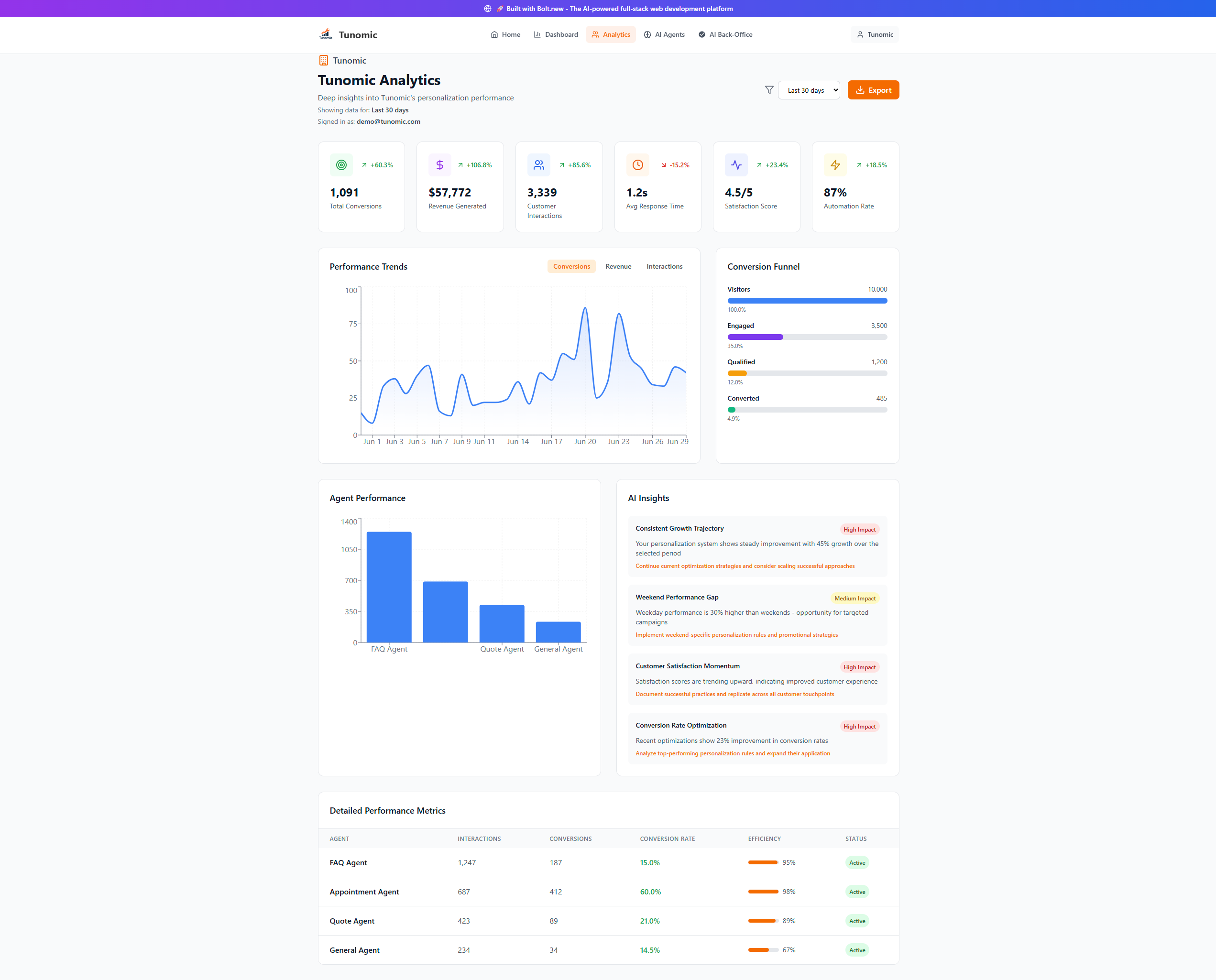
Dive into detailed analytics with performance trends, conversion funnels, and AI-powered insights.
-
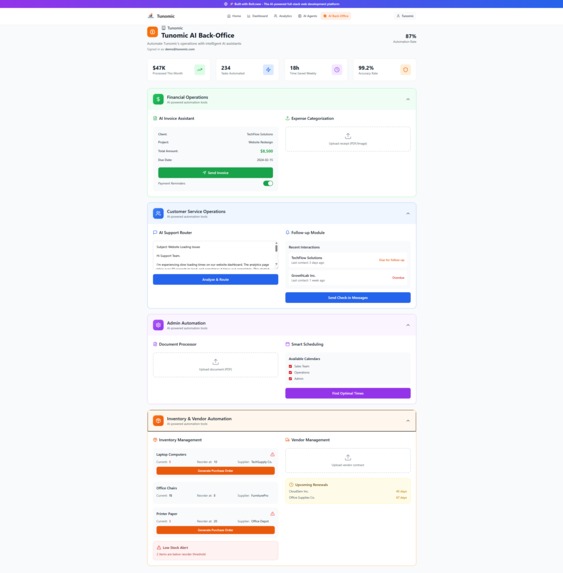
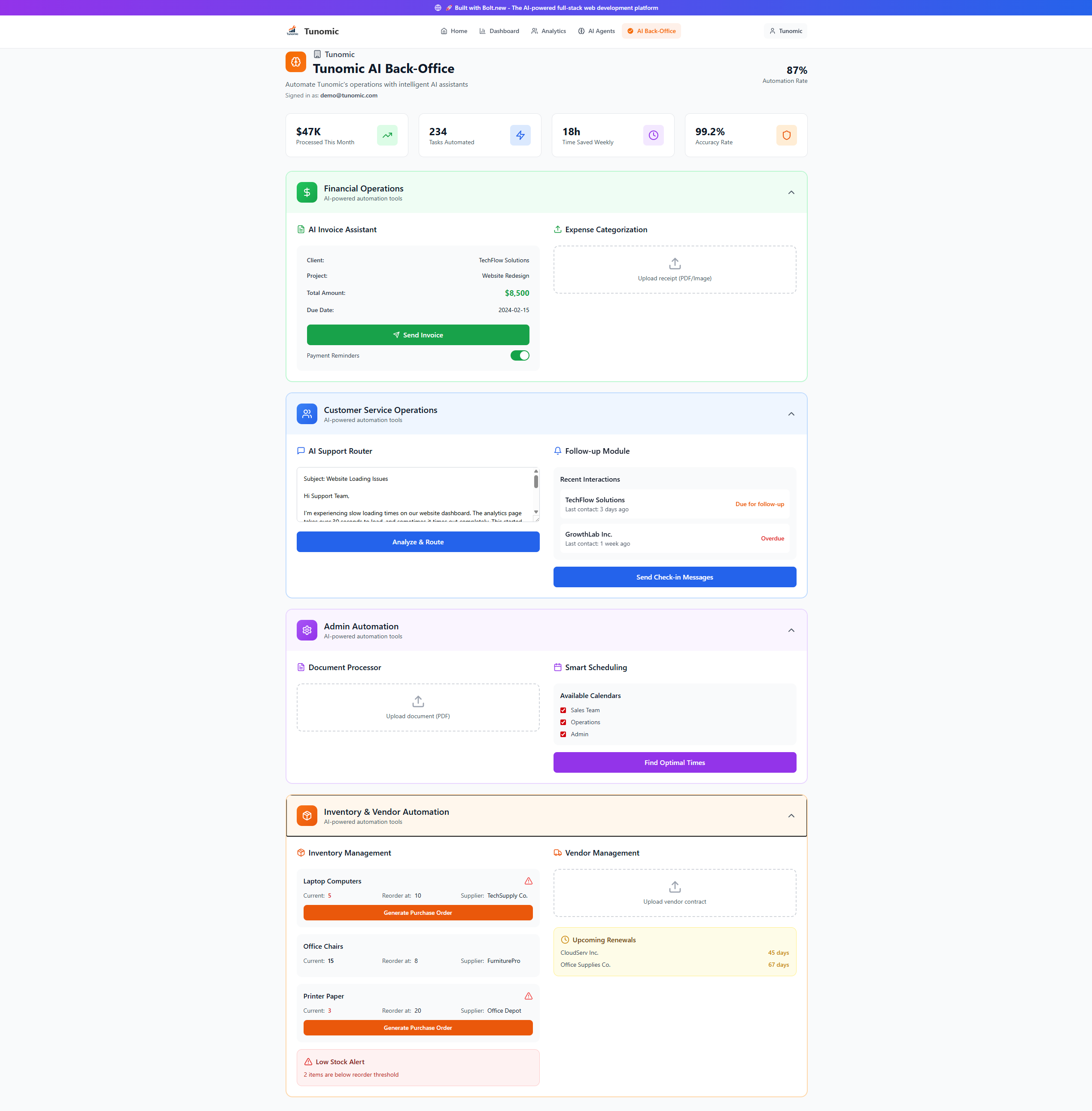
Streamline financials, service ops, admin, and inventory with automated AI assistants.
-
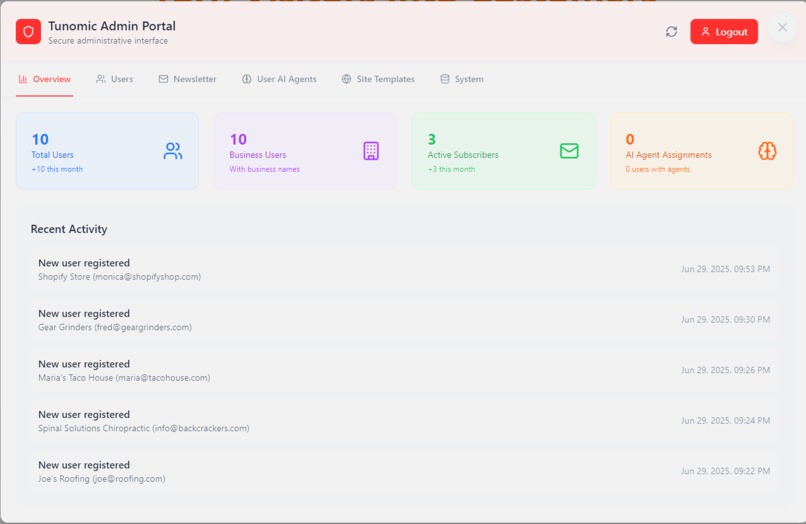
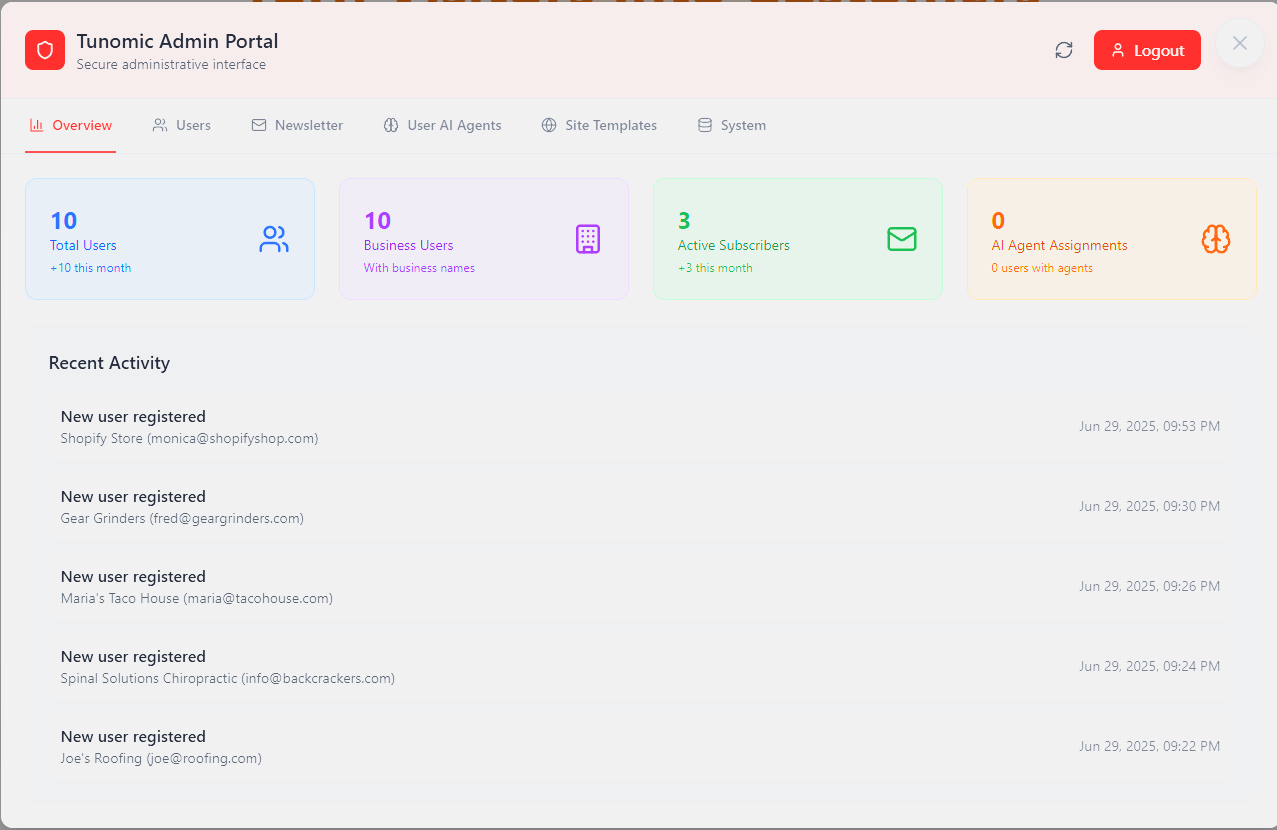
Secure admin panel showing user growth and subscriber management.
-
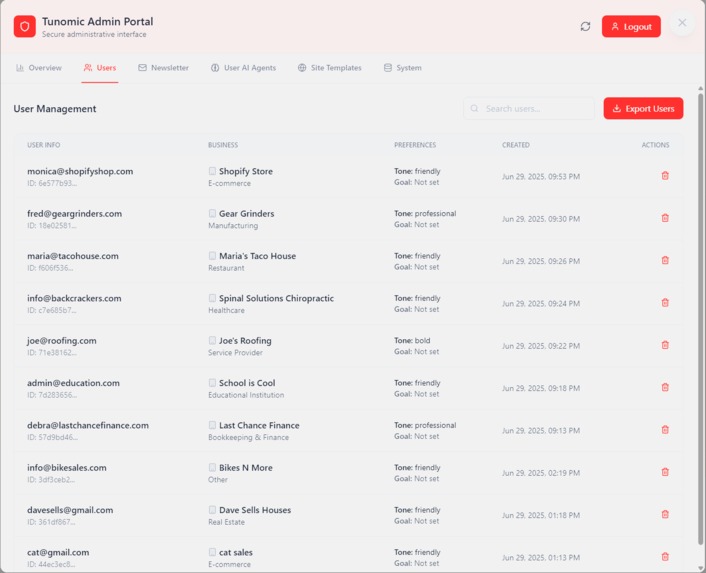
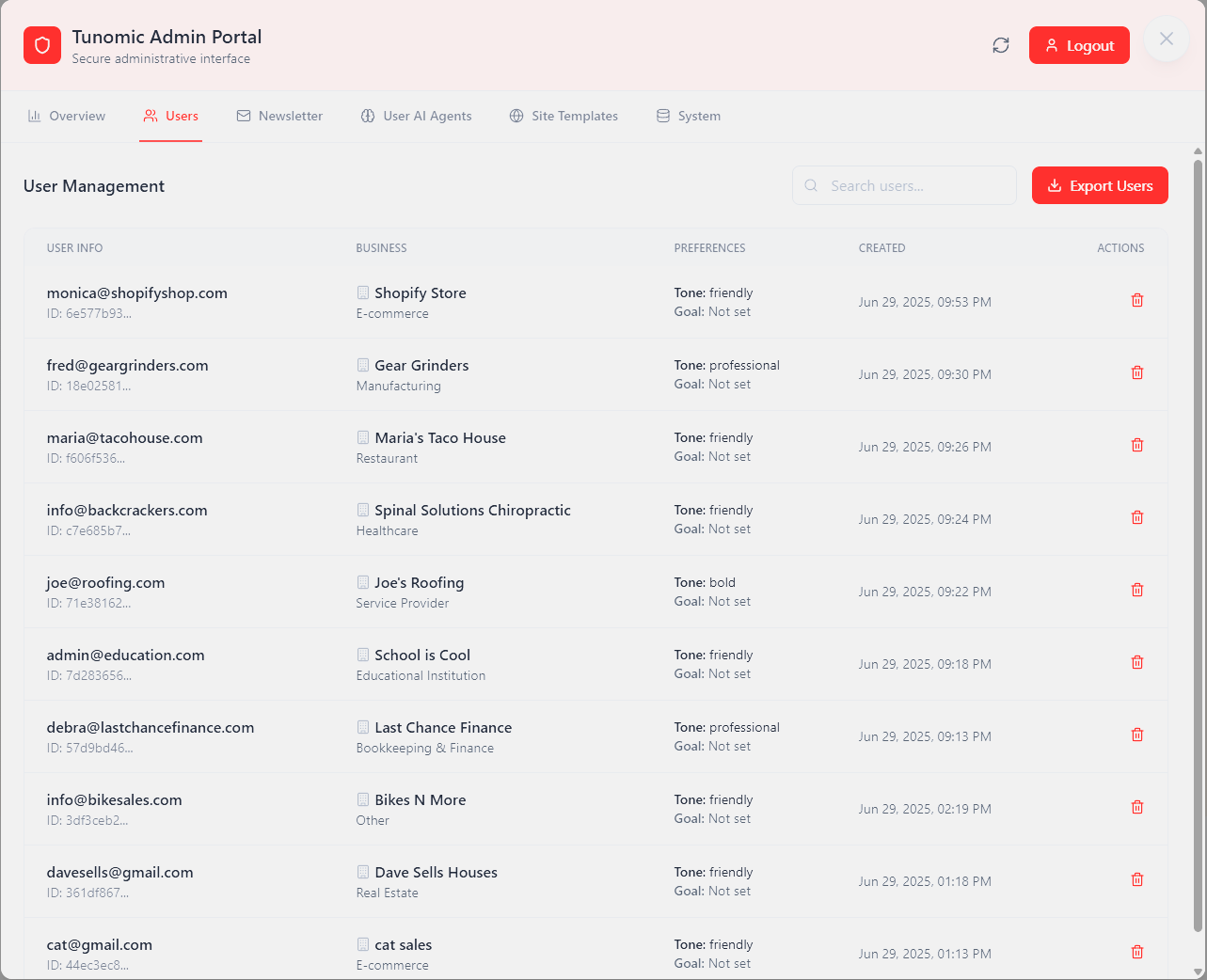
Easily manage user accounts with business type, tone, and sign-up details.
-
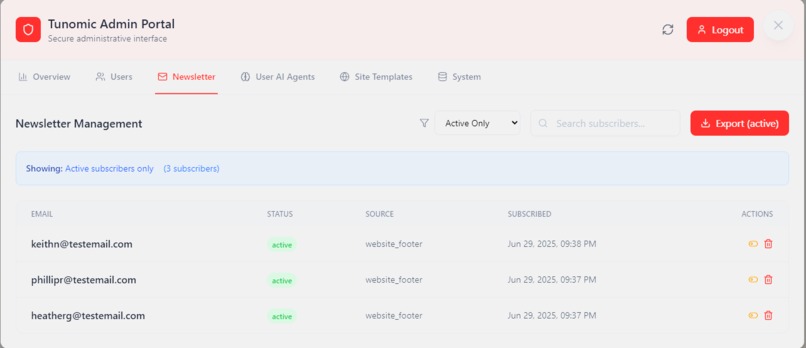
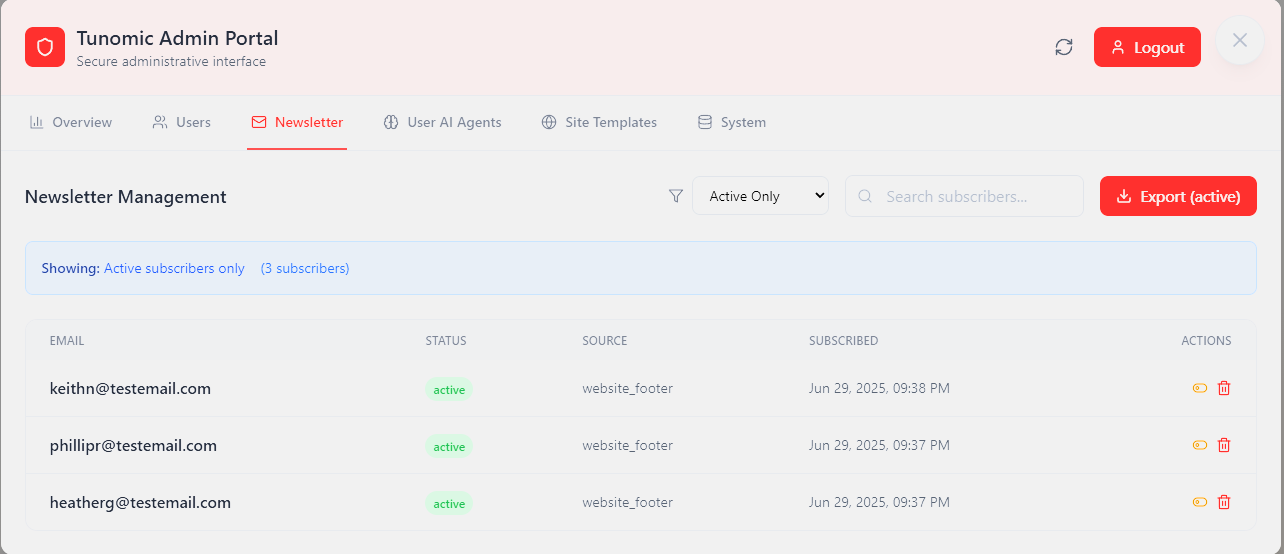
Track and export newsletter signups from user websites.
-
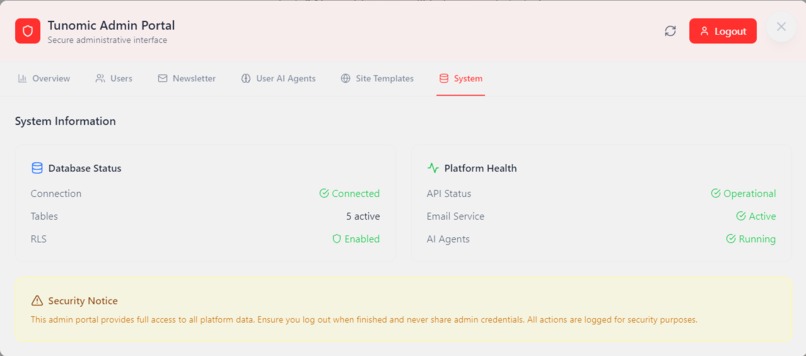
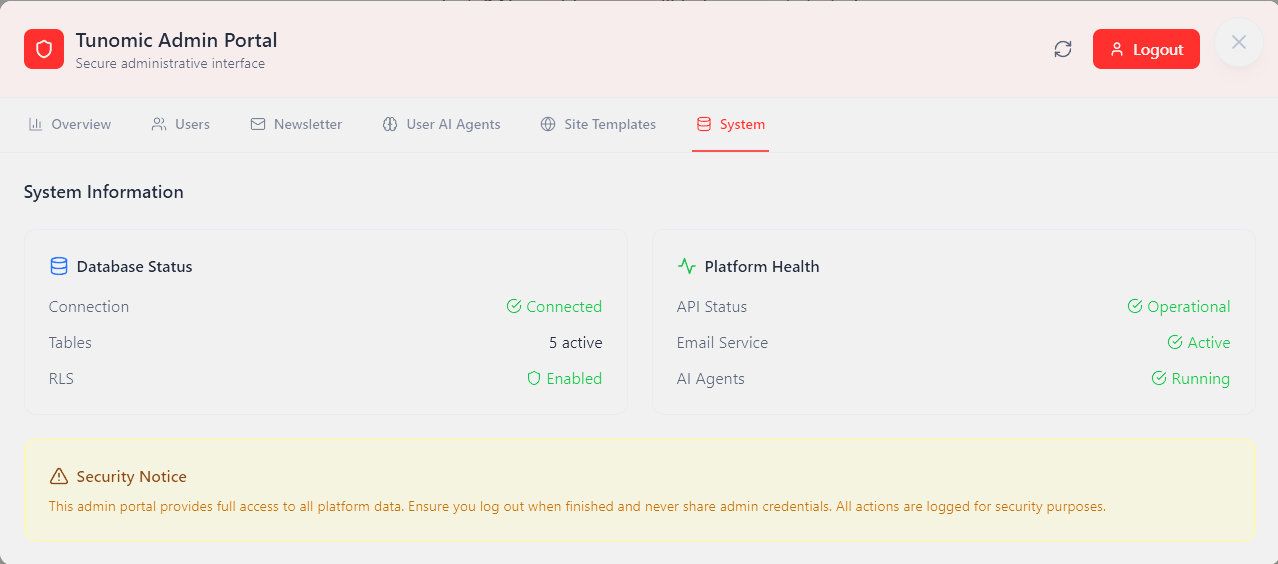
Monitor platform health, Supabase status, and integration readiness.
What Inspired Me
Most small business websites are static, impersonal, and don’t reflect who they’re trying to serve. I’ve worked closely with local service providers, schools, and consultants, and I’ve seen how limited their options are when it comes to personalization.
Tunomic was built to solve that — to give small teams a simple, no-code way to speak directly to their audience without hiring marketers, developers, or buying into enterprise tools. The idea is simple: automated personalization powered by agents, deployable in minutes.
What I Learned
This project helped me clarify how much value can be delivered through focused, minimal solutions. I learned:
- That personalization doesn’t require heavy integrations if the logic is well designed
- How far you can push Bolt.new as a complete frontend builder
- How to scope aggressively and still end up with something that feels like a real product
How I Built It
Tunomic was built entirely in Bolt.new, using a modular structure and mock session data to simulate real personalization.
To support development and planning, I used:
- OpenAI (ChatGPT) + Manus to help generate agent logic, onboarding language, and UI copy
- Netlify for hosting and deployment
- Supabase for user data and subscriber tracking
- Resend groundwork was started for managing newsletter signups and contact form triggers (planned feature)
- Netlify Functions will soon connect to a standalone WebTemplate Generator (built in Bolt) for generating custom HTML/CSS templates based on user selections
Challenges I Faced
The biggest challenge was time. I started building the final version late in the submission window, so I had to eliminate nearly everything that wasn’t essential.
I originally planned to include:
- Multiple industry-specific mock websites
- Full CAB system
- Live CRM and AI agent integrations
Instead, I focused on delivering a complete end-to-end experience that could be judged as a working standalone product — even without backend complexity. That decision made the project sharper, faster, and easier to understand.
Live demo: https://tunomic.com
Netlify fallback: https://heroic-maamoul-42d3f9.netlify.app
Built With
- bolt.new
- framer
- manus
- netlify
- openai
- resend-(planned)
- supabase

Log in or sign up for Devpost to join the conversation.