
Inspiration
I use terminal a lot as it is convenient when do programming projects. However, unlike using GUI file browser, each time I change directory, I had to use shell command to list all the files and directory available. This project will allow to navigate between folder quickly in the terminal.
What it does
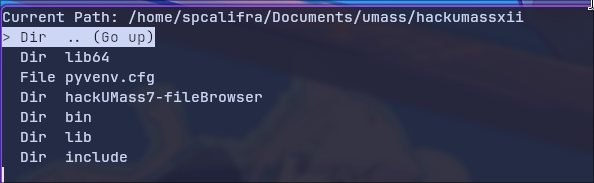
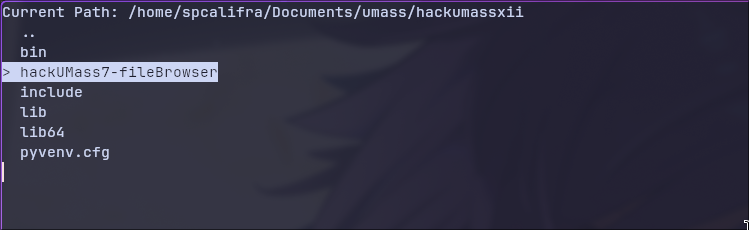
A file browser that run inside the terminal It has UI, showing which entry is a folder, which entry is a files. Using up and down arrow to move around, press enter to access. To go to the parent directory of the current directory, there is the ".." entry.
How we built it
Python with built-in modules, such as os, tty, termios, sys, and posix
Challenges we ran into
We were first using a TUI (terminal UI) framework called Texture due to its flexibility and extensive capability. However, our experience with the framework makes it difficult to make the application we envision. We tried optimize the file browser by pre-querying the files in the parent and child folders, by recursively search with a given depth. However, we have not been able to implement it yet. This is to solve the problem of waiting for loading for folder with thousands of files without having to wait by scarifying memory resources.
Accomplishments that we're proud of
We able to build a terminal application.
What we learned
How terminal application works, how they achieve "animations" and reactivity in the terminal.
What's next for TUI file browser
Pre-querying the file list, improve performance Sorting files by order (alphabetical, file type, extension,...) Filtering files Better navigation Able to change the shell directory when exiting
Built With
- os
- posix
- python
- sys
- termios
- tty

Log in or sign up for Devpost to join the conversation.