-
-
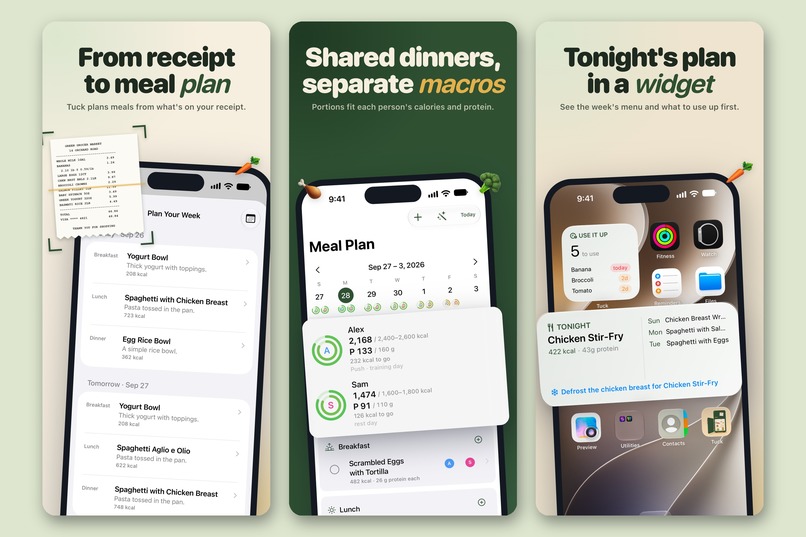
From receipt to meal plan, shared dinners with a portion for each person, and tonight in a widget.
-
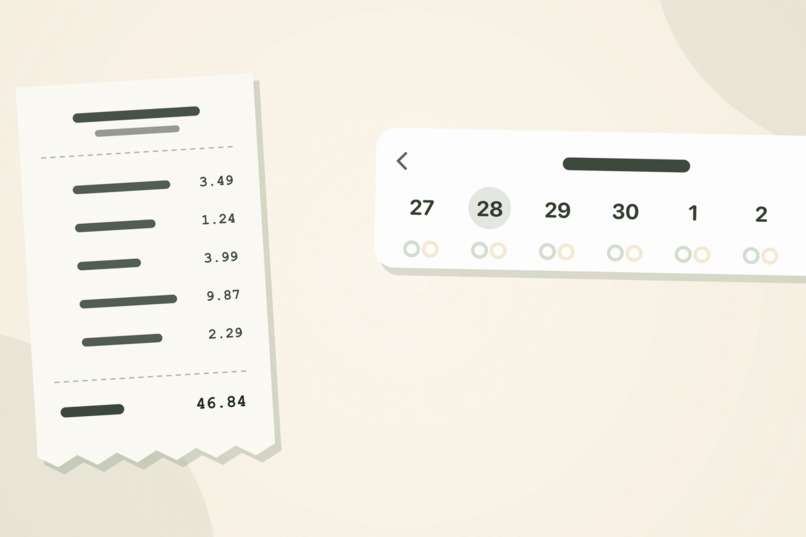 GIF
GIF
From a crumpled receipt to a planned week: Tuck cooks from what you just bought.
-
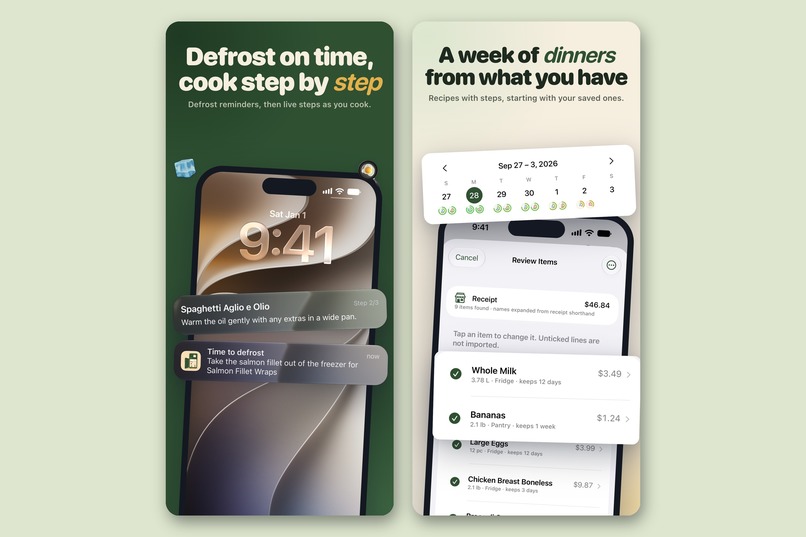
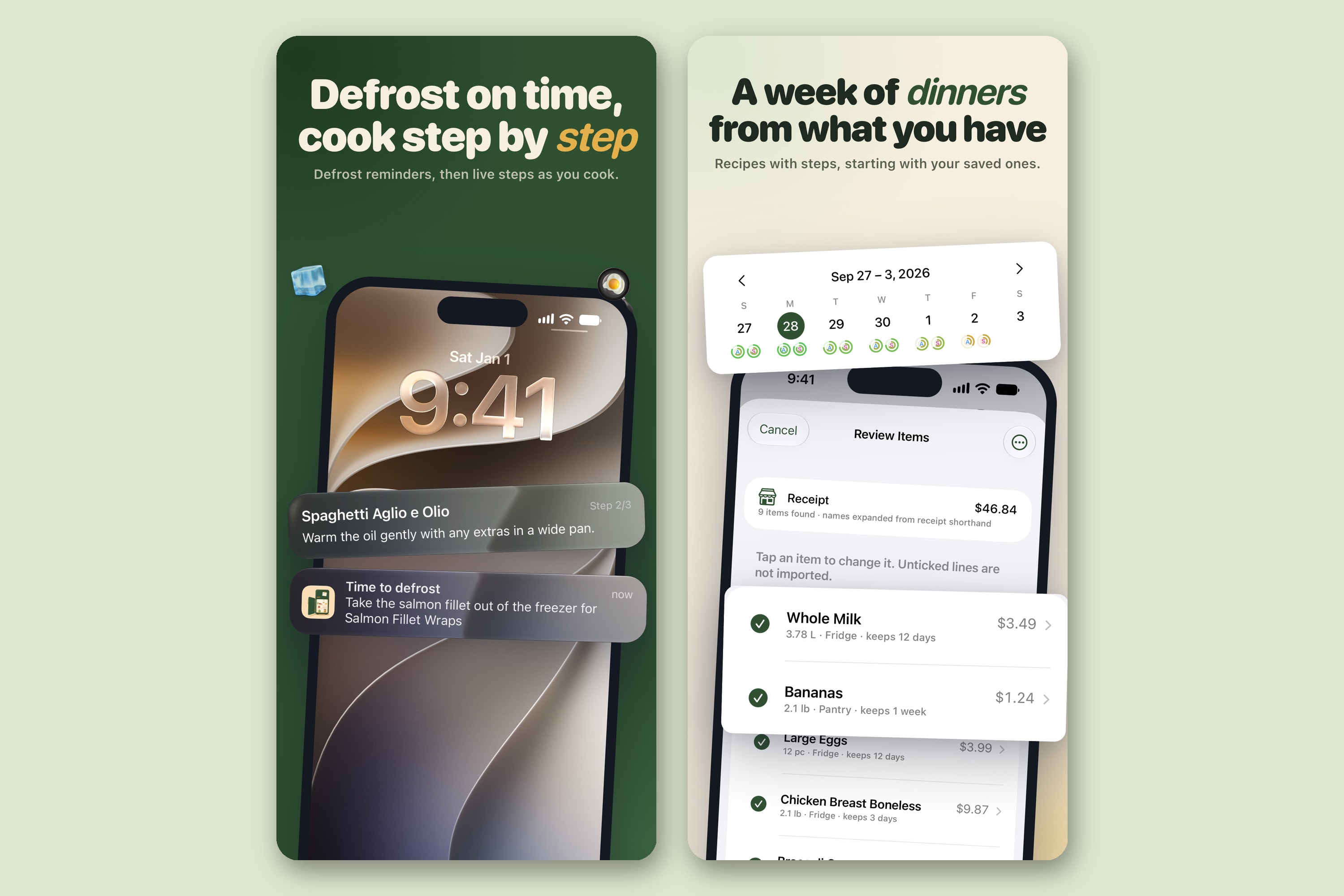
Defrost reminders the night before, cooking step by step, and a week of dinners from what you have.
-
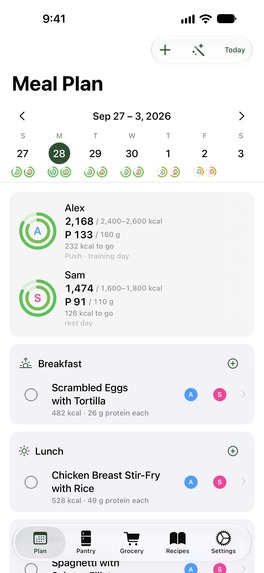
Frameless screenshot: the week, planned from what you bought, with a ring for each person at the table.
-
App icon, 1024 x 1024.
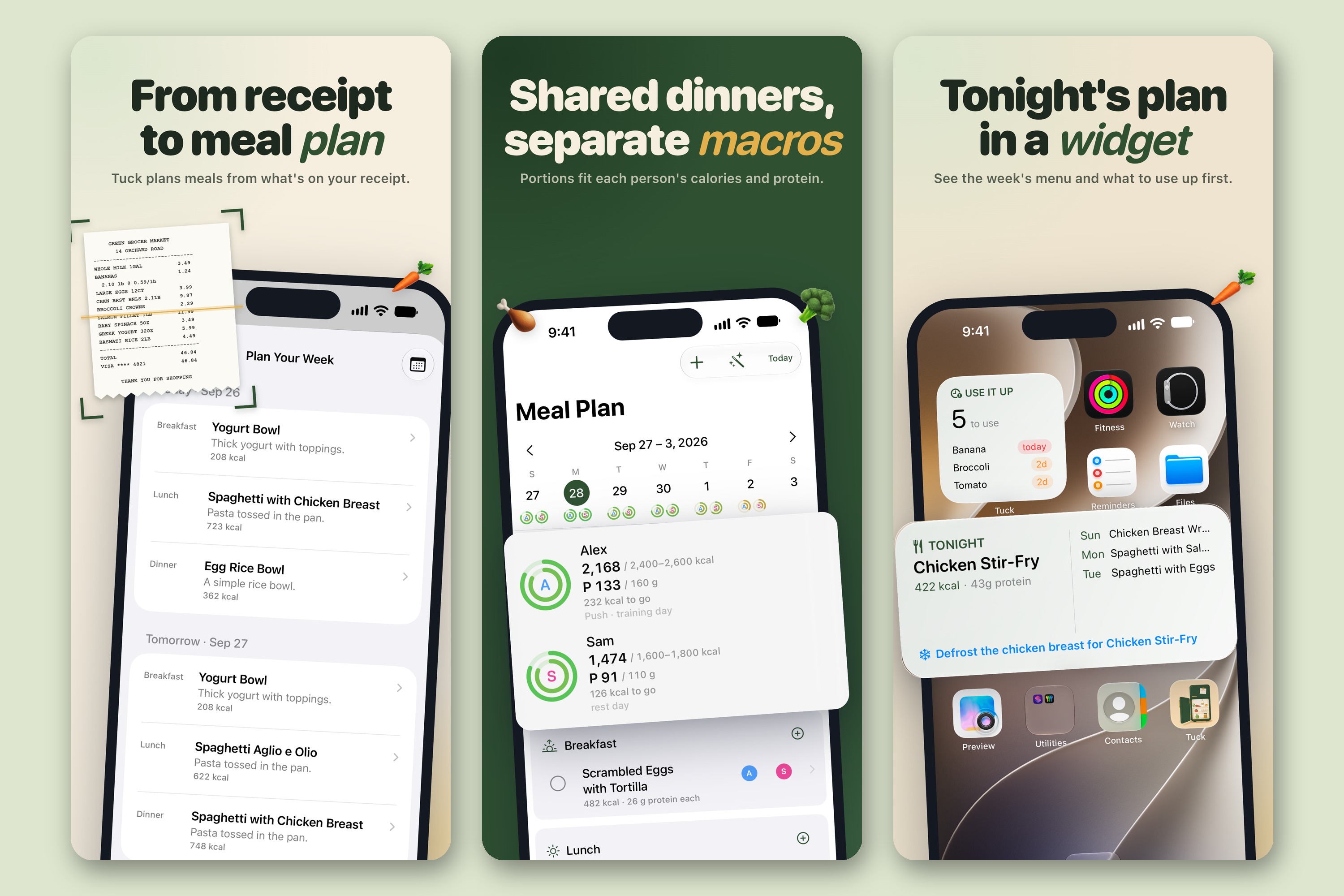
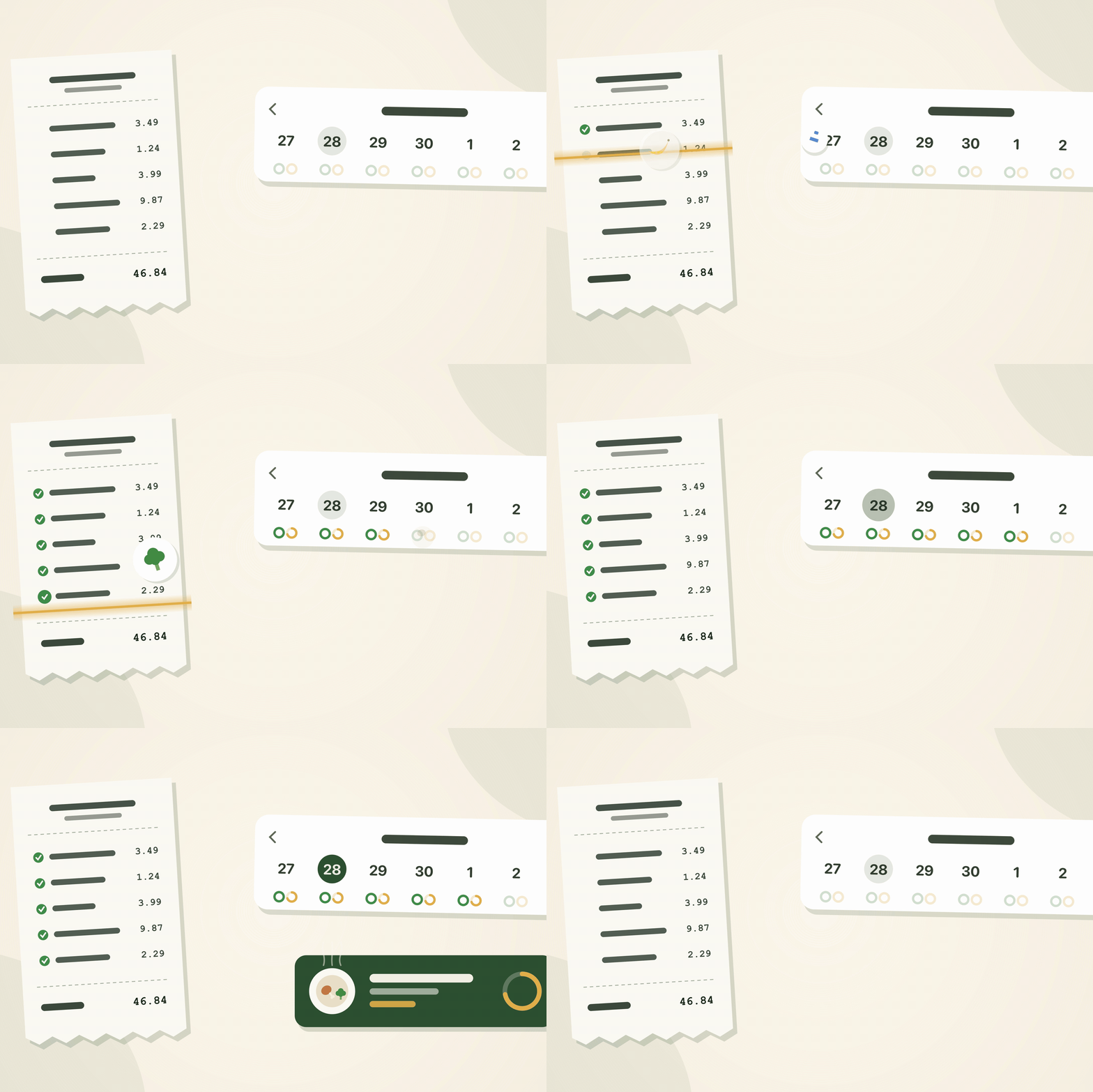
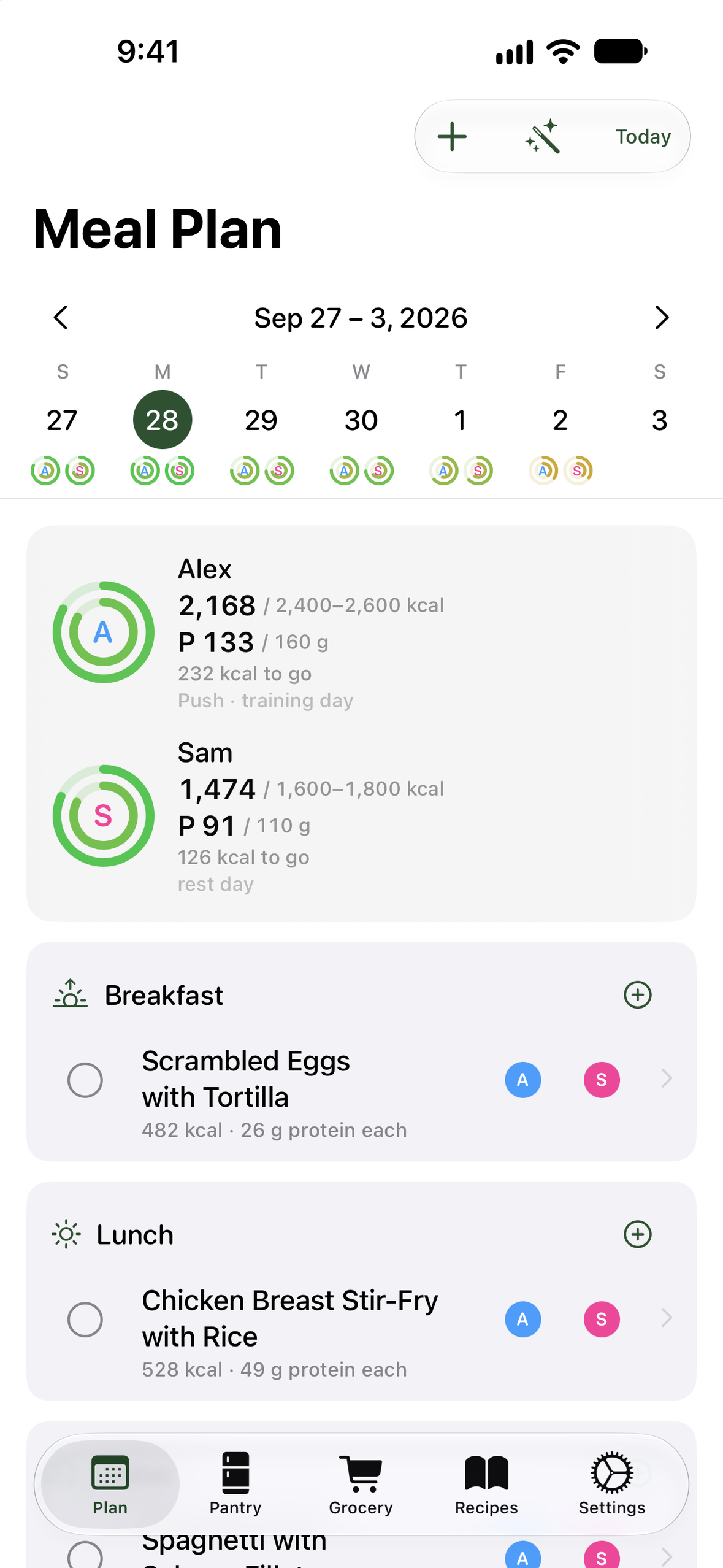
Photograph a crumpled grocery receipt and get a week of dinners that uses up what's about to go off first. Tuck reads supermarket shorthand like "CHKN BRST BNLS", gives every item a use-by date, and plans each meal from what's already in your fridge. One pot, with a portion sized for each person at the table.
The problem. Households threw away 631 million tonnes of food in 2022, 60% of all food wasted worldwide and 79 kg per person (UNEP Food Waste Index Report 2024). Meal planners make it worse by starting from recipes: you buy for the plan, the plan changes, and half of it goes off in the fridge. Meanwhile someone still has to answer "what's for dinner?" every night, often for people with different needs.
The job Tuck does. When I get home from the shop, decide this week's dinners from what I just bought, so nothing ends up in the bin and nobody at the table is left out.
Who it's for. Households on a budget, couples and families cooking for people with different appetites or goals, and anyone who has thrown out a bag of spinach they forgot they bought.
Inspiration
Most meal planners start from recipes and send you shopping for them. I wanted one that starts from the food you already bought. The receipt was the obvious place to begin: it is the only record of a kitchen that people already have without typing anything.
What it does
- Scan a receipt, get a pantry. Take a photo or pick one from your library. Tuck turns store shorthand into real names, gives every item a shelf life and files it under fridge, freezer or pantry. Review the list and import it with one tap.
- A week of dinners from what you have. Pick 3, 5, 7 or 14 days. Tuck fills each meal from your stock, uses what spoils first, and only then suggests the few things worth buying to make the rest of the week work.
- One pot, different portions. Each person at the table gets a share sized to their own needs, from the same dinner. Tap someone's initials to take them out of a meal.
- A shopping list with only what's missing, plus a "running low" list for staples you buy regularly. Send it to your partner as a text.
- Nothing forgotten. An "Expiring soon" list, one morning reminder, and a Use It Up widget on your Home Screen.
- Help while you cook. A defrost alarm the evening before, and cooking steps on your Lock Screen.
- Ask Siri "Plan my week", "What's expiring" or "Add to grocery list".
How I built it
I built Tuck alone. Receipt reading and meal planning run on the iPhone, with Apple Intelligence on the device for the few lines it can't read on its own. Phones without Apple Intelligence still read receipts. There is no account and no Tuck server; your pantry syncs through your own iCloud. RevenueCat runs the subscriptions.
Challenges I ran into
- Receipts are written in code. "CHKN BRST BNLS", two columns, crumpled paper, prices on the wrong line. Tuck carries a dictionary of 869 supermarket abbreviations and profiles for 72 supermarkets, and only asks the on-device AI about the handful of lines that are left.
- Nobody wants to wait for a plan. The whole week appears instantly and quietly improves in the background while you look at it.
- One dinner, different people. Families rarely eat identical portions. Tuck cooks one meal and sizes each person's share, instead of planning separate dinners.
- Spending less. When something is missing, Tuck picks the fewest items that unlock the most meals, and then the cheapest of those.
Accomplishments that I'm proud of
- A receipt photo that ends in a stocked pantry and a week of dinners, entirely on the phone.
- A planner that cooks the food most likely to be wasted first.
What I learned
The receipt is the one record of a kitchen people already keep. Building on it means nobody has to log food at all.
What's next
Showing each household how much food and money it saved, and the app itself in more languages.
Built With
- activitykit
- alarmkit
- app-intents
- cloudkit
- foundation-models
- private-cloud-compute
- revenuecat
- swift
- swiftdata
- swiftui
- the-composable-architecture
- vision
- widgetkit

Log in or sign up for Devpost to join the conversation.