-
-
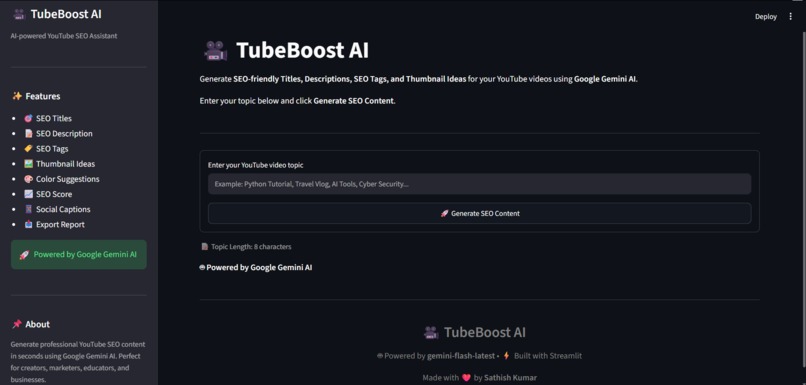
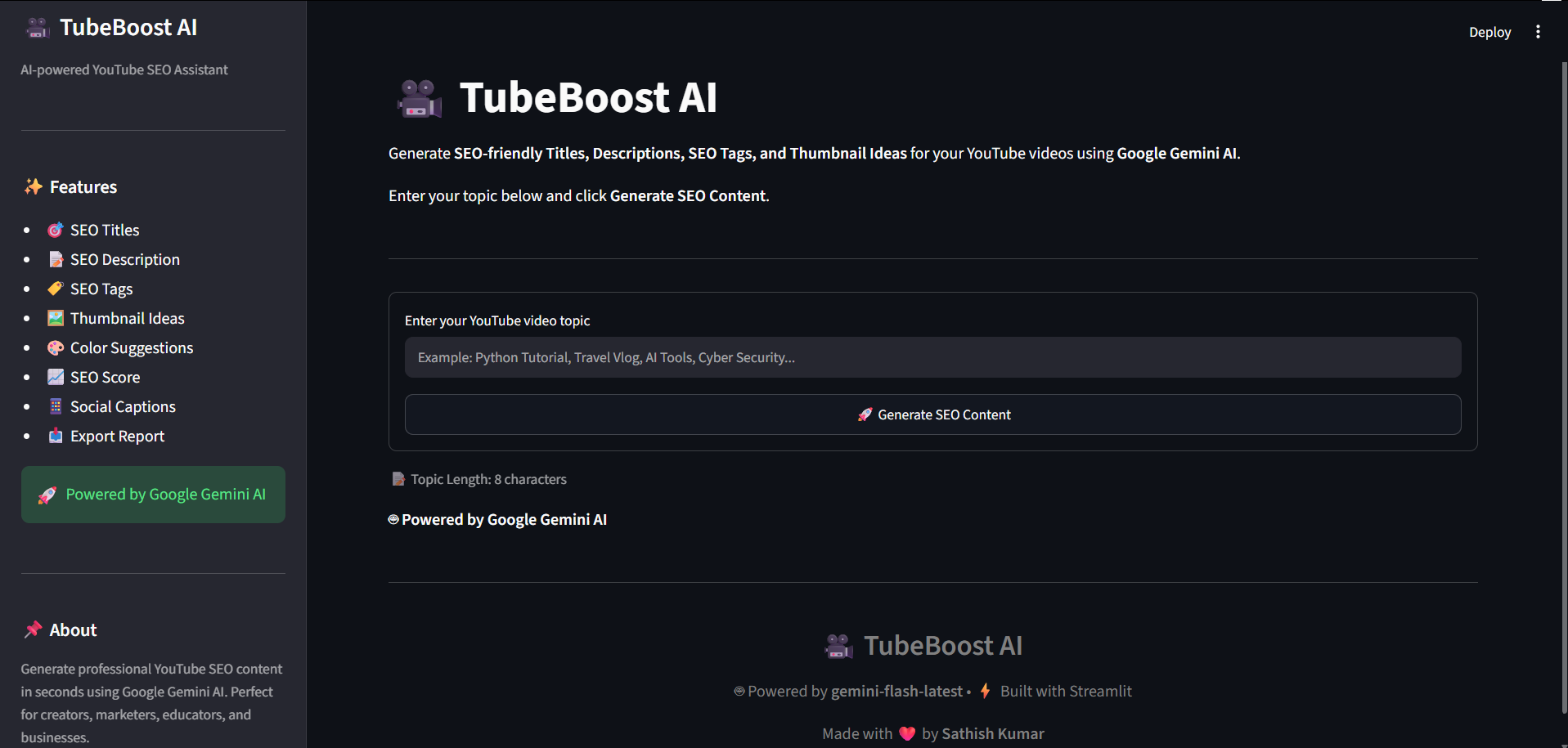
TubeBoost AI home screen — enter a YouTube topic to generate AI-powered SEO content.
-
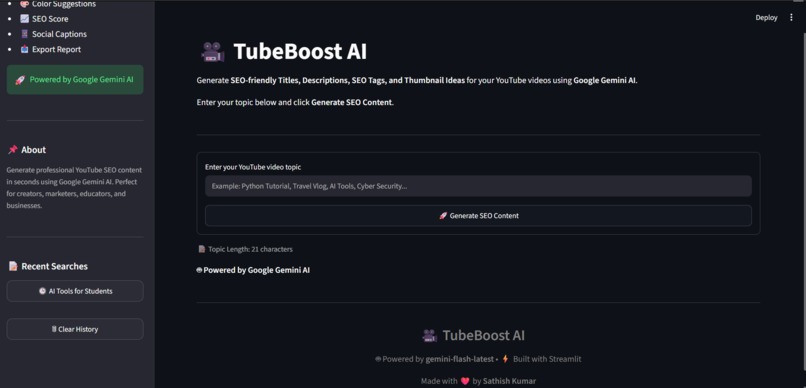
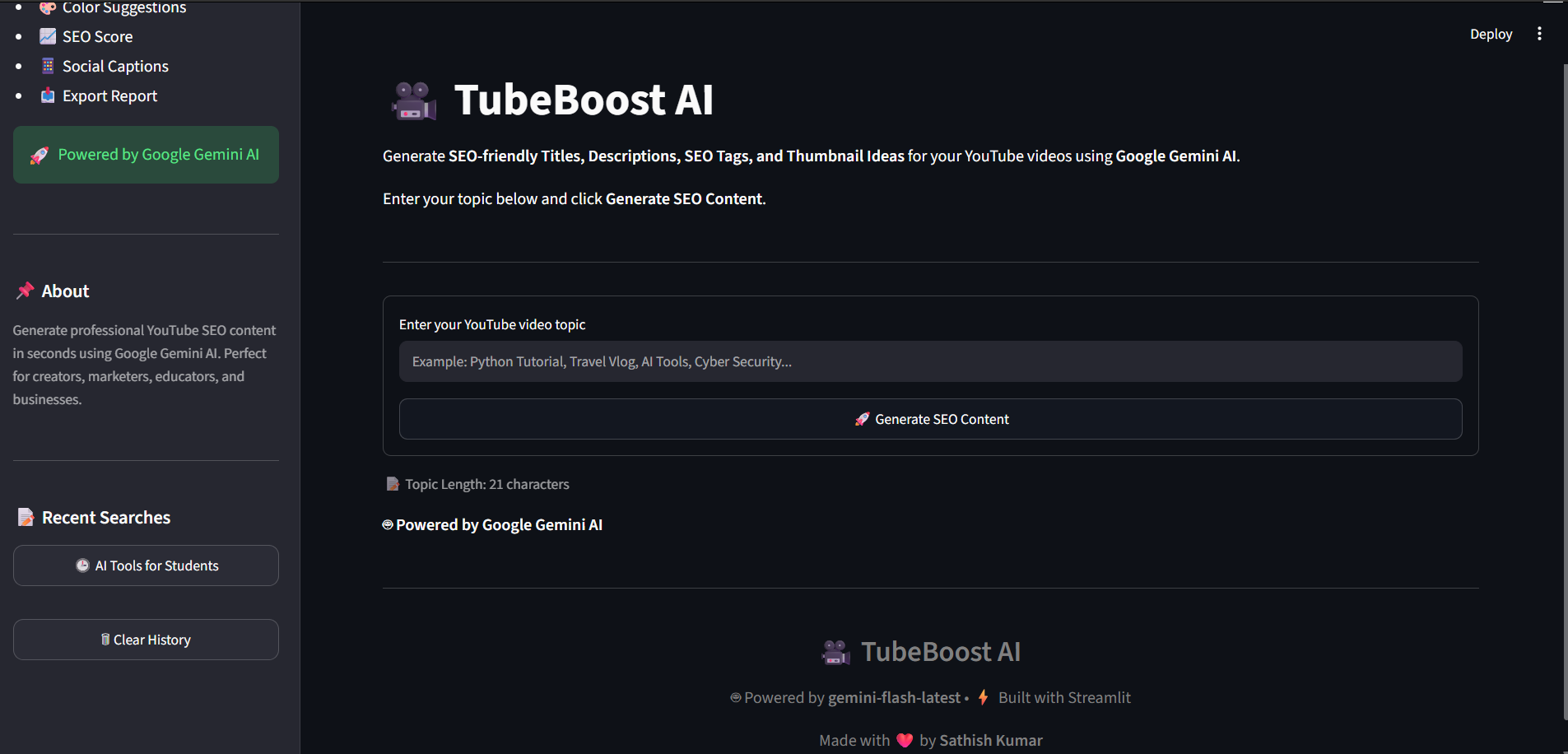
Recent search history — displays your recent searches.
-
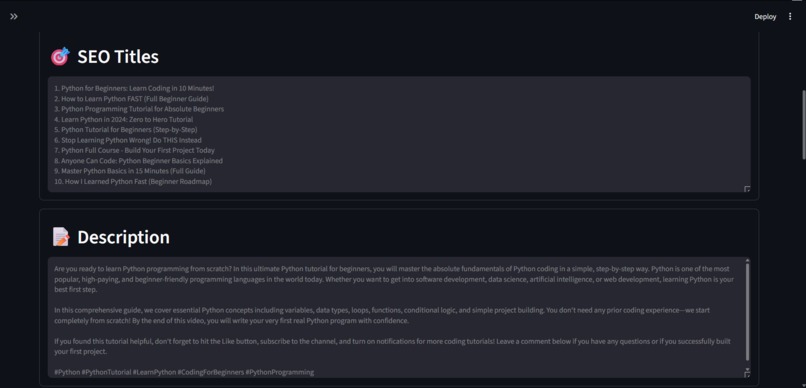
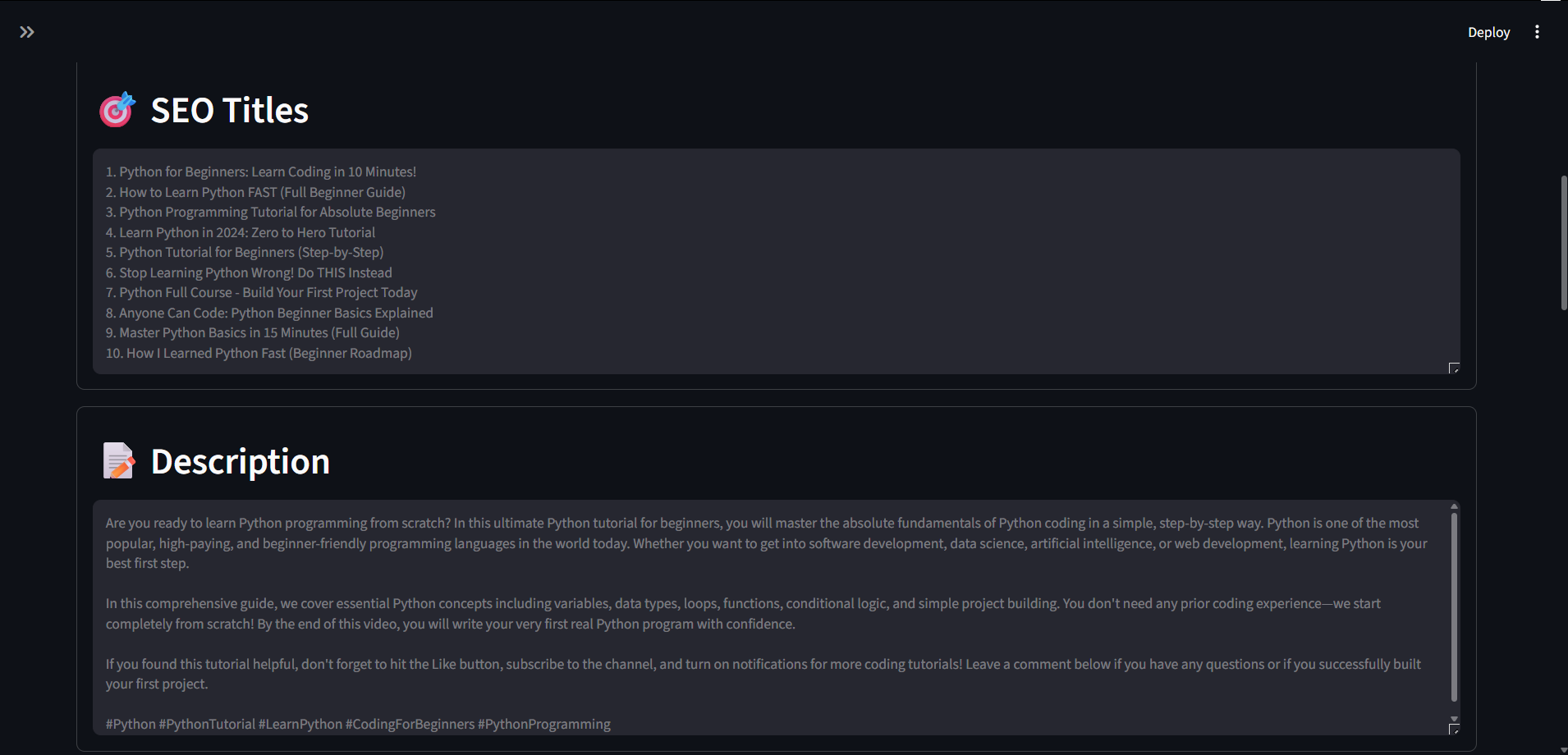
SEO Dashboard — AI-generated YouTube titles and video description.
-
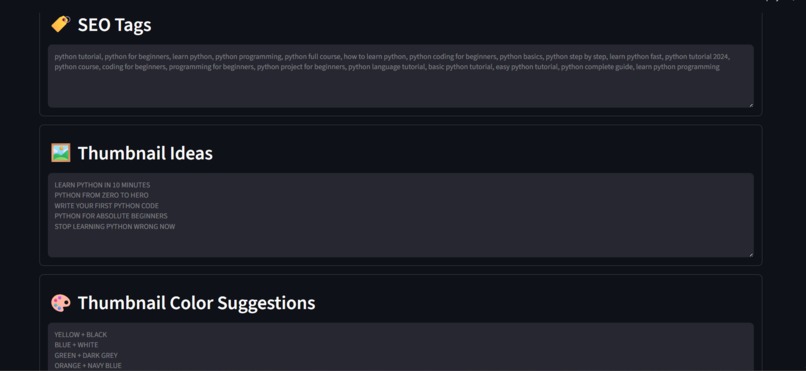
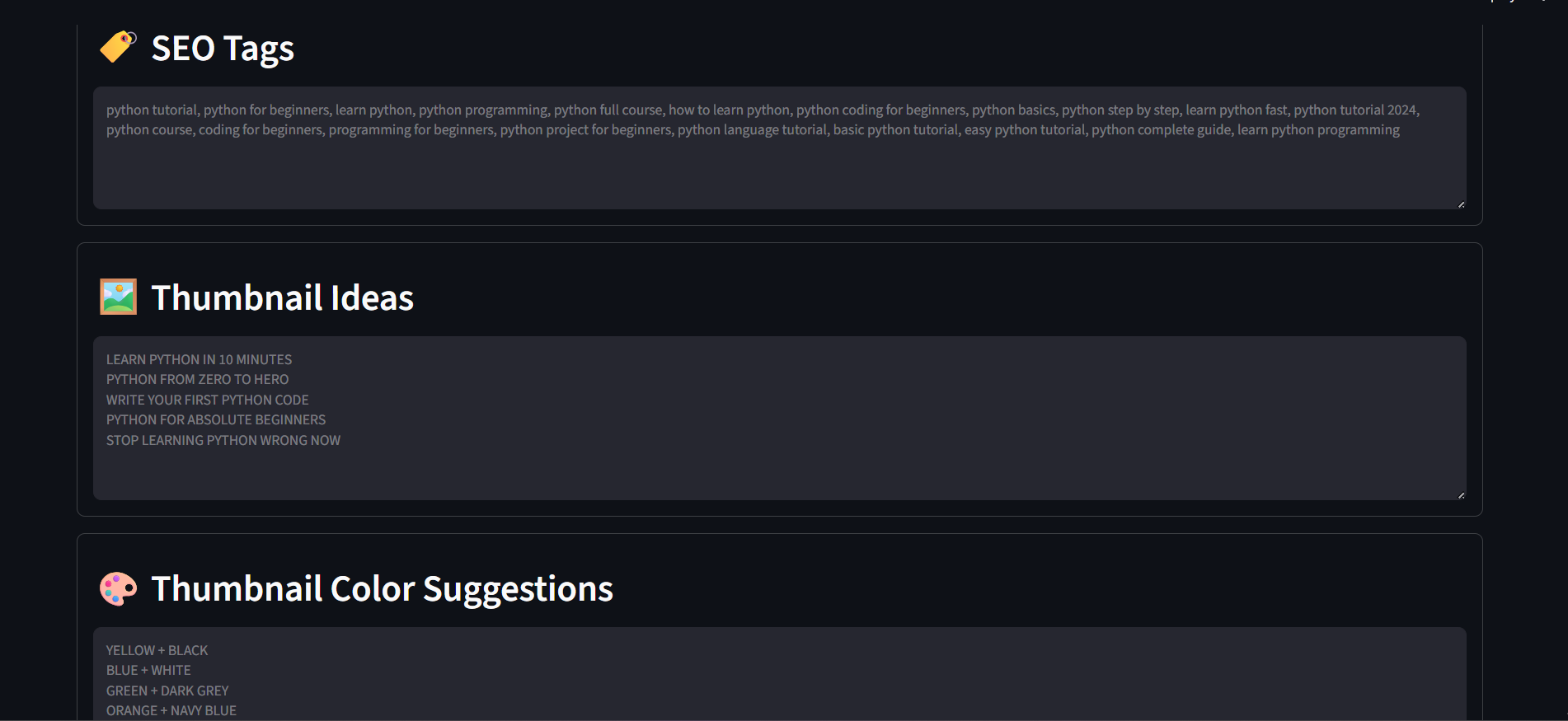
SEO Dashboard — AI-generated tags, thumbnail ideas, and thumbnail color suggestions.
-
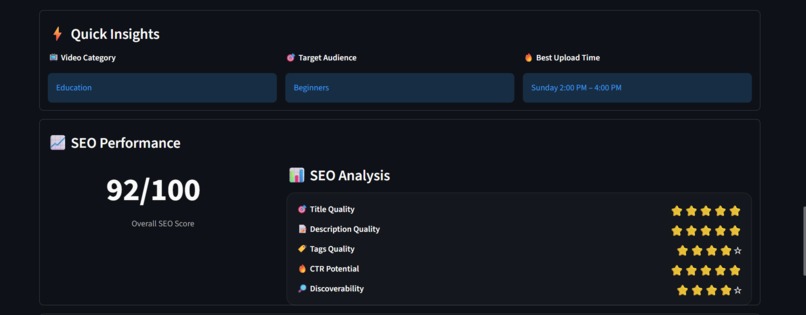
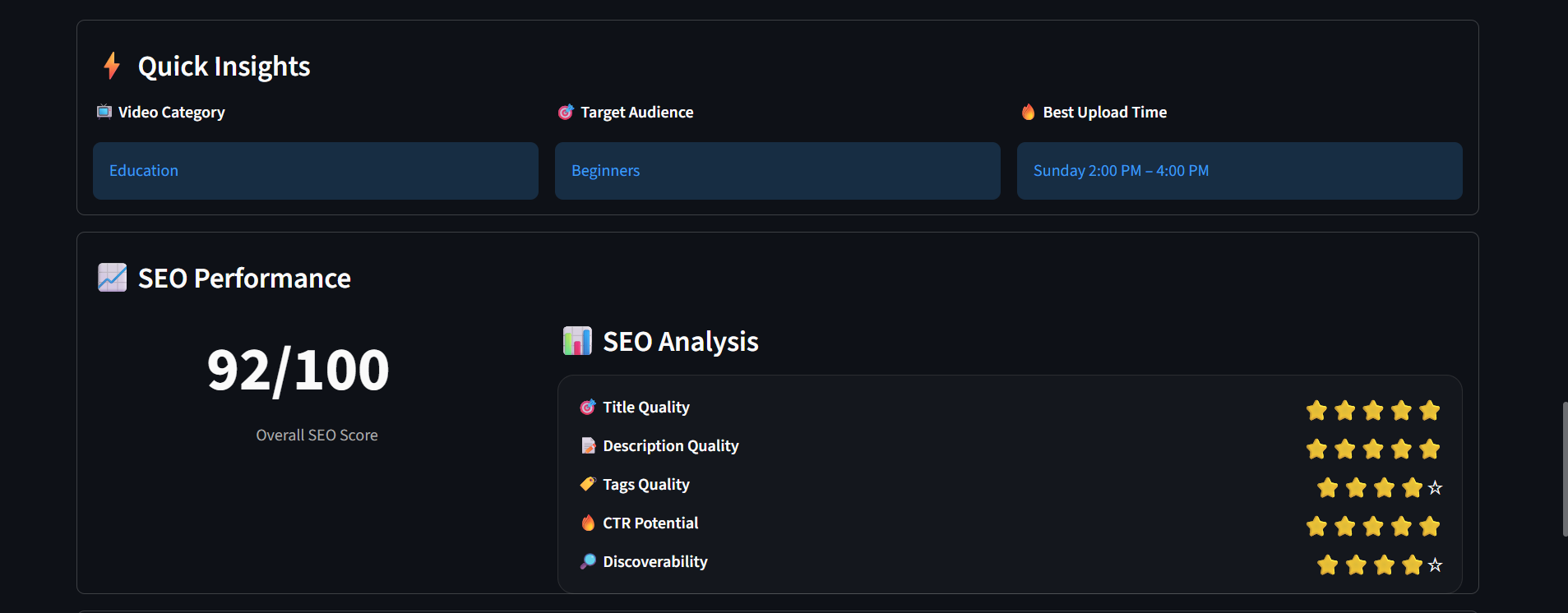
SEO Insights — video category, target audience, recommended upload timing, and SEO performance score.
-
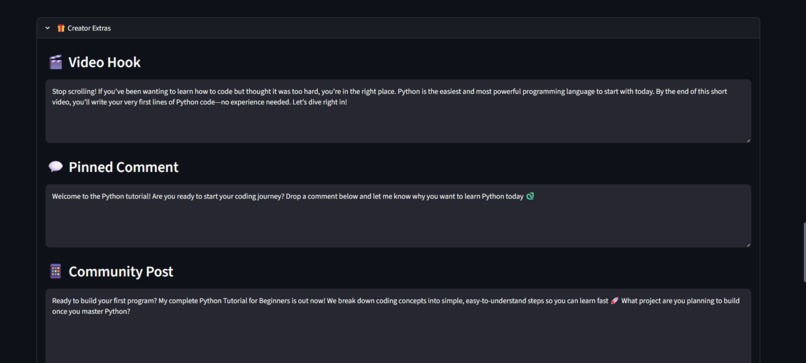
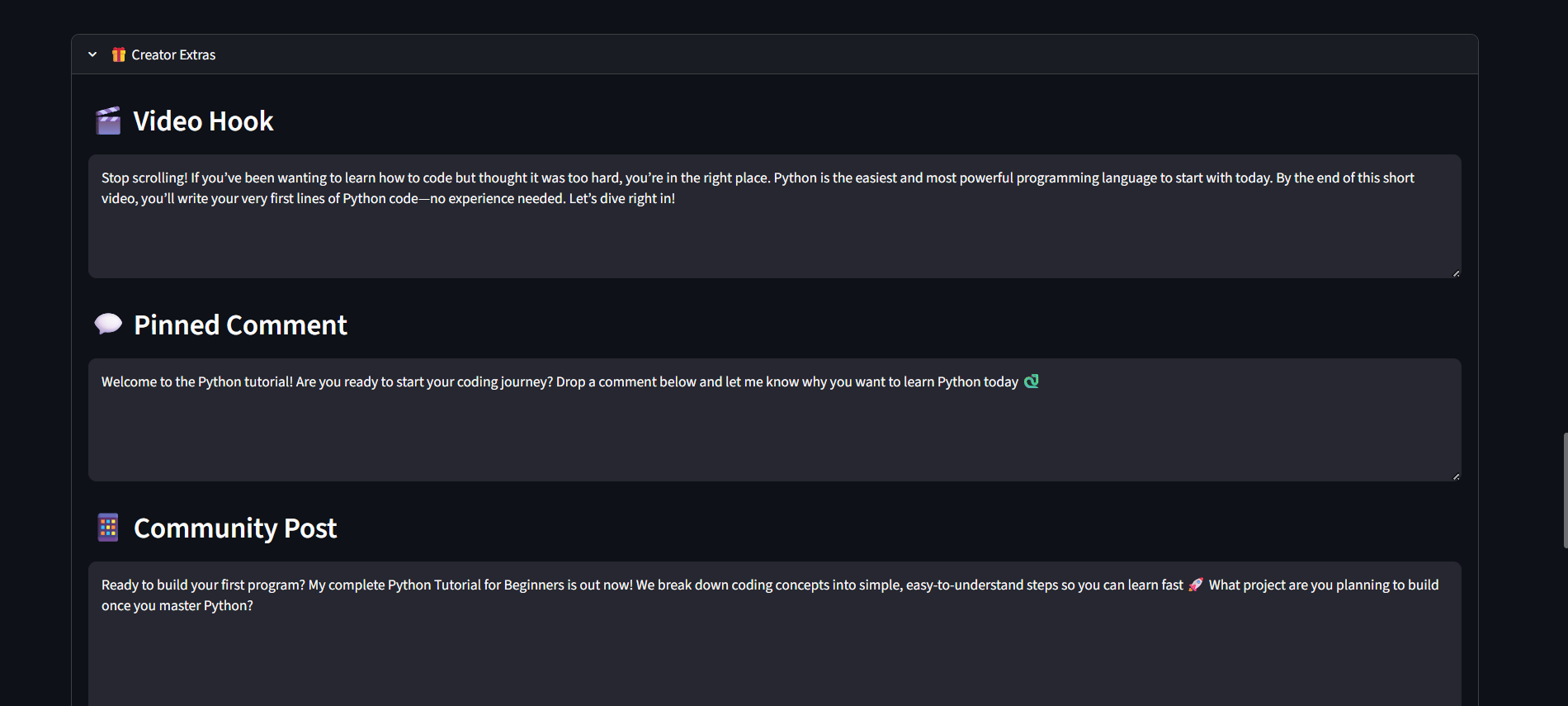
Creator Extras — AI-generated video hook, pinned comment, and community post.
-
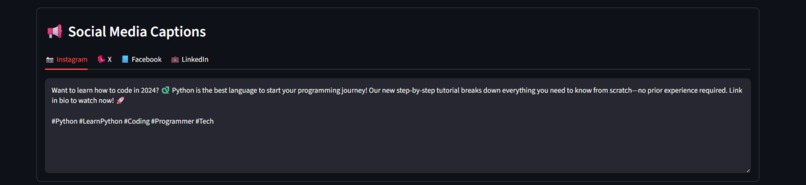
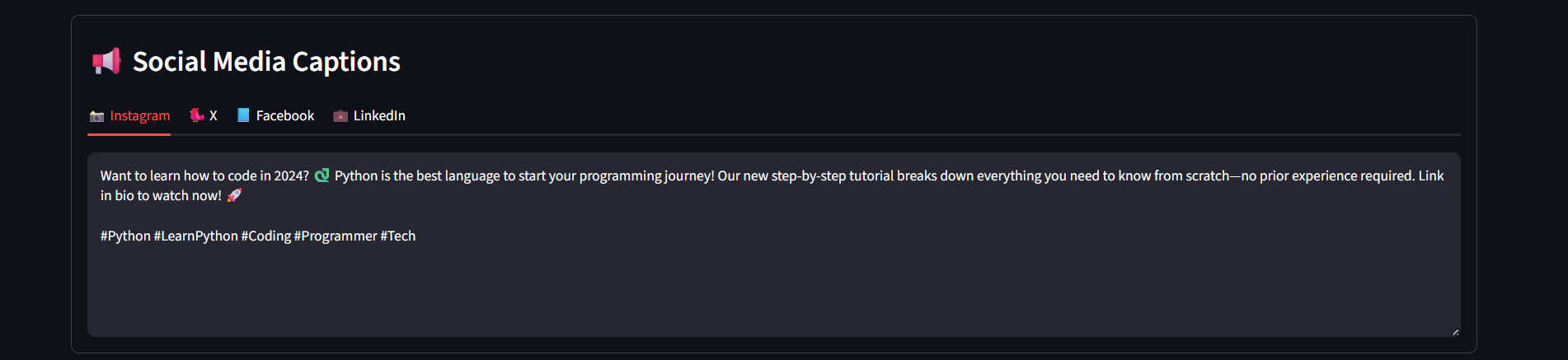
Social Media Captions — promotional content generated for Instagram, X, Facebook, and LinkedIn.
-

SEO Report Export — preview and download the complete generated SEO report.
-

Report Preview — review the generated SEO content before downloading.
-
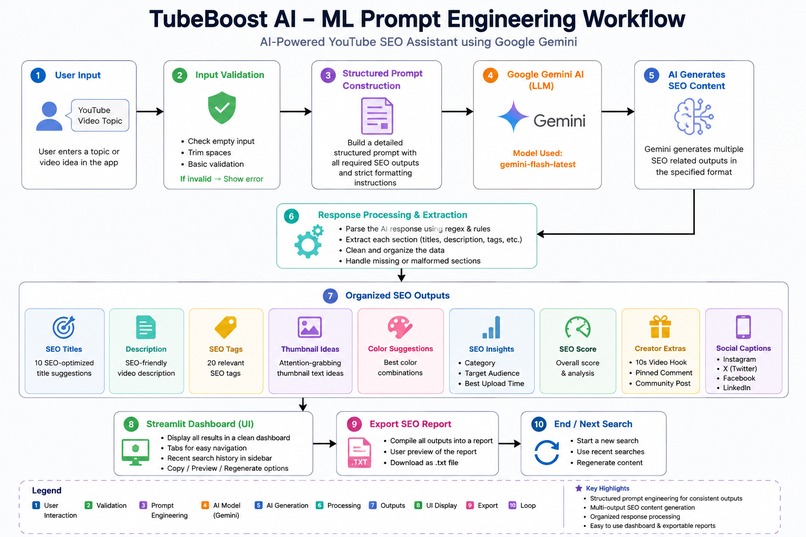
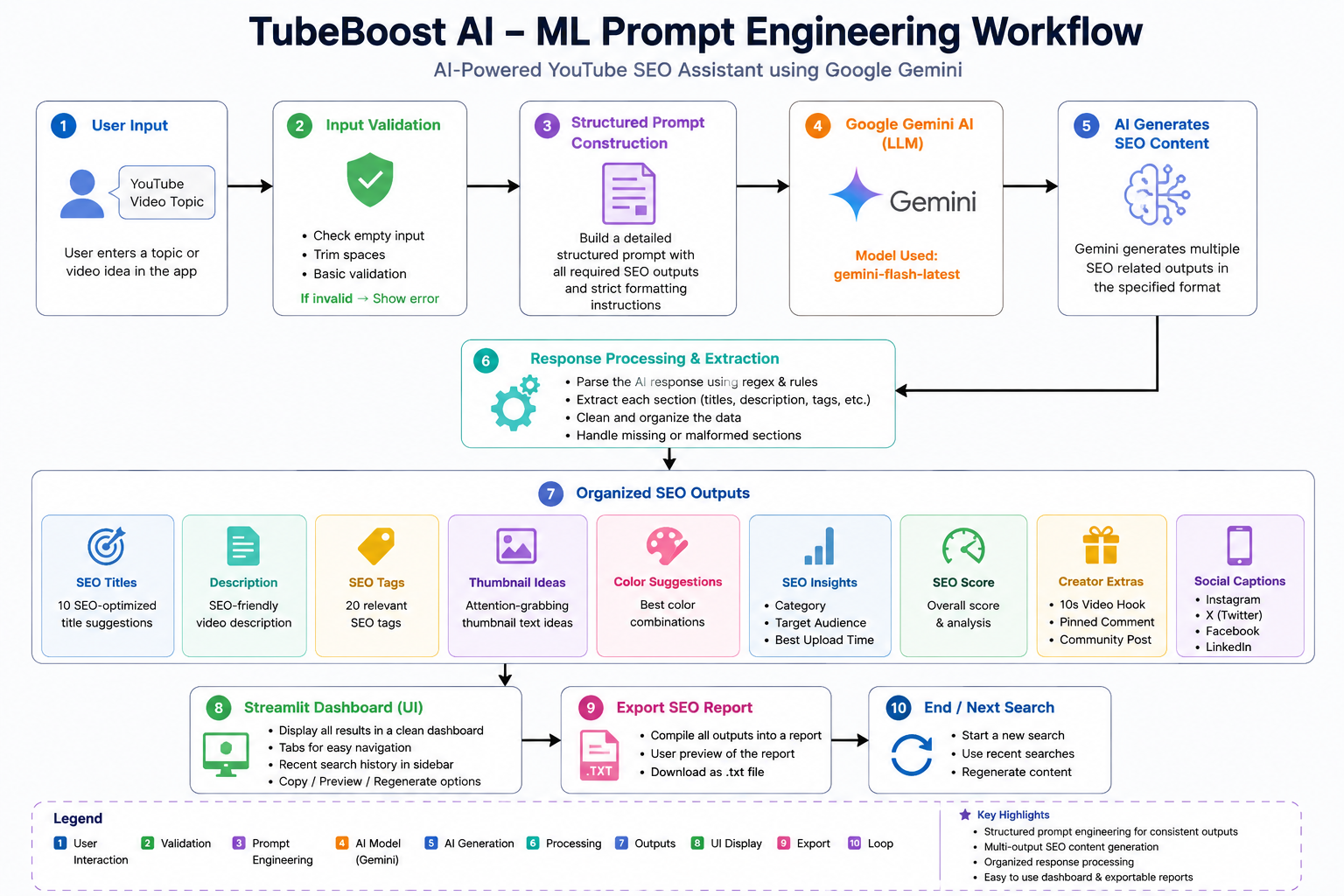
ML Prompt Engineering Workflow — structured prompts guide Google Gemini to generate and organize YouTube SEO content.


Inspiration
As a student learning Python and AI development, I wanted to build a practical AI application that solves a real problem for YouTube creators.
Creating effective titles, descriptions, tags, thumbnail ideas, and social media content can take a lot of time. I wanted to create a single tool that could automate these tasks using structured prompts and Google Gemini.
What it does
TubeBoost AI is an AI-powered YouTube SEO assistant.
I built it to help creators generate:
- 10 SEO-friendly video titles
- SEO-optimized descriptions
- 20 SEO tags
- Thumbnail ideas
- Thumbnail color suggestions
- Video category
- Target audience
- Suggested upload time
- SEO score and analysis
- First 10-second video hook
- Pinned comment
- Community post
- Instagram caption
- X caption
- Facebook caption
- LinkedIn caption
- Exportable SEO report
The user simply enters a YouTube video topic, and TubeBoost AI generates the content using Google Gemini.
How I built it
I built TubeBoost AI using Python and Streamlit.
The application takes the user's YouTube topic and sends it to Google Gemini using a structured prompt. The prompt defines the different SEO outputs that need to be generated.
Gemini generates the response, and my application processes and organizes the response into separate sections such as titles, description, tags, thumbnail ideas, SEO analysis, and social media captions.
I also added automatic retry handling for temporary API errors, recent search history, and SEO report export functionality.
AI Workflow
- The user enters a YouTube topic.
- The application validates the input.
- A structured prompt is created.
- Google Gemini processes the prompt.
- Gemini generates the requested SEO content.
- My application extracts and organizes the response.
- The results are displayed in the Streamlit dashboard.
- The user can preview and export the SEO report.
Challenges I ran into
One of the main challenges I faced was handling changes in available Gemini models and API errors.
During development, the original Gemini model became unavailable for new users. I checked the models available for my API key and updated the application to use gemini-3.6-flash.
Another challenge was organizing a large AI response into separate sections while keeping the interface simple and easy to use.
I also added retry logic to handle temporary API failures.
Accomplishments I'm proud of
I'm proud that I turned my idea into a complete working AI application.
I combined an interactive web interface, structured AI prompting, AI-generated SEO content, SEO analysis, social media content generation, and report exporting into one application.
I also successfully deployed the application online so it can be demonstrated to users.
What I learned
Through this project, I learned how to:
- Work with the Google Gemini API
- Create structured prompts for LLMs
- Handle API errors and model changes
- Build interactive applications using Streamlit
- Process AI-generated responses
- Use Git and GitHub
- Deploy an AI-powered application
- Design a simple user-friendly dashboard
What's next for TubeBoost AI
I plan to improve TubeBoost AI by adding:
- YouTube Data API integration
- Trending keyword analysis
- YouTube Shorts optimization
- Multi-language SEO generation
- Advanced SEO analytics
- PDF report generation
- User authentication
- Additional AI models
- Automated keyword research

Log in or sign up for Devpost to join the conversation.