-
-
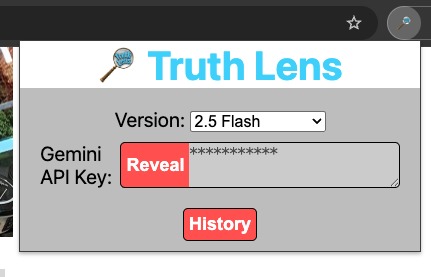
Extension Menu
-
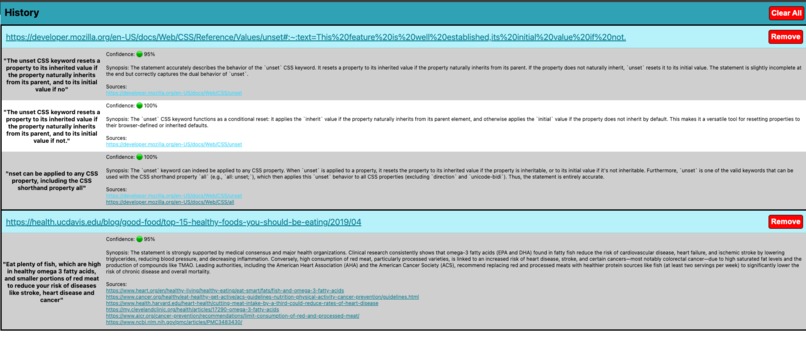
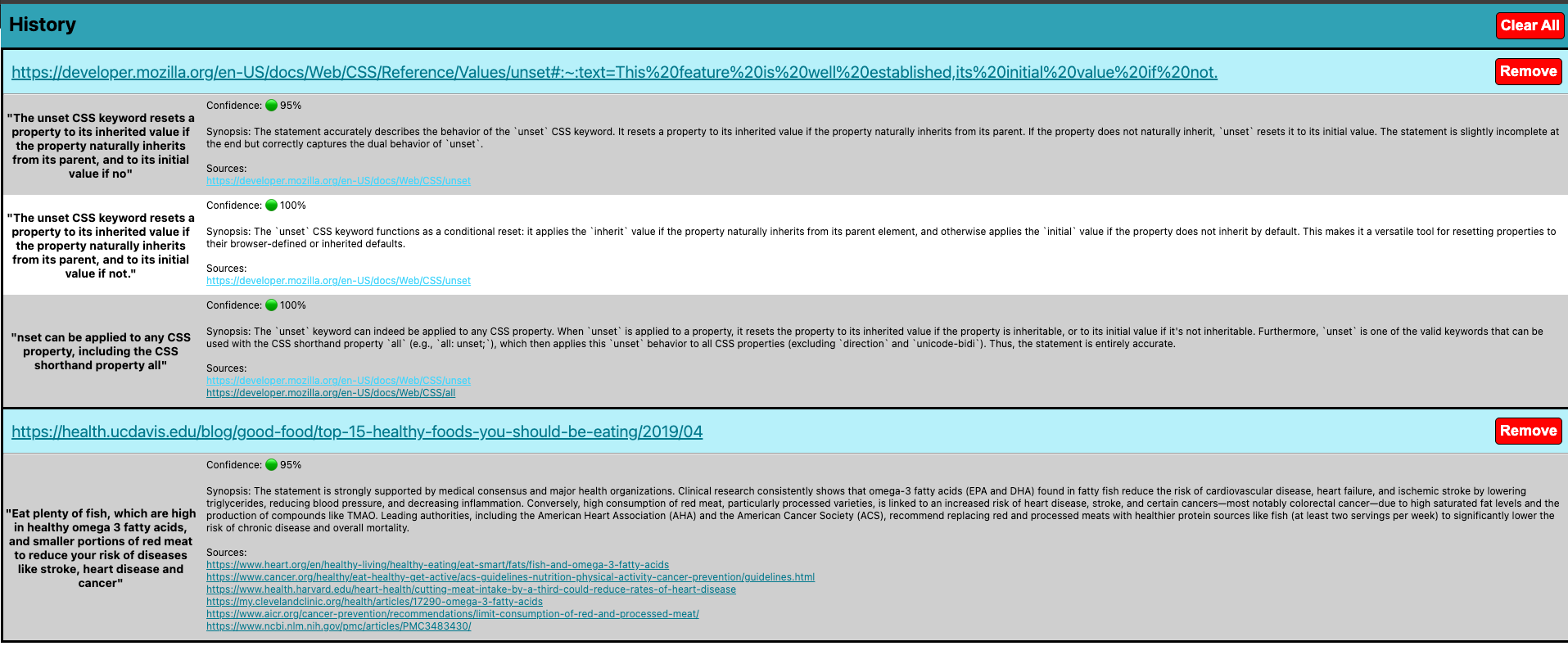
History View
-
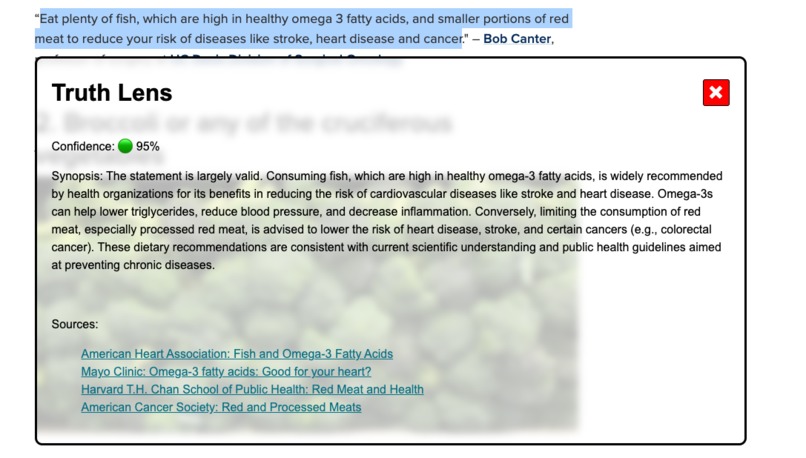
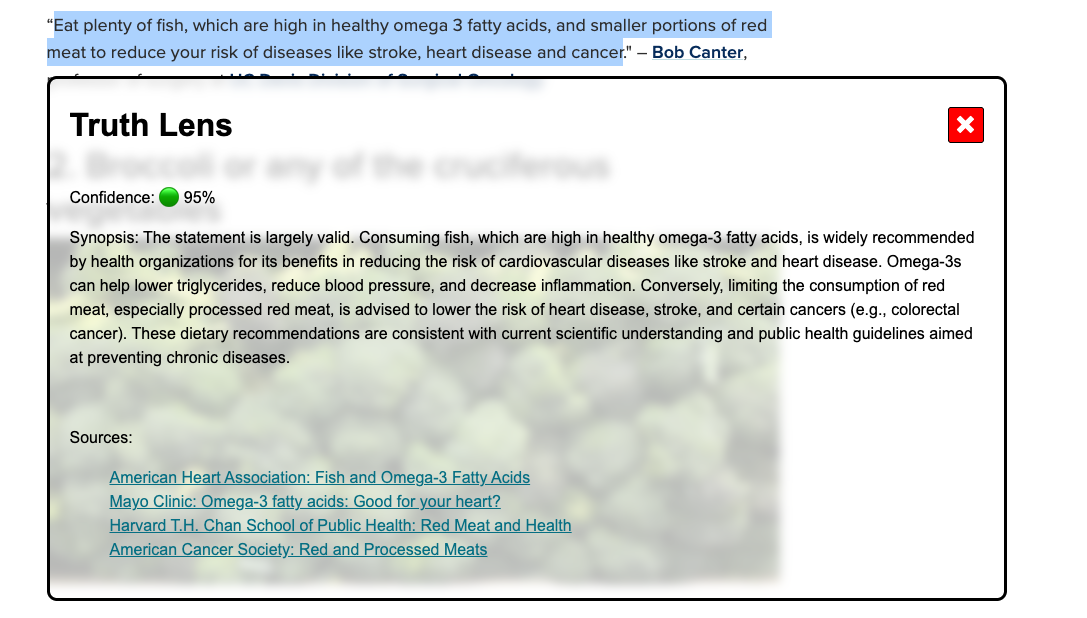
Fact Check popup
Inspiration
A lot of media online posts arbitrary information for the wow factor. It can be time-consuming to determine what is accurate or not individually. A simple browser extension to do the work for you is a great to have feature when browsing the web. This contributes to online safety as users will be less likely to believe what they see and have the resources to formulate their own opinion at their fingertips. It also allows users to trust what they read when they can independently verify it quickly.
What it does
It pulls your highlighted text selection and prompts gemini to validate it with sources for independent review. There are options to input your own API key, change model version, and view history of fact checks.
How we built it
This was built with the google chrome extension API. It utilize javascript, HTML, and CSS to create interactive UI elements on any webpage.
Challenges we ran into
It was difficult to get the Gemini models to produce usable results. Particularly formatting it into JSON, and returning actual links. Due to the nature of LLM's, some responses are slow to populate, and some models will not work due to high load.
Preventing the styling from conflicting on websites was also a challenge.
Accomplishments that we're proud of
We managed to create a hidden DOM for the popup elements that prevents styling issues between websites. You are able to view and delete all of your search history so you don't have to repeat searches. There is loading feedback and the information is given in an easy to read manner.
Overall, it looks fairly well polished and works good.
What we learned
The biggest learning point was creating browser extensions and utilizing the the Gemini API. There are a lot of power tools when making API calls such as response formatting and extra tools you can utilize. Additionally, we utilized live packet retrieval for the API calls which was a new method for us.
What's next for Truth Lens
Next more work needs to be done to ensure the models are outputting legitimate links and potentially more options for how it works on different websites.
Built With
- css
- gemini
- google-ai
- html5
- javascript

Log in or sign up for Devpost to join the conversation.