-
-
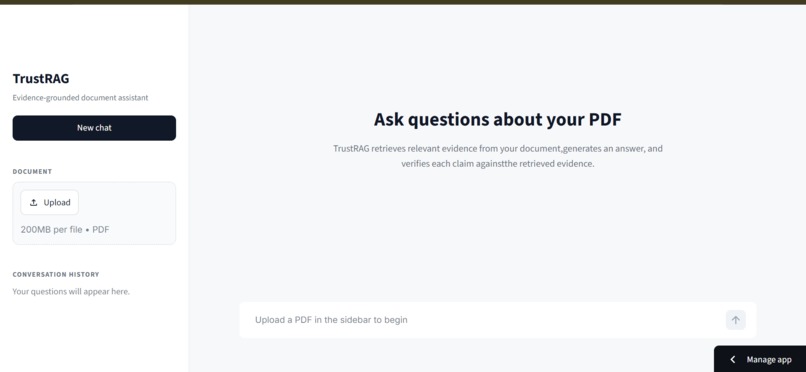
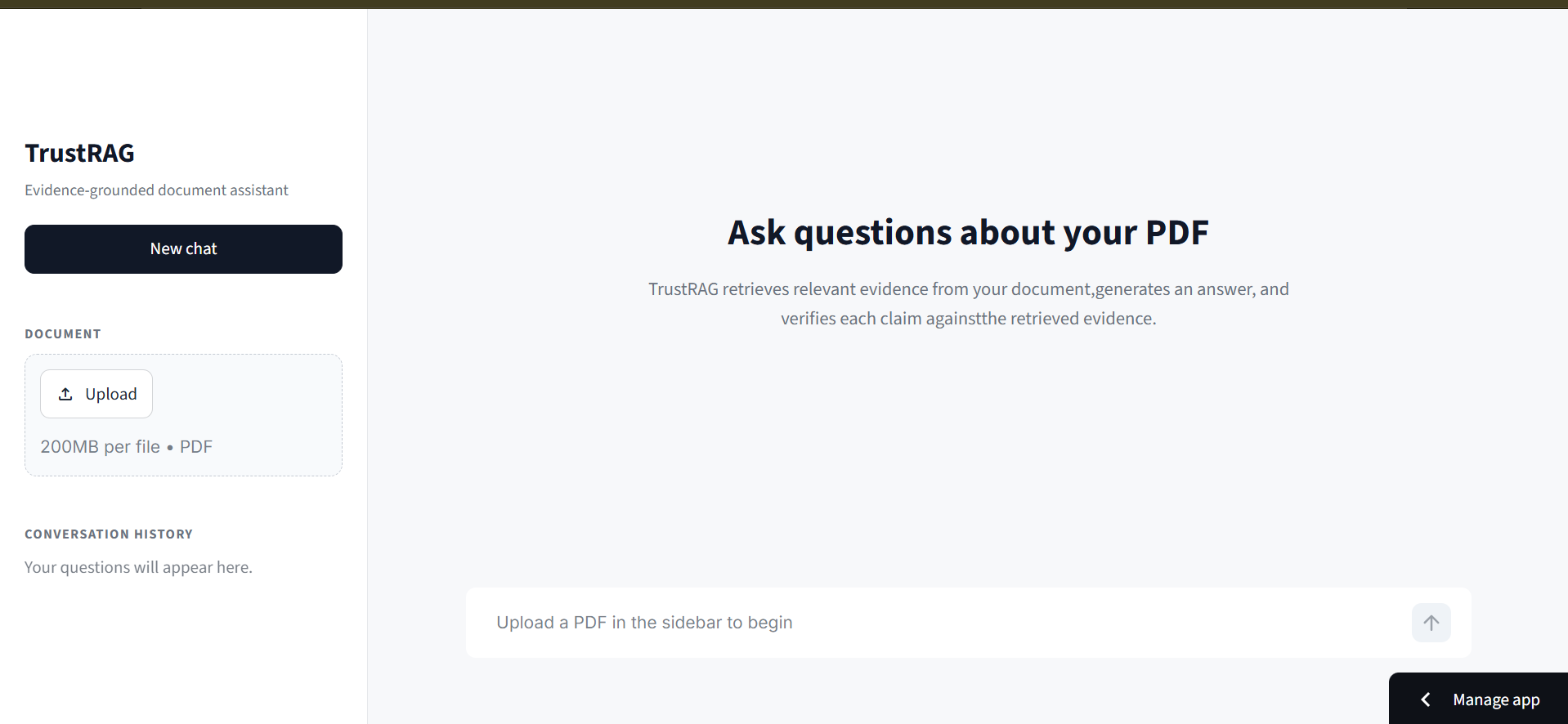
That is the front page where I upload PDF and then ask question about that PDF
-
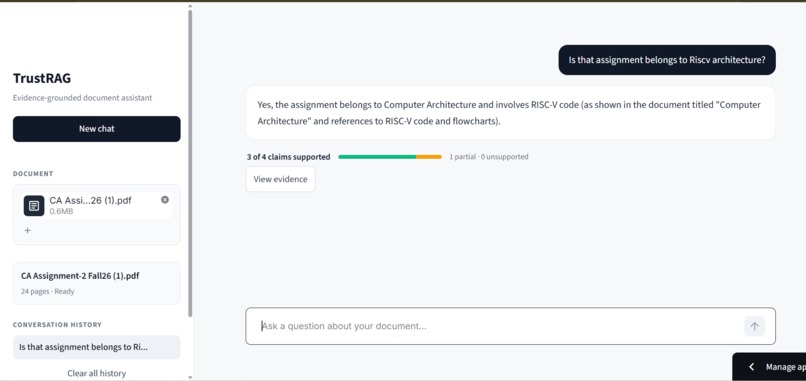
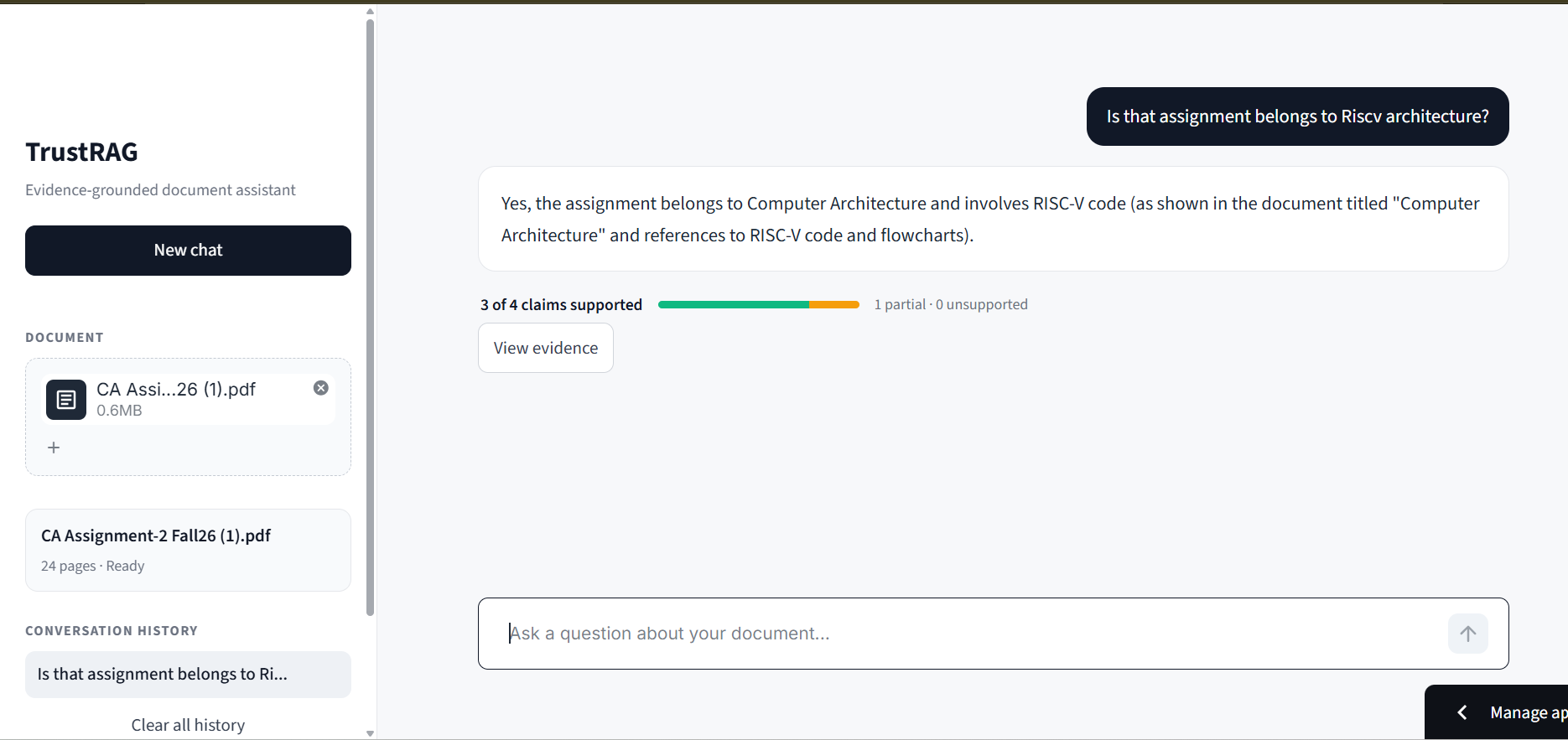
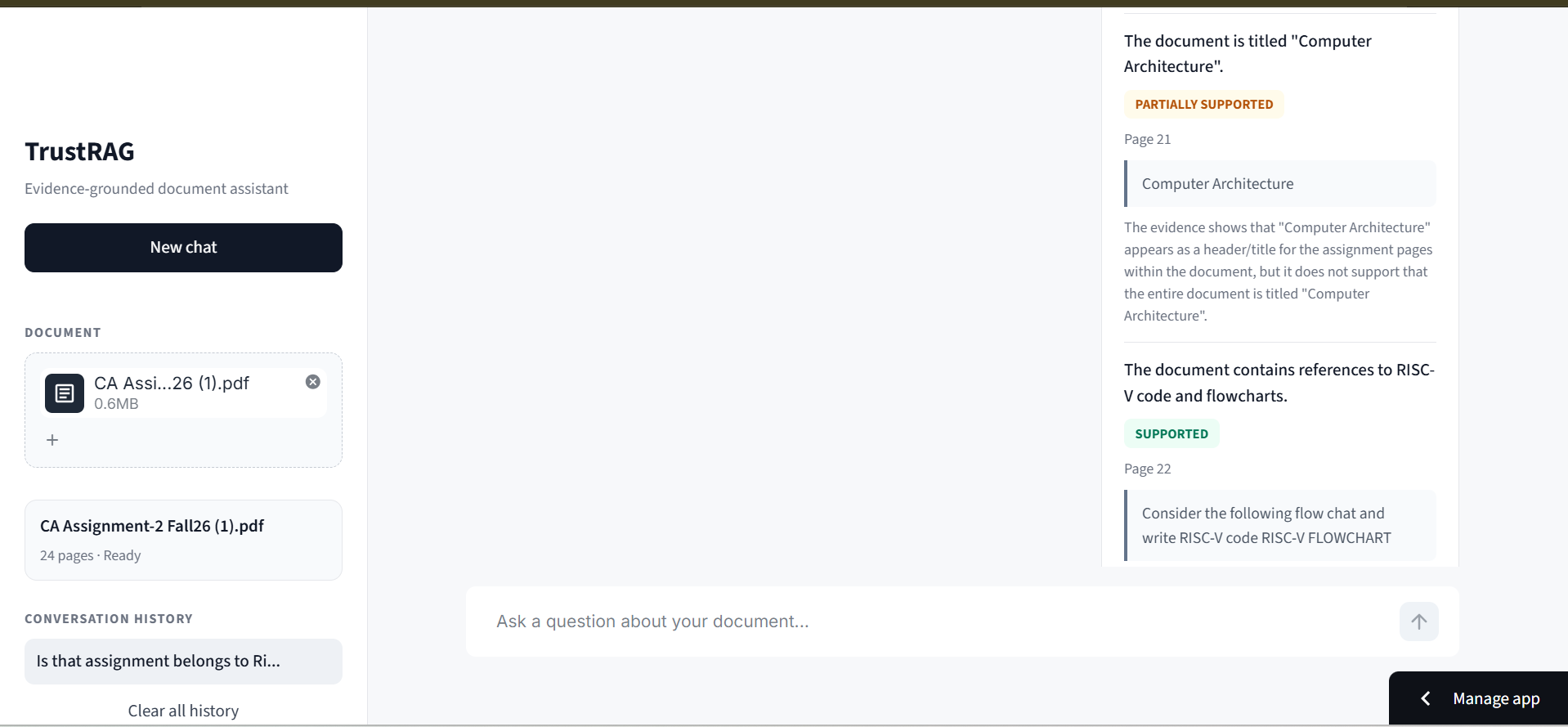
Here it gives response with evidence showing how many supported
-
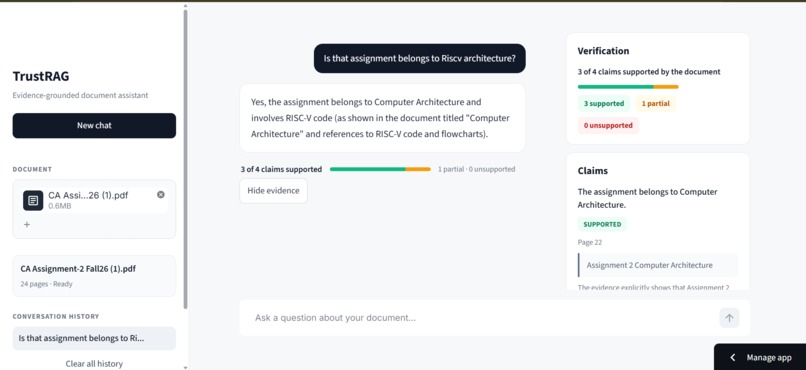
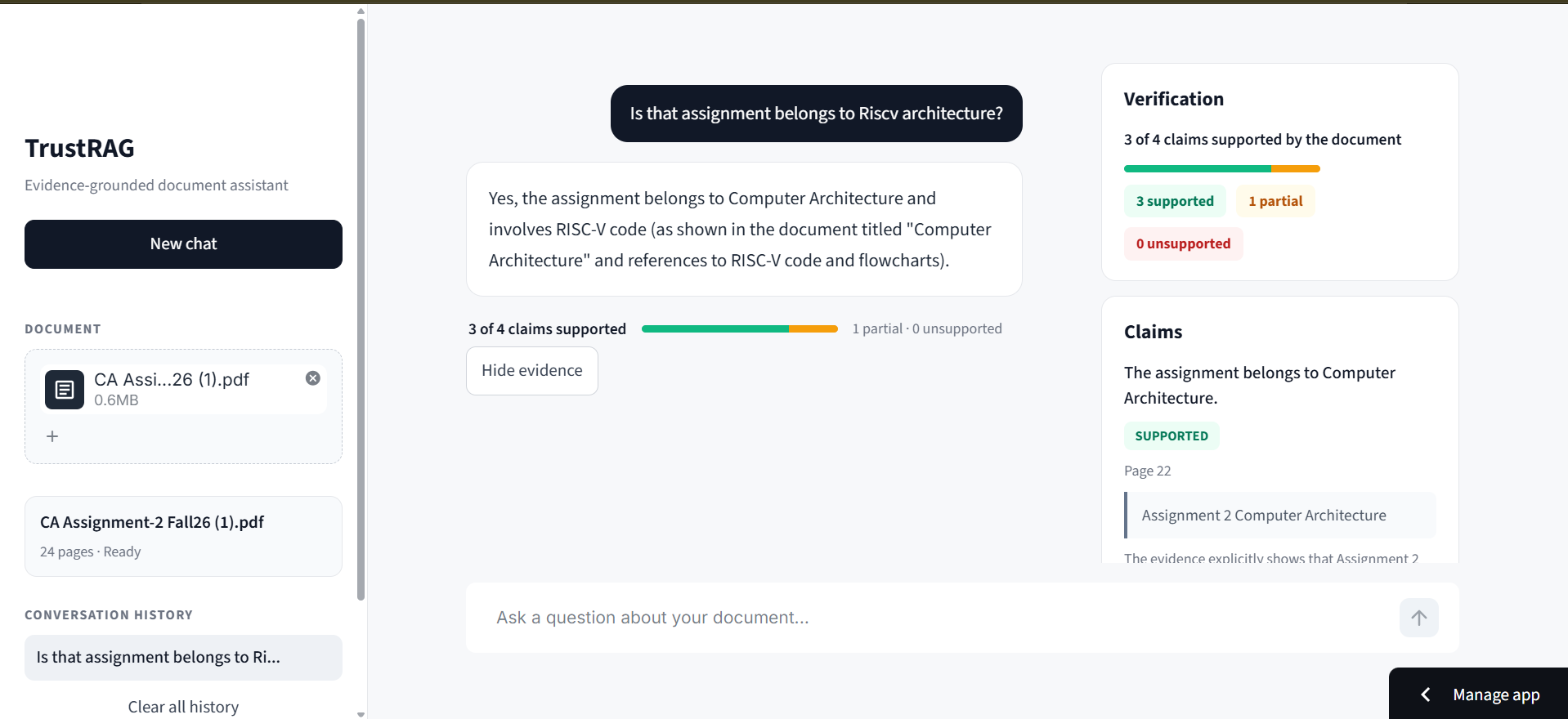
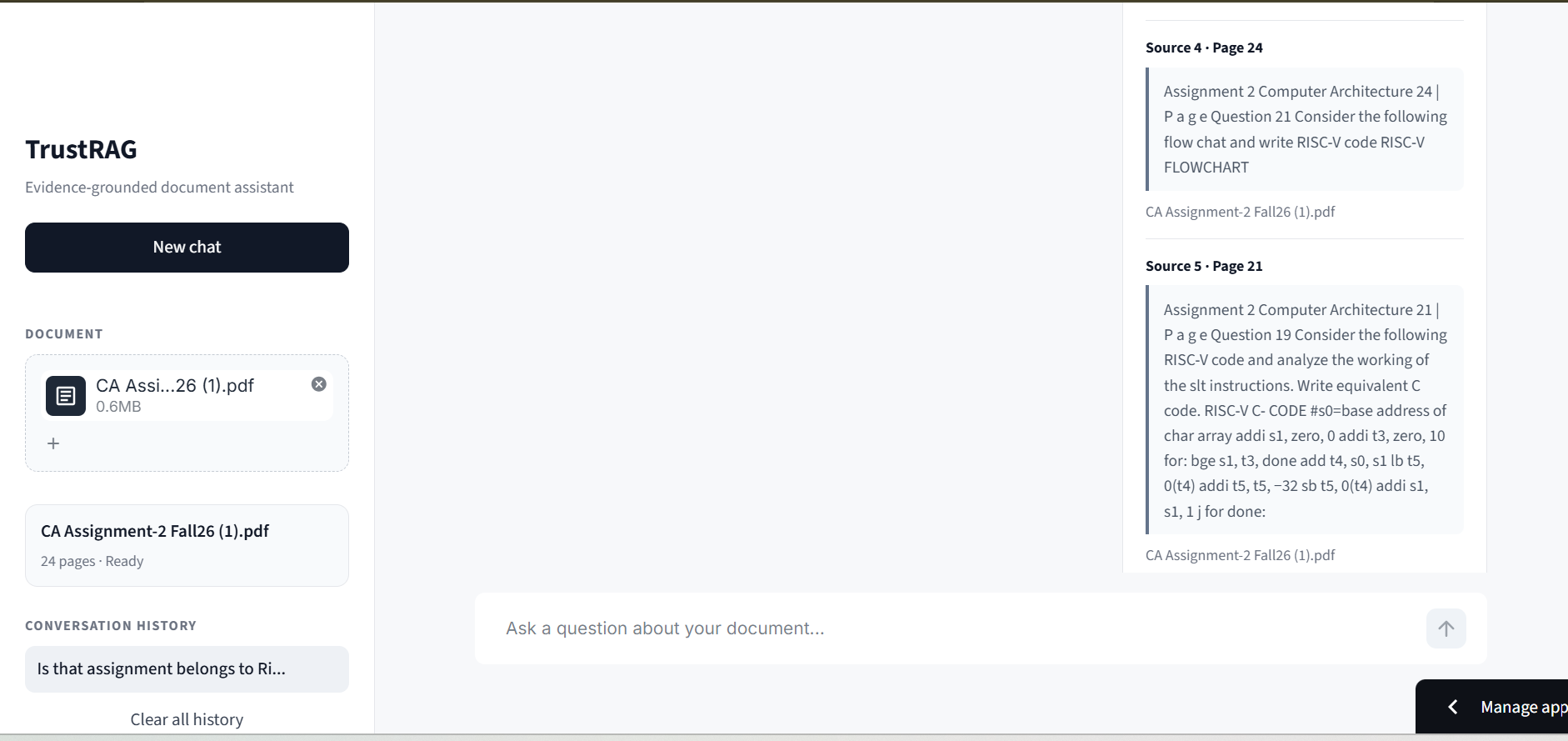
We can view evidence which is as a proof
-
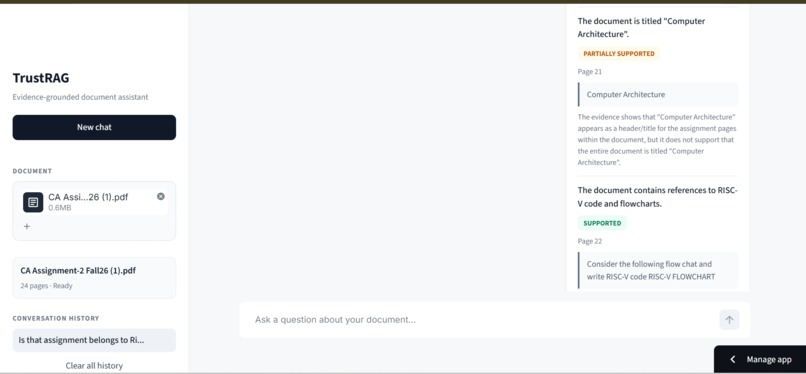
Here it show the proof which are partially supported ,or fully supported or not supported
-
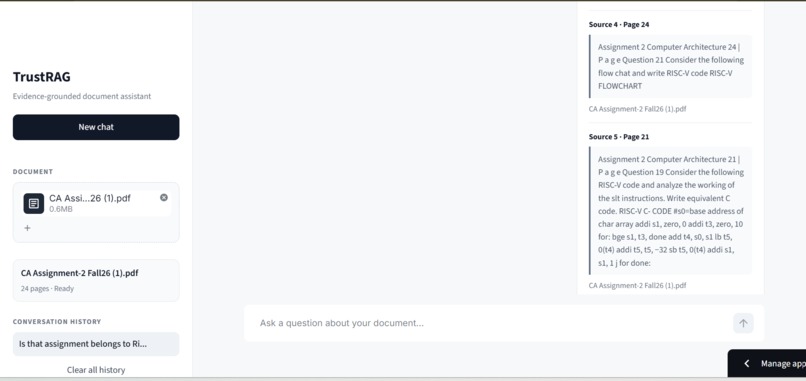
Is actually show resources from the file with the page number
Inspiration
When I write papers and do research, I often need to check whether a certain point is in a document. Reading the whole document takes a lot of time, and AI chatbots give confident answers without showing which parts are really in the source. I wanted a tool where I can check a point in seconds and see the proof.
What it does
TrustRAG lets you upload one or more PDFs and ask questions about them. It answers using only the document, then breaks the answer into individual claims and verifies each one as SUPPORTED, PARTIALLY SUPPORTED or UNSUPPORTED. Every claim comes with the exact supporting passage and its page number. The interface shows a summary like "4 of 5 claims supported" and a "View evidence" panel with all claims and retrieved sources.
How I built it
- PDFs are split into overlapping chunks with pypdf, keeping page numbers
- Chunks are embedded with sentence-transformers (all-MiniLM-L6-v2) and stored in ChromaDB
- For each question, the top relevant chunks are retrieved
- Gemini generates an answer using only that evidence
- A second Gemini step extracts the factual claims from the answer
- A third step verifies each claim against the evidence and returns a status, page and explanation
- The interface is built with Streamlit and custom CSS
Challenges I ran into
- Old documents stayed in the vector database, so answers mixed content from previous PDFs. I fixed it by resetting the store on start and deleting a PDF's data when it is removed.
- The model's verification output was not always in the exact format I asked for, so I wrote a more tolerant parser.
- One failed API call could break a whole answer, and the free tier has rate limits, so a single failed verification is now handled without losing the full result.
Accomplishments that I'm proud of
A working end-to-end pipeline where every claim in an answer is linked to a page in the source document, with a clear interface that makes the proof easy to read.
What I learned
How retrieval-augmented generation works end to end, how to work with embeddings and a vector database, and how to design prompts and parsing so model output stays reliable.
What's next
Retrieving fresh evidence separately for each claim for stricter verification, OCR support for scanned PDFs, and deploying a public version.
How to try it
Live demo: https://trustrag-aauwsse8czfvydqpr9ucqb.streamlit.app/
- Open the link (if the app is asleep, click "Yes, get this app back up")
- Upload a PDF in the sidebar and wait for indexing to finish
- Ask a question about the document
- Click "View evidence" to see each claim, its status, proof and page number
Note: this is a demo build with a single shared document index, so please test one session at a time. You can also run it locally. Setup steps are in the README on GitHub.
Built With
- chromadb
- google-gemini
- pypdf
- python
- python-dotenv
- rag
- sentence-transformers
- streamlit
