-
-
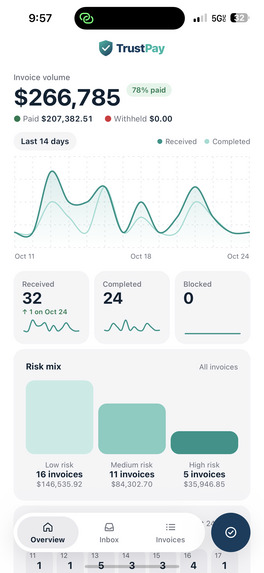
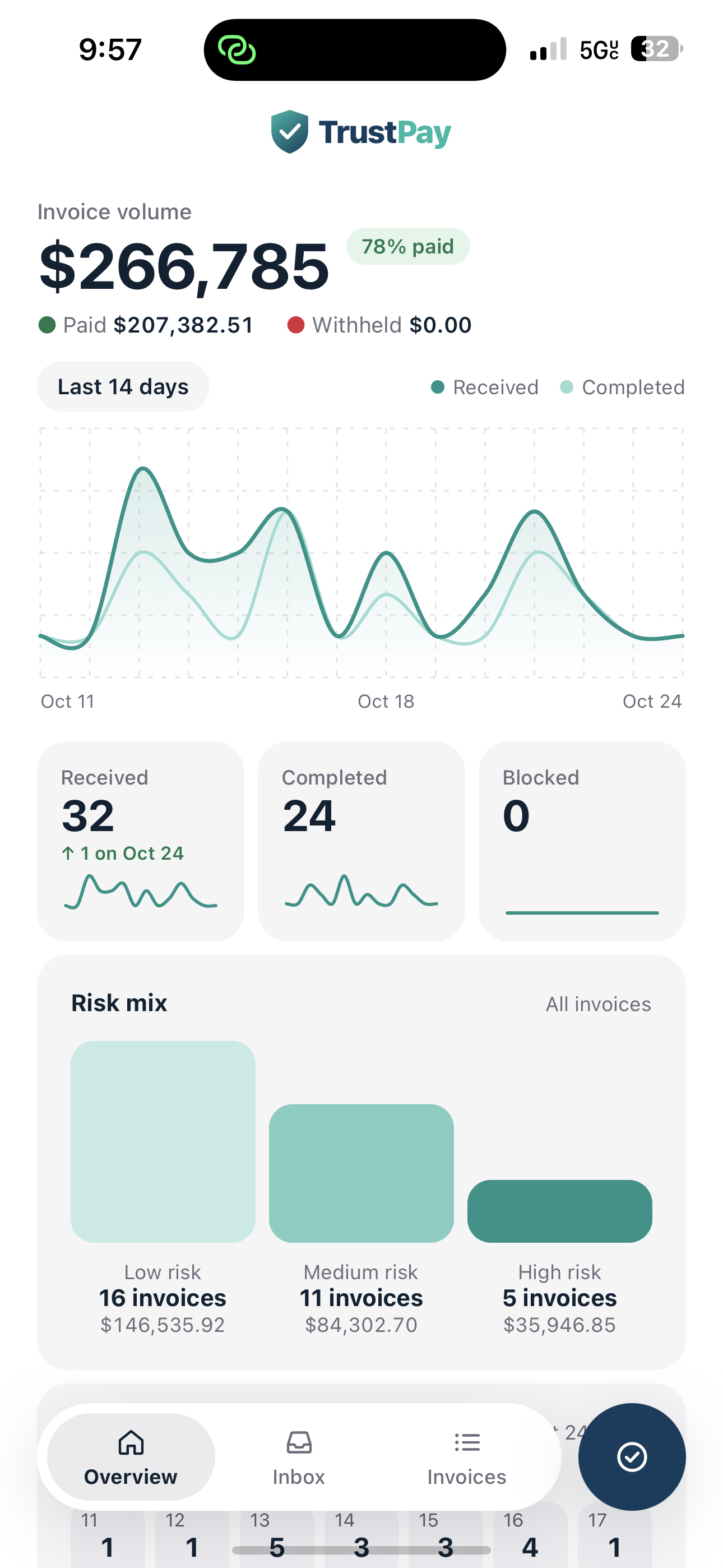
Dashboard
-
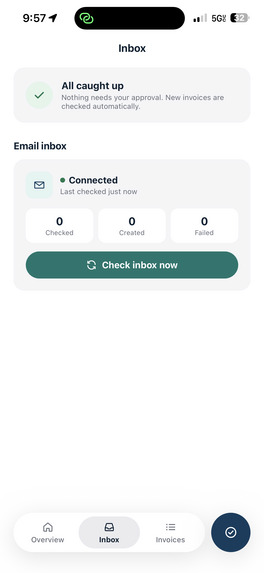
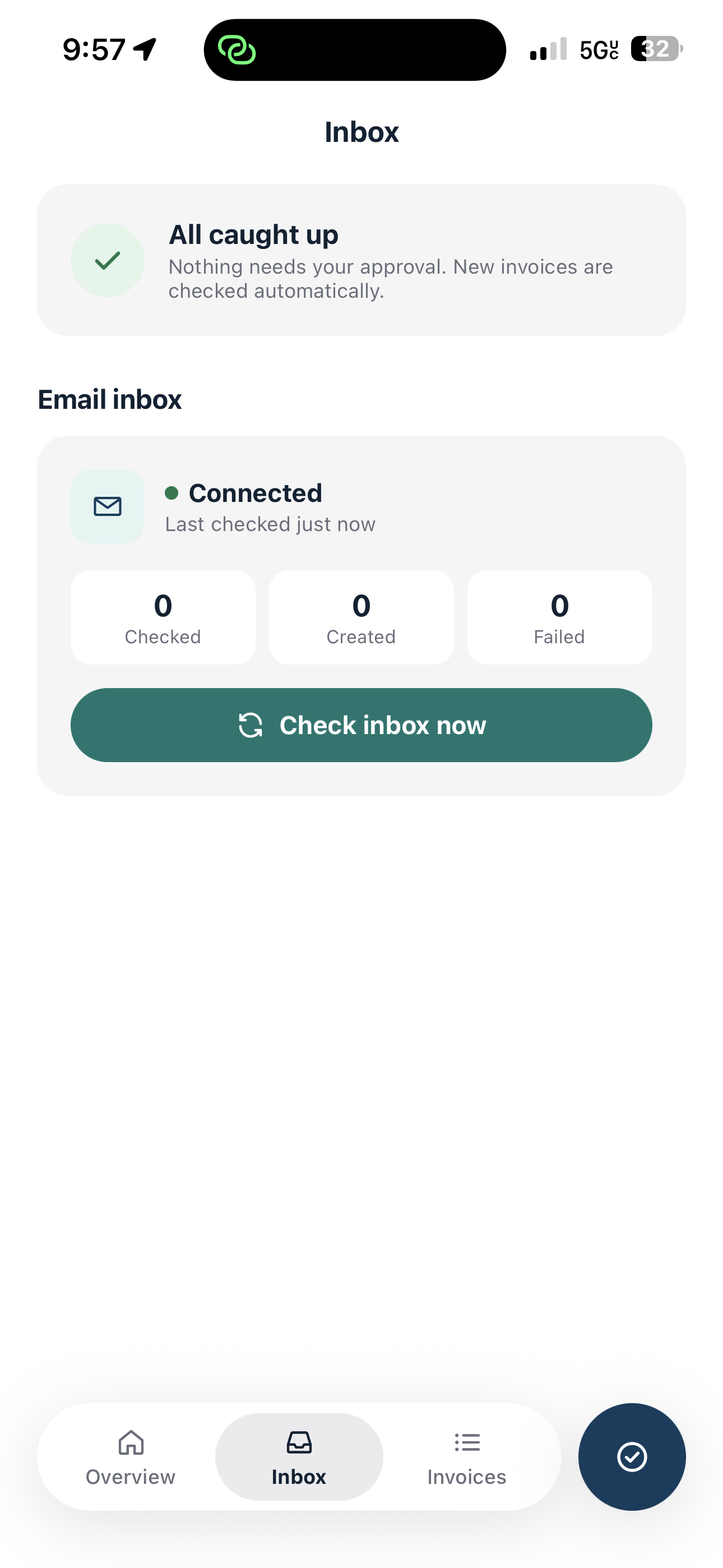
Email Inbox
-
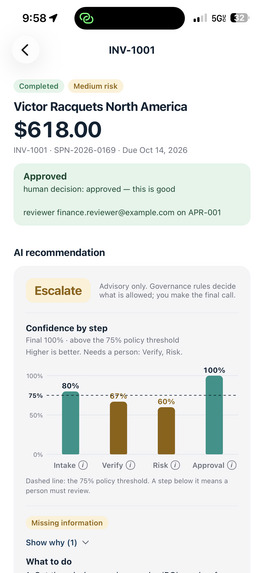
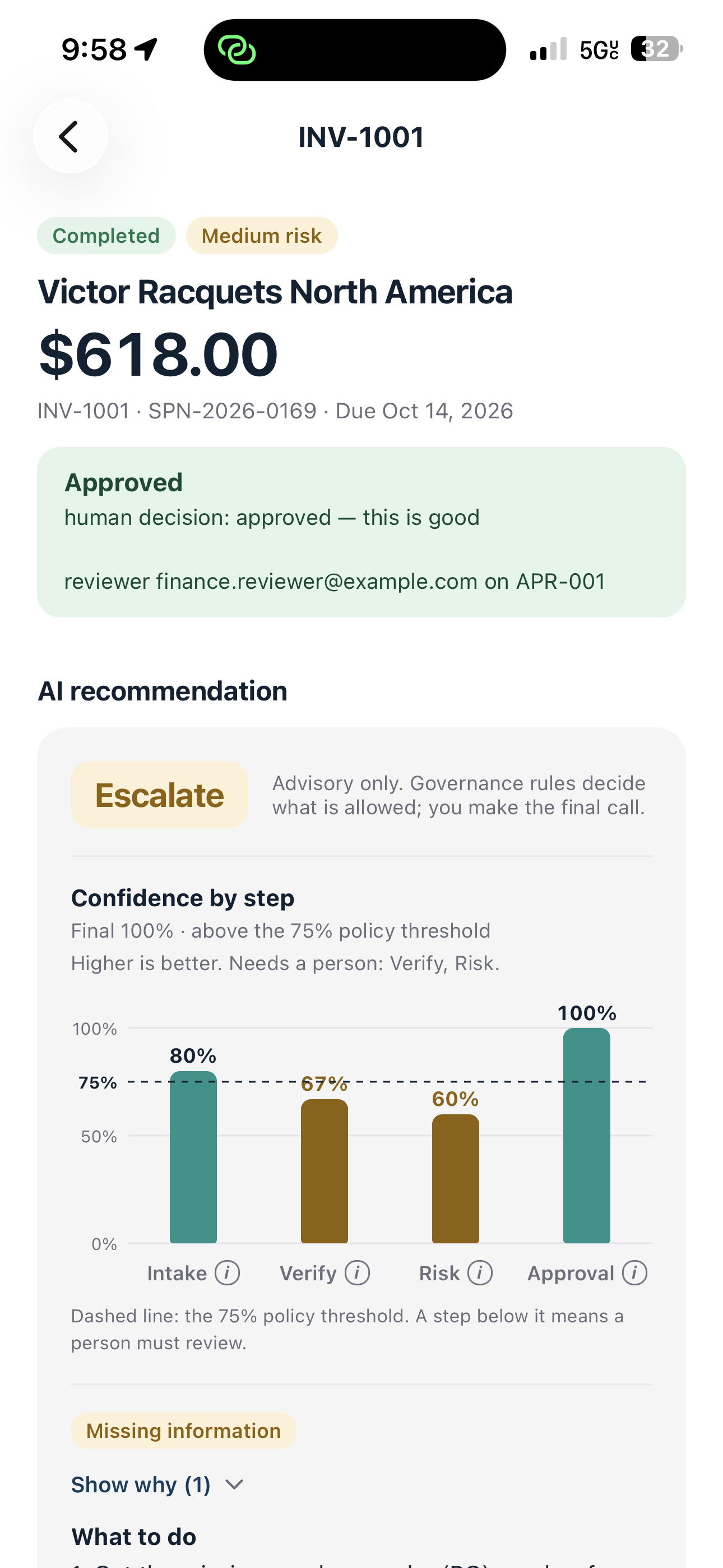
Invoice Approval
-
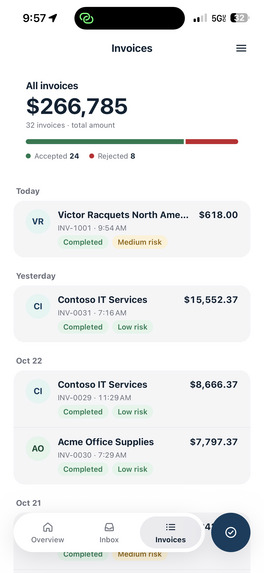
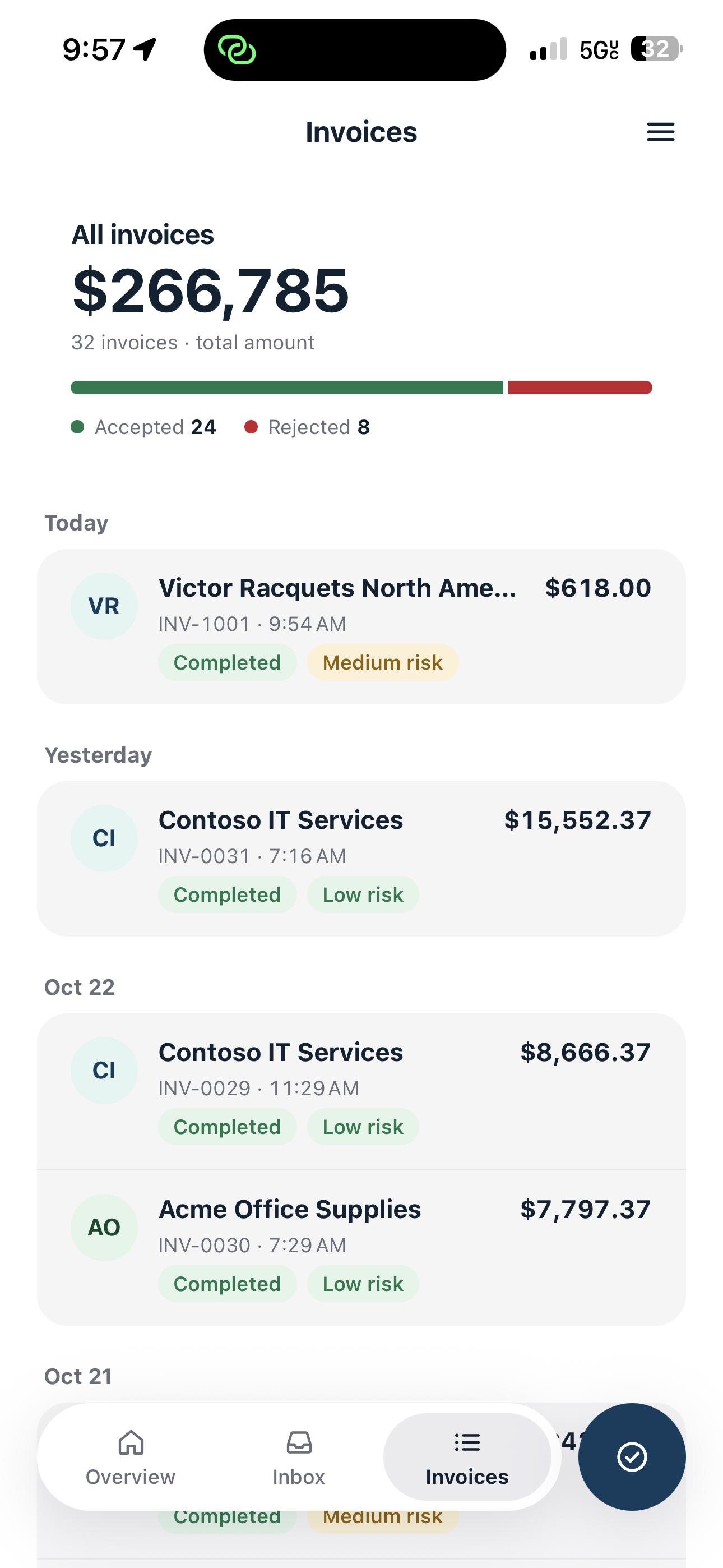
Invoice History
Inspiration
My mother often struggled to manage the constant stream of invoices associated with her small bakery business. Large batches of invoices contained overwhelming amounts of text and financial information, and a single rushed or incorrect decision could lead to overpayment, profit loss, or debt. This inspired us to build TrustPay: a governed AI system that helps business owners process invoices safely without removing human control.
What it does
TrustPay acts as a governance layer between incoming invoices and business owners. It automates repetitive invoice-processing tasks while ensuring that suspicious, incomplete, or high-risk invoices never bypass human review. For every invoice, TrustPay analyzes the vendor, purchase order, amount, confidence level, duplicate status, and potential security risks. It then provides the user with a clear explanation of what was found, what action is recommended, and why. TrustPay is designed for both small businesses and larger organizations. Low-risk invoices can be processed automatically, while anything that exceeds company policies or contains warning signs is held for human approval. The final decision always remains with the business owner or authorized approver.
How we built it
TrustPay uses a Python FastAPI backend with two shared front ends: a React and Vite web dashboard and an Expo React Native mobile application. Invoices enter the system in two ways:
- Through a read-only Gmail inbox that detects emails containing an
invoice.pdfattachment - Through the TrustPay API Each invoice moves through four specialized agents:
- Intake Agent extracts information from the invoice.
- Verification Agent checks the vendor and purchase order.
- Policy and Risk Agent evaluates the invoice against business rules.
- Approval Agent recommends the appropriate next action. We used IBM Bob asynchronously alongside Claude and Codex to divide development work and delegate implementation tasks across the project. This allowed us to work on the individual agents, governance system, interfaces, testing, and documentation in parallel while keeping the components coordinated. The invoice agents run on IBM Granite through watsonx.ai or locally through Ollama. A deterministic mock mode keeps the demonstration predictable and repeatable. The core rule of TrustPay is: AI recommends; deterministic governance decides. No agent can directly access vendor, purchase-order, or payment systems. Every tool call passes through a governance interceptor that checks agent permissions, applies spending limits from a centralized policy file, logs the action, and records it in a hash-chained audit trail that can be checked for tampering. Bank-account numbers, routing numbers, tax information, and other sensitive data are masked as soon as an invoice arrives. They are never exposed in prompts, logs, API responses, or user interfaces. High-risk actions always require human approval. We used Supabase Postgres as the shared team database and SQLite for local development and testing, using the same table structures in both environments.
Challenges we ran into
- Preventing the AI from inventing information: Real invoices are messy and often use inconsistent formats. When our text parser could not find a field, Granite sometimes generated a realistic-looking value that was not actually present in the document. We changed the system so the model only fills fields the parser missed, and a value is accepted only when it can be verified against the original invoice. The model is never asked to extract bank, routing, or tax numbers.
- Failing safely: Initially, if the payment system failed during human approval, the system could record an approval even though no payment occurred. We changed the workflow so the payment must complete before the final payment decision is recorded. We also tested model timeouts, system failures, invalid responses, and unavailable mock services. In every case, the invoice is held or escalated rather than paid accidentally.
- Finding hidden privacy leaks: Security testing revealed sensitive information in unexpected locations, including reviewer notes, free-text fields, rejected decisions, and error messages. We added masking across these paths and ensured that low-confidence invoices could not accidentally qualify for automatic payment.
- Balancing speed with real models: Local Granite processing currently takes approximately 15–20 seconds per invoice on a laptop. Our target is under 10 seconds, which is currently achieved only in deterministic mock mode.
- Detecting duplicate invoices: Duplicate detection becomes more difficult when the same invoice is submitted more than once or when it comes from a vendor the system has never seen before. We added invoice identifiers and verification checks to prevent repeated payments.
Accomplishments we are proud of
- All four demonstration scenarios produce the intended outcomes:
- A clean invoice from a known vendor is processed automatically.
- An invoice above the approval limit is held for human review.
- A suspicious invoice containing sensitive bank information is blocked and masked.
- A duplicate invoice is detected and rejected.
- Every decision is linked to supporting evidence.
- Every agent action and tool call is recorded.
- The hash-chained audit trail can be checked for tampering.
- Risk reasons are displayed using plain-language explanations instead of internal codes.
- A user can review and approve invoices from either a laptop or a phone.
- More than 200 automated tests cover policies, permissions, masking, workflow behavior, failure cases, and performance.
What we learned
- Trustworthy financial AI is not only about using a more capable model. It requires strict boundaries around what the model is allowed to do.
- Separating recommendations from final decisions makes the system easier to explain, test, and govern.
- Failure cases are more important than the successful path. When something goes wrong, the safest default is to wait for human review—not to process the payment.
- Sensitive information must be protected as soon as it enters the system. Cleaning it up later may be too late because it could already have appeared in logs or prompts.
- Defining data structures, policies, and agent permissions before implementation helped us develop the system in parallel while keeping the components compatible.
What’s next for TrustPay
- Complete the end-to-end Gmail workflow so invoices can be received, processed, and reviewed directly through the connected inbox.
- Finish the team’s shared Supabase integration.
- Add deeper IBM integration through watsonx.governance, watsonx Orchestrate, HashiCorp Vault, OpenShift, and enterprise monitoring.
- Improve Granite processing time to below 10 seconds per invoice.
- Add stronger authentication, role-based access control, and production security.
- Connect TrustPay to real accounting and banking systems.
- Support secure email-to-email Gmail workflows for receiving invoices and sending approval or review notifications.
- Eventually enable small businesses to manage their real invoice workflows from intake through final payment while preserving human oversight and a complete audit trail.
Built With
- docker
- expo.io
- fastapi
- google-gmail-oauth
- granite
- postgresql
- pydantic
- react
- supabase

Log in or sign up for Devpost to join the conversation.