-
-
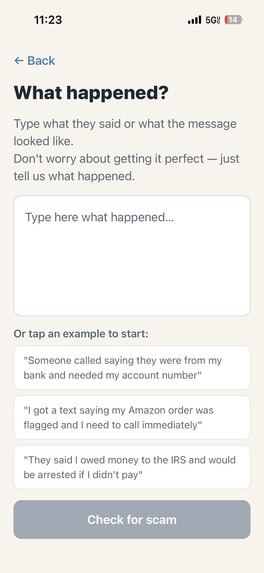
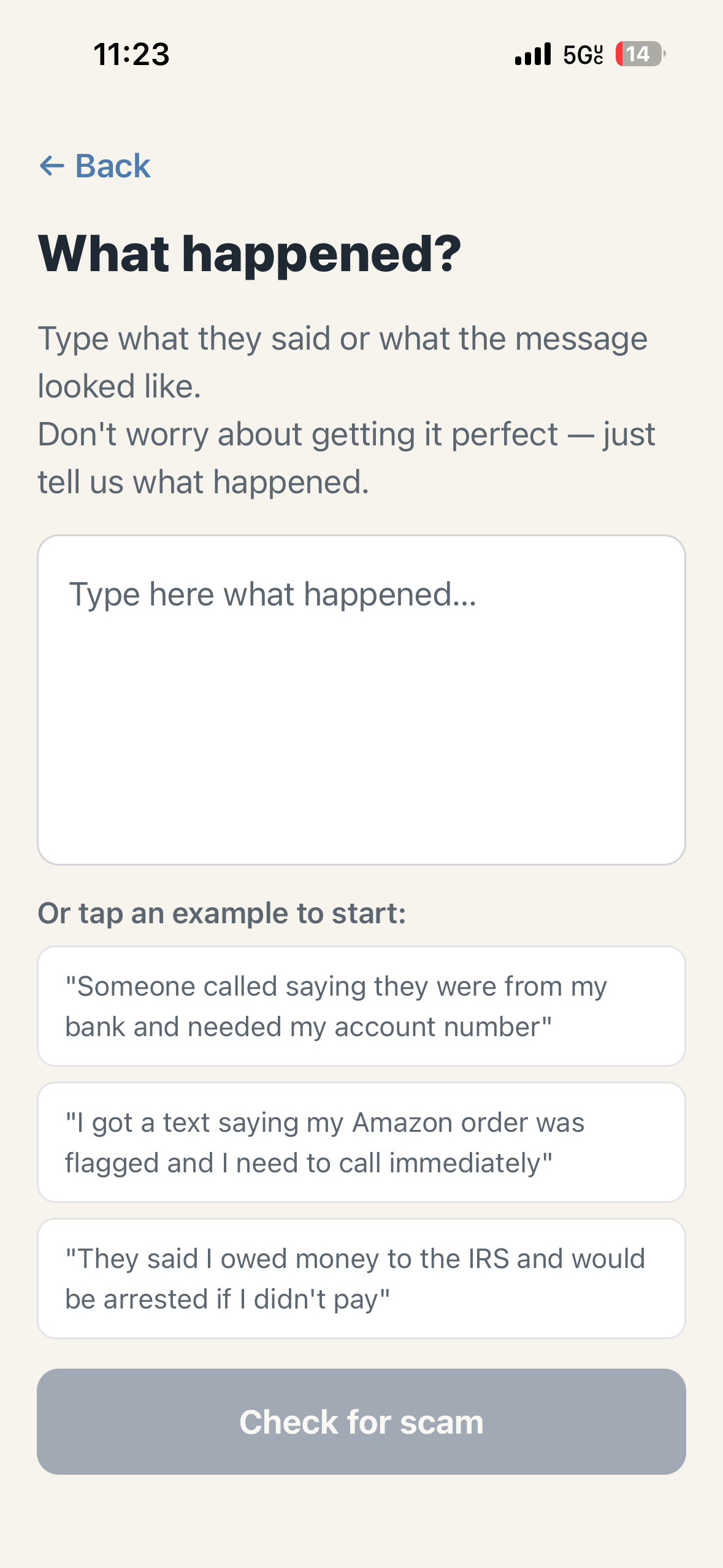
Describe What Happened Option
-
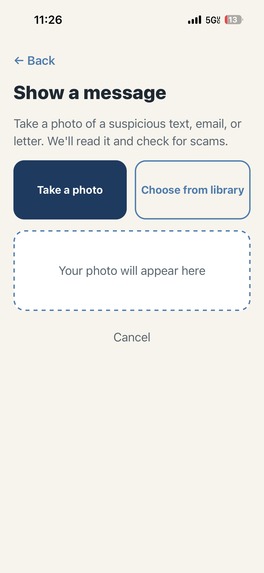
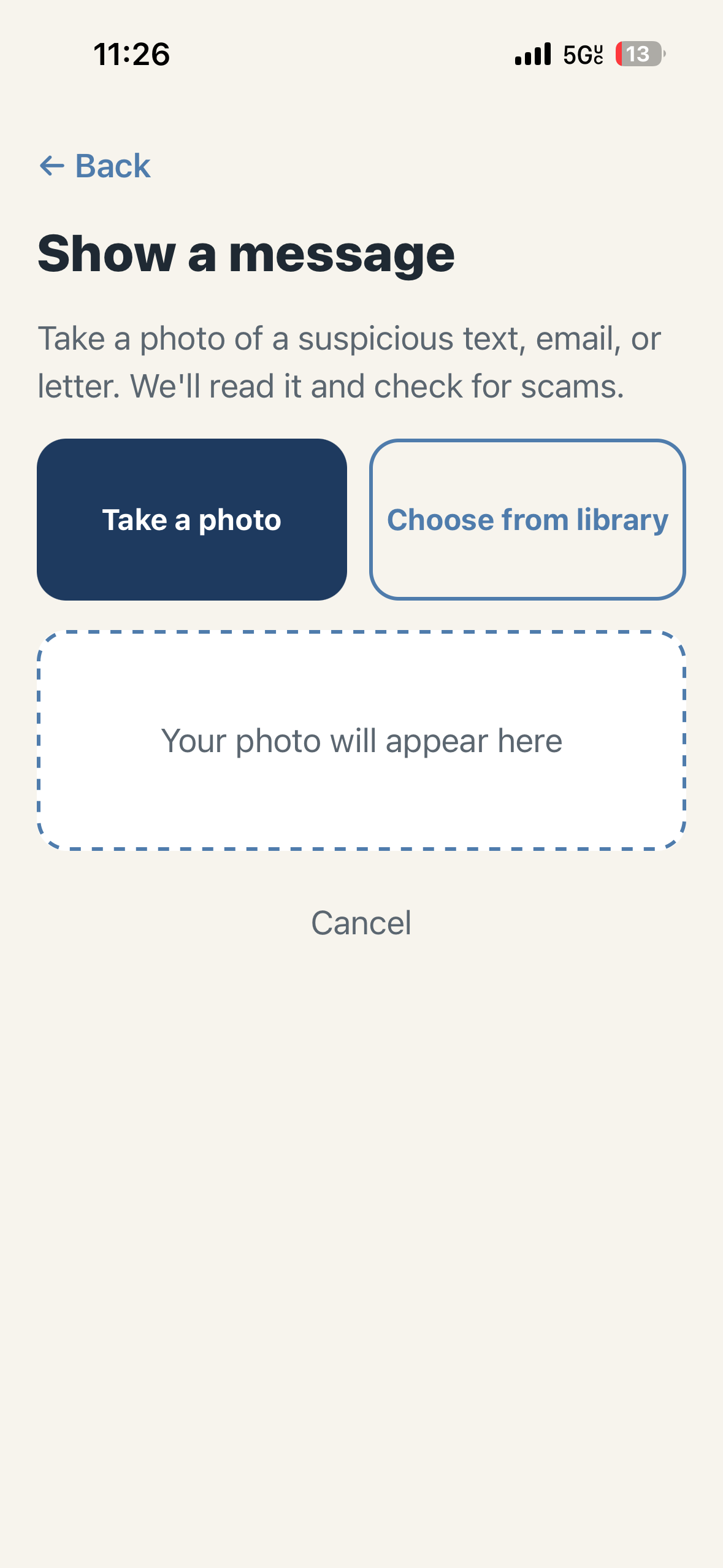
Upload Image of Message Option
-
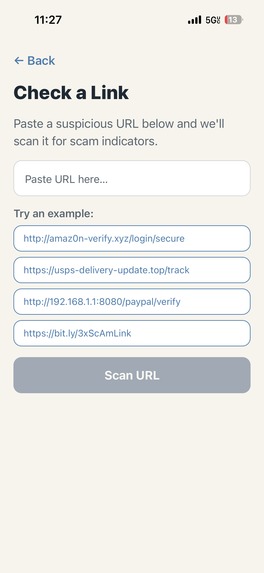
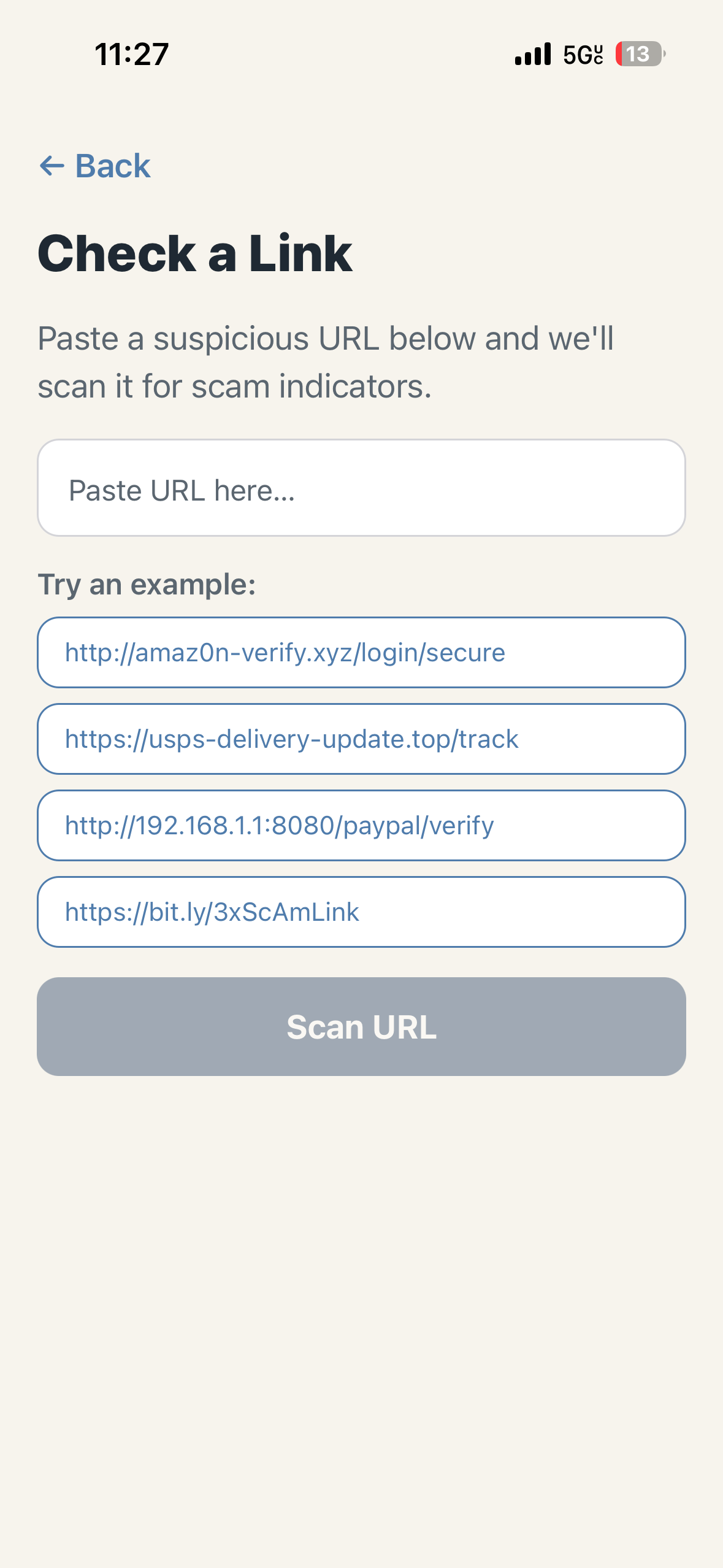
Check an individual link Option
-
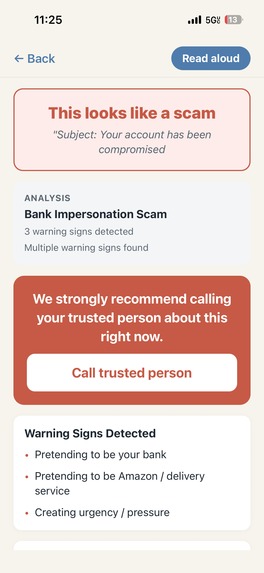
Scam Analysis Preview
-
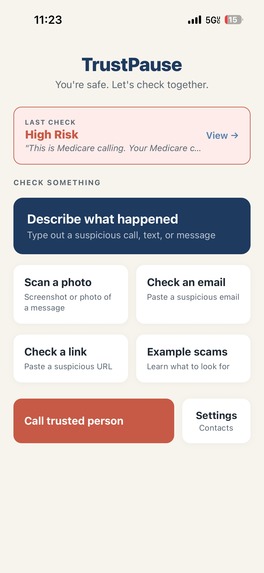
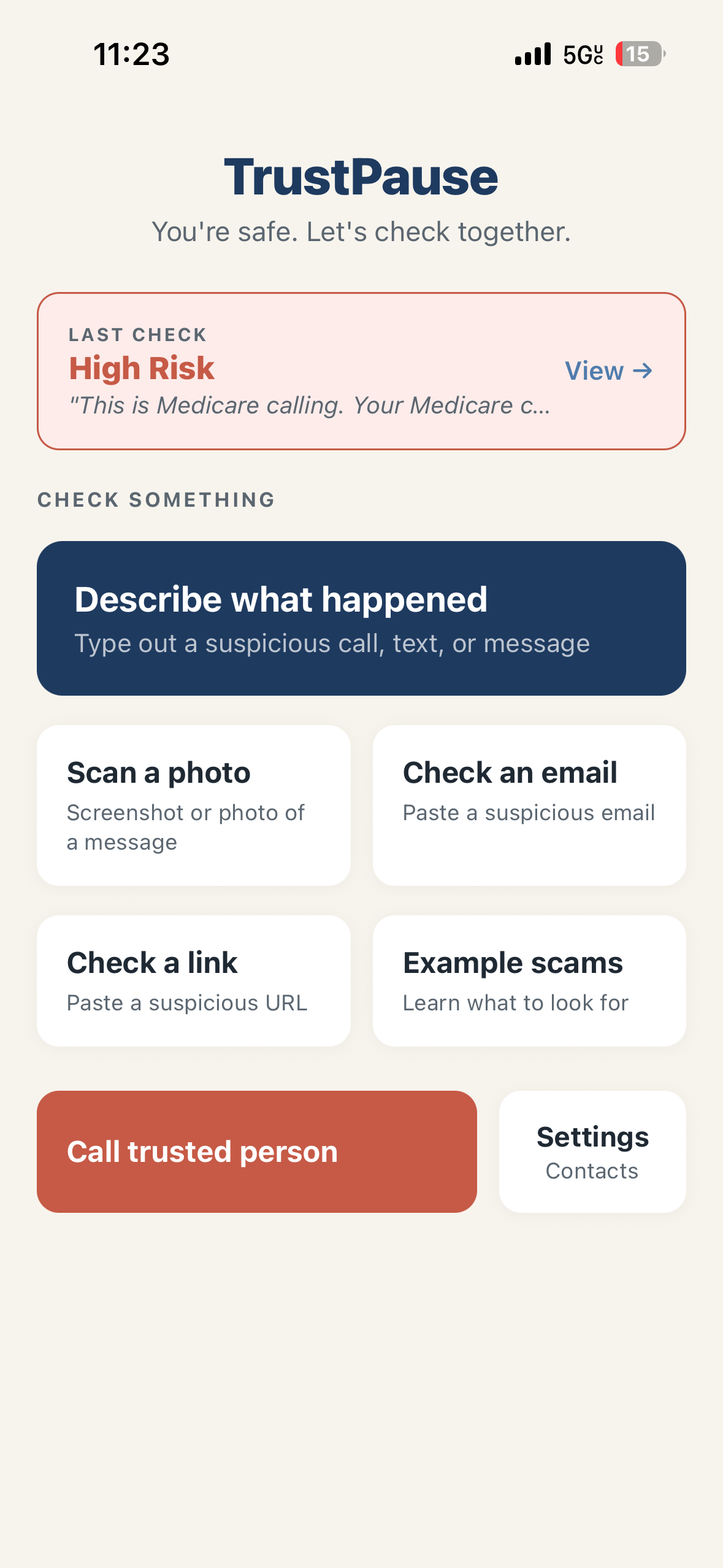
Home Page
-
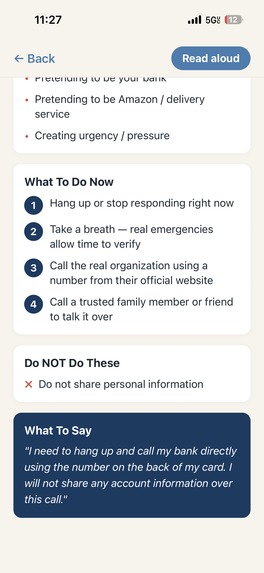
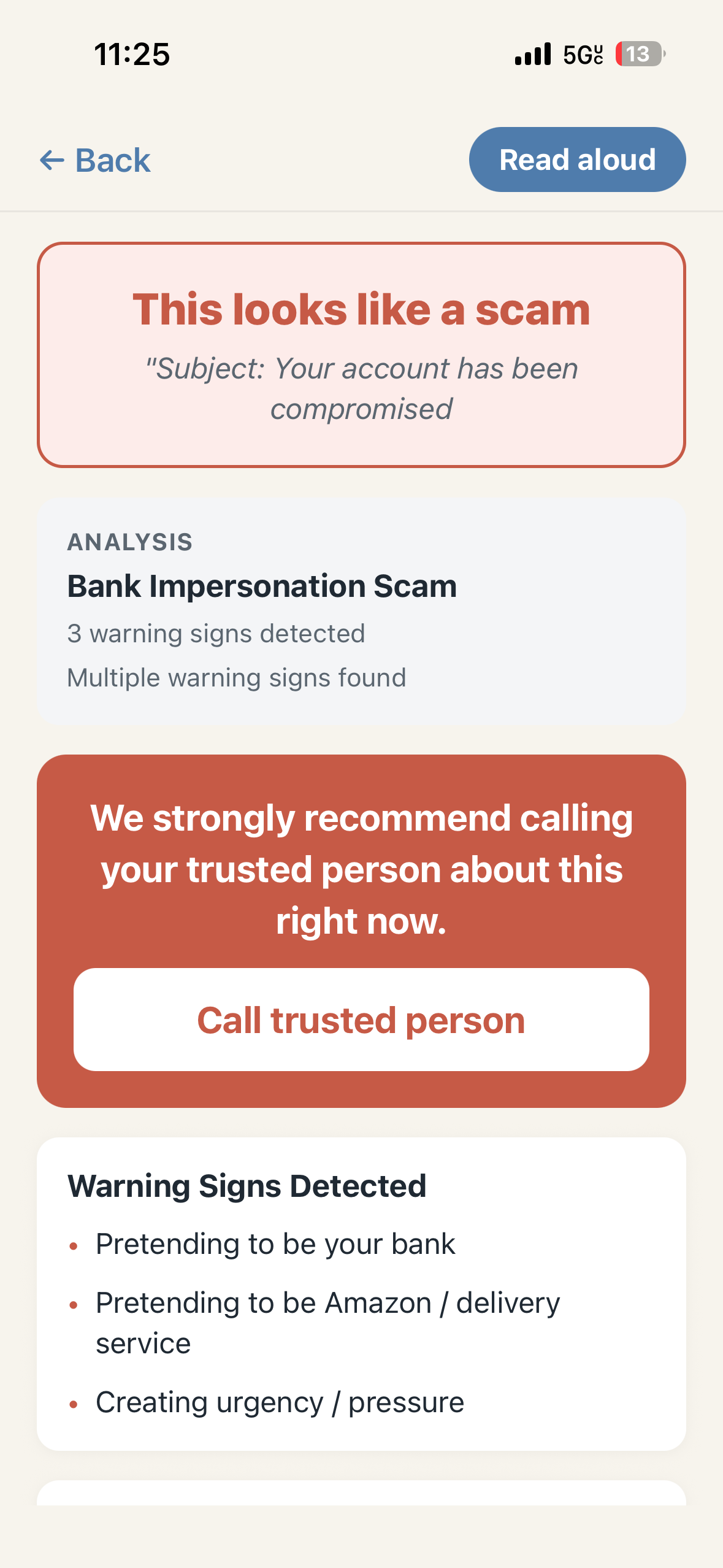
Full Scan Analysis
-
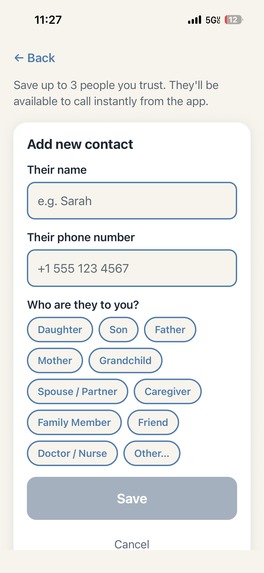
Add a Trusted Person Option
Inspiration
We understand how annoying spam texts, emails, and calls can be, although cell phone providers and companies like Apple are incorporating a "scam likely" feature. A lot of people are still falling victim to these phishing emails, texts, or calls, especially the elderly. Many elderly people (such as grandma's/ grandpa's) aren't able to detect whether a certain email is actually giving a free cruise, or if they accdiently ordered a package from USPS and now they need to pay a certain amount of money to receive it ). That's what TrustPause was built for, although originally designed to detect fraudulent, spam, or suspicious email or text messages for the elderly, it is built for everyone.
What it does
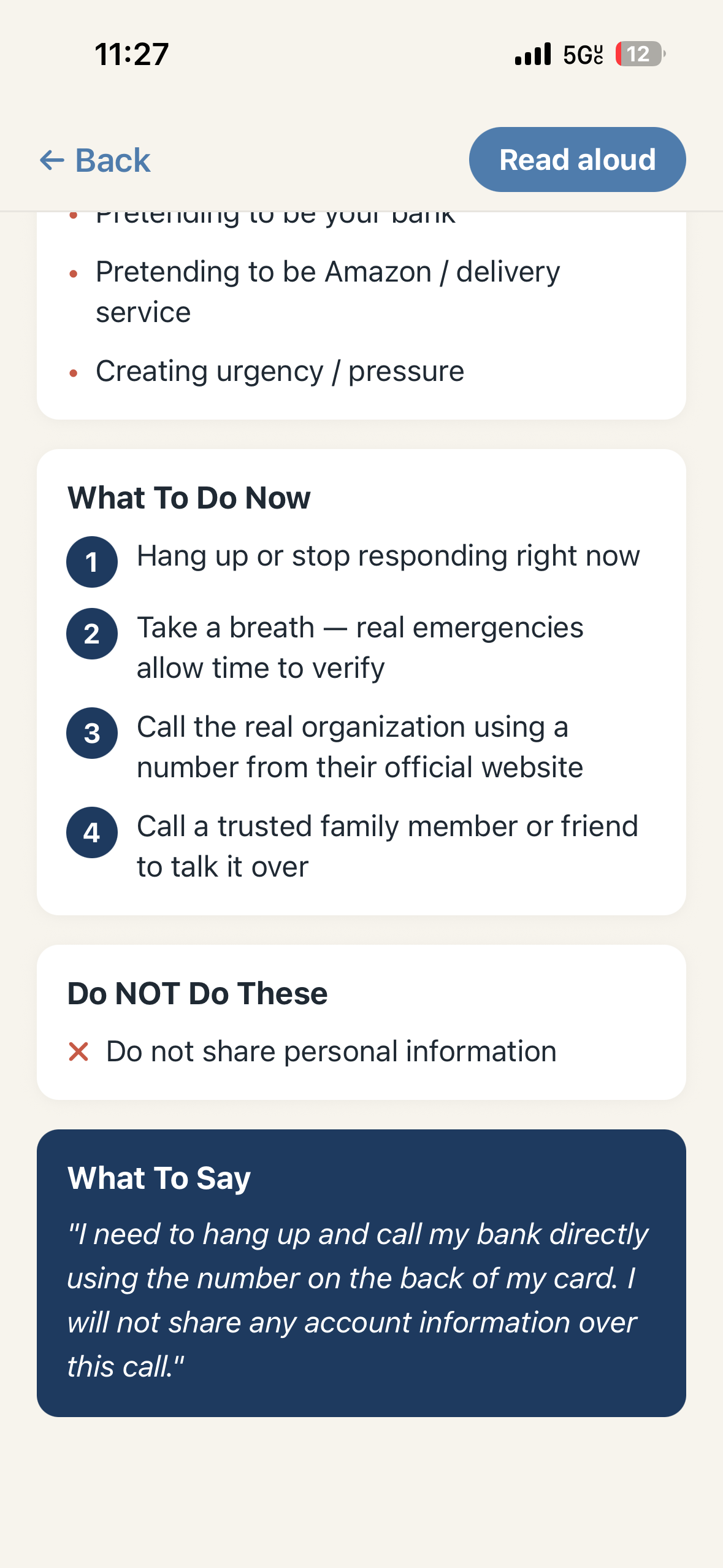
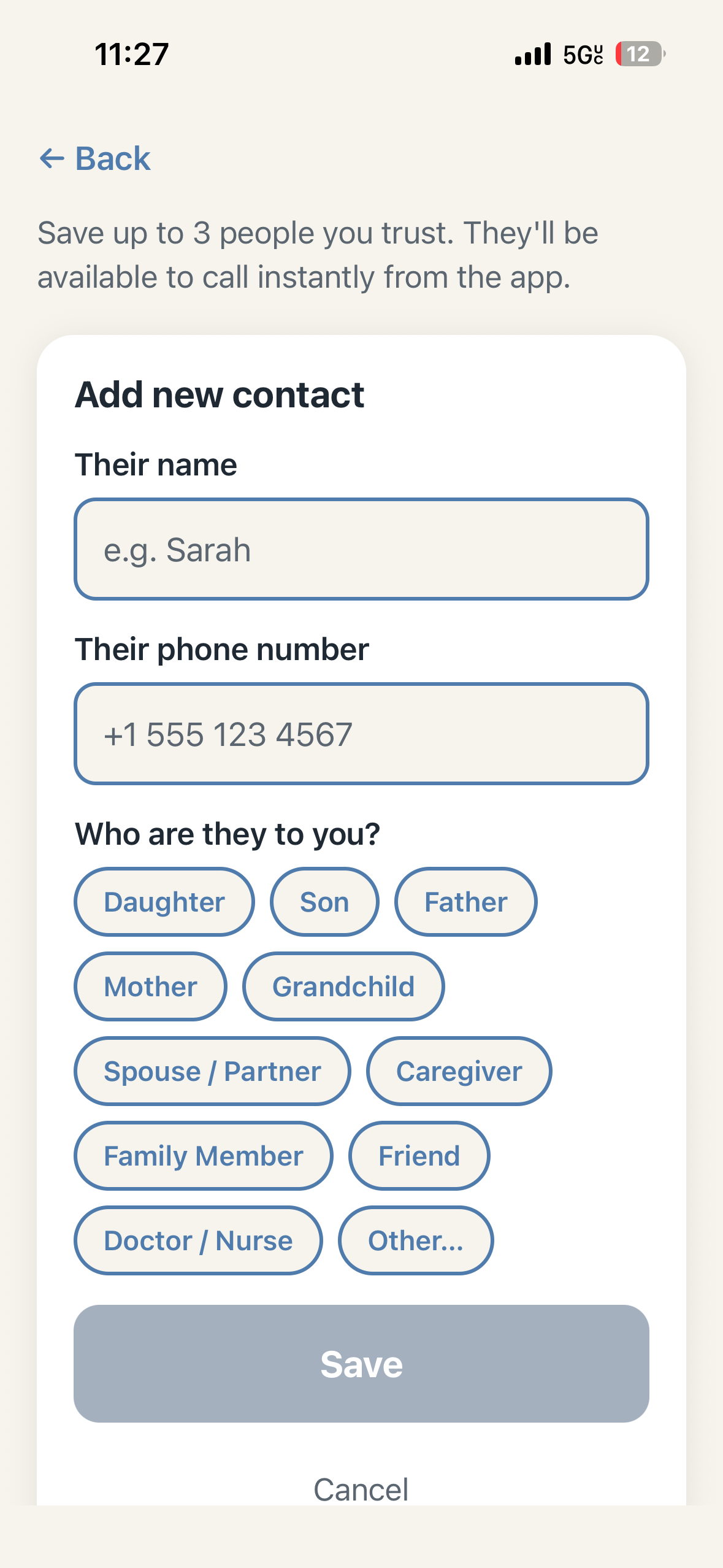
Since our target audience is the general public , more specifically the elderly, or people whom may not have the best understanding of how to navigate technology, we built TrustPause with accesbility in mind. A user is able to add up to three trusted contacts in case they ever need to contact a child, parent, or other trusted adult about any situation. From there the user is given 5 options in the homepage, A Describe what happened option where the user can write and paste their story and from which they get a report whether the story (call , text, or email) seems fishy. If that may be too hard or time consuming we incorporated a scan a photo section where users can upload an image (usually a screenshot of the message) they wish to inspect and after a report is generated which can be read aloud to them (via their phone speaker) completely about why a message may be deemed a scam, the warning signs, the next steps to do, what to say, and what not to do, and the option to call their trusted contact. Any links provided either via screenshot or in the describe what happened option are also scanned and used to detect whether a message is a scam or not. The last 3 options are to check for an email, or check a link separately if a user so chooses to. A user is not prompted to make an account ,and can change their settings (such as who is their trusted contact ) at anytime.
How we built it
We used Kiro to implement a lot of the code, we largely relied on its spec ability to draw out an implementation plan on certain features we wanted built. We used OCR for our photo input and extracted text which would then go through our engine ,which detects and scales whether a message falls under the safe, probably safe, or dangerous category (there are more categories but this is just a general idea). Overall our engine is what powers our project and
Challenges we ran into
Merge conflicts and pull requests were one of if not the biggest issue we ran into. Not only were we realizing that a lot of the code that each of us wrote was conflicting with the other, but often times (even after tests were passing, showing enough evidence that a branch was safe to merge), often times the program would crash, a feature wouldn't show up at all, or it would be more broken that before, somewhere along the way there was some error that we , with the help of Kiro, couldn't find or detect. To put these fires out, we used all the other tools we could, we used Github Copilot's code review to detect if it could catch any errors we missed, we spoke a bit about maybe using CodeRabbit's PR reviews to speed up the process to work more faster. Ultimately this led to some decisions as a team, such as what features weren't as necessary as we thought and didn't really need to be built, and as a team dig in and find out what sections in our code were actually causing the conflicts and resulting in our project being down.
Accomplishments that we're proud of
Working together and finding solutions to our problems. Along the way we were seeing what features we wanted to add but due to some constraint (usually time , some advanced complexity, or sometimes even a privacy or security concern ) we had to pivot from idea to idea, even if we were knee deep in a feature, we communicated and knew when it was time to take the foot off the gas and steer the car in a different direction. Although some notable accomplishments were technical (such as working with Kiro, learning about different libraries and dependencies and what they did, programming in TypeScript since it's extremely popular ), our most notable accomplishment would be the communication skills we gained along the way, although technical skills are incredible and a bulk of the project, the communication skills we used and learned along the way actually got us to put a product to present.
What we learned
We learned what it was like to build with a team, a lot of the times, especially as students, we build alone on assignments, some personal projects involve other collaborations, but today we learned how to build as a team. How to put fires out as a team, although our technical skills did improve with learning about new technologies (especially Kiro), we learned how to mold our ideas together through communicating what our goals were and how we were going to achieve them together.
What's next for TrustPause
Our next big feature that we had planned would be to incorporate a live listening feature, this is a bit similar to what Apple is currently experimenting with, although this would have us do a deeper dive into the main privacy and security aspect (especially as many cell phone providers or cell phone manufacturers) wouldn't want to have live listening to phone call's enabled, not only that but it would be a huge ethical or privacy security concern for our users, we are looking on how to experiment in that area if thats a possibility, which would cause us to migrate from Expo, which is where our product is launched. Also we are looking to gather some test users, test our product in production, gain valuable feedback, and see what we can add to further scale. Along the way document our learning. Theres many features we can add but couldn't due to time and complexity restraints such as: a database, fine tuning an LLM to pair alongside our project and host it, and many other features. However what's immediately next is taking what we learned in the short time we had together to improve our skills so when the next time we are building a project comes , whether it be in a class or in a job, we have a clearer idea on how we are to go about thinking why and how we are going to build something, gathering the tools needed to build it, and then begin building.

Log in or sign up for Devpost to join the conversation.