-
-
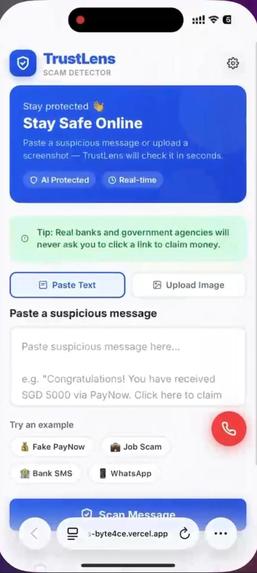
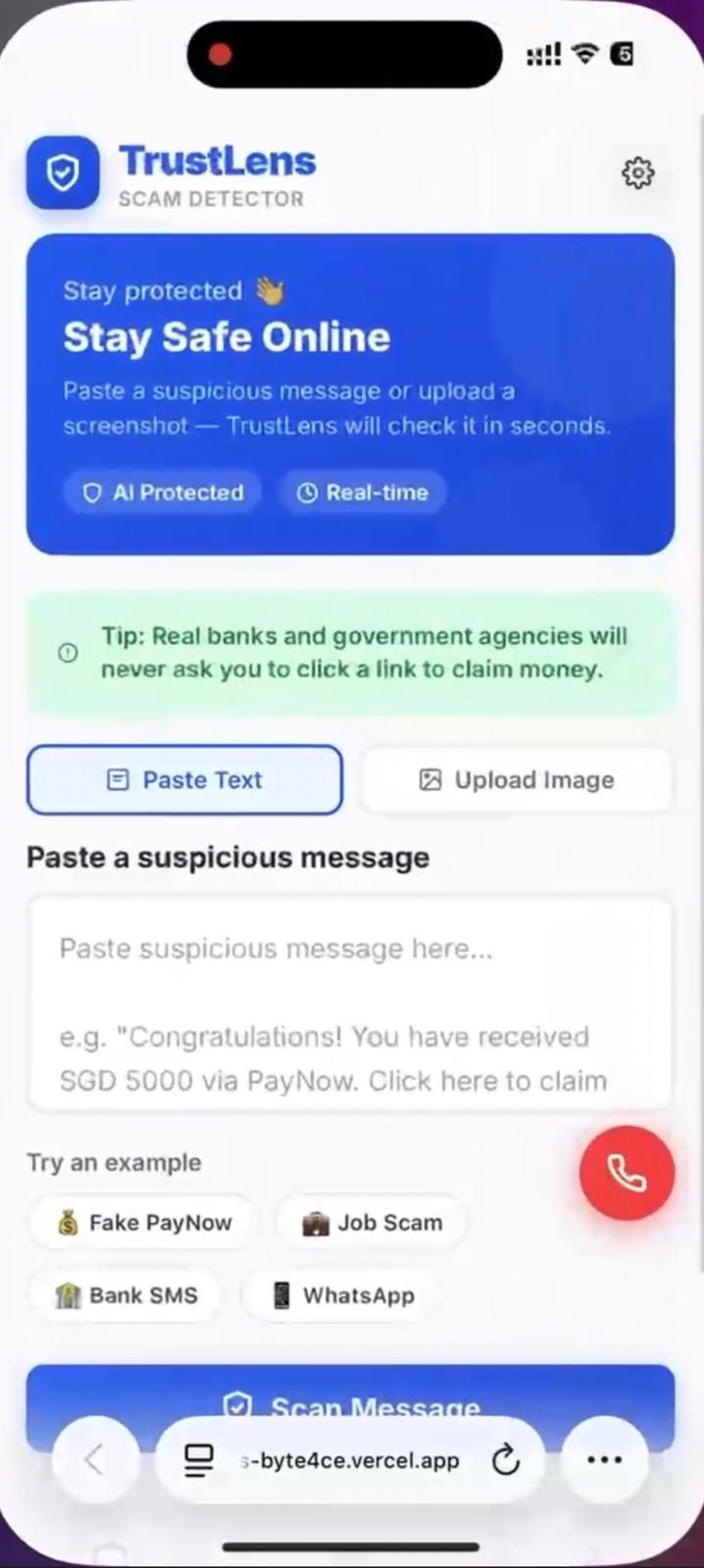
Home screen where users paste scam messages or upload screenshots to get instant scam checks and safety tips.
-
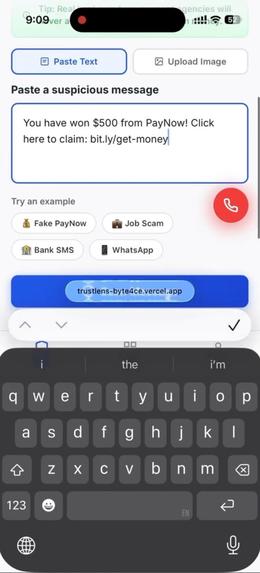
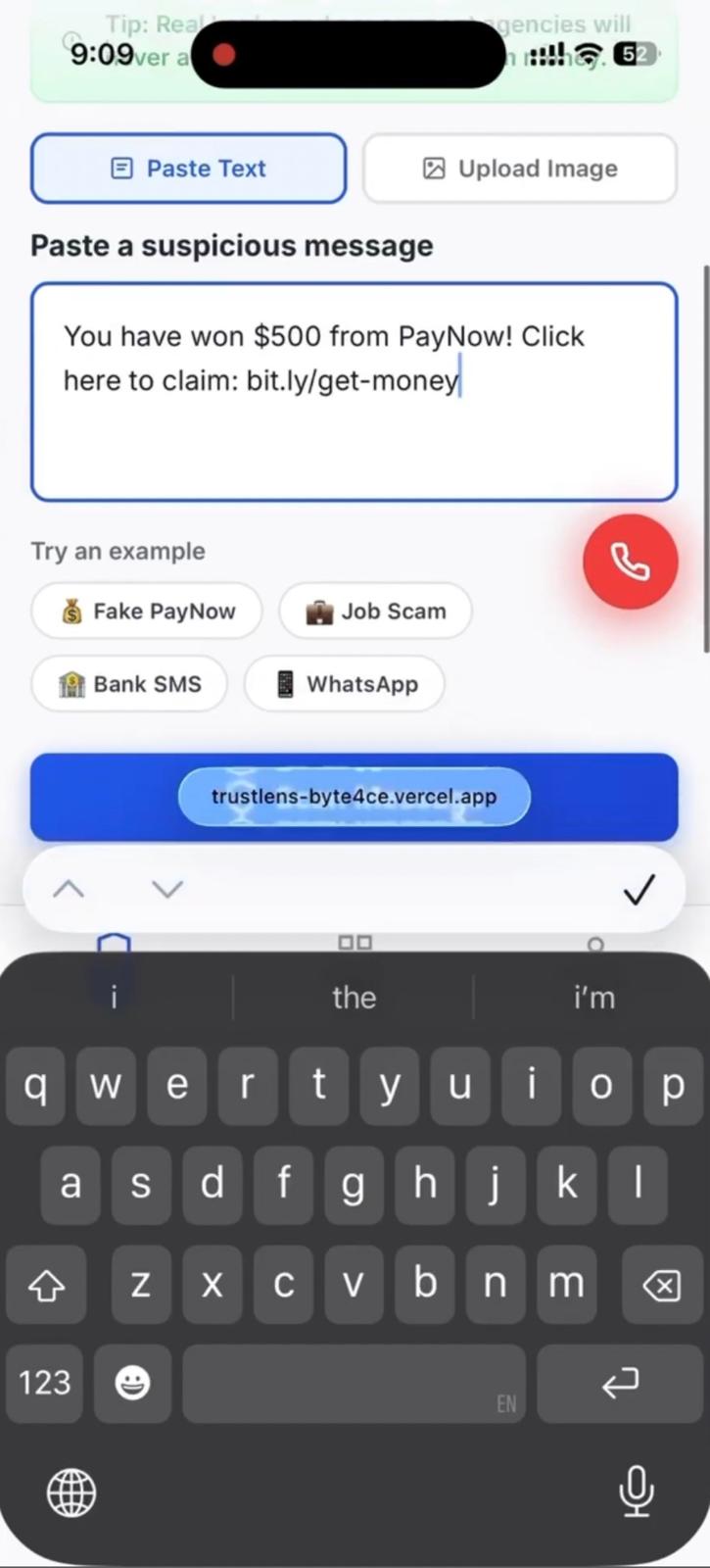
User enters a suspicious PayNow message to scan for scam risk and red flags.
-
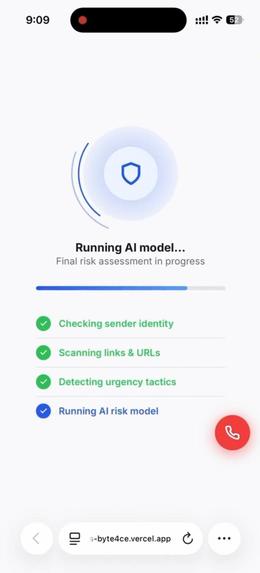
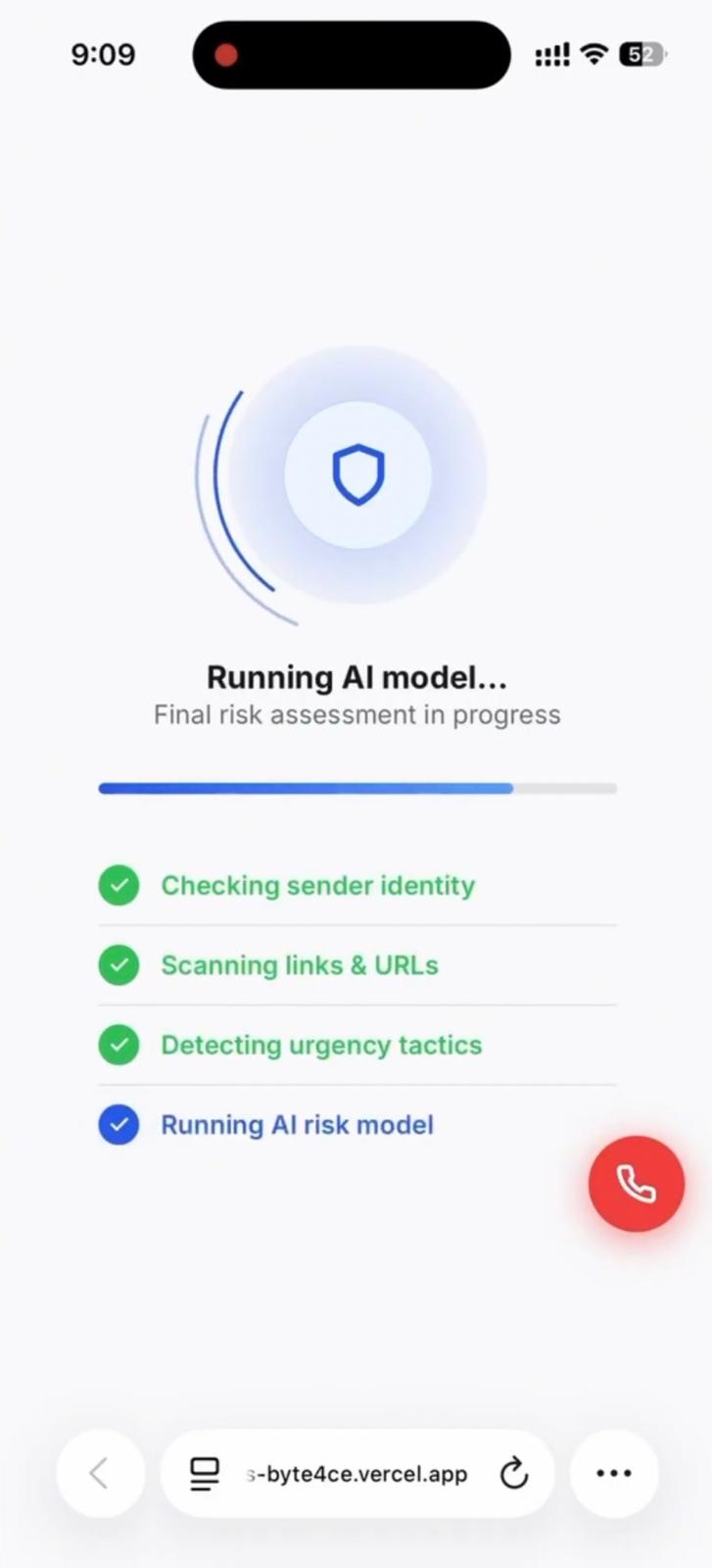
TrustLens scans the message for sender identity, suspicious links, urgency tactics, and overall scam risk.
-
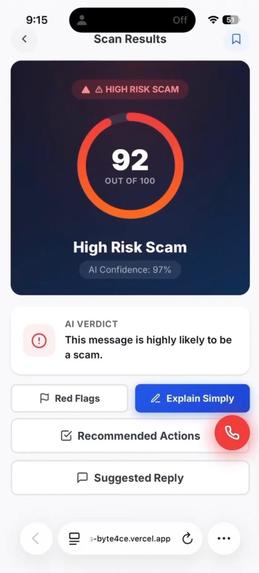
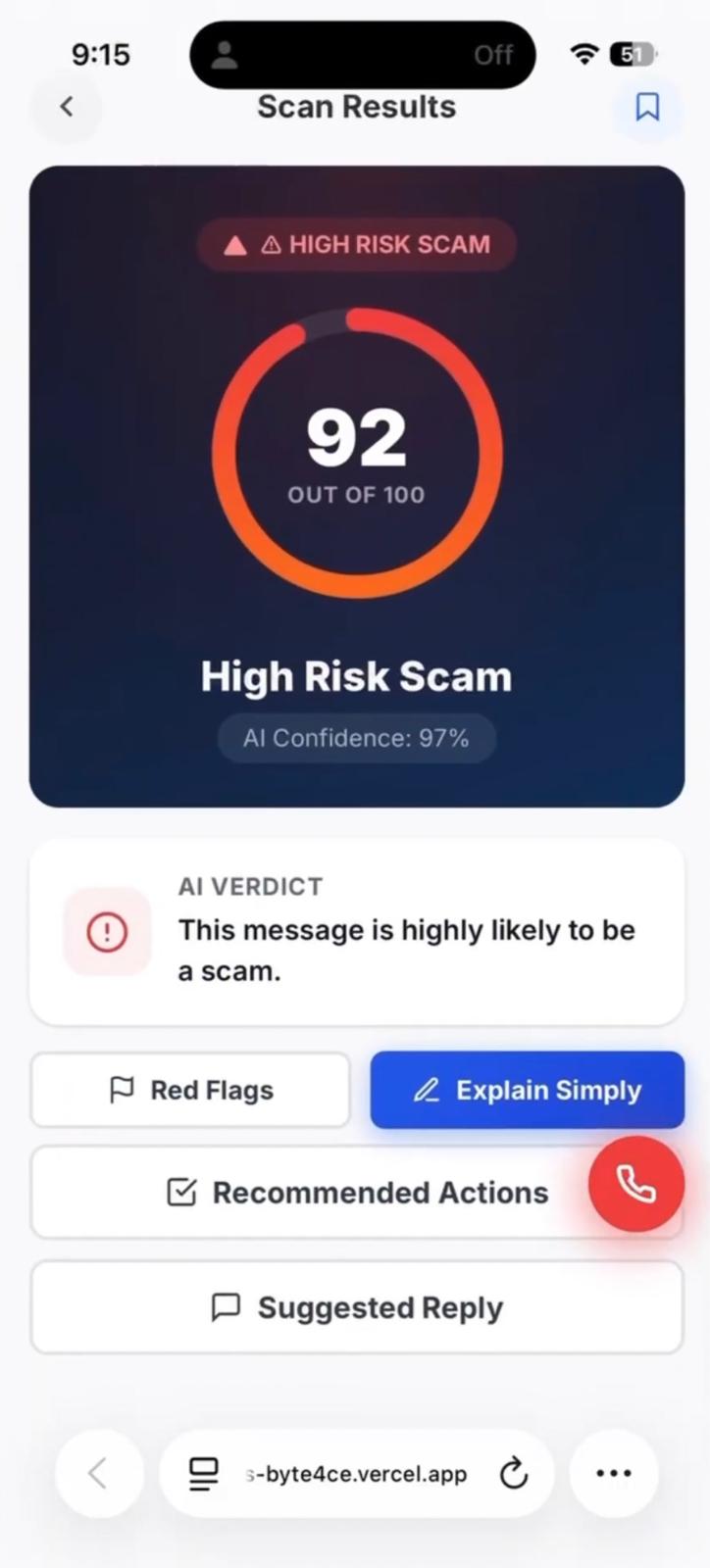
Scan result shows a 92/100 high-risk scam score with AI verdict and options to view red flags or actions.
-
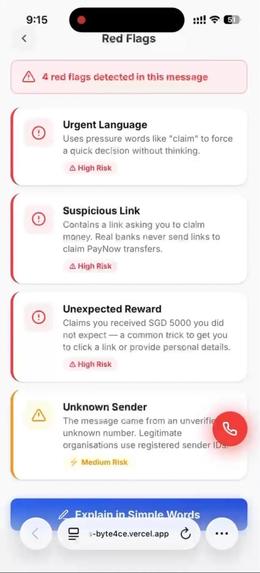
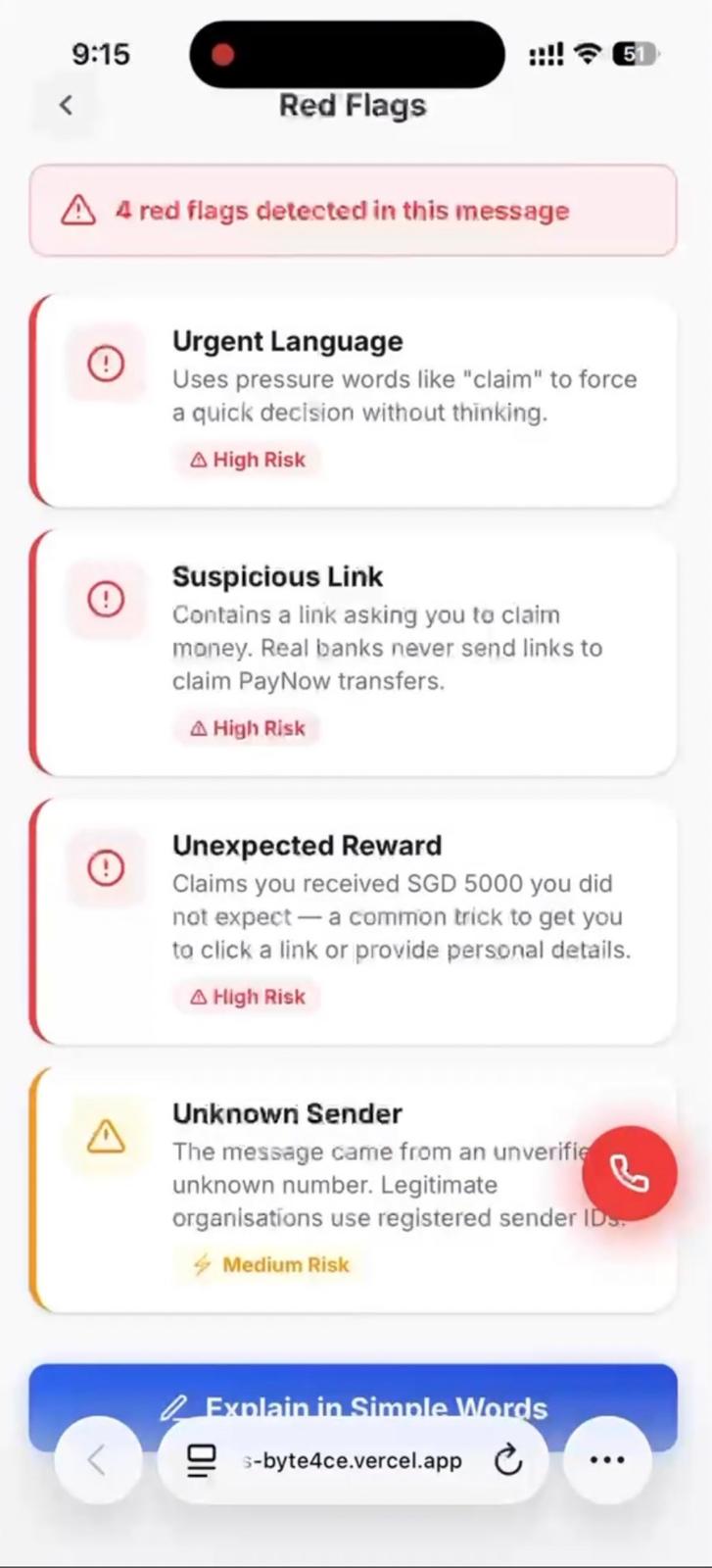
Red flags page explains urgent language, suspicious links, fake rewards, and unknown sender risks.
-
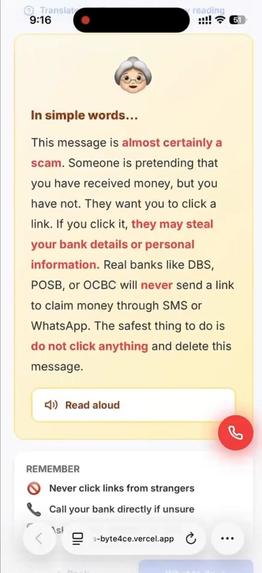
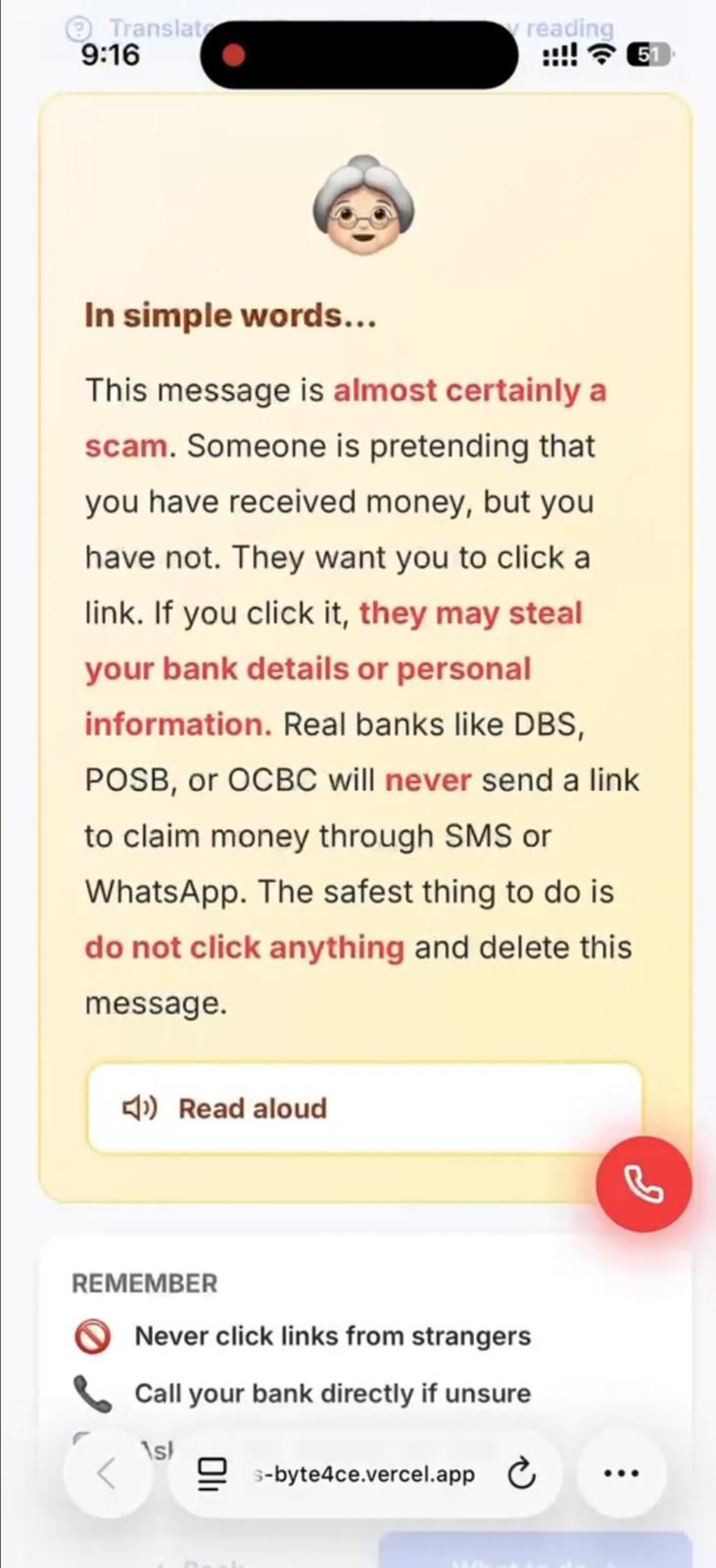
Simple explanation page translates scam risks into elderly-friendly advice with a read-aloud option.
-
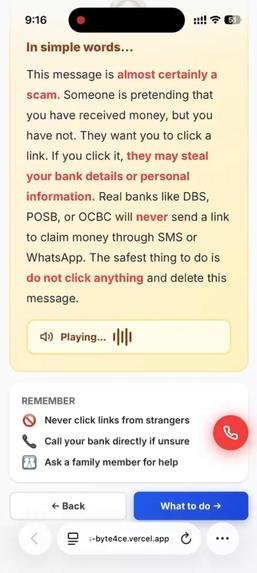
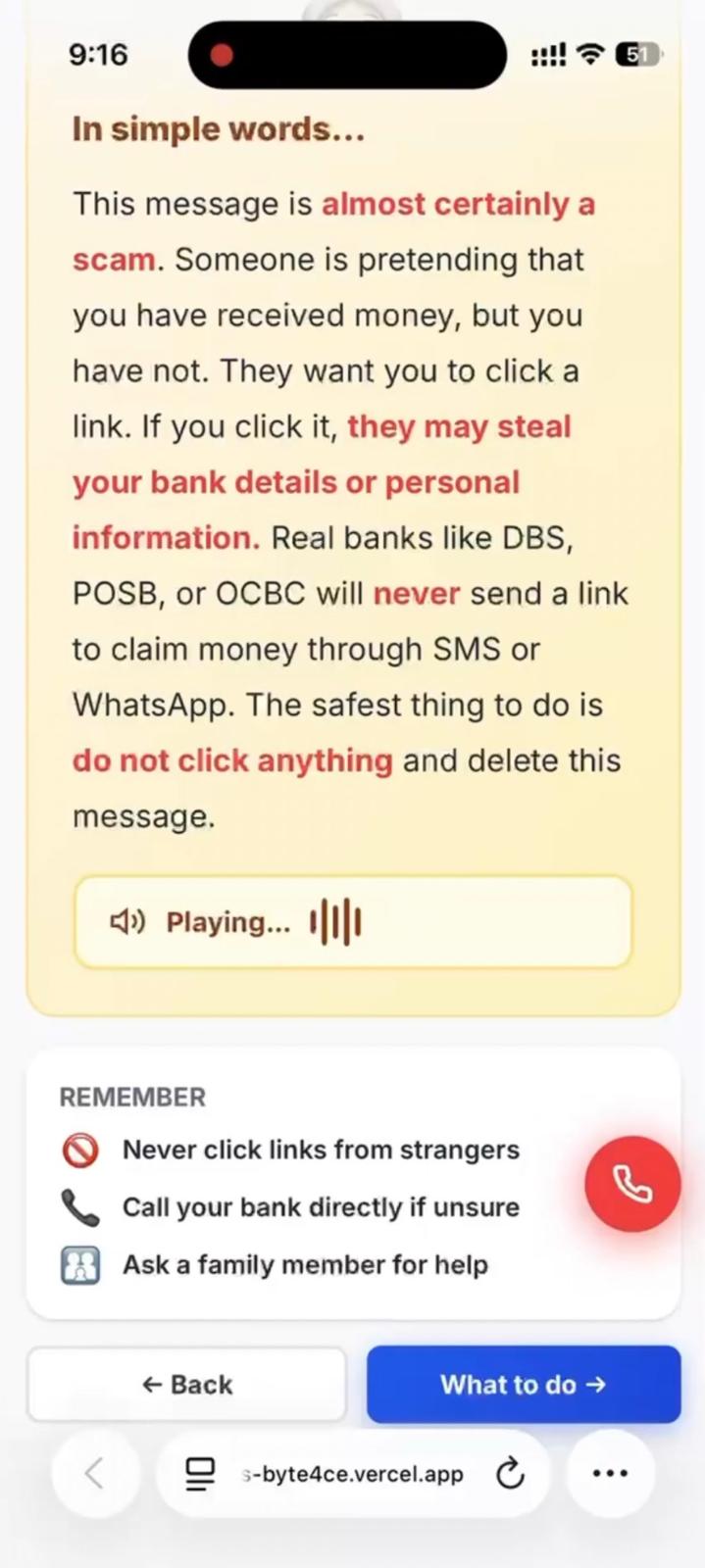
Read-aloud feature explains the scam clearly and reminds users to avoid links, call banks, or ask family.
-
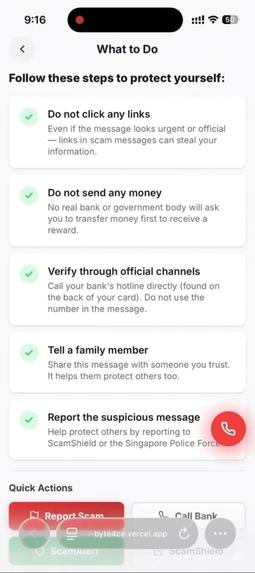
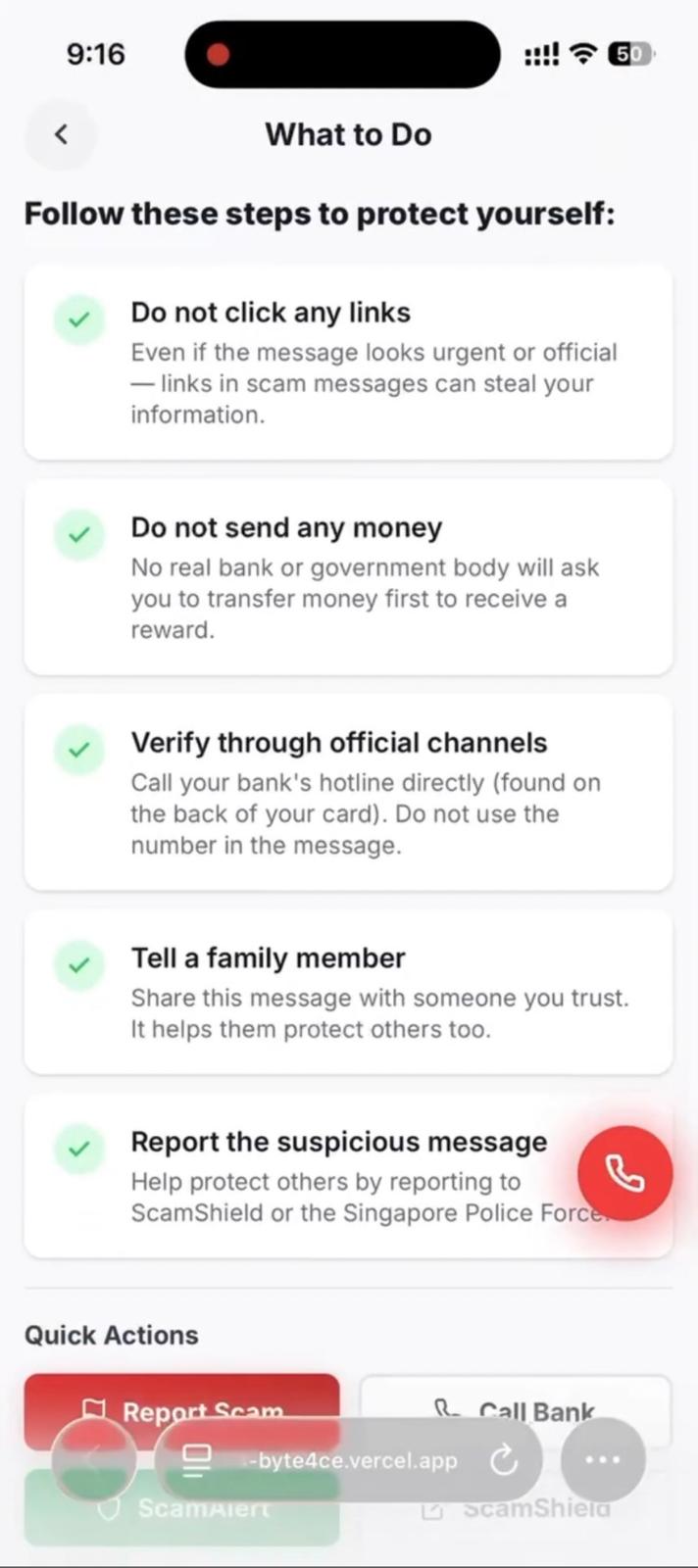
Recommended actions guide users to avoid links, stop payments, verify officially, tell family, and report scams.
-
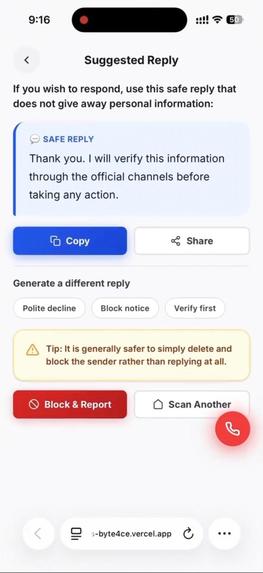
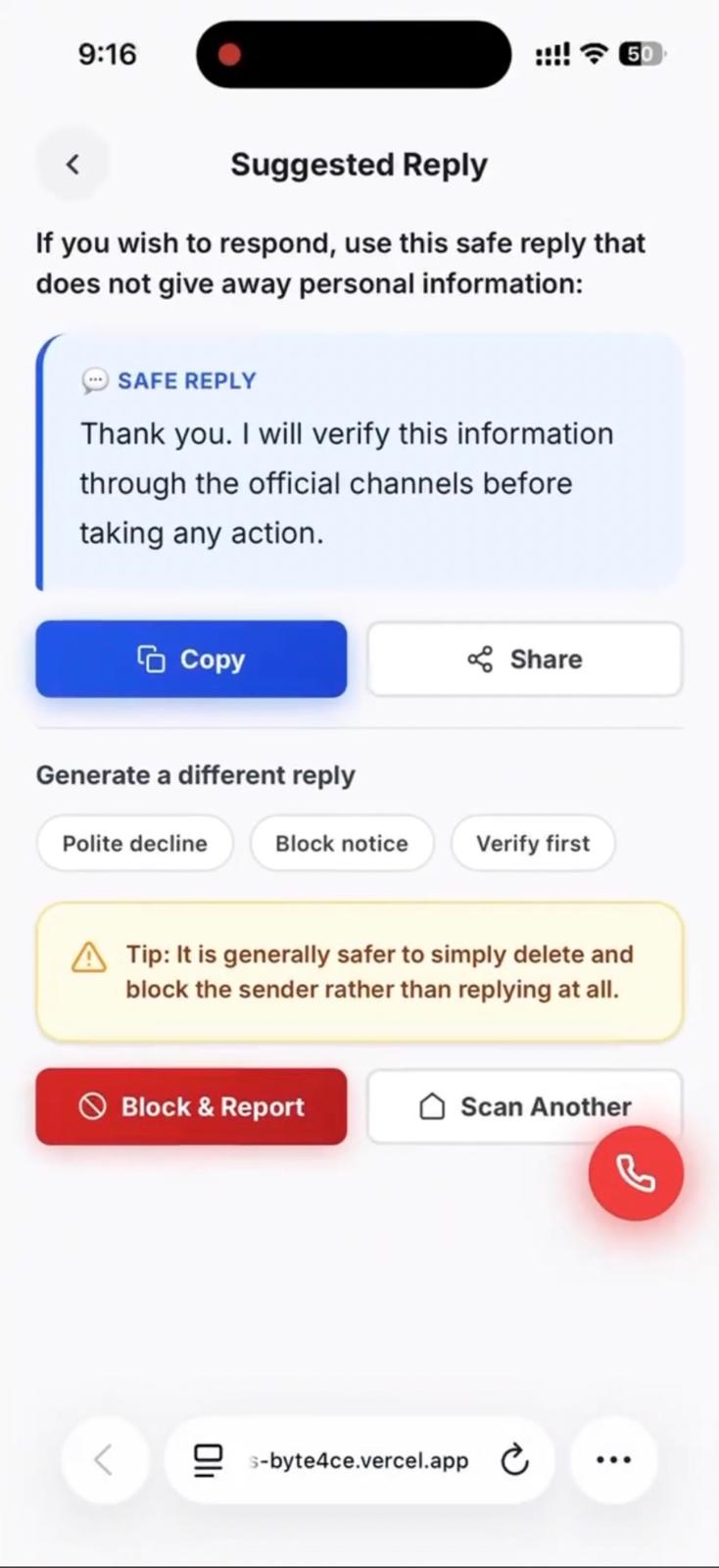
Suggested reply page gives users a safe response that avoids sharing personal details and encourages official verification.
Inspiration
Online transactions have become part of everyday life, from buying items on marketplaces to accepting part-time job offers and making digital payments. However, scams are also becoming harder to spot because scammers often use realistic messages, fake urgency, and convincing social engineering tactics.
As Year 2 Information Technology students, we wanted to build something that connects AI, cybersecurity, and real-world user safety. For Theme A’s challenge on Trust, Commerce & Fraud, we focused on helping users slow down, check suspicious messages, and make safer decisions before sending money or personal information.
What it does
TrustLens is an AI-powered scam checking tool that helps users analyse suspicious online transaction messages, listings, payment requests, or job offers.
Users can paste a message or transaction description into the system. TrustLens then reviews it and provides:
- A scam risk level
- Red flags detected
- A simple explanation of why the message may be risky
- Safer next steps for the user
- Suggested questions or replies before making payment
- A checklist to help users decide whether to trust the transaction
The goal is not to replace human judgement, but to support users by making scam warning signs easier to understand.
How we built it
We built TrustLens as a web-based prototype. The frontend allows users to enter suspicious messages and view the AI analysis in a clear, user-friendly format.
The AI logic analyses the submitted text for common scam indicators such as urgency, unrealistic offers, requests for personal information, suspicious payment instructions, upfront fees, and lack of verification. The response is structured into risk level, red flags, explanation, and recommended actions so users can understand the result quickly.
Our team worked remotely during the sprint and divided the work across idea planning, frontend development, AI prompt design, testing with scam examples, and preparation for the final demo and submission.
Challenges we ran into
One challenge was keeping the project scope realistic within a short build sprint. There were many possible features we wanted to add, such as account verification, link scanning, marketplace integration, and transaction history, but we had to focus on building a clear working prototype first.
Another challenge was designing the AI output in a way that is helpful without causing unnecessary panic. We wanted TrustLens to explain risk clearly while reminding users that the final decision should still involve human judgement and proper verification.
We also had to think carefully about how to make the product understandable for everyday users, not just technical users. This influenced our design choices, wording, and demo flow.
Accomplishments that we're proud of
We are proud that we built a project around a real-world issue that affects many people, especially students, online shoppers, and people looking for job opportunities.
We are also proud of creating a solution that combines AI with cybersecurity awareness in a practical way. Instead of only detecting whether something is suspicious, TrustLens explains the reasoning behind the warning signs so users can learn how to protect themselves in the future.
As a team of four Year 2 Information Technology students, we were able to work together, divide responsibilities, and turn an idea into a presentable prototype within a short sprint.
What we learned
Through this project, we learned how AI can be used as a decision-support tool for online safety. We also learned that trust is not just a technical problem. It involves user behaviour, clear explanations, responsible AI design, and human accountability.
We improved our understanding of prompt design, user experience, scam patterns, and how to communicate technical risk in simple language. We also learned the importance of building a focused MVP instead of trying to include too many features at once.
What's next for TrustLens
Next, we would like to improve TrustLens by adding more advanced scam pattern detection, safer link analysis, and support for screenshots or images of suspicious messages. We would also like to include a history feature so users can compare previous checks and learn from common scam patterns.
In the future, TrustLens could be expanded for use in online marketplaces, student communities, and digital payment platforms to help users make safer decisions before completing transactions.
Built With
- anthropicclaudeapi(claude-sonnet-4-6)
- apis
- claudeai
- css
- html
- javascript
- localstorage
- ocr
- vercel
- webspeechapi


