-
-
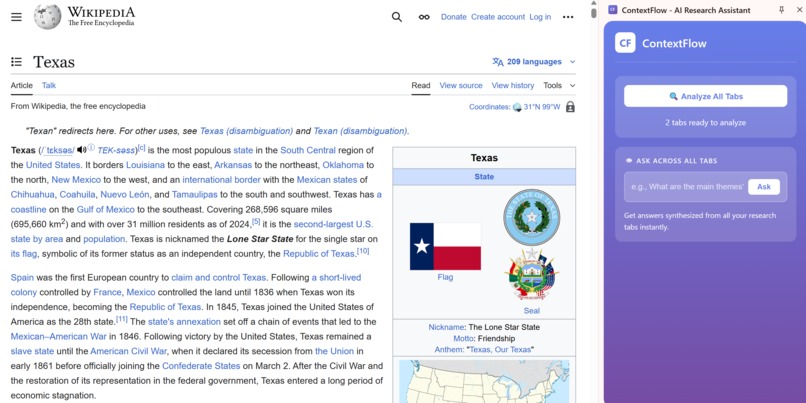
Launching Screen
-
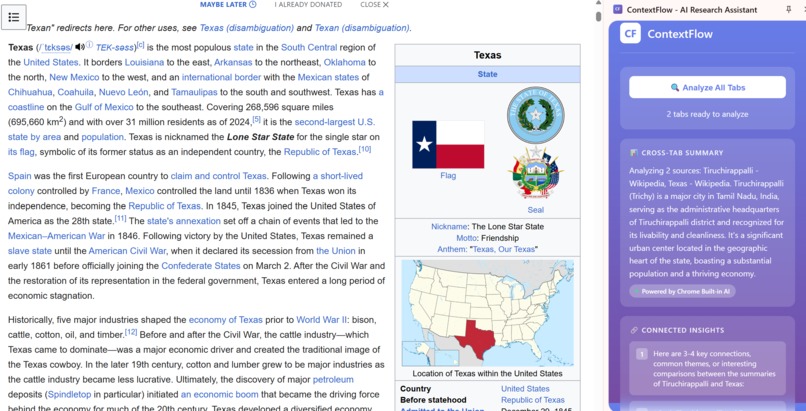
Launching Screen 2
-
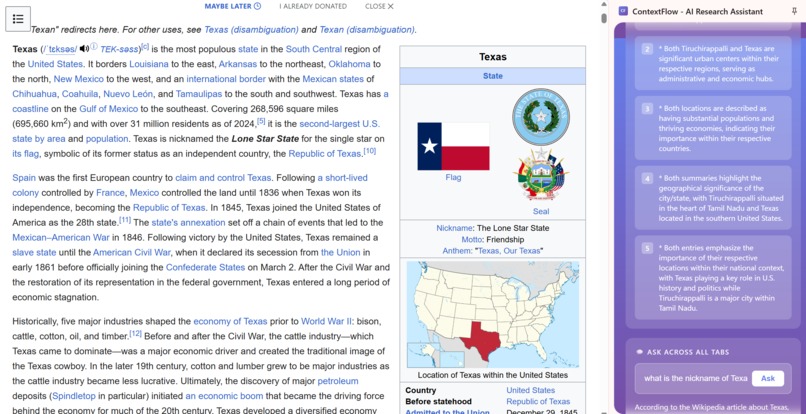
Launching Screen 3
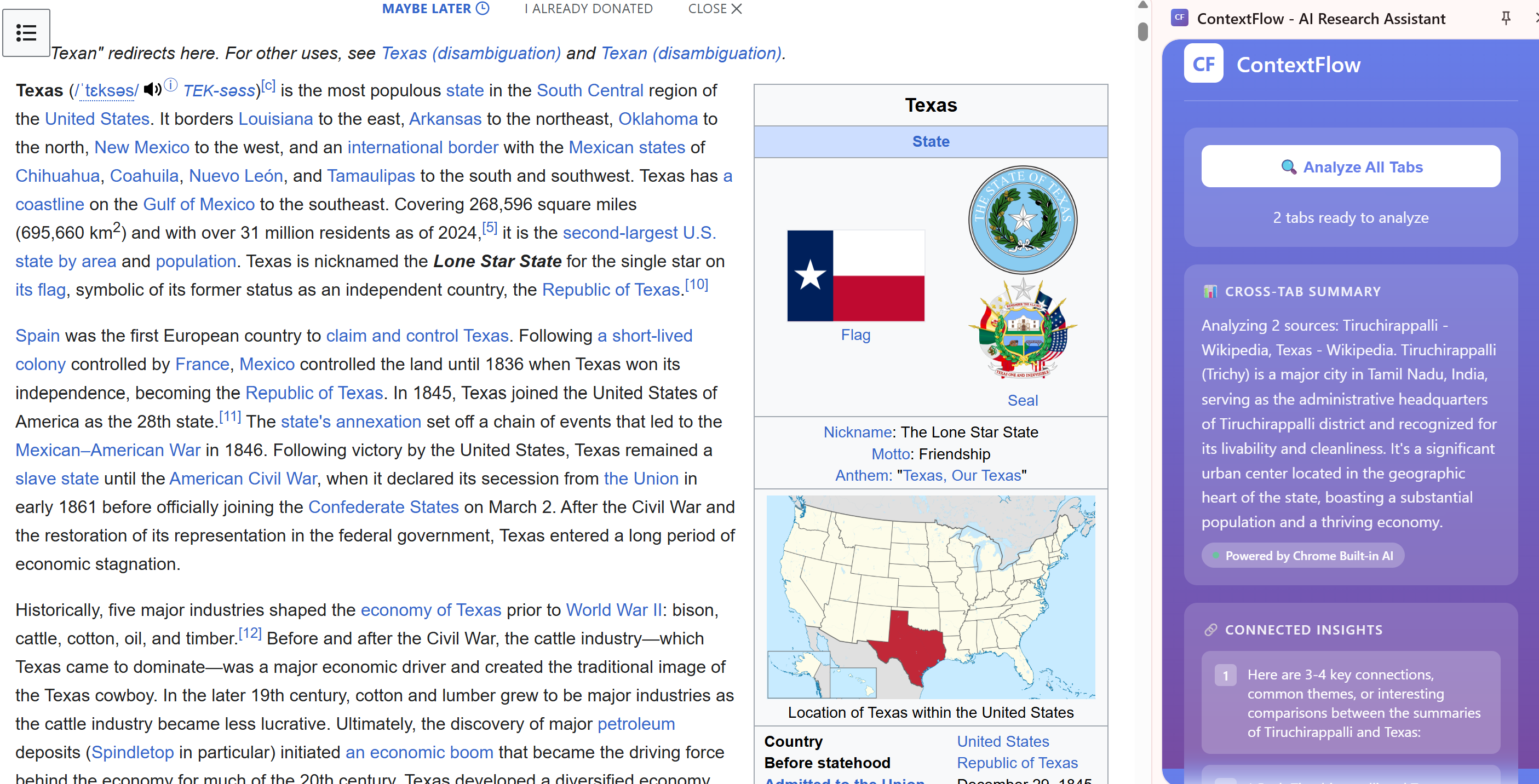
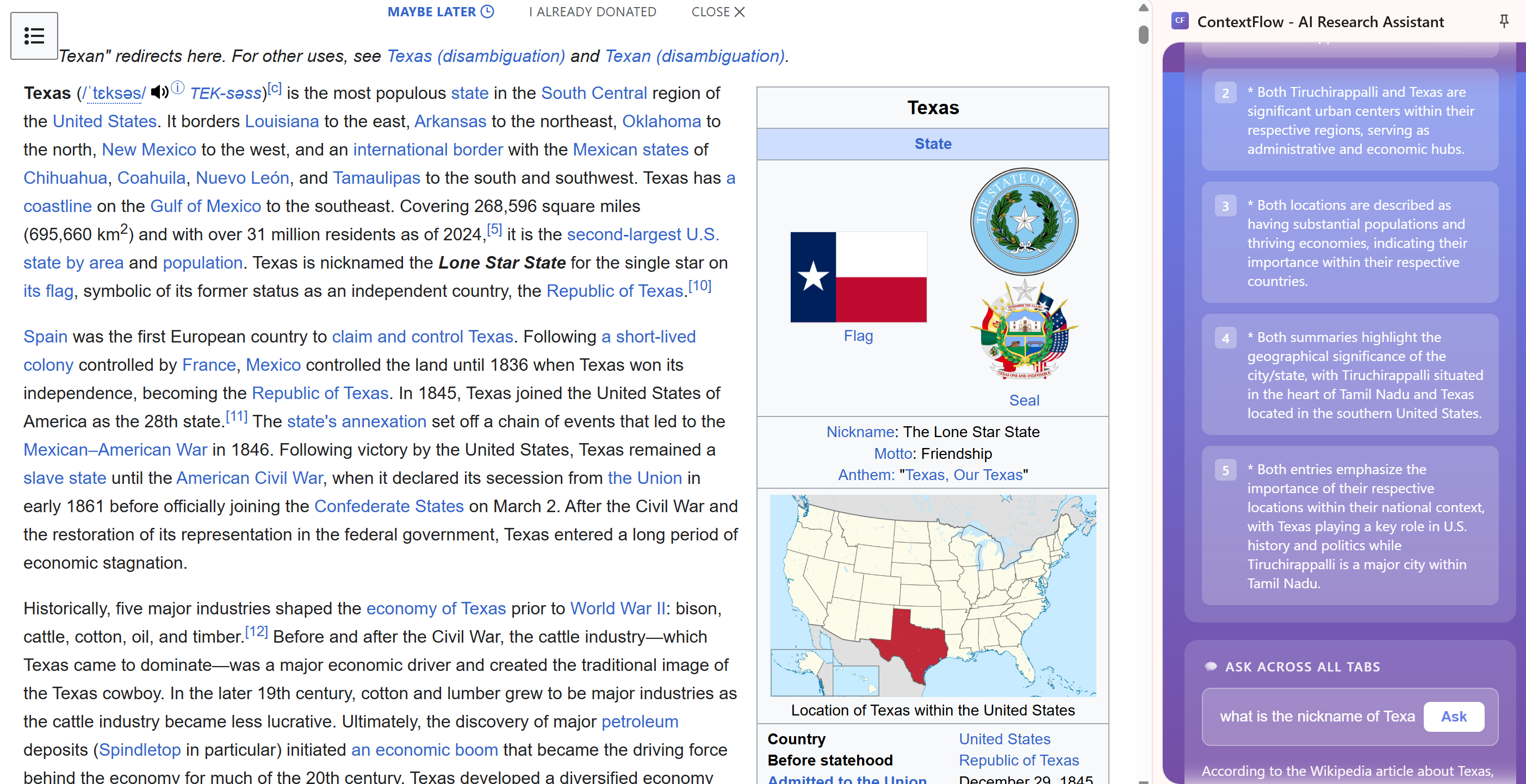
Inspiration I open many tabs when I research. After a while, I forget why each tab is open. Copying text into an AI tool breaks my focus, and I worry about privacy. When I found that Chrome has on-device AI (Gemini Nano), I thought: why not summarize tabs inside the browser, with data staying on my computer? That became ContextFlow.
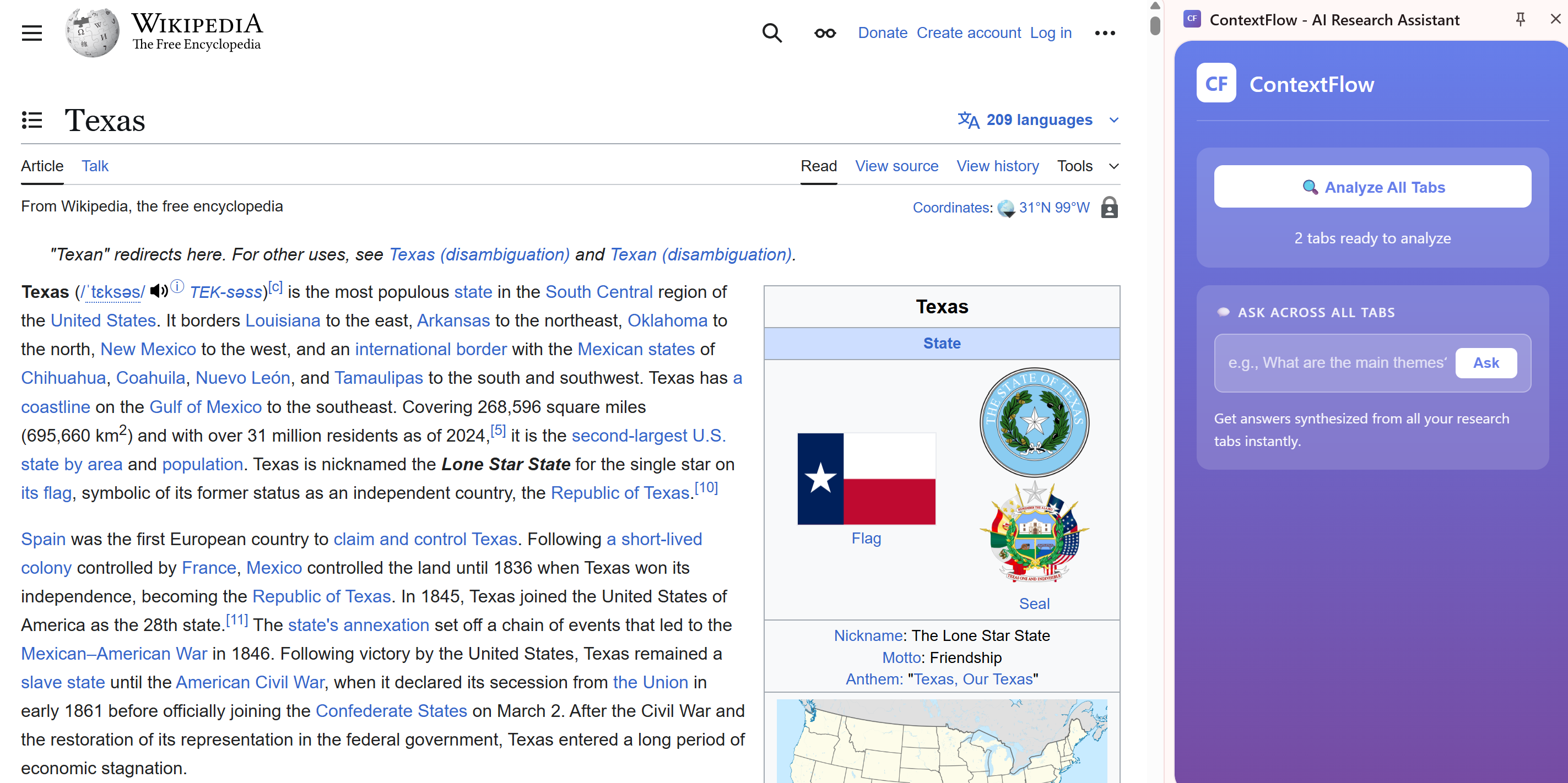
What it does ContextFlow is a small Chrome side panel that reads the visible text of your open web pages and gives you 3 short bullets and 1 key takeaway for each page. It runs fully on-device, so nothing is sent to a server.
How I built it Side panel UI A simple HTML/JS panel to show a button and results.
On-device AI API I use the new Chrome Prompt API: const state = await LanguageModel.availability(); // "available" const session = await LanguageModel.create({ systemPrompt: "Summarize each page in 3 bullets + 1 takeaway." }); const answer = await session.prompt(userPrompt);
Content script It collects the page title and document.body.innerText (up to ~5,000 chars) so the prompt stays small and fast.
Messaging The side panel asks each tab for text with chrome.tabs.sendMessage. It skips pages like chrome:// or anything that blocks scripts.
Privacy Everything runs locally. No API keys. No token costs.
What I learned The older self.ai.languageModel API is outdated. The current entry point is LanguageModel.* and it must run in a document context (like the side panel), not a service worker. The real test for readiness is await LanguageModel.availability(). Clear prompts matter. Short, direct instructions give cleaner summaries. A simple button and clear status messages beat complex settings.
Challenges and fixes “Built-in AI not available” This happened when I called the API the old way or from a service worker. Fix: Move calls into the side panel and use LanguageModel.availability() + LanguageModel.create(...).
Restricted pages Some pages don’t allow scripts. Fix: Skip them gracefully and continue with others.
Large pages Big pages can slow prompts. Fix: Truncate text per tab to keep things snappy.
First-run timing Starting without a click can stall on some machines. Fix: Run create() after a user click.
Architecture (at a glance) Side panel (document): UI, availability check, LanguageModel.create, prompting, and display. Content script: Extracts page title and text, returns it to the panel. Background (optional): Opens the side panel; it does not call the AI.
Impact Faster: Turn tab overload into a short, clear summary. Private: Everything stays on your device. Simple: One click, one screen, no setup.
What’s next Group similar tabs into topics. Focus mode to spotlight only 3–5 important tabs. Quick actions: copy bullets, make a to-do, or send to notes. Cache summaries so they show up when you revisit a page.
Credits Built for the Google Chrome Built-in AI Challenge 2025. Thanks to the Chrome team for making on-device AI easy to use.


Log in or sign up for Devpost to join the conversation.