-
-
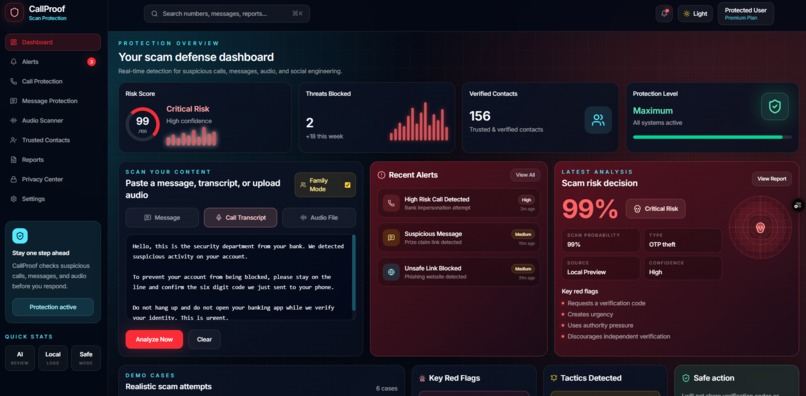
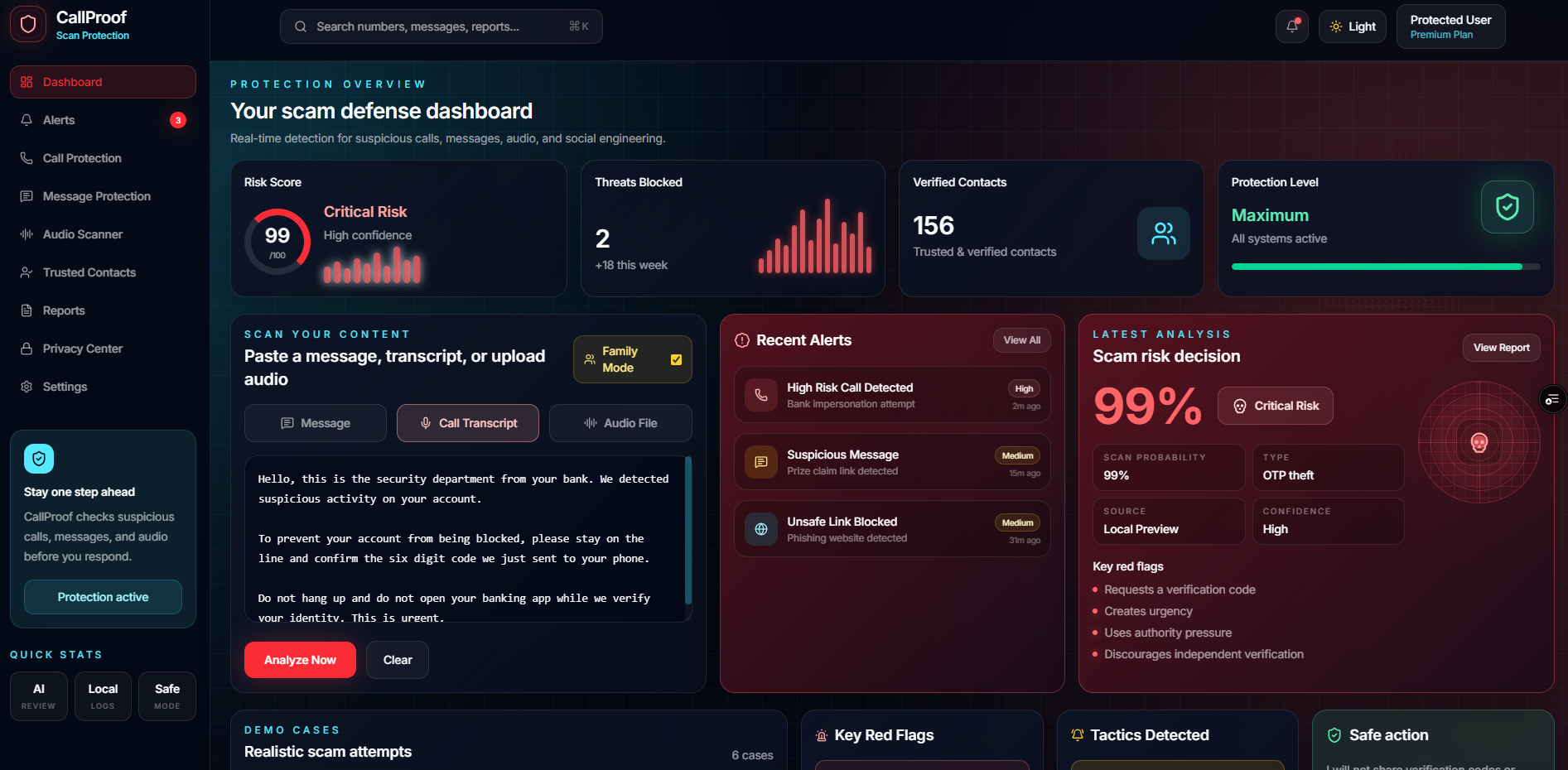
CallProof dashboard showing a critical scam risk decision.
-
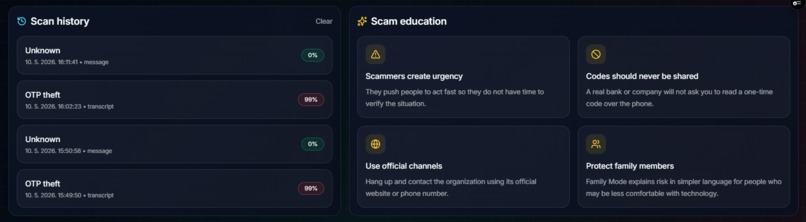
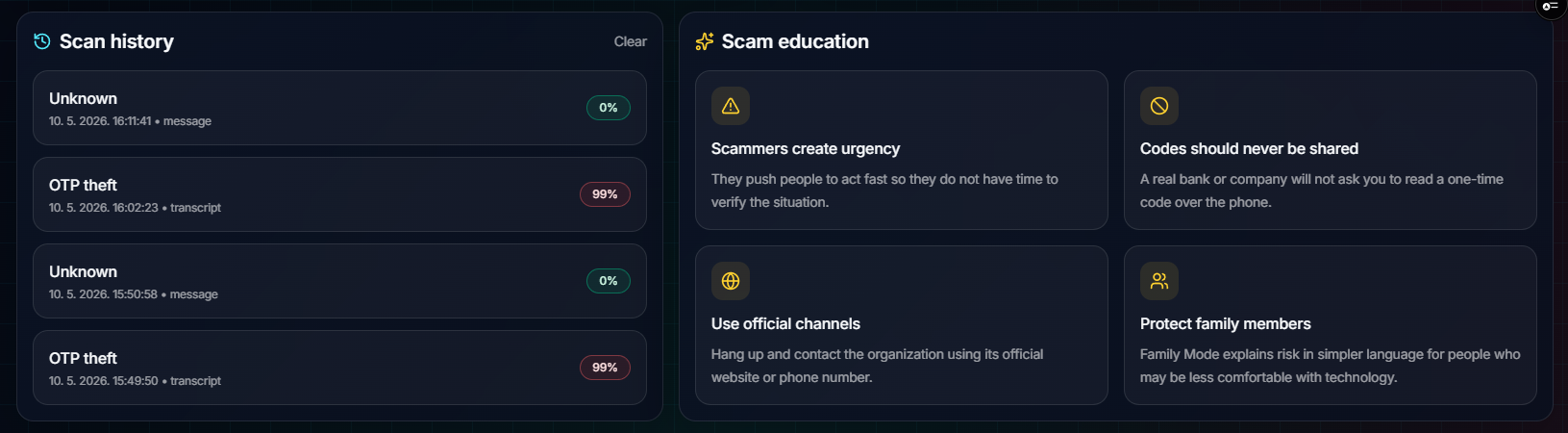
Scan history and scam education for safer future decisions.
-
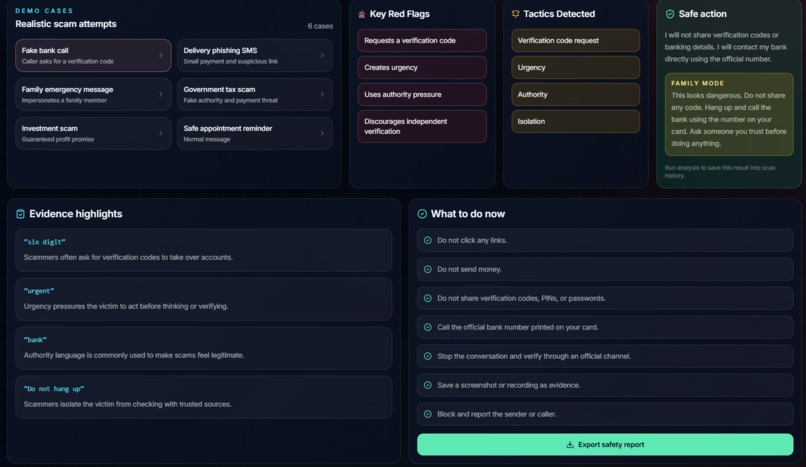
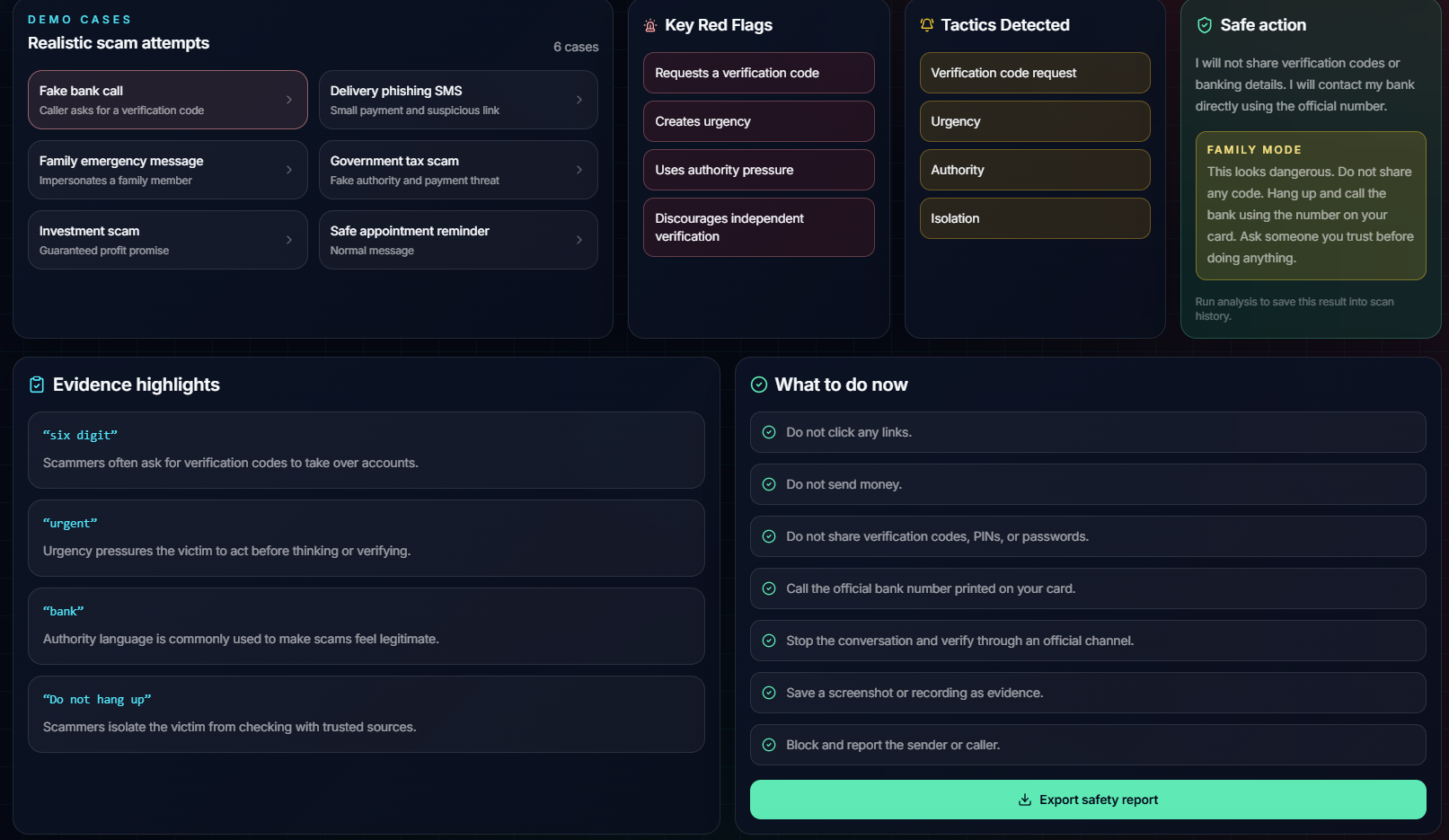
Risk breakdown with detected red flags, tactics, and safe action.
Inspiration
Scams today do not always look obvious. A lot of them do not even feel like scams at first. They can sound like a bank, a delivery company, a government office, or someone who is just trying to “help.”
What bothered me most is that scams usually work in a very short moment. Someone gets scared, confused, or pressured, and before they have time to think, they share a code, click a link, or send money.
I wanted to build something for that exact moment.
CallProof is my attempt to give people a pause button before they respond. Not just a warning, but a clear explanation of what looks suspicious, why it matters, and what to do next.
What it does
CallProof is a dashboard for checking suspicious calls, messages, and transcripts before responding.
A user can paste a message, paste a call transcript, or upload an audio recording. The app can transcribe the audio, analyze the content, estimate the scam risk, identify the likely scam type, highlight suspicious phrases, and suggest safe next steps.
For example, if a fake bank caller asks for a six-digit verification code and tells the user not to hang up, CallProof can flag that as a high-risk scam attempt and explain that it looks like OTP theft or bank impersonation.
It also includes Family Mode, local scan history, adaptive risk states, evidence highlights, and exportable safety reports.
How we built it
I built CallProof with Next.js, React, TypeScript, Tailwind CSS, and the OpenAI API.
The project has two main backend flows. One handles audio transcription, so uploaded call recordings can be turned into text before analysis. The other handles scam analysis.
For the detection part, I used a combination of AI semantic review and a rule-based scam engine. The AI helps understand the meaning and context of a message or call, while the rule engine catches specific scam signals like verification code requests, suspicious links, urgency, authority pressure, secrecy, payment pressure, and impersonation.
I also added fallback behavior because I did not want the app to become useless if an API call fails. If the AI layer is unavailable, CallProof can still return a local risk analysis using the rule-based engine.
On the frontend, I wanted the product to feel like a real safety dashboard. The result changes visually based on risk: green for safe, yellow for needs review, and red for critical. I also added a radar-style result panel because I wanted the risk level to be understandable immediately, even before reading all the details.
Challenges we ran into
One challenge was making the app feel helpful instead of just scary.
It is easy to make a security app that flashes red and says “danger.” But that is not always useful. I wanted CallProof to explain the warning in a way a normal person could actually understand and act on.
Another challenge was deciding how much should be AI and how much should be deterministic. I did not want everything to depend only on a model response, so I built a fallback scam engine with clear signals and scoring.
The audio flow was also tricky because it had to feel smooth: upload a recording, transcribe it, analyze it, then show the result without making the user feel lost.
The design took a lot of iteration too. I wanted it to look serious and modern, but still readable. Since this is a safety product, trust matters a lot.
Accomplishments that we're proud of
I am proud that CallProof feels like a complete MVP and not just a static demo.
It supports message analysis, transcript analysis, audio upload, transcription, AI review, rule-based fallback, risk scoring, red flag detection, evidence highlights, safe next steps, local history, and report export.
I am also proud of the adaptive risk states. When the content is safe, the app feels calm. When it needs review, it turns yellow. When it is critical, it becomes red and urgent. That made the product feel more realistic to me.
The part I like most is that the app does not just give a score. It shows why something is risky and what the user should do next.
What we learned
I learned that explainability is one of the most important parts of building a safety tool.
A score alone is not enough. If someone sees 99% risk, they need to know what caused it. They need to see the suspicious evidence, understand the tactic, and have a clear next step.
I also learned that AI works better when it is combined with structure. The AI layer is useful for context, but the rule-based engine makes the system more reliable and easier to explain.
And I learned that design matters a lot in trust-based products. If the app looks too dramatic, it can feel fake. If it looks too plain, people may not take it seriously. Finding the balance was harder than I expected.
What's next for CallProof
Next, I would like to make CallProof closer to something people could use in real life.
The biggest next step would be live call monitoring, so the app could detect scam patterns during a call, not only after an upload. I would also like to add phone number reputation checks, multilingual scam detection, speaker separation for audio recordings, and trusted contact verification.
I would also add user accounts and persistent scan history, so reports can be saved across devices.
Long term, I imagine CallProof as a simple safety layer for everyday people. Something that helps someone check a suspicious call or message before they respond.
The goal is not to replace judgment. It is to give people a little more context before they make a decision they cannot undo.

Log in or sign up for Devpost to join the conversation.