-
-
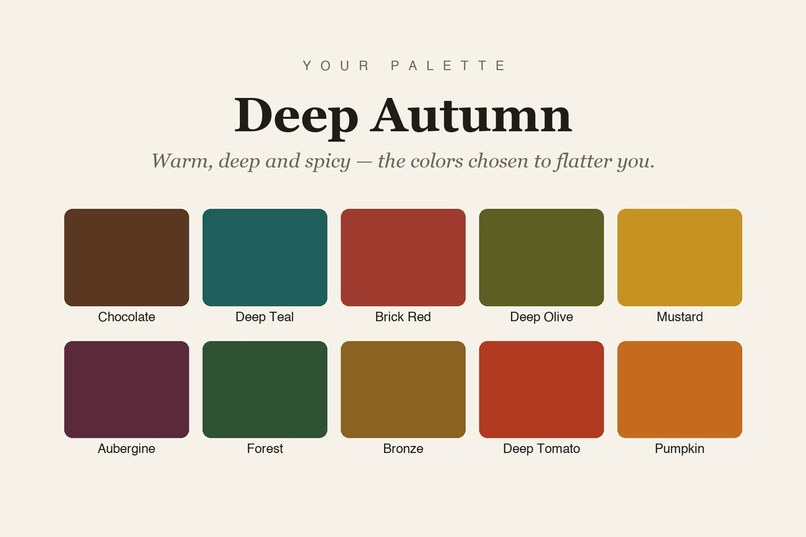
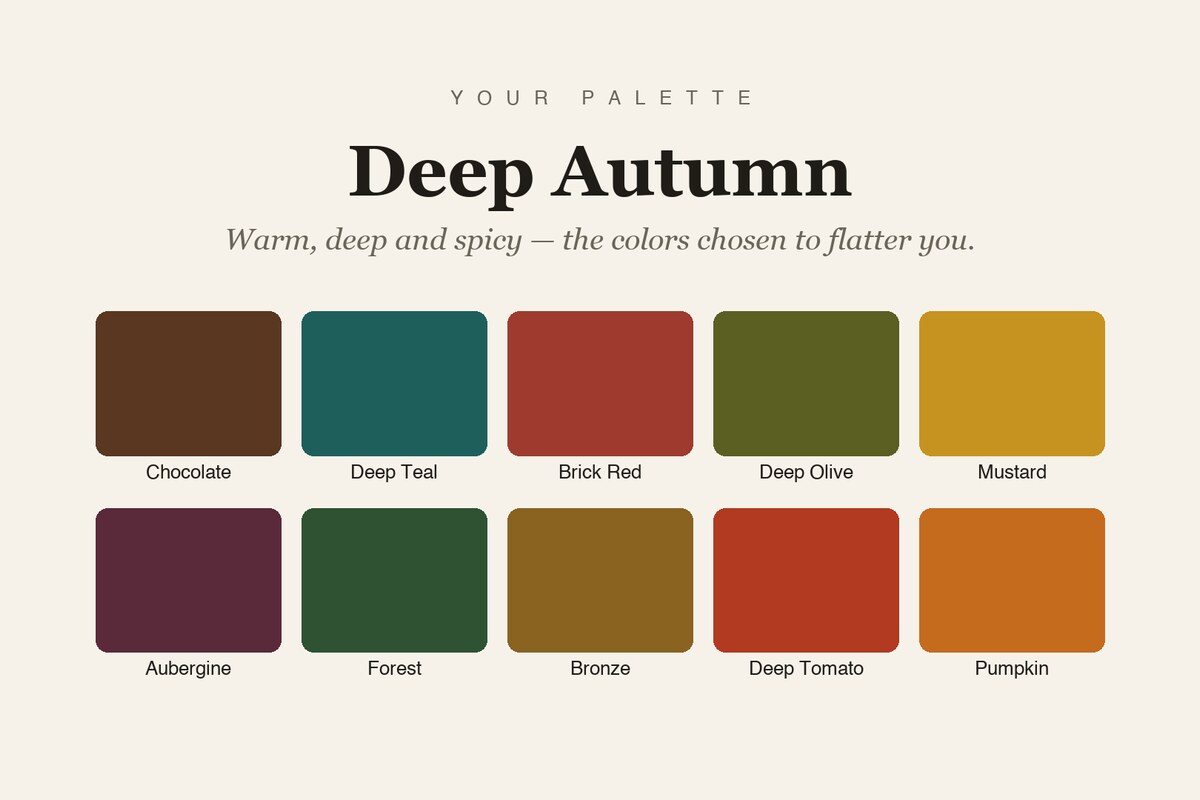
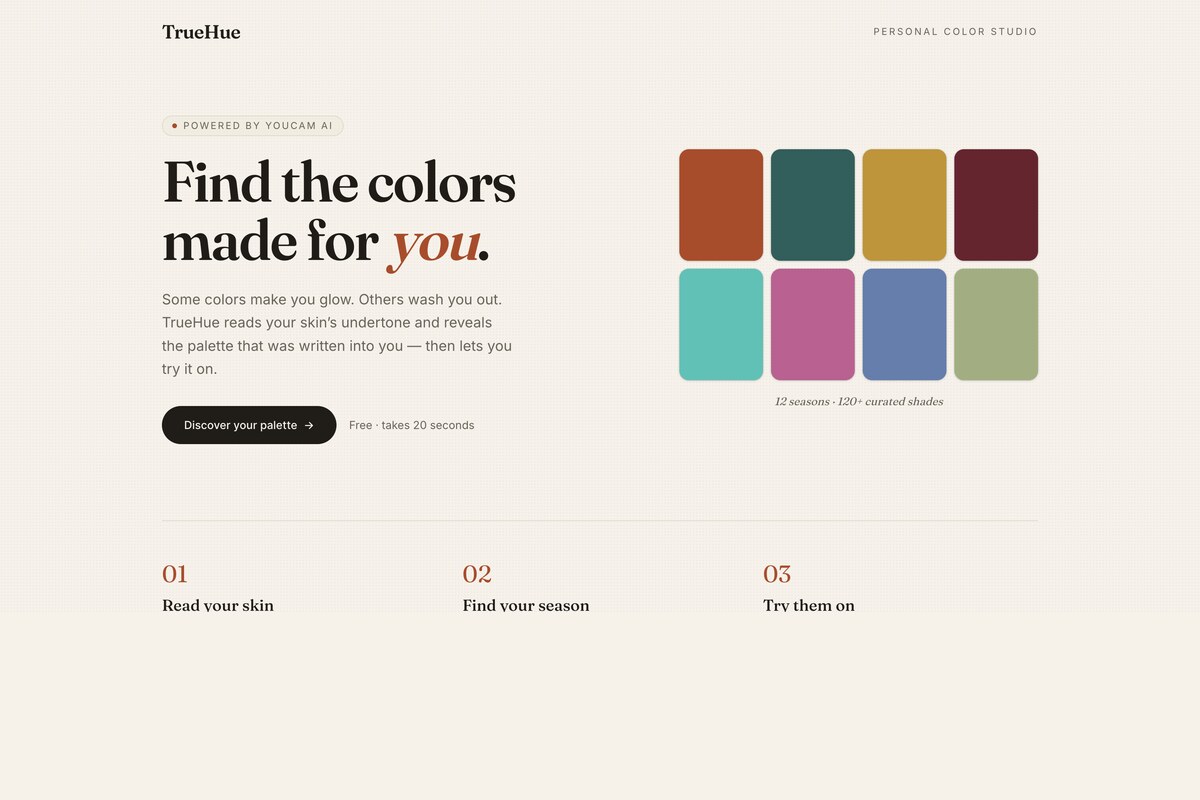
Your 12-season color palette: the exact shades chosen to flatter your skin.
-
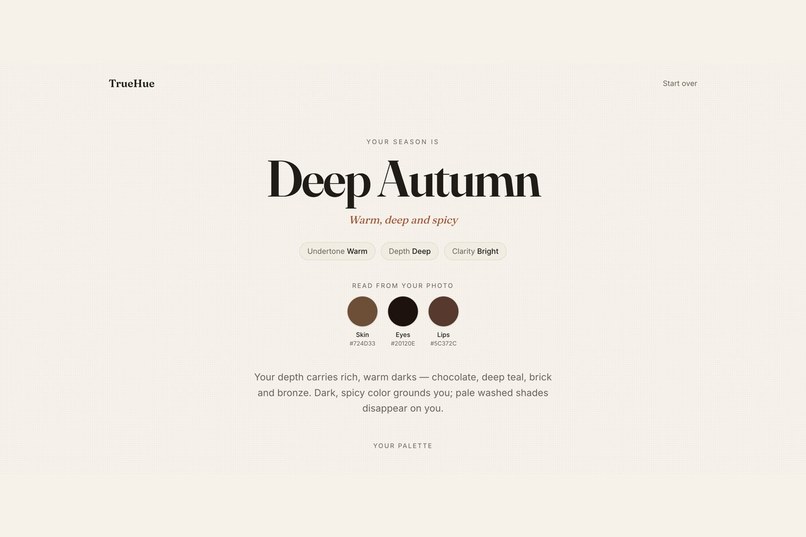
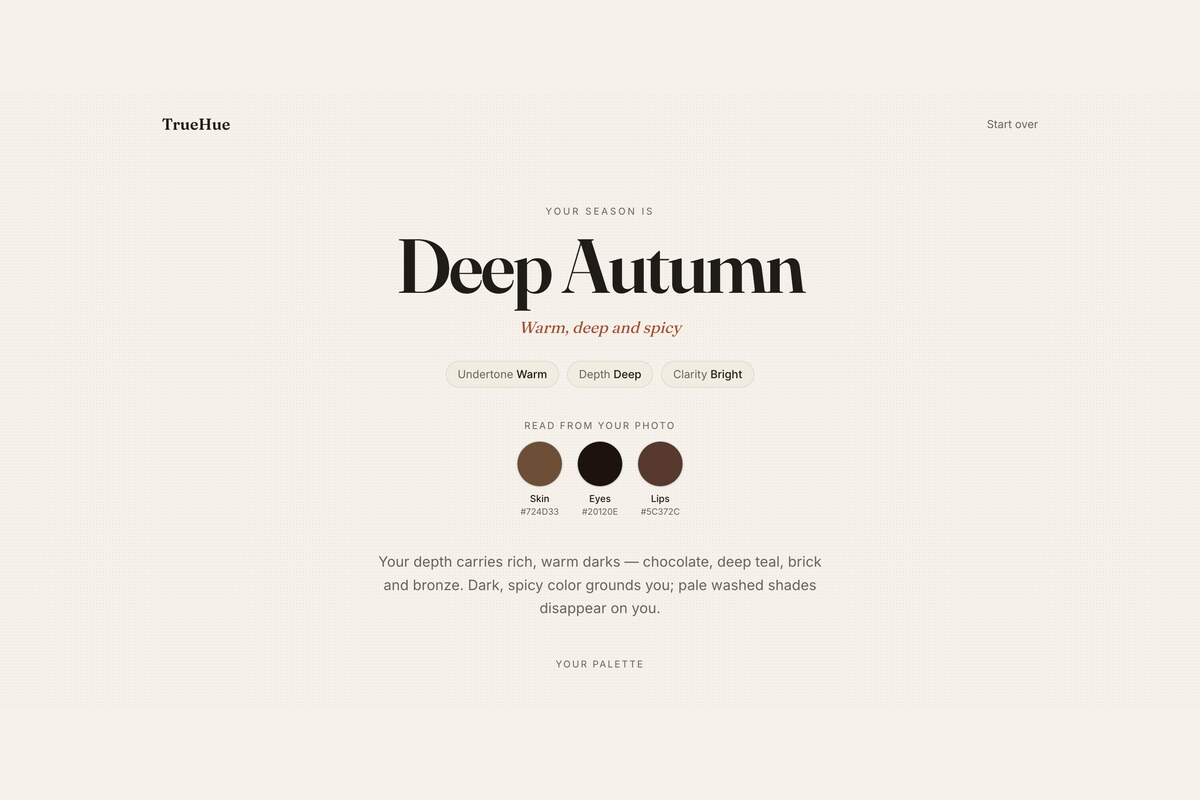
Your season, revealed. Skin tone, undertone and depth read from your selfie by YouCam Skin Tone Analysis.
-
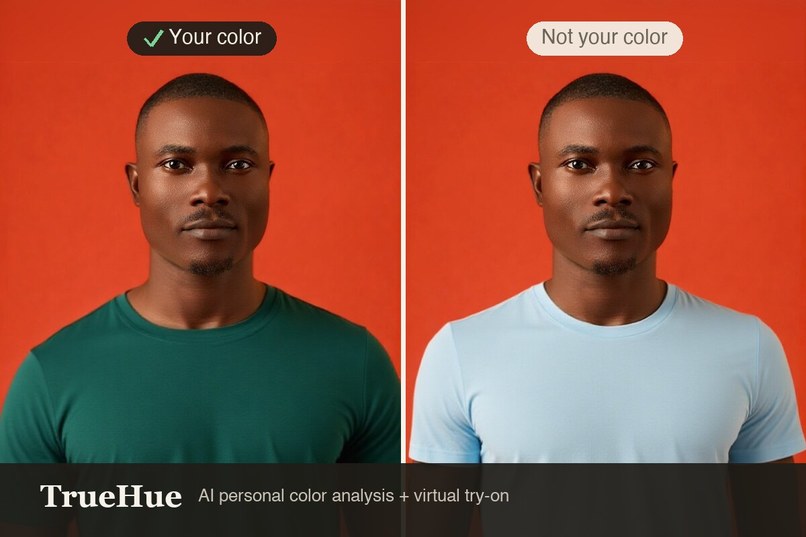
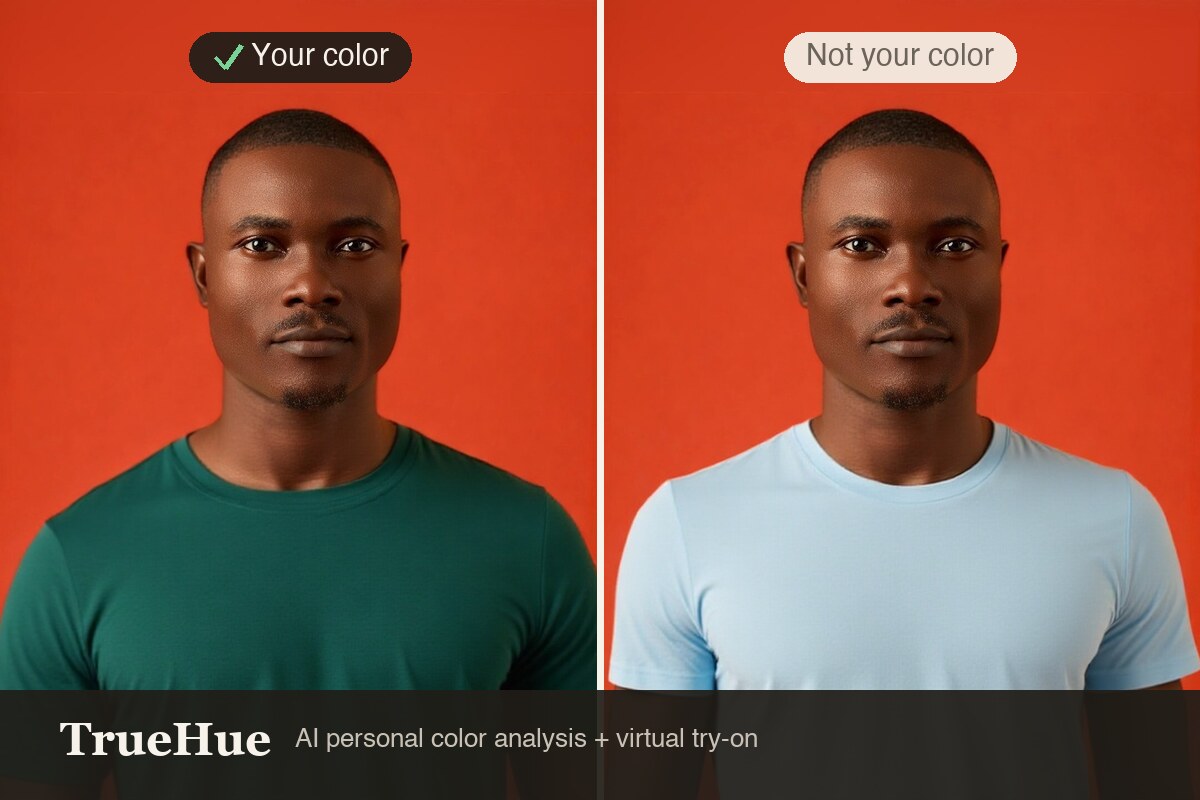
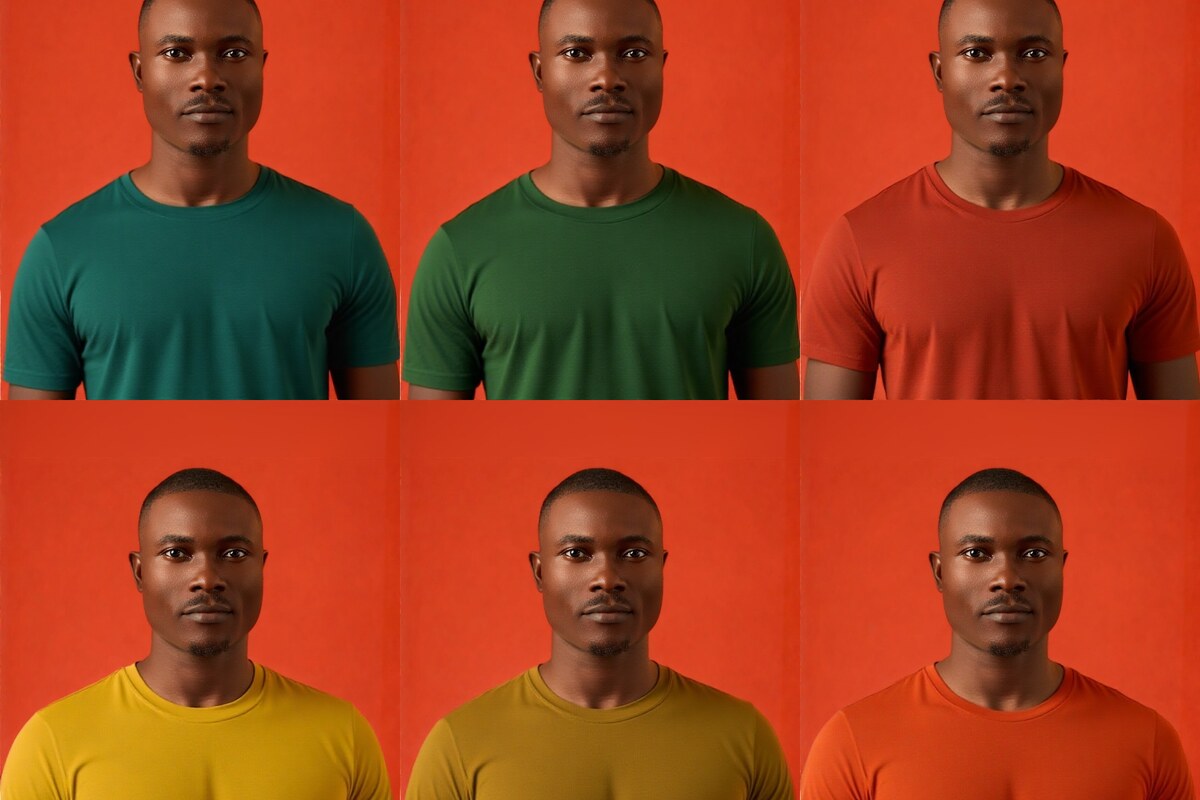
The proof: your palette color next to a clashing shade, rendered on your photo by YouCam AI Clothes virtual try-on.
-
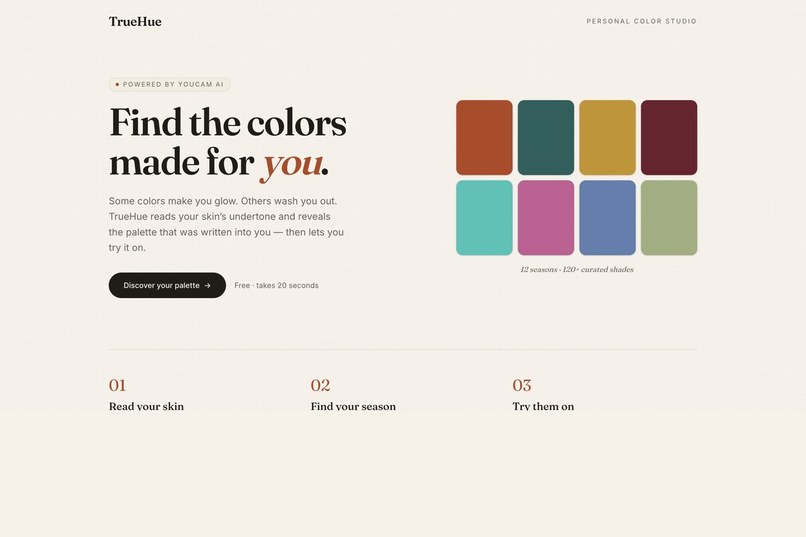
Drape landing. Find the colors made for you.
-
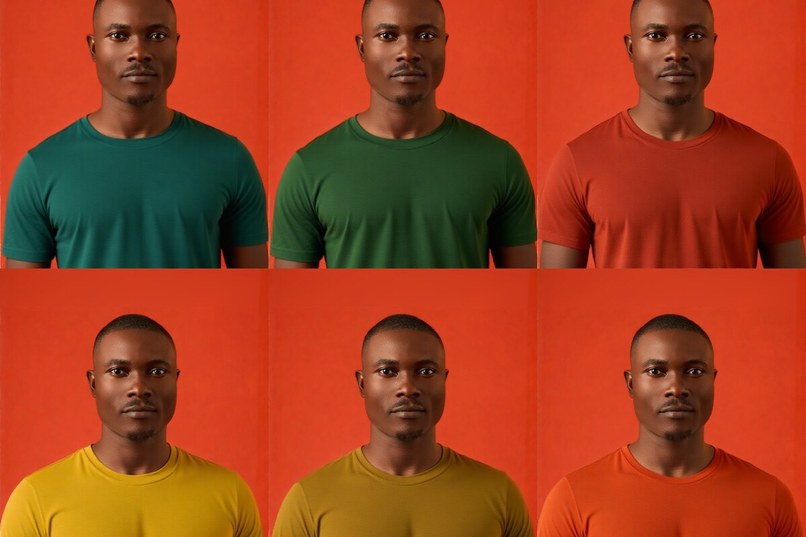
Wearing your whole palette: every shade tried on faithfully via YouCam AI virtual try-on.
Inspiration
Personal color analysis is a real and growing service. A stylist drapes fabric under your chin and tells you which colors make you look alive. It costs $150 to $300 a session, it is big in Korea and Japan and spreading in the US, and it has two problems.
The first is that it is opaque. You pay for a verdict. Analysts disagree with each other, nobody shows you a measurement, and you have no way to tell a good read from a bad one.
The second is less discussed. The seasonal framework was built in the 1980s around light, European skin, and the tooling that grew up around it inherited that. We did not set out to fix this. We found it in our own code, which is the more useful story.
What it does
One selfie, and Drape gives you four things.
Your coloring, measured. YouCam Skin Tone Analysis returns the actual hex values of your skin, eyes, lips and hair, plus a quality check on the photo itself.
Your season, with the reasoning attached. Our engine converts skin color to CIELAB and derives three axes: undertone from the hue angle, depth from ITA (the dermatology standard for skin pigmentation), and clarity from chroma and skin-to-eye contrast. Those place you in one of the 12 seasons. It is a deterministic classifier, not a language model guessing.
A confidence score, and the ability to overrule it. This is the part every other tool hides. Drape tells you how sure it is and why, in the reading's own units. If your ITA is 42.4 and the light-to-medium boundary sits at 41, that is close to a coin flip, and we say so instead of printing a verdict. The sample face in our demo scores 41 out of 100 for exactly this reason. If you disagree, you tap the axis and correct it. The season re-derives instantly, locally, with no re-upload and no API call, because the engine is pure. Confidence then climbs to 84, because a value you set by hand is no longer in doubt.
Proof on your own body, and real clothes to buy. YouCam Apparel VTO renders your palette onto your photo. We put your best color next to a deliberately clashing one so you can see the difference on yourself, in the same photo and the same light. Then we rank 353 real garments by how close their color actually is to your palette.
The part we are least comfortable with: we found a bias in our own engine
Drape originally read undertone from CIELAB b*, the yellow-to-blue axis. Warm skin is more golden, so high b* meant warm. It is a reasonable-sounding rule and it is wrong.
b* is a magnitude, and colorfulness collapses at both ends of the human range. We checked the rule against the Monk Skin Tone Scale, the 10-shade reference Google and Dr Ellis Monk published so systems can be evaluated across all skin rather than the light-skewed Fitzpatrick set.
The old rule disagreed with the hue angle on 5 of the 10 reference tones, and every one of them sat at the light or deep ends of the scale. Monk tone 10 has a hue of 67 degrees, plainly golden, but a b* of only 3.5, so the rule called it cool. It was reading dark as cool.
The hue angle does not have this problem: it is a direction rather than a distance, so it does not shrink as skin gets darker. We rebuilt undertone around it, folding the magenta wraparound onto the cool side so a rosy reading at 345 degrees is not mistaken for extremely warm. Across the same 10 tones the engine now reads 9 warm, 0 cool, 1 genuinely neutral, and no tone is called cool merely for being dark.
We did not stop at claiming the fix. Hue is stable across depth but gets noisy as skin approaches neutral grey, which is exactly what happens at the ends of the scale. So the undertone axis is discounted when chroma is low, and confidence drops accordingly. The whole comparison is computed live from the shipping engine at /fairness, and locked by a test suite that includes the old rule as the thing being measured against.
Real garments, verified by measurement
The weakest thing a color app can do is send you to a search box. Our first version did exactly that, and the claim "real products in that exact color" was not true.
So we built a catalog of 353 real garments and measured every color from the retailer's own fabric swatch image rather than typing in a hex we liked. That distinction is the whole point: if we chose the colors, a close match would be circular and prove nothing. The retailer chose them; we only measured. Each garment is ranked against your palette by CIEDE2000, and we show you the number. The top match in the demo scores 4.5. Under about 2.3 the human eye cannot separate two colors at all. Anything beyond 15 is not your color and is not shown, because padding the grid would be the same overclaim we set out to remove.
One product carries two colorways Uniqlo both calls PINK: one at delta E 23.4, rejected, and one at 1.0, shown. Measurement separates them. A keyword search cannot.
Two surfaces beyond the app
A retailer widget (/retail). A mock product page using a real product's 14 real colorways. Pick a shopper and the swatches reorder by measured color distance: for a Deep Autumn, the reds and greens come to the front and the pale pinks and greys dim out at delta E 23 to 35. The computation is client-side and deterministic, so a retailer can personalise a product page without the shopper's photo ever leaving their device.
An MCP server (/api/mcp). Perfect Corp ships YouCam itself over MCP, so an agent can already ask it for the hex values of a face. What it cannot do is turn those into a season, a palette, and real garments ranked by measured color distance. Drape exposes exactly that, and it needs no YouCam credentials of its own because the engine is pure. It composes with their server rather than duplicating it, which is the point.
{ "mcpServers": { "drape": { "type": "http", "url": "https://drape-youcam.vercel.app/api/mcp" } } }
Agent-readable docs live at /llms.txt.
How we built it
Next.js 16 (App Router), React 19, TypeScript, Tailwind v4, sharp, deployed on Vercel.
Five YouCam APIs, chained so the skin read causes what the try-on shows:
- Read your coloring: Skin Tone Analysis
- Prove it on your body: Apparel VTO (AI Clothes)
- Recolor your hair: AI Hair Color, the one endpoint that honours an exact hex
- A full editorial look: generative styling
- Skin at a glance: Skin Analysis, 11 concern scores
The same hex flows all the way through. The shade the try-on paints on you is the target the catalog is measured against. That is what makes it a chain rather than three features side by side.
All calls are server-side and the API key never reaches the browser. S2S auth is RSA PKCS#1 v1.5 to a short-lived token. There is a unit-budget guard and per-IP rate limiting so the public demo cannot be drained, plus bring-your-own-key for anyone who wants to spend their own units.
207 unit tests, including the full 29-pair CIEDE2000 conformance set from Sharma, Wu and Dalal (2005), and the Monk Skin Tone evenness suite. The tests also hold the palettes to the standard we hold the shops to: no two swatches in a season closer than delta E 6, and no two seasons sharing a color closer than delta E 5. Both caught real bugs.
Judges need no credentials and no credits. Three sample faces ship with real, pre-captured YouCam responses, so the entire experience including the skin report runs instantly and free.
Challenges we ran into
The undertone bias was the big one, and we only found it because we went looking with a reference scale instead of trusting that our reasoning was sound.
A smaller one taught us more than expected. We wanted the generated full-look feature to render in your selected palette color. It does not: that endpoint accepts a gender and an editorial style and ignores any reference color you give it. We tested this rather than assuming, then removed the claim instead of shipping it. The swatch try-on is the color-exact half, and the generated look is inspiration. Saying so is more useful than implying a precision we do not have.
The third was resisting the urge to make the numbers look good. It would have been easy to widen the delta E cutoff and show eight matches instead of five, or to hide the confidence score on the sample that scores 41. Both would have made the demo smoother and the product worse.
Accomplishments that we're proud of
We tested our own engine for bias, found it, fixed it, and published the before and after where anyone can check it. The /fairness page is computed live by the shipping code at render time, so it cannot drift from what the app actually does.
What we learned
Measure rather than assume, then publish the measurement. Every claim in this project that survived is one we could compute; every claim we could not compute we removed.
What's next for Drape
Take the retailer widget from a mock product page to a real catalog ingest, so a store can point it at their own product feed and have colors measured from their own imagery. Color is one cause of the roughly 45% of apparel returns driven by size, fit and color, and it is the part a palette can actually fix.
Try it
- The studio: https://drape-youcam.vercel.app
- Does it work on every skin tone: https://drape-youcam.vercel.app/fairness
- Retailer widget: https://drape-youcam.vercel.app/retail
- Agent docs: https://drape-youcam.vercel.app/llms.txt
- MCP server: https://drape-youcam.vercel.app/api/mcp
- Code: https://github.com/iamarunbrahma/drape
Three sample faces run instantly and free, with no key and no credits, so nothing here needs credentials to evaluate.
Built With
- ciede2000
- cielab
- color-science
- computer-vision
- mcp
- next.js
- node.js
- perfect-corp
- react
- sharp
- tailwind-css
- typescript
- vercel
- youcam-api


Log in or sign up for Devpost to join the conversation.