-
-
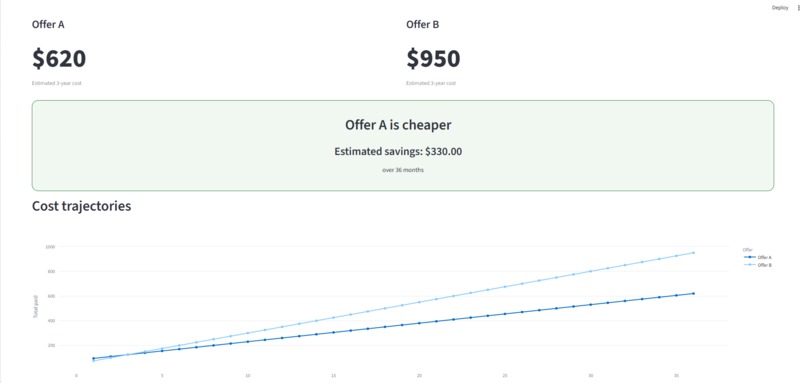
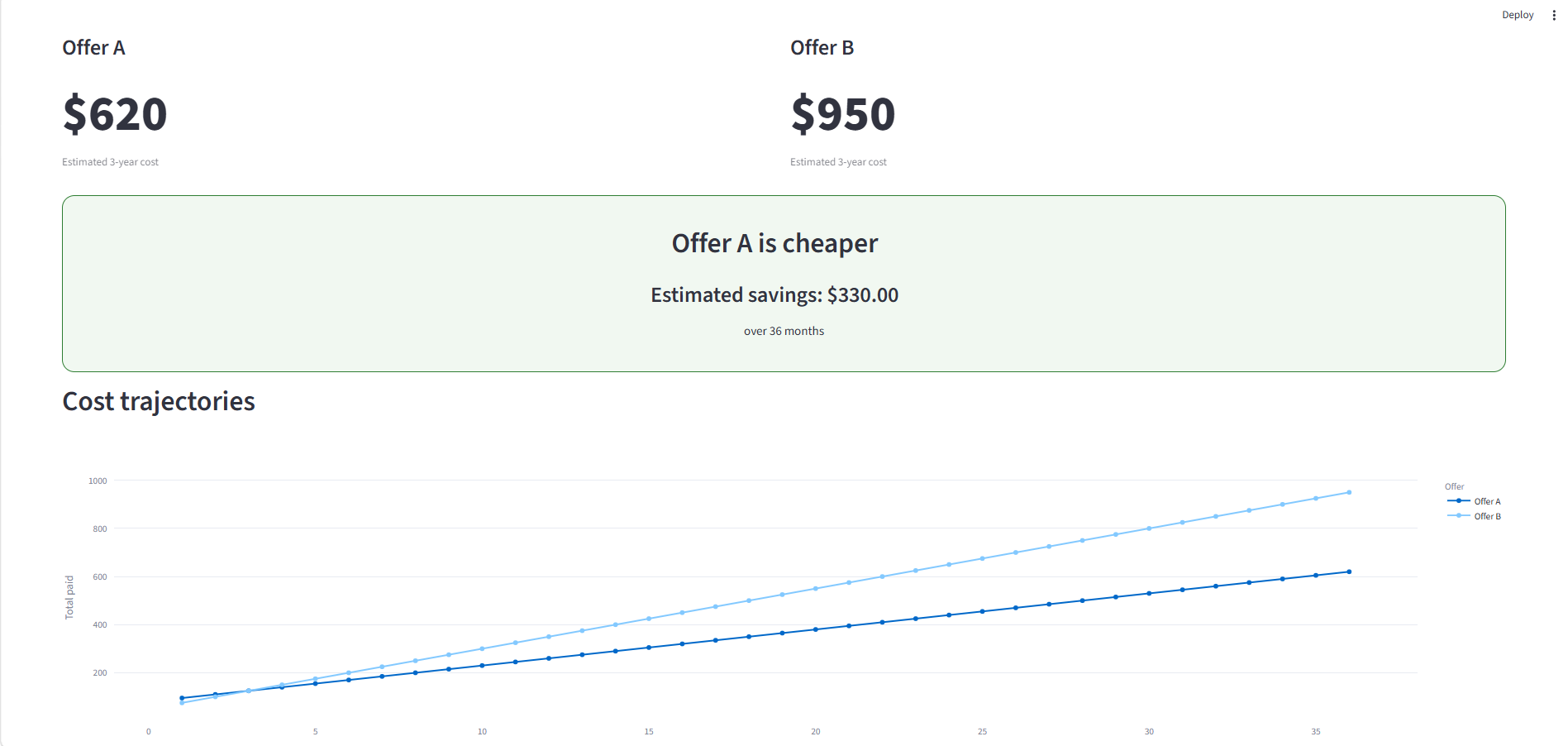
It compares two offers based on their actual long term cost
-
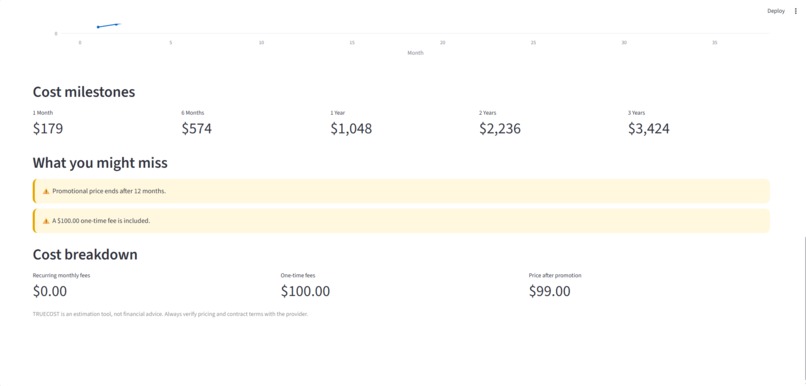
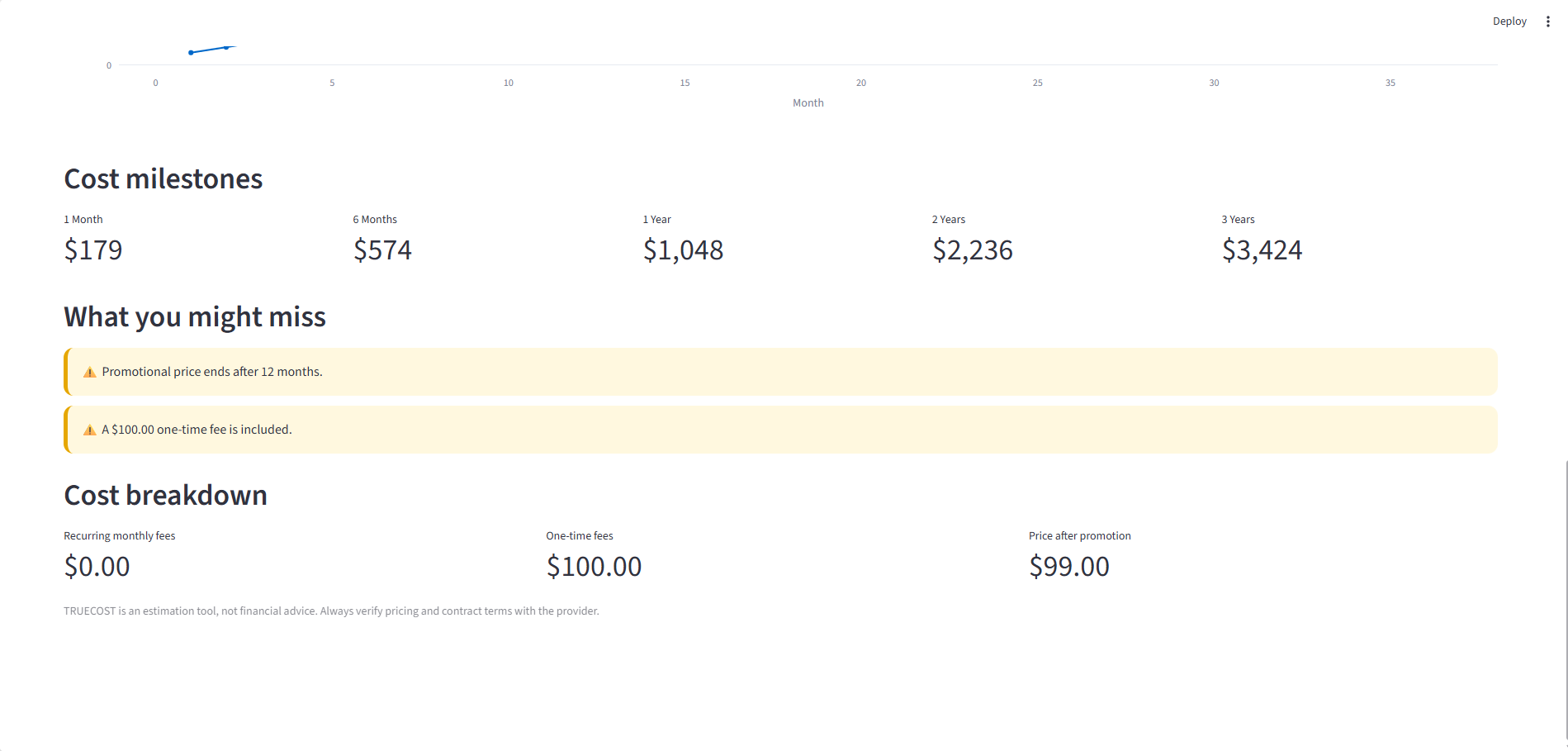
It also highlights extra fees and the price after a promotion ends
-
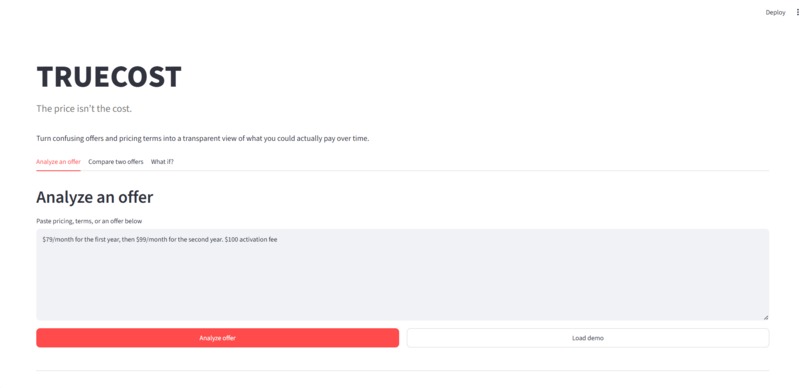
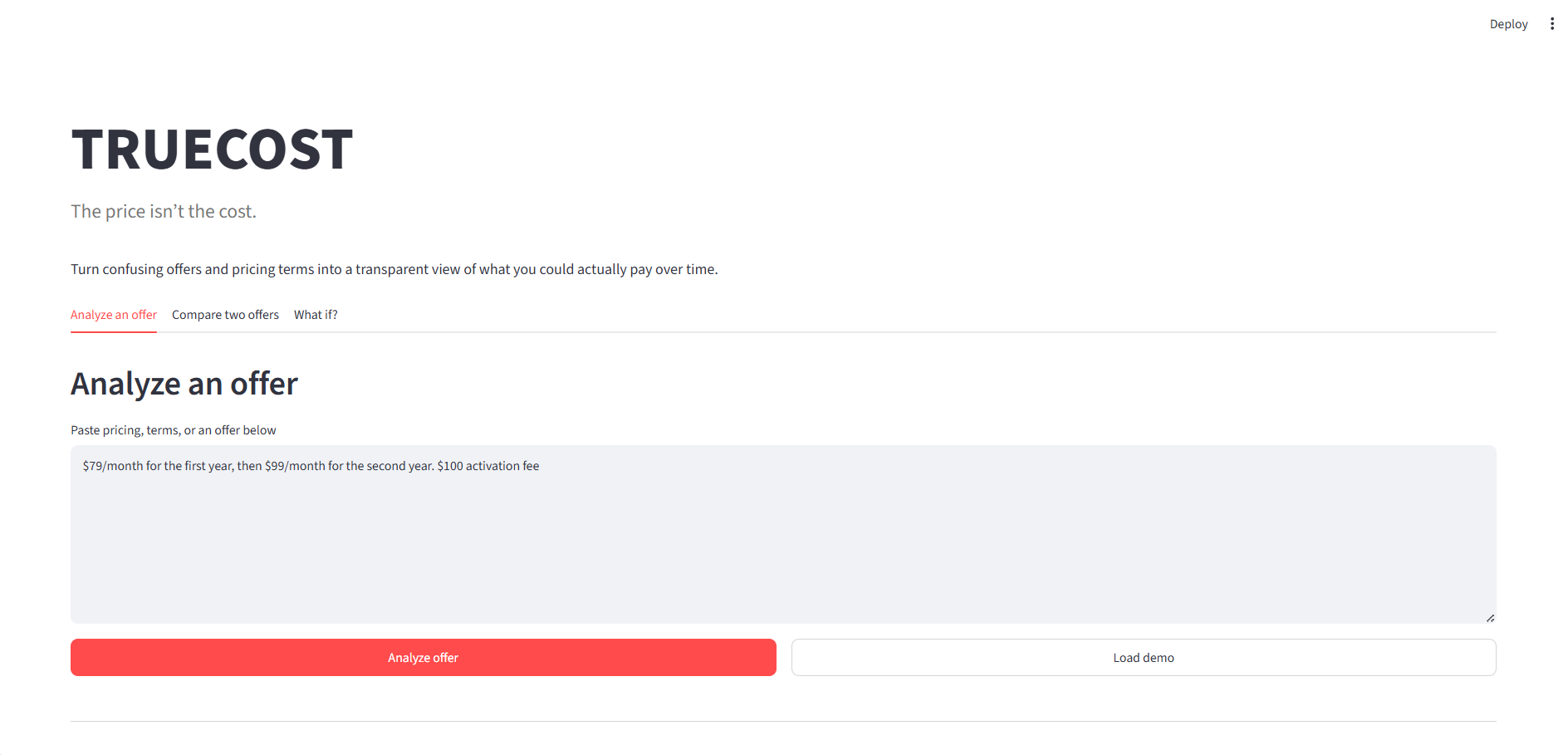
Paste an offer and TrueCost breaks down the pricing terms automatically
-
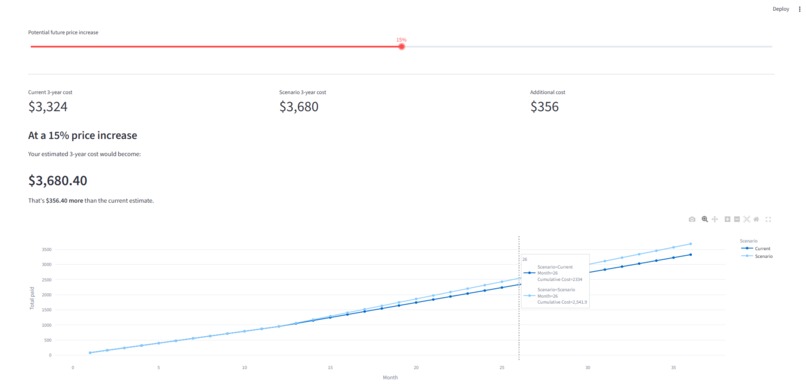
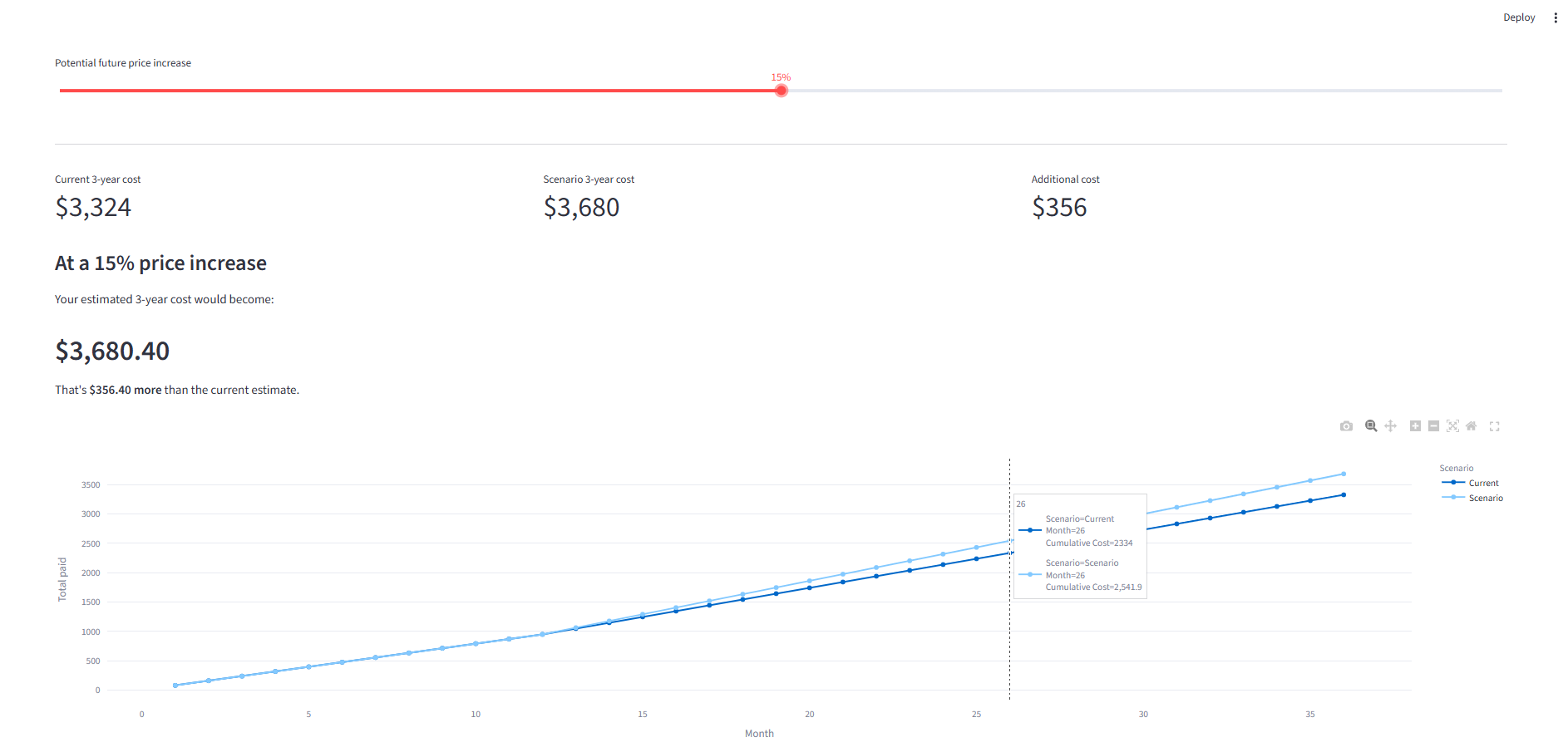
It tests a future price change and see how much it could change the total cost
-
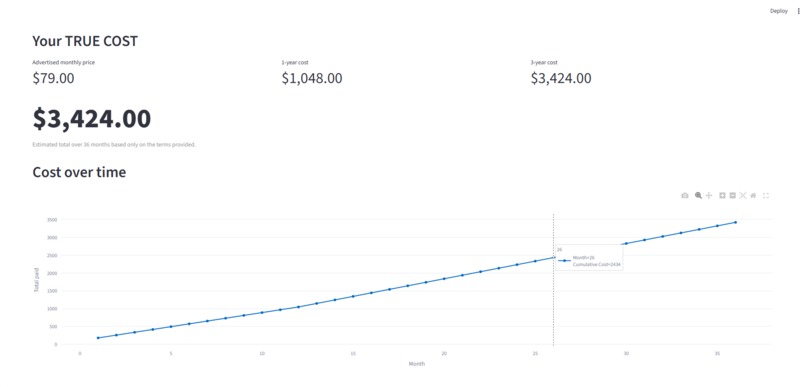
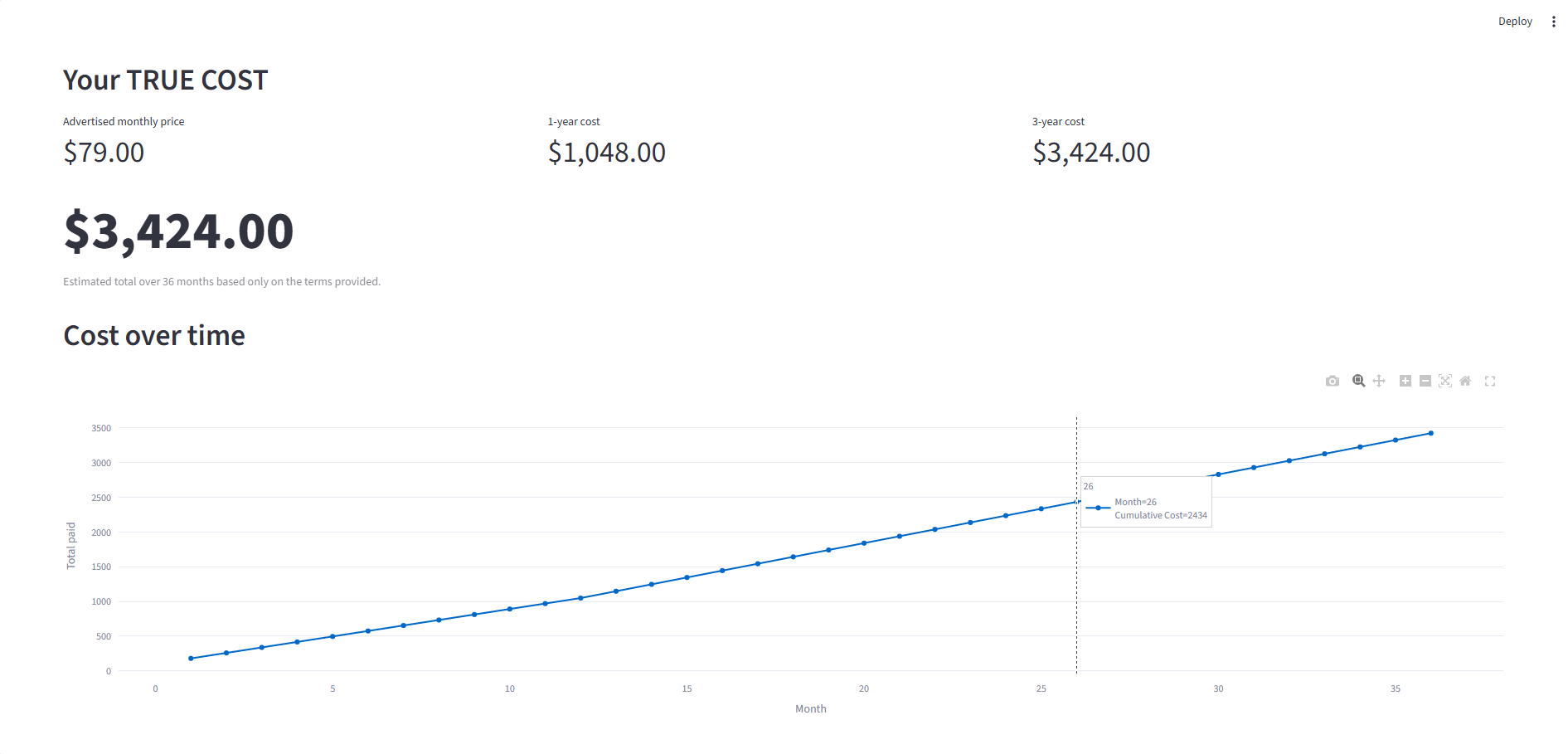
Watch how the total cost grows over time instead of just looking at the monthly price
Inspiration
I noticed that a lot of offers make the first price look really simple. For example, something might say "$79/month," but then there can be an activation fee, equipment fees, or a much higher price after the first year. I wanted to make it easier to see what you would actually pay before signing up. That's where TrueCost came from.
What it does
TrueCost lets you paste a pricing offer and see what it could actually cost over time. It can pick out things like:
- Promotional prices
- Price changes
- Monthly fees
- One-time fees
- Contract information
- Other pricing details that might be easy to miss It then shows estimated costs at different points, including 1 month, 6 months, 1 year, 2 years, and 3 years. There are also two extra features: 1) Compare: allows users to put two offers side by side and see which one would cost less over three years. 2) What If?: allows users to change the future price and see how much that could affect the total cost.
How we built it
We built TrueCost in Python using Streamlit. For the AI part, we used Featherless AI with Qwen2.5-7B-Instruct. The model reads the pricing text and pulls out the important numbers and terms. We then use regular Python code to calculate the actual costs. Plotly is used for the graphs and Pandas helps organize the data.
How we use AI
We didn't want the AI to do the math itself. Instead, the AI reads the offer and turns the text into structured information. For example, it can figure out that "$79 for the first 12 months, then $99" means there is a promotional price of $79, a 12-month promotional period, and a regular price of $99. After that, our Python code handles the calculations. This was important to us because we wanted the numbers shown to the user to come from actual calculations instead of asking an AI model to guess the answer.
Challenges
One of the hardest parts was getting the AI to consistently understand different ways people write pricing information. An offer might put the promotional price in one sentence, the extra monthly fee in another sentence, and the activation fee somewhere else. We also had to make sure that missing information wasn't accidentally made up by the AI. Another challenge was connecting the AI output to the calculation code and then turning everything into something that was easy to understand on the screen.
What we learned
One thing we learned from building this was that AI doesn't have to be the whole product. In our case, AI is useful for understanding the messy text, while normal code is better for doing the calculations. We also learned a lot about connecting an AI API to a web app and turning the output into something people can actually use.
What's next
If we kept working on TRUECOST, we'd want to support things like screenshots and PDFs of offers instead of making users copy and paste the text. We'd also like to handle more complicated contracts and things like cancellation fees and taxes.
Built With
- ai
- app
- featherless
- ml
- natural-language-processing
- pandas
- plotly
- python
- streamlit
- web

Log in or sign up for Devpost to join the conversation.