

Inspiration
Lately I have had a lot going on in my life, lots of different long-term or current goals that I all want to get done at once. Most todo apps allow you to just create a checklist of as many goals as you want. My idea for True North was to flip that idea on its head. How about a limited number of goals?
What it does
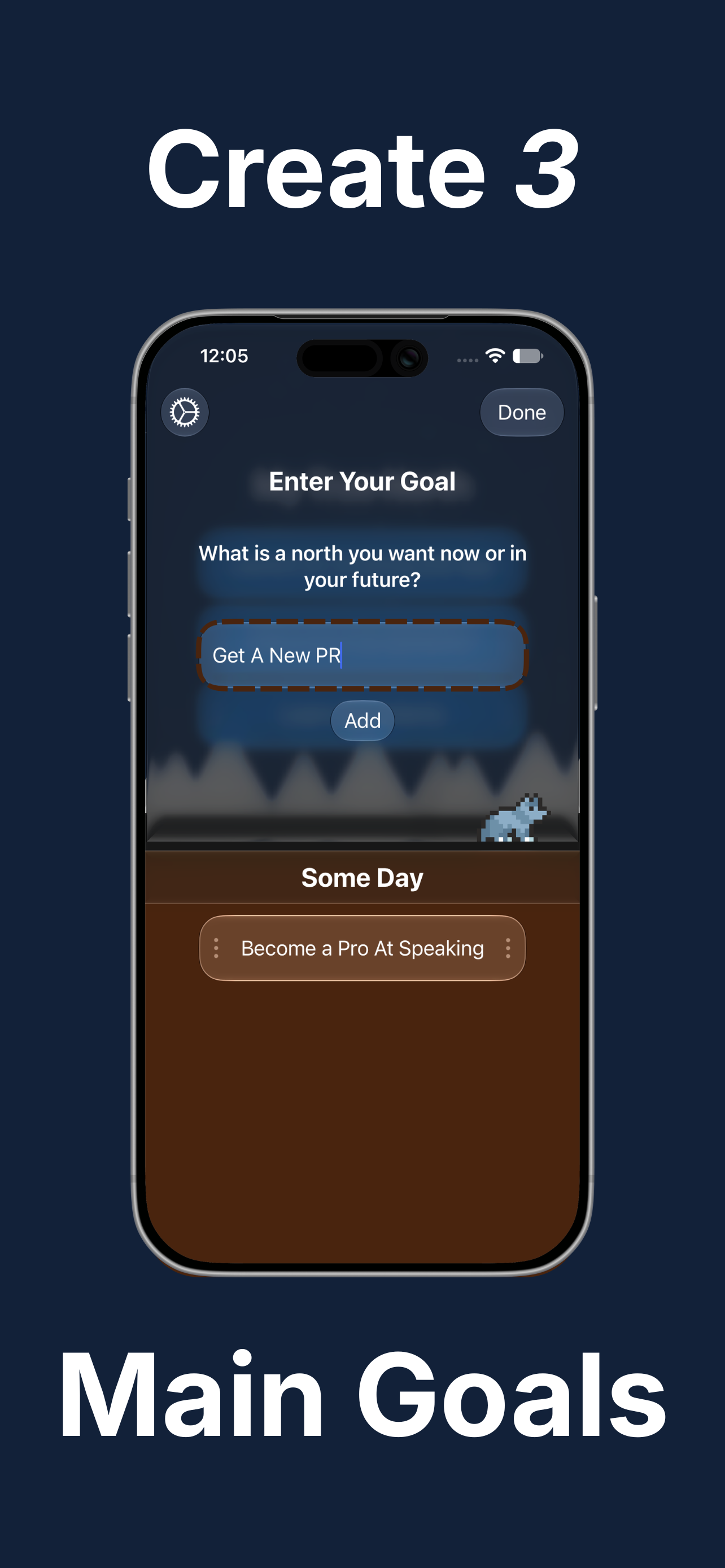
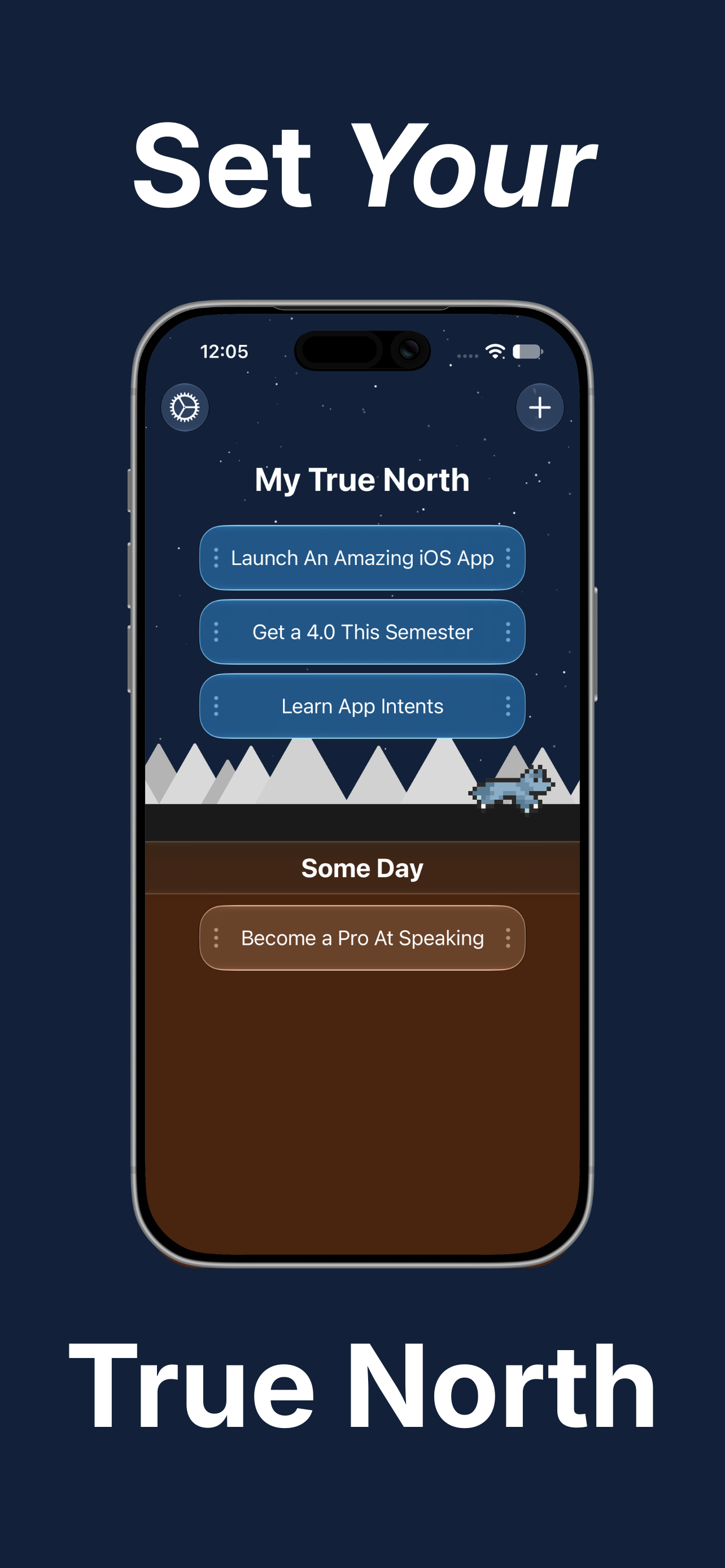
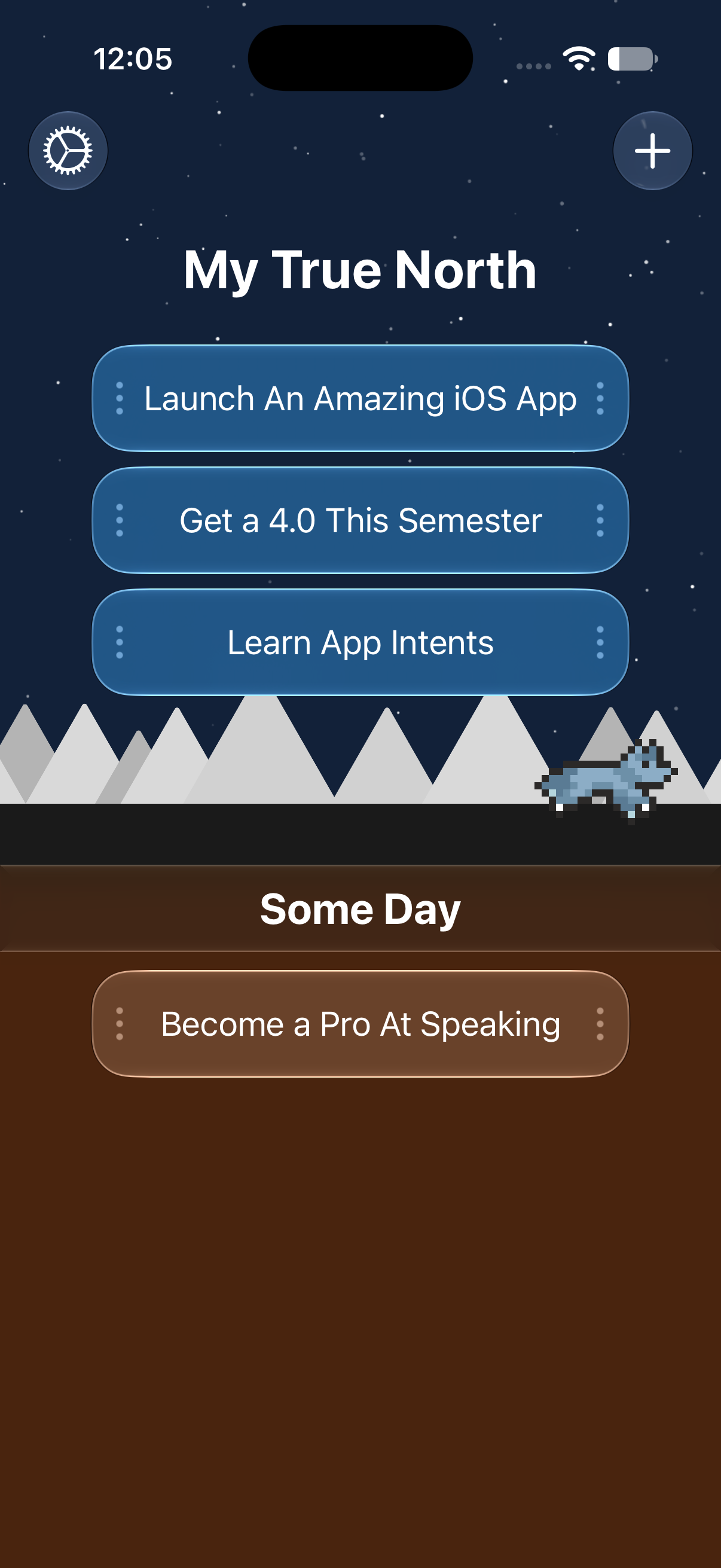
To create a goal, the user taps the plus icon and types in whatever they are dreaming up, then when they hit create, the goal slides into the someday pile. From here, they pick whichever three goals best suit them for this time period and drag them into the True North.
Before this, the user is first greeted with their companion wolf named Wasatch, named after my school’s home region, the Wasatch Front. This friend follows the user throughout their goals with fun interactive animations and additions throughout the app.
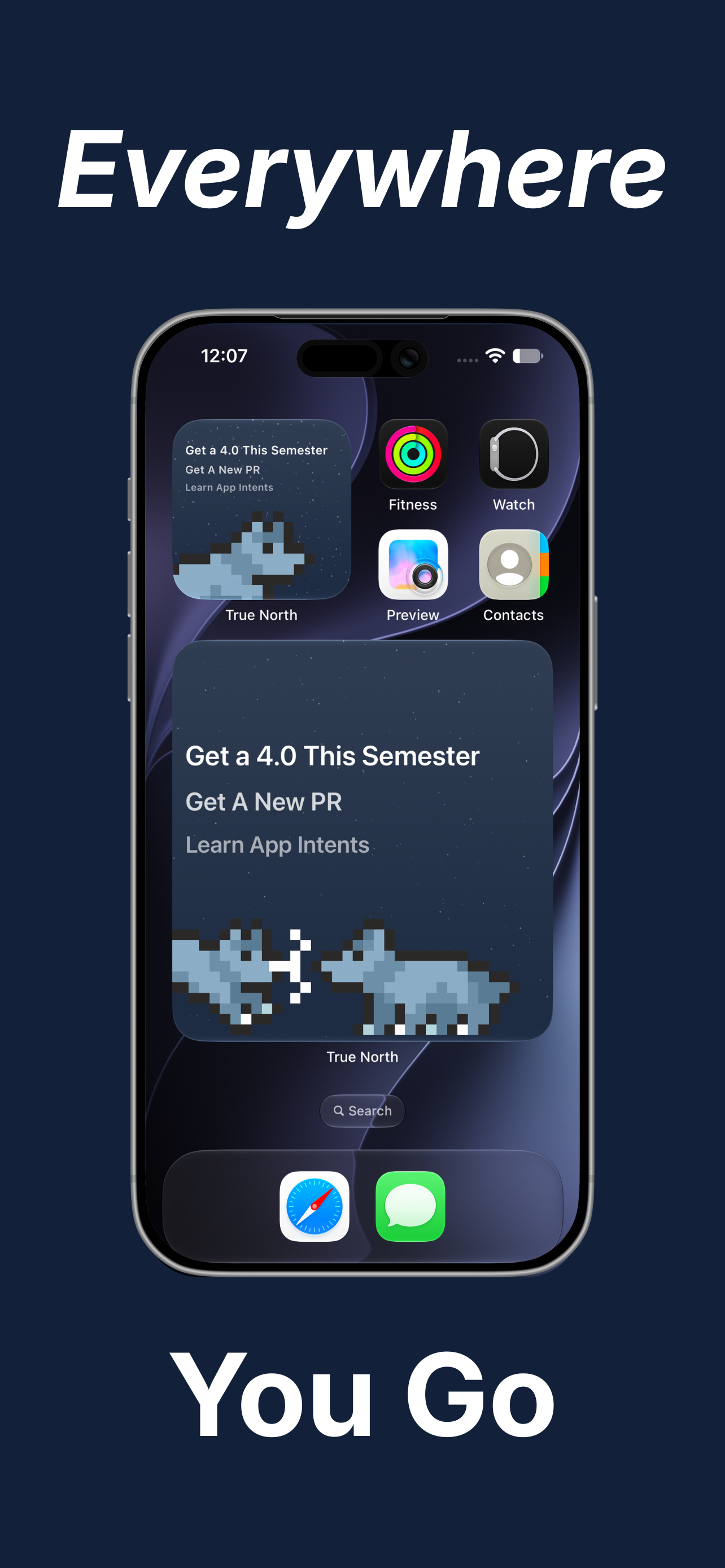
The user can then keep track of their goals in native areas throughout the operating system. First, there are multiple sizes of widgets on the home screen. The small and medium versions show the latest goals with a simple Wasatch sitting pose, but where the fun comes out is with the larger one, where there are 2 wolves that change behavior whenever the widget updates. Second, the user can add the smaller medium-style widget directly to their lock screen on the clock to keep the goals visible at all times with the Always on Display. Finally, I made sure the widgets look fantastic in StandBy mode, to keep track whether on the nightstand, or propped up at the desk.
Some other details: This project was a lot about just designing a really awesome looking app. I took inspiration from older versions of iOS and some games to create a parallax effect that keeps the mountains on the main screen look like they are far in the distance. I also applied this effect to the twinkling stars in the dark mode night sky. On top of this, the color of Wasatch can be changed, and that state is changed through most places in the app, and widgets.
How I built it
This app took around 1 month of work to complete, from the initial planning and idea generation phase, to the final product. The main frameworks I used were SwiftUI, WidgetKit, and AppIntents.
Challenges I ran into
The new AppIntents schema framework is based on the assumption that an app follows standard reminder or note app norms. Basically, it wants more details than True North is able to provide. To fix this, I patched together both the reminders schema as well as custom Siri Shortcut intents to allow as many possible ways for the user to access information from the app.
Another challenge I ran into was with the initial wolf stampede animation when the user first opens the app. Originally I had it showing close to 200 wolves running across the screen, but this was too much for the main thread. Each wolf animation consists of around 6 frames so that is over 1200 images loading in less than a second. I ended up switching over to just a few running across the screen, disappearing, then reloading again to run across.
Accomplishments that I'm proud of
I successfully was able to get the application working with the new SiriAI features introduced in iOS 27. This was a long process of trial and error between different schemas and ultimately I landed on a compromise between the reminder schema and shortcuts. Another piece I am proud of is the simplicity of the app. It's not an everything-featured application where you can add markdown inside each goal, or add custom colors to everything. It is very direct, but at the same time fun for the user.
What I learned
This process was a fun task for me as my 3rd personal iOS application. I wanted to build something unique in its own character and I feel I found just the right balance of it. For frameworks, I learned how to use WidgetKit, and explore all of the new features for Siri. I also learned more about better system design, taking in what I have learned over the summer at my internship to build more manageable code and data structures.
What's next for True North
Features
I'm super excited for the iPhone Duo. I can envision lots of cool interaction design through the different orientations the Duo can be used with. I also plan to add support to every model in the Apple Ecosystem soon, with resizability in the works.
RevenueCat Integration
I also plan to launch this app on the App Store soon, with an update coming for RevenueCat in-appa purchase support. The foundation is already laid for this, with the wolf style selector just not showing every style a user could pick from, as well as the ability to change the app icon.
Built With
- appintents
- swift
- swiftui
- widgetkit

Log in or sign up for Devpost to join the conversation.