-
-
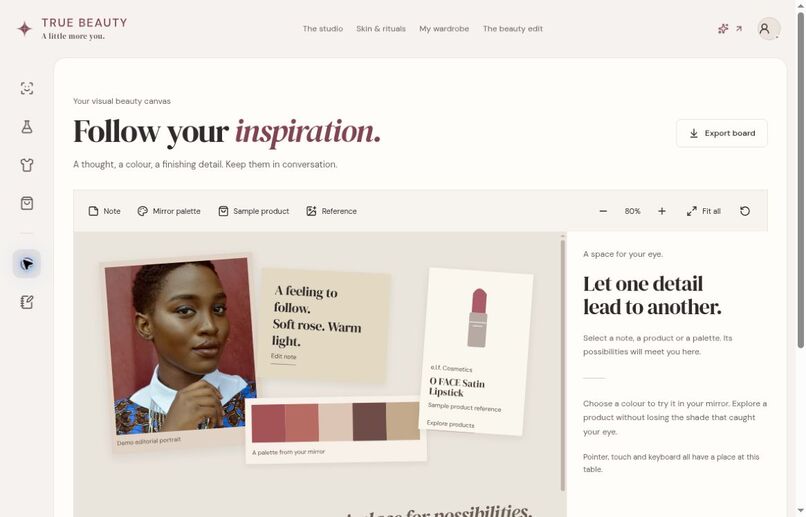
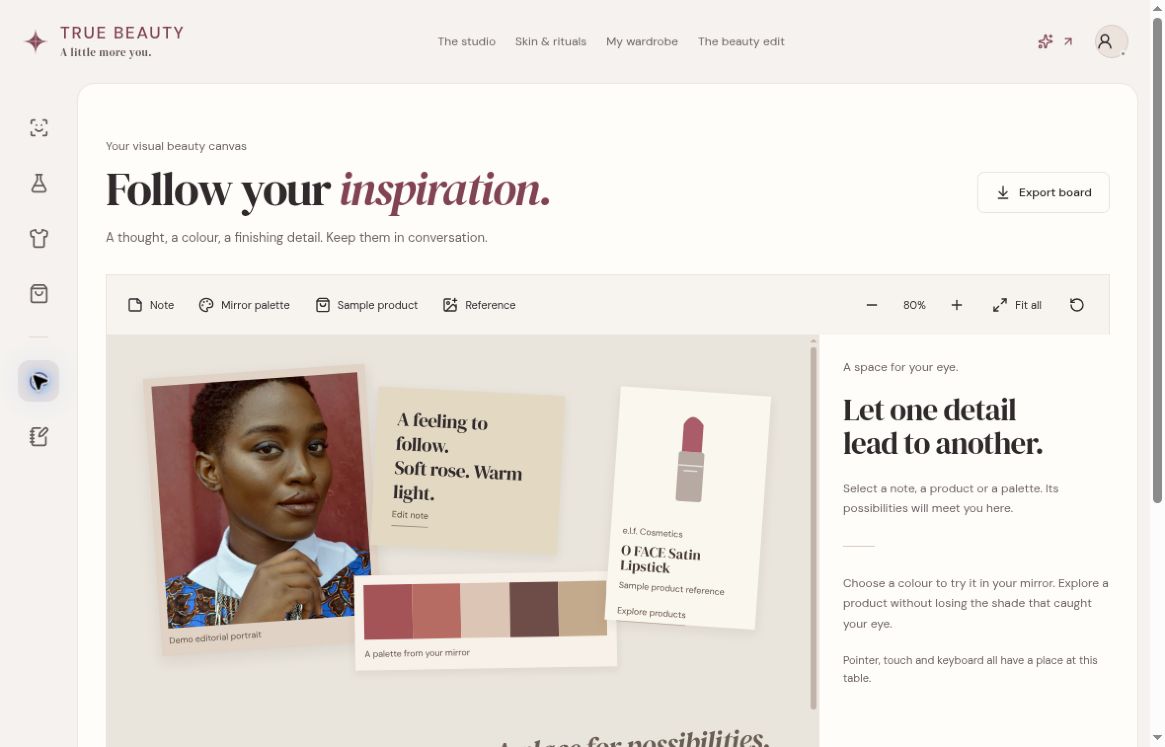
Public preview: inspiration canvas connects a demo portrait, notes, a palette and sample product references.
-
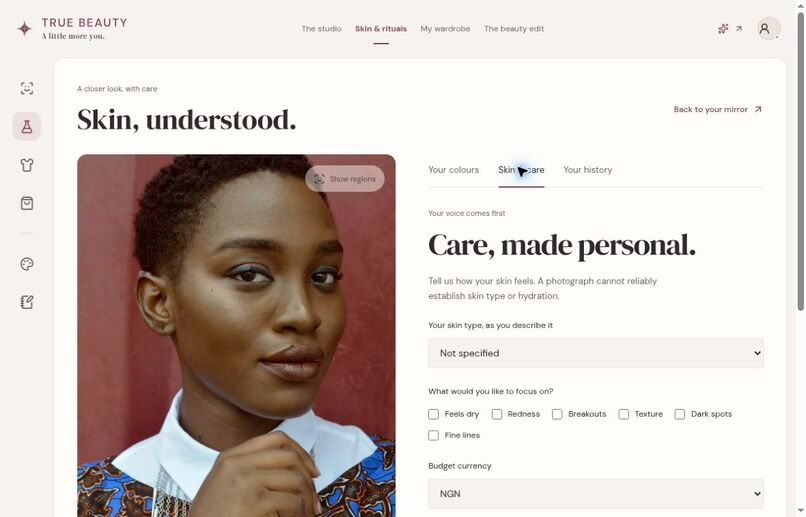
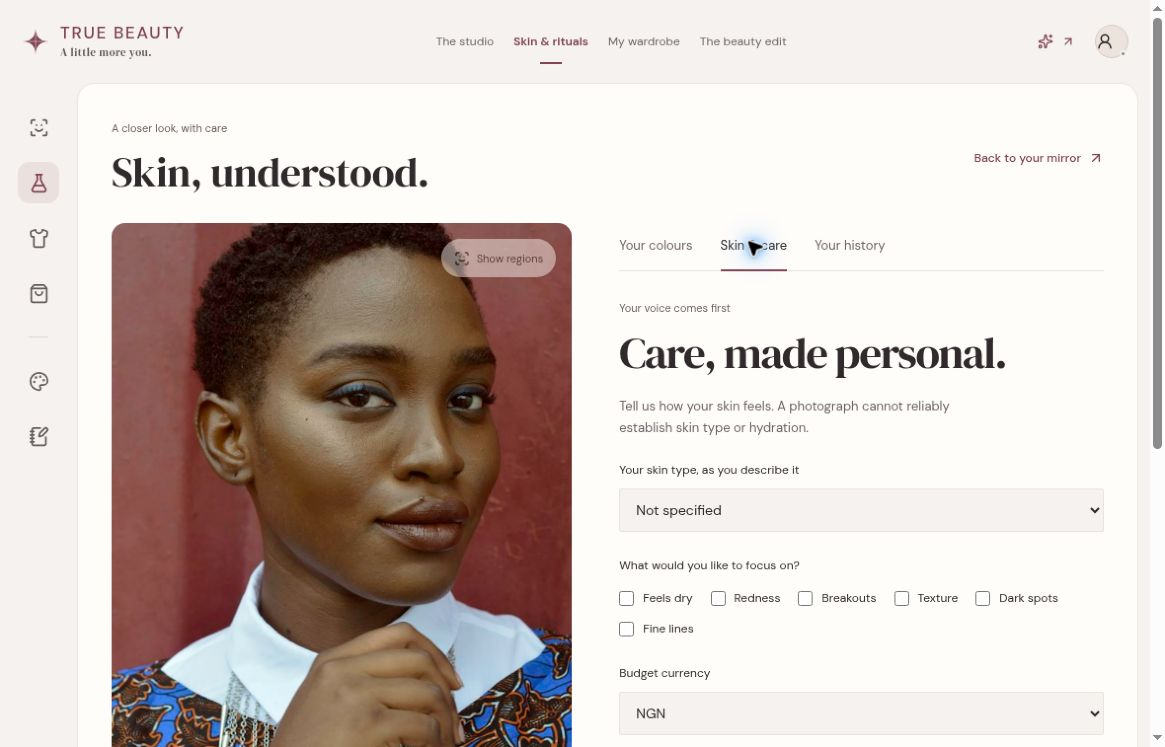
Public preview: Skin & care preferences. Hosted paid provider analysis is not connected; no provider results are simulated.
-
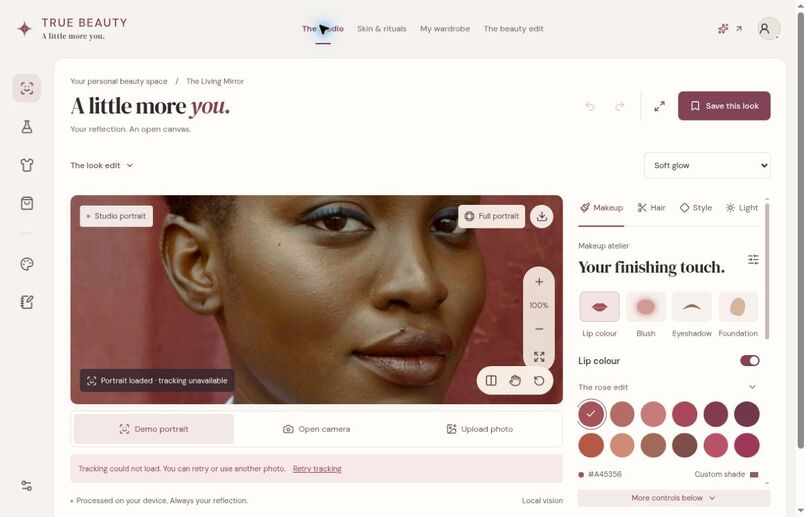
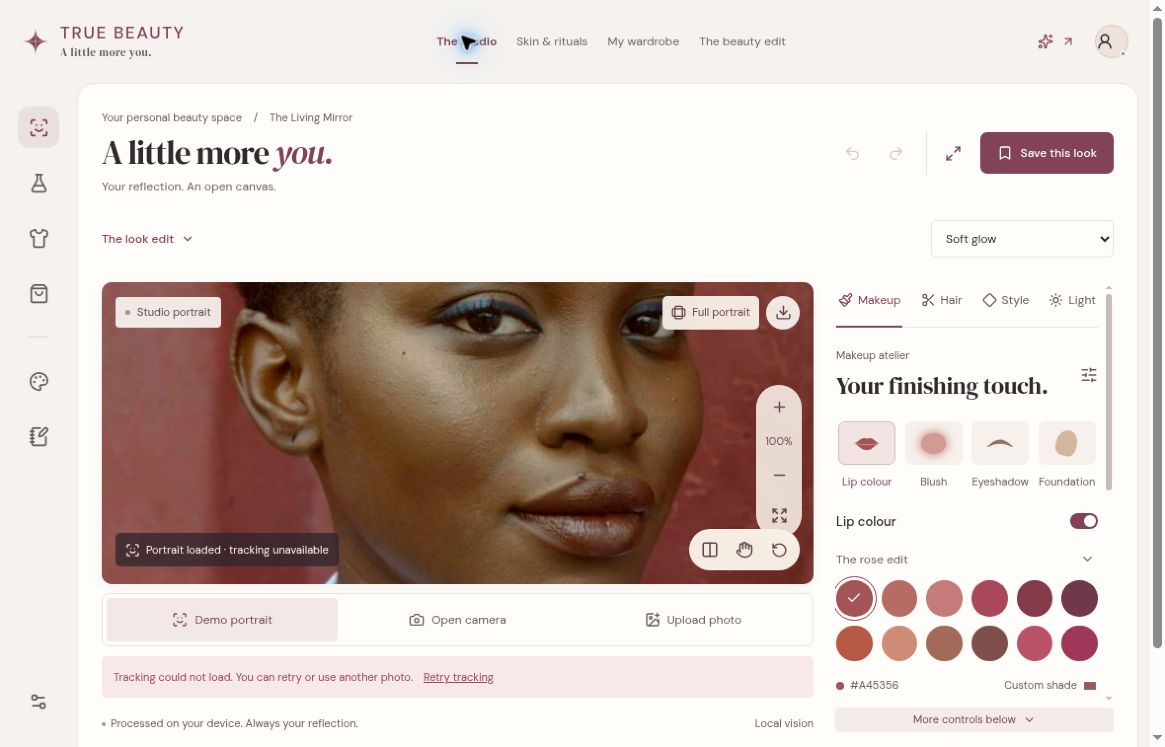
Living Mirror controls in the public preview. Tracking was unavailable in this browser check; the visible warning is retained.
-
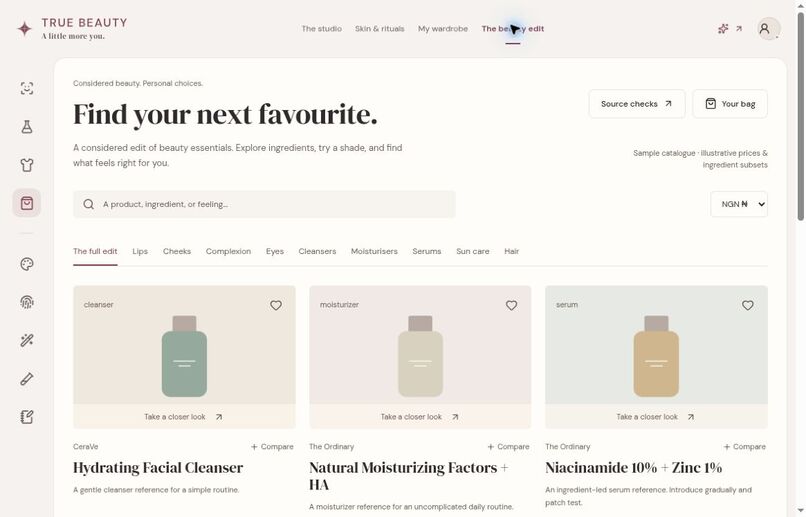
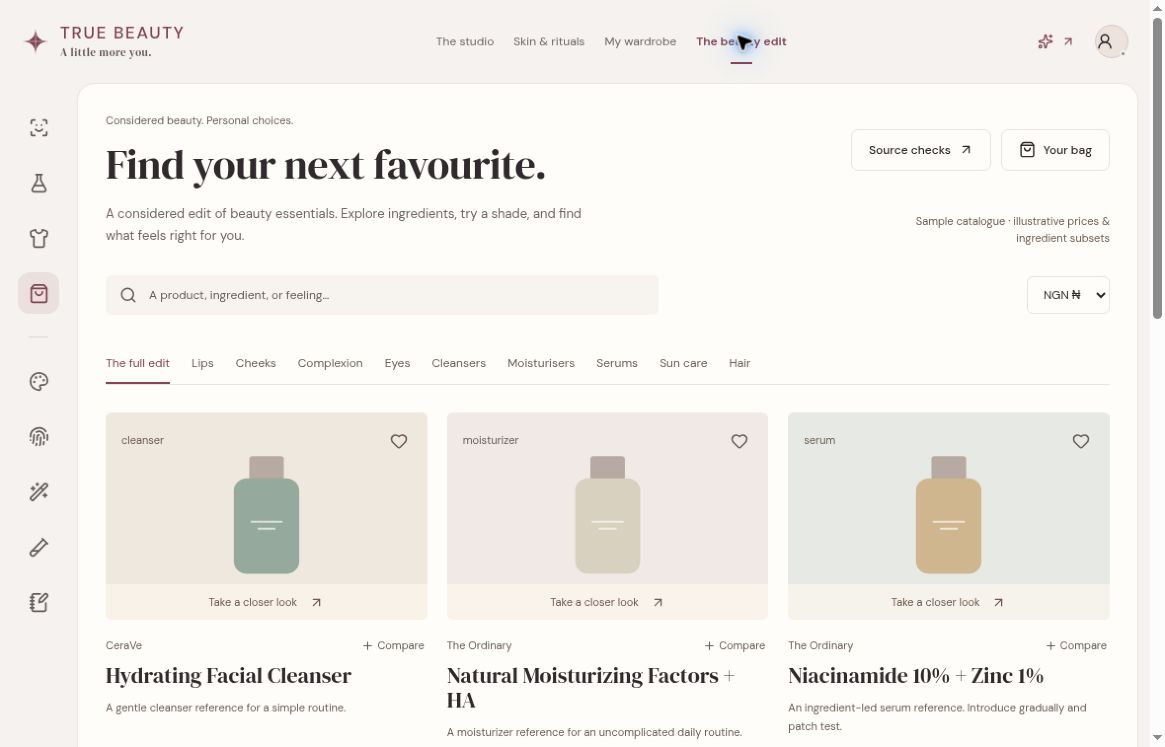
Beauty Edit: searchable sample catalogue with ingredient references, shade exploration and illustrative NGN/USD planning.
-
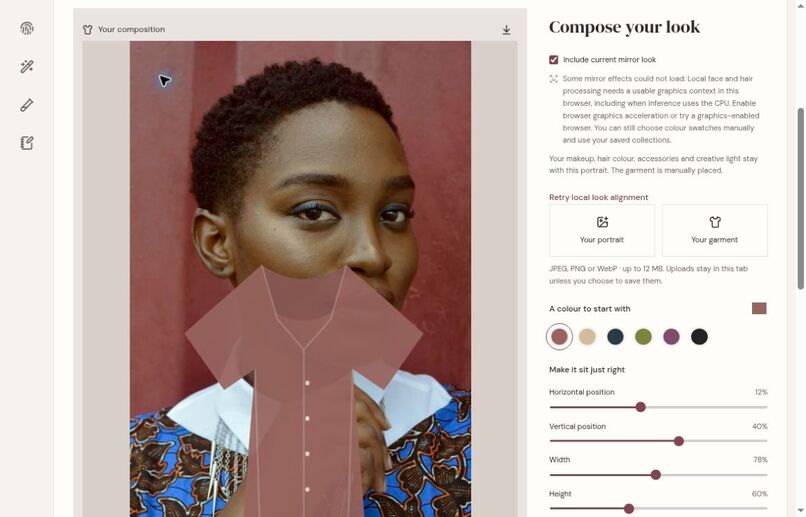
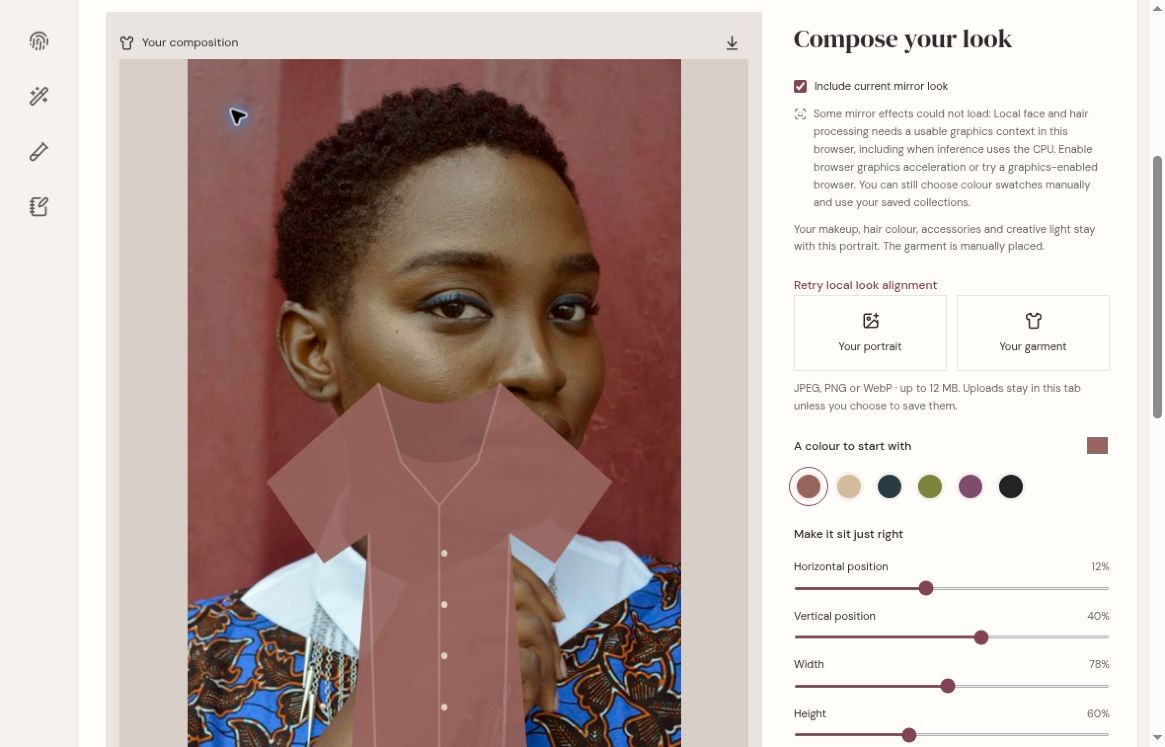
Dressing Room: local manual garment composition and placement controls; not a fit/drape prediction. Graphics warning retained.
-
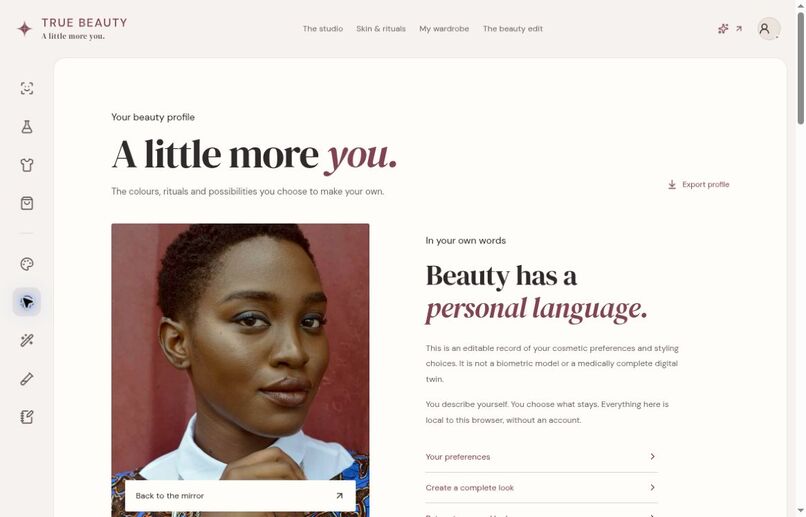
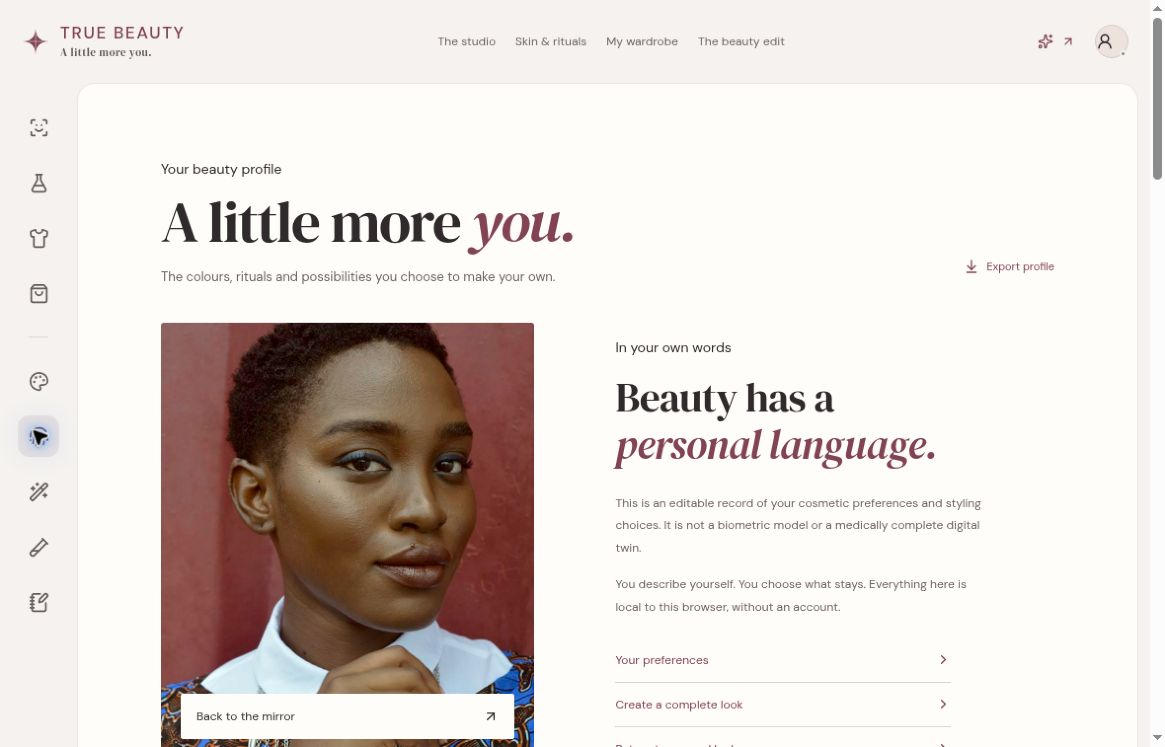
Beauty Profile: editable local cosmetic preferences and connected complete-look recipes; not a medical or biometric digital twin.
-
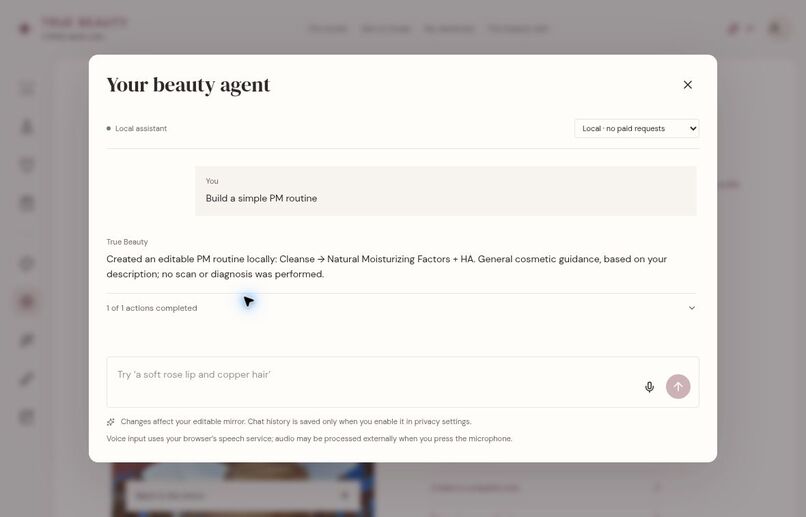
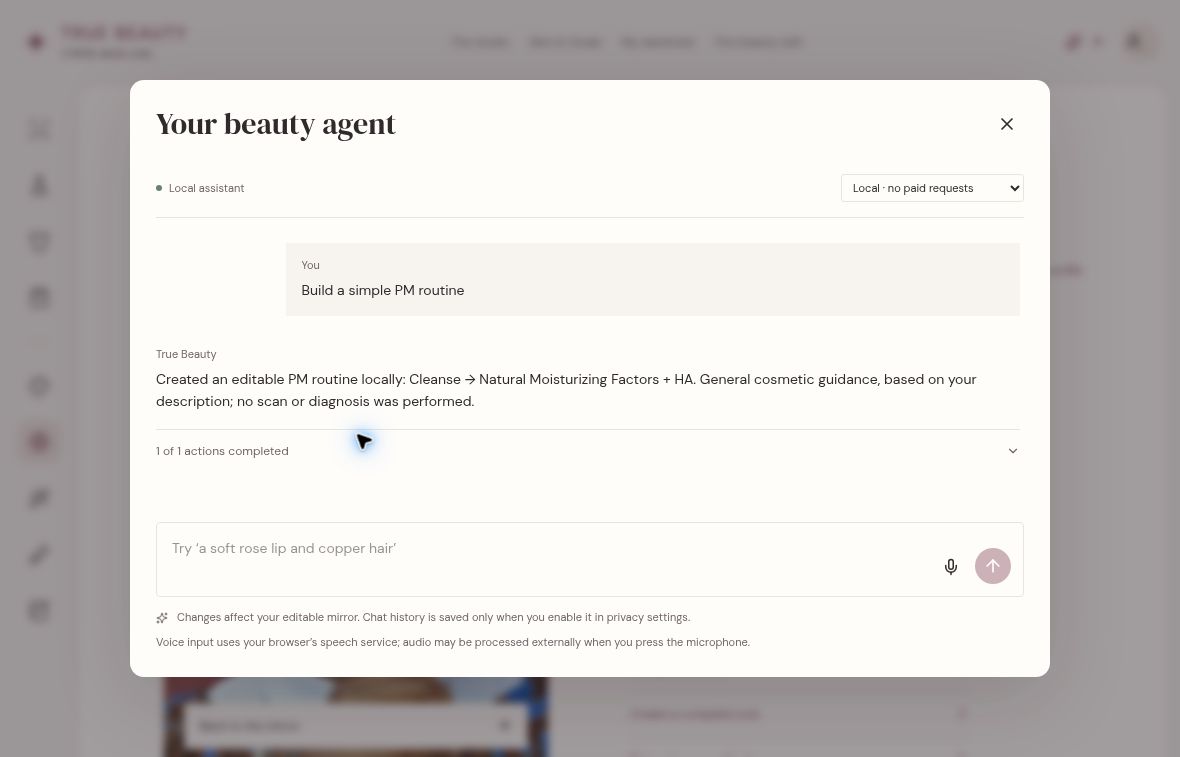
Local beauty companion executes a real routine-building action. Shown in no-paid-request mode, not a connected LLM claim.
-
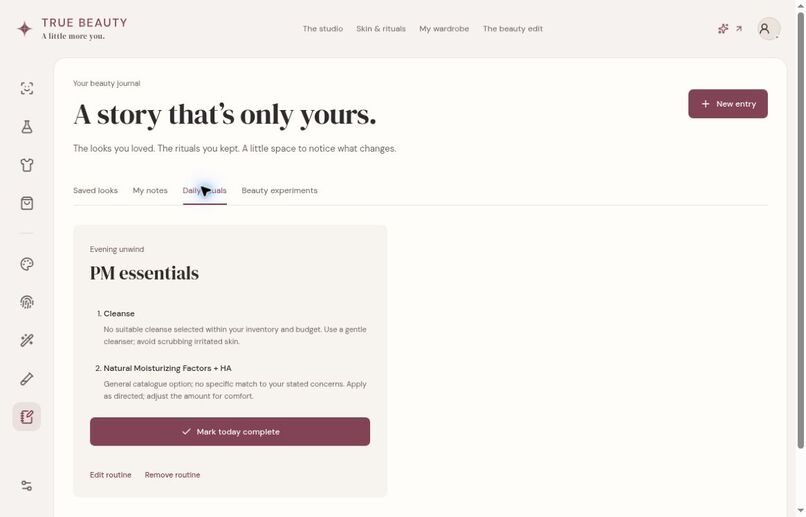
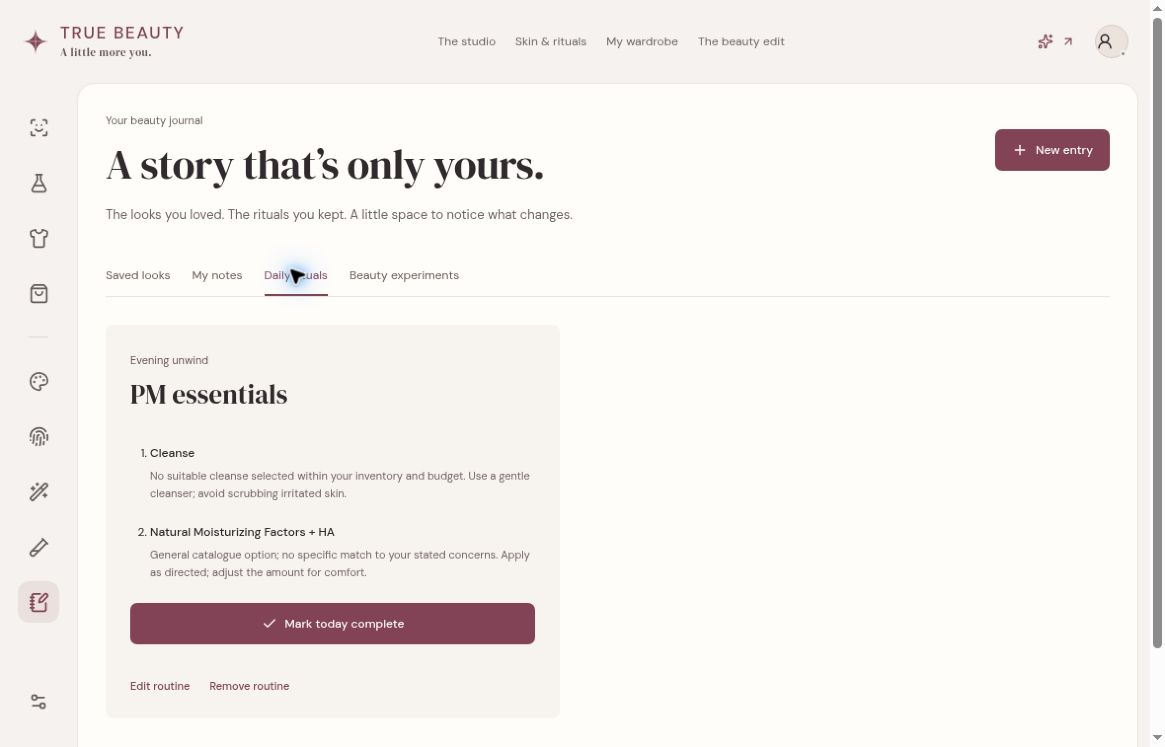
Beauty Journal: the local agent-created PM routine appears as editable daily rituals; no skin scan or diagnosis was performed.
-
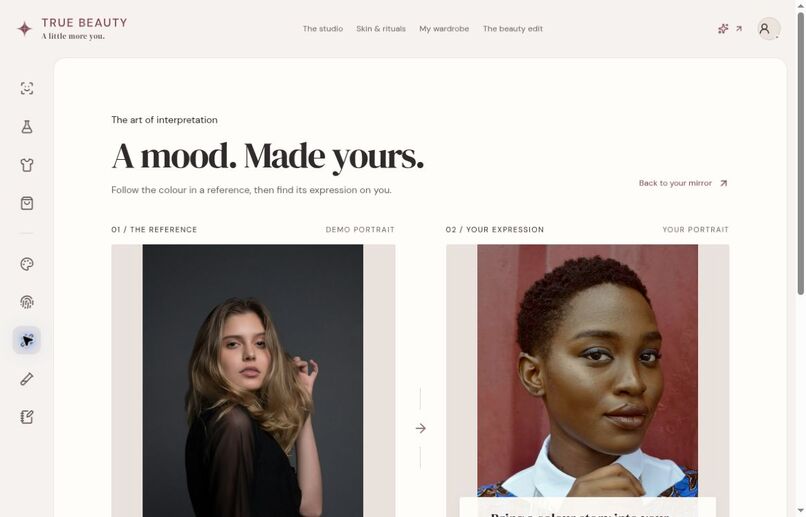
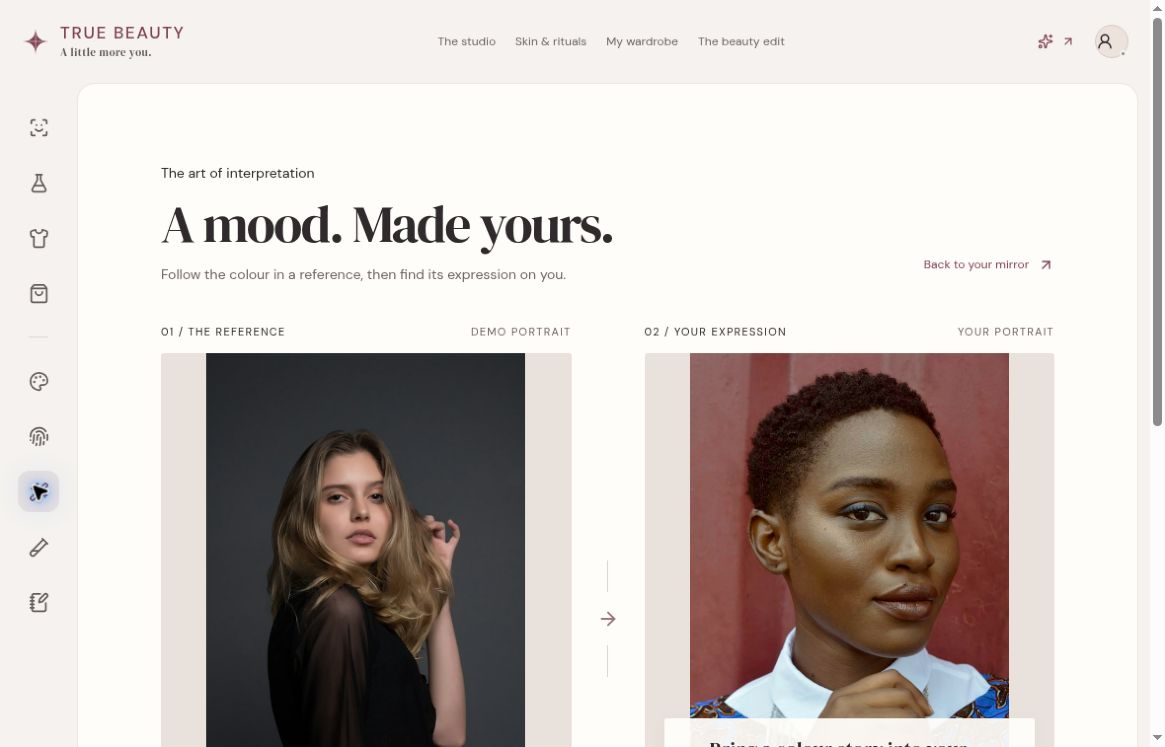
Look Remix reference workspace before interpretation: demo inspiration alongside the unchanged target portrait; local colour study.
Your reflection is the beginning—not the whole experience
Trying a lipstick shade is easy. Turning that experiment into a look you can recreate, a product decision you understand, and a routine that fits your life is harder. Beauty apps often leave those steps disconnected.
True Beauty is a personal AI beauty studio for makeup, skincare and style. It connects a visual mirror, inspiration, product exploration, routines and editable personal memory in one local-first workspace. The goal is not to tell someone how they should look. It is to give them more control over how they explore and express themselves.
From a first idea to a look you can keep
1. Explore in the Living Mirror
Start with a labelled demo portrait, your own photograph, or an explicitly enabled camera. The studio keeps makeup, hair, lighting and styling controls beside the same portrait. Adjust colour and intensity, switch between six look studies, compare before and after, undo an edit, or save a look.
The Makeup Atelier provides editable layers and matte, gloss, shimmer and glitter finishes. Hair Studio separates local segmented recolouring—solid colour, highlights, ombré and balayage—from remotely generated hairstyle previews. Local rendering uses Canvas with optional WebGL materials; these are cosmetic previews, not calibrated physical shade matches.
 Actual public-preview screenshot. This browser encountered unavailable tracking; the warning is deliberately retained. Local-build verification and public deployment are tracked separately.
2. Understand preferences without turning a selfie into a diagnosis
Skin Lab works from the original portrait rather than a cosmetically altered preview. It offers local colour exploration, editable swatches, portrait checks and self-described skin preferences. Skin type and goals come from the person, not unsupported inferences from a photograph.
In the configured development build, YouCam adds genuine skin-analysis tasks behind explicit framing, upload consent and cost approval. Results are presented as provider predictions with uncertainty—not medical conclusions. The verified browser journey covers receiving four predictions, deliberately saving history, reloading it and deleting it, without storing a photo.
 Actual public Skin & care interface. Hosted provider analysis is currently not connected; no provider scores are simulated.
3. Make inspiration editable
The visual canvas holds photographs, notes, palettes and product references together. Pan, zoom, move objects and follow a selected colour back into the mirror rather than losing the idea between screens.
The current static release also includes Look Remix: image-derived regional colour extraction, user correction and an editable interpretation applied to the target portrait. It is not product identification or generative reconstruction; when face/model analysis is unavailable, it falls back to a palette-only interpretation.
 Actual public canvas with a demo editorial portrait, a note, a mirror palette and a clearly labelled sample product reference.
 Actual public Remix interface before interpretation. The unchanged portrait is not presented as a generated result.
4. Connect the look to products, outfits and everyday care
The product experience links shade exploration, ingredient information, comparisons, wishlists, owned products and shopping bags. Sample catalogue information stays labelled as sample. The development build adds attributed merchant observations with source and fetch-time information; imported prices cannot silently become fresh verified offers.
The Dressing Room supports garment upload and manual composition with placement and colour controls. Saved outfit parameters connect back to complete-look recipes. Genuine YouCam clothing generation is a separate, locally verified workflow—not a claim of accurate garment fit, fabric drape or live body tracking.
Routines connect self-reported preferences, budget and owned products to editable AM/PM steps. Completion records, journal entries, experiments and saved-look comparisons help someone carry an idea beyond a single session. They do not establish treatment efficacy or causality.
 Actual public product catalogue; sample references are not represented as verified current retail offers.
 Actual Dressing Room. Manual composition is separate from provider generation and physical fit; graphics limitations remain visible.
 The public local companion created a PM routine through its built-in command; its editable steps are visible in Journal. No paid model was called for this check.
5. Give the companion useful tools—and keep its memory editable
The Beauty Companion can execute supported styling and routine tools instead of only describing a change. A deterministic local assistant remains available without a paid model. A genuine Claude integration was separately verified through three model turns that changed lipstick and hair controls.
BeautyGraph connects permitted preferences and saved context with attribution, correction and deletion. The current release's editable Beauty Digital Twin is a collection of self-described cosmetic preferences and complete-look recipes—not a biometric identity or a physically complete body model.
 An actual local command-planner action, separate from the locally tested paid Claude integration.
 Public Beauty Profile interface for preferences and complete-look continuity; not a biometric model.
Where YouCam creates real value
Three distinct provider workflows have completed genuine tests using original, clearly labelled synthetic fixtures:
- Skin analysis: a correctly framed portrait returned texture, pore, redness and moisture predictions. Raw and adjusted scores are kept separate; unavailable confidence is not invented.
- Hairstyle generation: YouCam returned an actual generated hairstyle image, visually reviewed and retained with provenance.
- Clothing generation: an upper-body garment request returned a blouse preview while retaining the original trousers and shoes.
A successful API response alone was not enough. An early clothing request completed technically but removed the trousers because the garment category was too broad. Correcting the request to upper-body made the result semantically useful. Skin analysis initially rejected a face that was too small in-frame; a visible, reviewed crop resolved that failure.
These tests verify execution on synthetic examples. They do not prove clinical accuracy, representative fairness, identity preservation or real-world fit.
Architecture: one scene, distinct responsibilities
The application is a React and TypeScript modular monorepo built with Vite. Frontend, API and domain packages separate vision, rendering, skin exploration, styling, commerce, routines and memory.
MediaPipe, OpenCV, Canvas/WebGL and Three.js support the visual layer. A shared scene keeps the portrait and editable parameters consistent across experiences, while inference and rendering are coordinated rather than redundantly loading models for every panel. Dexie/IndexedDB stores local records. Fastify provides the development API boundary for provider operations, validated inputs, quoted costs, consent and bounded execution.
Provider credentials stay server-side. No key belongs in a frontend bundle or a VITE_* variable. Public hosting needs more than a static deployment: the current Fastify router encountered an actual edge-runtime restriction, so a protected durable backend remains separate unfinished work.
Personal by design
Core local workflows require no login. Storage is browser-origin-specific, not automatic cloud synchronization. Photos are not silently stored; image transmission and retained history require explicit choices. Users can inspect, export, correct and delete records. Optional passphrase-encrypted backups are distinct from ordinary IndexedDB storage, which is not encrypted by default.
Provider retention is disclosed separately. Deleting a local record is not represented as a promise of remote deletion or a refund.
What has been tested—and what has not
The latest source evidence records 269 unit/API tests across 41 files, a clean Chromium/mobile snapshot with 132 passes and two production-only skips, selected Firefox and WebKit workflows, and eight production/offline checks. These are scoped engineering results, not a general accessibility, security, clinical or device certification.
Testing found real defects: a vision-engine teardown cleared data still needed by Remix; imported fields could leak images into metadata exports; imported prices could be labelled fresh; and mobile controls could hide the portrait. Those issues drove concrete fixes and retained regression tests.
Current delivery boundary: the public URL now serves the round-six static release, including local Remix, editable profiles and improved wardrobe controls, but has no hosted paid-provider backend. The browser check used for this gallery encountered unavailable portrait tracking and a graphics-context warning; this is evidence about this browser, not a claim that tracking fails on every device. The current source and documented local setup contain the verified development workflows. Physical-device reliability, representative fairness, advanced rendering/occlusion and overall distribution-rights clearance remain open.
Try the project
For the local demo, use Node 22+ and npm 11, run npm ci, npm run models, then npm run dev, and open http://localhost:5173. No account, API key or camera permission is required for the demo. Optional provider operation needs the separate local API and server-only configuration documented in the repository.
What comes next
Finish protected provider hosting, resolve remaining distribution-rights questions, and validate the experience on physical devices and representative consenting participants. Then deepen complete-look coordination and rendering realism without hiding approximation, uncertainty or user choice.
The ambition is a beauty workspace that remembers what matters to you—without taking control away from you.