-
-
vLLM Optima: fix what breaks, optimize, and prove every change on your own GPU
-
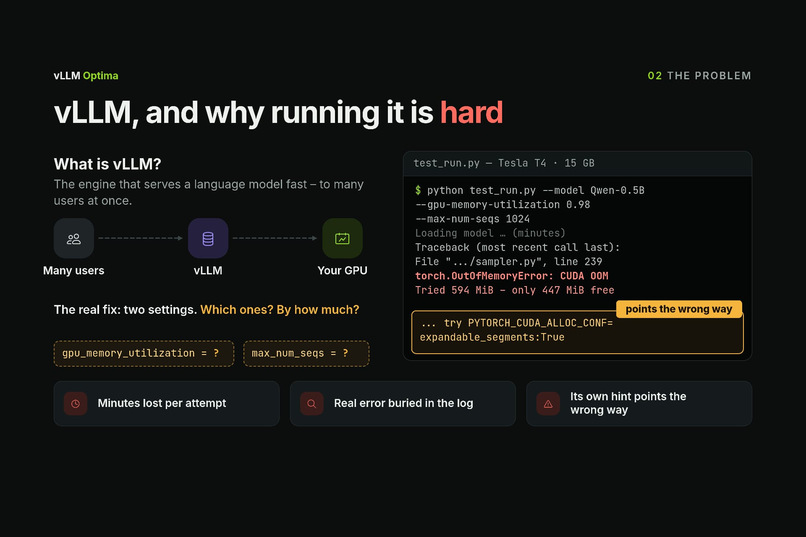
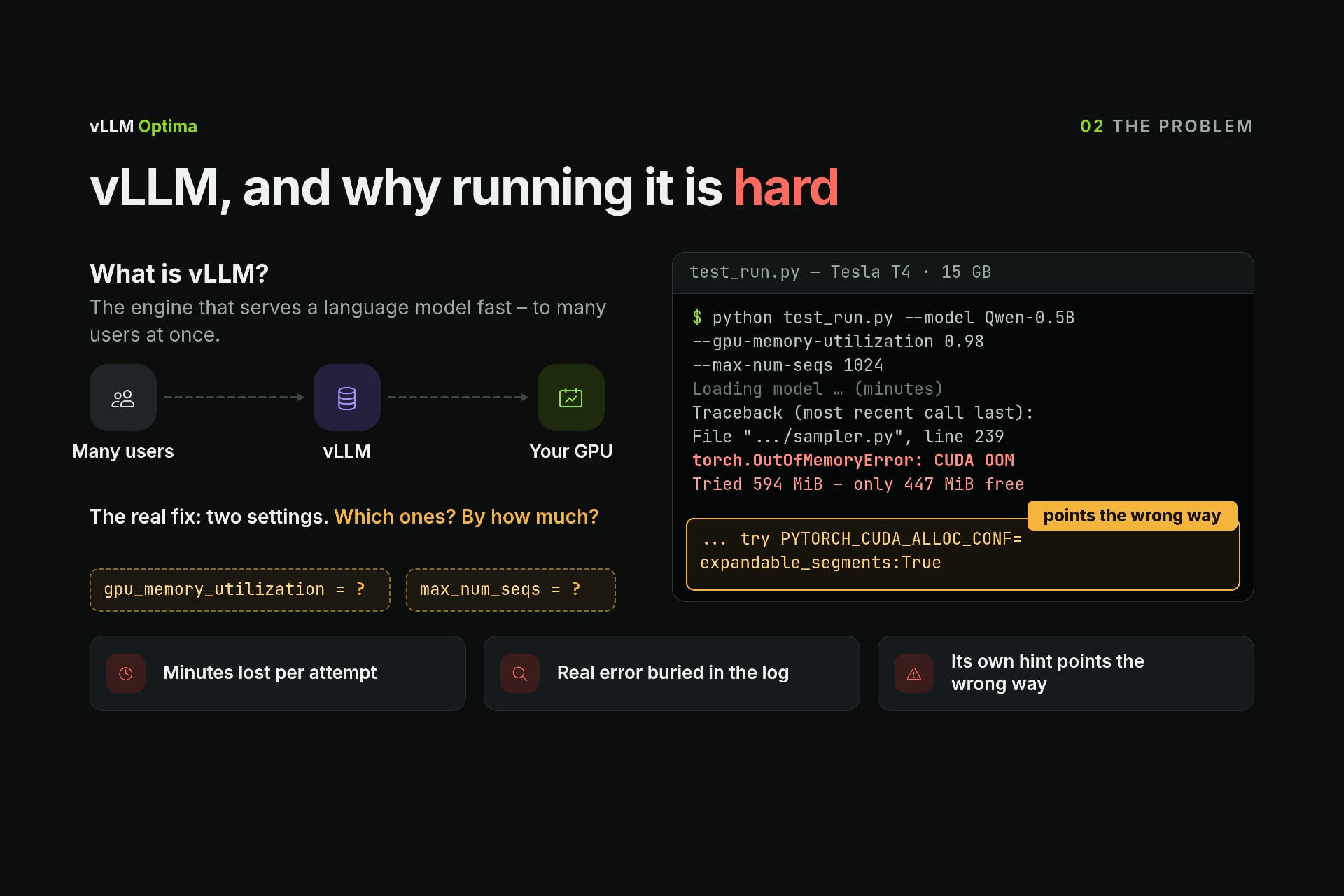
A real crash on a Tesla T4: “CUDA out of memory”, and even the error’s hint points the wrong way
-
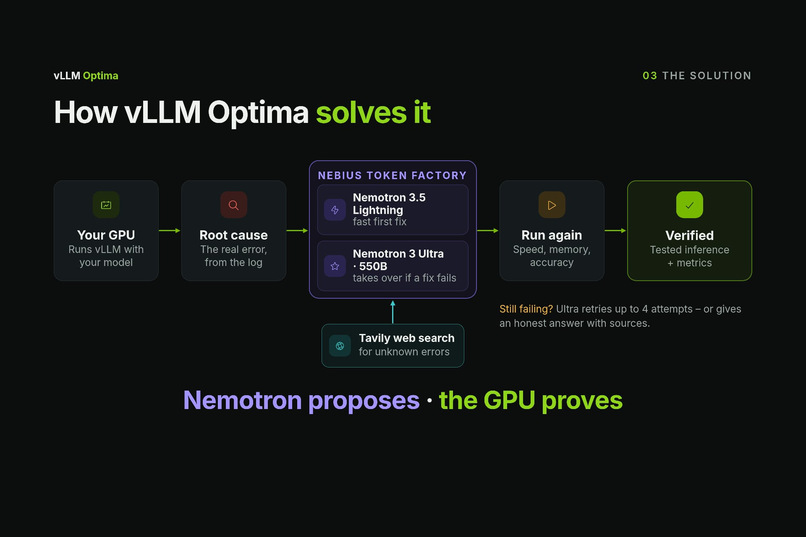
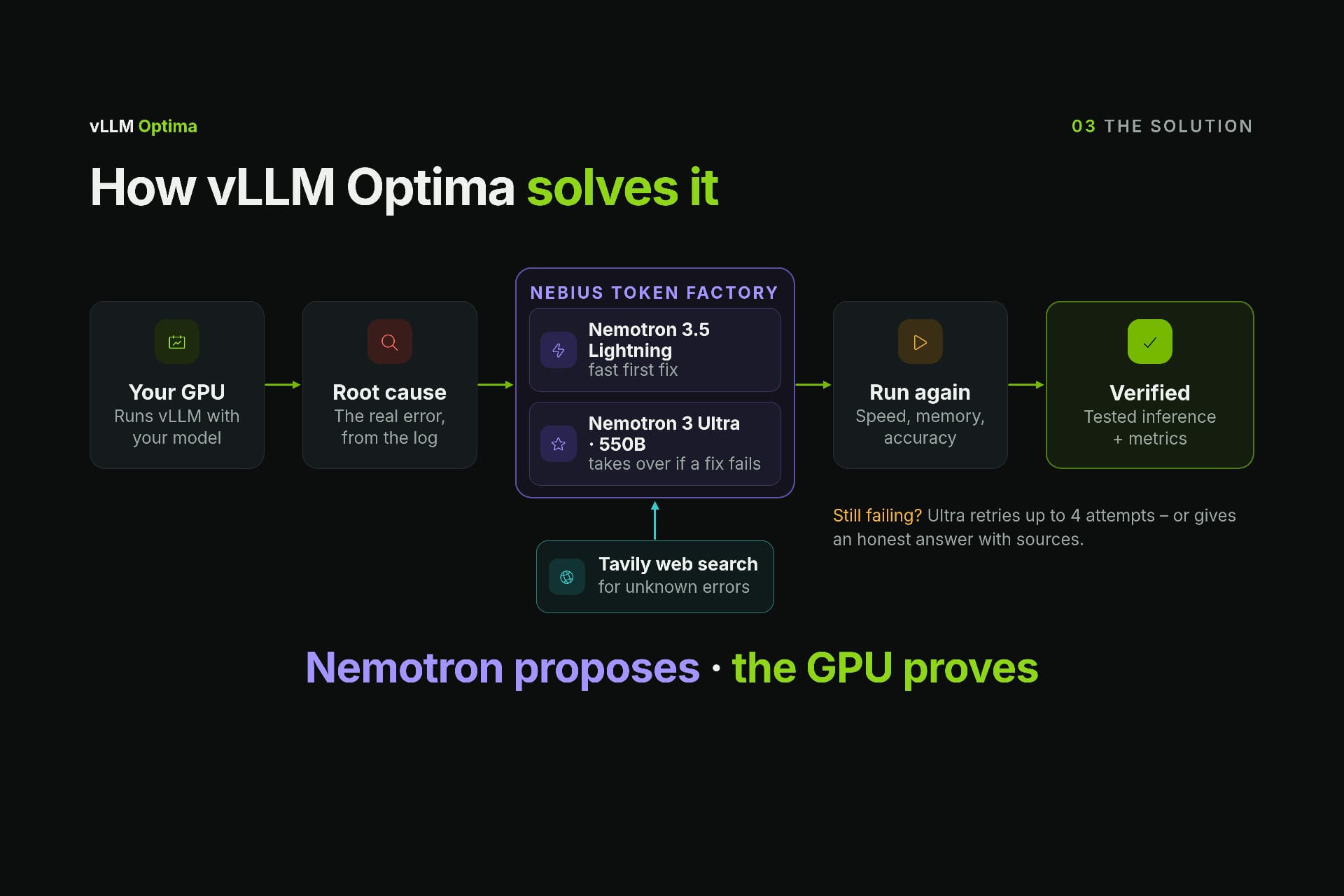
How it works: Nemotron on Nebius Token Factory proposes a fix, Tavily searches unknown errors, the GPU proves it
-
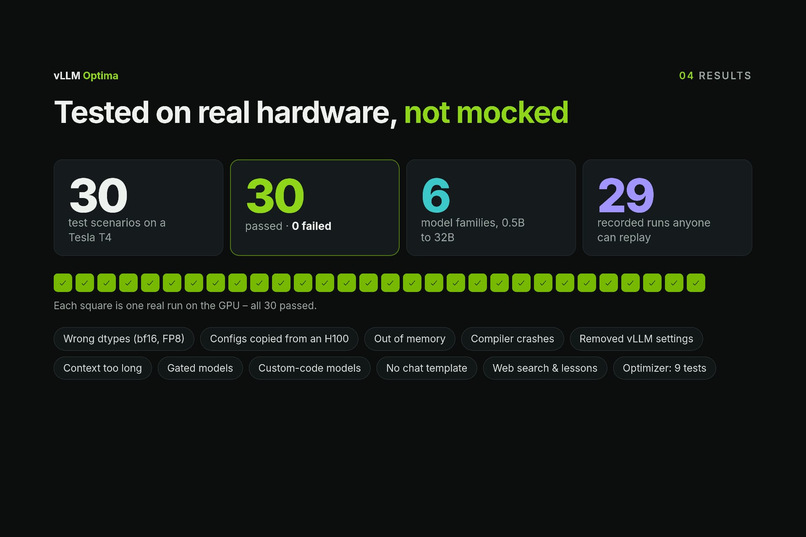
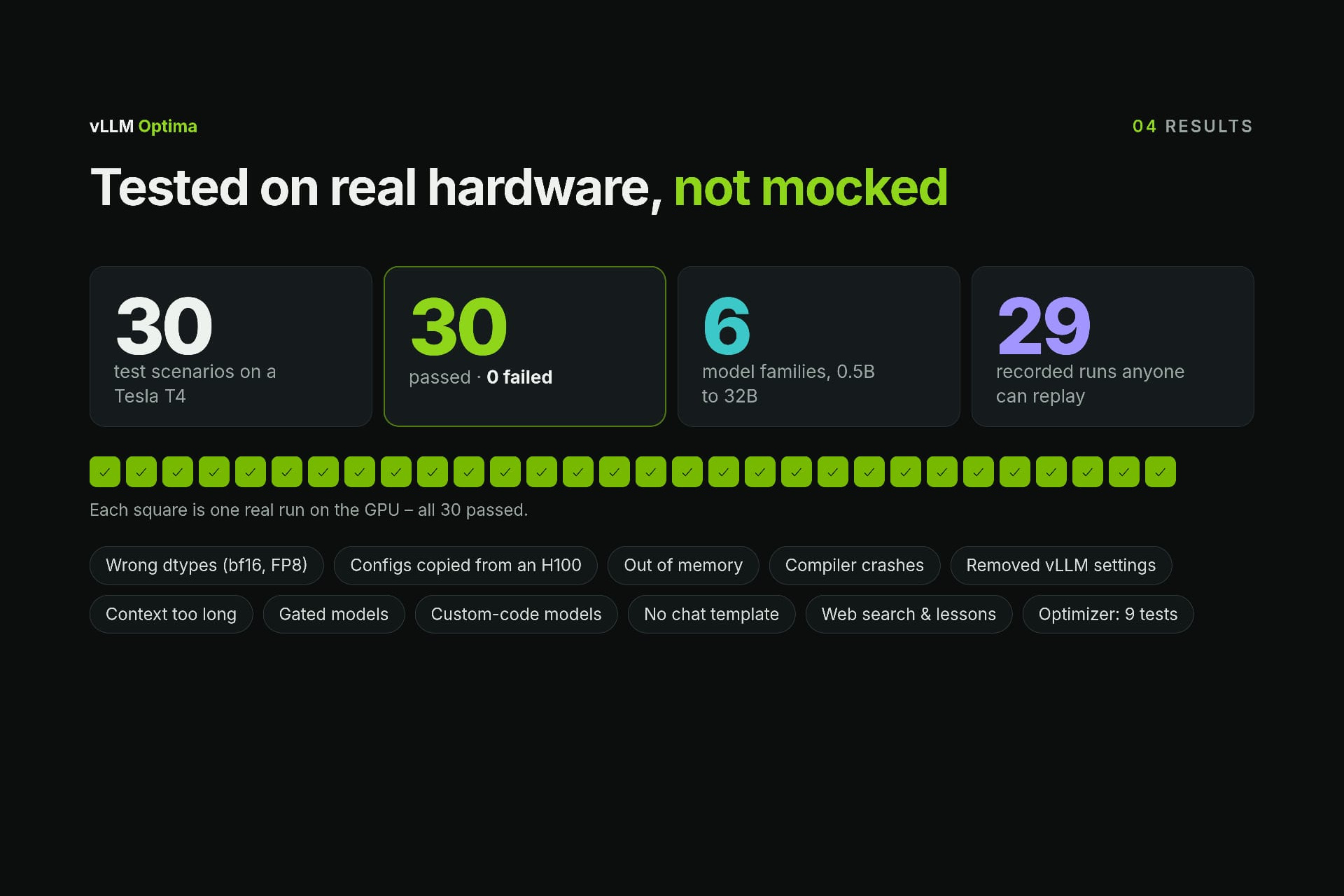
30 of 30 real test scenarios passed on a Tesla T4, across 6 model families
-
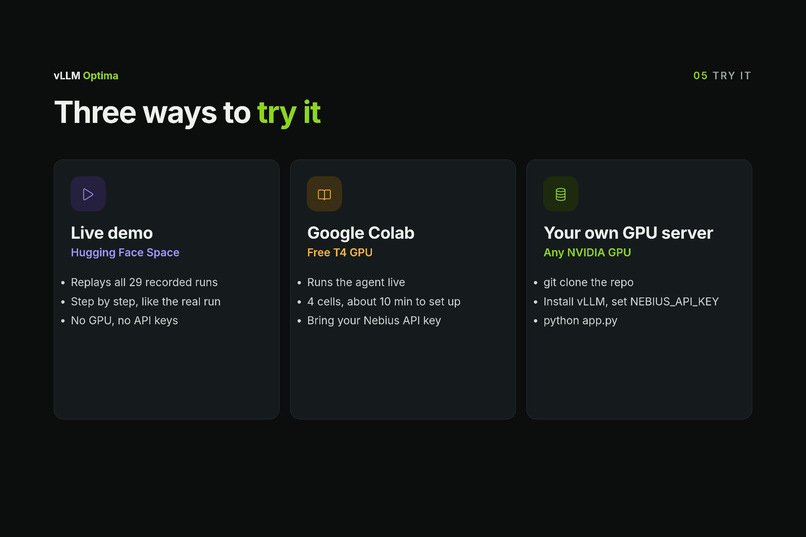
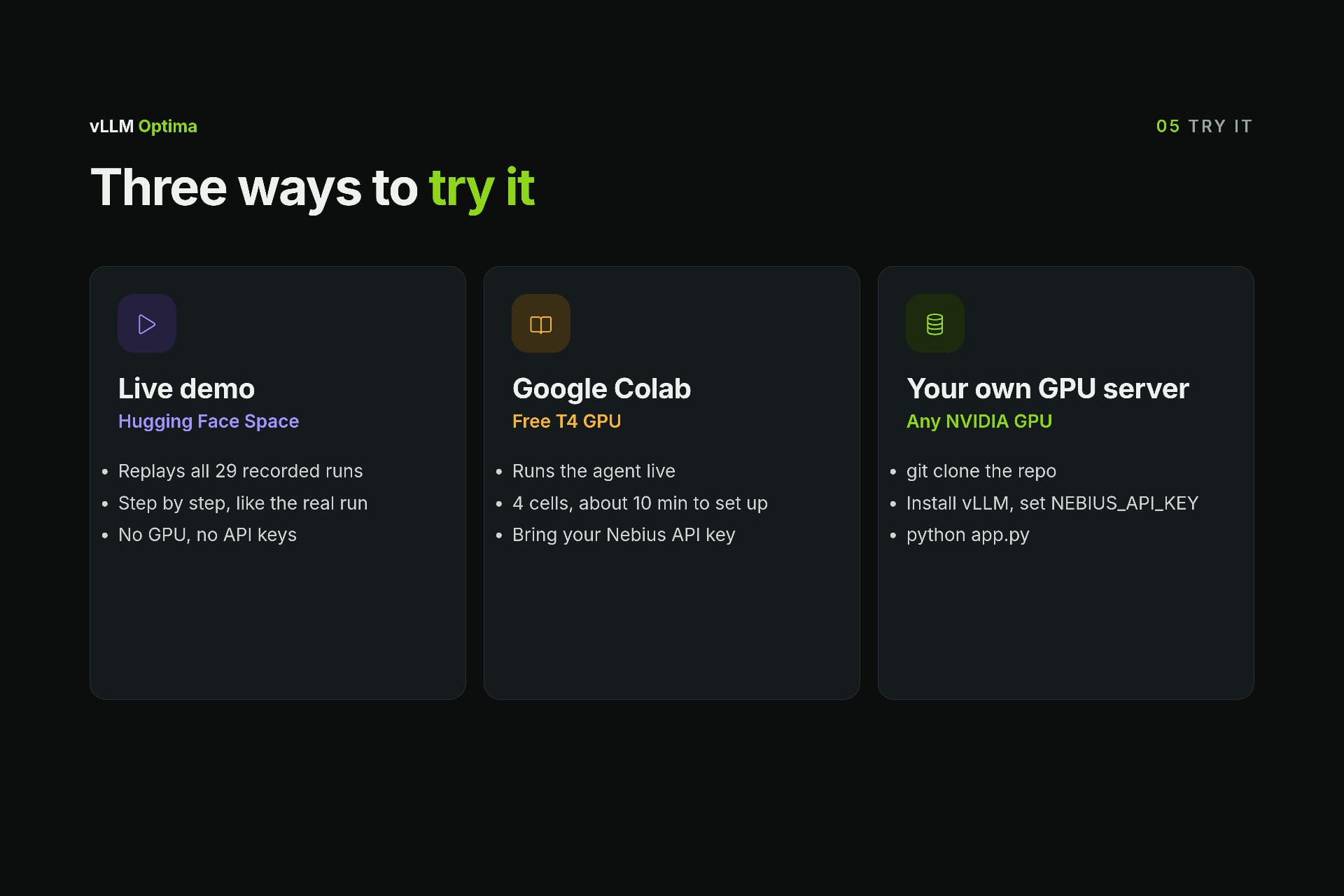
Three ways to try it: live demo (no GPU), free Colab notebook, or your own GPU
-
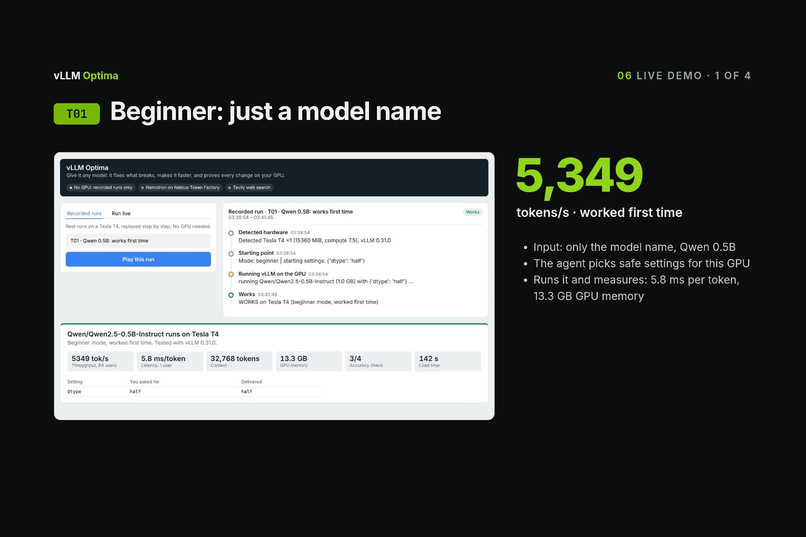
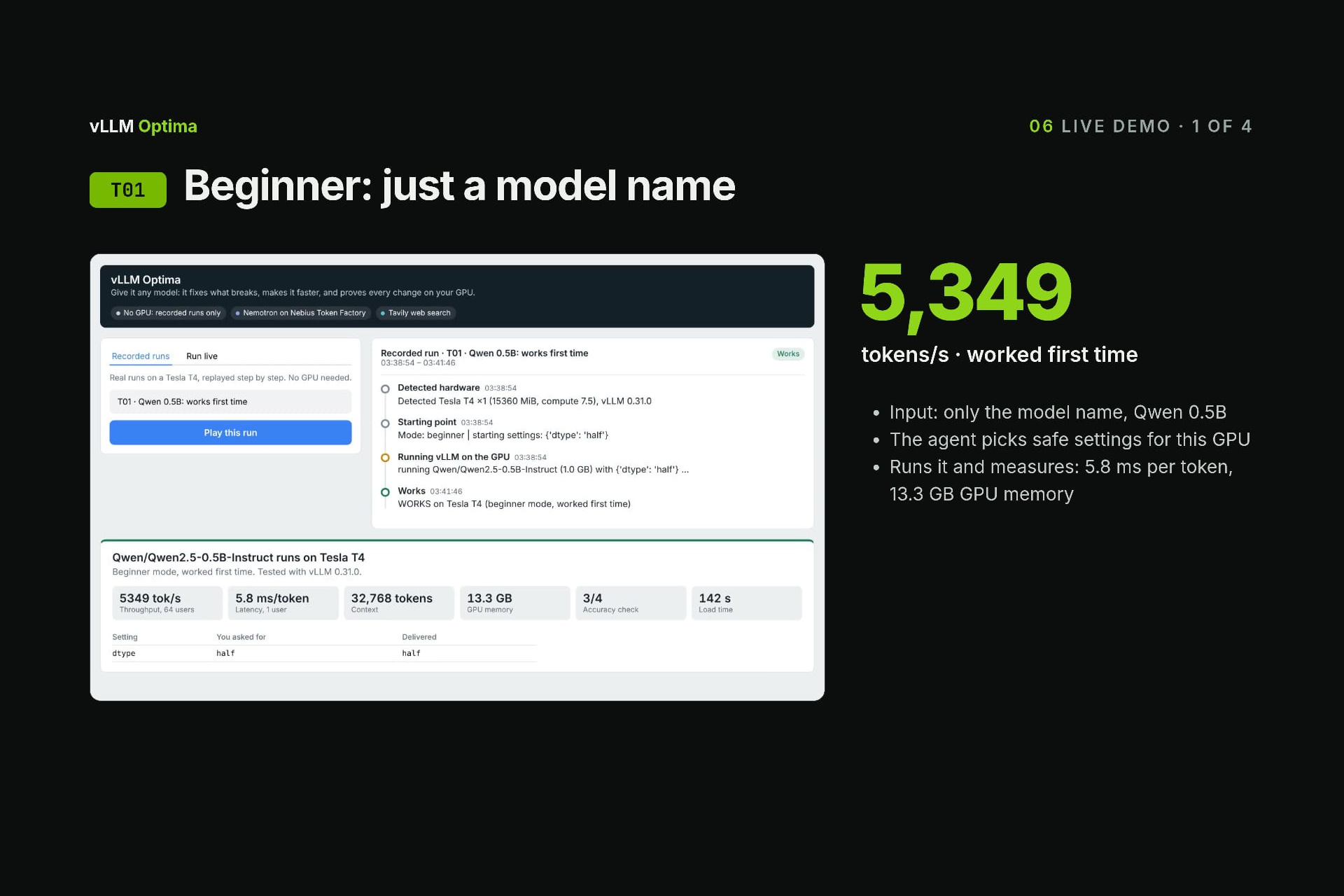
Demo 1: a beginner gives only a model name, and it works first time (5,349 tok/s)
-
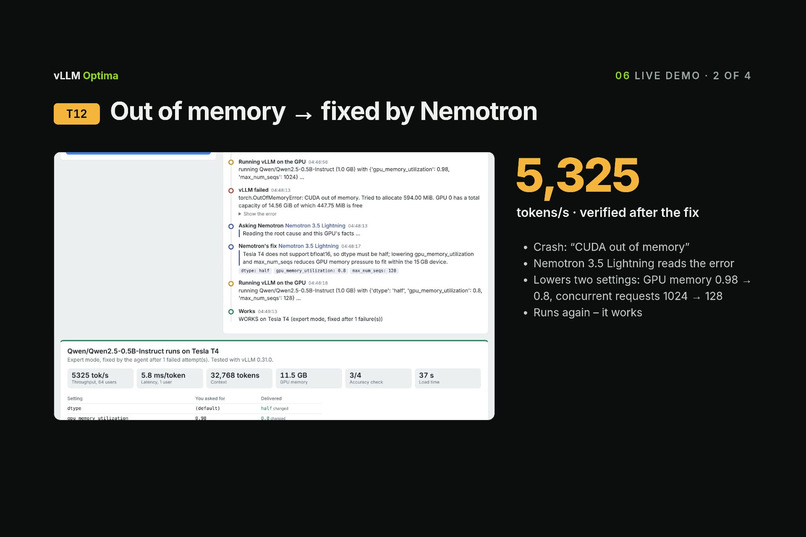
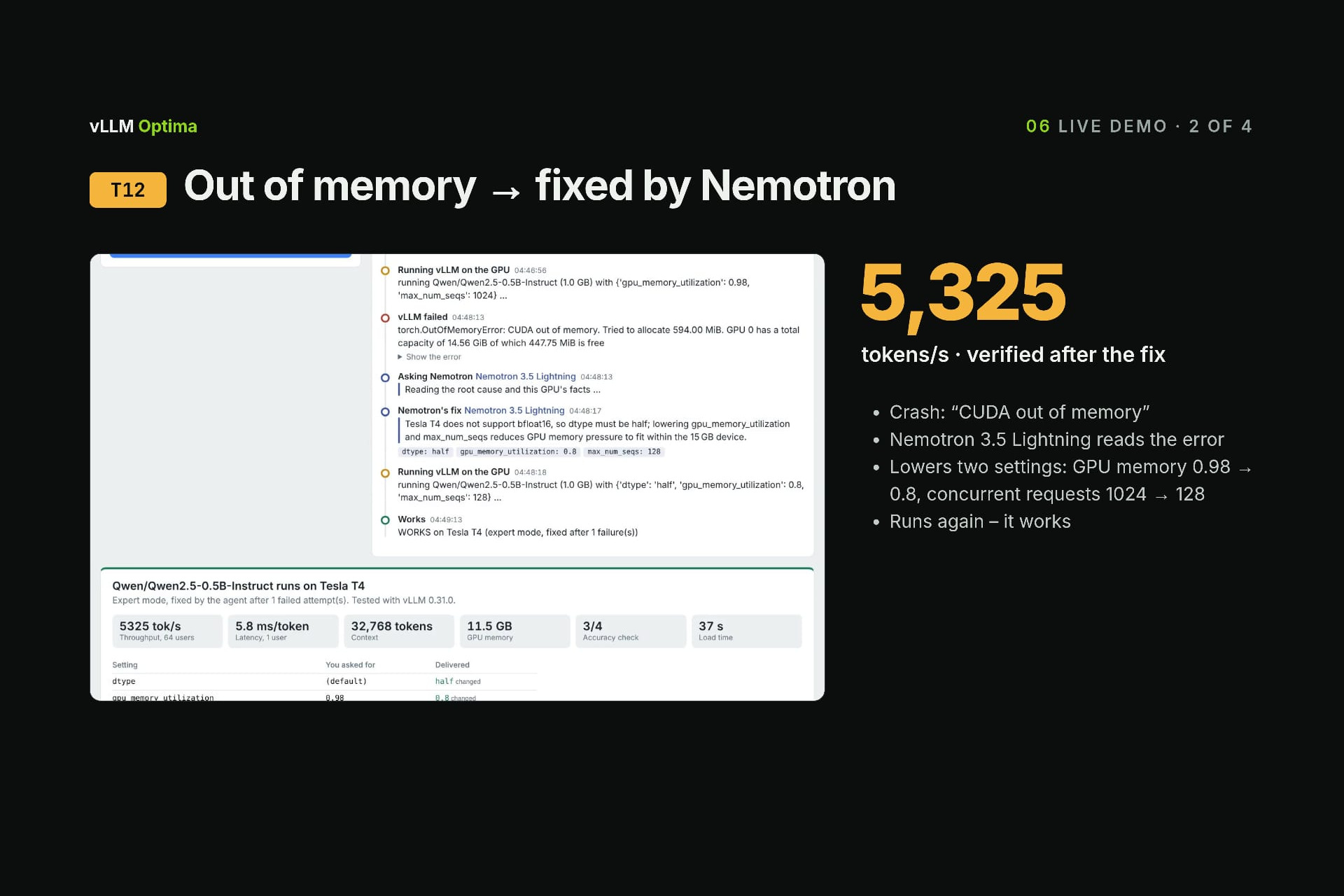
Demo 2: an out-of-memory crash, fixed by Nemotron 3.5 Lightning, verified at 5,325 tok/s
-
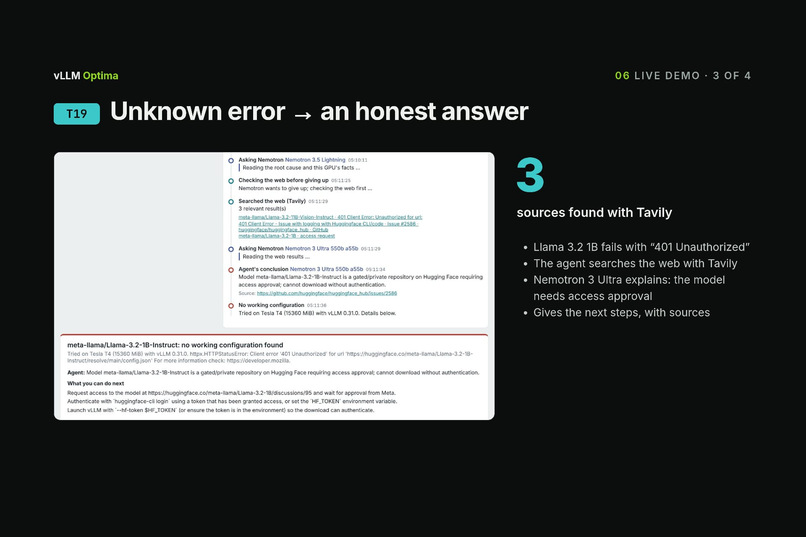
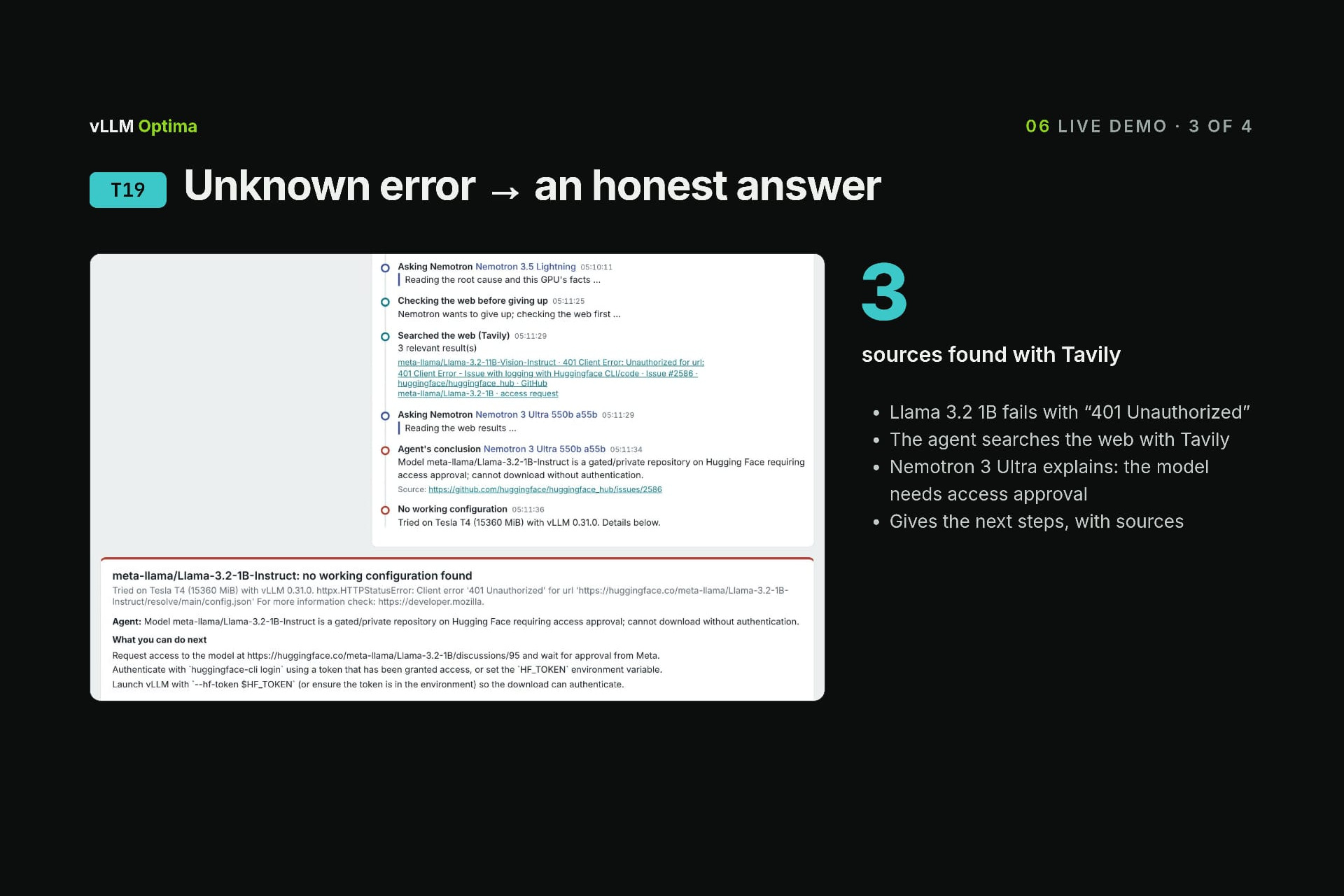
Demo 3: “401 Unauthorized”. Tavily finds 3 sources, Nemotron 3 Ultra gives an honest answer and next steps
-
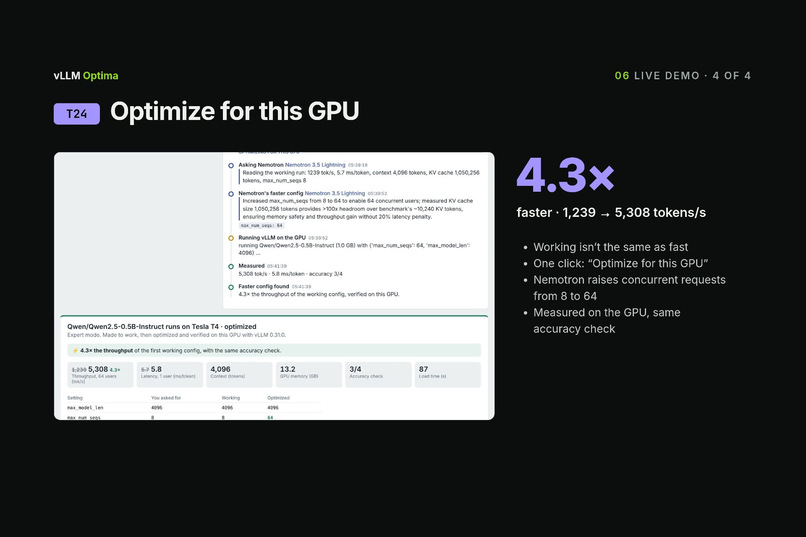
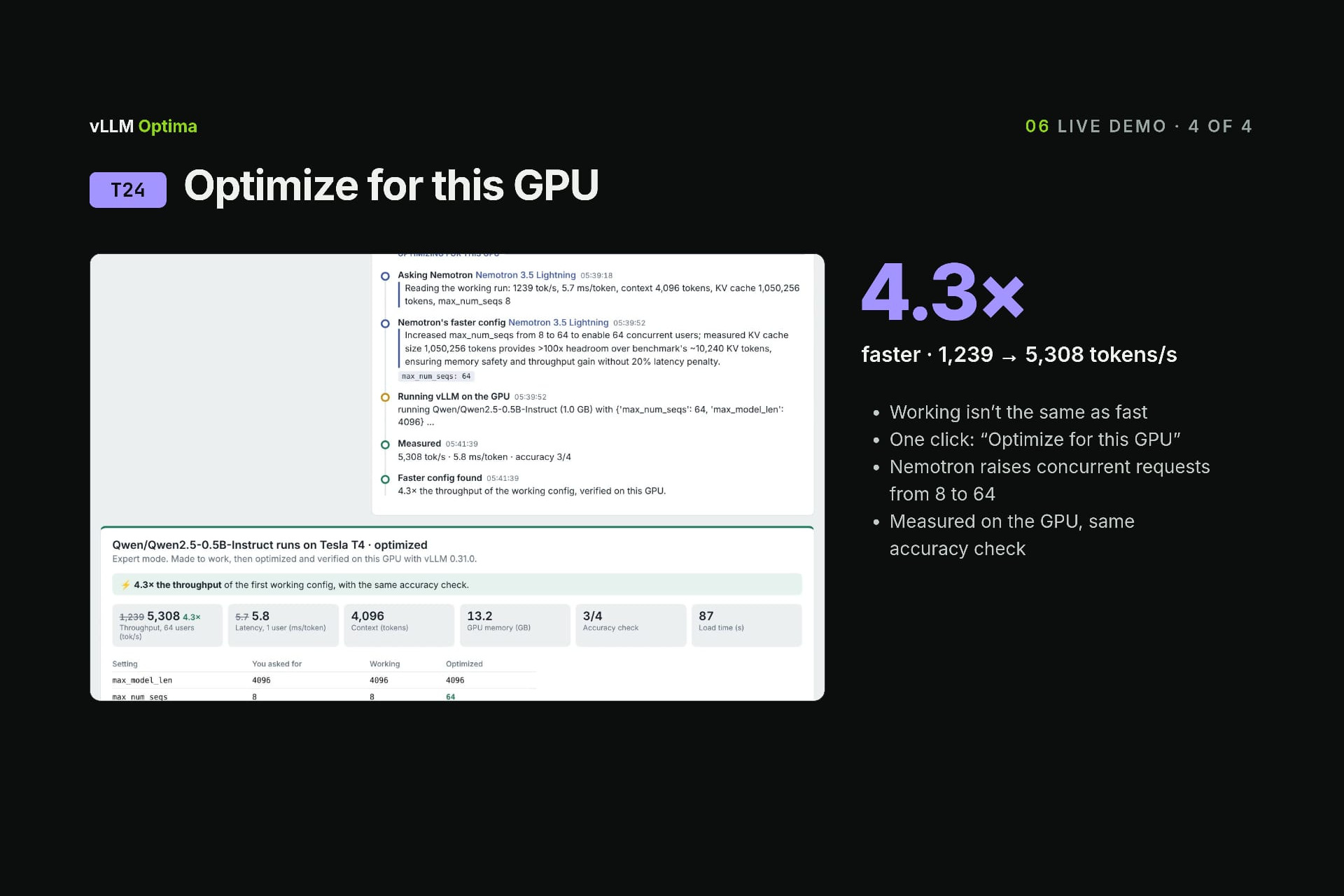
Demo 4: one click on “Optimize for this GPU”, measured 4.3× faster (1,239 → 5,308 tok/s)
-
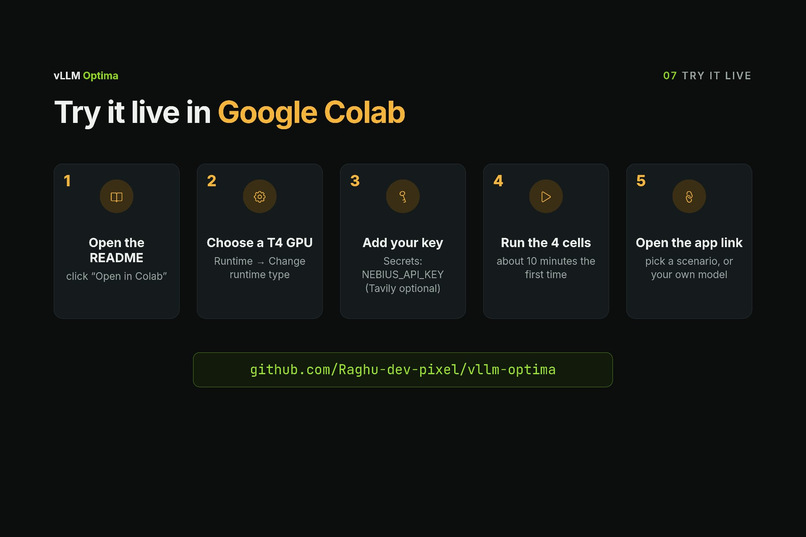
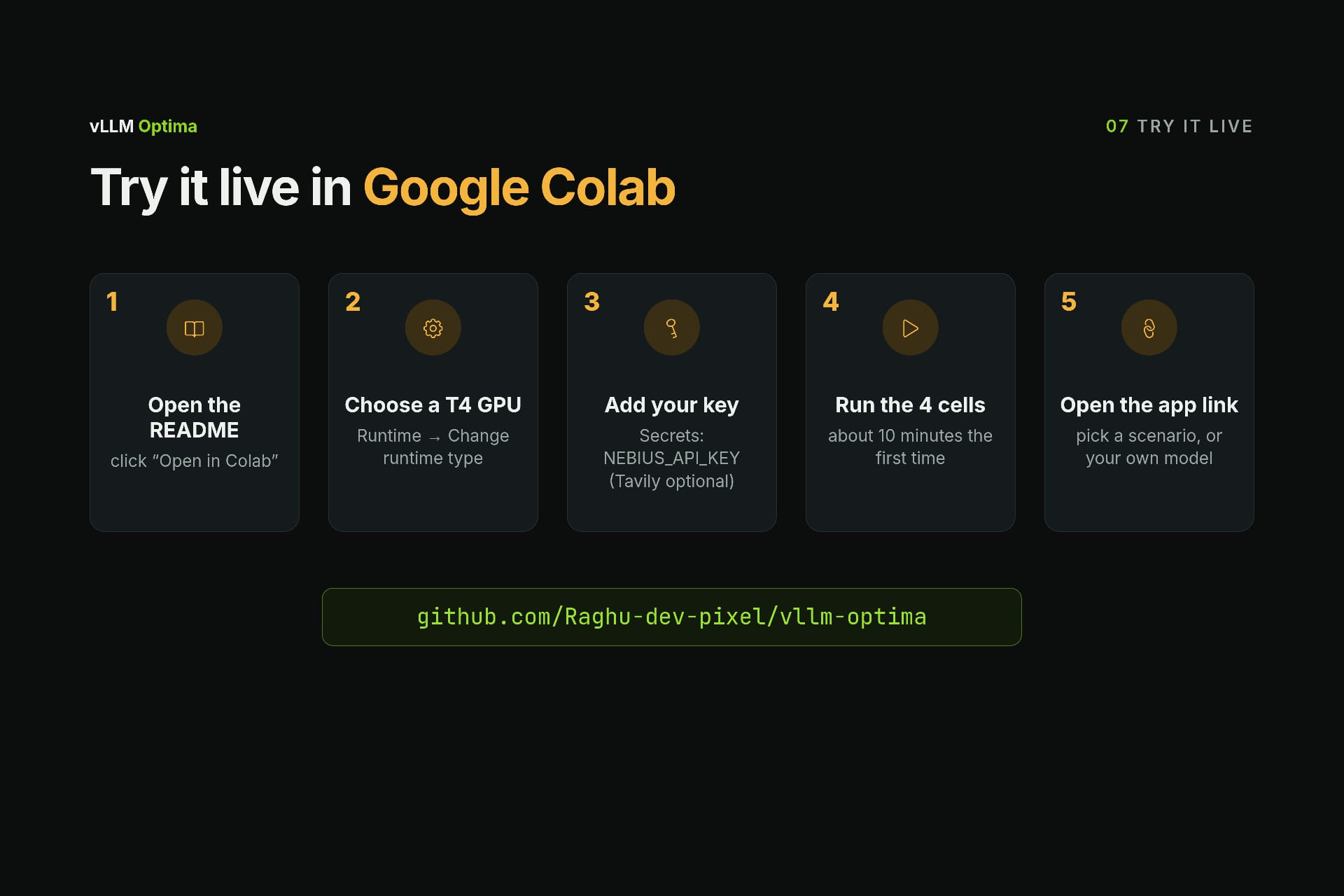
Try it live in Google Colab: 4 cells, free T4 GPU
-
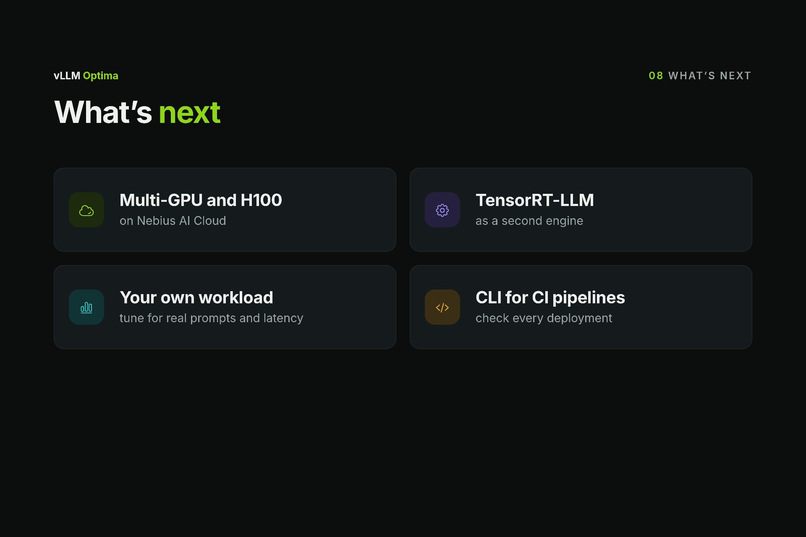
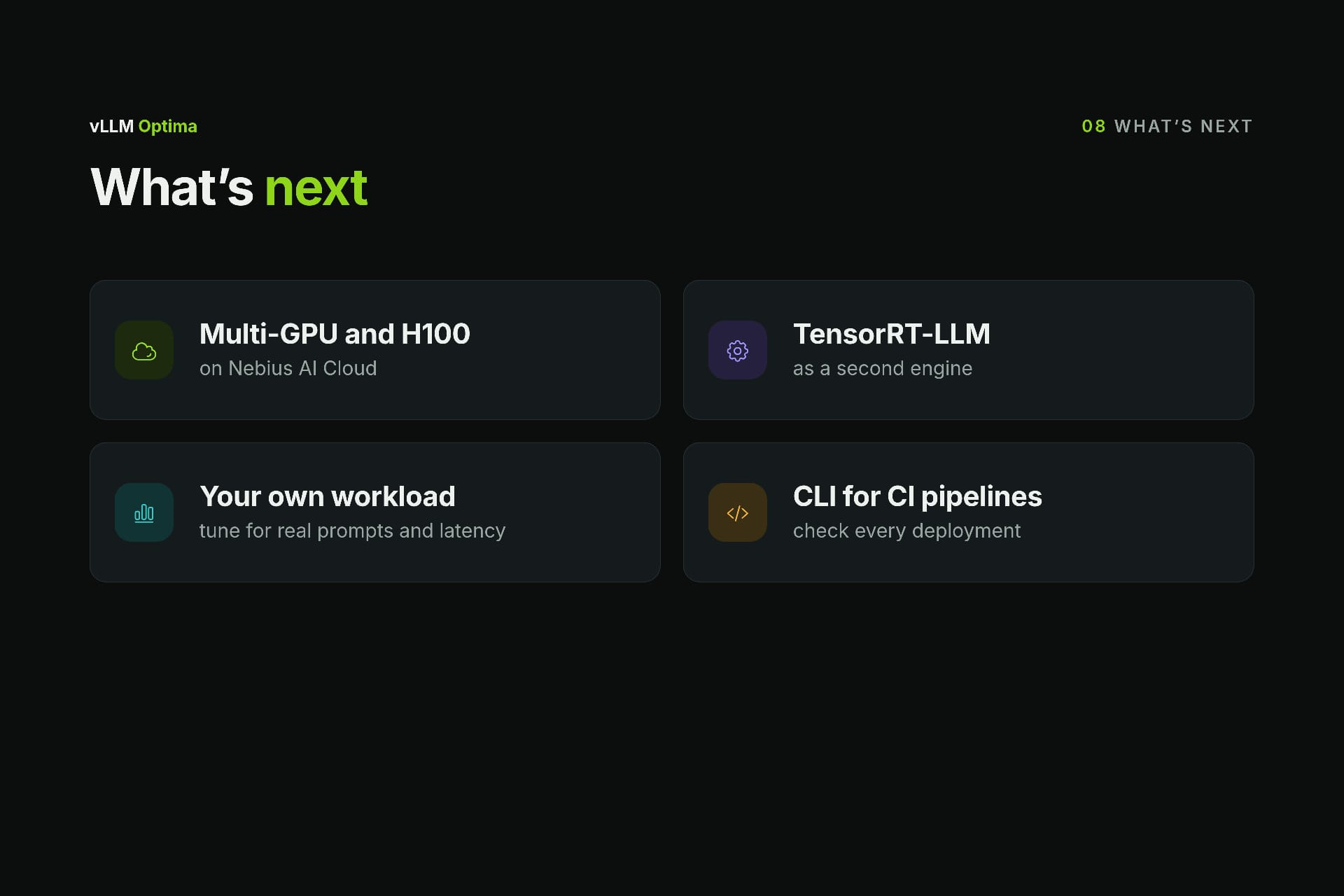
What’s next: multi-GPU and H100 on Nebius AI Cloud, TensorRT-LLM, your own workload, a CLI for CI
-
vLLM Optima: fixed, faster, proven
Inspiration
We wanted to run a small open model — Qwen2.5-0.5B — on a free Colab T4 with vLLM. It took us a whole day. We hit a notebook crash, a CUDA version mismatch, bfloat16 not supported on the T4, FP8 KV cache not supported, a quantization method that vLLM had just removed, and a 7B model that simply didn't fit. The worst part: the real cause of one failure was hidden on line 75 of a 185-line log, behind a generic final error.
None of these problems were hard once we understood them — but each one cost minutes of loading and an hour of searching. And a config copied from an H100 blog post breaks in three different ways on a T4. We realised this is trial and error every developer repeats, so we built an agent to do it for them — and to prove every fix instead of guessing.
What it does
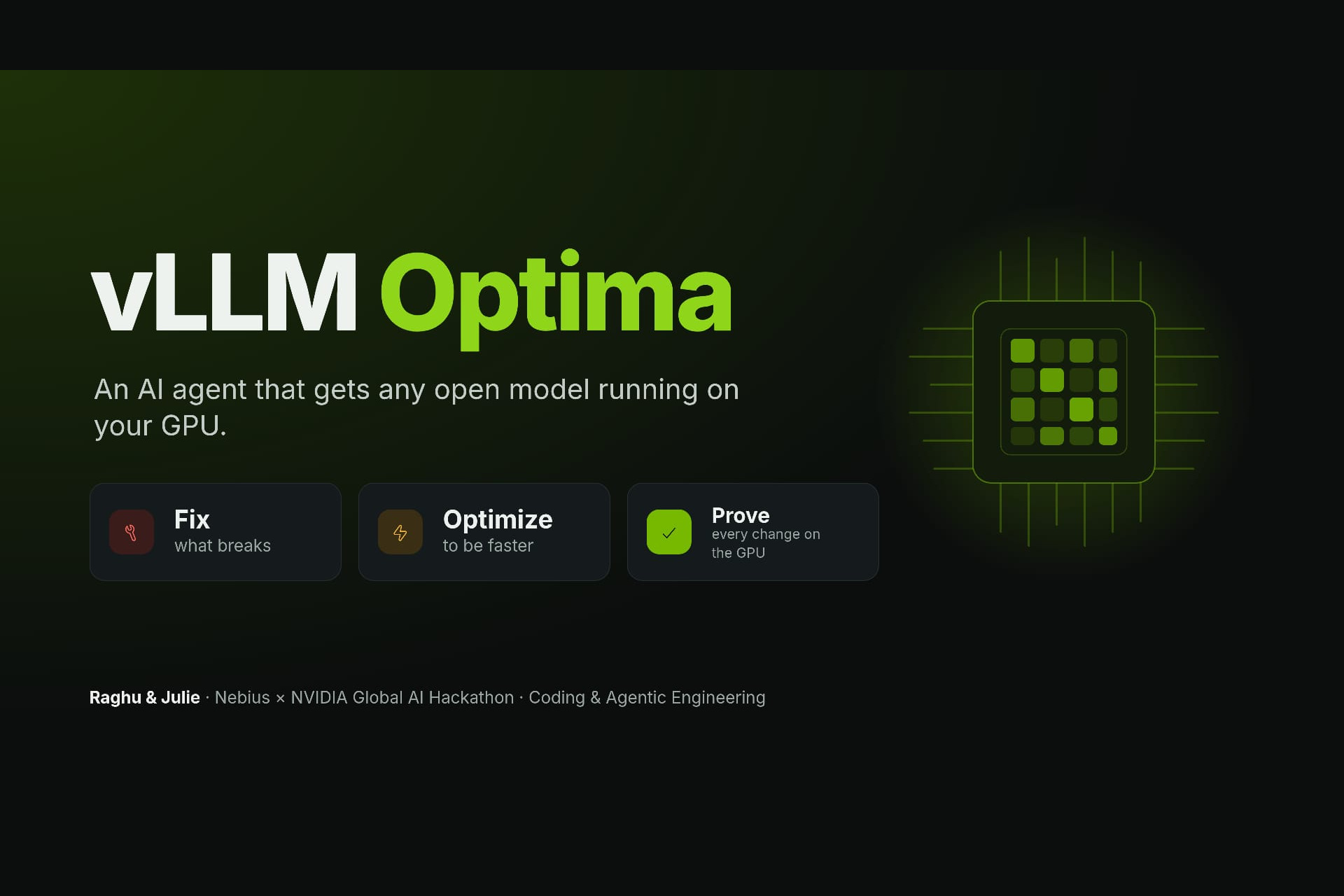
vLLM Optima is a self-healing, hardware-aware optimizer for LLM serving. Give it any Hugging Face model (and optionally your own vLLM settings):
- Fix — it runs vLLM on your GPU. When it fails, it extracts the root cause from the log and NVIDIA Nemotron changes only what is broken, keeping your own settings wherever they work.
- Optimize — one click on "Optimize for this GPU": Nemotron reads the measured throughput and engine values (KV-cache size, concurrent requests, batch size) and proposes a faster config.
- Prove — every change is run and measured on the real GPU. A change is kept only if the numbers say it's better. When nothing can work, it gives an honest answer with the reason, next steps and sources — never a crash loop.
You get a tested inference.py, a requirements.txt, a "requested vs delivered" table explaining every change, and measured throughput, latency, memory, context and accuracy.
Results on a real Tesla T4: 30 test scenarios, 30 passed. Highlights: an H100 config with three incompatible settings fixed automatically; a 7B model switched to its 4-bit variant to fit; a throttled config optimized 4.3× faster (1,239 → 5,308 tok/s); a 7B model optimized 2× faster (451 → 914 tok/s); and an honest "cannot run" for a 32B model on a 15 GB GPU, with the GPU size it actually needs.
How we built it
- Brain: NVIDIA Nemotron on Nebius Token Factory. Nemotron 3.5 Lightning makes fast first fixes and optimization proposals; Nemotron 3 Ultra takes over when a fix fails, gives a second opinion before accepting "already the fastest", and writes grounded next steps.
- Web search: Tavily — used only for unknown errors: from the second attempt, or once before giving up. Sources are shown as links.
- Harness (Python): detects the GPU (name, memory, compute capability, count), runs vLLM 0.31.0 in a separate process and virtual environment with a fixed benchmark (64 requests × 128 tokens, a latency test and 4 accuracy questions), extracts the real error from noisy logs, and validates every proposal before running it.
- Rule: Nemotron proposes, the harness decides. Success is never the model's claim — it's a measurement.
- Memory: every solved error is saved as a lesson, so the next run skips straight to the fix.
- Guardrails: a fix that changes nothing is rejected; models that can't fit are skipped before downloading; the agent never enables
trust_remote_codeitself; optimizations must be ≥ 5% faster (or give more context at the same speed) without hurting latency or accuracy. - App: Gradio — a live timeline of every step (each labelled with the Nemotron model that made it), result cards, an Optimize button, and replay of recorded runs.
- Delivery: a public Hugging Face Space that replays all 29 recorded runs without a GPU, a 4-cell Colab notebook to run it live on a free T4, and a GitHub repo with the full test plan.
Challenges we ran into
- Nemotron "thinks out loud" before answering. Lightning often wrote its reasoning — including example JSON — before the real answer, so we had to reliably pick the last answer-shaped JSON and fall back to Ultra if a reply was cut off.
- An early "optimizer" made things worse. Our first version tried to beat vLLM's defaults and produced a config at 0.72× the speed — and another "optimized" by cutting the context to 512 tokens. That's why every change is now measured and guarded.
- "Already the fastest" was sometimes wrong. Lightning would give up on optimizing too early, so we added a second opinion from Ultra before accepting it.
- Lessons never matched. Errors contained process IDs and timestamps that differ every run, so saved lessons were never reused until we cleaned the error text before comparing.
- Hidden slowdowns. One "fix" (
enforce_eager) turns off CUDA graphs and was measured 3.4× slower — so the agent is now blocked from adding it. - Practical issues: Colab runtime resets wiped our recordings mid-testing, and the Hugging Face Space needed a small start file to run on ZeroGPU in replay-only mode.
Accomplishments that we're proud of
- 30 out of 30 test scenarios passed on real hardware, across 6 model families from 0.5B to 32B — not mocked.
- Measured, verified gains: 4.3× and 3.4× faster on Qwen 0.5B, 2× on Qwen 7B, and +46% context (8,192 → 12,000 tokens) at the same speed on Phi-3.5.
- It knows when to stop. For gated models, models that need custom code, or models that can't fit, it gives the real reason and next steps instead of retrying forever.
- Anyone can verify it: 29 recordings replay in the public demo, every row of the test plan links to its recording, and the Colab notebook runs it live on a free GPU.
- A clear role for each tool: Lightning for speed, Ultra for hard cases, Tavily only when needed — and the harness as the judge.
What we learned
- Measure, don't trust. An LLM's fix sounds right far more often than it is right. Running and measuring every change is what makes the agent reliable.
- vLLM's defaults are strong. The agent's job is first to make things work on your GPU; optimization is a measured second step, not guessing.
- Two models beat one. A fast model for routine errors and a strong model for hard ones gives speed and quality — and the second opinion catches mistakes.
- Older GPUs are the best test bench. The T4 (no bf16, no FP8, 15 GB) breaks configs that work on new GPUs, which made it perfect for testing a fixer.
- Honesty is a feature. "This cannot run here, and here's why" is more useful than a crash loop.
What's next for vLLM Optima
- Multi-GPU and bigger GPUs — the agent already detects the GPU count and sets tensor parallelism; next is testing on 2× T4, L40S and H100 on Nebius AI Cloud.
- TensorRT-LLM as a second engine — the loop (detect → run → diagnose → fix → verify) is engine-independent.
- Your own workload — tune for your real prompt lengths and latency targets instead of a fixed benchmark.
- A CLI and pip package —
vllm-optima fix <model>in CI pipelines, so every deployment is checked before it ships. - Shared lessons — a community knowledge base of solved errors, so every fix helps the next user.

Log in or sign up for Devpost to join the conversation.