-
-
-
-
-
-
-
-
-
-
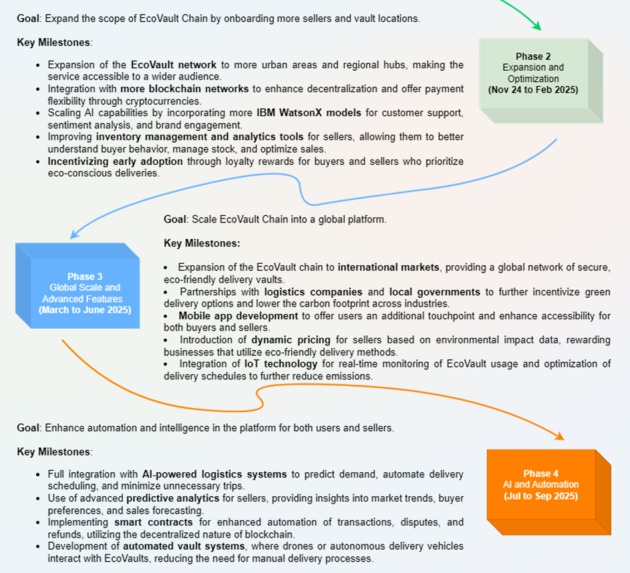
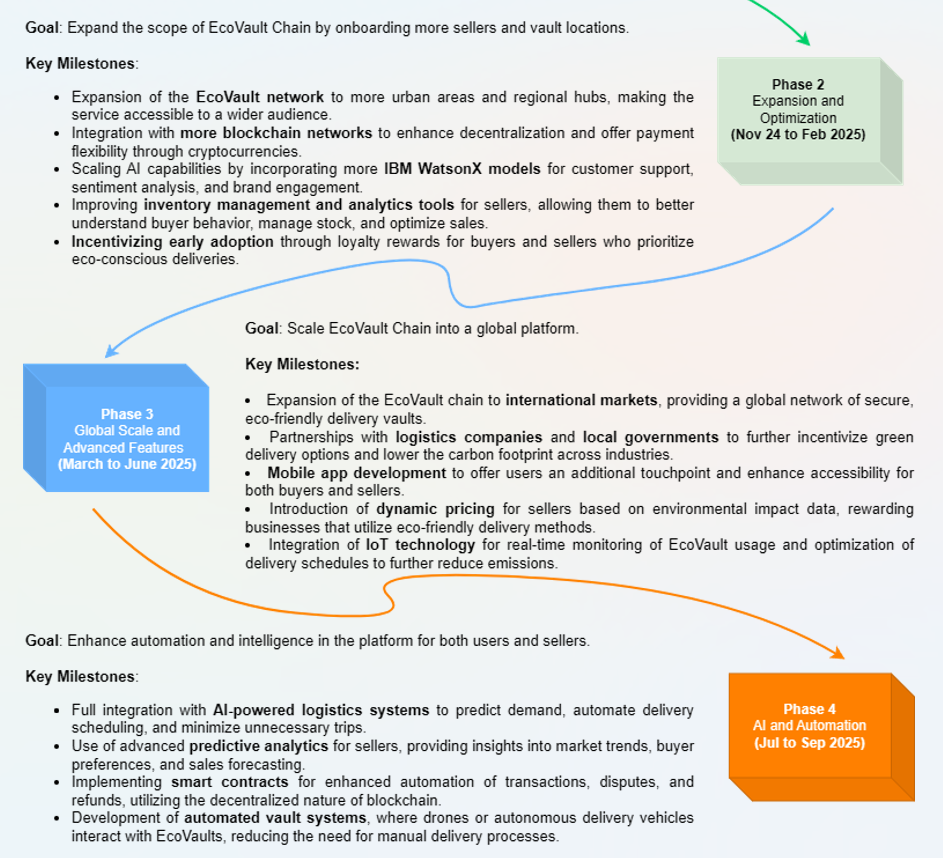
Future milestones
Inspiration
As web technology rapidly advances, we are now entering the era of web3. Despite this progress, many users remain more comfortable with web2 due to the lack of user-friendly and meaningful applications in the Web3 space. Most web3 projects have focused primarily on NFTs—minting and staking—which do not offer practical benefits to everyday users who rely on functional web2 apps.
This narrow focus has resulted in only about 1% of users transitioning from web2 to web3, reinforcing the belief that Web3 applications are not useful. Our project seeks to change this perception by offering a comprehensive solution: a website for sellers and an extension for buyers (along with a couple of other amenities). By addressing real-world needs, we aim to showcase the practical value of web3 and encourage wider adoption.
Creating a web3 application for shopping is particularly beneficial because trade is a timeless human activity. As long as humanity exists, buying and selling will remain essential. This makes our app relevant and essential in demonstrating the lasting value and practicality of Web3 technology.
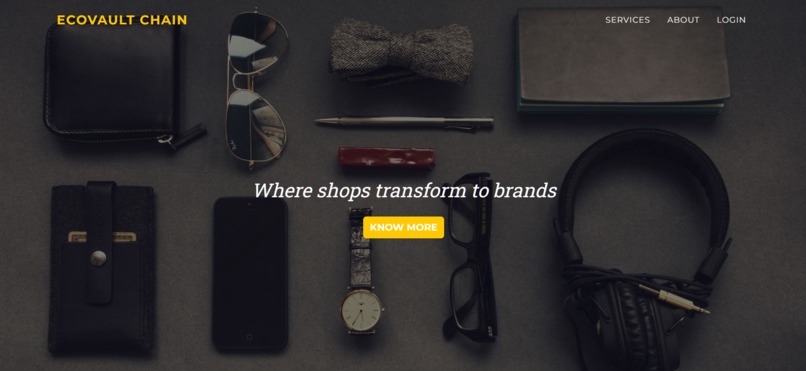
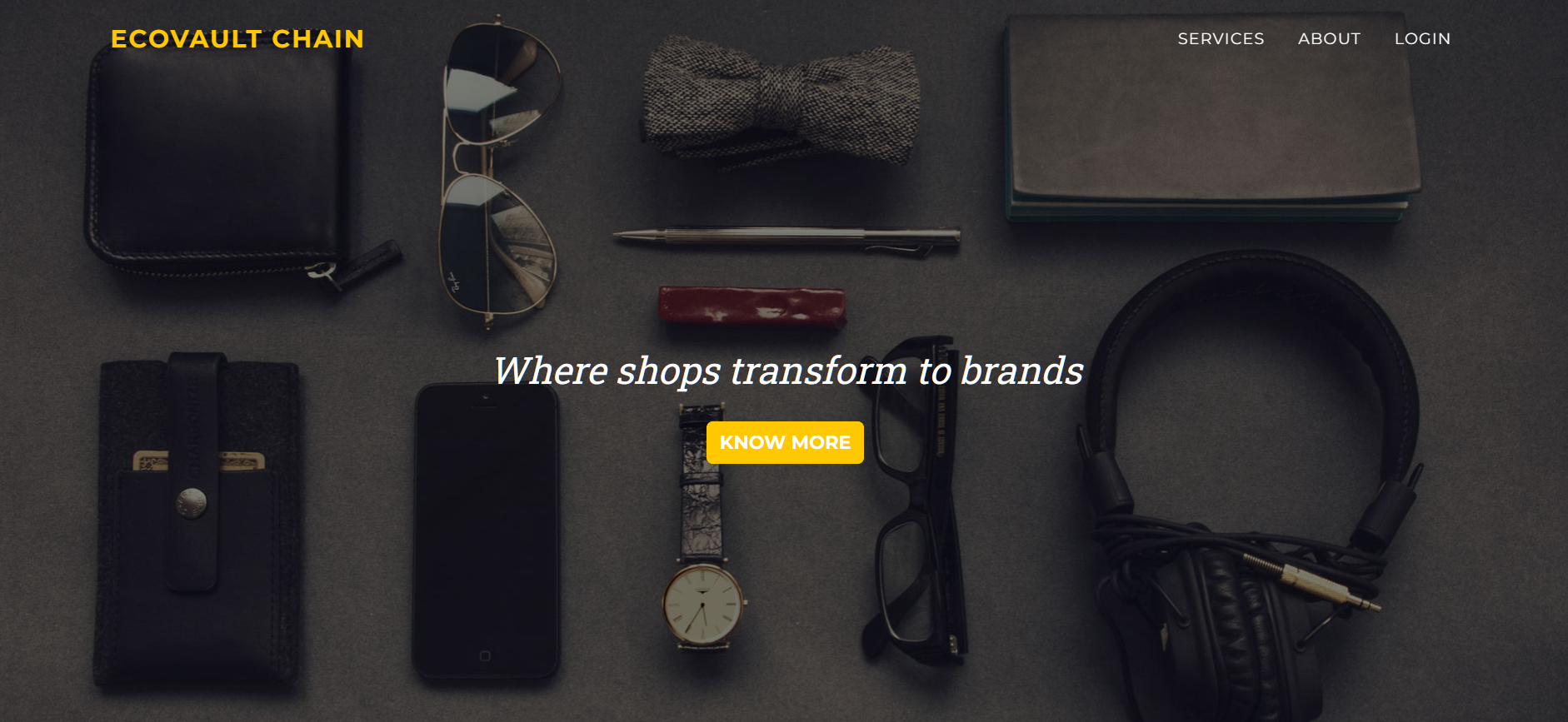
Our project is made for the buyers and sellers (brands). The sellers will use the website part of the project to do their stuff, whereas buyers will use the extension to get things done.
NOTE: This project is a culmination of software and hardware offerings. So, do read till the last to know more about the project. It is submitted under the integration track because it perfectly integrates Google Maps with the software offerings. Also, the software offerings includes a variery in inter-related things, like website, browser extension, and a whatsapp bot.
Website, for sellers/brands:
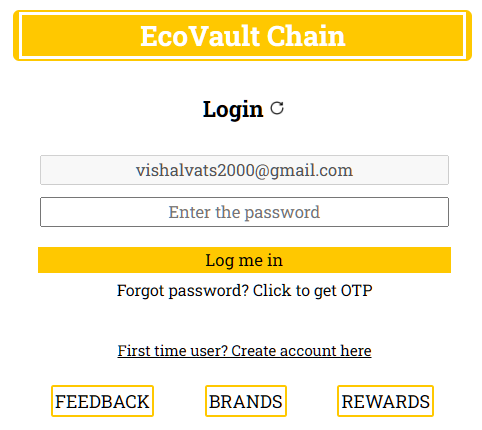
Brands must complete the Descope authentication process to register on the website. Once registered, they gain access to the products and analytics pages. Before that, they have to connect the website with their tron link extension.
On the products page, they can manage their inventory. When adding a new product, they utilize the CLIP (Contrastive Language-Image Pre-Training) model for zero-shot image classification. A reference image is necessary for creating a product.
The image is processed by the CLIP model, which identifies the main object and returns a label. This ensures consistent labelling for products uploaded by different brands.
On the analytics page, brands can view data distribution to understand their rival brands registered on the application and analyze buyers' demographics. They can also initiate targeted email campaigns by filtering their target audience and sending detailed emails about upcoming sales or campaigns. Additionally, they can attach a brochure to enhance the email's impact.
Let's understand about the AI model is being used on the website:
CLIP Model for image classification: Once an image is provided, this model (served via a Flask server) attempts to assign the most appropriate label for that image. It compares the image attributes with existing labels stored in a text file. Essentially, the model matches the image against the labels of products already in the application and returns the label that best fits the image. If you upload an image of a shoe for the first time and no other brand has added the same, the model might initially provide an incorrect label since the "shoe" label doesn't yet exist in the text file. After you correct the label, it will be saved. From then on, whenever a shoe image is provided, the model will correctly classify it as a shoe because it now has that label.
Thus, this model learns over time and effectively supports brands in maintaining a consistent labelling process for products uploaded to the application.
Extension for buyers
We made an extension for the buyers because it takes up the minimum hardware space and pixel space on the user's device, and still delivers the same impact as a website.
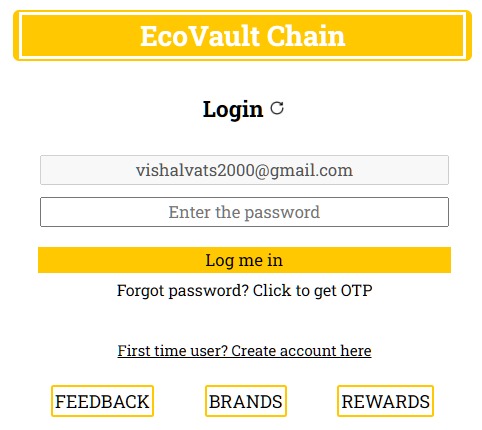
When creating an account on the extension, you must verify the email address, so that it can be ensured that you are a legit user.
After logging in, you must enter your password each time you open the extension. This security measure protects your account and the valuable power it holds. Once you provide the password, you can access and use the extension.
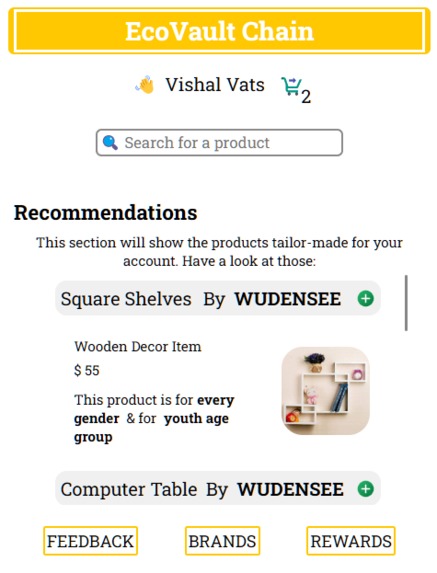
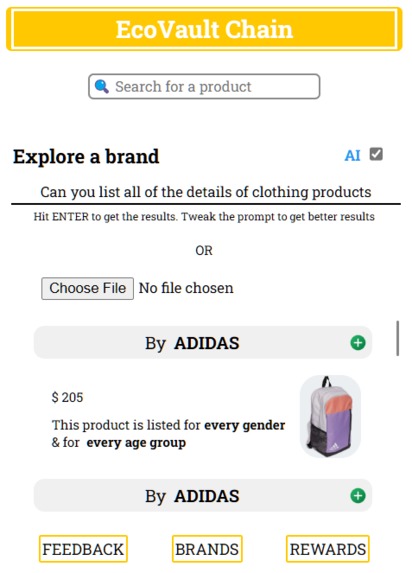
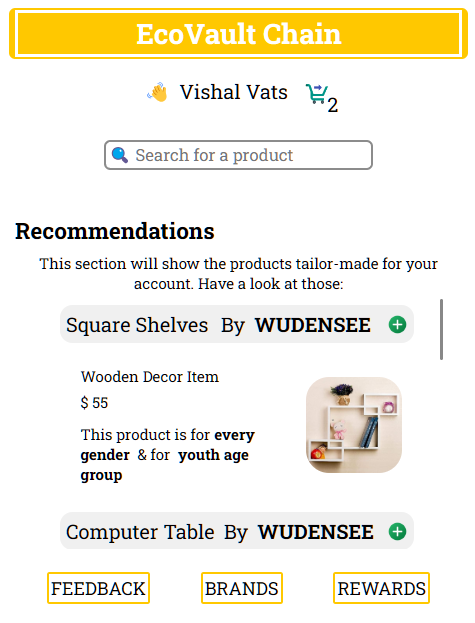
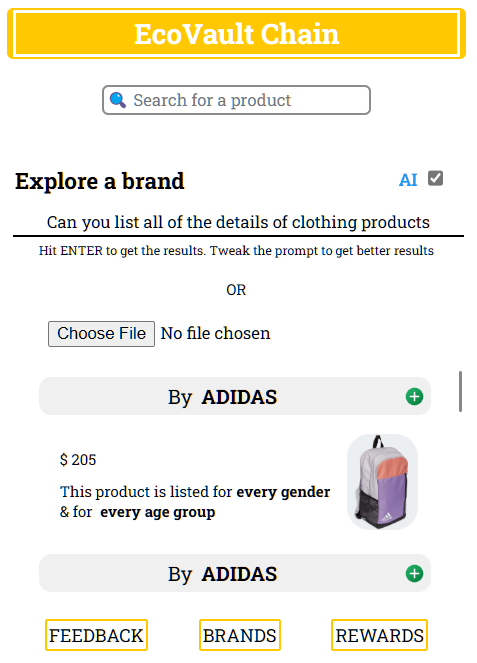
On the recommendations page, you'll see various products that match your interests and the information you provided when creating your account. The brands section displays products from all brands, not just those matching your interests. In this section, you can access three key features: a sorting/filtering tool to refine your search, a Text to data AI tool that fetches data based on text input commands, and an CLIP-ML model file upload feature that activates when you upload an image.
Let's see how the CLIP AI model works here! After you upload an image to the input field, the model extracts the top 3 labels present in the image. It then fetches objects that match any of these labels. For example, if you upload an image of your dream room with various objects like a cup, table, phone, bed, chair, shirt, and more, the model will identify the 3 most recognizable items and fetch similar objects. These will be displayed on the UI, allowing the buyer to see all relevant items in a single block without needing to filter or manually search.
In the feedback section, one can use the Google Palm API (Generative AI) to generate text by just giving out a prompt. We have added the screenshots for the same in the image carousel. You have to type in your prompt between "* *" and then the model will return with the tailor-made content (max length of 500 characters).
In the rewards section, users can unlock rewards by sending their first feedback and logging into the extension for 5 consecutive days.
Buyers can add items to the cart by tapping the plus icon. Orders should be completed on a webpage to avoid accidental cancellation within the extension. After adding all items, click the cart icon at the top to review your order. Then click on the Your cart text to navigate to the checkout page. Finally, open the extension again, navigate to the cart, and click Checkout to complete your order.
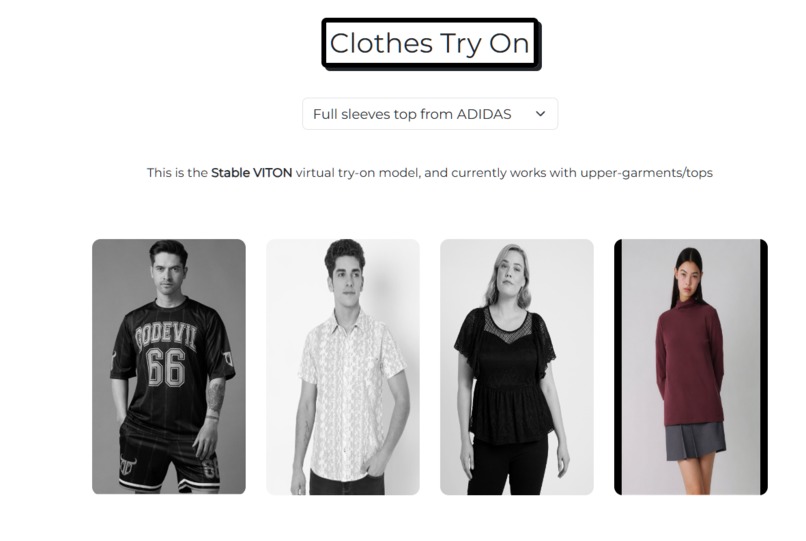
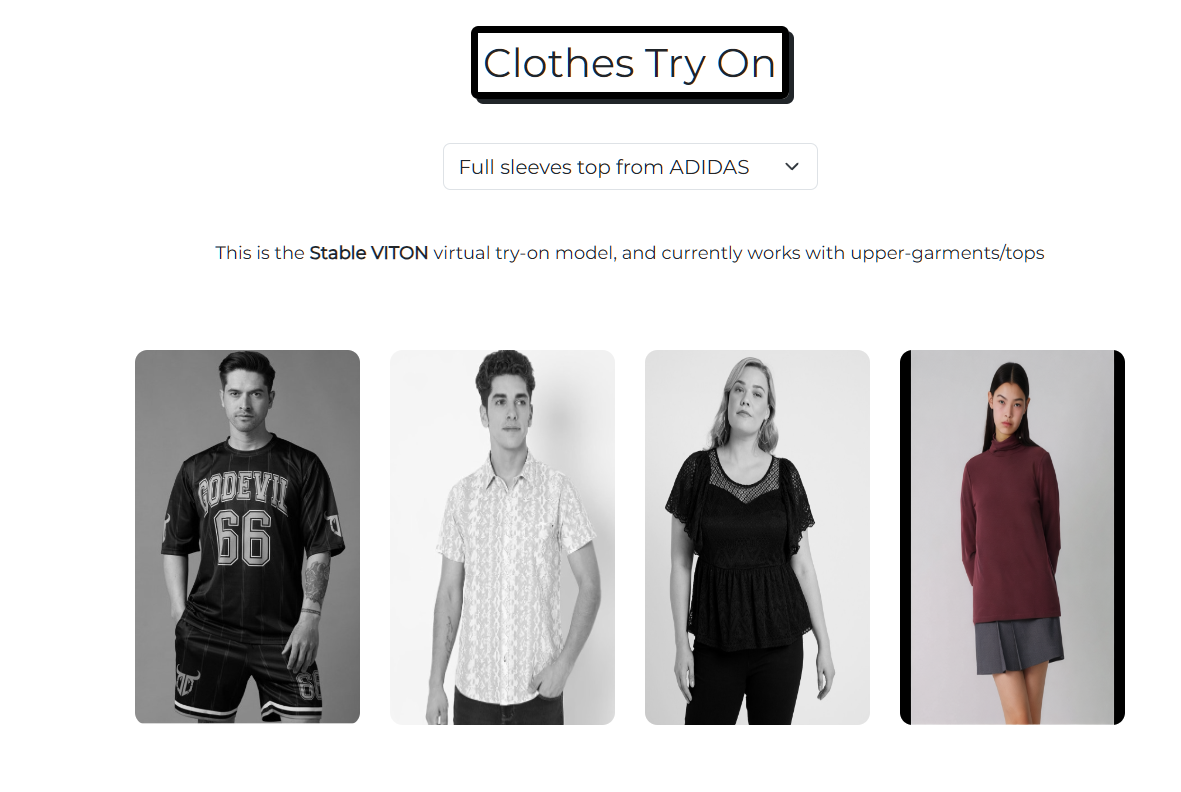
If there is any clothing item in the user's cart, then the Clothes Try On section will be visible and then the user can try any of the clothing item to one of the 4 models present. It will use STABLE VITON model to fit the upper garment to the model image, and thus the user can see the look of the item on a real person.
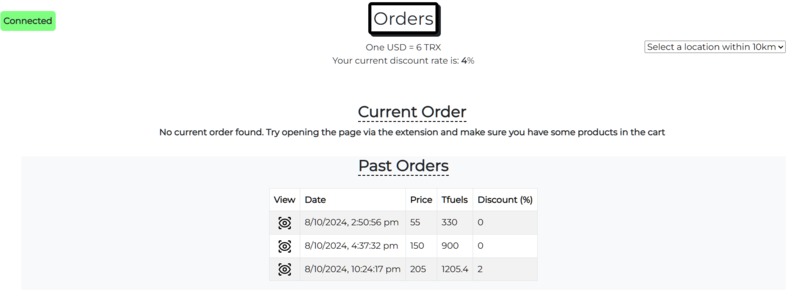
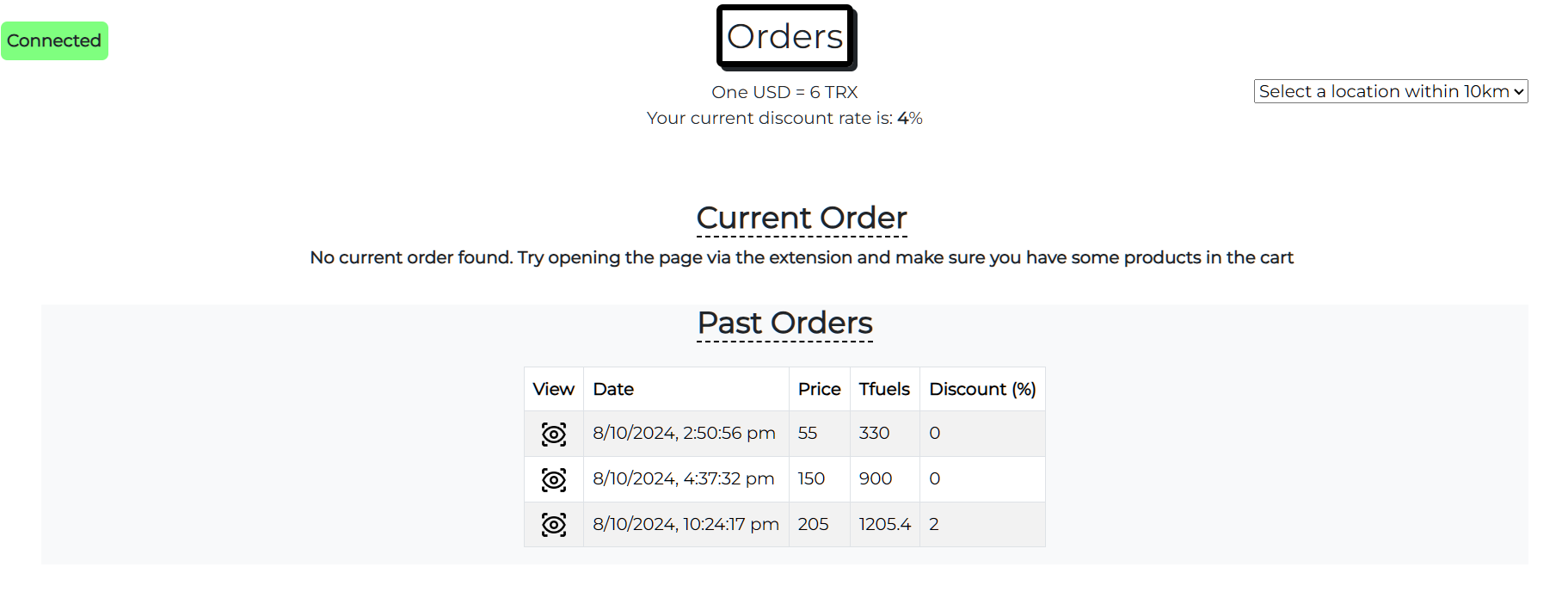
For demo purposes, $1 is equivalent to 6TRX. On the checkout page, you can see that the discount gets unlocked according to the number of successful orders.
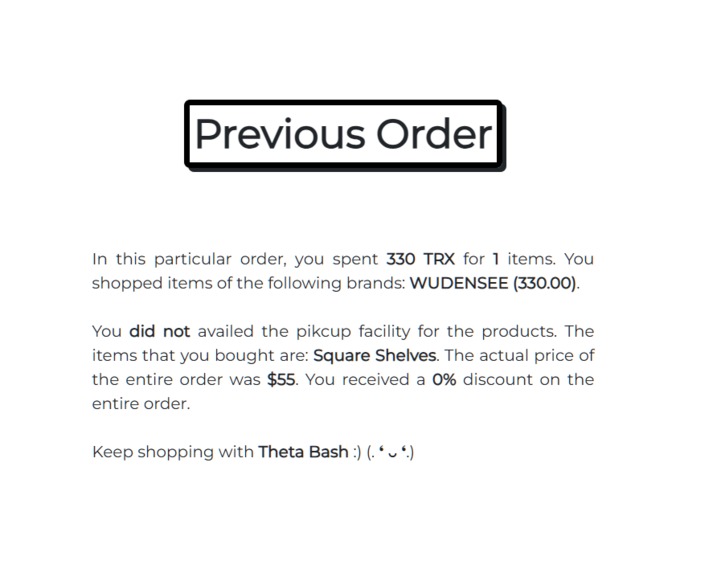
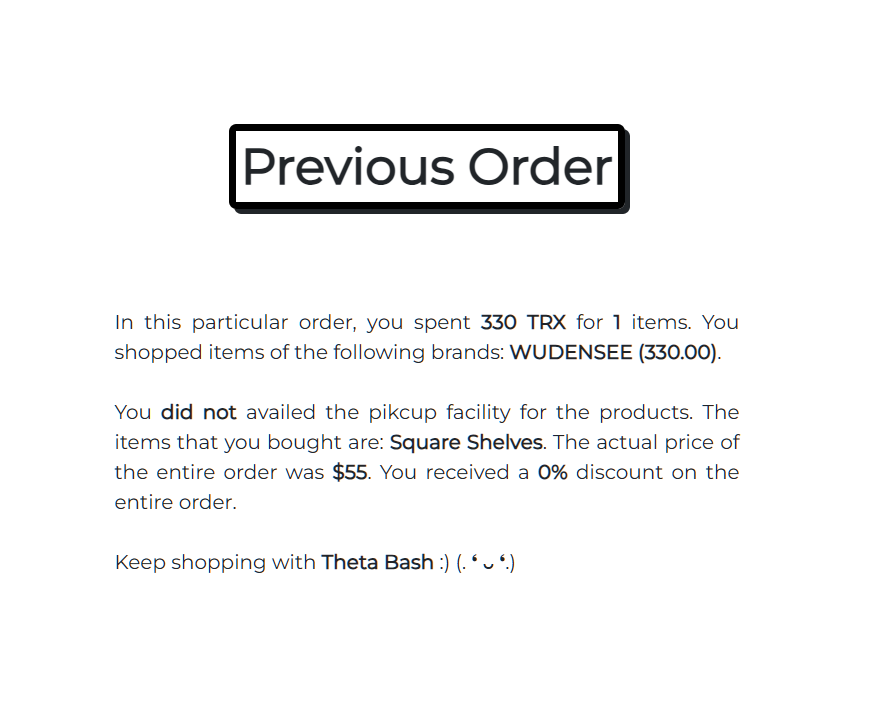
Past orders can also be viewed on the checkout page. They include all major details such as the items purchased, the brand, total price, discount, and more.
How are TRX sent to the brands? Assuming an order total of 200 TRX, here's the process:
- The entire TRX are deducted from the buyer's wallet and credited to the admin account.
- In the backend, the admin account sends each brand its share of TRX in separate transactions.
- For example, if the buyer purchased items from Nestle, Adidas, and Ikea, the admin will distribute the TRXs accordingly.
- This process ensures the user experiences zero delay, while the backend handles the individual transactions to the brands.
WhatsApp bot for buyers The extension can only be opened on laptops/computers. When away from these devices, buyers can use the WhatsApp bot to access data from the project. This bot allows users to view products and brands listed on the application in a read-only manner; no changes can be made via the bot. Screenshots in the image carousel demonstrate how the bot works.
I couldn't provide a link to use the bot because it was created and tested using Meta's developer account, restricted to our numbers. Making it live requires a hefty fee, so we opted to develop it locally and provide screenshots as proof of its functionality.
Vaults for buyers
The main idea behind creating vaults for deliveries is to provide secure, efficient, and convenient storage locations where packages can be delivered and retrieved by recipients at their convenience. These vaults address several issues in modern delivery systems:
Security: Vaults offer a secure place to store packages, reducing the risk of theft or damage that can occur when items are left unattended at doorsteps.
Convenience: Users can pick up their packages at a time that suits them, without worrying about missing a delivery or waiting at home.
Logistics Efficiency: Delivery drivers can drop off packages in central, secure vaults, reducing the need for multiple delivery attempts or direct doorstep deliveries, which can be time-consuming and inefficient.
Environmental Impact: By consolidating deliveries to vaults, companies can reduce the number of delivery trips, thereby minimizing fuel consumption and emissions.
Automation: Advanced vaults can integrate technology such as smart locks, blockchain-based access, and real-time notifications to enhance the user experience and ensure secure and traceable delivery and retrieval processes.
Overall, vaults are designed to improve the overall delivery system by enhancing security, efficiency, and user experience while minimizing environmental and logistical challenges.
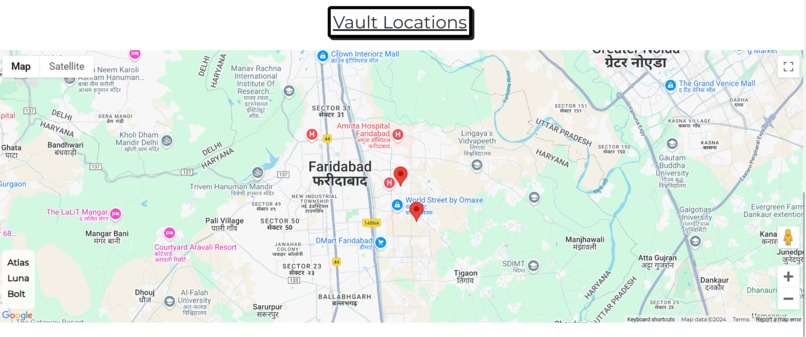
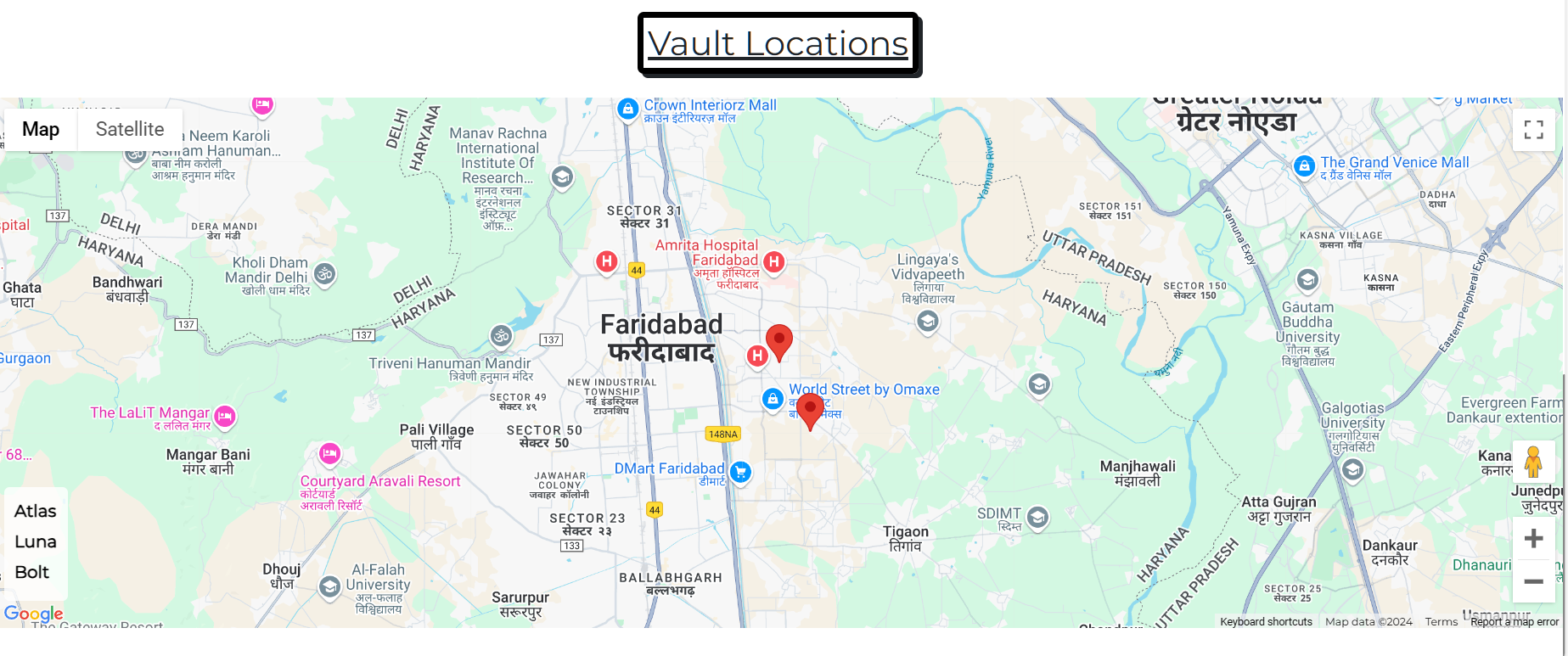
How to avail the vault feature On the checkout page, the buyer has to connect its wallet using Tron Link extension. By default, everyone sees the Google Maps for the various Vault locations that we provide as of now )dummy coordinates). Each vault is provided a different name. Once you click on checkout and share the order from the extension to the checkout page, you will be seeing the vaults which are within 10 km radius of your current location. This way, you can select a vault if you want, and after doing the payment, your order would be delivered to that vault and you will get an email 😄
Not only this, you will get a Square Tag (RFID card), that you can use to fetch the package from the vault. It can be used at the physical location to unlock the package. See the demo video to know more about it
NOTE: Do checkout my forum link to know more abut this feature
How I built it
I built the user interface for the website and the extension using Bootstrap and HTML. JavaScript was utilized to provide functionality to the DOM elements. Node.js was used to spin up the servers.
Apart from that, I used the tronWeb JS SDK to integrate the project with TRON. I configured it in a node js server to expose the various features as endpoints.
The Clip AI Model was developed by our team and is one of the more complex models to use. After tailoring it to our needs, we exposed it via a Python Flask server.
Apart from these, there are a ton of files that went into making the project live and you can see those in the GitHub repo.
Challenges we ran into
From the start, we faced many challenges due to the diversity included in the project. Developing a website is completely different from developing an extension or a WhatsApp bot. Creating a hardware setup was also challenging, as it required substantial hardware knowledge, and we spent quite a bit of time understanding it. Some of the notable challenges that we faced are:
1️⃣ Integrating the TronWeb js SDK with the Descope authentication model was a bit daunting, as we had to re-run the flow repeatedly to ensure the correct API calls were made and their responses were handled properly.
2️⃣ Setting up the CLIP zero-shot image classification as a Flask app was challenging due to its many dependencies. We had to choose the lightest ones to prevent the model size from exponentially increasing.
4️⃣ Apart from these, we had a hard time completing the ordering flow for buyers via the extension. We had to devise a smooth way for data to be shared between the extension and the checkout page, and vice versa.
Accomplishments that we're proud of
The solution I have developed integrates both software and hardware components to streamline the entire shopping and delivery process for buyers and sellers. From the moment a customer places an order to the secure delivery of the package to a vault, this project takes care of all aspects involved. The software ensures a seamless and enhanced buying experience, handling everything from order management to user interactions. Meanwhile, the hardware component is designed to reduce environmental impact by minimizing the carbon footprint associated with deliveries. By utilizing localized vaults for package drop-offs, the system reduces the need for multiple delivery trips, cutting down on transportation-related pollution. This not only optimizes delivery efficiency but also contributes to environmental sustainability, directly benefiting all living beings by reducing air pollution and its harmful effects.
What I Learnt in This Event
During this event, we learned a multitude of skills and gained valuable experience. Here are some key takeaways:
Handling Complex Dependencies: Setting up the CLIP zero-shot image classification model as a Flask app taught us how to manage complex dependencies and optimize for model size.
Authentication and API Integration: Integrating the TronWeb js SDK with the Descope authentication model required us to repeatedly run flows to ensure correct API calls and response handling, deepening our understanding of authentication processes.
Order Flow Optimization: We devised a smooth method for data sharing between the extension and the checkout page, ensuring a seamless ordering flow for buyers.
Flask Servers: To use the custom-made CLIP AI model and the pre-made STABLEVITON model, we used Python flask servers to expose the required endpoints to our applications, we set up the flask servers such that they handled everything beautifully.
Overall, this event provided us with a comprehensive learning experience, enhancing our technical skills and project management capabilities.
What’s next for Tron Vault
Check the image that is in the project gallery :)
- Rectify the hardware part so that it can be actually integrated with the vault
- Ensuring small cashback whenever user grabs the package from the vault, as a token of appreciation
In conclusion, this project harmonizes advanced software and hardware to revolutionize the shopping and delivery experience. The software ensures an efficient, user-friendly buying process, while the hardware minimizes environmental impact by reducing delivery transportation, promoting a more sustainable and secure method through localized vaults. Together, these components create a comprehensive solution that not only enhances convenience but also prioritizes the well-being of our planet. This combination of technology represents a forward-thinking approach to modern commerce and eco-friendly logistics.


Log in or sign up for Devpost to join the conversation.