-
-
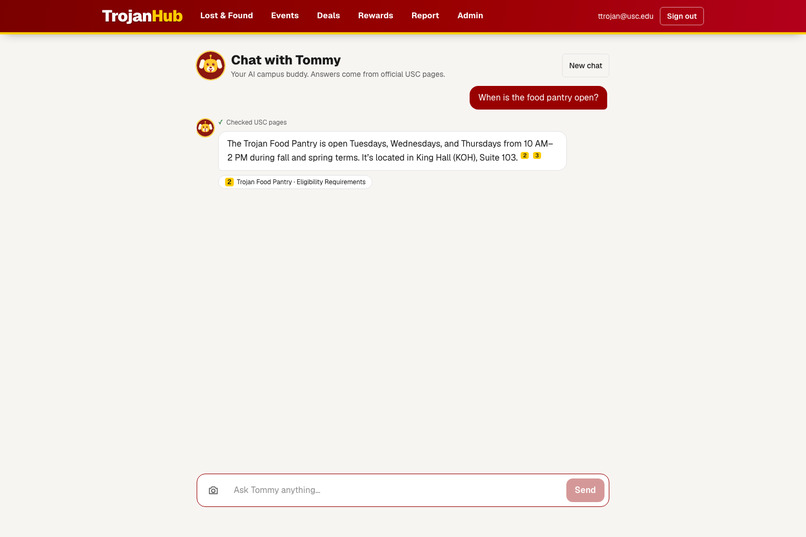
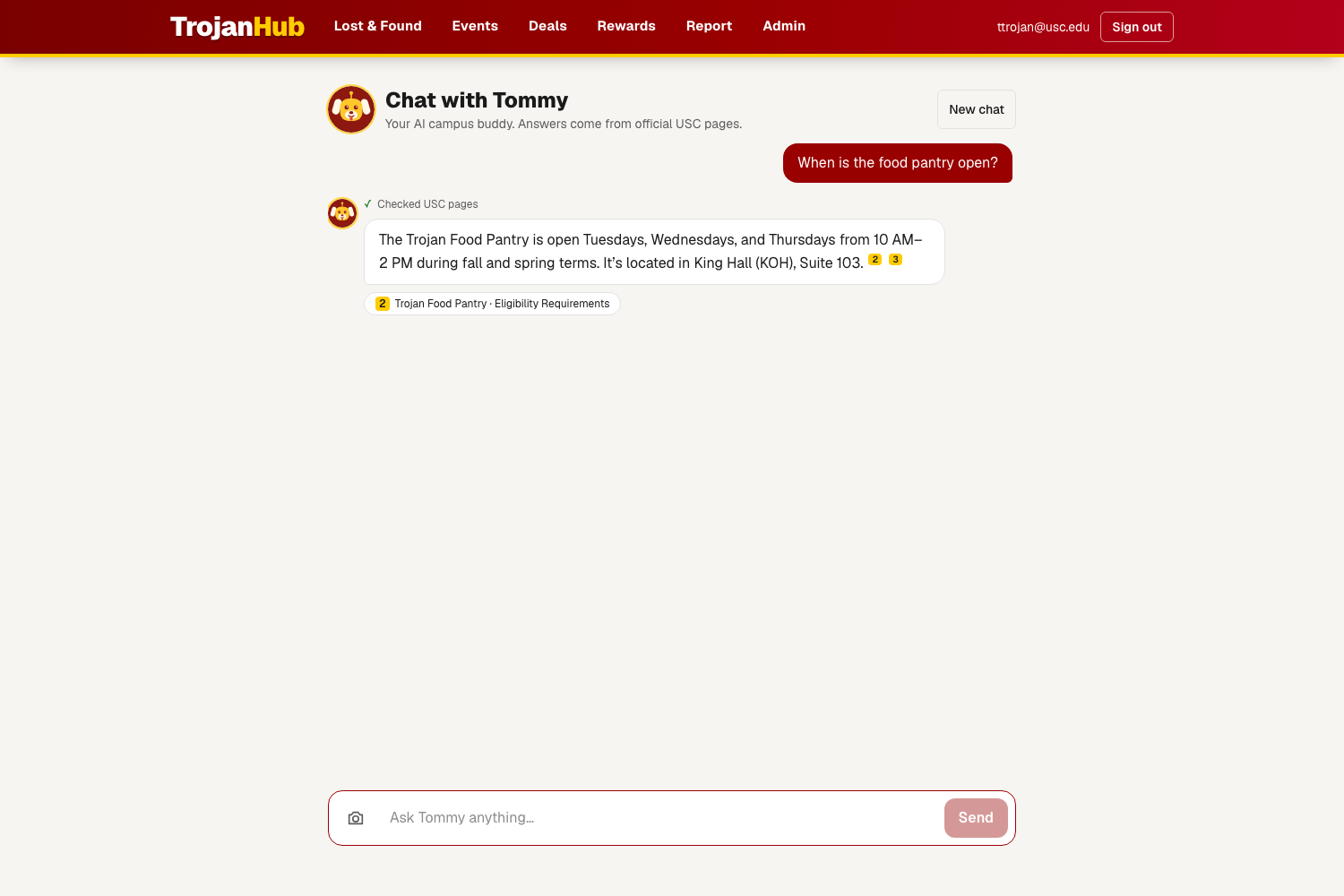
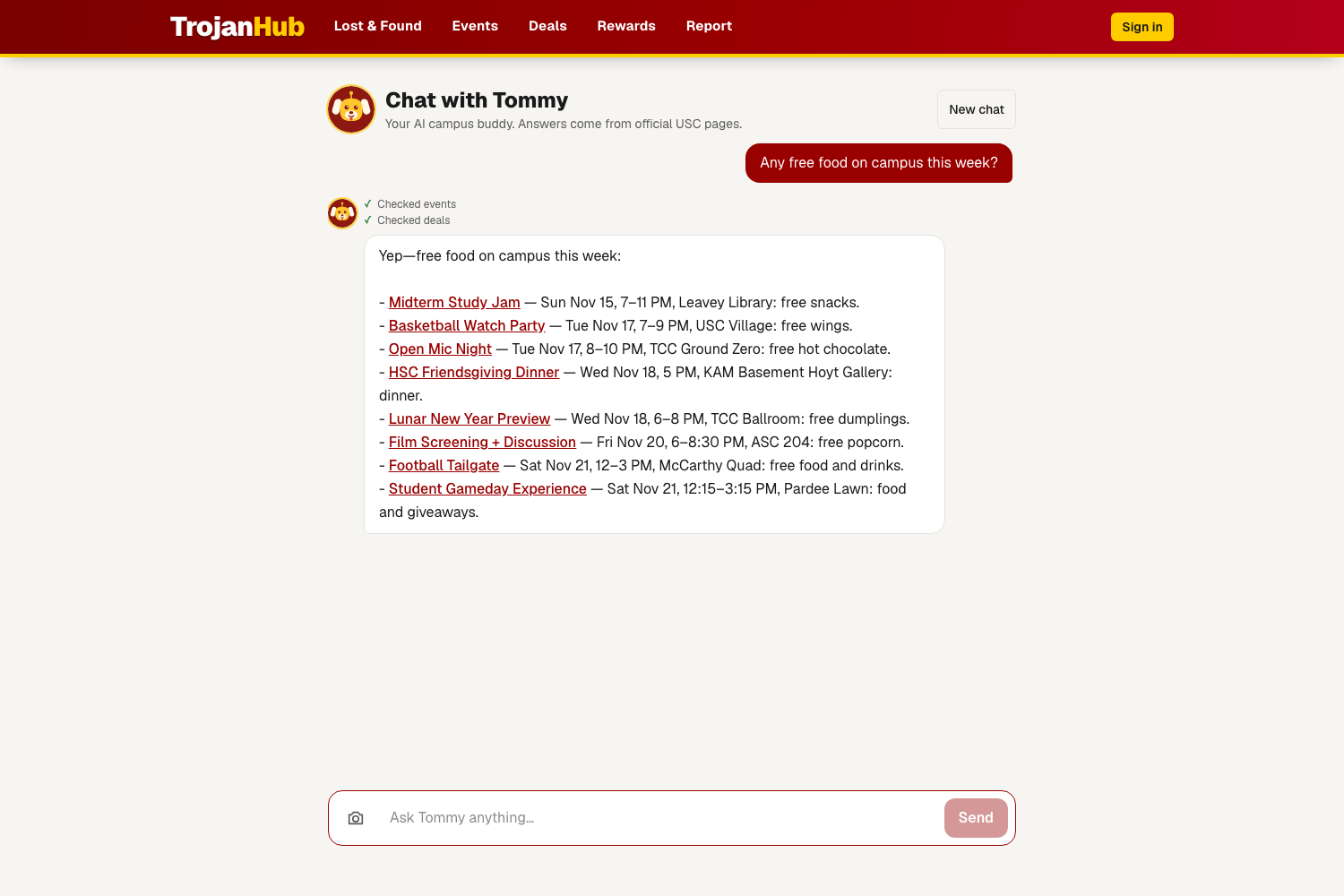
Ask Tommy anything about USC. Here it answers when the food pantry is open.
-
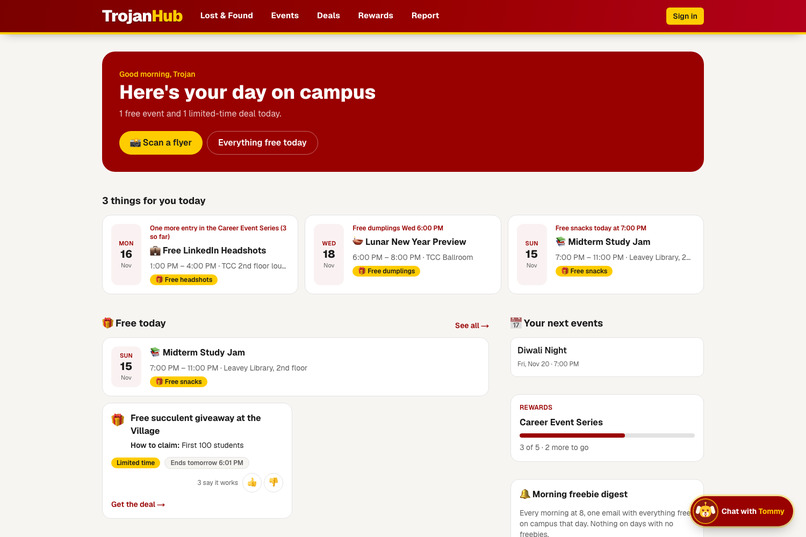
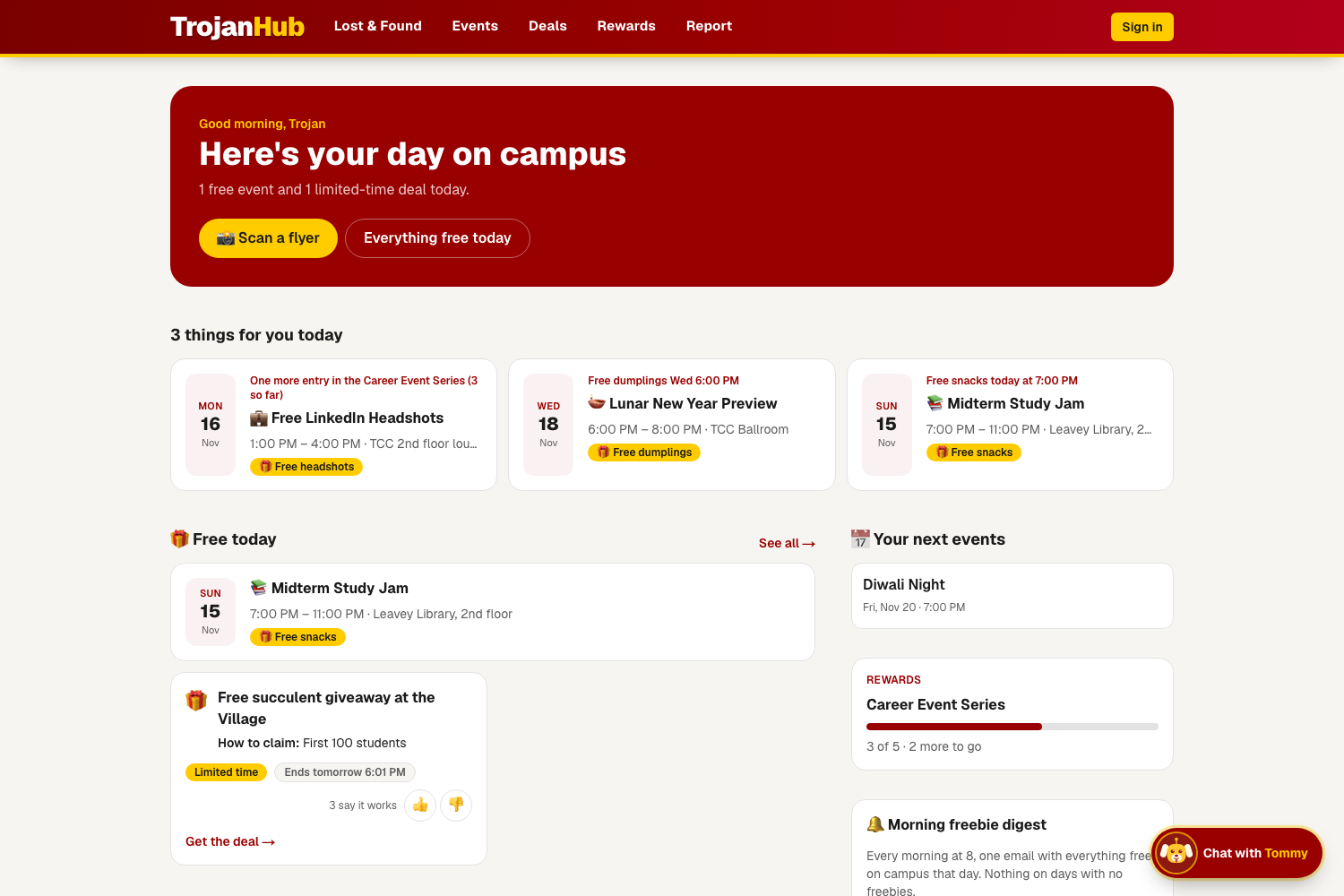
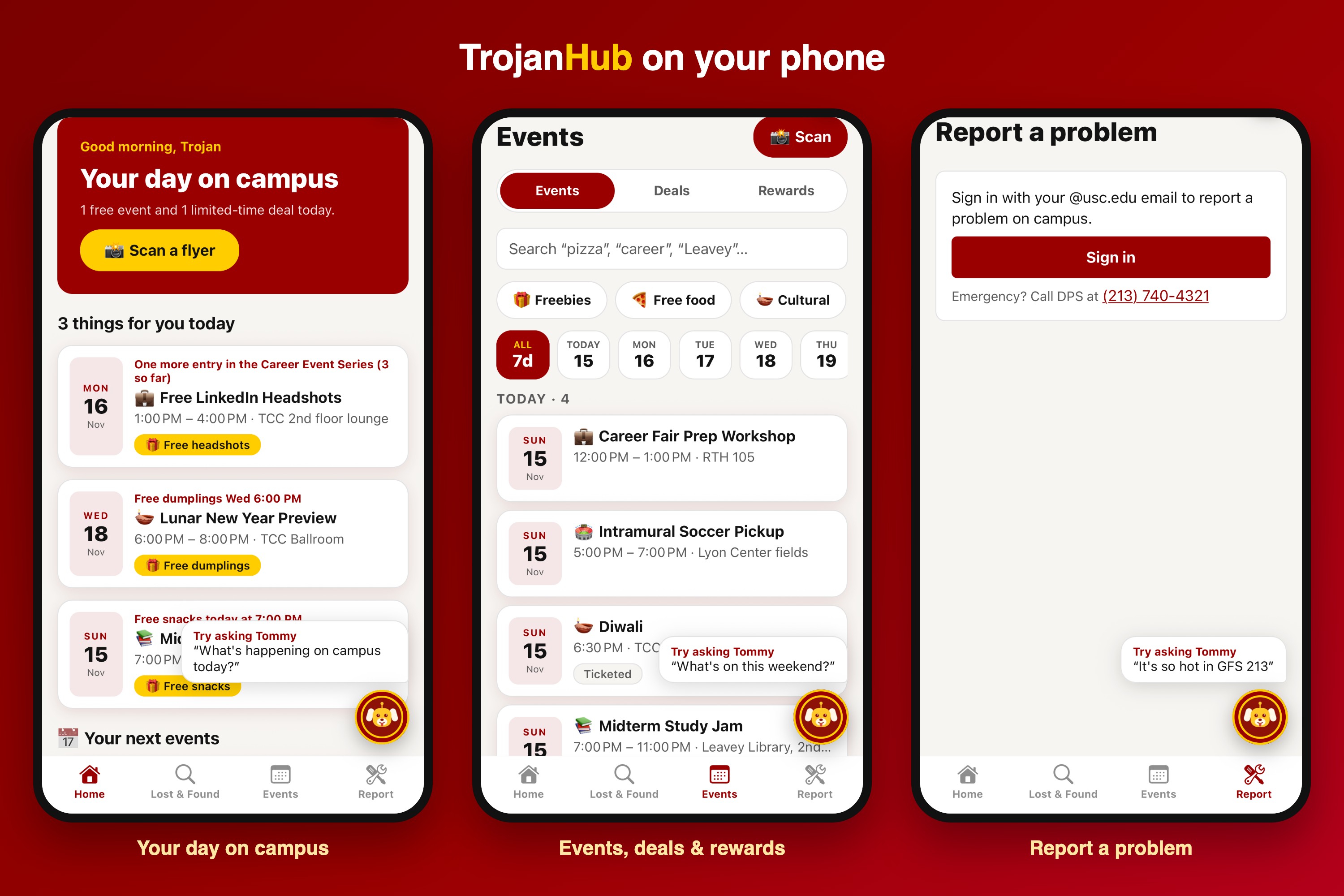
Your day on campus: free events, deals and things to do, all on one home screen.
-
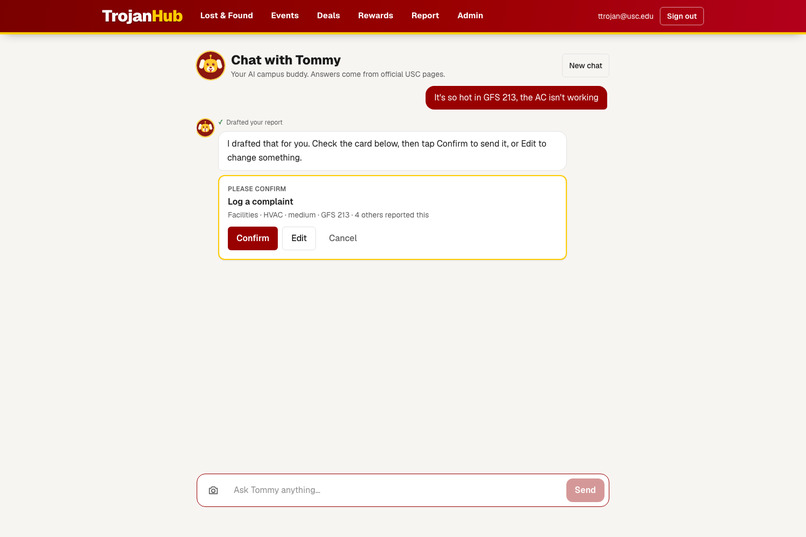
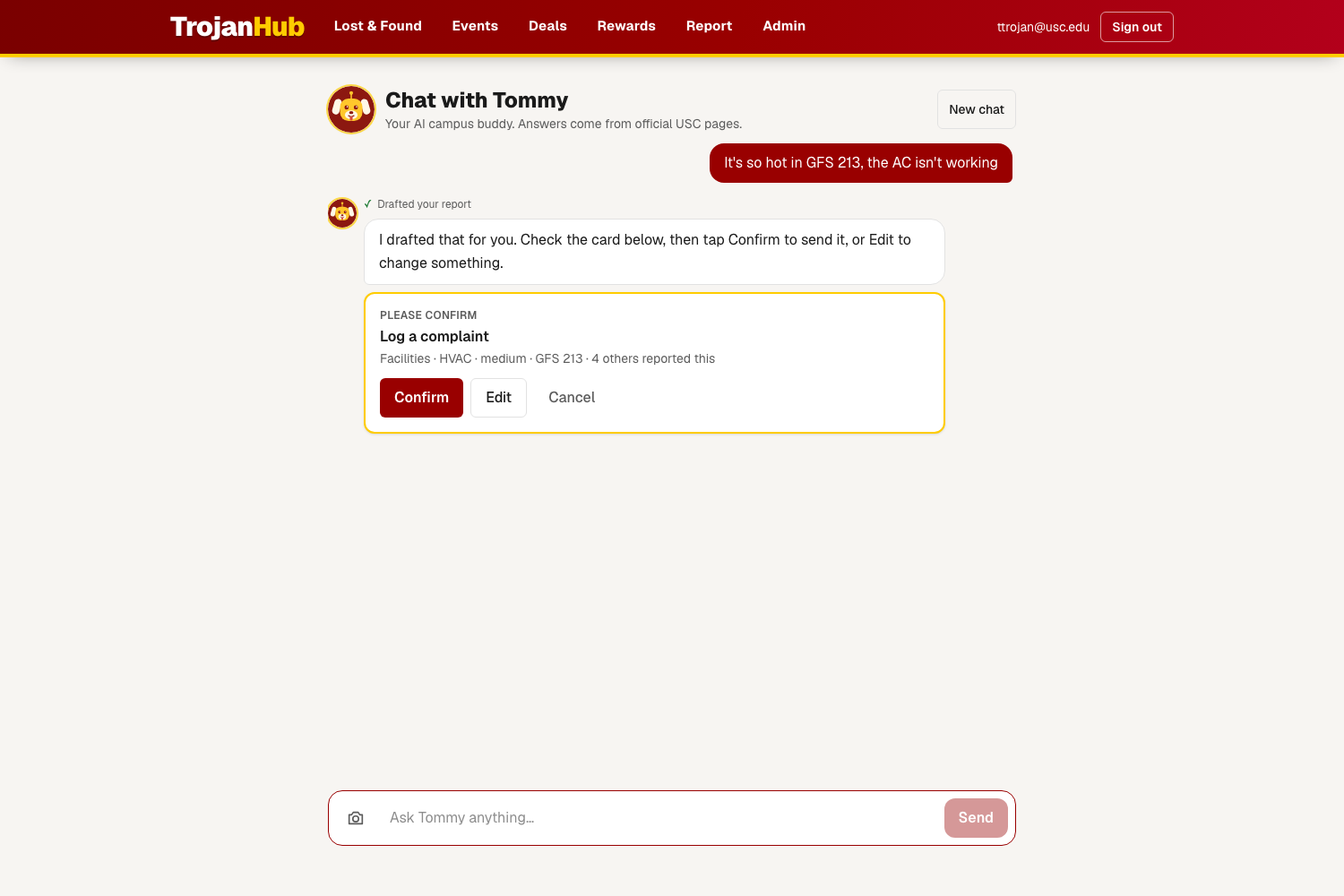
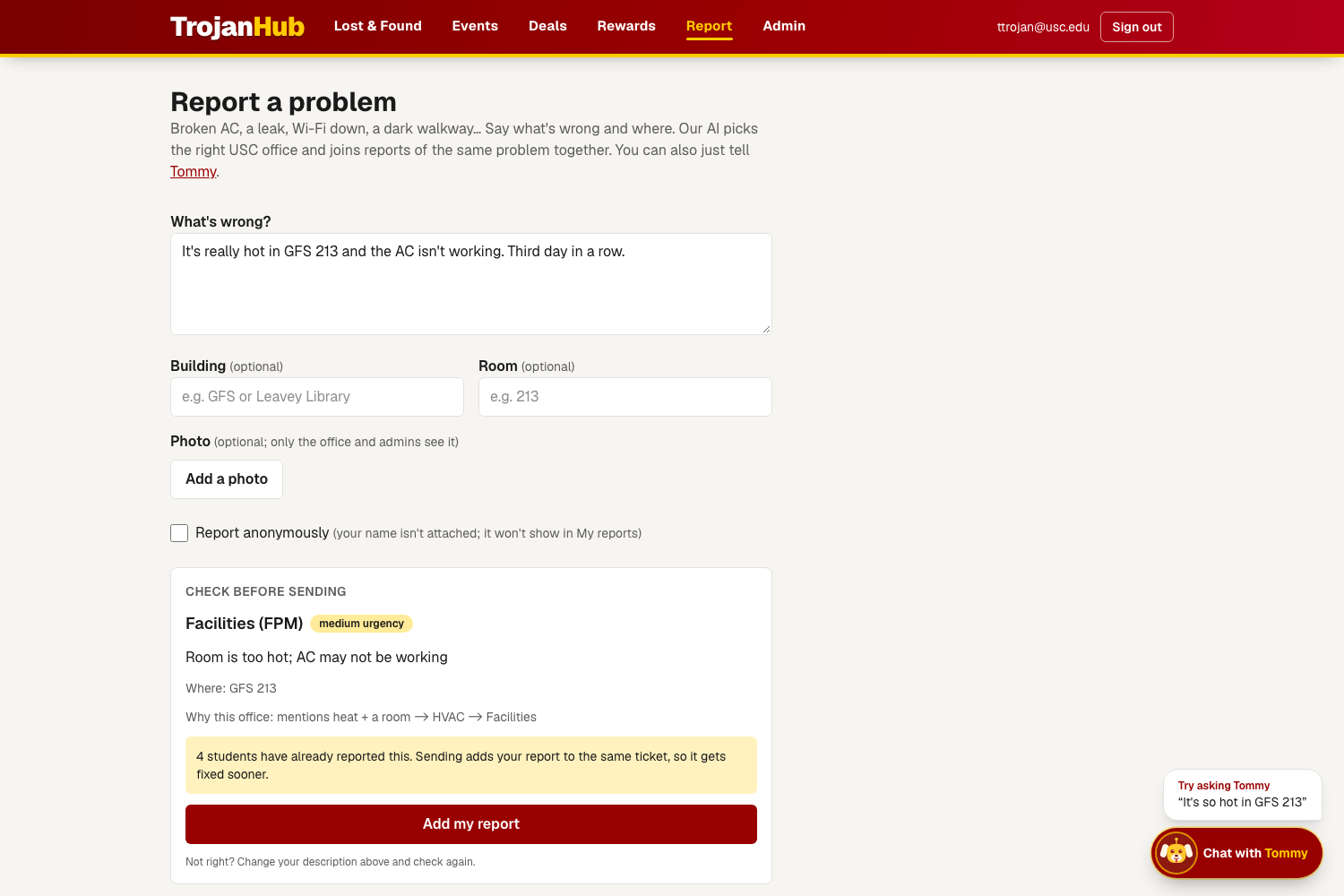
Tell Tommy "the AC isn't working in GFS 213" and it turns the message into a complaint report you can send.
-
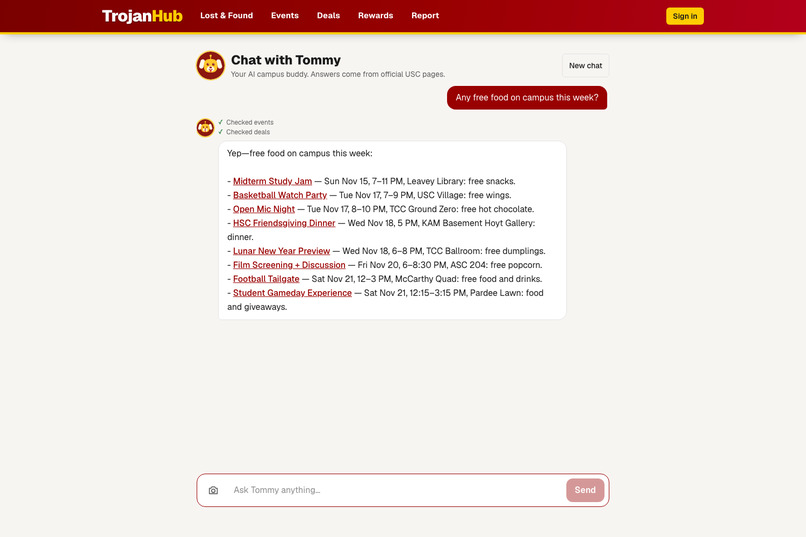
"Any free food this week?" Tommy finds it in live campus events. No sign-in needed.
-
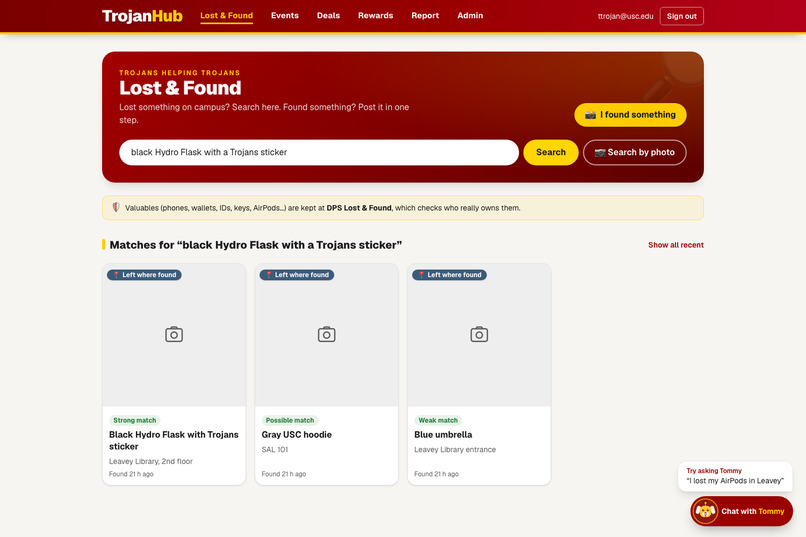
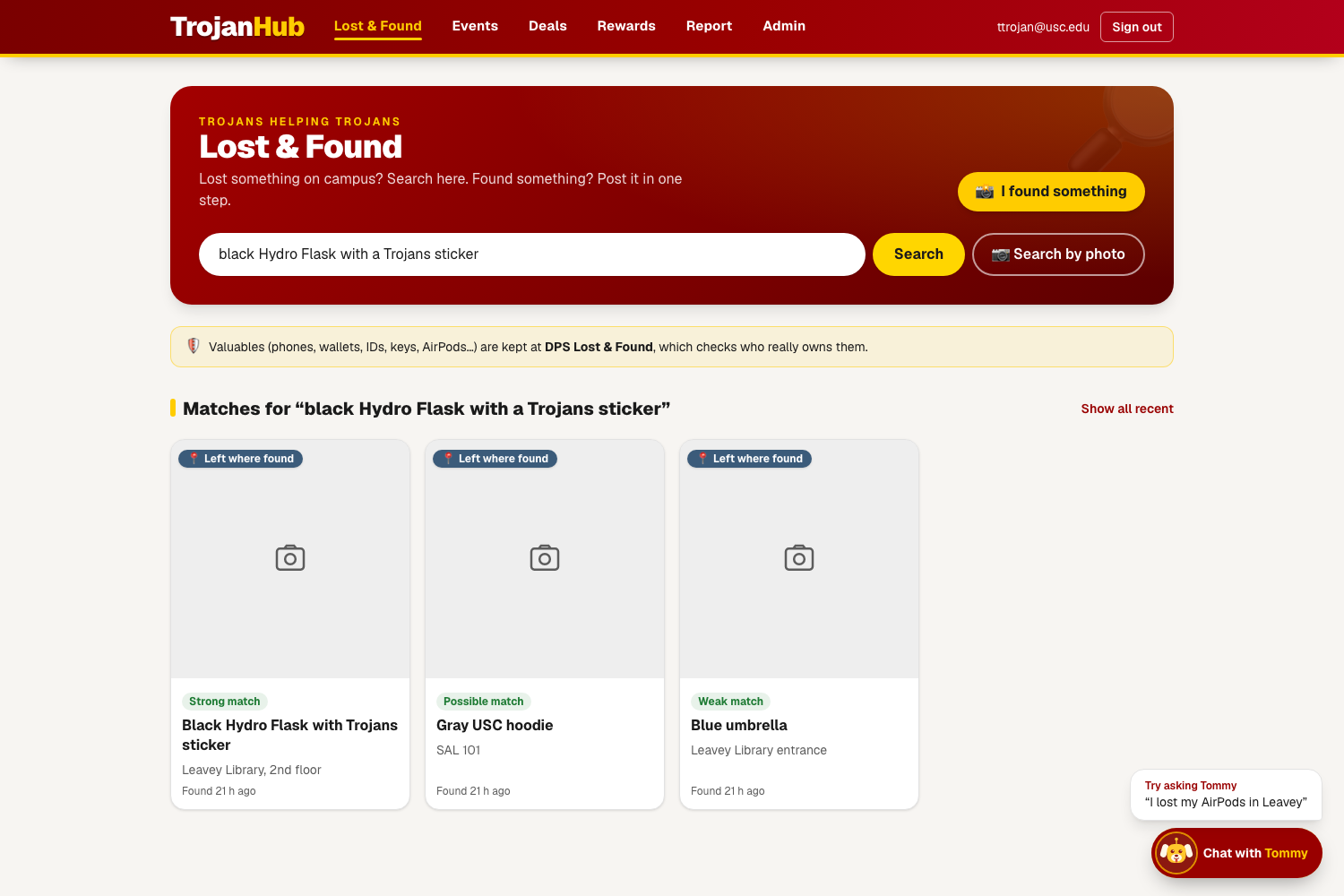
Describe what you lost in your own words and AI matches it against found items.
-
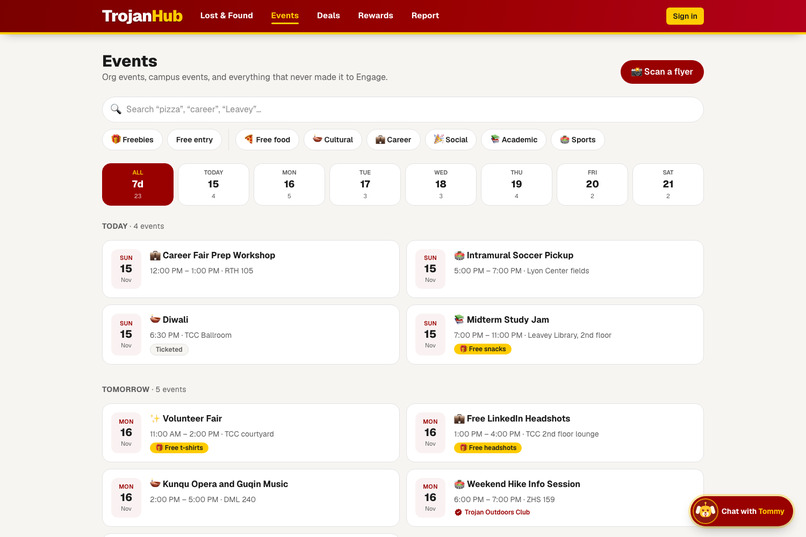
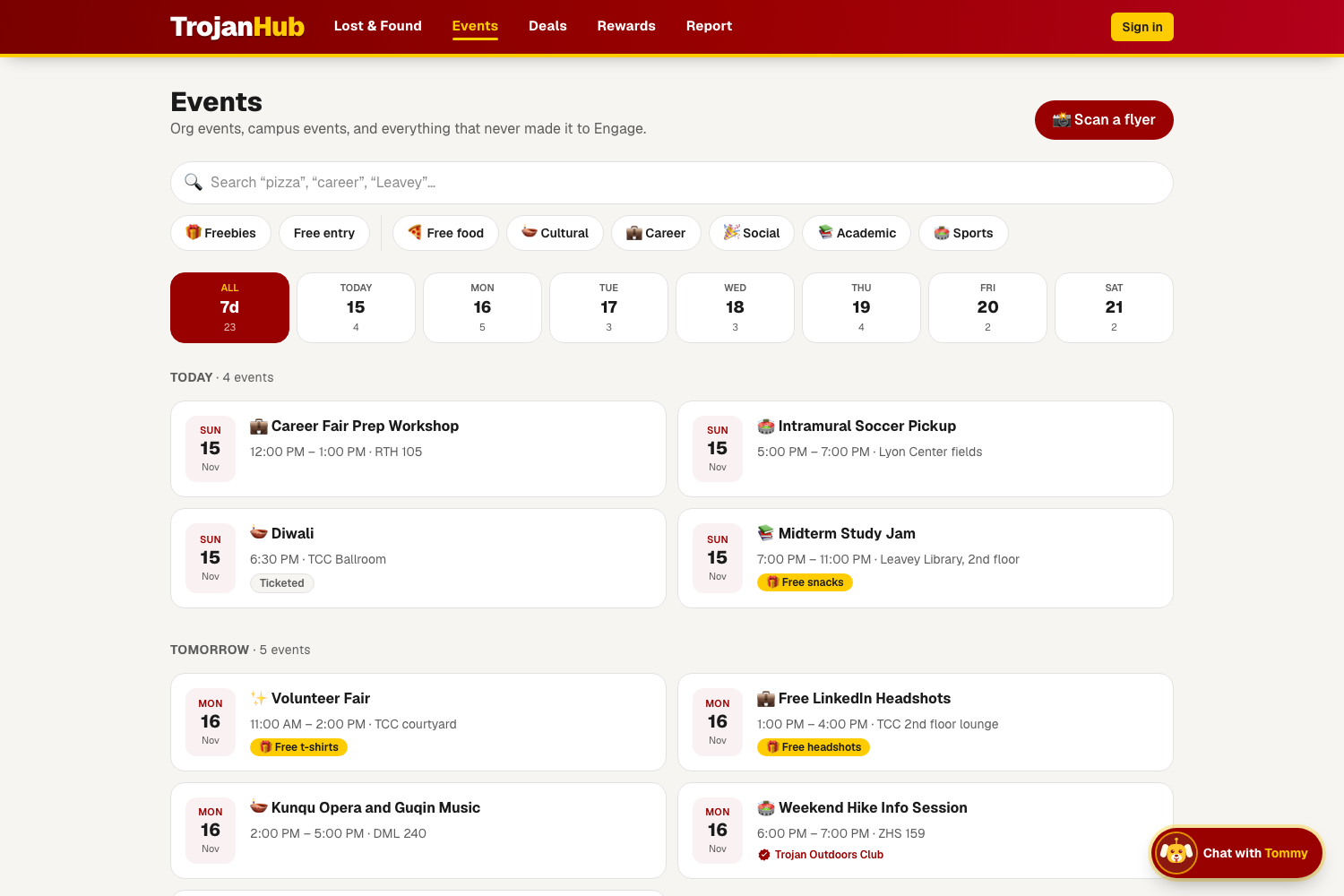
Org and campus events in one feed, with filters for free food, freebies and culture.
-
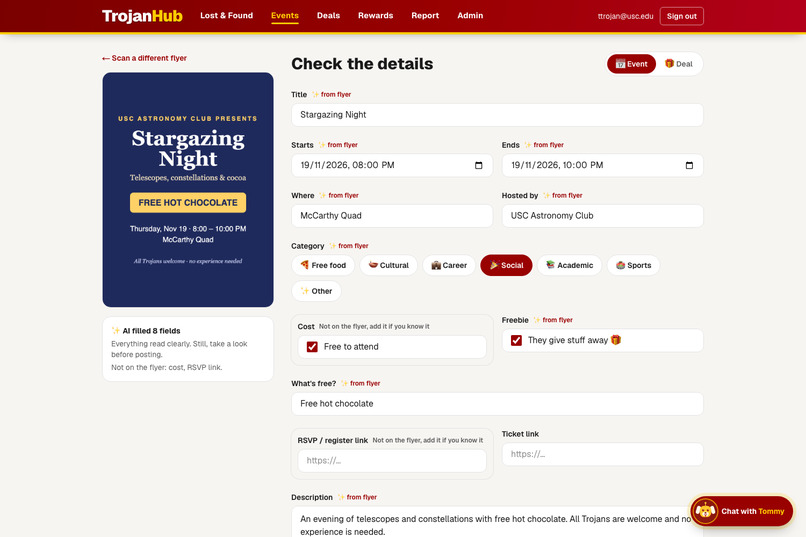
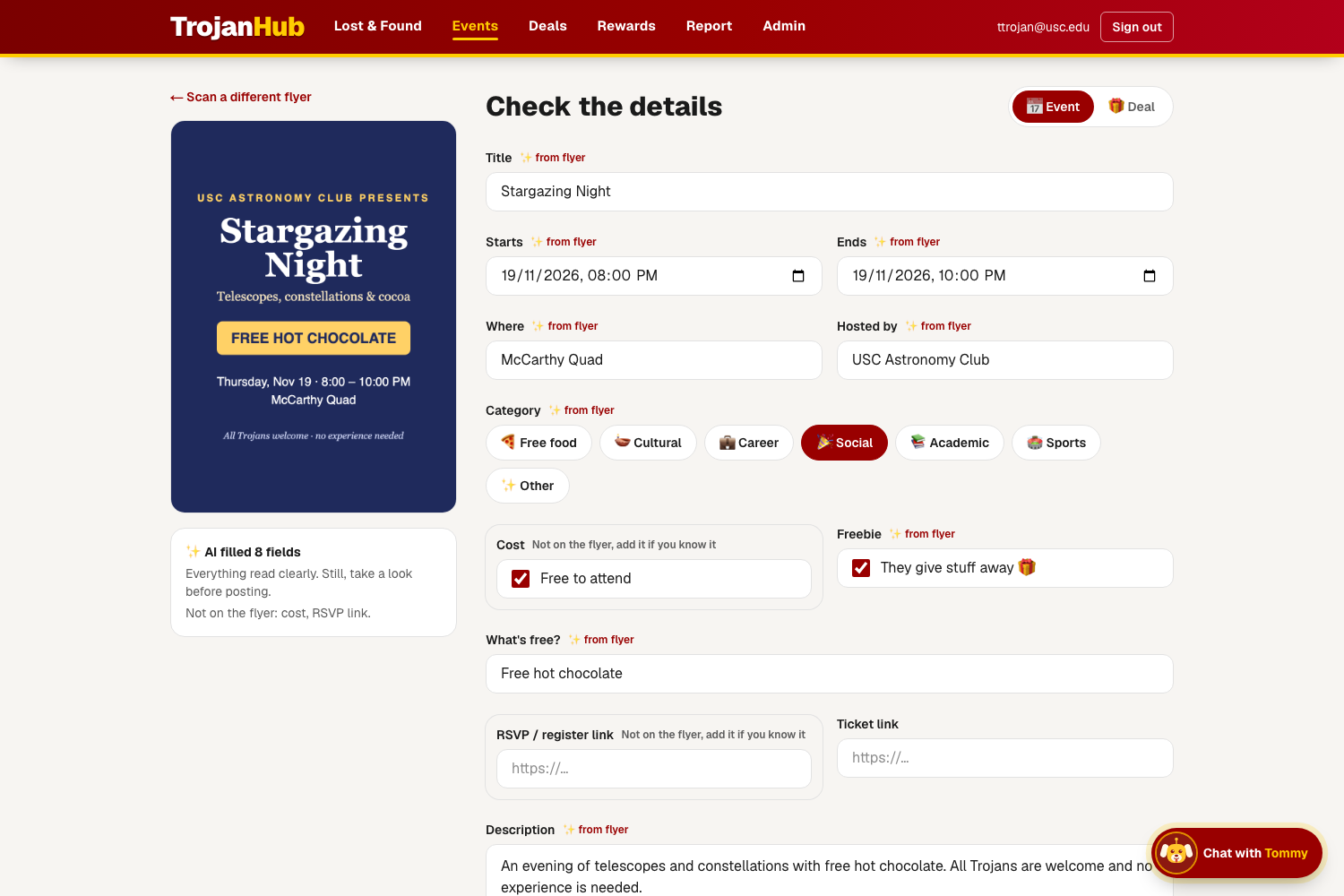
Snap a flyer and AI reads the title, date, time and place to fill in the event for you.
-
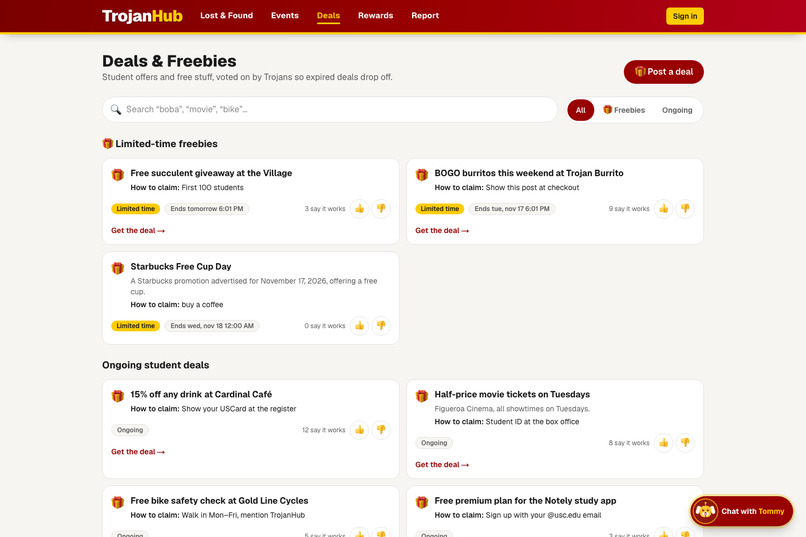
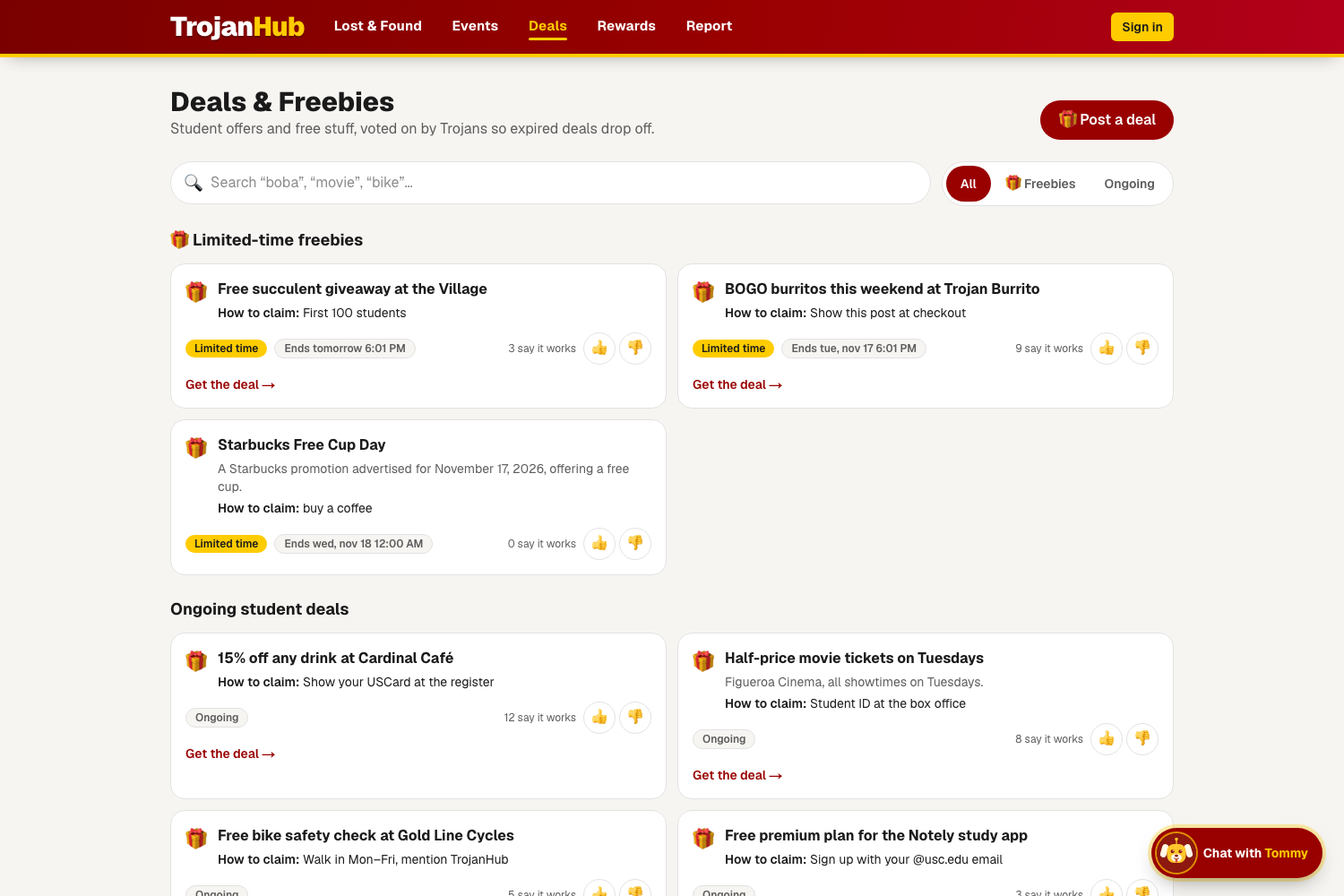
Student deals and freebies near campus, all in one place.
-
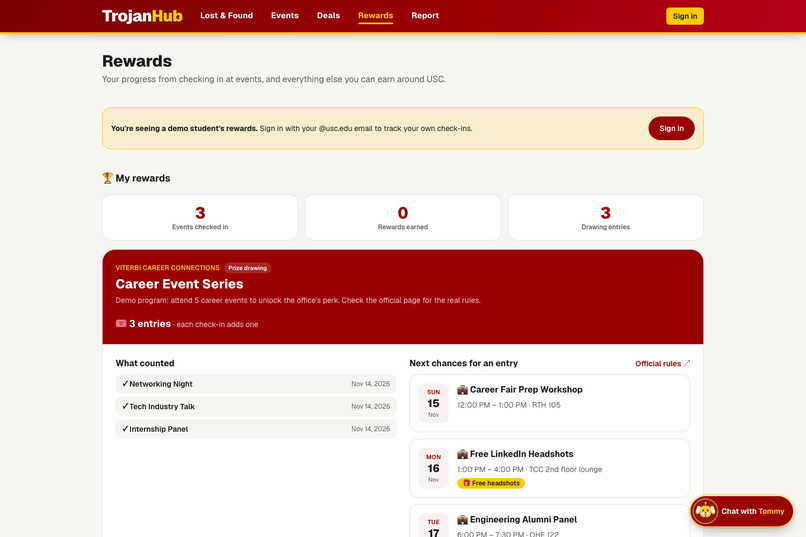
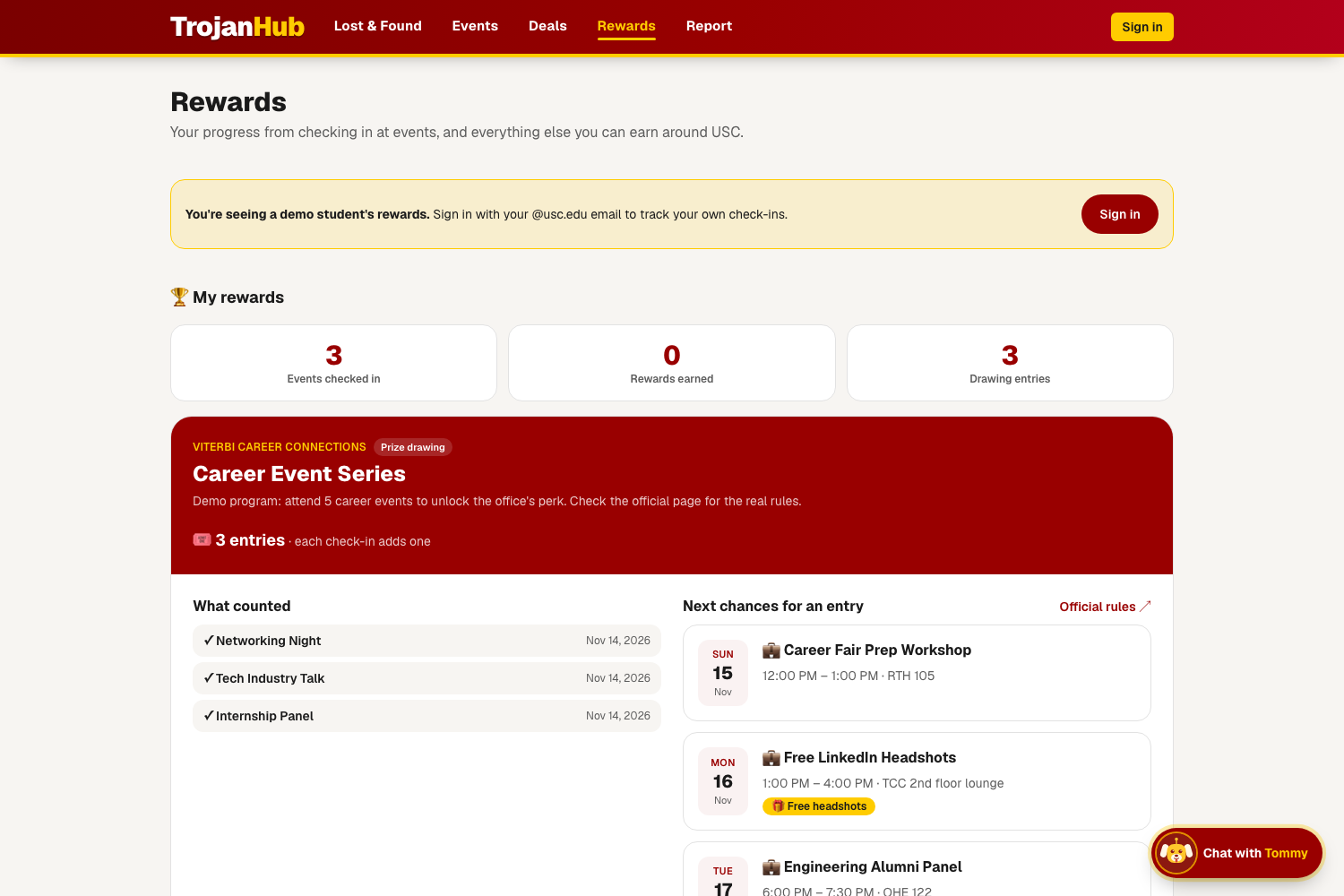
Earn rewards for helping the campus community.
-
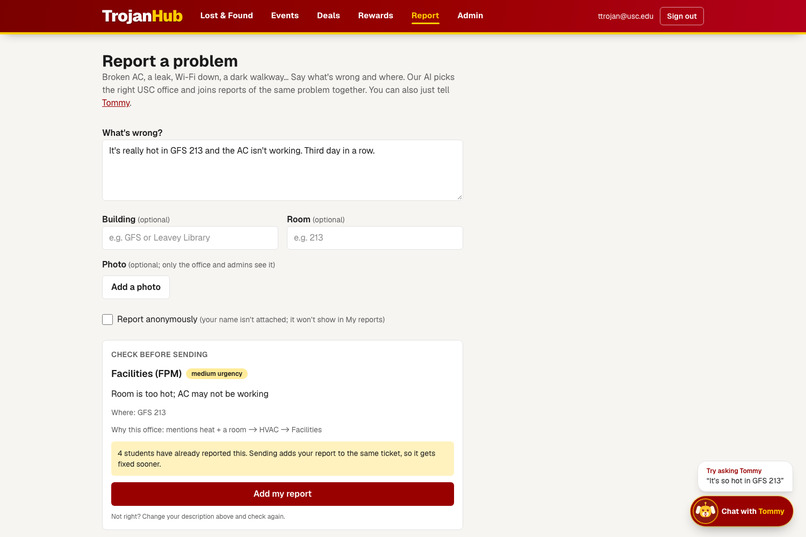
Smart Complaints: describe a problem and AI writes a clear report for you to review before sending.
-
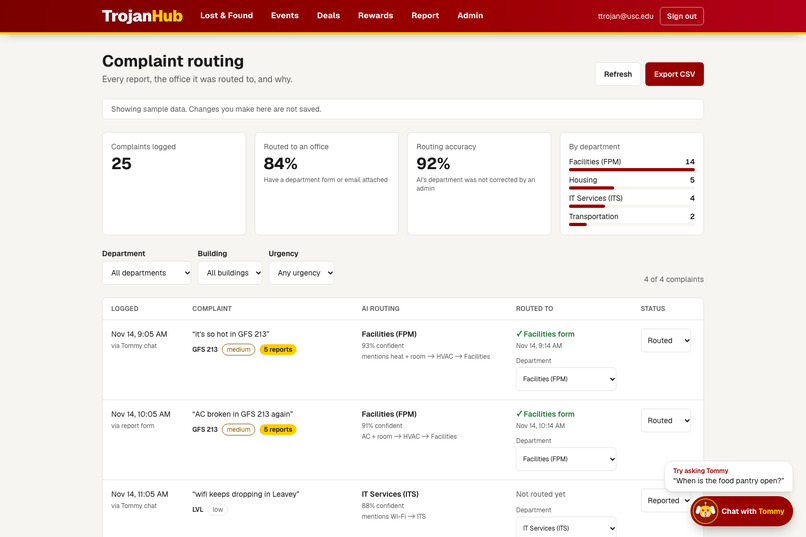
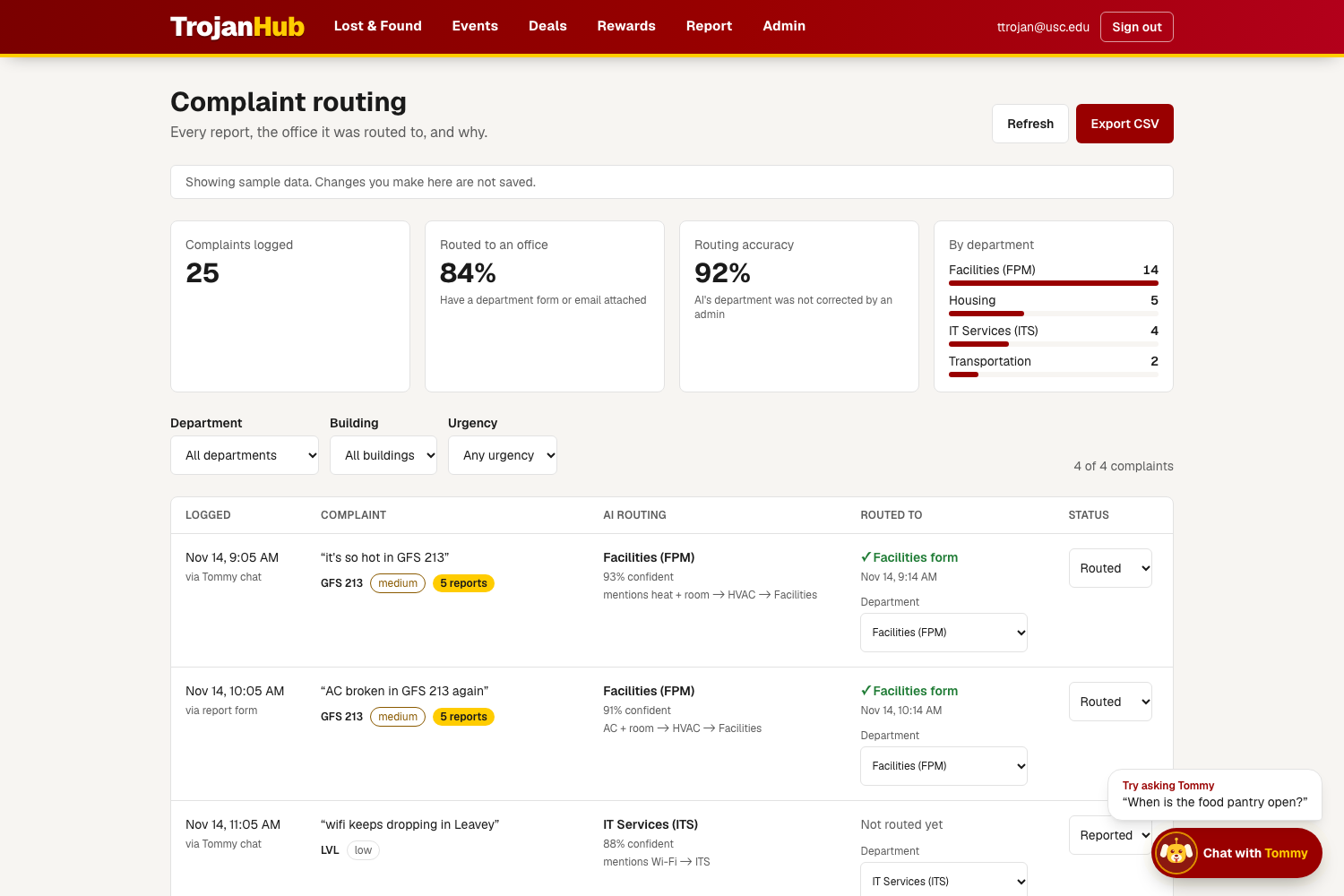
Student government sees all reports in one admin dashboard.
-
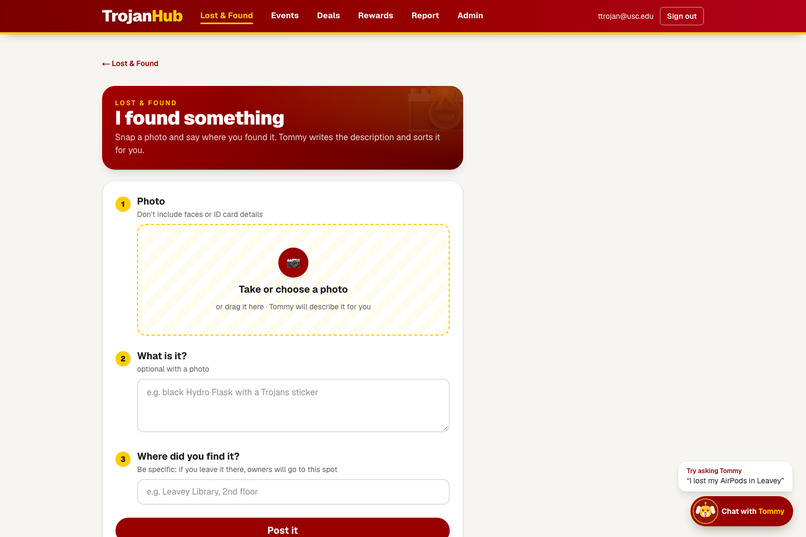
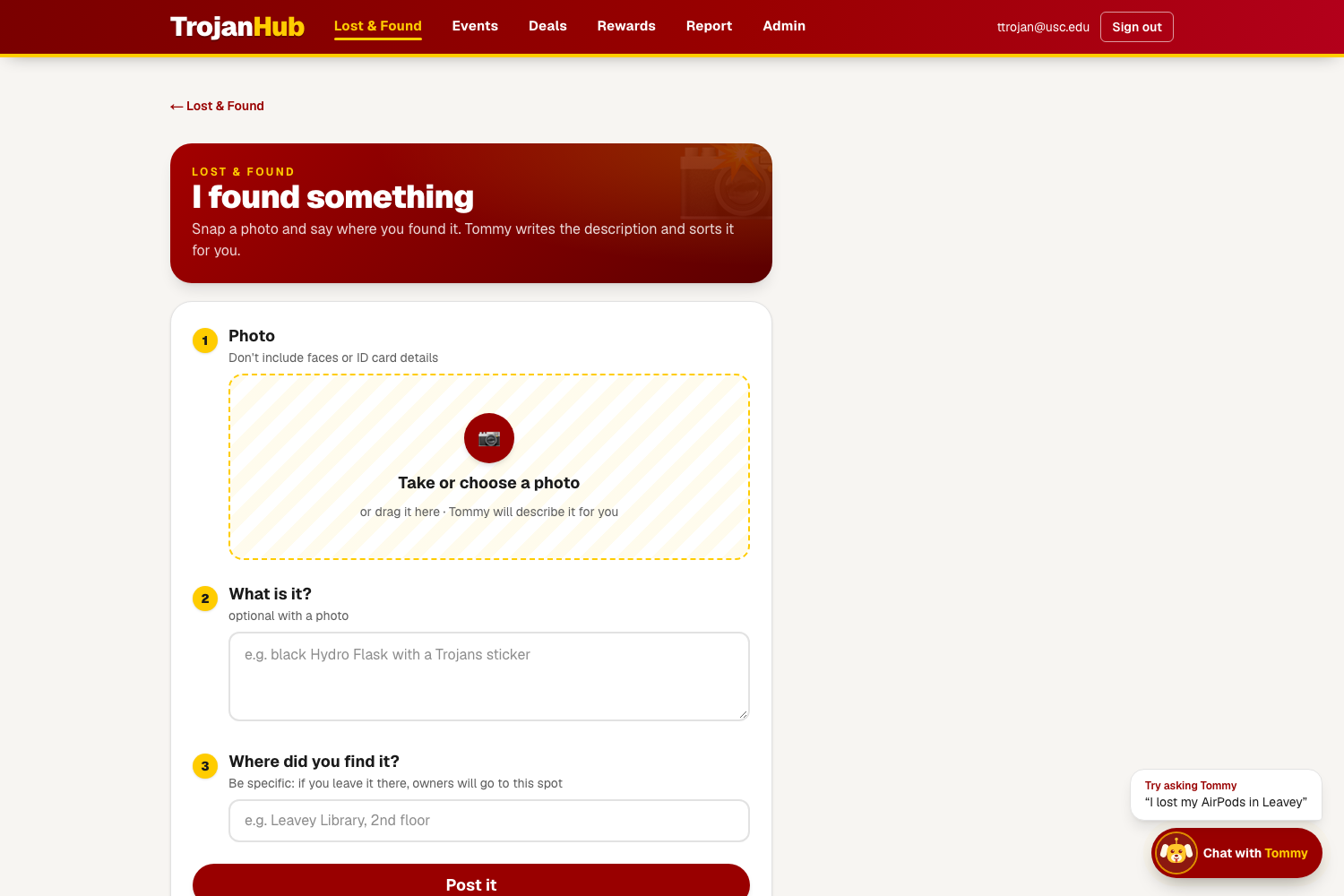
Found something? Post it in seconds so its owner can find it.
-
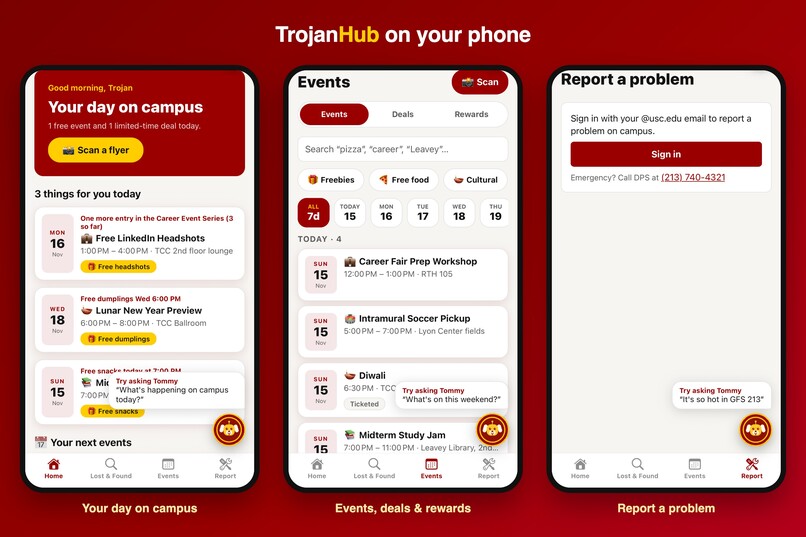
All of TrojanHub on your phone: Home, Events and Report in the iOS app.
Inspiration
USC has more than 1,000 recognized student organizations, and the information students need is scattered across Engage SC, Instagram stories, flyers on walls, department websites, group chats and word of mouth. Each of us had a story about it:
- A Diwali event was announced the day before, and the tickets ran out before most of us heard about it.
- A Hydro Flask left in a lecture hall. The finder didn't know where to take it, and the owner didn't know where to look.
- A dorm room at 85°F with a broken fan. Nobody knew whether that goes to Housing, Facilities, or somewhere else, so it never got reported.
- Free food and student deals spread by chance. If you weren't in the right group chat, you missed them.
- Simple questions take ten tabs. "When is the food pantry open?" or "Who do I email about housing?" means digging through many USC pages.
None of these is a big problem on its own. Together they are the everyday friction of being a Trojan, and for student orgs they mean events and opportunities that never reach the students who'd care. We wanted one place to ask, and an assistant that doesn't just answer but actually does the thing for you.
What it does
TrojanHub is an AI campus companion, built as both a mobile app and a website. At its center is Tommy, a chatbot that answers USC questions with official sources and can take actions for you, always asking you to confirm first.
- 🤖 Ask Tommy anything about USC. Answers come from official USC pages, with links and contacts copied from the source. If Tommy can't find it, he says so instead of making something up. Tommy is on every page as a floating button, with suggested questions for the page you're on and links that open the right screen in the app.
- 📸 Snap a flyer to post it. A vision model reads the photo and fills in the title, date, time, place, cost, freebies and RSVP link. You check the details, it warns you if the event is already posted, and it lands on the campus calendar.
- 📅 Org & campus events that never reach Engage SC. Includes filters like "Free food" and "Cultural", verified org badges, a ticket-sale countdown, RSVP, add to calendar, and check-in codes. Posters can edit or delete their own events.
- 🎁 Deals & freebies. Student discounts and one-time giveaways, with students voting on whether a deal is still active.
- 🔔 Freebie alerts. One morning email with everything free on campus that day (nothing on days with nothing free), plus a reminder 30 minutes before any event you saved, and a heads-up before ticket sales open. Choose your categories, or unsubscribe in one tap.
- 🏆 Rewards. Check in at events and track your own progress toward real USC perks: what counted, when you earned it, and how to claim. A "Ways to earn around USC" directory lists 13 perks we verified on official pages, from the Career Fest prize drawing to the $2,500 Career Center Impact Scholarship.
- ✨ "3 things for you today." A home feed picked from your interests, your saved events and today's freebies, with a one-line reason for each.
- 🔎 Two-tier Lost & Found. AI sorts each found item by photo and writes its description for the finder to check. For valuables (AirPods, wallets, IDs), the finder is directed to the DPS or IT drop-off. Everyday items (bottles, umbrellas) are handed back through in-app messages. You can search by words or by a photo of what you lost.
- 🛠️ Smart complaints. Describe the problem in one sentence. AI picks the department, category and urgency, groups duplicate reports, and links to the right USC form. You can attach a photo (seen only by staff) or report anonymously. Safety issues show DPS contacts right away.
- 📊 Admin dashboard for staff. Shows how each complaint was routed and why, lets staff correct the routing, tracks routing accuracy, and exports to CSV.
For student orgs: snap your flyer and your event is on the campus calendar in seconds, with RSVPs, check-in codes and attendance rewards. Your event reaches students even if it never gets on Engage SC.
Tommy ties it all together. "Any free food this week?", "I found AirPods in Leavey" or "the AC in my room is broken" each becomes a search or an action, with no need to know which page to go to.
How we built it
Stack
- Mobile: React Native + Expo (expo-router)
- Web: Next.js 16 + Tailwind
- Shared: a TypeScript package with every API type and a typed client, used by both apps
- AI service: FastAPI (Python 3.11)
- Data: Supabase (Postgres + pgvector, @usc.edu-only sign-in, Storage)
- Email: Resend, for the morning digest and reminders
- Hosting: Replit, with one URL serving the website and the API
The six AI parts
1. Answers from USC pages (RAG). We scraped 86 public USC pages (food pantry, housing, DPS, Facilities, IT, libraries, health) and split them into 516 chunks. Each chunk is embedded with MiniLM and stored in pgvector. For each question we retrieve the closest chunks, and the LLM answers only from them, with links. If the best match is below a threshold, Tommy says he doesn't know and gives the closest official link.
2. An agent with tools. Tommy can call 9 tools: search_usc_info, search_events, search_deals, search_lost_items, report_found_item, scan_flyer, save_event, get_rewards and log_complaint. These call the same API endpoints the app's screens use. Anything that writes data needs the user's confirmation first.
3. Image search for Lost & Found (CLIP). Every found-item photo and every search gets an OpenCLIP ViT-B/32 embedding, and results are ranked by cosine similarity:
$$\text{sim}(q, i) = \frac{q \cdot i}{\lVert q \rVert \, \lVert i \rVert}$$
The same model sorts items into tiers without any training, by comparing the photo to labels like "AirPods", "wallet" and "water bottle". Photo search gives a boost to items of the same kind, and building names are matched even with typos ("Leavy" finds Leavey). Photos of ID cards and credit cards are used once to sort the item and are never stored.
4. Item descriptions from a photo. When a finder snaps a photo, a vision model writes a short title and description for them to check and edit. If the model isn't available, CLIP's label fills in instead.
5. Flyer reader. A vision LLM turns a flyer photo into structured JSON with a confidence score for each field. Uncertain fields are highlighted for the user to check. Fuzzy title matching plus a time window catches duplicates, even with typos like "Diwalli Night".
6. Complaint router. The LLM returns the department, category and urgency. A new report merges with an open ticket when the text is very similar and the building matches. When staff correct a routing in the dashboard, it counts against accuracy:
$$\text{routing accuracy} = \frac{\text{complaints not corrected by staff}}{\text{complaints routed}}$$
Security & privacy
- Anyone can ask Tommy; only students can act. Guests can ask questions and search events, deals and lost items. Posting, reporting, claiming and logging complaints require signing in with a 6-digit code sent to a @usc.edu email, checked in the app and again in the database.
- Guests see less. In Lost & Found, a guest sees only what was found and where. Photos, details and claiming stay behind sign-in.
- Valuables stay private. For items at DPS, the photo, description and exact spot are visible only to the finder.
- Every table has row-level security, so students can only read and change what they're allowed to. The admin key stays on the server.
- Nothing is saved without the student tapping Confirm. Only the person who posted an event (or an admin) can edit or delete it.
- Uploads and links are checked. Complaint photos must be real images (checked by their contents) and are only shown to staff through short-lived links. Event links must be web links. Photos of ID cards and credit cards are never stored, and Lost & Found never shows contact details.
- Rate limits: guest chats are capped per hour, and so are admin test emails, so a public demo can't run up costs.
How four people built it in parallel. On day one we wrote down every API shape and a mock response for each endpoint. Every screen worked on mock data from the first hour, so each of us could build their feature without waiting on anyone else, then switch it from mock to real data.
Challenges we ran into
- Real flyers are messy. Phone photos were large, sideways or in odd formats, and some scans failed silently. We added server-side resizing and rotation, and clear error messages with a retry.
- Dates are hard. Flyers say "Friday 7–10pm" with no year, events run past midnight, and Tommy had to understand "this weekend" vs. "next week" in LA time. We also block events that have already ended from being posted.
- Categories overlap. An open mic that gives out free hot chocolate is a "social" event, but it belongs under Free food too. We switched from exact category matches to matching on the event's text and freebies.
- Grounding the chatbot. Getting Tommy to say "I don't know" instead of guessing took threshold tuning, plus a 28-question test set of real USC questions we check his answers against:
- 24 of 28 (86%) full answers had the right facts.
- 96% of the time, search found the correct USC page in its top 4 results.
- 3 of 3 questions that USC pages can't answer got an honest "I don't know".
- 0 made-up phone numbers or emails.
None of the four misses were made-up answers. In each one, Tommy left out a detail or cited a different page.
- Open to everyone, but still private. We wanted anyone to try Tommy without a USC login, without exposing students' lost items or letting anonymous users post. Guests get search only. Actions ask them to sign in, and guest Lost & Found results show only titles and locations.
- Two apps, one backend, four people. Keeping the website and mobile app consistent while all four of us pushed changes needed a shared type package, small PRs, and 301 automated backend tests to keep main runnable.
Accomplishments that we're proud of
- A working product on web and mobile, live at the prototype link, not just slides.
- An assistant that acts, with a confirm step before anything is saved, instead of only answering.
- Zero made-up contacts in our tests. When Tommy gives a phone number or email, it came from an official USC page.
- 13 real USC perks, each checked on an official page, so the rewards are real rather than made up.
- Privacy built in from the start: @usc.edu-only actions, no contact details shown in Lost & Found, ID photos never stored, and anonymous complaints that stay anonymous.
Design & accessibility
- One app on phone and web, in USC cardinal and gold, with the same features on both.
- Try before you sign in. Anyone can open Tommy and get answers right away. A sign-in prompt appears only when you go to post, report or claim something.
- Tommy is always one tap away, with suggestions that fit the page you're on.
- AI fills in the form, the student stays in control. Every AI-filled field can be edited before saving, and low-confidence fields are highlighted.
- Built with screen-reader labels on buttons and controls across both apps, clear error messages with retry, and plain-language copy.
What we learned
- Agree on the API first, then split up. Agreeing on contracts and mock data in the first hour was the most valuable thing we did as a team.
- AI output needs a human check. Every AI-filled form (flyer, found item, complaint) is shown to the student to edit before saving, and that makes the AI feel trustworthy instead of risky.
- Measure the chatbot, don't eyeball it. A small, fixed set of real USC questions caught regressions that casual testing missed.
- Small UX details decide whether people use it. Clear error messages, a "post anyway" button for false duplicates, letting posters edit their events, and letting people try Tommy without signing in mattered as much as the models.
Why USC can actually adopt it
- Works alongside current systems. Complaints still go to the official Facilities, Housing and IT forms. TrojanHub picks the right one, fills in the details and groups duplicates. For valuable lost items, the finder is directed to DPS.
- Uses only public information. Tommy's answers come from public USC pages. No private university data or system access is needed.
- Gives staff a dashboard. Departments see which complaints came in, where each was sent and why. They can correct the routing, track accuracy and export to CSV, without new software on their side.
- Cheap to run. Managed hosting (Supabase + Replit), a free-tier email service, and open-source models for image and text search. Guest usage is capped, so costs stay predictable. Student Government could host it for a semester pilot.
- Easy to roll out in steps. Start with one residence hall and a handful of orgs, then add official integrations (Engage SC, ticket systems) once offices are on board.
What's next for TrojanHub
TrojanHub is designed to support USC's existing offices, not replace them. It needs no changes to USC systems on day one, so Student Government could run it.
- Pilot: 5–10 student orgs and one residential building in the spring.
- Registered org accounts: officially recognized student organizations get verified accounts to post recruiting and hiring calls, open positions, and events that never make it onto Engage SC. Posts would show a verified badge, and members could follow the orgs they care about.
- Official integrations: Engage SC event import, Facilities and Housing ticket systems, and the DPS lost-and-found database.
- Fresh answers: re-scrape USC pages weekly so Tommy stays current.
- More reach: a voice mode, answers in more languages for international students, and "what's happening near me right now".
- Org tools: event recaps and member interest matching.
Built With
- clip
- expo.io
- fastapi
- github
- gpt
- next.js
- node.js
- openai
- openclip
- pgvector
- postgresql
- python
- pytorch
- rag
- react
- react-native
- replit
- resend
- sentence-transformers
- supabase
- tailwindcss
- trafilatura
- typescript


