TripReel
BearHacks 2026
The Norm We Are Solving
Every day, millions of people open TikTok to decide where to eat, travel, or explore. A creator posts a video walking through Kensington Market, a hidden café in Mississauga, or a waterfront spot in downtown Toronto. The viewer watches, gets inspired, and then does the same thing every time:
- Pause the video and try to read the location name on screen
- Open Google Maps in a separate tab
- Type the name in - often spelling it wrong
- Scroll through results trying to match what they saw
- Repeat this for every location in the video
- Try to manually figure out the best order to visit them
This is the norm. It is slow, error-prone, and completely disconnected from the discovery experience. There is no bridge between TikTok as a travel search engine and Google Maps as a navigation tool. Users are expected to build that bridge themselves, manually, every single time.
TripReel is that bridge.
Inspiration
We have all been there. You are scrolling TikTok and a creator walks you through a hidden ramen spot in Mississauga, a rooftop patio in downtown Toronto, or a quiet trail along the Humber River. You screenshot it. You save it. Then the next morning you open Google Maps, try to remember the name, type it in wrong, and spend twenty minutes hunting for something you already watched in a thirty-second video.
This friction is the norm for an entire generation of travelers. TikTok has become the world's most powerful travel discovery engine - but there is a massive gap between discovering a place on TikTok and actually navigating to it. That gap is manual, repetitive, and completely solvable.
TripReel was built to close that gap.
The Problem We Solve
The typical user journey today looks like this:
$$\text{TikTok Video} \xrightarrow{\text{manual}} \text{Screenshot} \xrightarrow{\text{manual}} \text{Google Maps Search} \xrightarrow{\text{manual}} \text{Navigate}$$
Each arrow is a context switch. Each context switch costs time and introduces error. For a video that mentions five locations - say, Kensington Market, Distillery District, CN Tower, Port Credit, and Square One in Mississauga - the user repeats this loop five times.
With TripReel, the entire pipeline collapses to:
$$\text{TikTok URL} \xrightarrow{\text{TripReel}} \text{Interactive Map} + \text{Voice Guide} + \text{Route}$$
What It Does
TripReel is an AI-powered travel companion that turns any TikTok travel video into a fully interactive map experience in seconds.
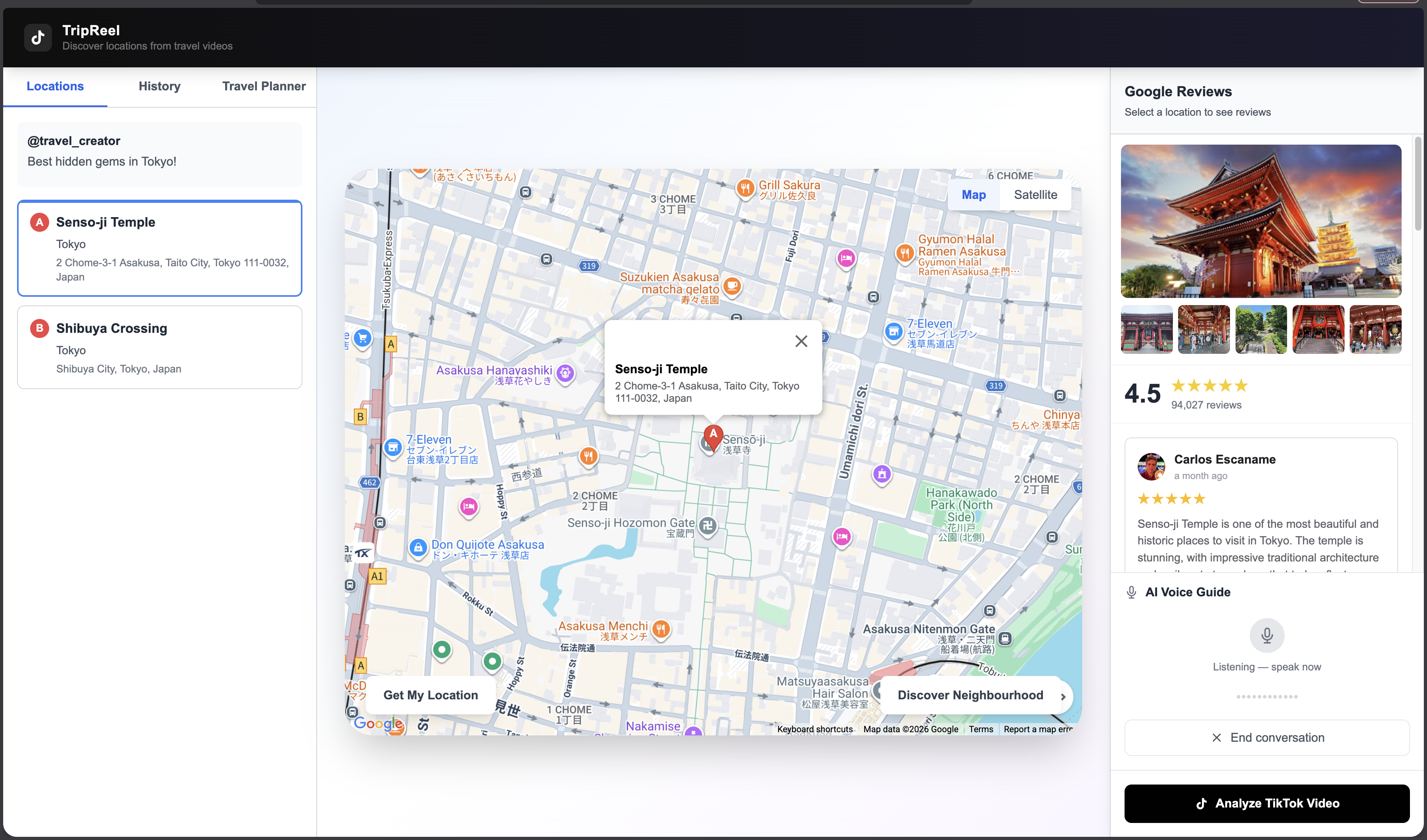
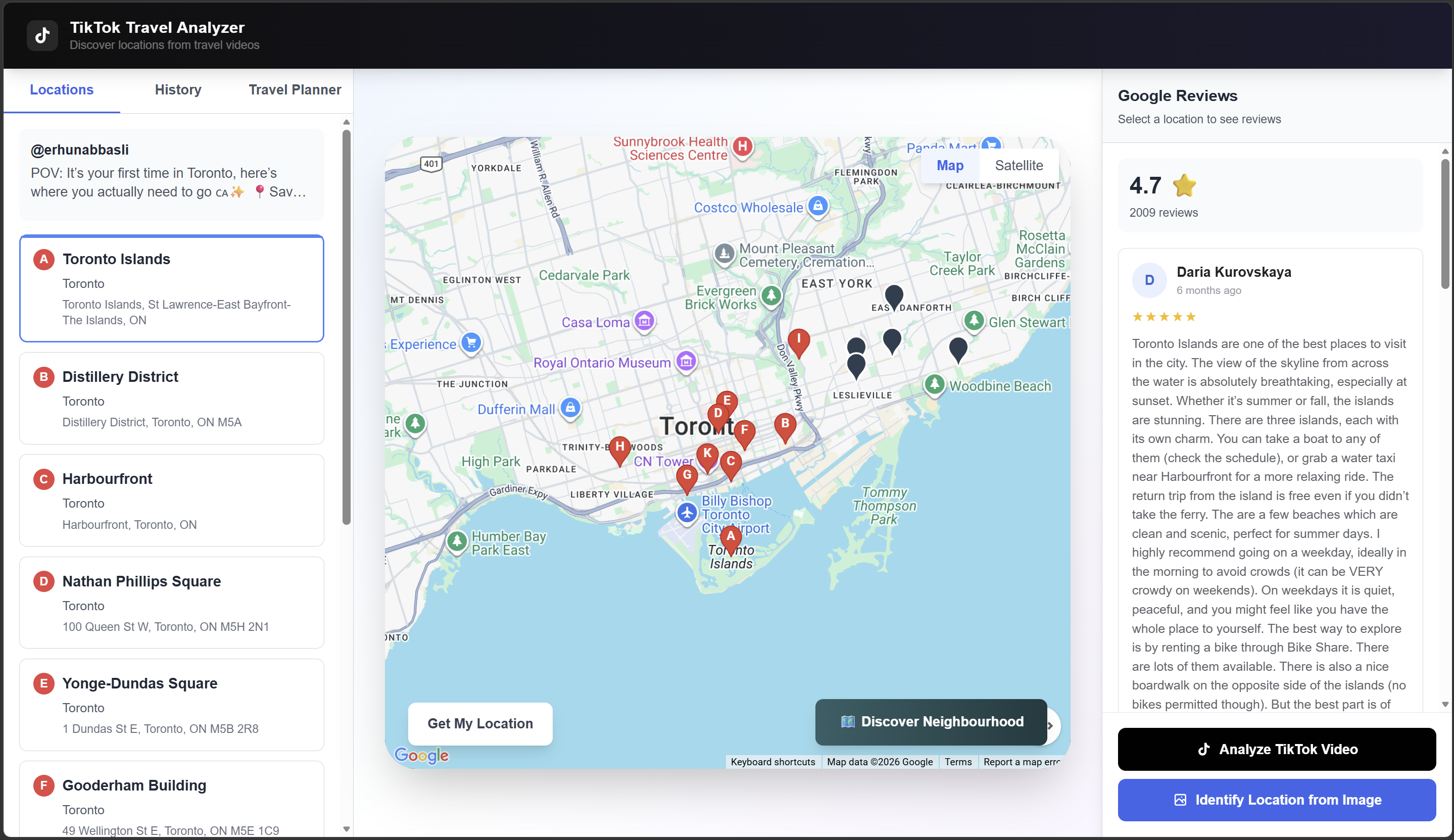
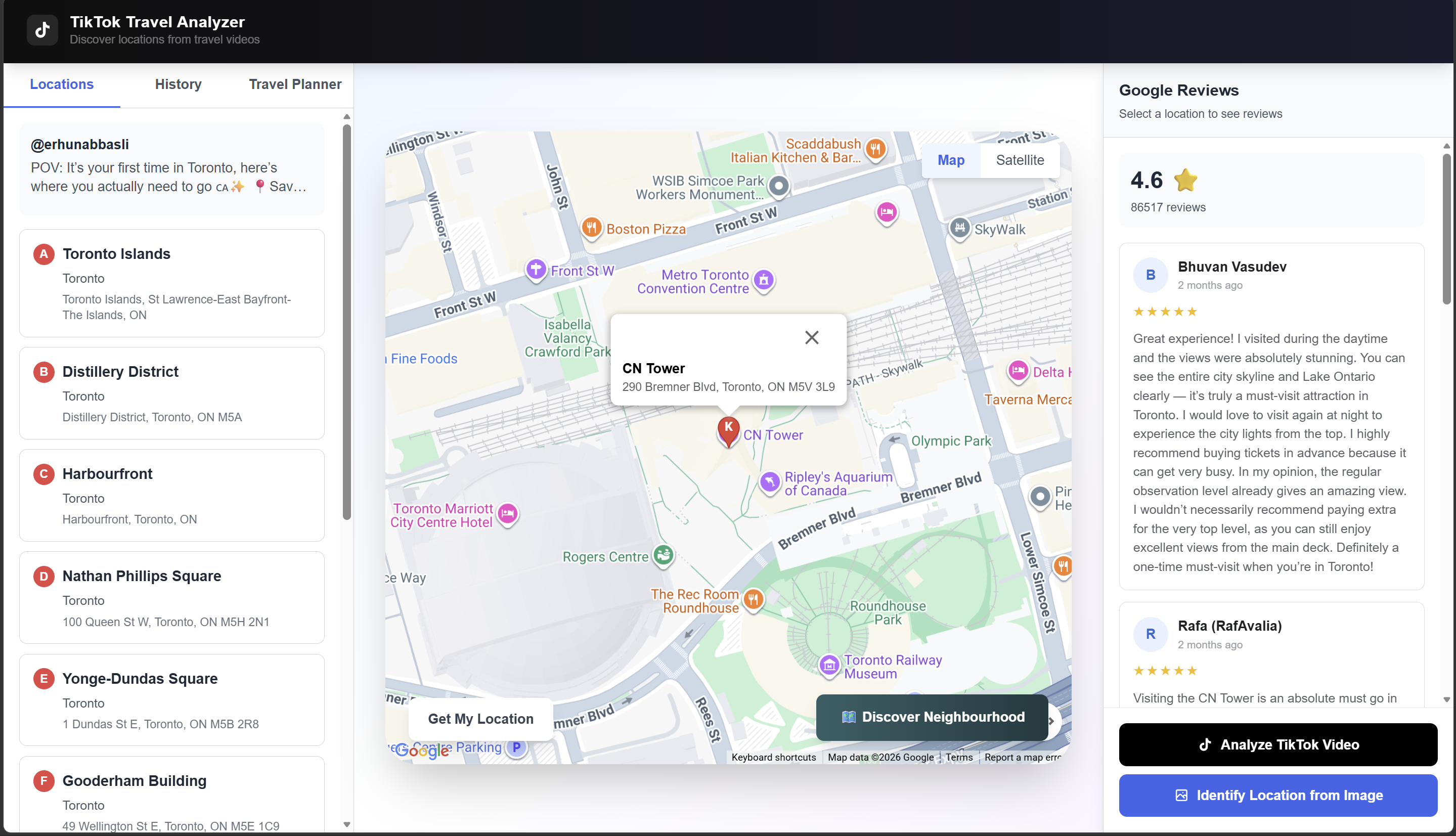
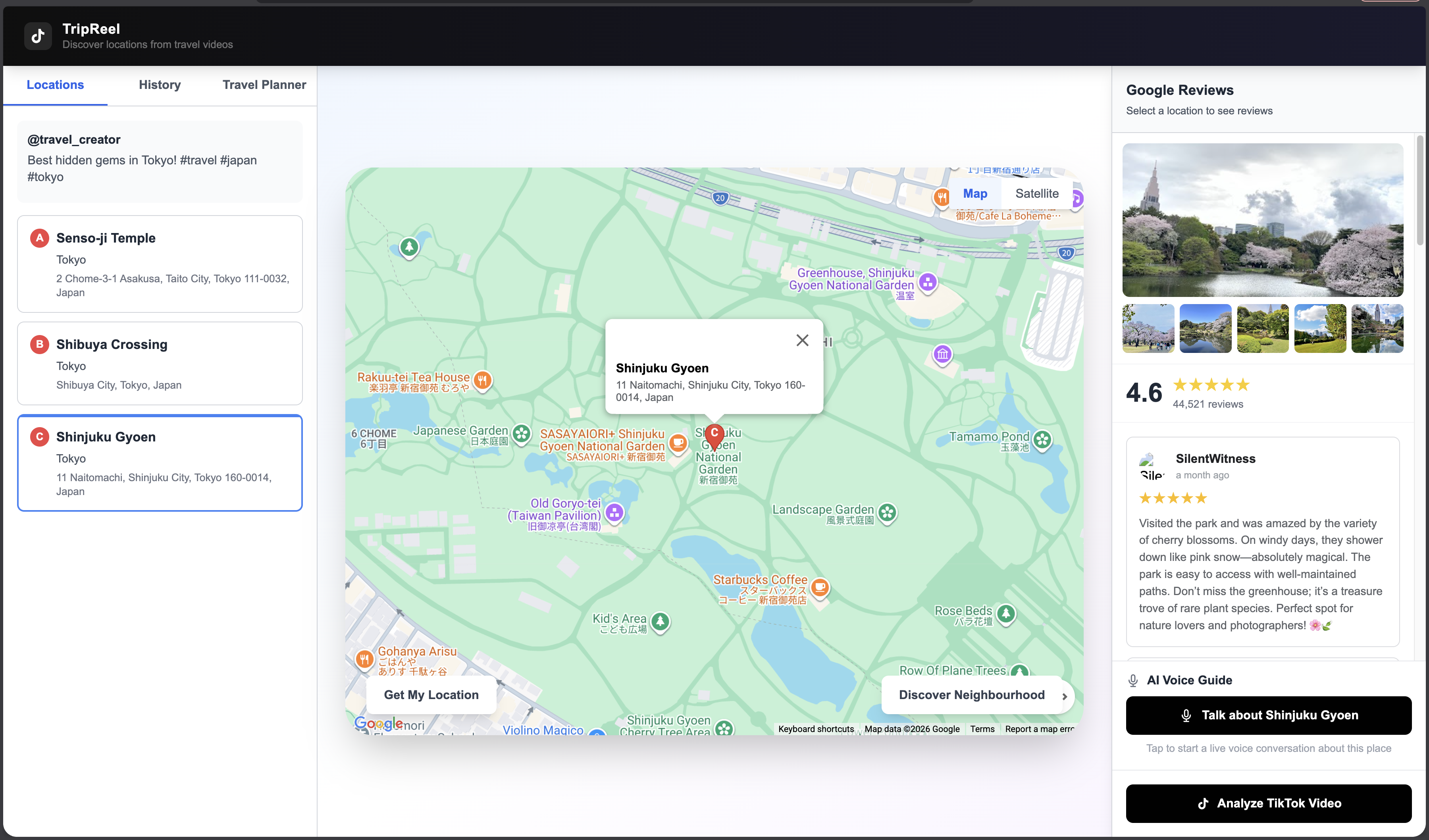
Paste a TikTok URL. TripReel extracts every location mentioned in the video, pins them on a live Google Map, pulls real Google Reviews and photos, lets you route from your current location, and lets you talk to an AI voice guide about each place in real time.
Core features:
- Location Extraction - AI analyzes TikTok video content and extracts all mentioned travel locations
- Interactive Map - All locations pinned on Google Maps with labeled markers
- Google Reviews and Photos - Real reviews, ratings, and place photos fetched automatically
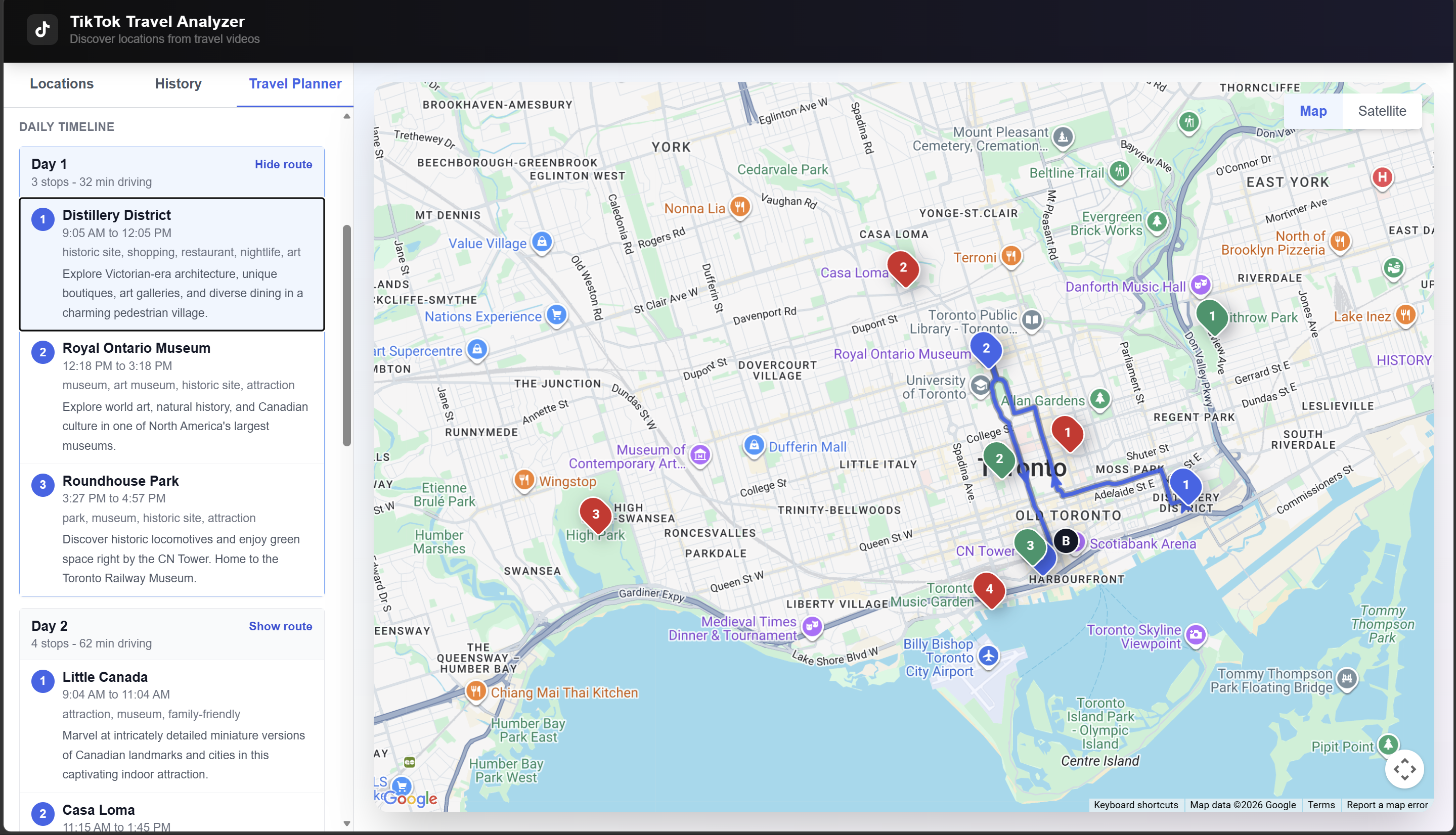
- GPS Routing - Optimized route from your current location through all destinations
- AI Voice Guide - Real-time two-way voice conversation powered by ElevenLabs Conversational AI
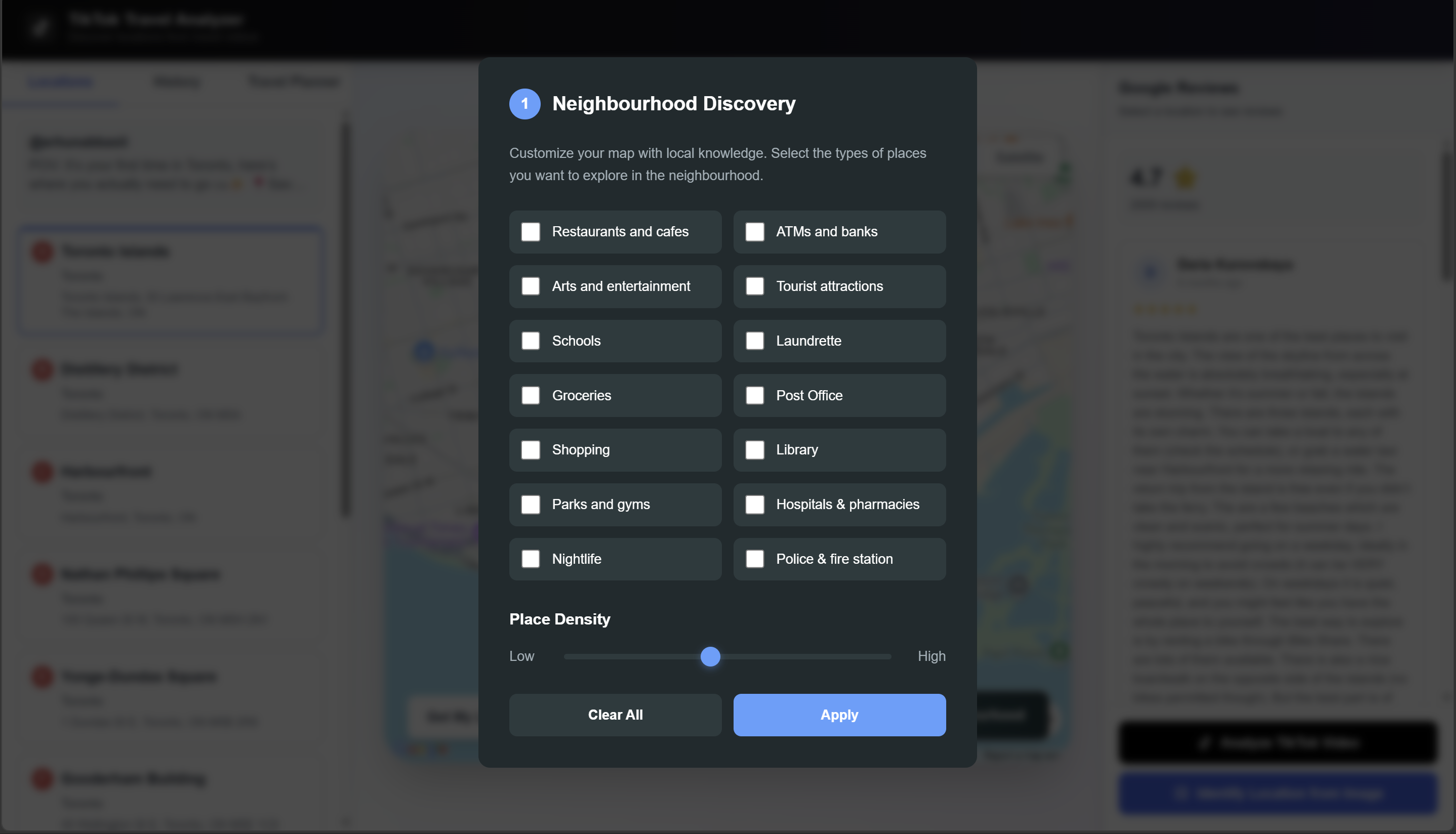
- Neighbourhood Discovery - Explore nearby restaurants, parks, hospitals, and more around any pinned location
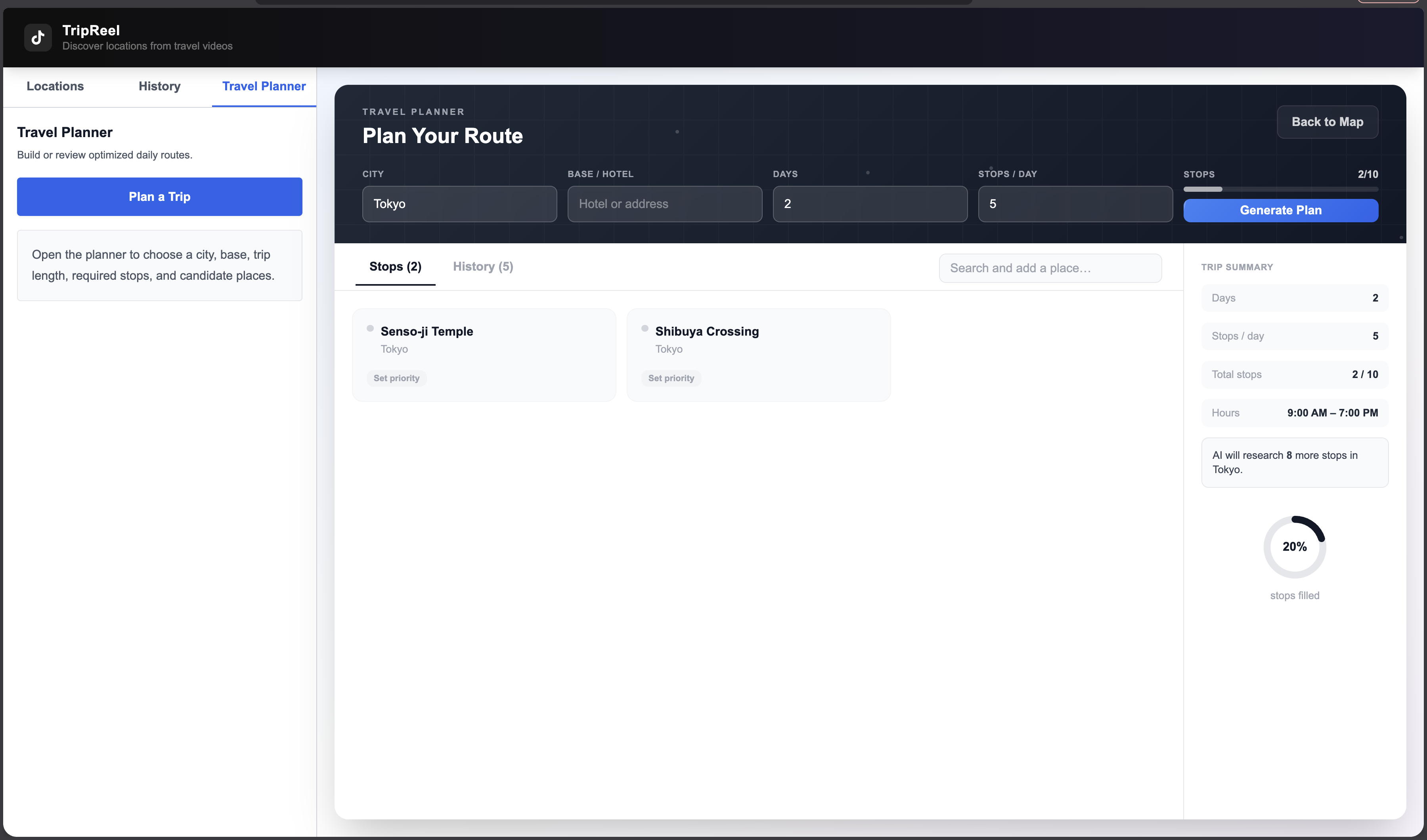
- Travel Planner - AI-generated multi-day itineraries from your saved locations
How We Built It
Architecture
| Layer | Technology | Purpose |
|---|---|---|
| Frontend | Next.js 14, TypeScript | App framework |
| Styling | Tailwind CSS | Responsive design |
| Maps | Google Maps JavaScript API | Interactive map and routing |
| Places | Google Places API | Reviews, photos, neighbourhood search |
| Video | RapidAPI TikTok Downloader | Fetch TikTok video metadata |
| AI Analysis | GCP Vertex AI Agent | Extract locations from video content |
| Voice AI | ElevenLabs | Real-time two-way voice guide |
| Database | MongoDB | Store analyses and travel plans |
| Backend | Node.js, Express | REST API and business logic |
Data Flow
User pastes TikTok URL → RapidAPI fetches video metadata → GCP Vertex AI extracts location names → Google Maps Geocoding resolves coordinates → Locations pinned on map → Google Places pulls reviews and photos → Directions API calculates GPS route → ElevenLabs agent receives location context → Real-time voice conversation with user
Voice Integration
The voice guide uses @elevenlabs/react with the useConversation hook over WebRTC. When a user selects a location, we inject its context into the agent via sendContextualUpdate so the AI immediately knows what to discuss:
Built With
- ai
- api
- css
- elevenlabs
- express.js
- maps
- mongodb
- next.js
- node.js
- places
- rapidapi
- tailwind
- typescript
- vertex


Log in or sign up for Devpost to join the conversation.