Inspiration
During my travels, I've always struggled with the same problem: I take hundreds of photos and videos, but creating a shareable highlight reel feels like a chore. Apps like Glimpse promised to solve this, but they're plagued with audio sync bugs and aggressive paywalls that lock basic features like clip reordering behind a €2.99 subscription. I wanted something better - an app that just works, stays free for core features, and makes creating travel videos effortless. With a Vietnam trip coming up in May, I had the perfect deadline and real-world testing opportunity.
What It Does
Trippets is a native iOS app that transforms how you capture travel memories:
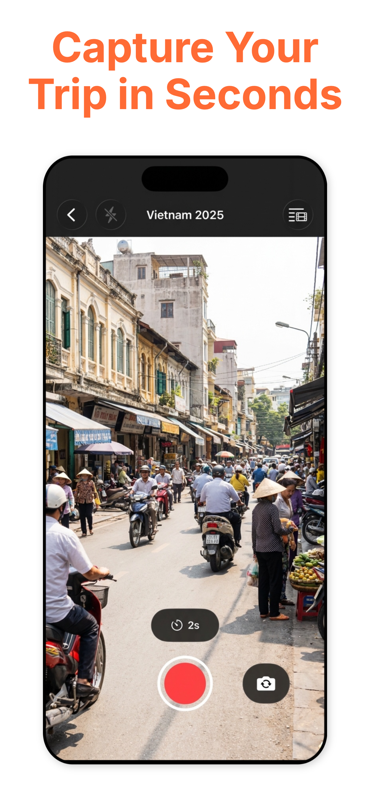
- Quick Capture: Record 1, 2, or 5-second clips with preset duration buttons
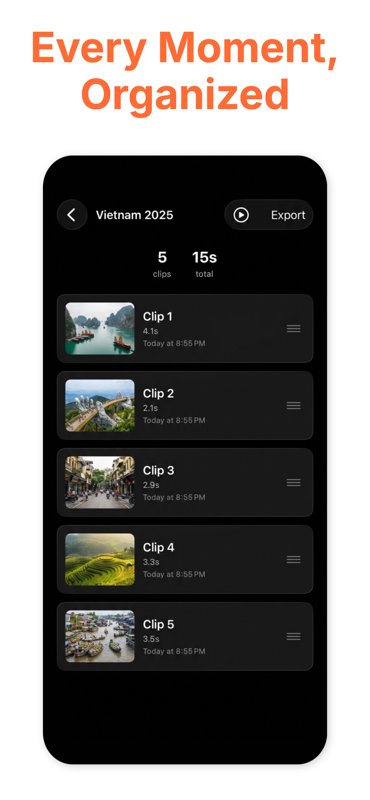
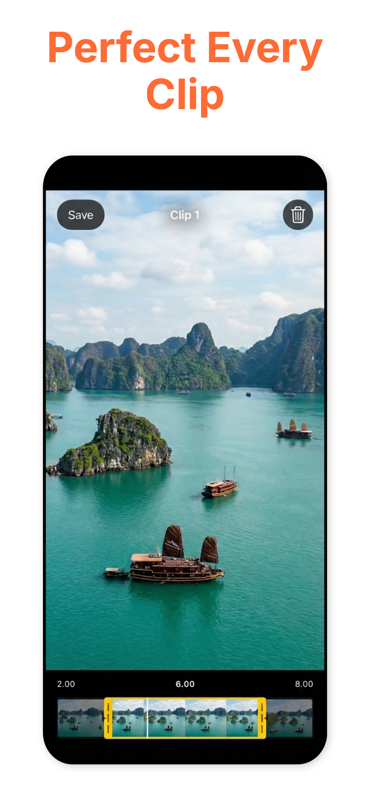
- Smart Timeline: Drag-to-reorder clips, swipe-to-delete, and trim footage inline
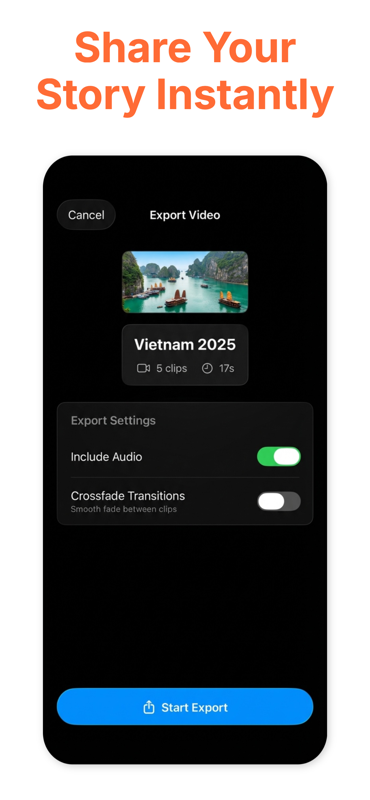
- Auto-Stitching: Automatically combines your clips with smooth crossfade transitions
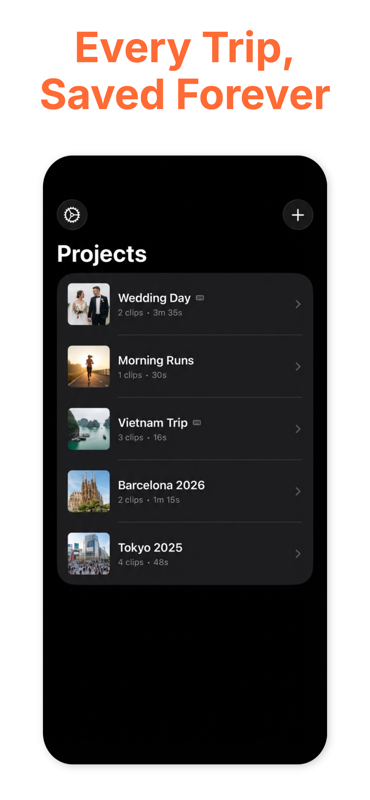
- Project Management: Organize multiple trips with separate projects
- Cloud Sync: Your projects sync seamlessly across all your devices via CloudKit
The app focuses on reliability - no audio bugs, no crashes, just smooth video creation that works the first time.
How I Built It
Tech Stack
- SwiftUI for the entire UI (targeting iOS 17+)
- AVFoundation for camera capture and video composition
- SwiftData for local persistence
- CloudKit for cross-device synchronization
- AVMutableComposition for stitching clips with precise timing
Architecture Decisions
I built a custom video storage service that organizes files hierarchically: Documents/Projects/ ├── project_uuid_1/ │ ├── clip_001.mp4 │ ├── clip_002.mp4 │ └── metadata.json └── project_uuid_2/
For video composition, I used AVAssetWriter with CMTime for frame-accurate control. Each clip gets stitched with a 0.3-second crossfade transition using AVVideoCompositionLayerInstruction. The timeline view leverages SwiftUI's drag-and-drop APIs for reordering, generating thumbnails on-demand with AVAssetImageGenerator to keep memory usage low.
Key Features Implemented
Camera System: Built a custom capture session with precise duration control using a circular progress timer. Added haptic feedback on recording start/stop and implemented auto-save mode for hands-free operation. Timeline Management: Created a scrollable horizontal timeline with thumbnail previews, drag-to-reorder gestures, and swipe-to-delete actions - all with smooth animations. Video Export: Implemented background export with progress tracking, targeting 1080p @ 30fps with H.264 encoding and AAC audio at 128kbps. Cloud Sync: Integrated CloudKit for project and clip metadata synchronization, with conflict resolution favoring the most recent edit.
Challenges I Faced
- Audio Sync Issues The biggest technical challenge was ensuring audio stayed perfectly synced during stitching. I had to:
Use AVAsynchronousVideoCompositionRequest properly Ensure all CMTime calculations used the same timescale Test extensively with different clip combinations
- Export Performance Initial exports took 2-3 minutes for a 30-second video. I optimized by:
Using .highestQuality preset only when explicitly requested Implementing background export with proper priority handling Adding a persistent upload queue with 7-day cleanup
- Memory Management Loading thumbnails for 50+ clips caused memory warnings. Solutions:
Lazy loading of thumbnails as they scroll into view Caching thumbnails at reduced resolution (720p) Aggressive cleanup of off-screen thumbnail assets
What I Learned
Technical Skills: Deep dive into AVFoundation, video encoding pipelines, and iOS media frameworks. Learned how to profile memory usage with Instruments and optimize frame-by-frame video processing. Product Thinking: Validating decisions through competitive analysis - Glimpse's persistent bugs taught me that reliability beats feature richness. The travel niche positioning, initially limiting, actually creates optimal usage conditions. Scope Management: Successfully resisted adding testing frameworks, AI features, and advanced transitions that would've delayed the MVP. Shipping a working product beats a perfect one that never launches.
What's Next for Trippets
AI-powered scene detection for smart highlights Built-in royalty-free music library Advanced transitions beyond crossfade
Marketing Strategy:
Target frustrated Glimpse users on Reddit and travel communities Organic social media (travel influencers, photography communities) Micro-influencer partnerships if product-market fit proven
Try It Yourself
The app is currently in public TestFlight. If you're interested in testing or following development, use the TestFlight link! I also just submitted to the App Store but might take some time.
Built With
- cloudkit
- swift
- swiftui

Log in or sign up for Devpost to join the conversation.