
Inspiration
Three of my interests are Python, Arduino, and keyboards. This is a way to combine all of those.
What it does
It allows its user to configure keyboard shortcuts using a GUI and then execute those shortcuts by pressing the Arduino buttons (provided main.py is running in the background).
How I built it
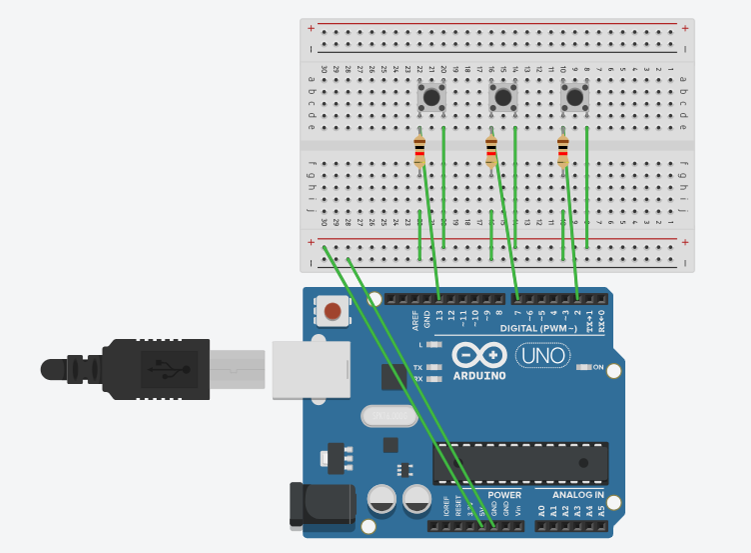
I started by wiring the buttons, then used pyautogui to control the keyboard, then worked on the configuration GUI.
Challenges I ran into
I use an alternate keyboard called Colemak DH, which on my laptop works by having an .exe file run in the background. The .exe and my shortcut keypad were not compatible with each other, but I was able to use my external Colemak DH keyboard to avoid that problem.
Accomplishments that we're proud of
I am proud that I made a somewhat user-friendly GUI because usually I do not focus on how things look at all.
What we learned
I learned that you can use TinkerCAD to create a diagram of an Arduino setup.
What's next for Triple Shortcut
I have some extra mechanical key switches at home. and I know how to 3D print. So, I will attach those nicer switches and keycaps, then put the whole thing in a custom 3D printed case. I might also turn main.py into an .exe file then put that on my taskbar. I'm very excited to continue this project.

Log in or sign up for Devpost to join the conversation.