-
-
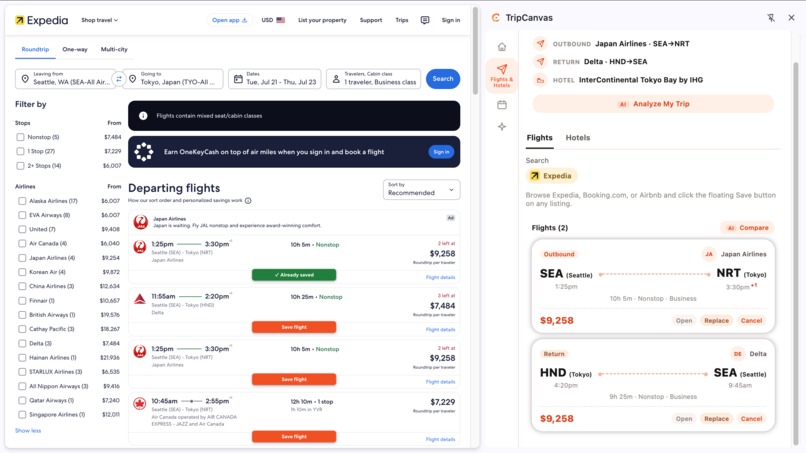
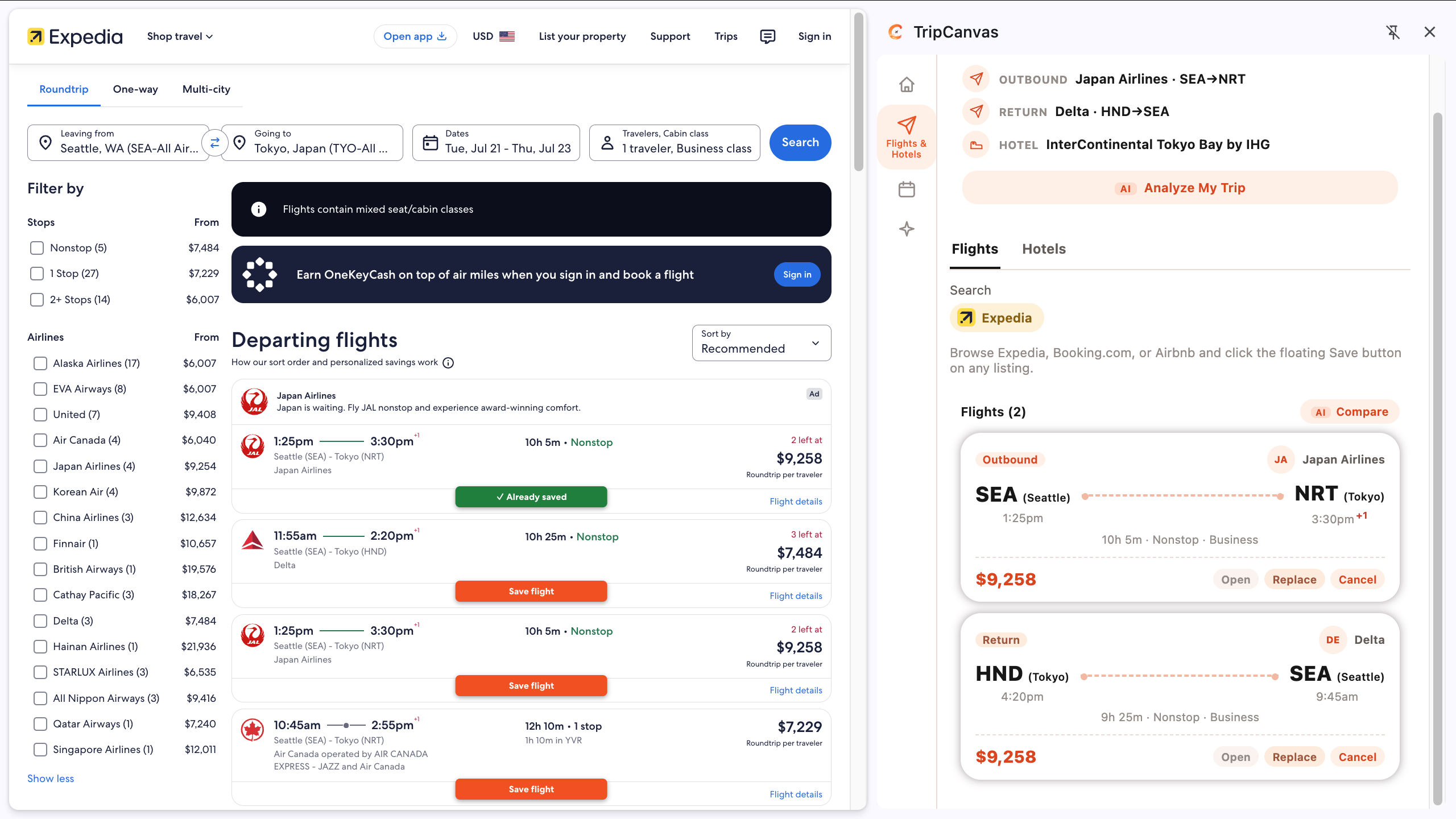
Extention_view_capture_flight
-
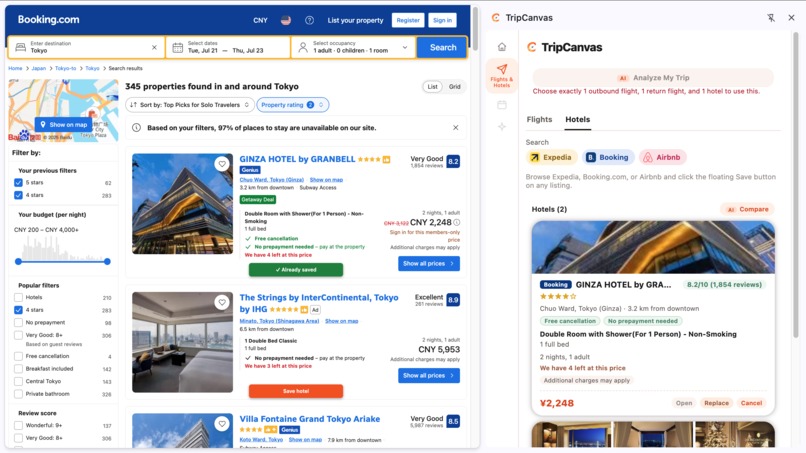
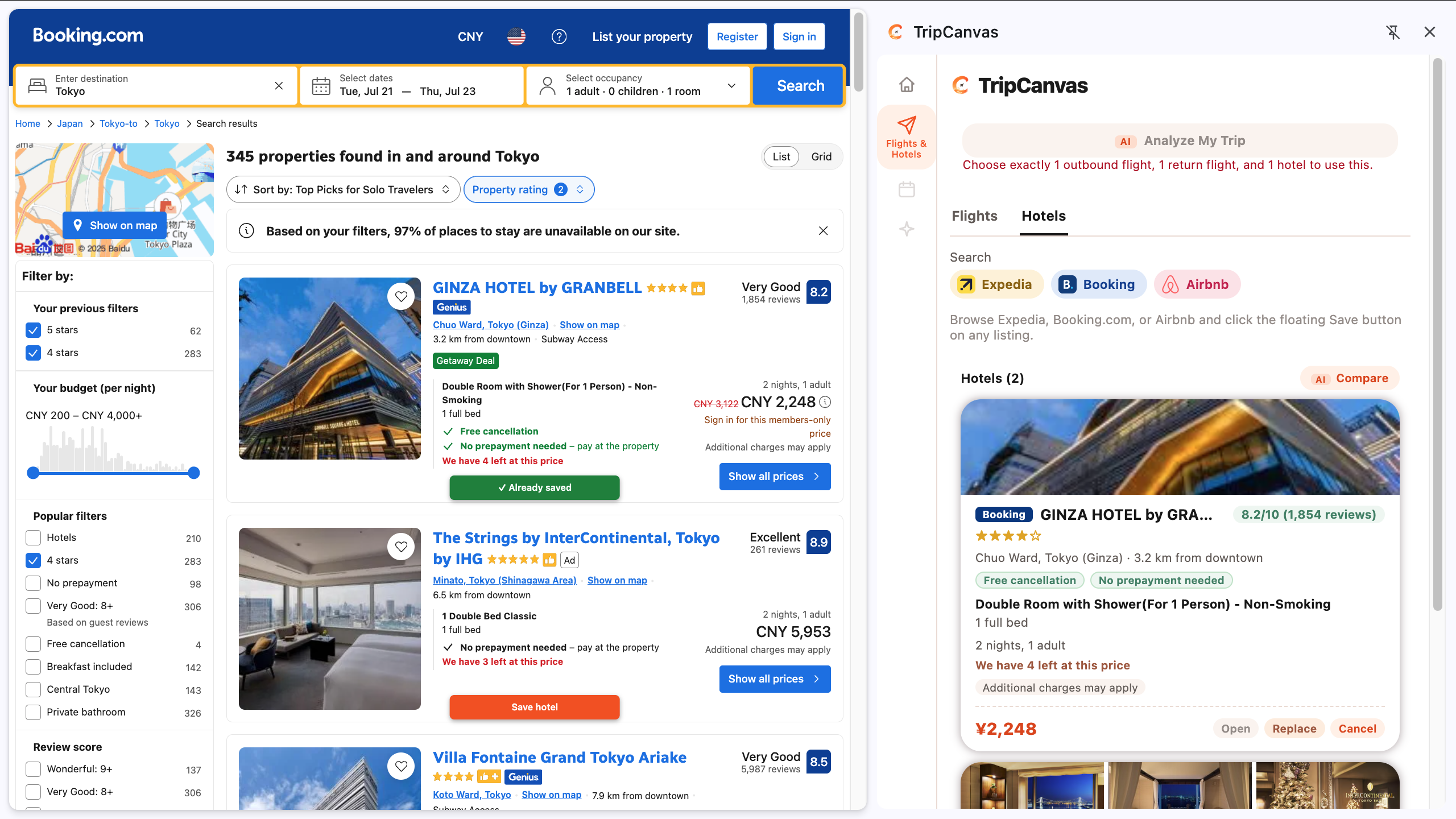
Extention_view_capture_hotel
-
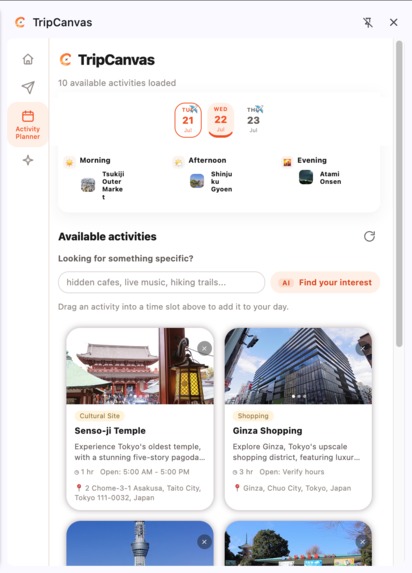
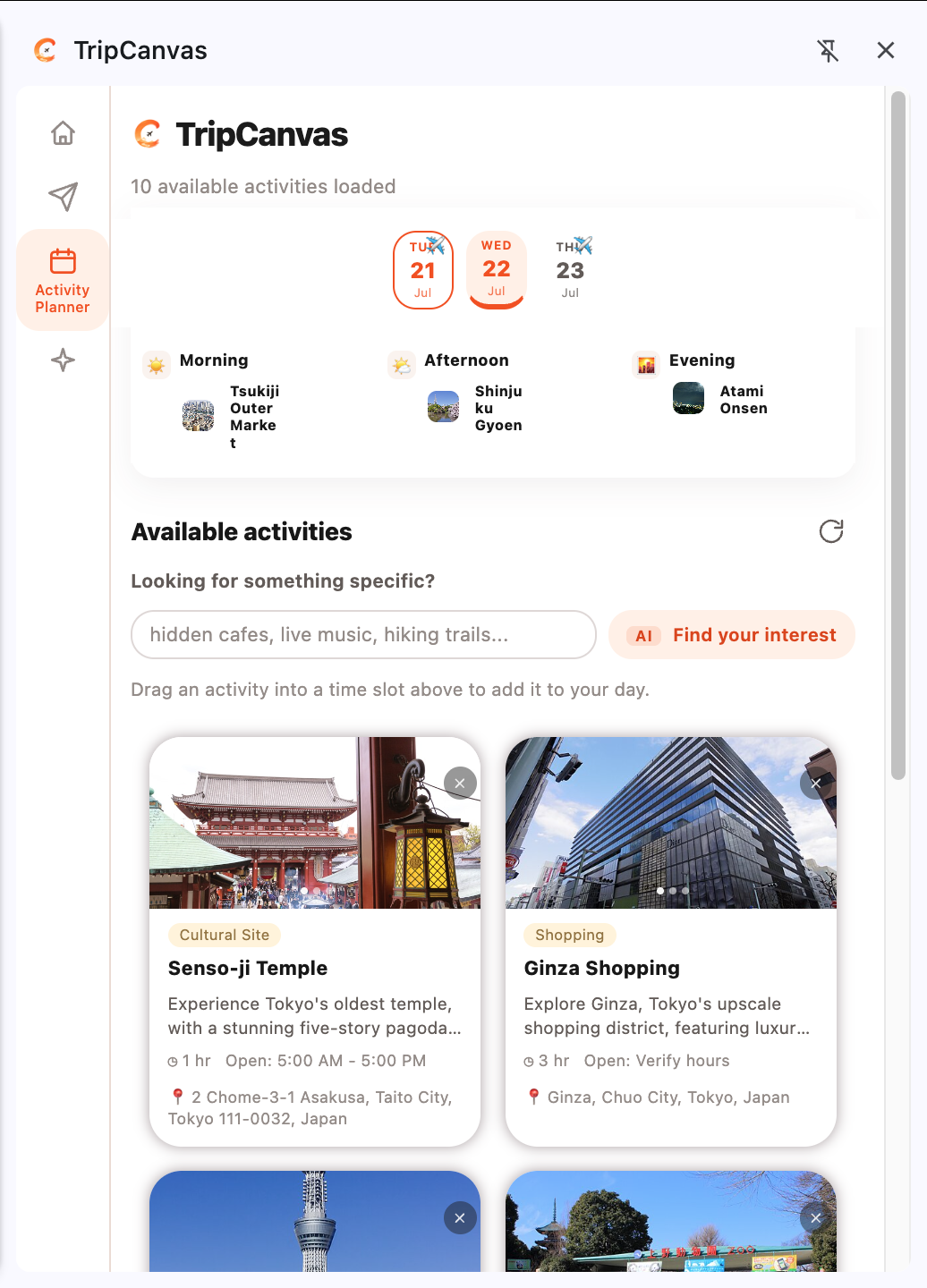
Extention_view_activity_planner
-
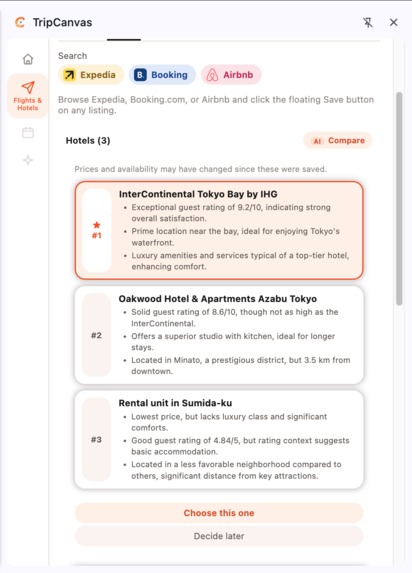
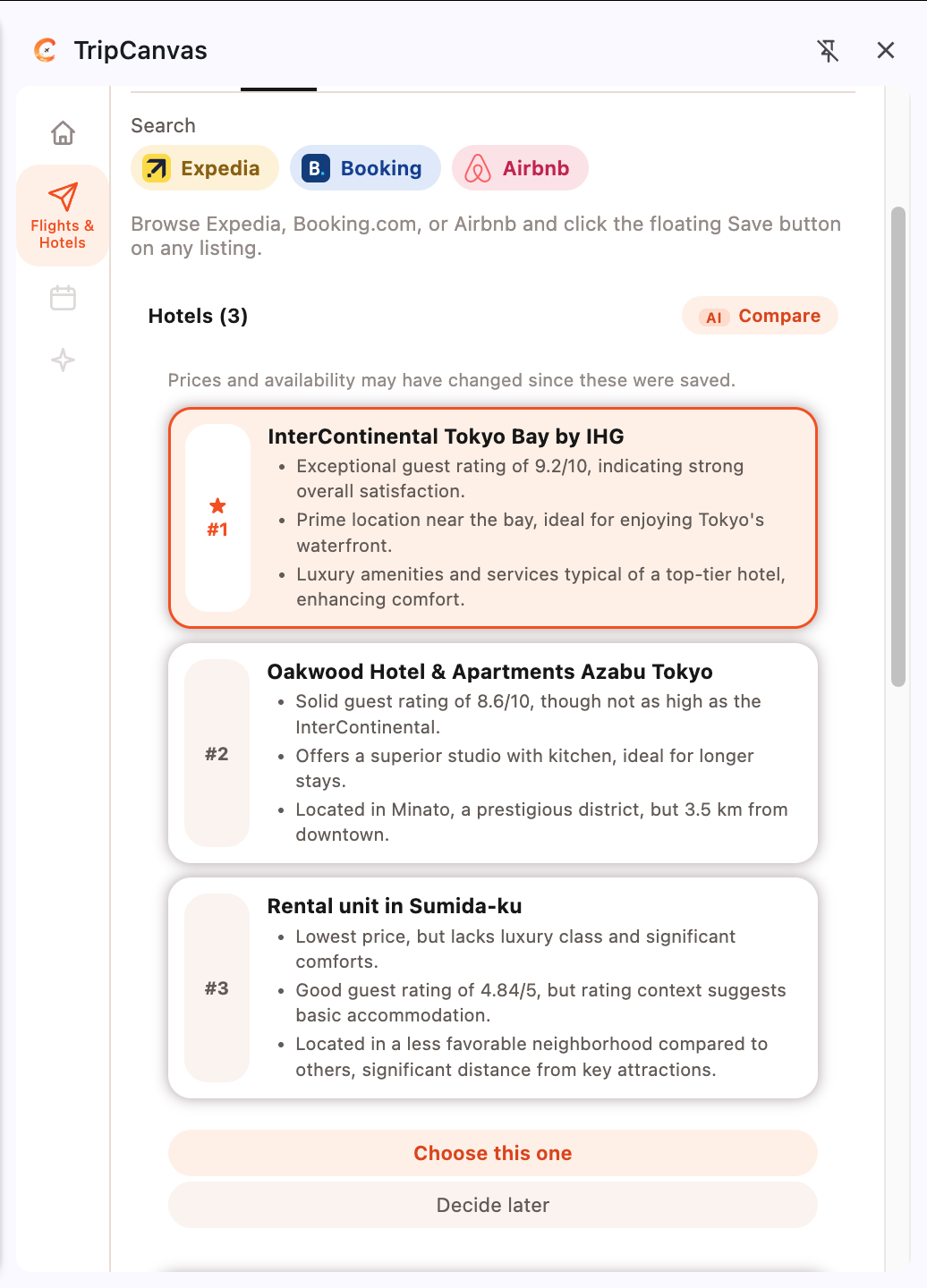
Extention_view_ai_comparation
-
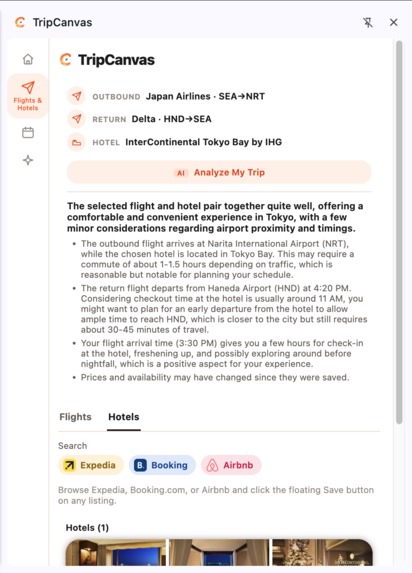
Extention_view_ai_analysis
-
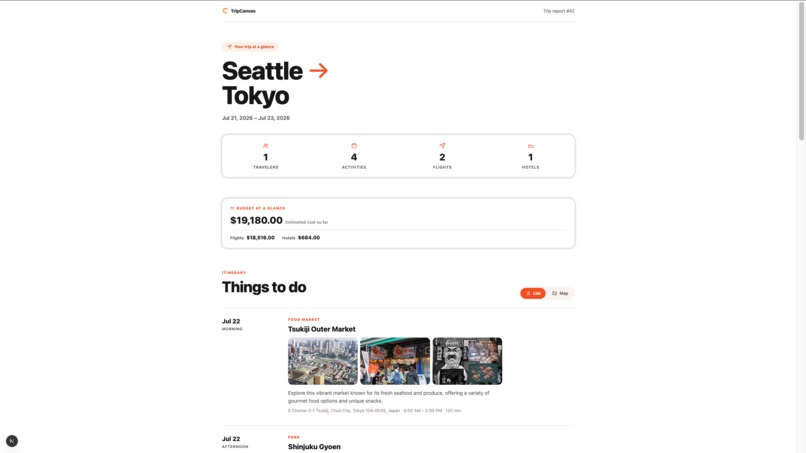
Summary_view_1
-
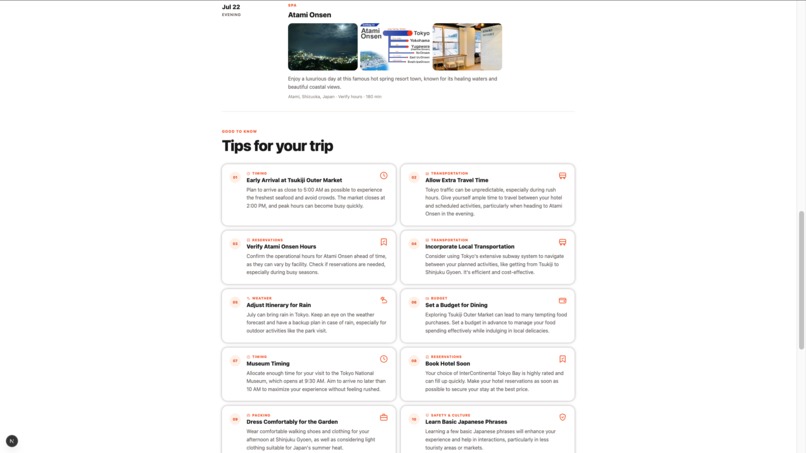
Summary_view_2
-
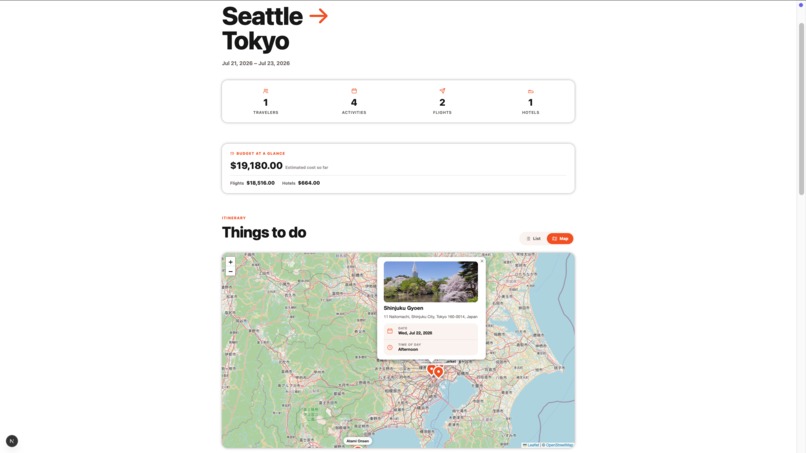
Summary_view_3
Inspiration
Planning a trip often means jumping between flight websites, hotel booking platforms, travel blogs, maps, AI chatbots, and personal notes. Even when travelers find useful information, turning that research into an organized itinerary still requires a large amount of copying, pasting, and switching between tools.
Existing AI trip planners often try to provide an all-in-one experience by combining recommendations, itinerary generation, maps, and booking links in a single web application. However, the browsing experience of flight and hotel are not as good as traditional websites like Expedia or Airbnb.
So, TripCanvas takes a different approach by creating a browser extension to integrate directly with the browser, allowing users to continue using the travel websites they already trust while turning their research into an organized plan, with better planning user experience. And utilize the side panel of the extension and website to provide high-quality AI features to help users make the trip plan.
What it does
TripCanvas helps travelers organize their research and build a trip plan in one visual workspace.
Users begin by creating a trip with their destination and travel dates. While browsing supported flight and hotel websites, they can use the TripCanvas browser extension to save relevant options directly to their trip.
TripCanvas captures important information from the current page, such as flight details, hotel information, dates, prices, and source links. This reduces the need to manually copy information into notes or spreadsheets.
After creating a trip, users can also explore AI-generated activity recommendations based on their destination. Recommended activities appear as visual cards that users can drag directly into different days of their itinerary.
Users can also enter their interests to request additional activity recommendations. This allows them to move from researching transportation and accommodation to building a complete daily schedule without switching between multiple planning tools.
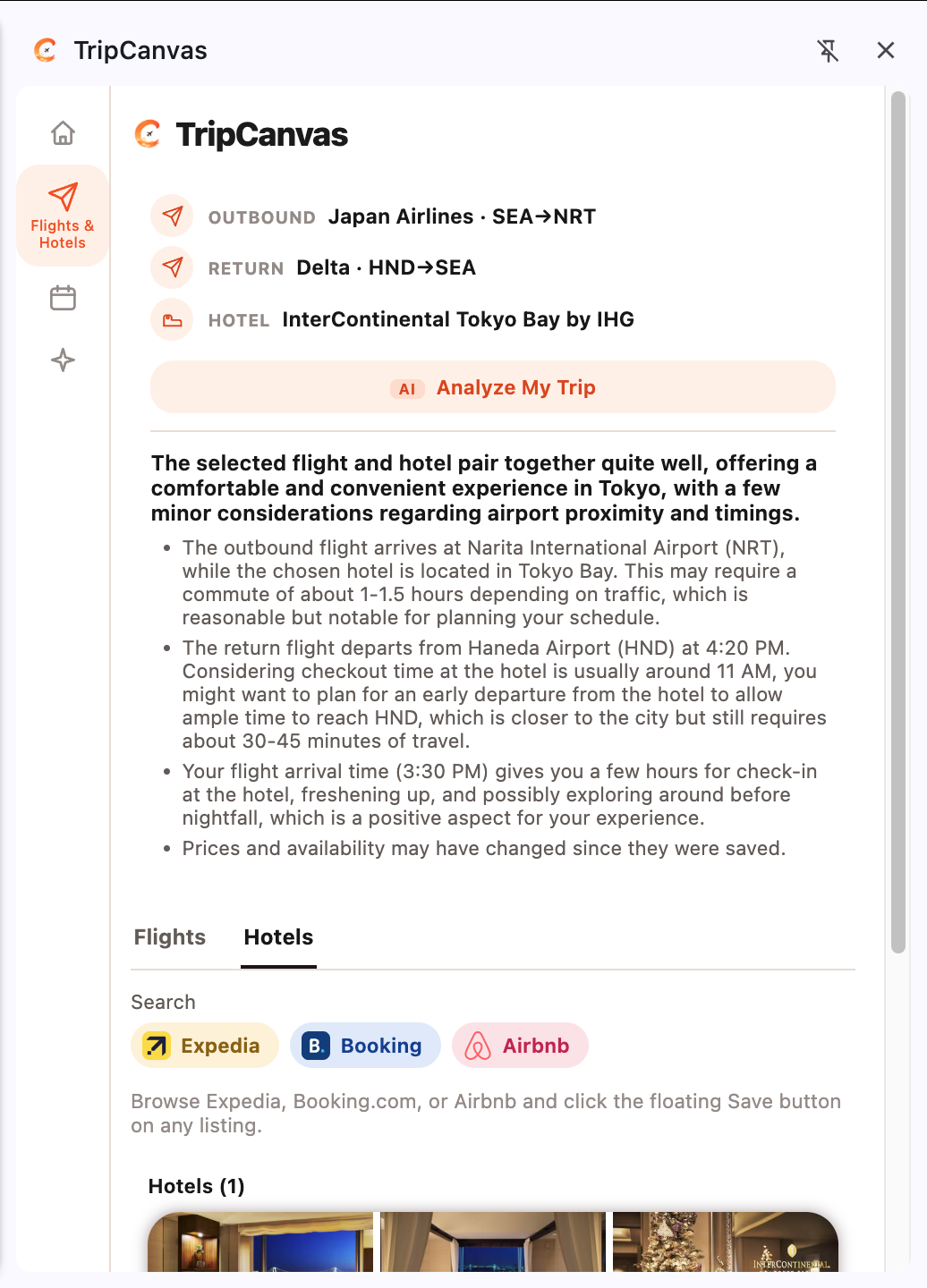
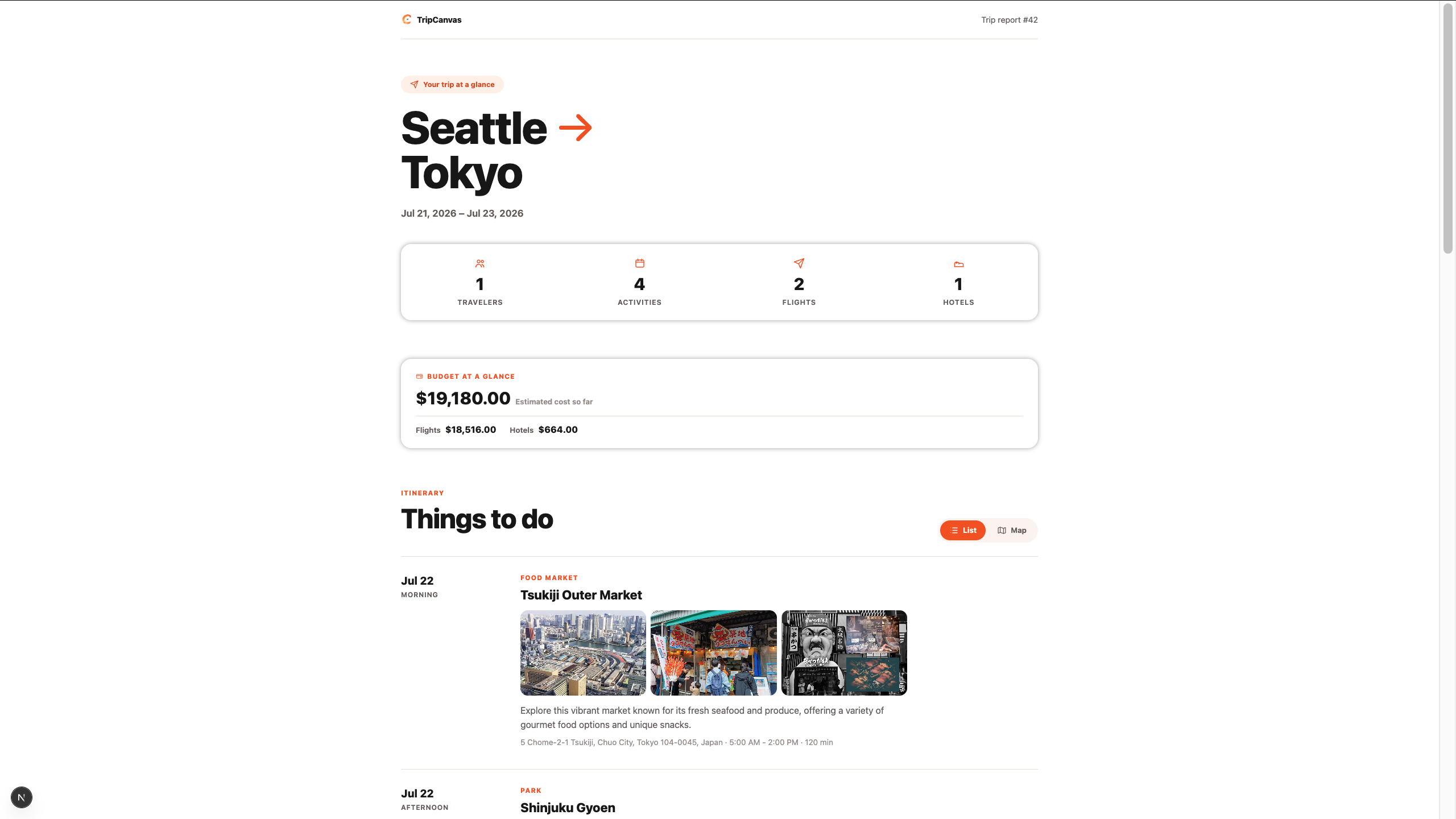
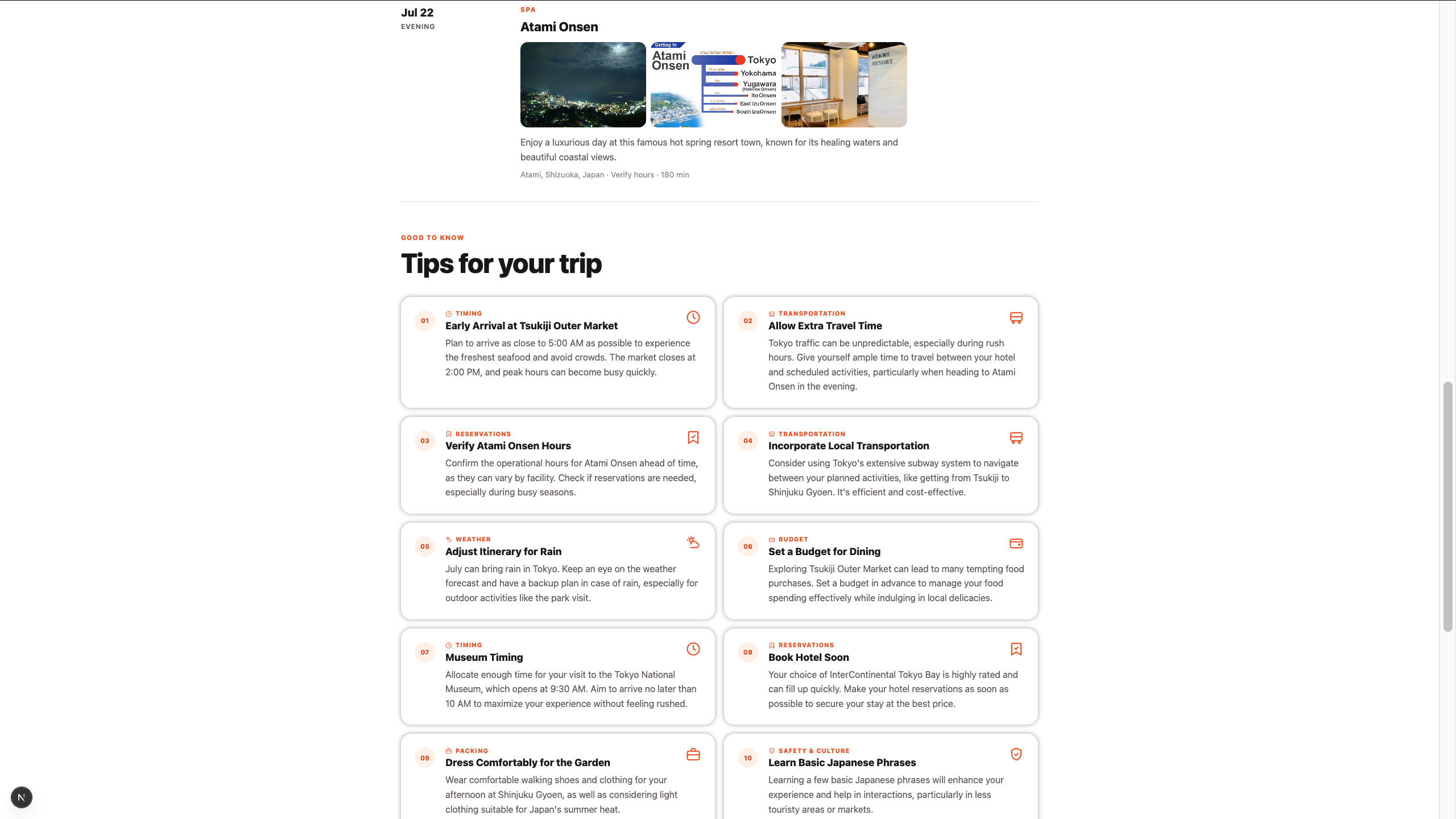
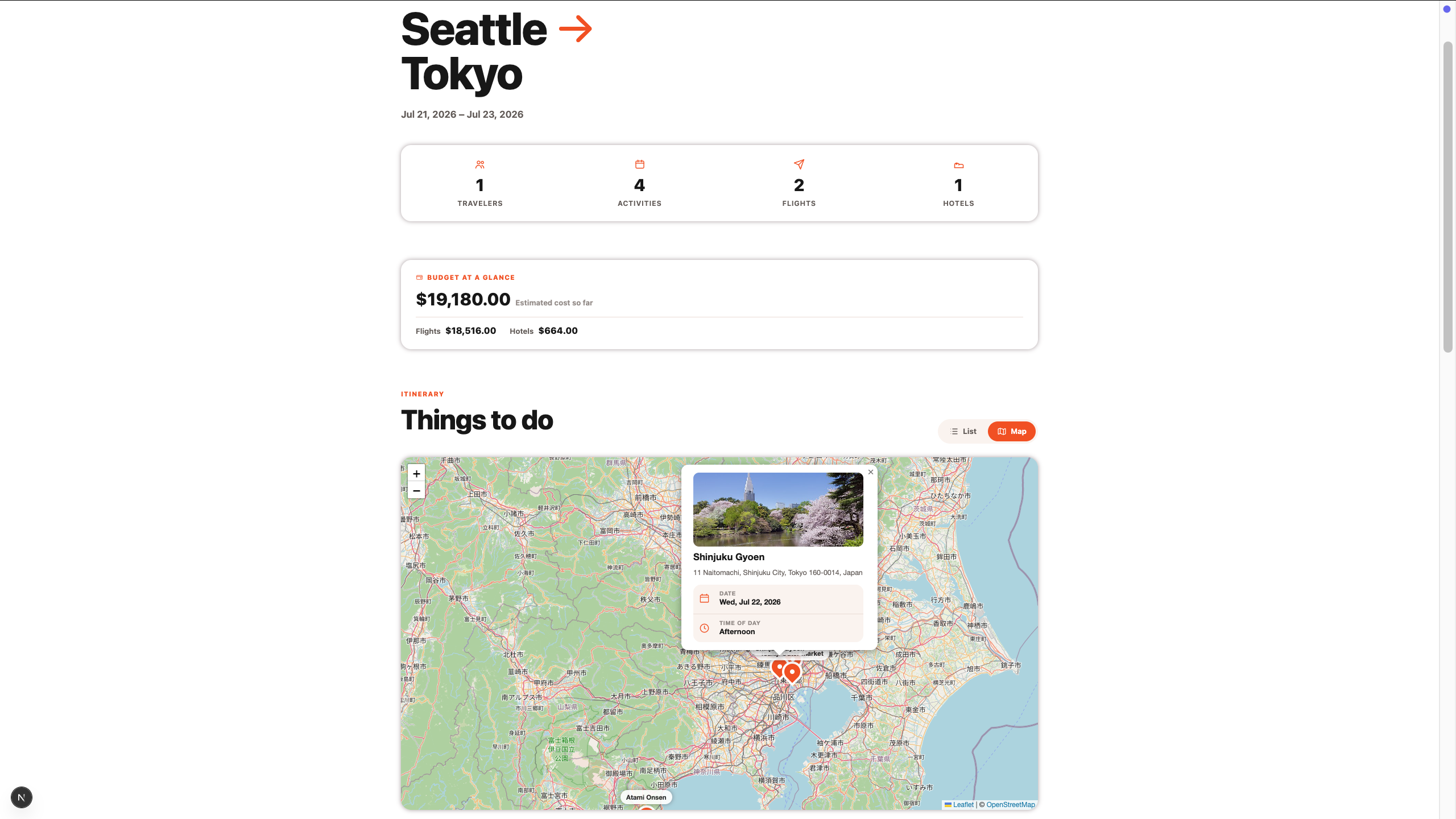
Once the trip begins to take shape, TripCanvas generates a website summary that brings together the saved flight, hotel, activities, and daily schedule in one clear overview. It also provides personalized pro tips based on the trip details, helping users identify useful considerations, preparation steps, and opportunities to improve their itinerary.
By combining browser-based research, AI recommendations, itinerary building, trip summaries, and personalized guidance, TripCanvas helps users move from scattered travel ideas to an organized and actionable plan.
How we built it
We built TripCanvas as a browser extension connected to a web application.
The browser extension serves as the main planning interface. Users can create a trip, save flight and hotel information from supported travel websites, explore AI-generated activity recommendations, and drag activities into their daily schedule. The extension also brings these trip details together to generate a structured summary with personalized pro tips.
The website provides a dedicated place for users to view that generated trip summary. It presents the saved flight, hotel, activities, itinerary, and personalized guidance in a clear format that is easier to review and reference outside the extension.
We used AI to extract and structure travel information from supported pages, recommend activities based on the destination and user interests, and generate the final trip summary and pro tips. By combining browser-based planning with a separate summary website, TripCanvas supports both the active research process and the final review experience.
Challenges we ran into
Our biggest challenge was the limited amount of time available during the hackathon.
TripCanvas combines several technically different components: a browser extension, a web application, page-data extraction, AI recommendations, and an interactive itinerary interface. Integrating all of these components into one smooth end-to-end experience within a short development window required us to make careful product decisions.
We had to prioritize the most important user journey rather than attempting to support every type of travel website or planning feature. For the current version, we focused the browser extension on flight and hotel websites, since those are some of the most important and information-heavy parts of trip planning.
We also had to balance AI-generated recommendations with a user interface that remained simple and controllable. Rather than automatically creating an entire itinerary for the user, we designed the system to recommend activities and let the traveler decide where each activity belongs.
Accomplishments that we're proud of
We are proud that we were able to build a working end-to-end travel-planning experience rather than only a standalone prototype or concept.
TripCanvas connects several parts of the planning journey:
- Researching flights and hotels in the browser.
- Saving structured travel information through an extension.
- Viewing the collected information in a central workspace.
- Receiving AI-generated activity recommendations.
- Dragging activities into a visual daily itinerary.
We are especially proud of the interaction between the browser extension and the planning canvas. This allows TripCanvas to support the user while they browse naturally instead of forcing them to manually recreate their research inside another application.
We are also proud of the drag-and-drop itinerary experience. It makes trip planning feel more like arranging ideas on a canvas and less like editing a long document or repeatedly prompting a chatbot.
Most importantly, we were able to demonstrate the central vision of TripCanvas: turning fragmented travel research into an organized and actionable trip plan.
What we learned
We learned that AI travel planning is most useful when it is connected to the user’s real research process.
Generating a list of destinations or activities is relatively straightforward, but travelers still need help connecting those recommendations with their actual flights, hotels, dates, and schedule. The value of TripCanvas comes not only from generating recommendations, but from combining browser research, structured information, and itinerary creation in one workflow.
We also learned that browser extensions can provide a powerful bridge between existing websites and AI applications. Instead of replacing established travel platforms, TripCanvas can add an intelligent planning layer on top of them.
From a product-design perspective, we learned that users should remain in control of the itinerary. AI can provide relevant recommendations, but the traveler should still decide which activities to include and how to arrange their days.
Finally, the hackathon reinforced the importance of prioritization. By focusing on one complete workflow—creating a trip, saving flights and hotels, receiving recommendations, and building an itinerary—we were able to produce a more coherent experience within the available time.
What's next for TripCanvas
The next step for TripCanvas is to support more travel websites and integrations.
We plan to expand beyond the currently supported flight and hotel pages so that users can save information from a wider range of airlines, booking platforms, accommodation websites, and other travel services.
Future integrations could also allow TripCanvas to include restaurants, attractions, transportation options, reservation details, maps, and travel content from across the web.
We would also like to improve the way TripCanvas uses the context of the entire trip. Saved flights, hotel locations, travel dates, available time, and user interests could all help produce more relevant activity recommendations and more practical schedules.
Additional future improvements may include collaboration between travelers, itinerary sharing, booking-status tracking, map-based planning, mobile access, and automatic conflict detection.
Our long-term vision is for TripCanvas to become an intelligent layer across the travel-planning process—helping users move seamlessly from discovery and research to booking and itinerary creation, all within one connected canvas.
Built With
- chatgpt
- javascript
- python
- react


Log in or sign up for Devpost to join the conversation.