-
-
TrioAI
Inspiration
I wanted to build something that brings AI assistance directly into the browser — no switching tabs or copying text around. With the rise of built-in AI, I envisioned TrioAI as a lightweight yet powerful Chrome extension that helps users think, write, and communicate smarter.
What it does
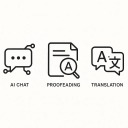
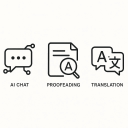
TrioAI integrates Google’s Gemini API into Chrome, allowing users to prompt, proofread, and translate text instantly. It’s designed for productivity — whether you’re drafting an email, reviewing content, or writing in another language.
How I built it
I built TrioAI using HTML, CSS, and JavaScript with Chrome’s extension APIs. The frontend is a responsive popup UI, while the backend connects securely to the Gemini API for natural language understanding. Local storage is used for managing API keys and user preferences.
Challenges I ran into
Chrome’s new built-in AI (Nano APIs) isn’t fully available in all regions, so I integrated Gemini as a fallback model. Managing API calls, handling rate limits, and designing a clear, non-overlapping UI were also key challenges.
Accomplishments that I'm proud of
Creating a fully functional, intuitive Chrome extension that blends AI seamlessly into the browsing experience. TrioAI feels like a native feature of Chrome.
What I learned
I learned how to work with Chrome’s extension architecture, handle asynchronous API calls, and design for minimal friction. It also taught me about balancing usability with performance in real-world browser environments.
What's next for TrioAI
I plan to add smart suggestions, voice input, and context-aware AI that automatically summarizes or rewrites selected text — making AI assistance an effortless part of browsing.

Log in or sign up for Devpost to join the conversation.