-
-
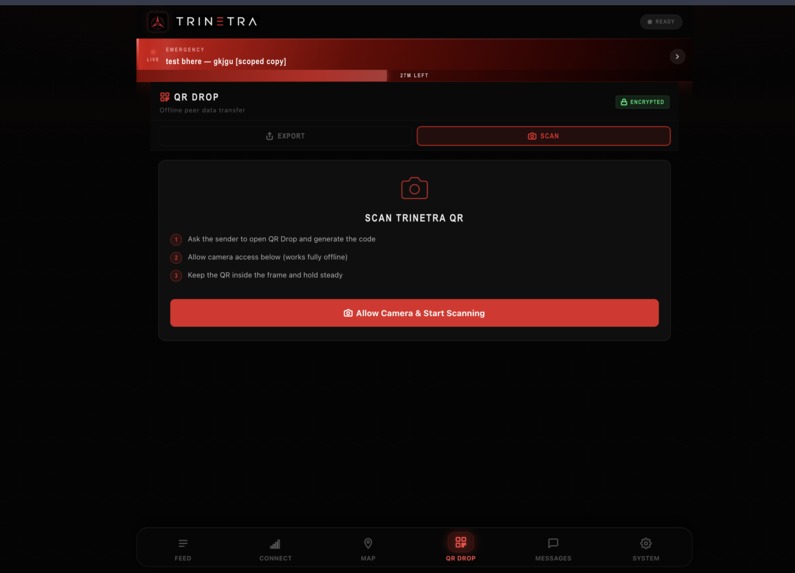
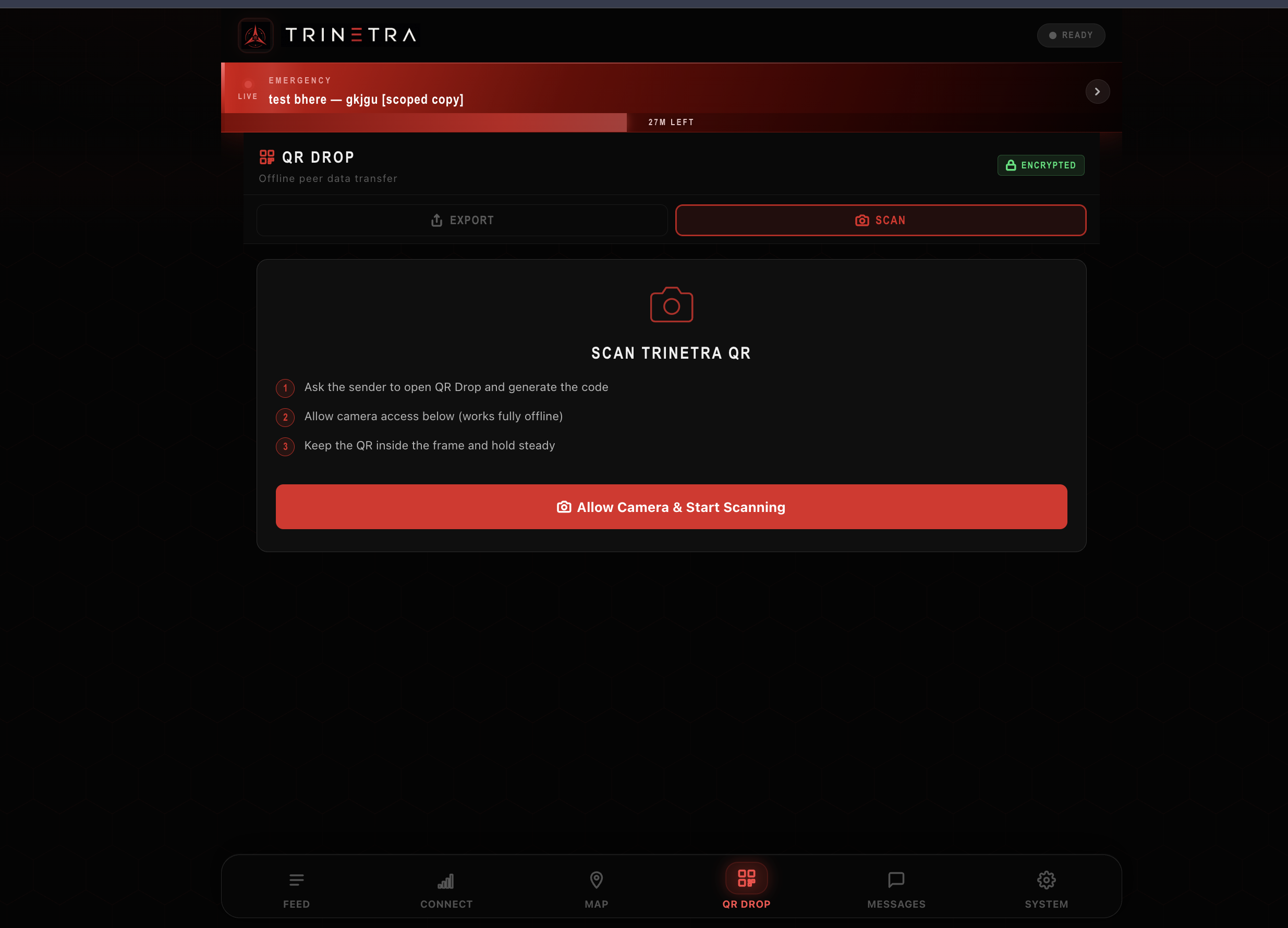
Scan your friends qr to know what msg he wants to send you
-
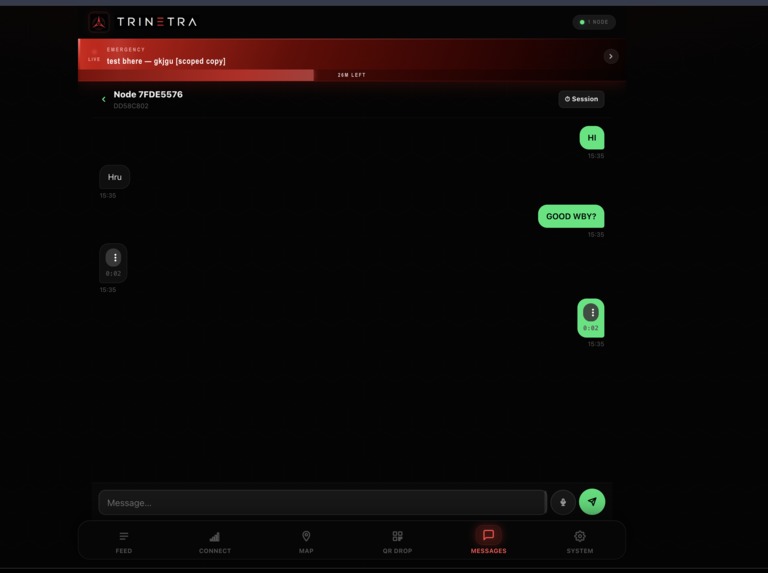
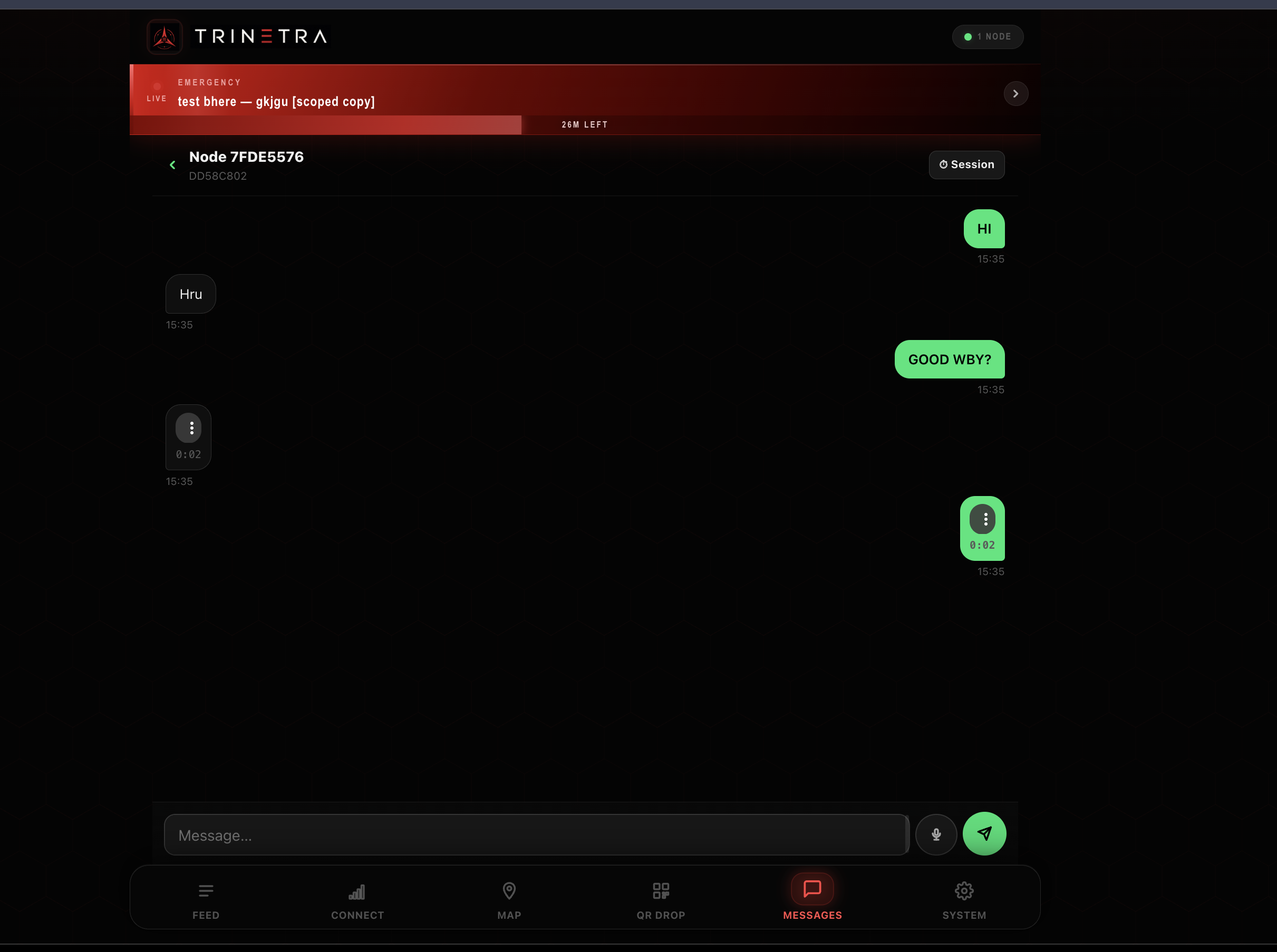
1on1 personal chat through msgs and audio files through WebRCT
-
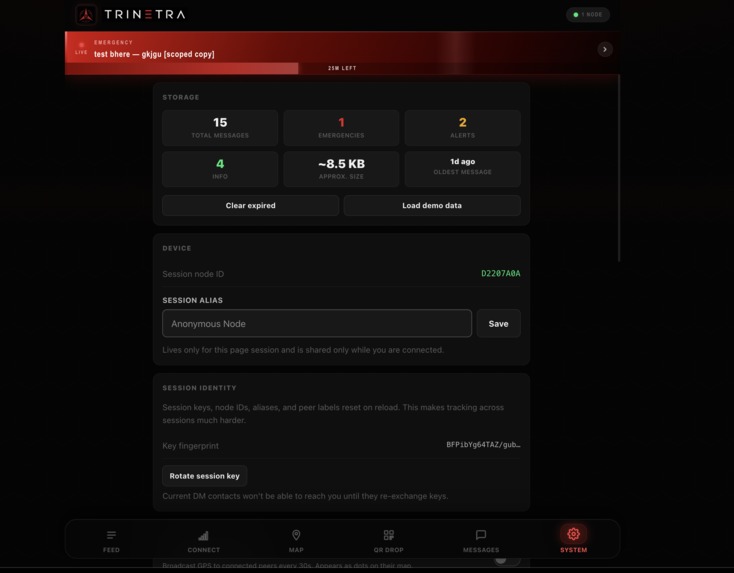
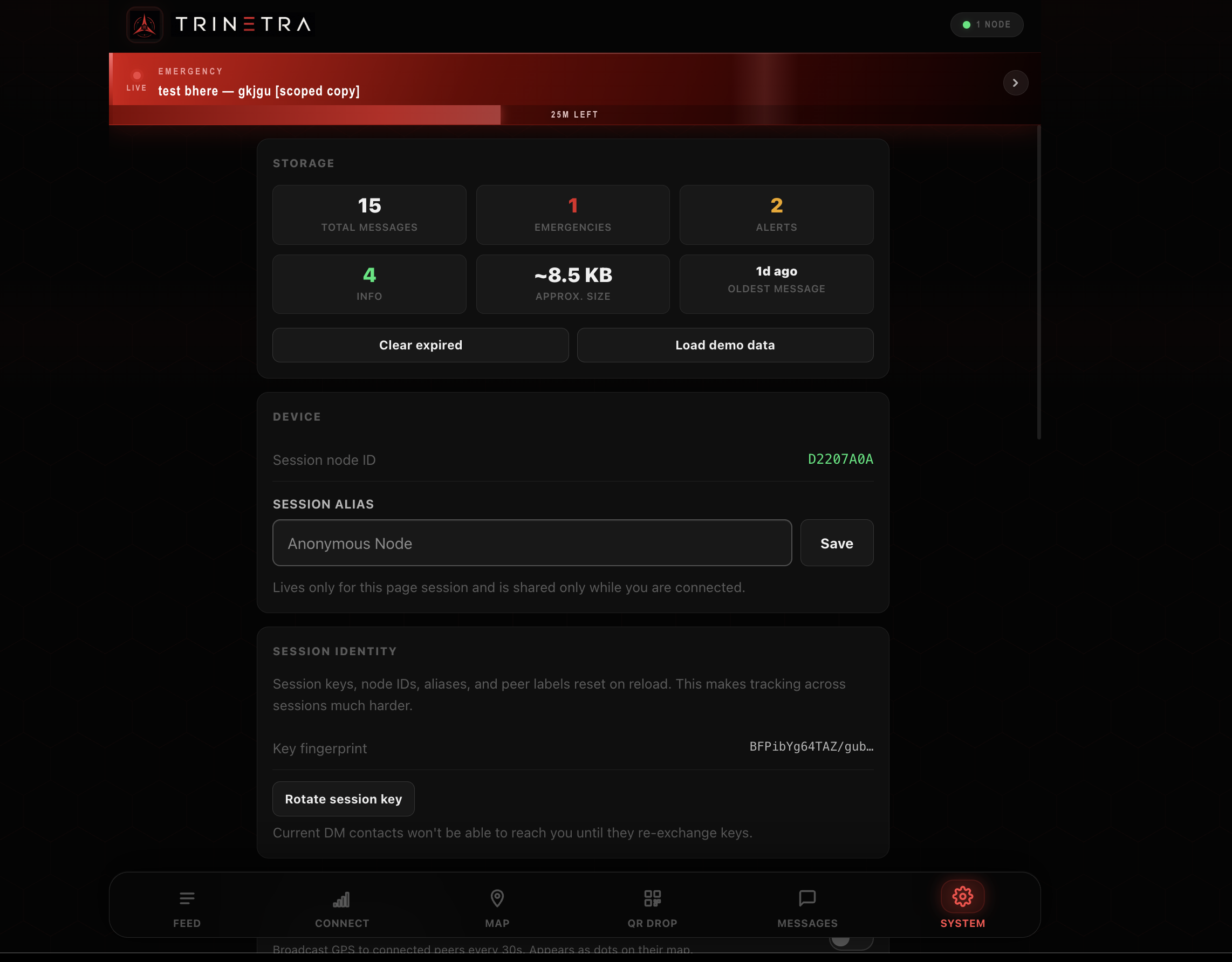
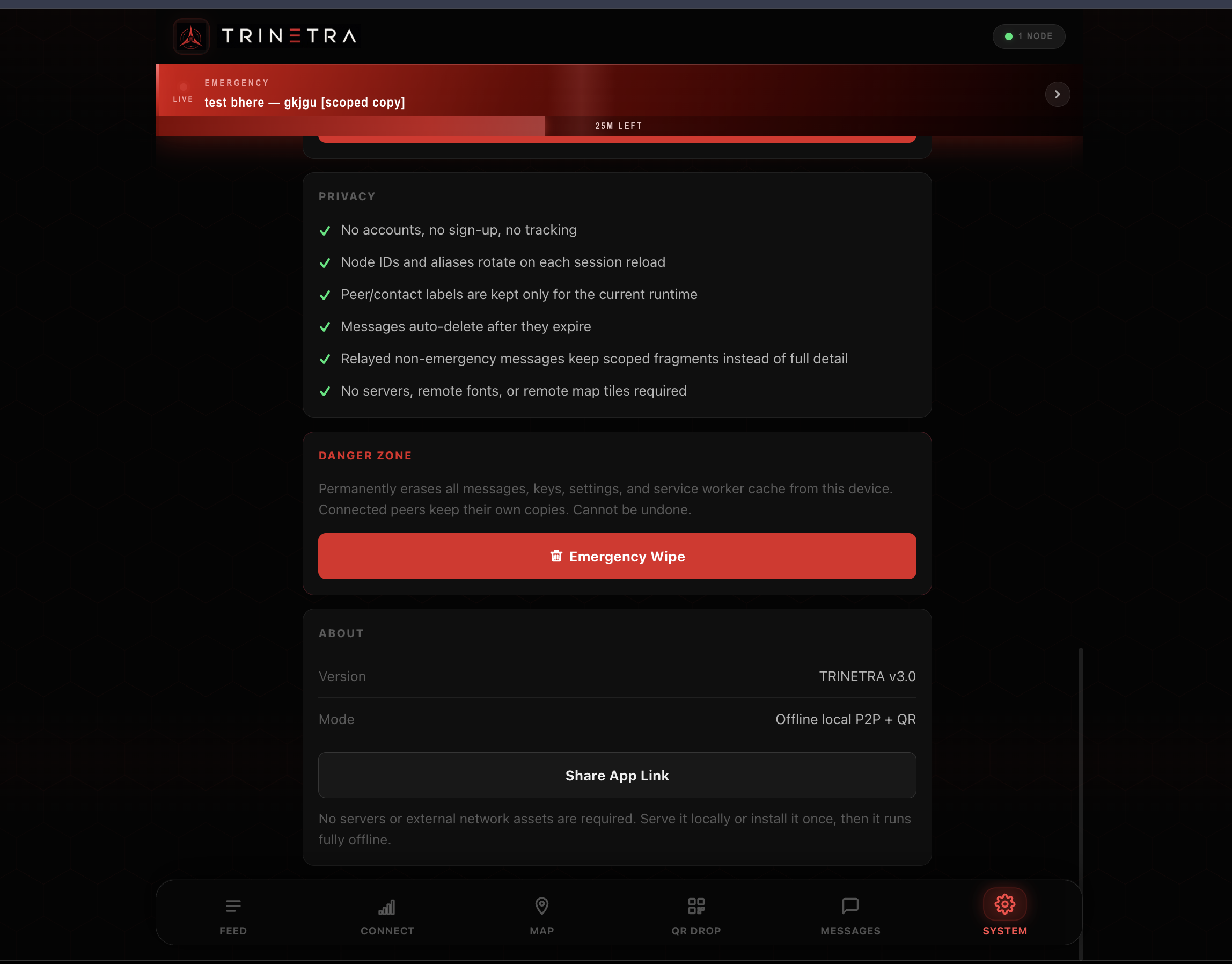
Use Alias name instead of your node id and rotate session id
-
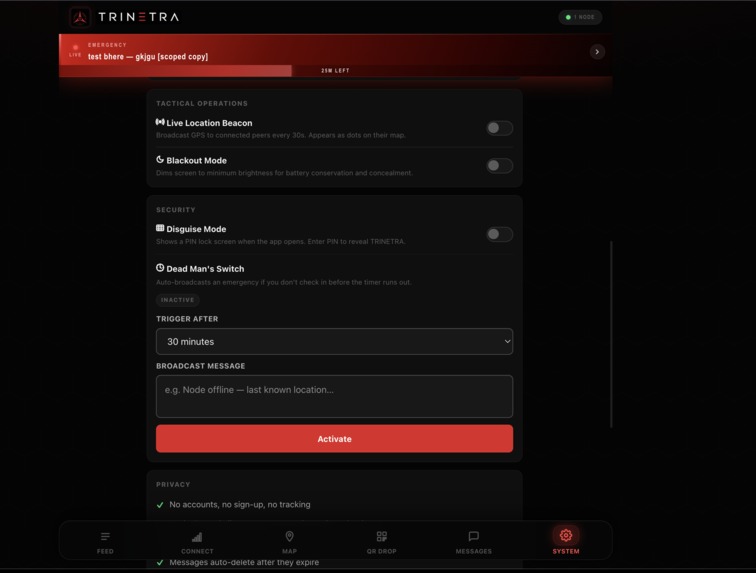
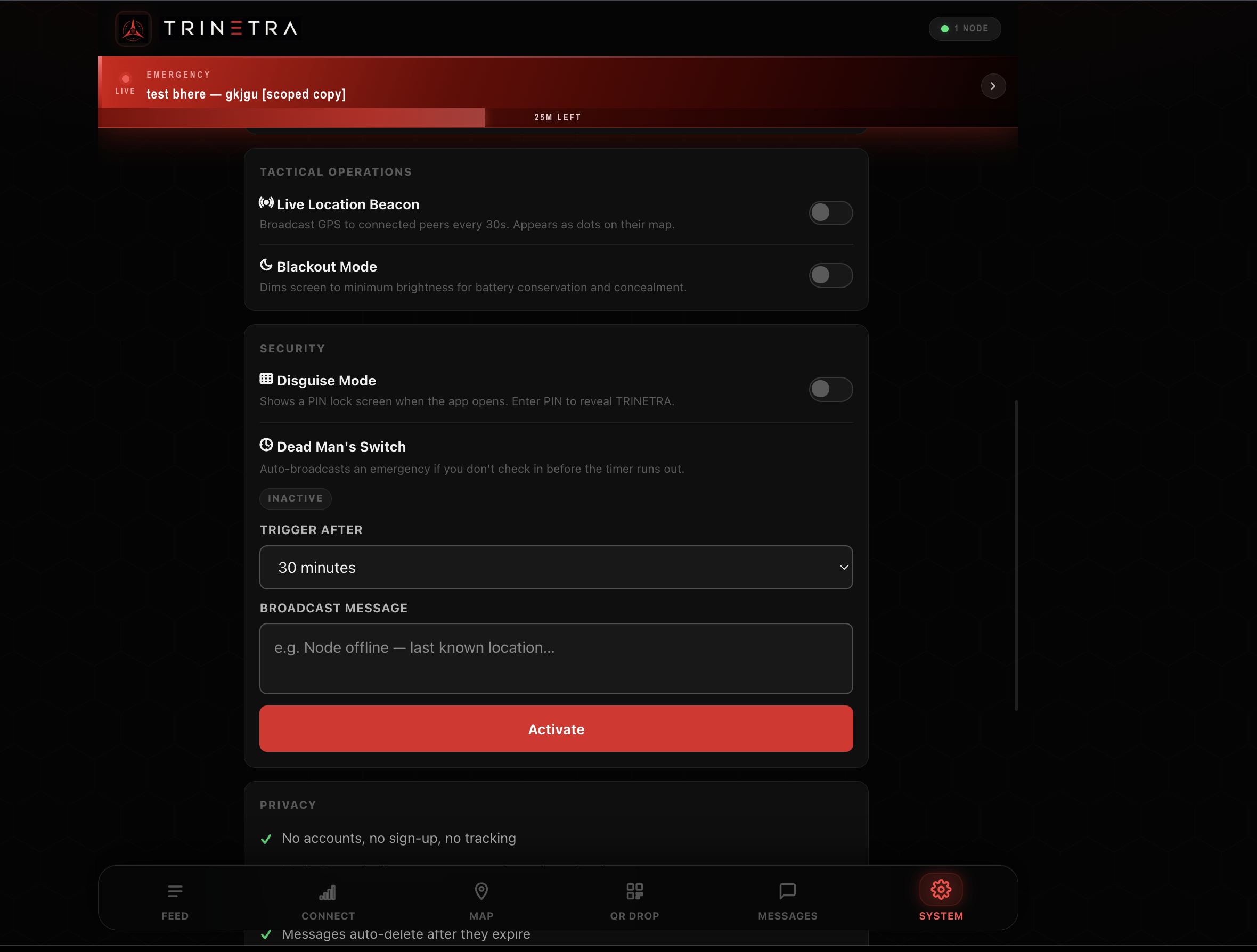
Privacy screen: BLACKOUT that makes ur screen dim , and a dead QR drop where if you wont return in X time it sends an SOS to all your peers
-
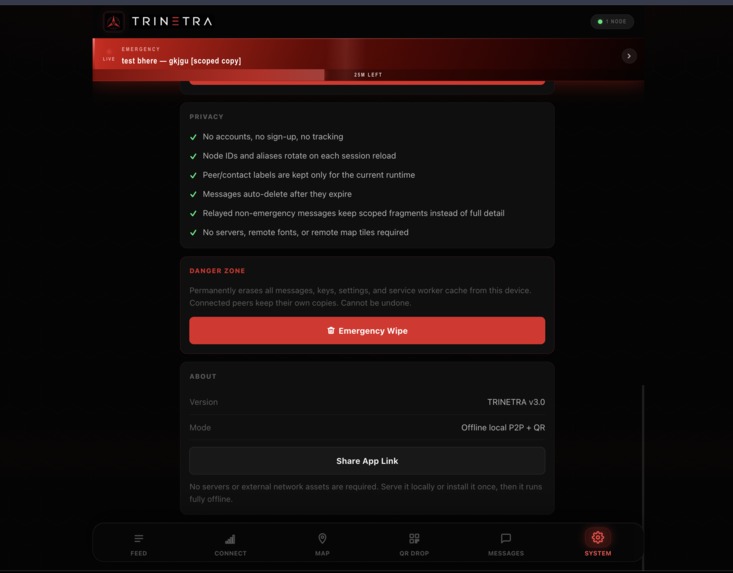
WIPE OF DATA in case of any compromise
-
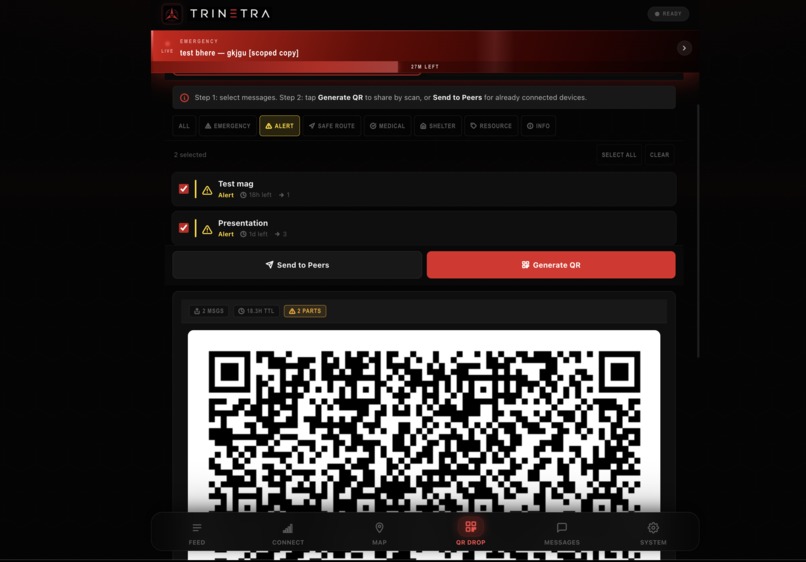
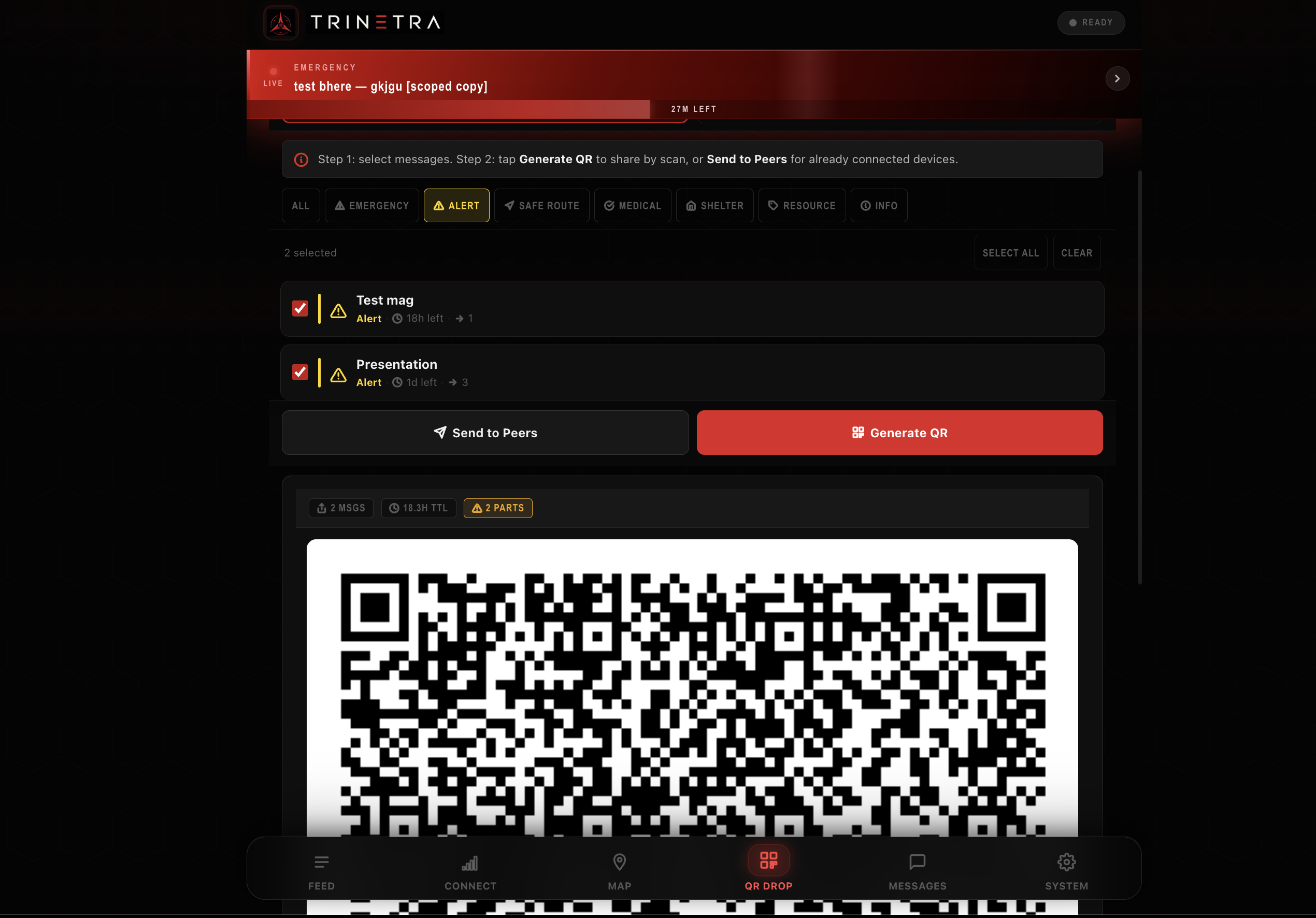
Share messages offline using QRs
-
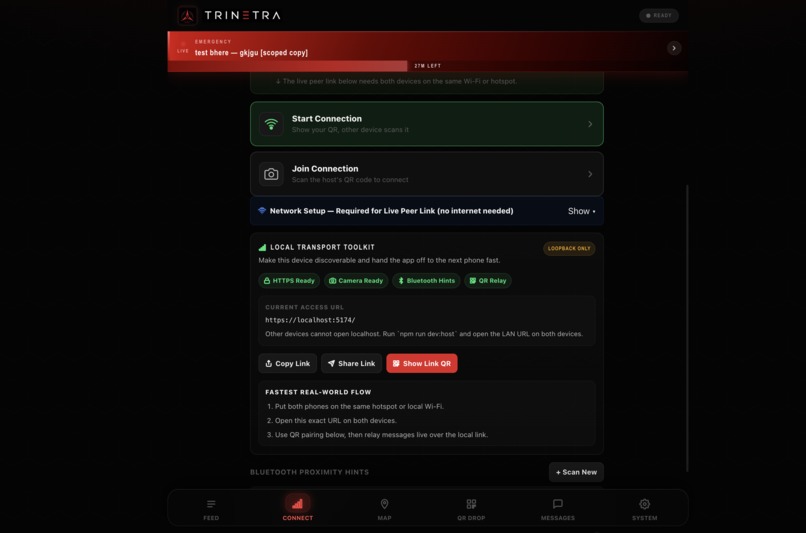
You can scan your friends QR or ask him to do so
-
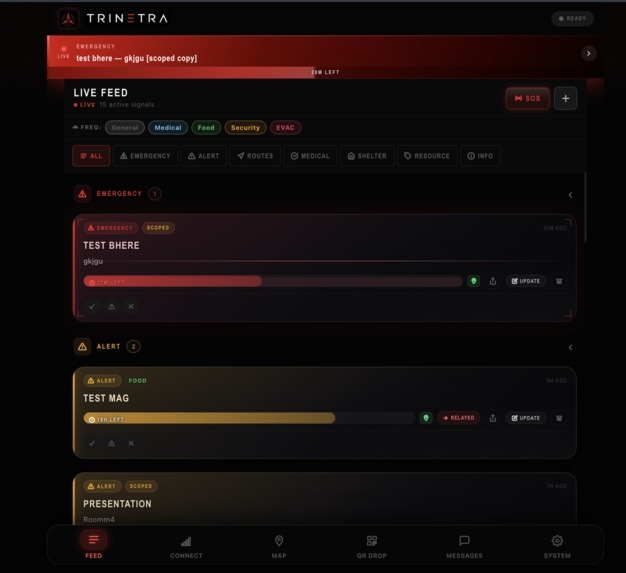
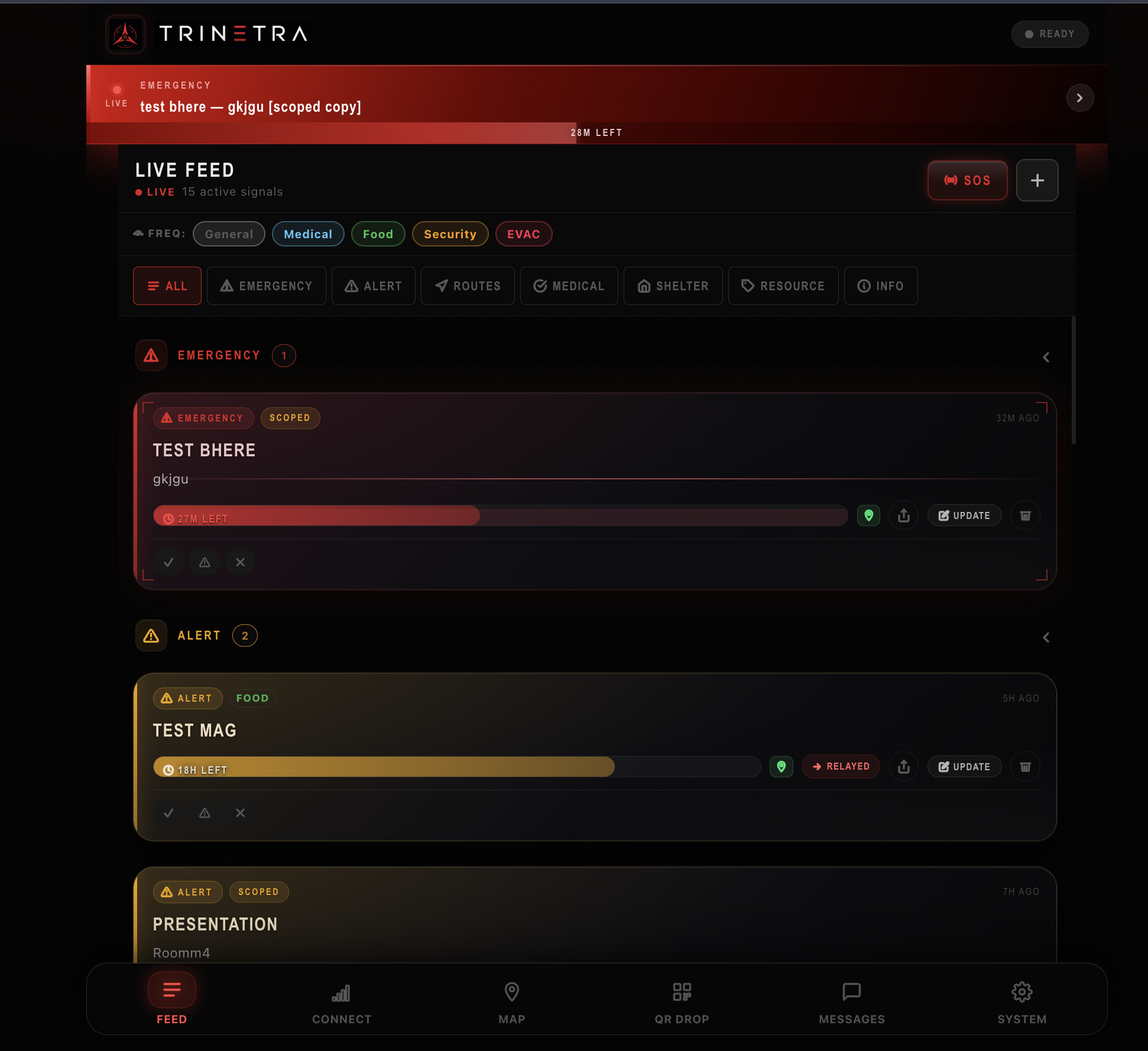
Your feed/ general messages and emergency feeds are displayed at the top in red scrollbars
-
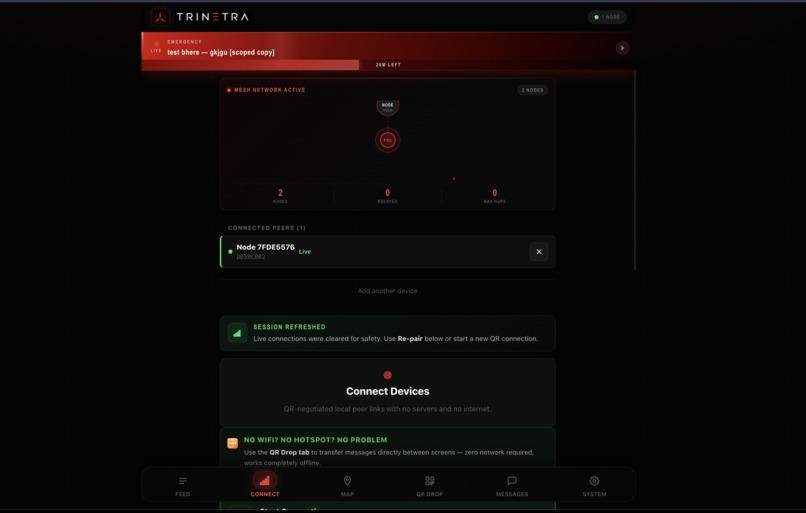
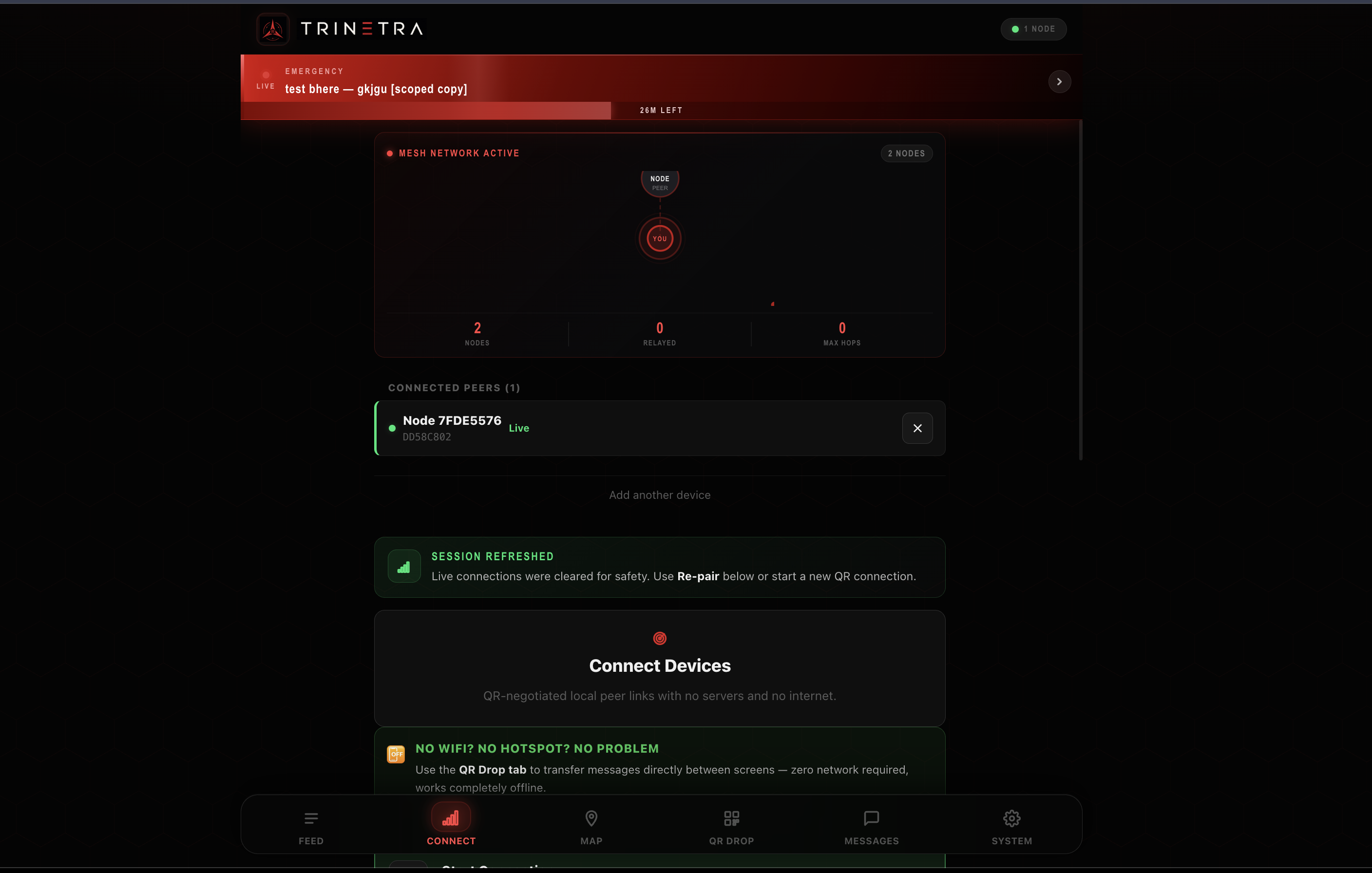
Successful Peer Connection
-
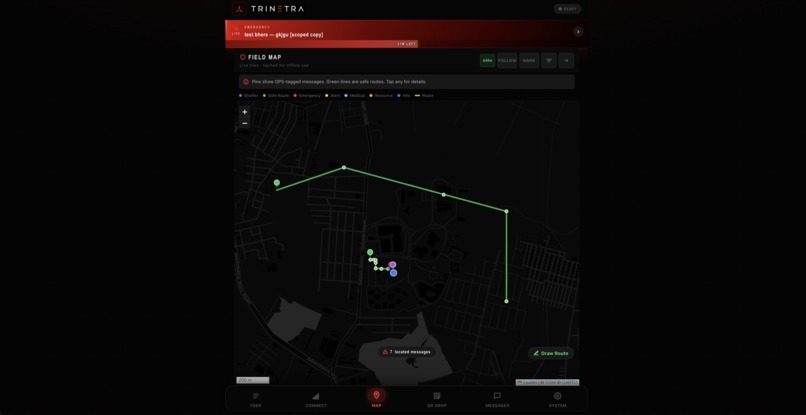
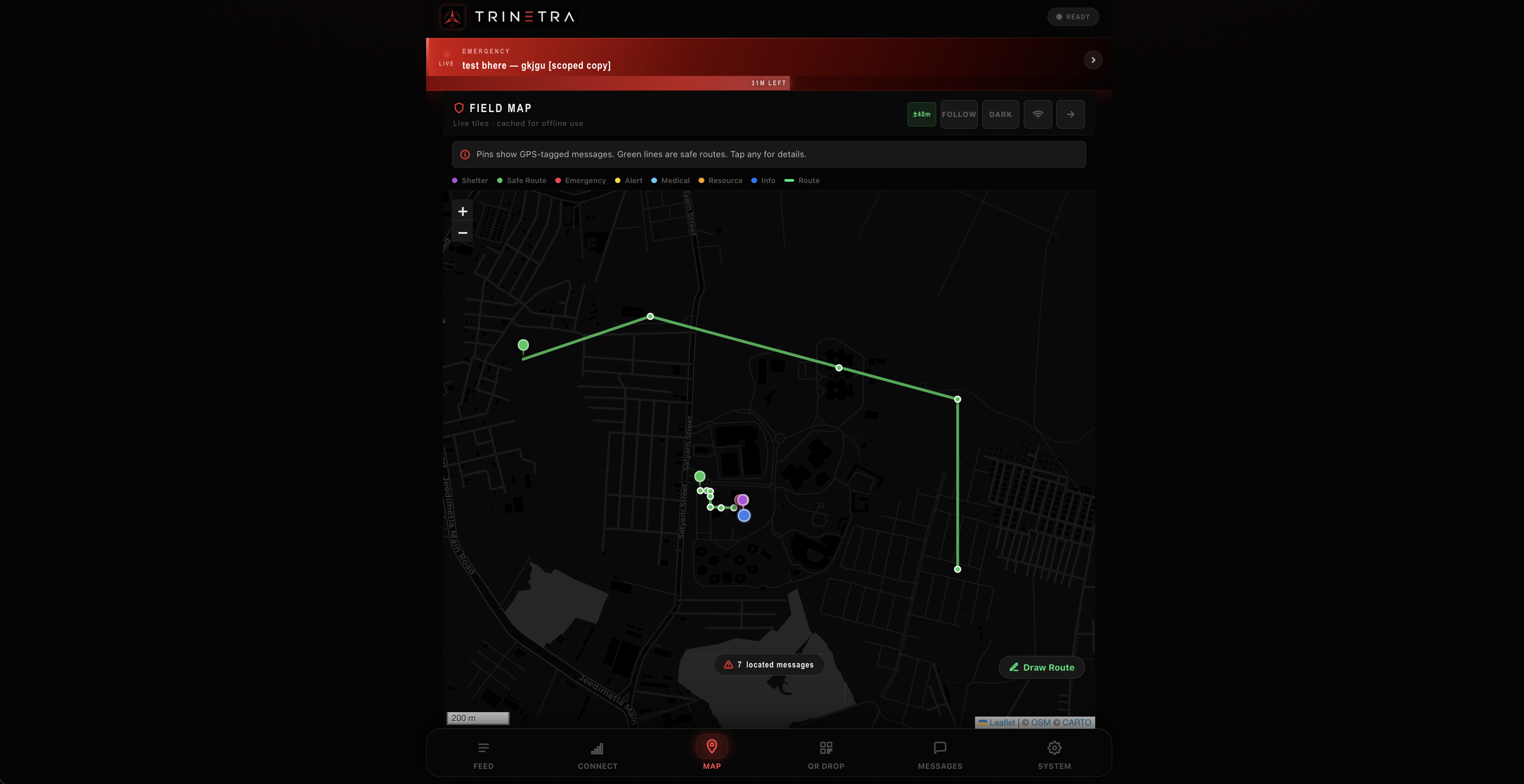
Shared detailed routes 1on1 using leaflet offline maps
Inspiration
When the internet dies, TRINETRA keeps people talking. Mesh communication that runs entirely on the devices in your pocket, no servers, no signal, no infrastructure required.
Our team came in from a completely different world. Automation workflows on n8n, Google Cloud pipelines, image recognition models, full-stack web apps with ML backends. Everything we had built assumed the internet was just there. Always on, always available.
The problem statement was the first thing that genuinely stopped us.
Build a web application. Zero internet. No servers. No cellular. Peer-to-peer only.
Before writing a single line of code we spent hours just reading. MDN docs, RFCs, blog posts, anything we could find. During that research we came across projects that had solved parts of this problem in native apps.
- Bitchat by Jack Dorsey is a Bluetooth mesh chat that works with no internet and no accounts. It showed us that device-to-device mesh is a real, shippable thing and not just a research concept.
- Bridgefy was used during real blackouts and protests in Hong Kong, Belarus, and India. It proved that offline mesh communication has genuine life-or-death stakes.
- Briar showed us what a serious threat model looks like for a system built for people operating under surveillance.
All three are native apps. None of them run in a browser. That became our constraint and our goal: build the same class of system entirely as a PWA. No install, no app store, just a URL that works offline forever.
We built V1. It failed. Then we rebuilt it feature by feature until we got here.
What It Does
TRINETRA is a fully offline Progressive Web App for crisis communication. It runs on any modern smartphone browser with zero internet, zero servers, and zero accounts.
- Feed — create and read messages across 7 types: emergency alerts, safe routes, medical info, shelter locations, resources, and general info. Every message has a TTL and expires automatically so stale information cannot mislead people.
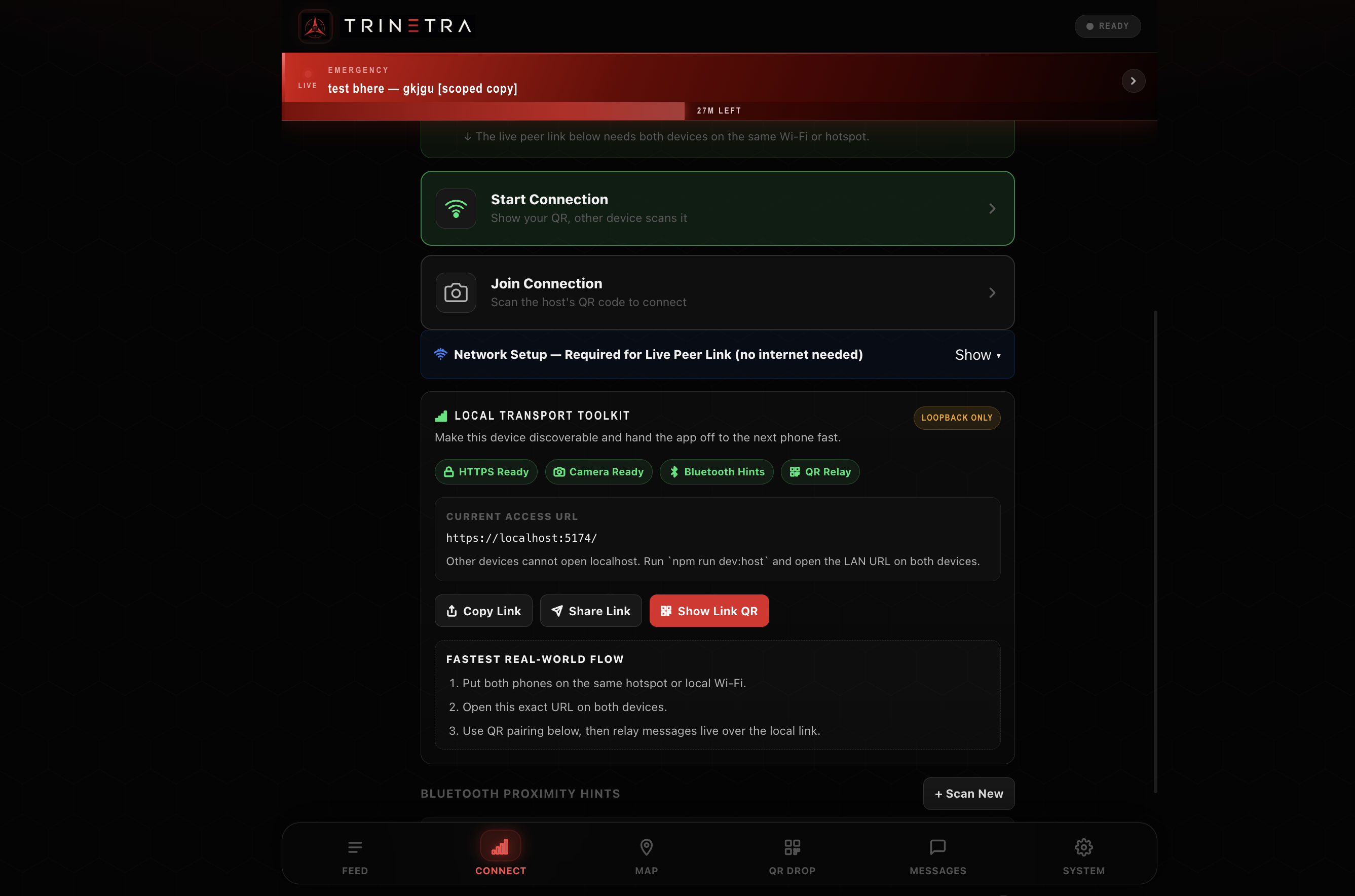
- Connect — pair two devices over a local Wi-Fi network using a WebRTC handshake negotiated entirely through QR codes. No signalling server. No STUN. No TURN. Just two cameras.
- QR Drop — export selected messages as a QR code and scan another device's QR to receive their messages. Works with no network at all, purely optical, just two phones and a camera.
- Direct Messages — encrypted-in-transit 1-on-1 messaging over a WebRTC data channel between paired peers. Threads persist locally across sessions.
- Map — pin locations on a fully offline map. Mark safe routes, hazards, and shelters. Export route data as a QR or broadcast directly to connected peers.
- SOS — hold-to-activate emergency broadcast. Fires instantly to all connected peers the moment it triggers.
- Mesh Relay — messages hop across the network automatically. Device A sends to Device B, Device B forwards to Device C, without A and C ever connecting directly.
Nothing leaves the device except through a deliberate peer connection or QR scan. No identity is required. No account is created. If a device is seized, it cannot expose the rest of the network.
How We Built It
Stack
- Language: Vanilla JavaScript, no framework
- Build: Vite + vite-plugin-pwa + Workbox
- P2P Transport: WebRTC via RTCPeerConnection and RTCDataChannel
- LAN Discovery: BroadcastChannel API
- Storage: IndexedDB via the idb library
- QR: qrcode for generation, jsQR for scanning
- Compression: lz-string
- Maps: fully offline
No framework. No backend. No cloud service of any kind.
WebRTC Without a Signalling Server
Standard WebRTC requires a server to exchange SDP offers and ICE candidates between peers. We had no server. Our workaround:
- Device A generates an SDP offer, compresses it with lz-string, and encodes it into a QR code
- Device B scans that QR with its camera and generates an SDP answer
- Device B encodes that answer as a QR, and Device A scans back
- The data channel opens. Everything after is direct device-to-device
SDP offers are verbose, sometimes 2 to 3KB of raw text. We stripped redundant fields and compressed them down to under 400 bytes so they fit in a scannable QR at error correction level L.
Message Sync and Conflict Resolution
Every message carries an id, rootId, revision, and replaces field. When two devices sync, they compare revisions and resolve conflicts deterministically. Higher revision wins. This means a message created on Device A, passed to B via QR, updated on B, and relayed to C via WebRTC arrives at C with the correct latest version, even though A and C never connected directly.
QR Scanning Pipeline
Phone screen to laptop camera is a genuinely hard scanning problem. Backlight, autofocus lag, and slight hand movement all cause failures. We built a preprocessing pipeline that runs on every frame:
raw decode → contrast enhance → strong enhance → binarize → sharpen
Then all five again across five different center-crop ratios. Over 25 decode attempts per 80ms tick. Not elegant, but reliable enough to demo under real conditions.
Challenges We Ran Into
Starting From Zero on WebRTC
None of us had touched WebRTC before. The first day was almost entirely learning. We built an initial version with a Node.js signalling server just to prove the data channel worked. Then we deleted the server and tried to replace it with QR codes and everything broke. The hardest part was understanding ICE candidate trickling. You cannot encode the SDP answer until ICE gathering is complete, otherwise the handshake never settles. That cost us hours of silent failures before we understood what was happening.
V1 Had No Real Data Model
The first version was just two browsers exchanging raw strings over a data channel. No persistence, no TTL, no conflict resolution. Refresh the page and everything was gone. We had to throw out the storage layer entirely and rebuild it around IndexedDB with a proper schema, expiry logic, revision tracking, and sync semantics before any other feature could be stable.
QR Scanning Was Unreliable
Early builds had a scan success rate of roughly 30%. The QR canvas was too small, the camera resolution request was too low, and we were running a single decode attempt per frame. We progressively fixed it with a larger canvas, 1080p camera request, and the multi-strategy preprocessing pipeline until it became reliable.
SOS Button Cancelling on Mobile
The hold-to-activate SOS used pointerleave to cancel the countdown. On mobile, any slight finger movement fires pointerleave even while you are still pressing. The fix was setPointerCapture. It binds all pointer events to the element for the entire press duration regardless of movement. One API call, two hours of debugging to find it.
Scope Creep
We kept adding features when the core was not stable. The map, DM thread persistence, multi-part QR carousel, all added while earlier features still had bugs. We had to force a hard stop twice and go back to fix fundamentals before moving forward again.
Accomplishments That We're Proud Of
- A fully offline PWA that actually works across real devices with zero backend
- WebRTC peer pairing entirely through QR codes, no signalling server, no internet, no app install
- Working multi-hop relay: a message from Device A reaches Device C through Device B without A and C ever directly connecting
- A sync protocol that resolves message conflicts correctly across devices that were disconnected and reconnected later
- A QR preprocessing pipeline that makes phone-screen-to-laptop-camera scanning practical
- Built by a team that had never touched WebRTC, service workers, or offline-first architecture before this problem
What We Learned
- WebRTC is designed around a signalling server. Removing it is possible but you have to understand the ICE gathering lifecycle deeply before it makes sense.
- Browser APIs are genuinely powerful. IndexedDB, BroadcastChannel, RTCPeerConnection, the Camera API. But only if you actually read the spec instead of reaching for a wrapper library.
- Offline-first is an architecture decision, not a feature. If you do not design around it from line one, every assumption you made will break when you try to add it later.
- Compression is critical when your only transport layer is a QR code. Bytes are not free when they translate directly to QR module density and scan reliability.
- A feature that works 70% of the time is worse than not shipping it, especially when the use case is a crisis.
overflow: hiddenhas caused more bugs in this project than any logic error.
What's Next for TRINETRA
- Bluetooth Transport — the current approach requires devices to share a Wi-Fi network. Web Bluetooth or Web Serial would allow true proximity pairing with no shared network at all, matching what Bitchat and Briar do natively.
- Message Signing — right now there is no way to verify a message's origin. A keypair per identity stored in IndexedDB would let recipients verify authenticity without any certificate authority.
- Auto-discovery and Routing — every peer connection is currently established manually. An automatic discovery protocol over BroadcastChannel with a routing table would let the mesh grow without pairing every node pair by hand.
- Native Wrapper — a thin Capacitor or Tauri wrapper would unlock the full hardware layer without changing any of the core logic.
Built With
- css3
- html5
- indexdb
- javascript
- jsqr
- mediadevice
- qrcode
- vanilla
- vite
- webrtc
- workbox

Log in or sign up for Devpost to join the conversation.