-
-
[iOS] App Icon
-
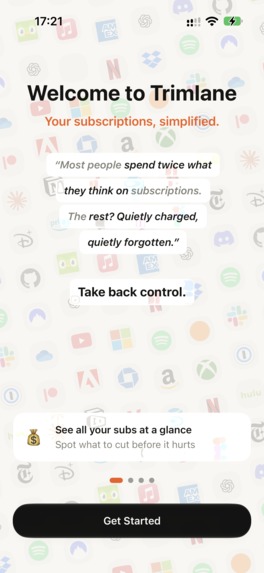
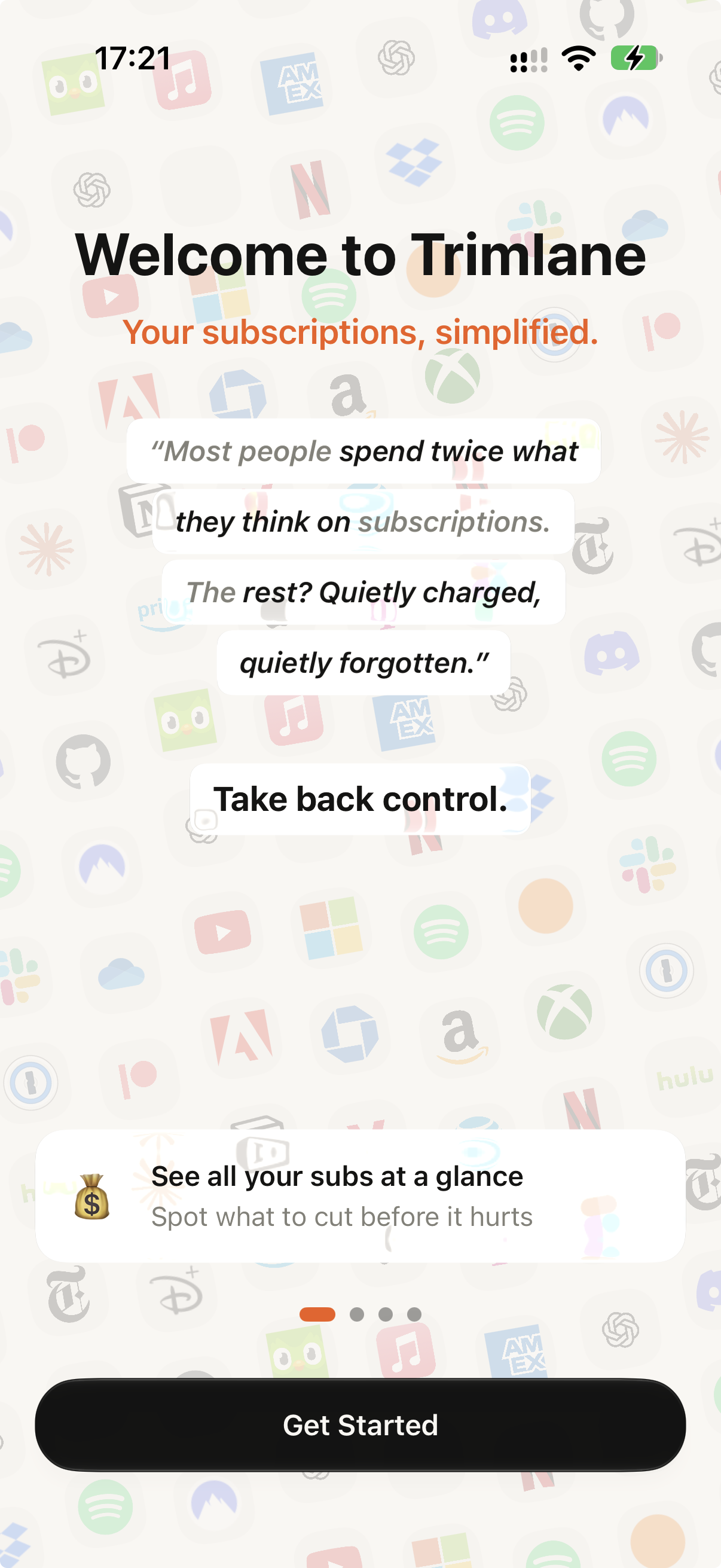
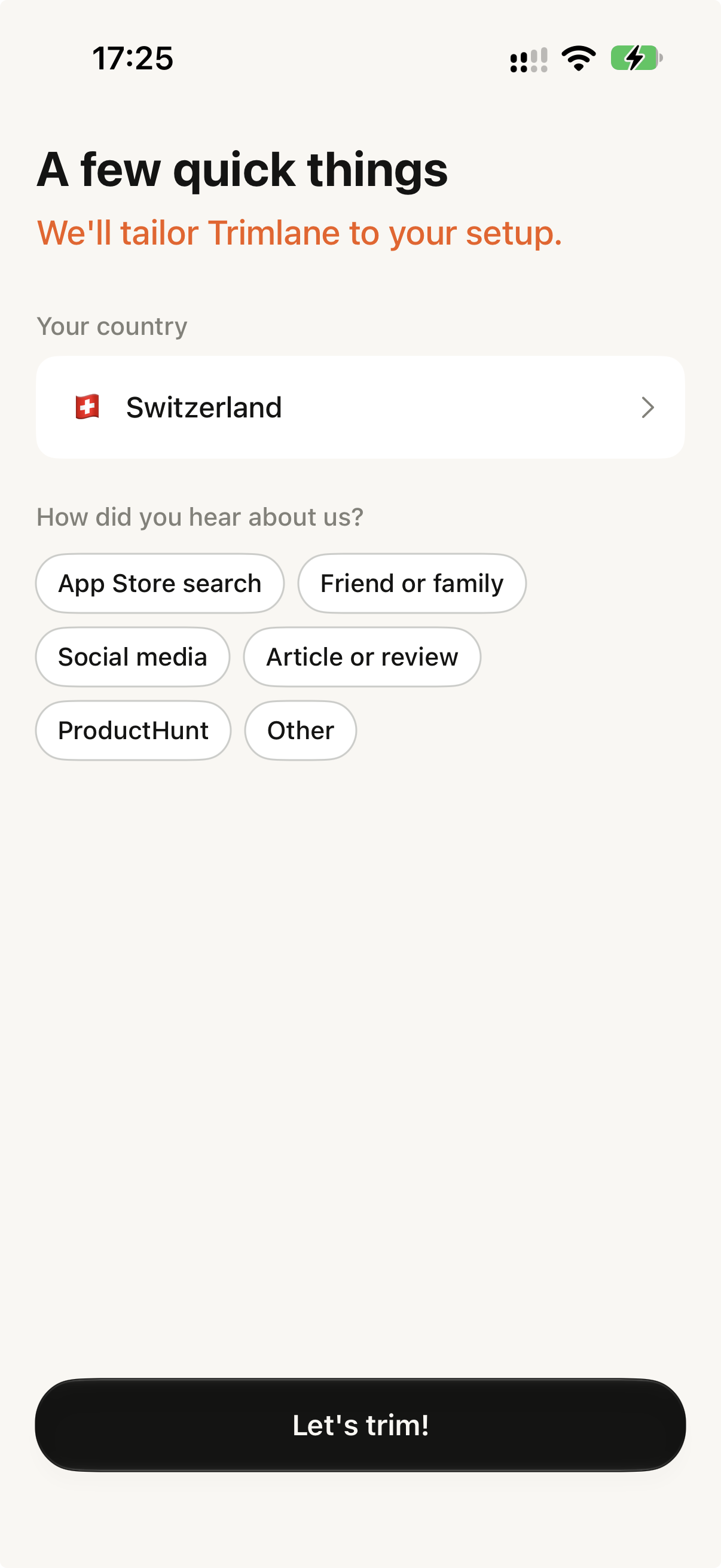
[App] Welcome Screen
-
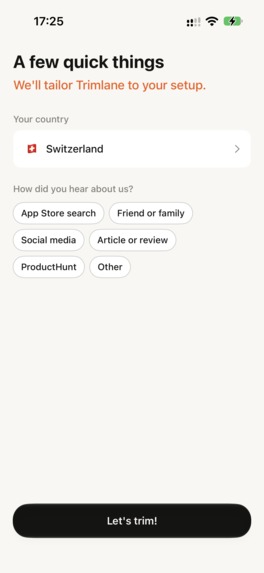
[App] Onboarding
-
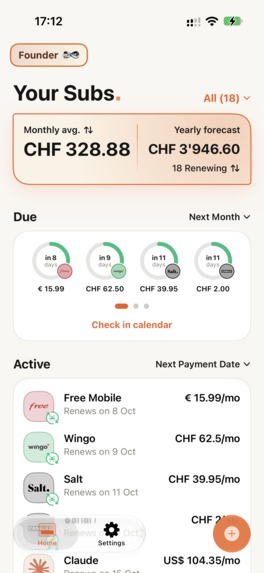
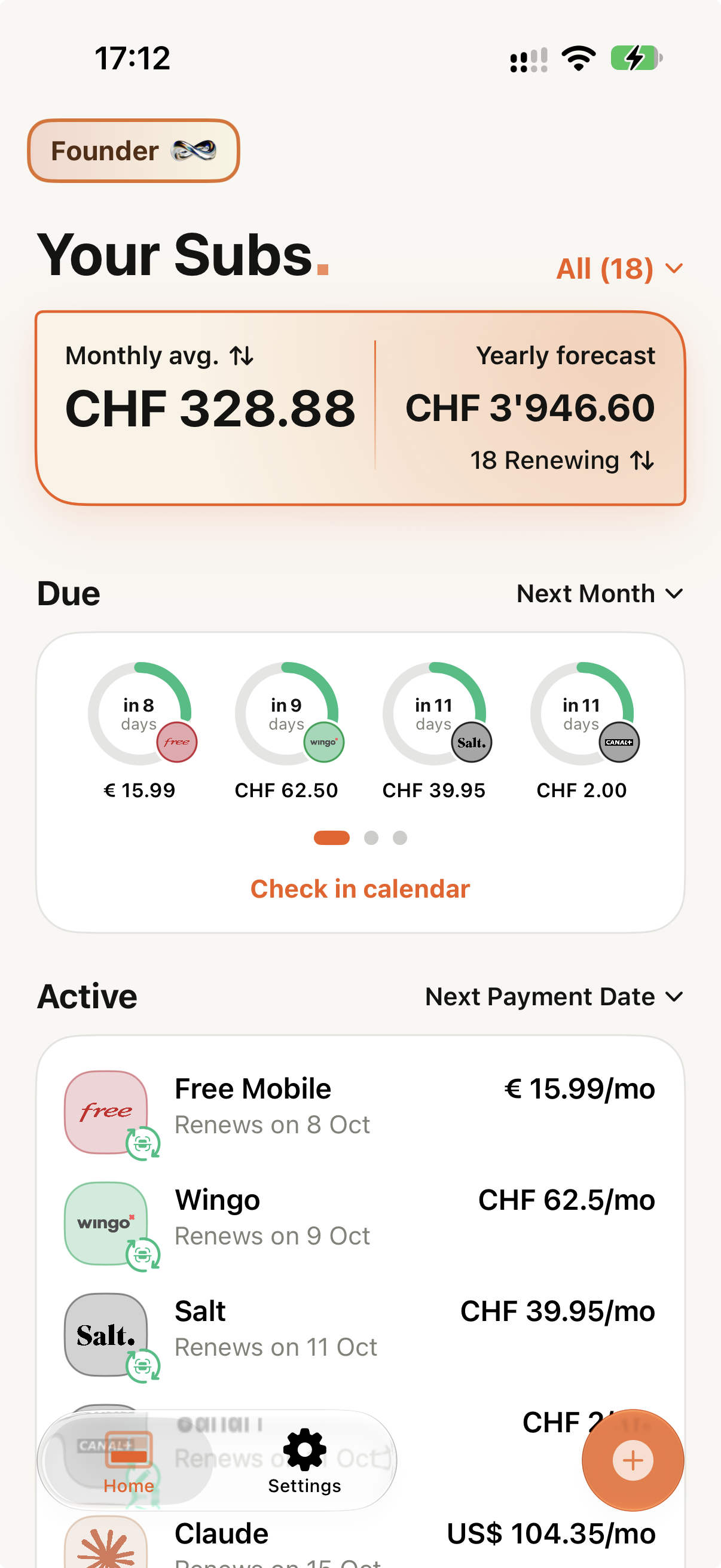
[App] Home Screen
-
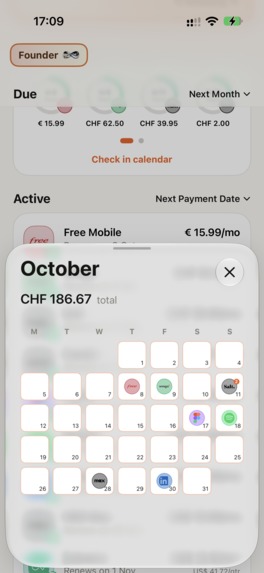
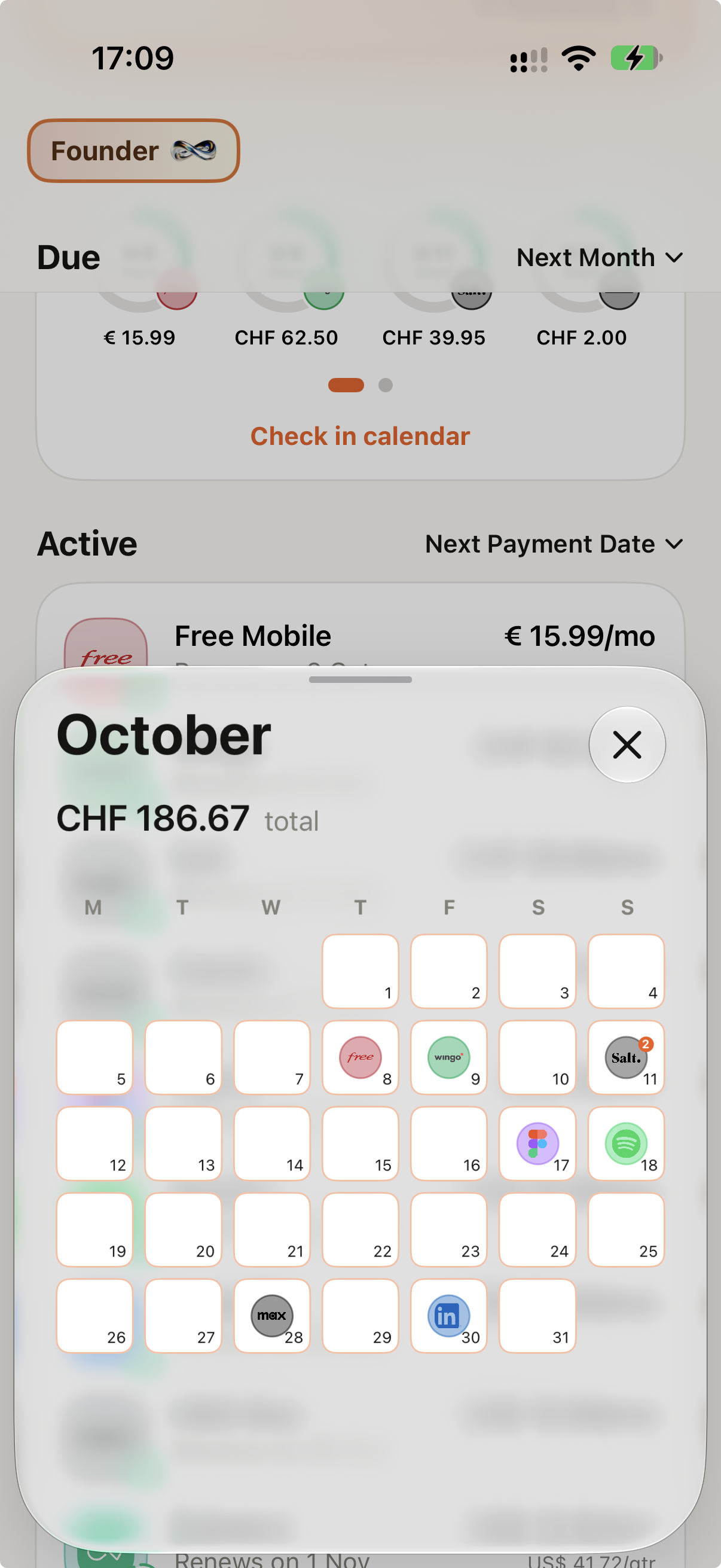
[App] Calendar Screen
-
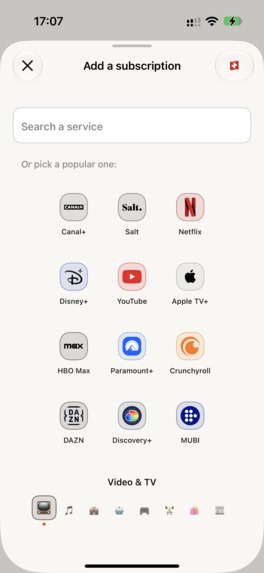
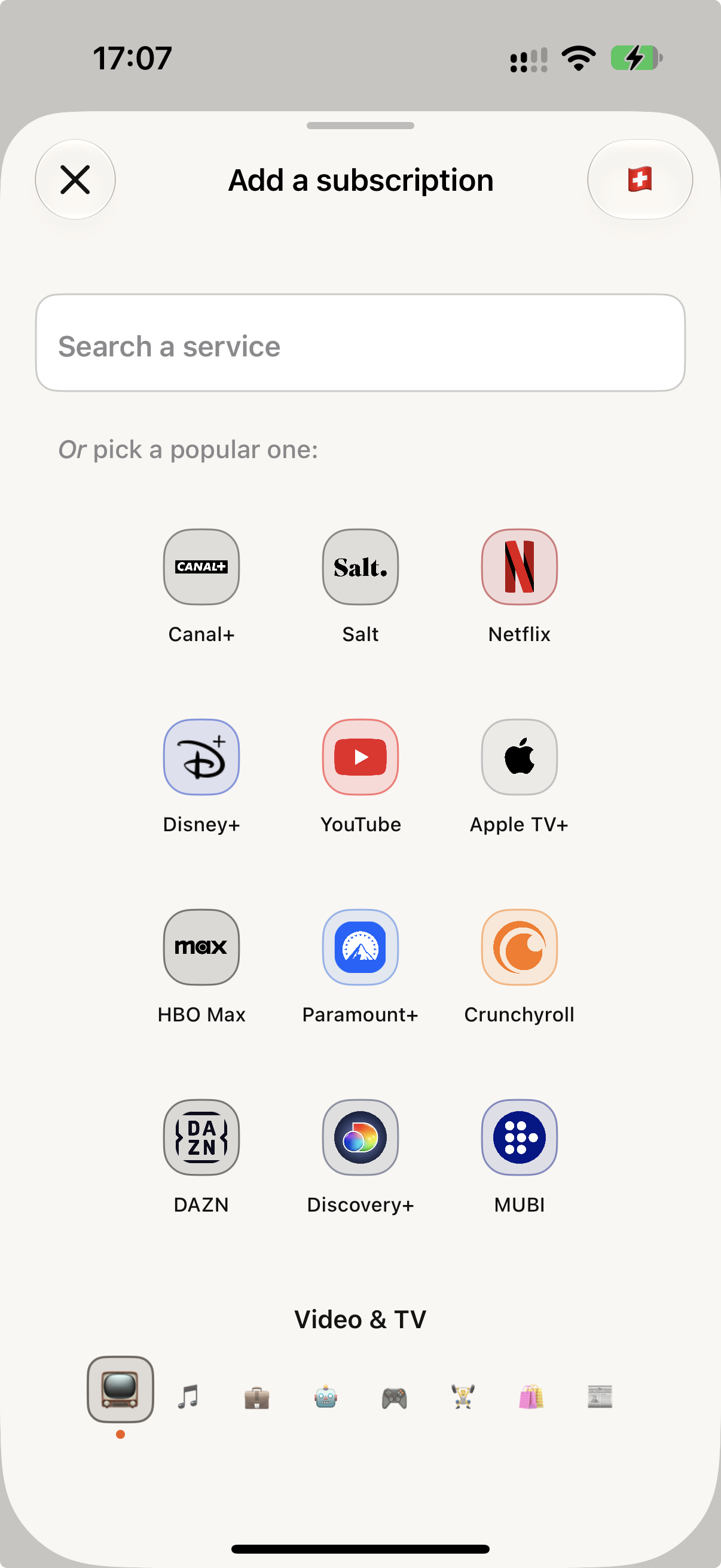
[App] Manual Addition Screen
-
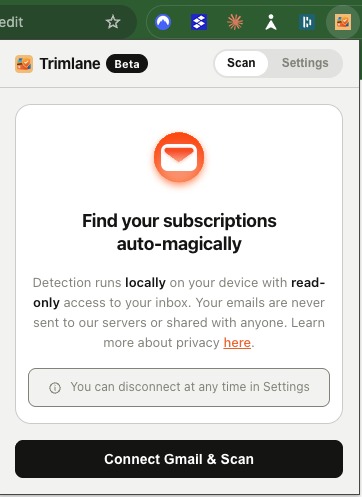
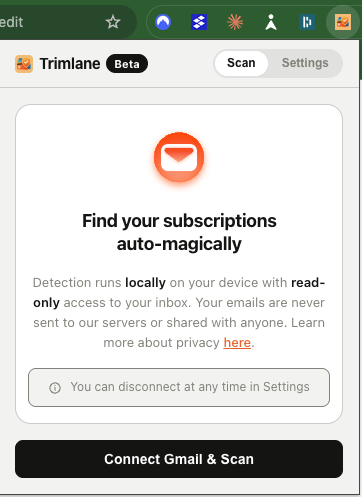
[Chrome Extension] Landing page
-
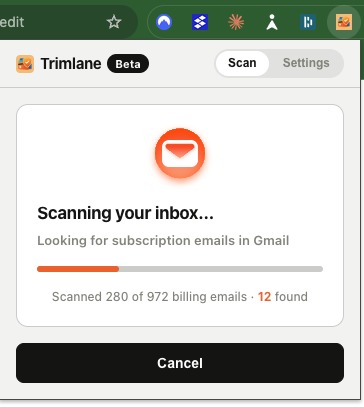
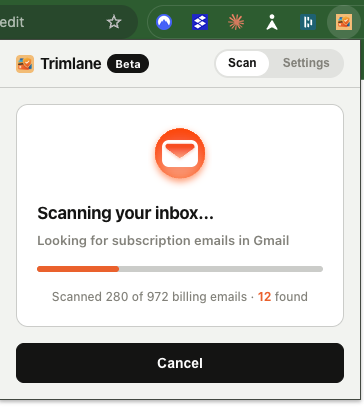
[Chrome Extension] Scan running
-
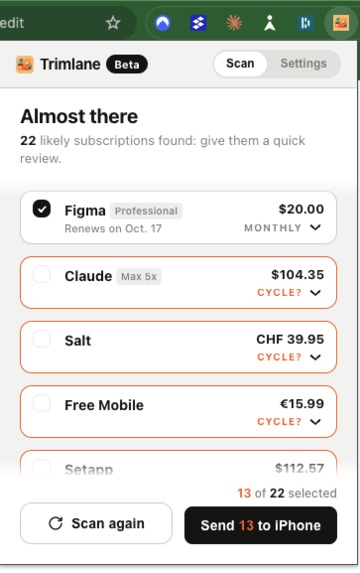
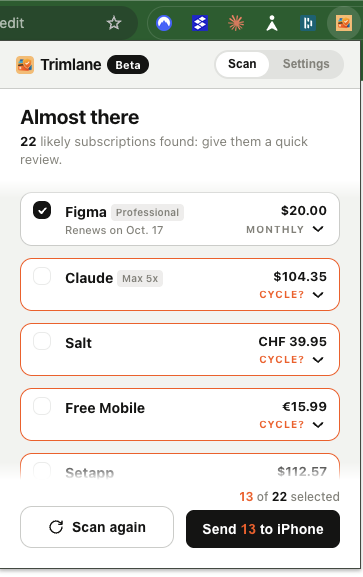
[Chrome Extension] Subscription listing
-
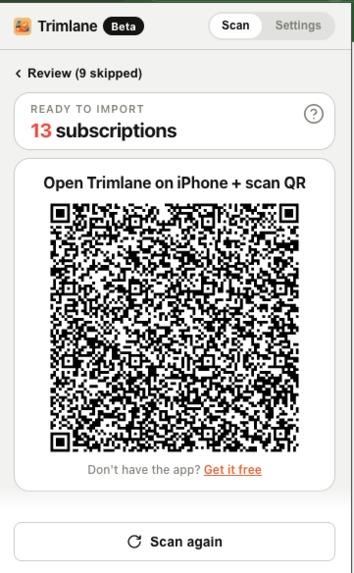
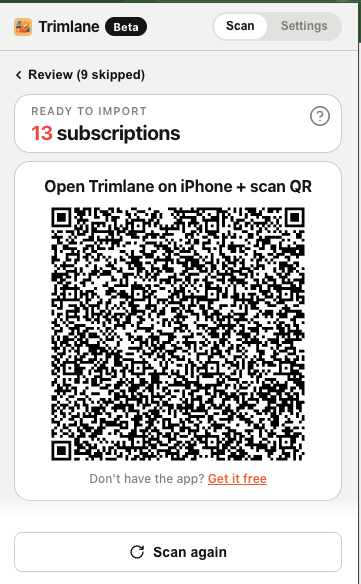
[Chrome Extension] Subscription hand-off to iPhone via QR code
In a nutshell
Trimlane is two pieces working together: a Chrome extension that finds your subs in Gmail, and an iPhone app that keeps them under one roof. The extension passed an independent security audit before Google gave it the green light on Gmail. Here's how it came together.
Inspiration
I've bounced between countries over the last few years, and my wife and I both kept getting charged for subs we'd totally forgotten about. Turns out it happens to everyone: in the US alone, people burn $252 a year on average on subs they never use (CNET and YouGov, 2026).
Nothing out there felt right:
- Bank apps like Rocket Money and Monarch want your bank login.
- Manual trackers make you type everything in, so you have to remember the exact subs you forgot.
- Inbox scanners haven't had an independent security check.
So how do you find all your subs without handing over your bank account or your inbox?
What it does
Smart and local scan
- Digs through up to three years of Gmail receipts, read-only.
- Spots subs from 700+ services, with prices and renewal dates.
- Runs on your computer: your emails never reach Trimlane or any cloud AI.
All your subs in one tidy app
- Scan a QR code and your subs land in the iPhone app, no login needed.
- One honest monthly total across yearly, quarterly and monthly plans, in your currency.
- A renewal calendar and a heads-up before every charge.
- Your data stays yours: on your phone and in your own iCloud.
How I built it
I built Trimlane solo, mostly with Claude Code. It let me, as an iOS dev, ship a Chrome extension and a backend in stacks I'd never touched, while I reviewed every change.
Emails never leave your computer. That one decision shaped everything.
- iOS app: SwiftUI, modular Swift packages, SwiftData with CloudKit sync, localized in six languages and regions.
- Extension: TypeScript and Manifest V3. Detection matches known senders first, then parses amounts, billing cycles and cancellations.
- Services: Supabase serves only the public catalog, RevenueCat runs the premium tier, and PostHog handles analytics and feature flags.
- Workflow: one Linear ticket per change and a pull request per feature, small enough to review everything Claude Code wrote.
Challenges I ran into
Earning Google's trust as a solo developer
- Without Google's blessing, Gmail users hit a warning screen telling them not to continue. Almost nobody gets past it.
- My first demo video got rejected, so I re-shot it.
- Then Google asked for a CASA security assessment, usually handled by companies with a whole security team. I did it alone.
Teaching the extension to read messy emails
- Words that look like services: an everyday word, in any language, can match a service name.
- False alarms: marketing emails, one-off payments, and newsletters all look like receipts, and a later cancellation has to win over earlier renewals.
- Misleading dates: a receipt date is when you paid, not when you'll get charged next.
The only test that counts: real inboxes.
Accomplishments that I'm proud of
- The Chrome extension. Totally new territory for an iOS dev, with its own review process and detection engine. One scan, full list, under a minute.
- Passing Google's CASA assessment solo. An independent security badge, so you don't have to take my word for it.
- A minimalist app. Quick onboarding, then pretty much everything on one screen. My favorite part: a recap of the next subs you'll pay, tied straight into the renewal calendar.
What I learned
- Value must arrive in the first session. Every improvement I'd make moves value earlier: before any ask, before an empty screen.
- Trust is a feature you design. The scan is upfront about the fact that it can make mistakes, so you review every result before importing.
- Shipping teaches what specs can't. The sharpest feedback came from watching real users.
What's next for Trimlane
Local AI for the hard cases
A language model running on your computer will catch the emails rules miss. AI usually means shipping your data off to the cloud; with Trimlane, the AI comes to your data instead.
Going deeper
- Apple subs, imported from a screenshot.
- Help to cancel, with quick in-app steps.
- Plan-level detail, like whether a cheaper tier would do.
- Sub history: price changes, pauses, and cancellations.
- More countries and currencies, plus cross-platform sync for premium users.
The bigger picture
Down the road, Trimlane becomes a subscription assistant that suggests cheaper alternatives based on what you actually pay for. And eventually, the same clarity for companies and the tools their teams pay for.
Built With
- chrome-extension-(manifest-v3)
- claude-code
- cloudkit
- esbuild
- fastlane
- gmail-api
- google-oauth-2.0
- icloud
- ios
- javascript
- node.js
- postgresql
- posthog
- revenuecat
- sentry
- sql
- supabase
- supabase-edge-functions
- swift
- swift-package-manager
- swiftdata
- swiftui
- typescript
- vitest
- xcode

Log in or sign up for Devpost to join the conversation.