-
-
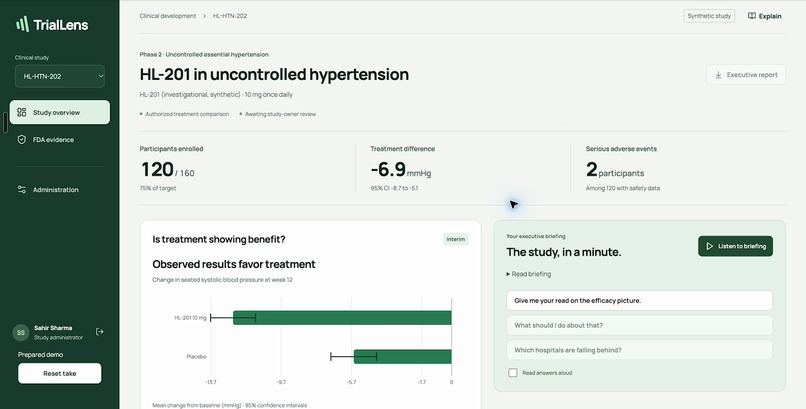
The executive overview: study-specific results, uncertainty and a briefing you can read or hear. Synthetic demonstration data.
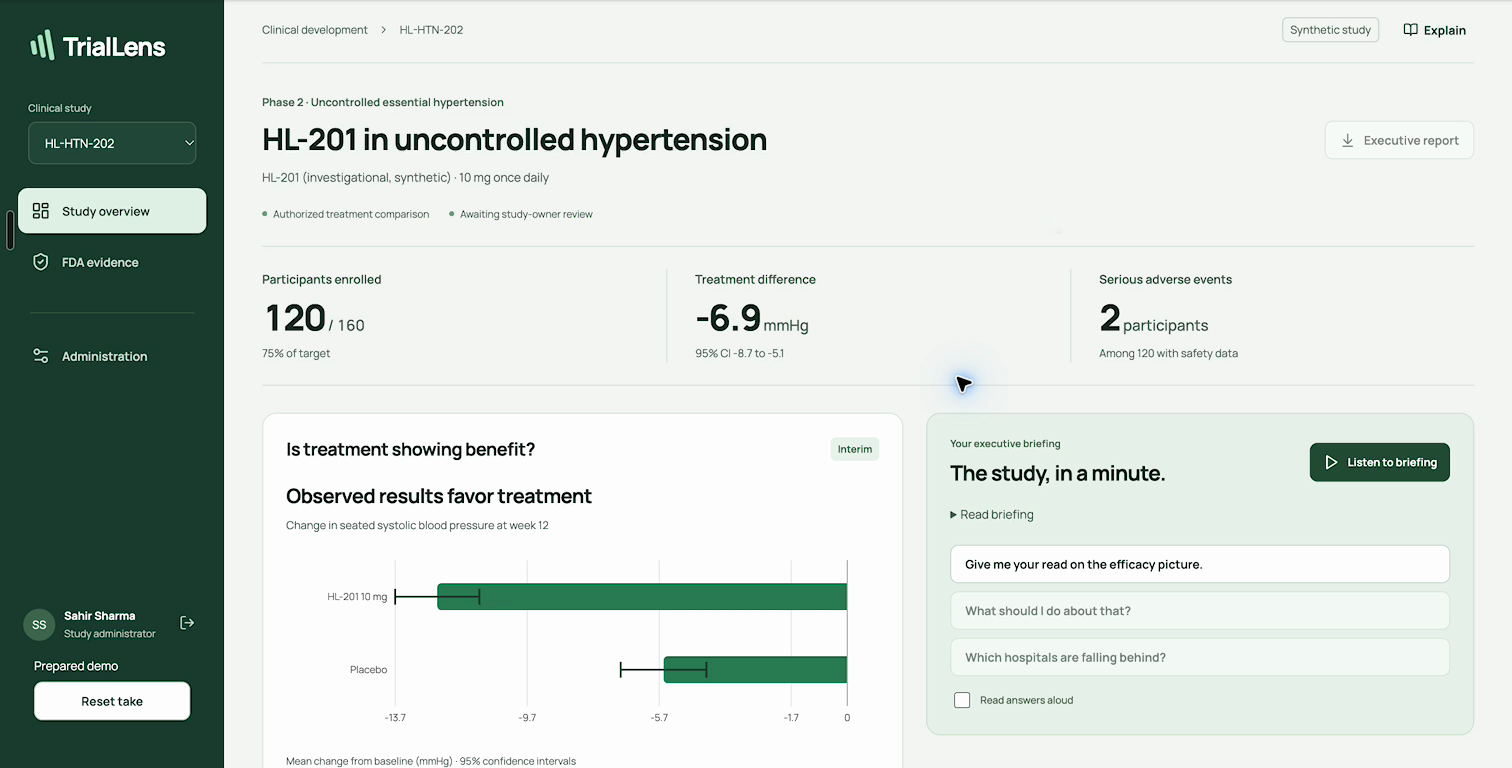
Team TrialLens — Sahir Sharma, Sarthak Kapoor and Yosuke Pilette.
Inspiration
Before an executive meeting, a clinical research leader needs three answers: How is the trial progressing? What do the results show? What needs attention?
In our conversation with Albert Cai from Harbor, he described a VP of Clinical Research at a small biotech who repeatedly relies on a statistician to prepare that update. The data exists. Turning it into a report leadership can use still takes specialist effort, and the next question can start that handoff all over again.
We built TrialLens around that moment. An executive should be able to get the gist, ask what matters to them, and see where an answer came from. The statistician should spend more time on interpretation and complex analysis, and less time rebuilding the same summary.
What it does
- Starts with the study. An administrator enters the drug, protocol, endpoint, analysis plan and evidence references, then uploads a supported participant CSV. Results belong to that specific study and uploaded snapshot.
- Puts the briefing first. A concise executive overview shows treatment results, uncertainty, safety reporting and missing outcomes. The opening screen gives the gist; detail is available when it matters.
- Lets the executive ask the next question. Type a question or speak it, check the transcript, and get a plain-language answer grounded in the current study. Supported questions use a validated metric catalog; unfamiliar wording goes through OpenSwarm before code supplies the numbers.
- Explains the word and why it matters here. Highlight a term and choose Explain. The answer starts with a plain definition, then “In this study”: the meaning in the selected protocol and results. A definition of placebo is useful; knowing what that comparison means in your own trial is better.
- Reads the briefing aloud. ElevenLabs Hope turns the calculated briefing and answers into a natural voice experience. Whisper transcribes questions. The executive can move between reading, listening and asking without learning a new analytical tool.
- Makes evidence gaps actionable. Three OpenSwarm reviewers examine treatment, safety/data and regulatory evidence. Their source-linked findings show what needs attention and who should review it. This is an evidence-gap review, not an FDA approval prediction.
- Keeps review in the workflow. The administrator records study-owner review before producing the executive report. A protocol or data change invalidates that review. Blinded studies expose pooled results.
How we built it
The numbers come from code. A TypeScript engine parses supported CSVs and computes descriptive results: enrollment and disposition, change from baseline, treatment differences with uncertainty intervals, binary response rates, descriptive Kaplan–Meier curves, safety-event denominators and missing outcomes. The application uses React, Vite, Express, Papa Parse, jStat and Recharts.
OpenSwarm has bounded jobs. Three specialists review treatment, safety/data and regulatory evidence. MCP tools provide protocol context and computed aggregate evidence; the evidence tool does not expose participant rows. Structured submissions are checked against allowed references before they appear. Agents cannot invent a statistic or approve a report.
Plain language becomes a supported question. OpenSwarm interprets unfamiliar wording; the server validates the selected metric and grouping and renders the answer from computed results. Known questions and glossary terms resolve directly. Cached interpretations are tied to the study revision and context.
Voice is part of the workflow. Open-source whisper.cpp transcribes a recorded question for review. ElevenLabs reads the calculated briefing and answers using Hope. Speech services do not calculate the clinical results.
A shared application, with a real desktop agent connection. AWS EC2 hosts the server, CloudFront provides HTTPS, and an outbound worker connects the shared app to OpenSwarm on our Mac. The Mac and OpenSwarm must remain running for new AI reviews and unfamiliar requests. Application credentials stay on the server. Stored study records are encrypted, with separate administrator and viewer permissions; this is a trusted-team prototype, not a validated hospital deployment.
We used AI coding assistance during development. All demonstration patient records are synthetic.
Challenges we ran into
A correct number can still be a misleading answer. We had to keep the study population, endpoint, missing outcomes and uncertainty attached to the result, rather than asking a model to improvise a conclusion around a number.
The executive needs an answer before a paragraph. We moved routine explanations behind contextual help and secondary detail, while keeping material uncertainty in the takeaway. That made the briefing easier to use without hiding what changes its interpretation.
Voice cannot make every question feel like a new loading screen. We separated interactive questions from the longer three-specialist review queue, used direct lookups for known questions, and made the next question available while audio prepares.
The hosted app and desktop agents have different lifecycles. The worker connection lets teammates use the shared site, but it also makes the current deployment limit explicit: new OpenSwarm work depends on the connected Mac.
Accomplishments that we're proud of
The product connects a specific study, calculated results, natural-language follow-ups, contextual explanations, voice and a source-linked review in one workflow. The answer can be simple without losing the route back to evidence.
OpenSwarm is doing real specialist review and language interpretation. The application checks its outputs instead of treating confident prose as proof. The demo also uses the actual ElevenLabs Hope voice, not a browser speech substitute.
Most of all, we built around the executive's next question. The goal is less back-and-forth for routine reporting and more time for the decisions and expert review that actually need people.
What we learned
A dashboard is only part of the answer. People also need to ask what a result means, understand unfamiliar language in context, and know what to do next.
AI is most useful here when its job is precise: interpret the question, organize the evidence, and explain it clearly. Statistical computation, clinical interpretation and report approval have different responsibilities.
A polished demo is not evidence of saved staff time or clinical accuracy. Those need separate evaluation with the people who would use the product.
What's next for TrialLens
We want two clinical-research professionals to test the workflow on an approved, de-identified export. We would compare report correctness, preparation and review time, and the corrections needed against their existing process.
Our initial user is a biotech executive; the potential buyer is the biotech sponsor. The value proposition is less repetitive reporting work and faster access to understandable results. Savings, pricing and adoption remain to be measured.
Next come broader file support, independent statistical validation, accessibility testing, and the deployment and governance controls needed for real clinical settings. The current descriptive analysis does not execute a full statistical analysis plan, adjusted models, imputation or confirmatory testing. It is not a compliance certificate, clinical decision system or FDA approval predictor.
How to view
Watch the complete demo: https://youtu.be/cnECwhHllCY
Presentation: https://docs.google.com/presentation/d/1PfNjT1K--TqLdE-MDo3t7k1AiaFU97aPAESCwK1Y2vI/edit
Shared prototype: https://d2btq1pm8ntvkm.cloudfront.net/
The shared site uses the team's private access code. The public video is the no-login walkthrough. On the site, select the synthetic study, open Study overview, play the briefing, ask a follow-up question, highlight a term and choose Explain, then inspect FDA evidence. An administrator can create a study and upload the supported CSV template. Use synthetic data only for this demo.
The recording uses a prepared synthetic study, prepared responses and edited transitions; it is not a live latency benchmark. New AI reviews and unfamiliar requests require the connected OpenSwarm worker.
Built With
- amazon-cloudfront
- amazon-ec2
- amazon-web-services
- elevenlabs
- express.js
- jstat
- model-context-protocol
- node.js
- openswarm
- papaparse
- react
- recharts
- typescript
- vite
- whisper.cpp
- zod

Log in or sign up for Devpost to join the conversation.