-
-
TrialBridge
TrialBridge
Inspiration
Clinical trials are one of the most important engines of medical progress, but the discovery process is still broken for the people who need them most.
Patients often do not know that a relevant trial exists. Even when they try to search, eligibility criteria are written in dense clinical language that is difficult to interpret without medical training. On the other side, research teams struggle to recruit participants on time, which delays studies, increases costs, and slows down treatment innovation.
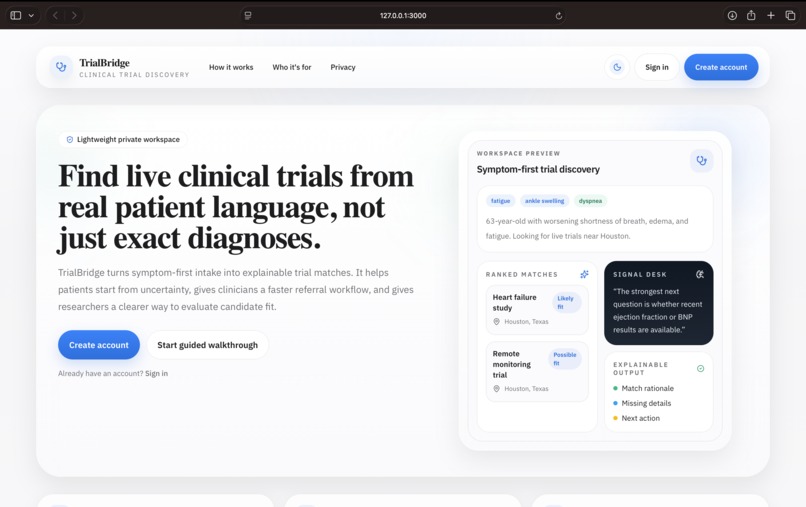
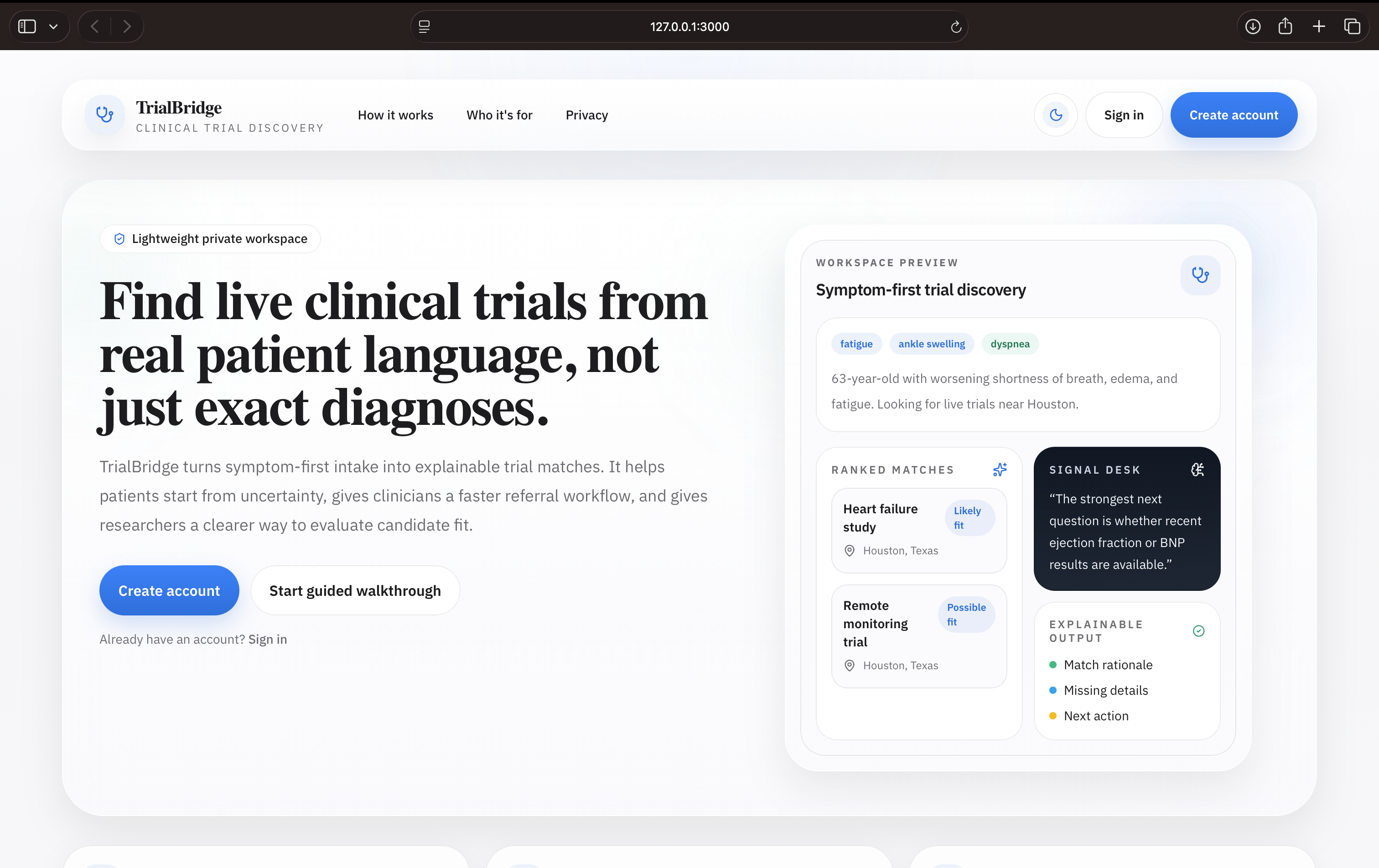
We built TrialBridge to close that gap. The core idea is simple: let people describe a health situation in plain language, then translate that into structured clinical context, search live trial data, and explain likely fit in a way that is understandable and actionable.
What it does
TrialBridge is an AI-powered clinical trial discovery platform that helps:
- Patients describe symptoms, diagnoses, medications, or concerns in everyday language and get understandable trial matches
- Doctors quickly explore recruiting trials for referral workflows
- Researchers use structured context to support recruitment and evaluation
Instead of forcing users to know the exact diagnosis or use perfect medical terminology, TrialBridge supports:
- short keywords
- symptom clusters
- rough or incomplete descriptions
- detailed narratives
The system then:
- extracts meaningful clinical signals from free text
- searches live recruiting studies from ClinicalTrials.gov
- ranks relevant trials
- explains why a trial may or may not be a fit
- suggests helpful follow-up questions
- supports role-aware workflows through profile context and an assistant
How we built it
TrialBridge was built as a full-stack web application with a patient-first product strategy.
Frontend
- Next.js
- React
- Tailwind CSS
We designed the frontend to feel like a launch-ready health-tech product rather than a hackathon prototype. The app includes:
- a public landing page
- a dedicated authentication experience
- role-aware onboarding
- profile completion flows
- workspace search
- results dashboard
- embedded assistant
- dark/light mode
Backend
- FastAPI
- Python
The backend handles:
- authentication and session management
- profile persistence
- saved searches
- media uploads
- live trial matching
- assistant queries
AI + retrieval
- Claude API for reasoning, explanations, and language understanding
- ClinicalTrials.gov API for live trial retrieval
- ChromaDB and sentence-transformers for local semantic retrieval/caching
The product combines semantic retrieval with LLM reasoning so that results are not only ranked, but also explained in plain language.
Product design decisions
One of the biggest decisions we made was to not make every user role equally deep.
For the hackathon version:
- Patient is the flagship experience
- Doctor is tailored but lighter
- Researcher is tailored but lighter
We made this choice because the strongest story is helping a patient who may not know the right clinical terms still discover relevant trials. That gives the product the most emotional clarity, the clearest usefulness, and the strongest demo impact.
At the same time, adding doctor and researcher modes shows that the same system can support referrals and recruitment workflows too.
Challenges we faced
1. Translating vague user input into useful search signals
Real users do not always know their exact diagnosis. Many only know symptoms, medications, recent test results, or incomplete context. Designing the system to work with both sparse inputs and detailed descriptions was one of the biggest product and engineering challenges.
2. Making results understandable
Returning trial names is not enough. Users need to understand:
- why something matched
- what information is still missing
- what next question they should ask
A large part of the challenge was not just retrieval, but explanation quality.
3. Balancing multiple personas
Patients, doctors, and researchers all care about different things. We had to make the app role-aware without turning it into three disconnected products or an overly complicated interface.
4. Keeping the UI polished under hackathon time pressure
A lot of time went into turning the project from a working system into something that feels credible and demo-ready:
- better information architecture
- better onboarding
- cleaner profile system
- assistant integration
- dark/light theme support
- stronger home/auth/workspace separation
What we learned
We learned that healthcare discovery tools need much more than “search.”
They need:
- translation from everyday language into structured signals
- trustworthy explanations
- profile/context awareness
- role-specific UX
- privacy-aware workflows
We also learned that hackathon projects become much stronger when product thinking is treated as seriously as technical implementation.
Accomplishments we are proud of
We are especially proud that TrialBridge is not just a concept demo. It became a working end-to-end product that includes:
- patient-first natural language intake
- live trial retrieval
- explainable matching
- role-aware profiles
- saved searches
- media support
- assistant-based follow-up
- polished UI with real product structure
What’s next
If we continued building TrialBridge, the next steps would be:
- production-grade infrastructure for privacy and security
- stronger geospatial matching and travel feasibility
- richer clinician referral workflows
- researcher-side recruitment tooling
- managed deployment and analytics
- real-world testing with patient and clinical users
Why this matters
Clinical trials and eligible participants should not be so hard to connect.
If someone has to know the exact medical language before they can even begin searching, the system is already excluding the people who may benefit most.
TrialBridge is our attempt to make that process more human, more understandable, and more useful.


Log in or sign up for Devpost to join the conversation.