-
-
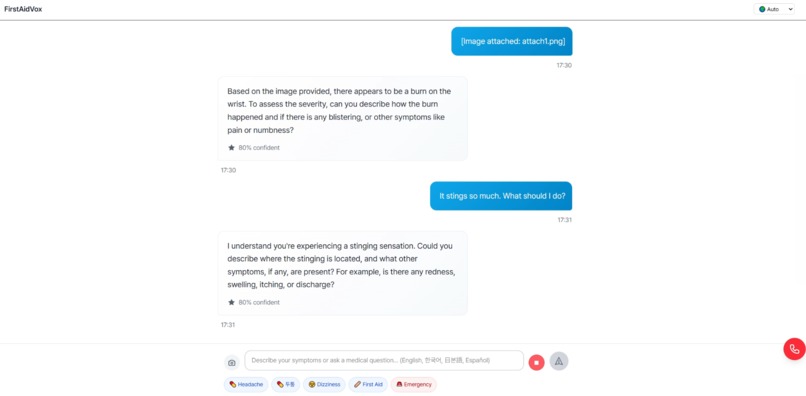
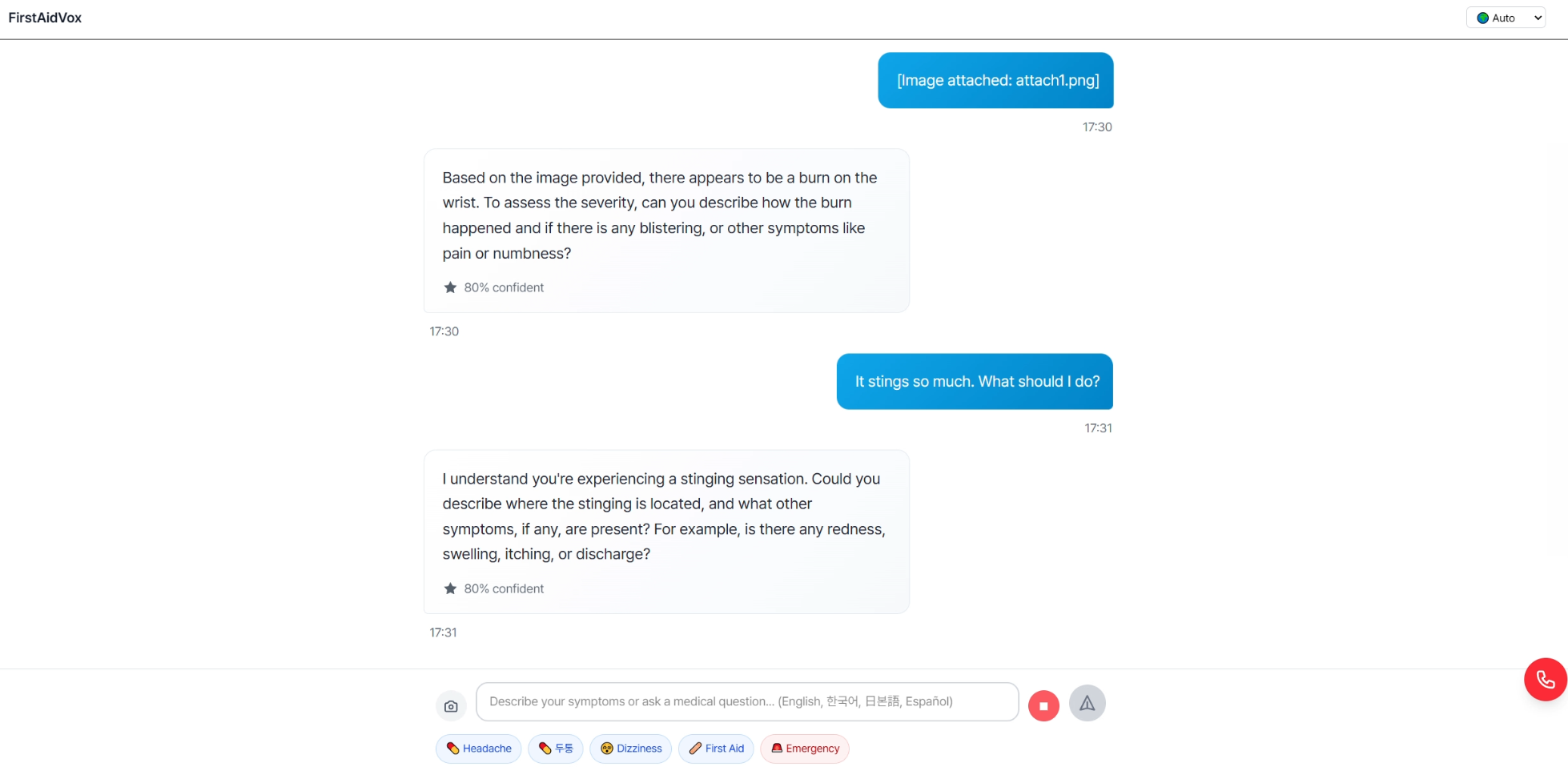
AI analyzing your condition as you describe your symptoms
-
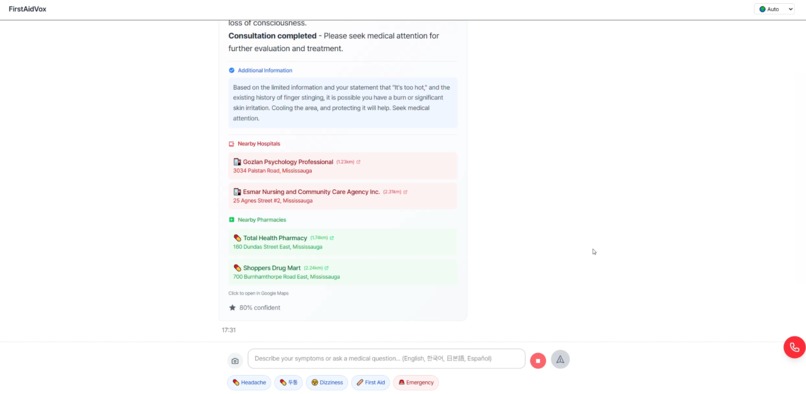
After several questions, diagnoses and provides emergency care instructions with nearby hospitals and pharmacies
-
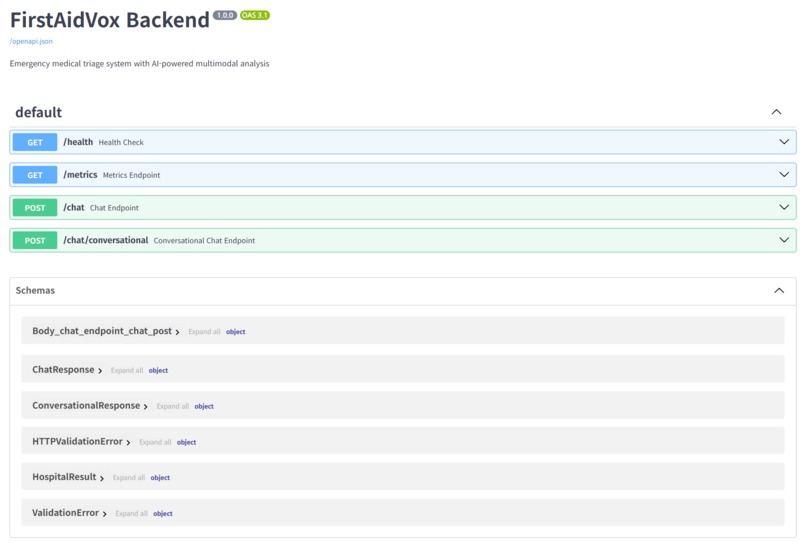
Backend API
-
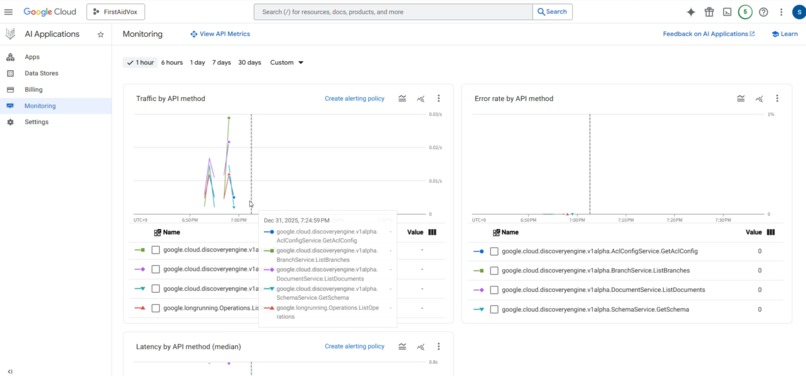
Monitoring of Vertex AI Search App (Traffic & Errors)
-
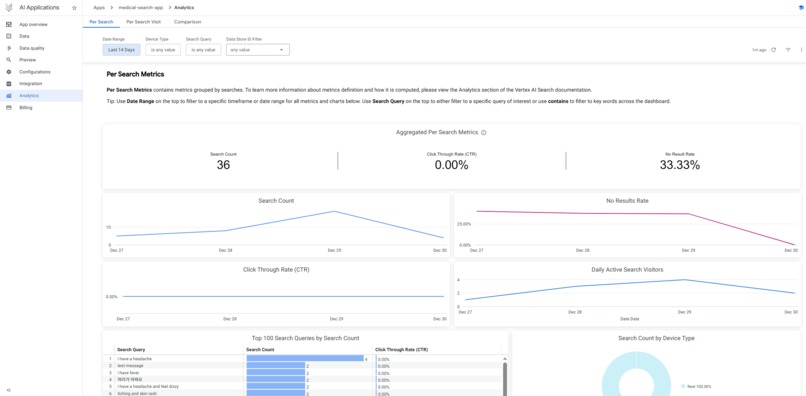
Analytics: Actual Search Queries & Results
-
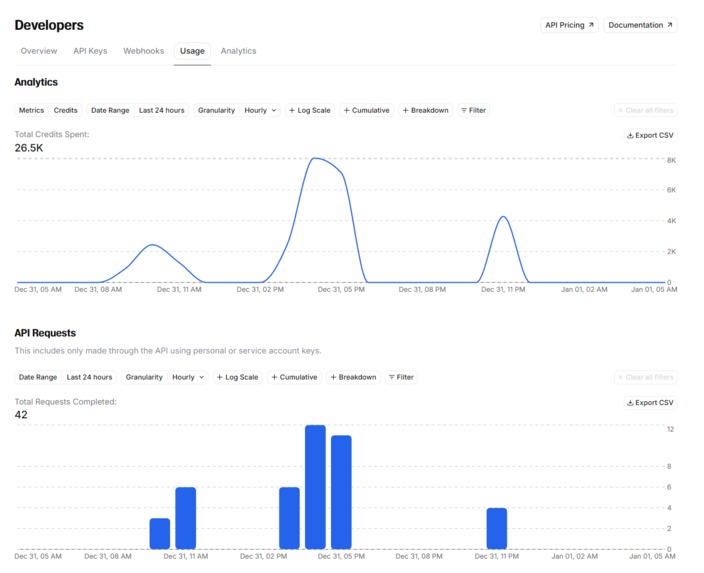
ElevenLabs: Voice Synthesis Usage
-
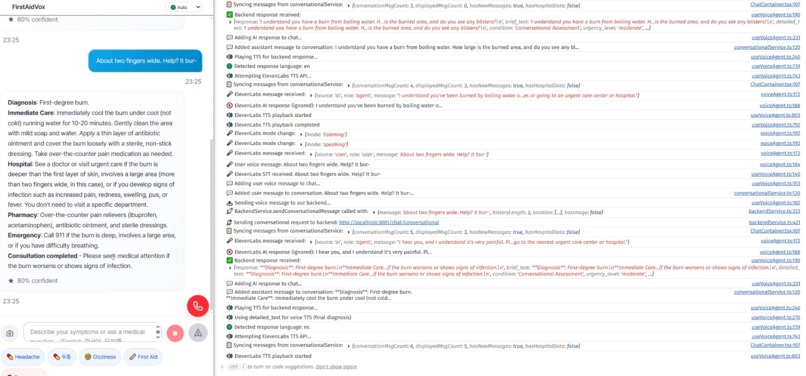
Real-time console logging on mobile web
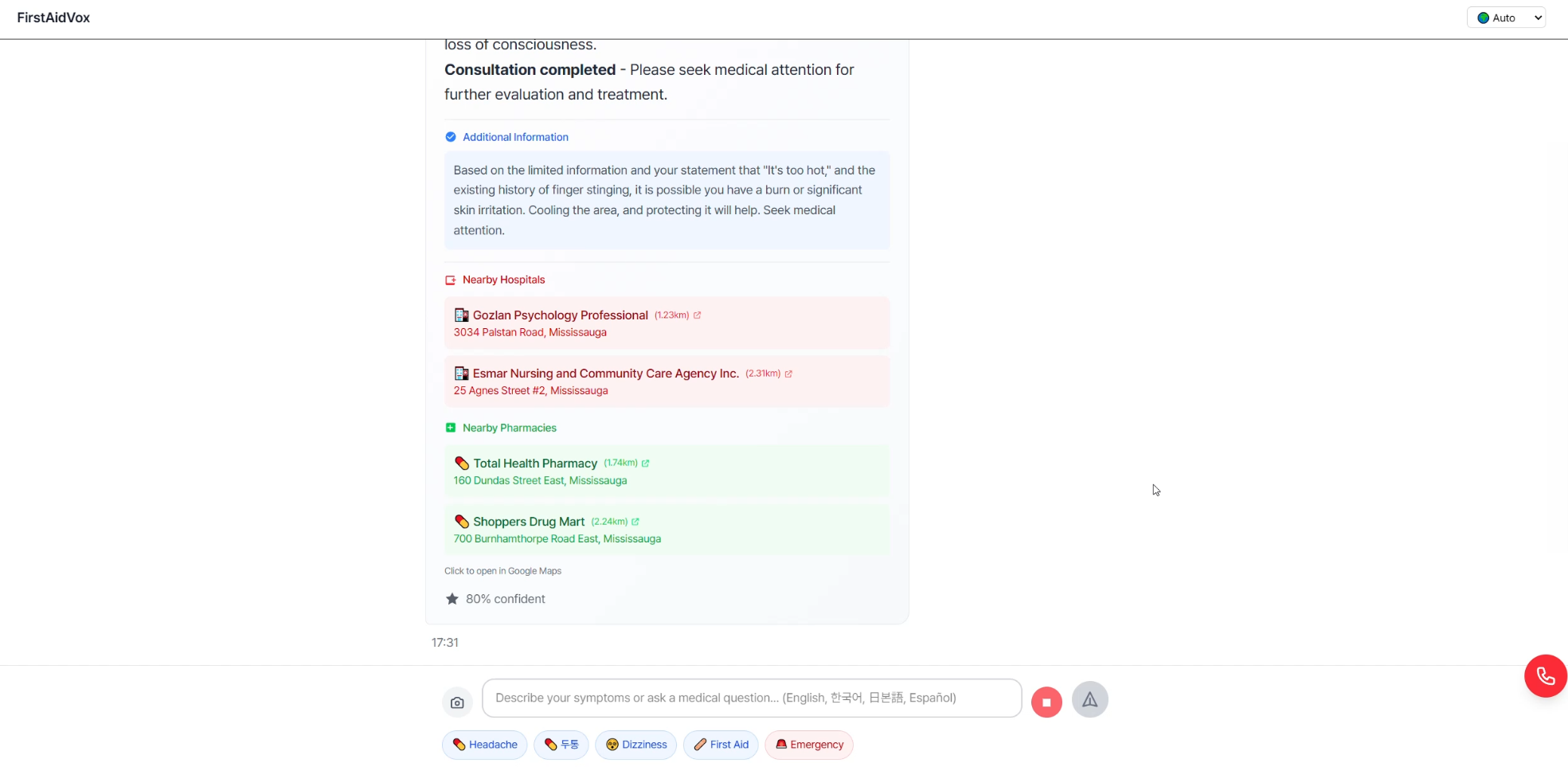
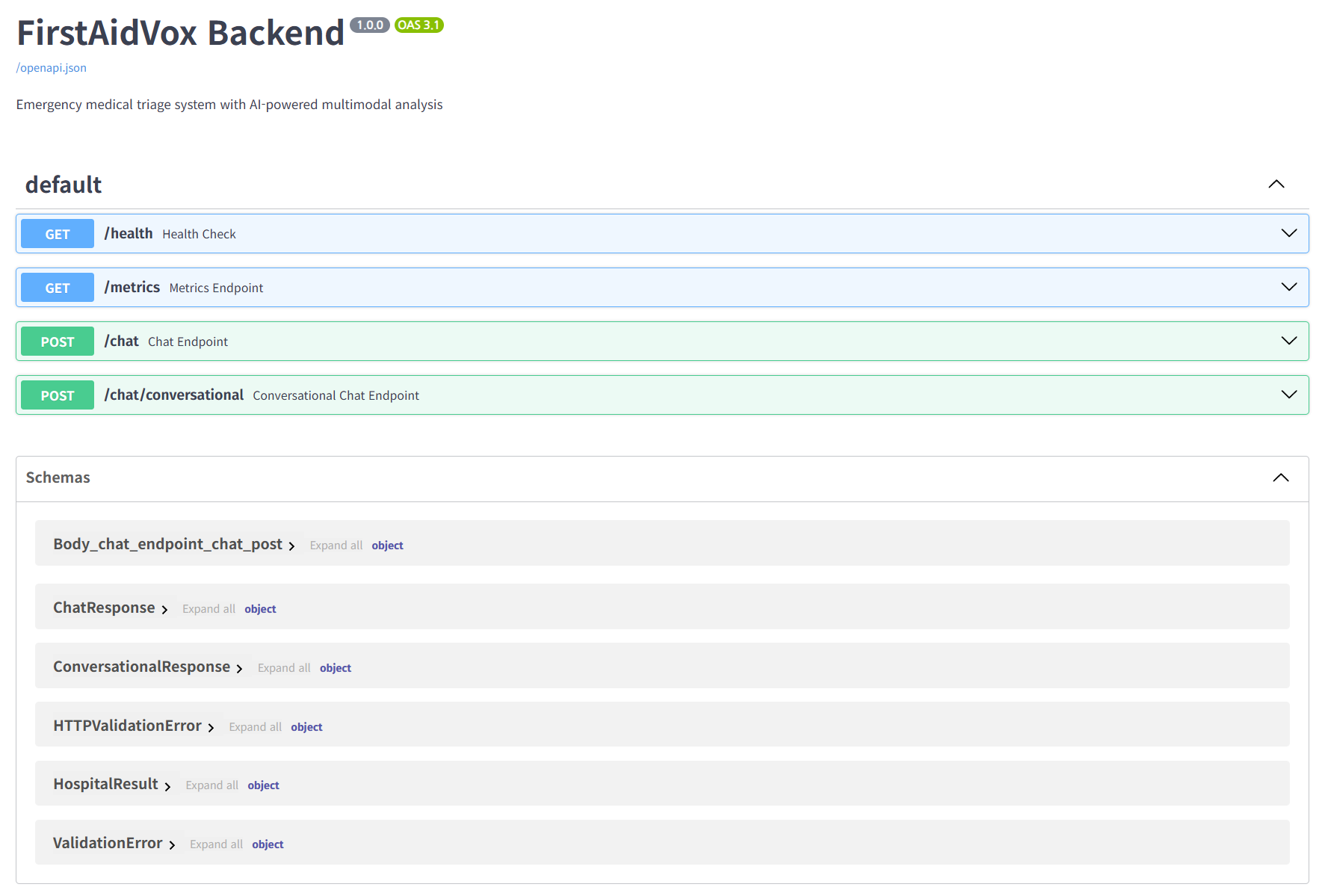
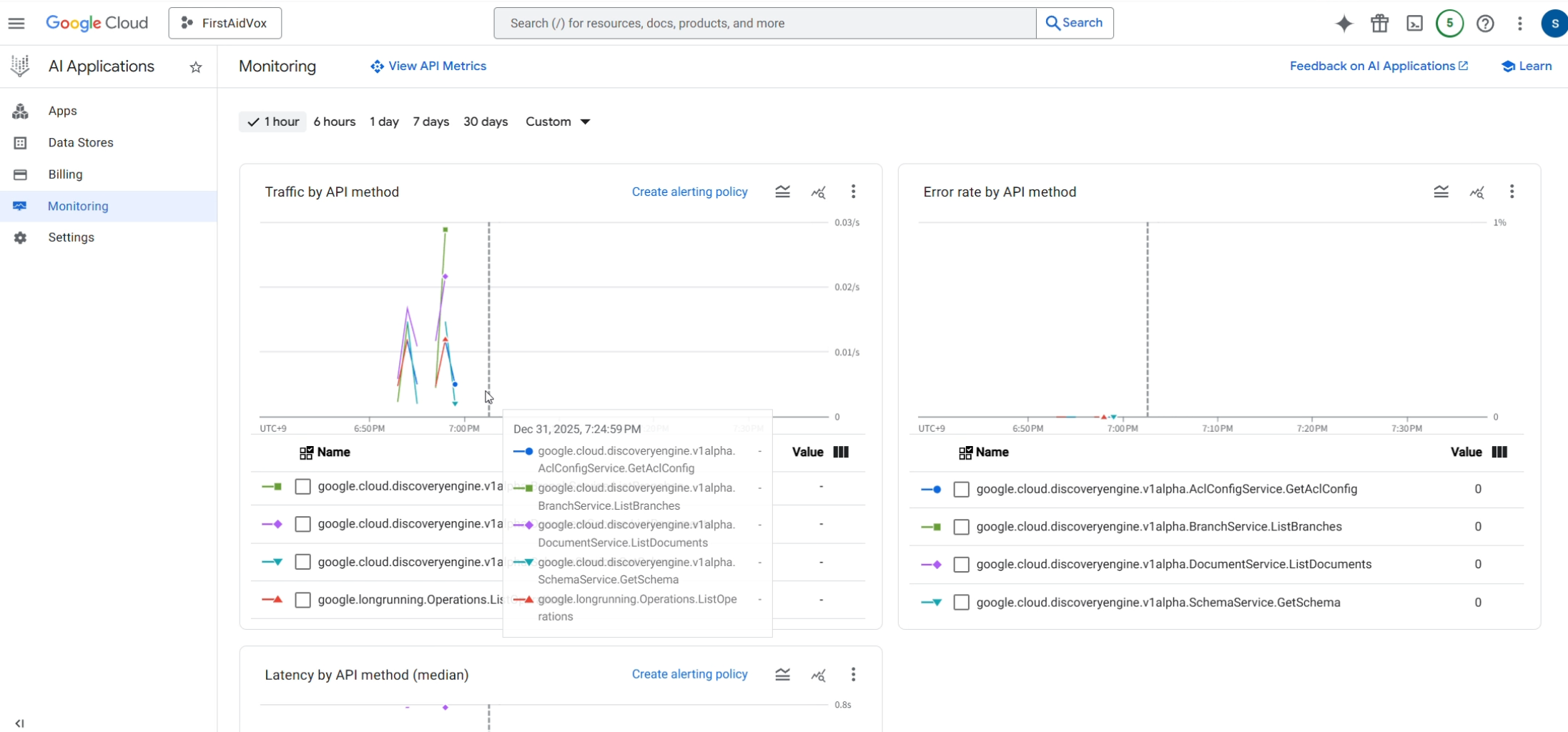
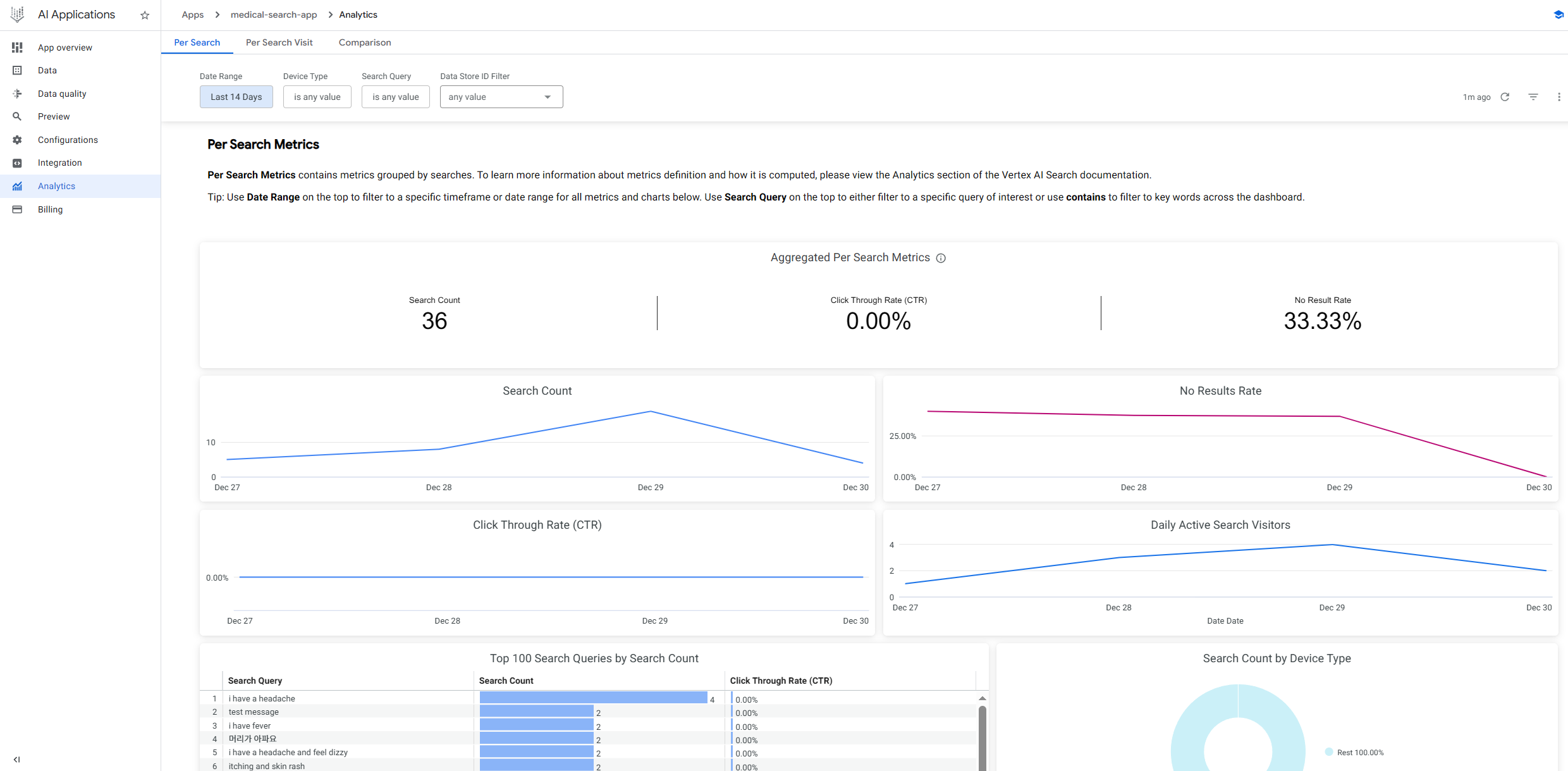
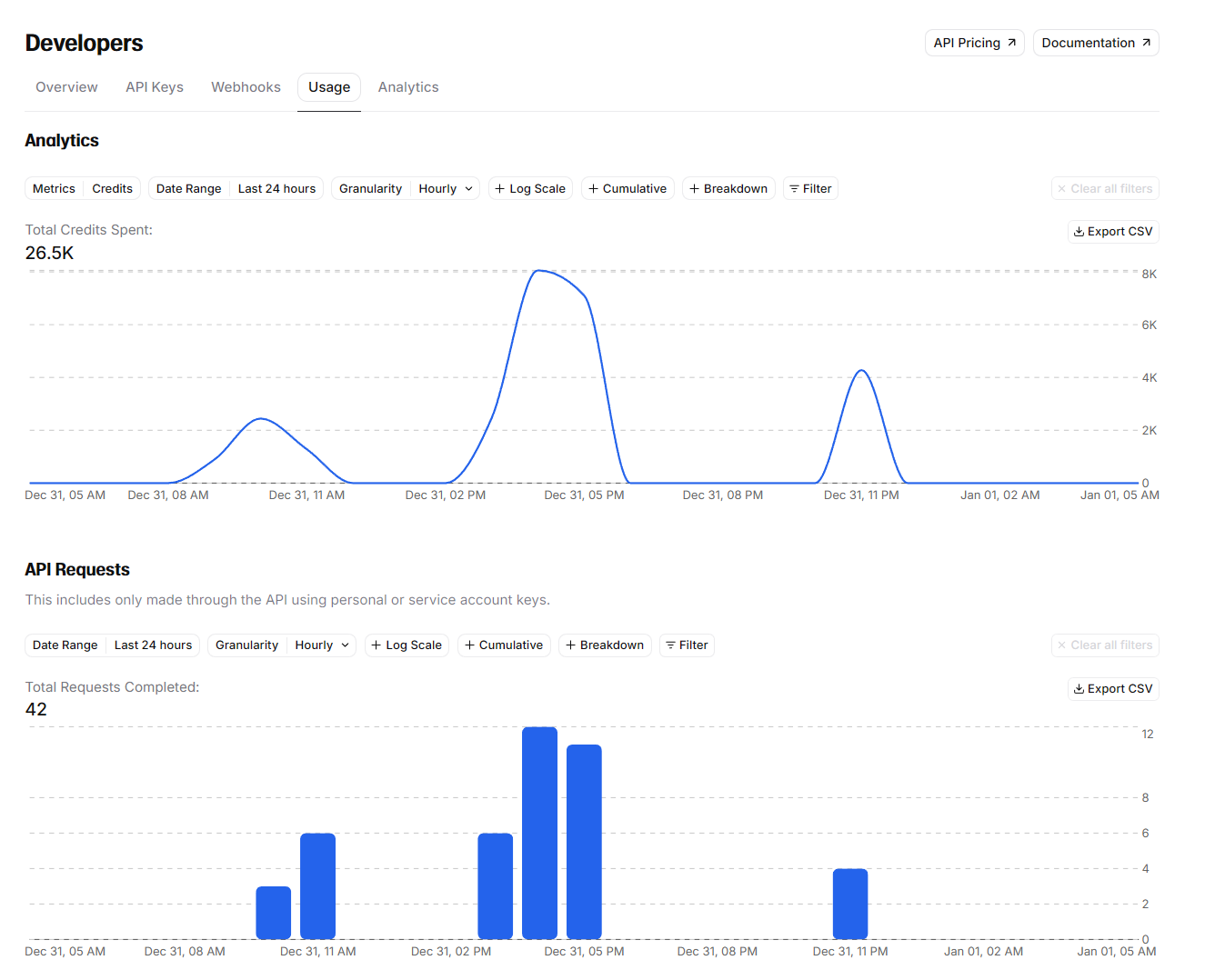
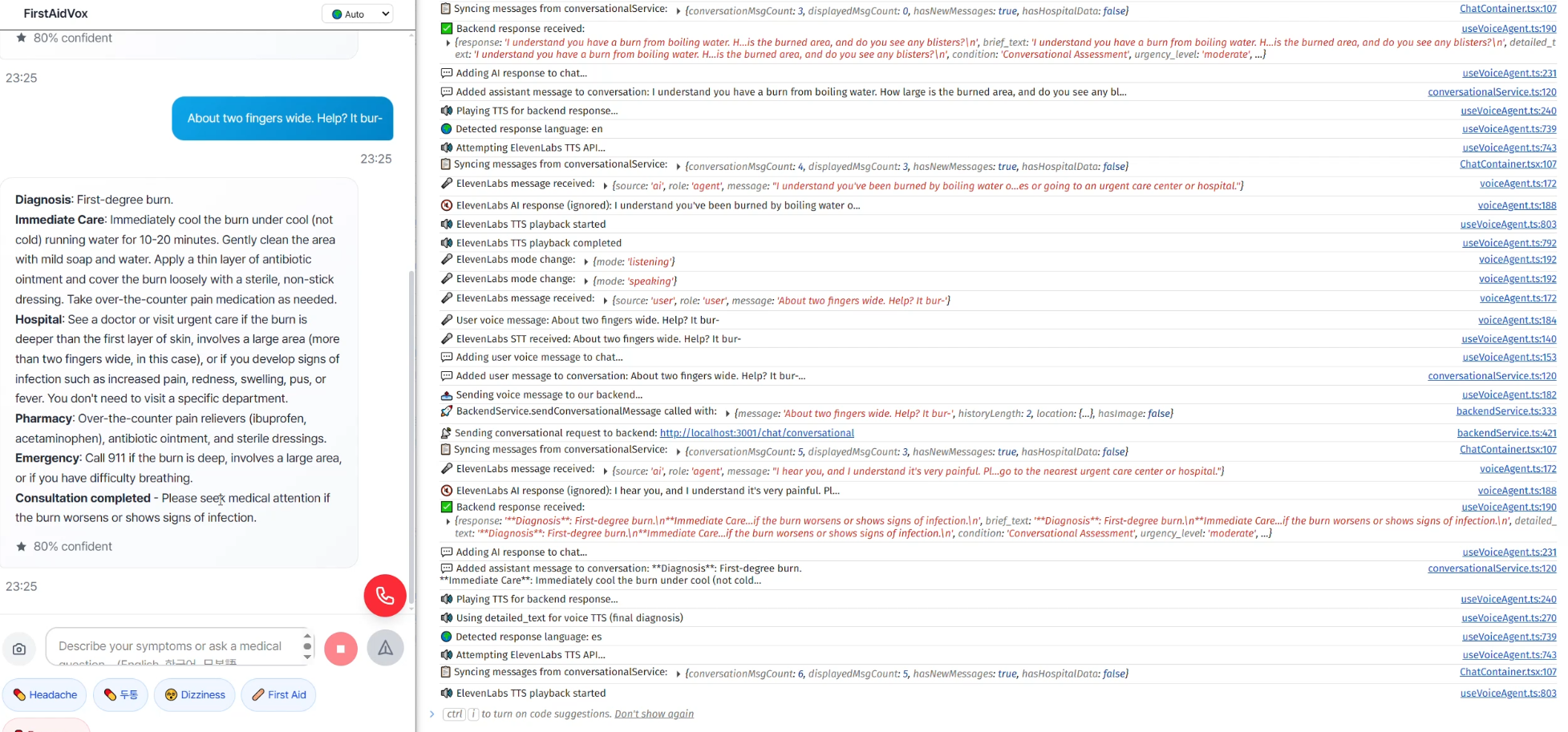
Note: Due to high API usage costs (ElevenLabs & Vertex AI), we are submitting a high-fidelity demo video instead of a live public URL(https://youtu.be/MwKBS7qquGY). Please check the video for full functionality.
💡 Inspiration: The "Panic Gap"
We’ve all been there. You or a loved one gets hurt—a burn in the kitchen, a deep cut while camping, or a sudden fever in a foreign country.
In that moment of panic, typing is impossible. Searching "burn treatment" on Google gives you 10 different answers, and finding an open hospital takes too many clicks.
We realized that current medical apps are designed for calm people, not panicked ones. We wanted to close the "Panic Gap"—the dangerous time between an injury and getting professional help. We asked ourselves: What if you could just show your phone the injury and talk to it like a human paramedic?
That’s how TriAgent was born.
🚑 What it does
TriAgent is a Voice-First Multimodal Triage Copilot that bridges the gap between the patient and medical care. It supports English, Korean, Japanese, and Spanish, making it a global safety net for travelers and locals alike.
1. Conversational Medical Triage (Voice & Text)
- It Hears: Powered by ElevenLabs Conversational AI, it supports real-time, hands-free voice interaction. It asks 3-4 clarifying questions to understand the context, just like a real nurse.
- It Speaks: Natural, empathetic TTS responses help calm the user down during an emergency.
2. AI-Powered Diagnosis (Vision & Brain)
- It Sees: You can upload a photo of a visible injury (burn, cut) or a pill bottle. Gemini Vision analyzes the image for severity or identifies medication text (OCR).
- It Thinks: We use Vertex AI Search to ground every response in verified medical manuals (RAG), preventing hallucinations. It provides a Confidence Score for transparency.
3. Location & Emergency Action (Maps)
- It Acts: Based on the triage result (Low/Moderate/High/Emergency), it automatically finds the most appropriate facility using the Google Maps Platform.
- Navigation: One-click directions to the selected hospital or pharmacy, showing distance and operation status.
⚙️ How we built it
We architected a fully serverless solution on Google Cloud to handle the heavy lifting of multimodal AI.
The Stack
- Frontend: React (Mobile-responsive web)
- Backend: Python FastAPI
- Infrastructure: Google Cloud Run (Serverless deployment)
The Architecture
- Multimodal Analysis: When a user uploads a photo, Gemini-2.0-flash-lite acts as the primary reasoning engine, analyzing visual markers (redness, depth) combined with the user's spoken symptoms.
- RAG Pipeline: To ensure medical accuracy, user queries are processed through a retrieval system built on Vertex AI Agent Builder, referencing trusted medical datasets.
- Low-Latency Voice: We integrated ElevenLabs API to handle speech-to-speech interaction with minimal delay, essential for maintaining a flow in emergency situations.
- Location Intelligence: We utilized the Places API (New) to perform precise, field-masked searches for hospitals, optimizing for both cost and relevance.
🚧 Challenges we ran into
1. The "Latency" vs. "Accuracy" Battle Chaining Speech-to-Text → Gemini Vision → RAG → Text-to-Speech initially created a 5-second delay. In an emergency, silence is terrifying.
- Solution: We optimized the pipeline by running the Vision analysis and RAG retrieval in parallel where possible, and used Gemini 1.5 Flash for faster inference without sacrificing reasoning quality.
2. Integrating "New" Tech
We used the Places API (New) for better field masking to save costs and get precise data. Configuring the proper API restrictions and field masks in the GCP console was trickier than expected, leading to several REQUEST_DENIED errors that we had to debug through real-time console logging.
🏅 Accomplishments that we're proud of
- Real-time Multimodal Flow: Watching the AI correctly identify a "2nd-degree burn" from a photo and immediately switch its voice tone to be calm and directive was a "magic moment" for us.
- Verifiable Infrastructure: We didn't just mock the data. We have real-time logging monitoring on Vertex AI and Cloud Run, proving our agent handles live traffic and real medical queries.
🧠 What we learned
- Prompt Engineering is UI: In voice apps, the "prompt" determines the user experience. Tweaking the system prompt to be "concise and directive" rather than "verbose" significantly improved the feeling of safety for the user.
- The Power of Google Cloud Ecosystem: Connecting Vertex AI Agent Builder directly to the app allowed us to spin up a RAG pipeline in hours, not days.
🚀 What's next for TriAgent
- Wearable Integration: Bringing TriAgent to smartwatches for fall detection and immediate voice check-ins.
- EHR Integration: Sending the triage report directly to the ER dashboard while the patient is en route, so doctors are ready before arrival.
Built With
- elevenlabs
- fastapi
- gemini-1.5-flash
- gemini-2.0-flash
- google-cloud
- google-cloud-run
- google-maps
- python
- react
- vertex-ai
- vertex-ai-agent-builder
- vertex-ai-search


Log in or sign up for Devpost to join the conversation.