-
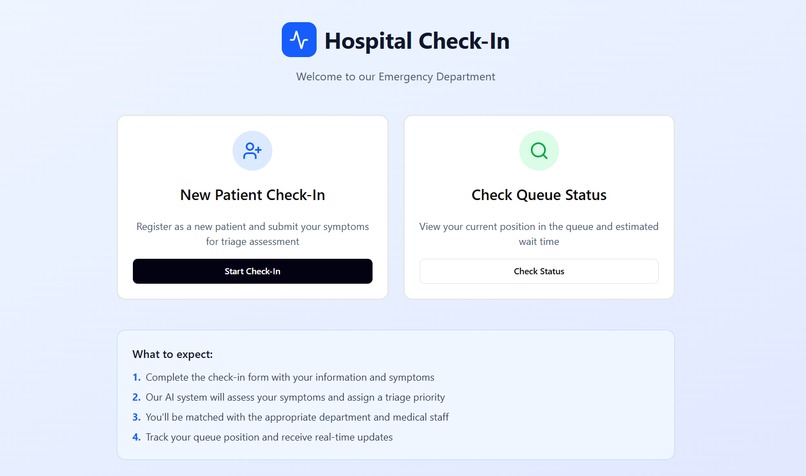
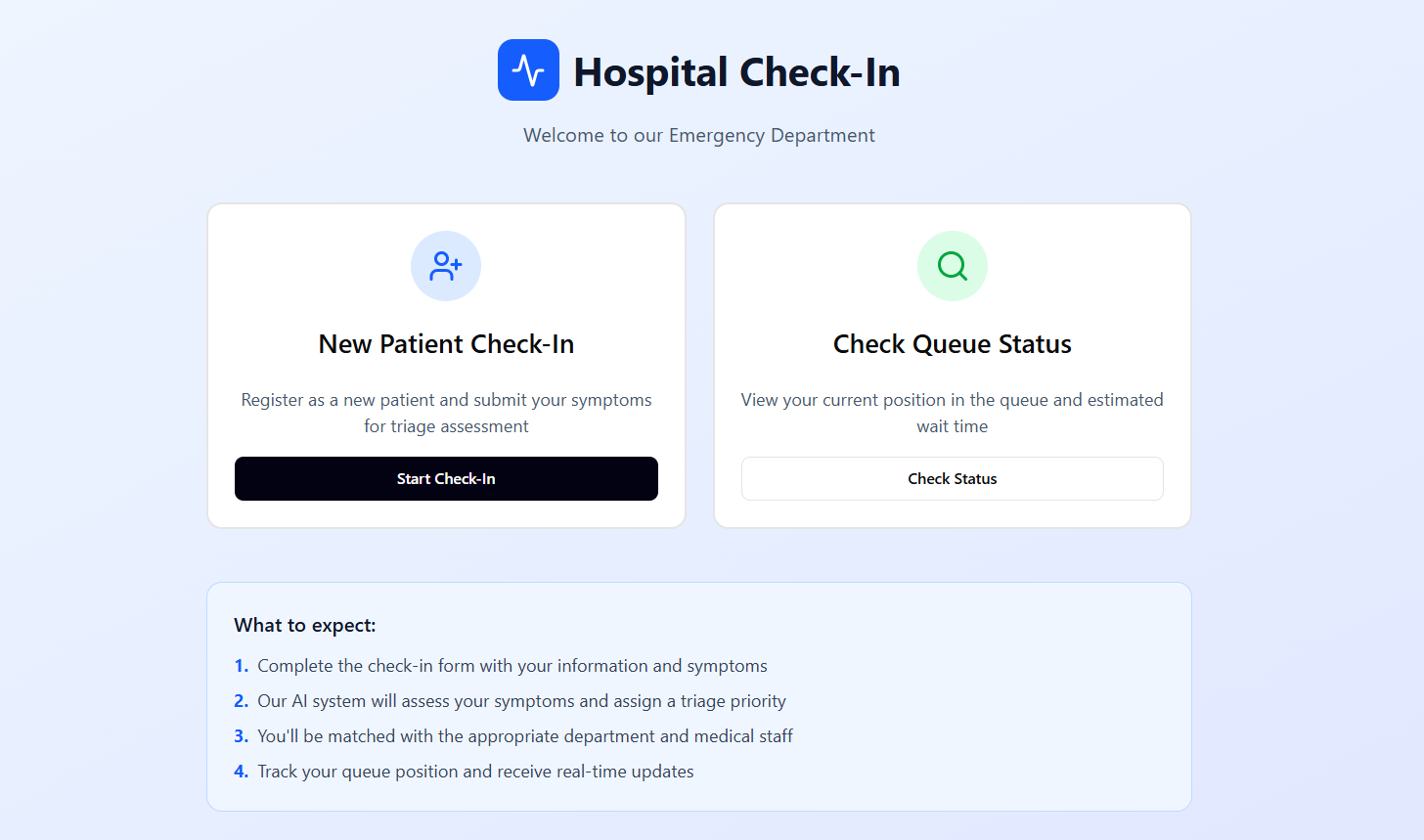
Entrance Portal for the Patient
-
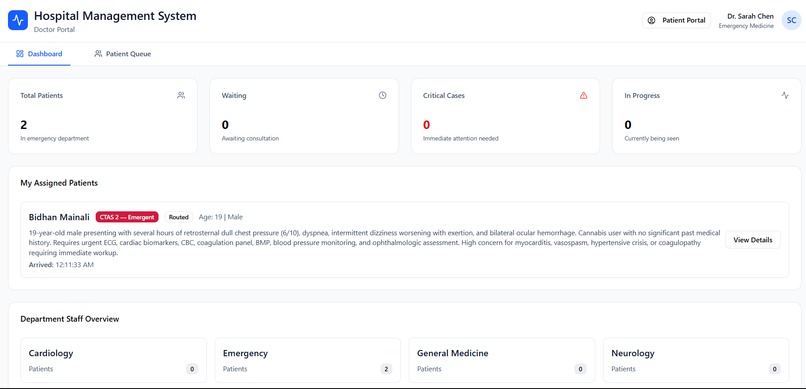
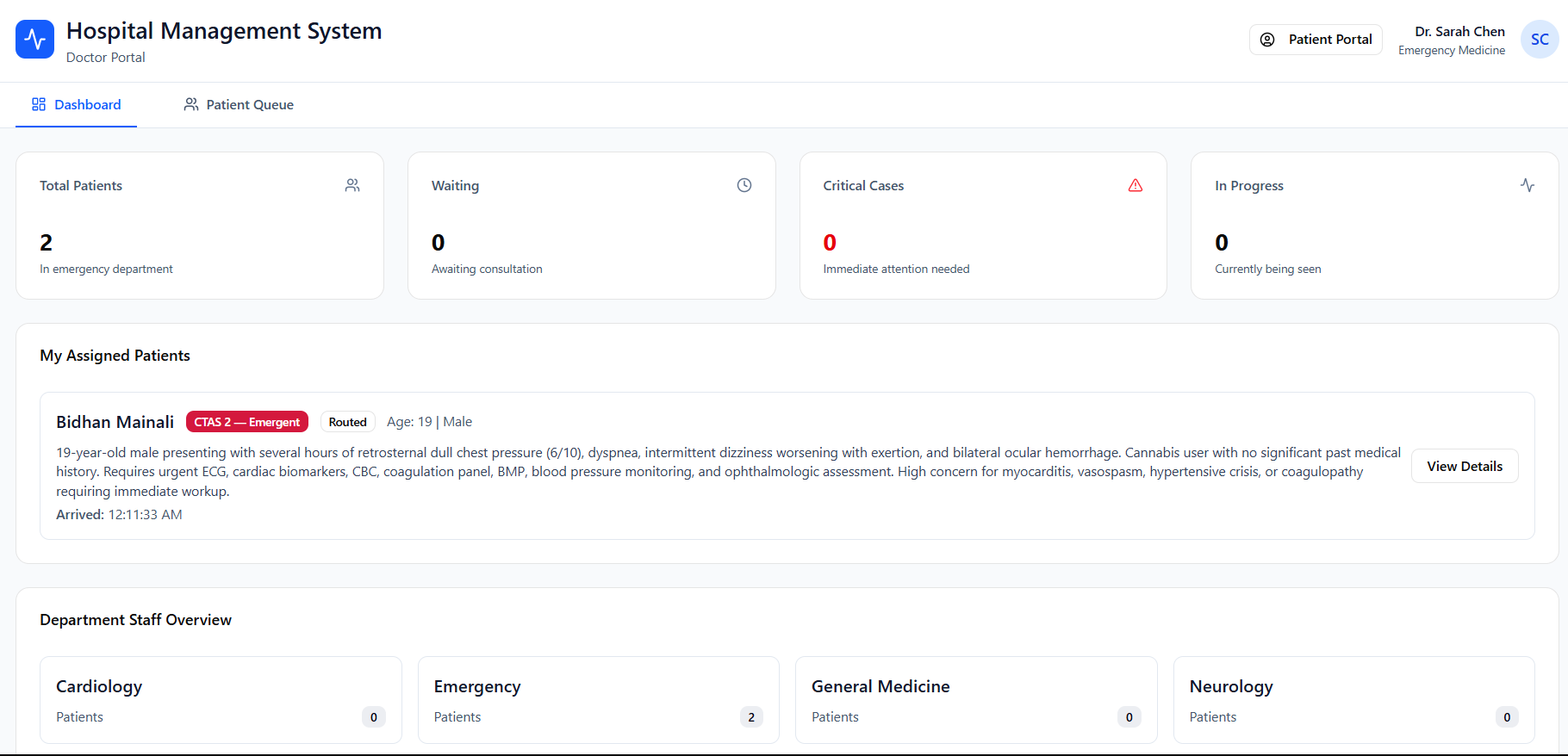
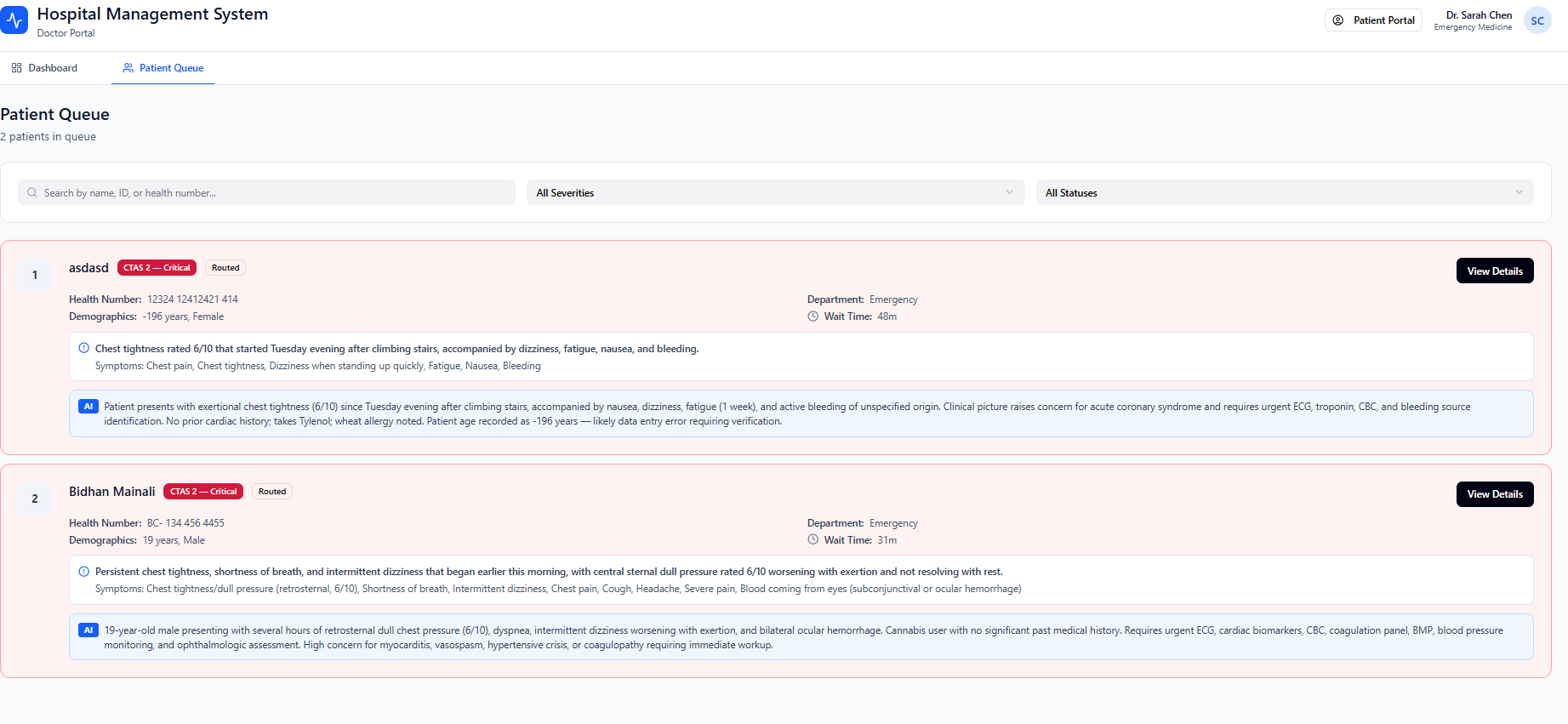
Management Dashboard for Doctor/Triage nurses. This allows them to know which patient is next.
-
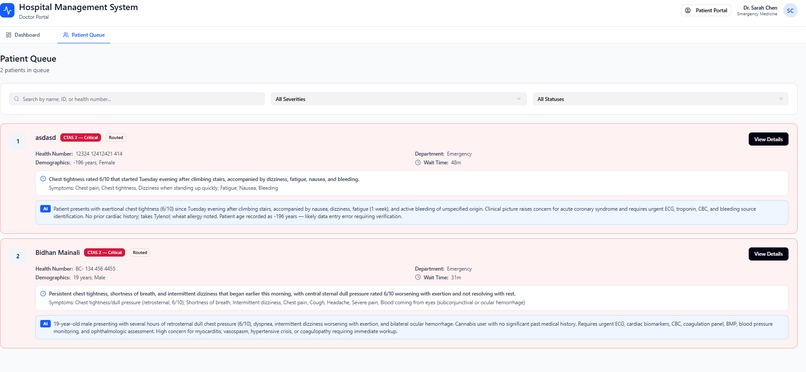
Patient Queue that highlights critical patients with detailed summary of their symptoms.
-
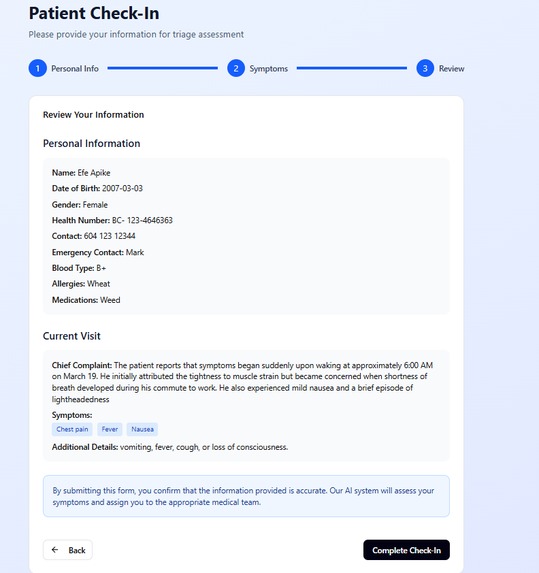
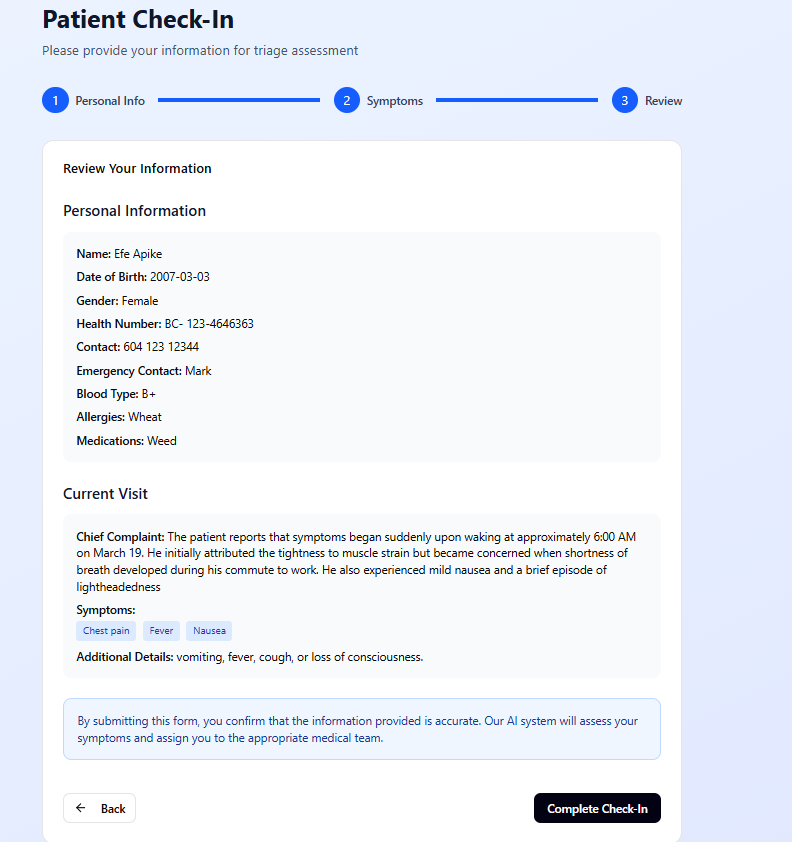
Check-in Form that the patients fill out.
-
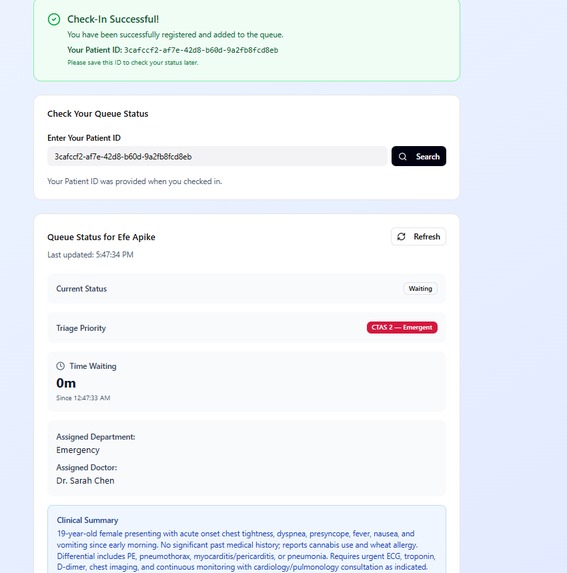
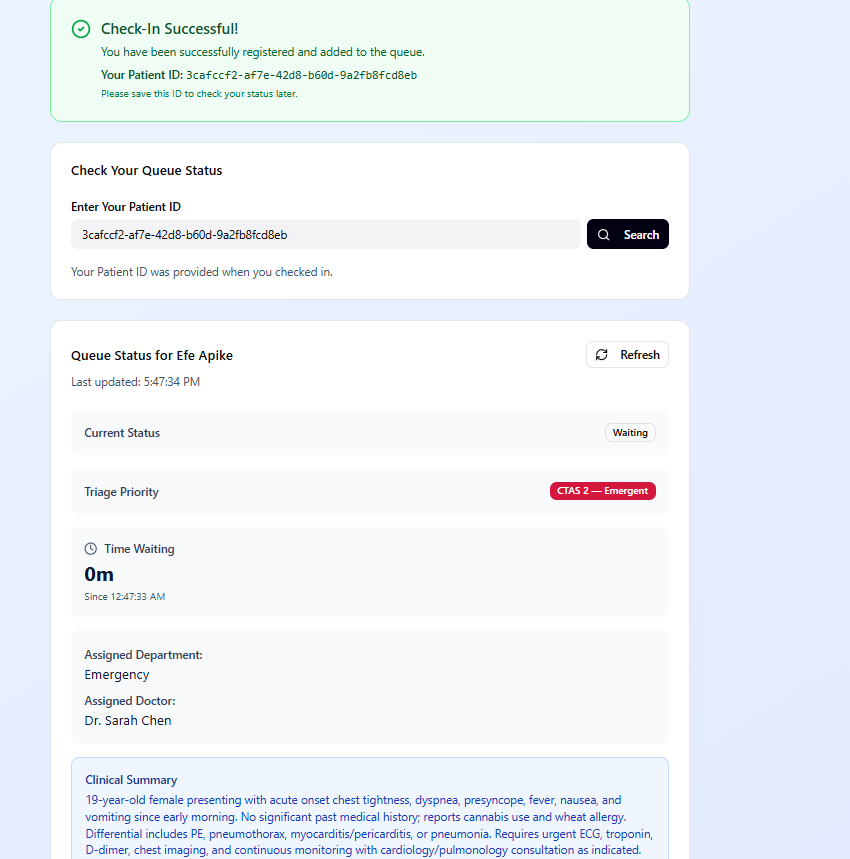
After submission of the form, you are shown the wait times.
-
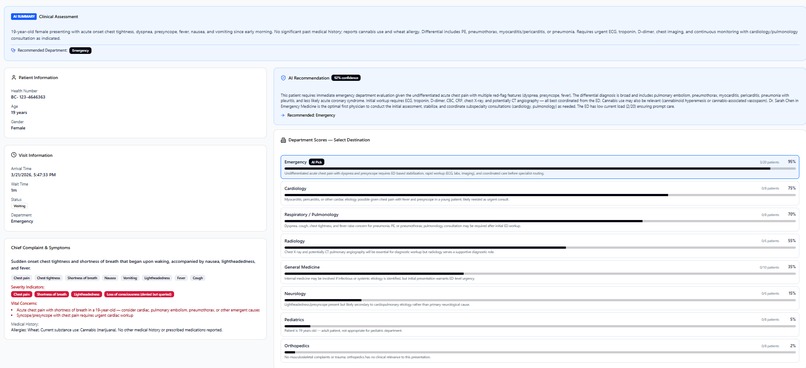
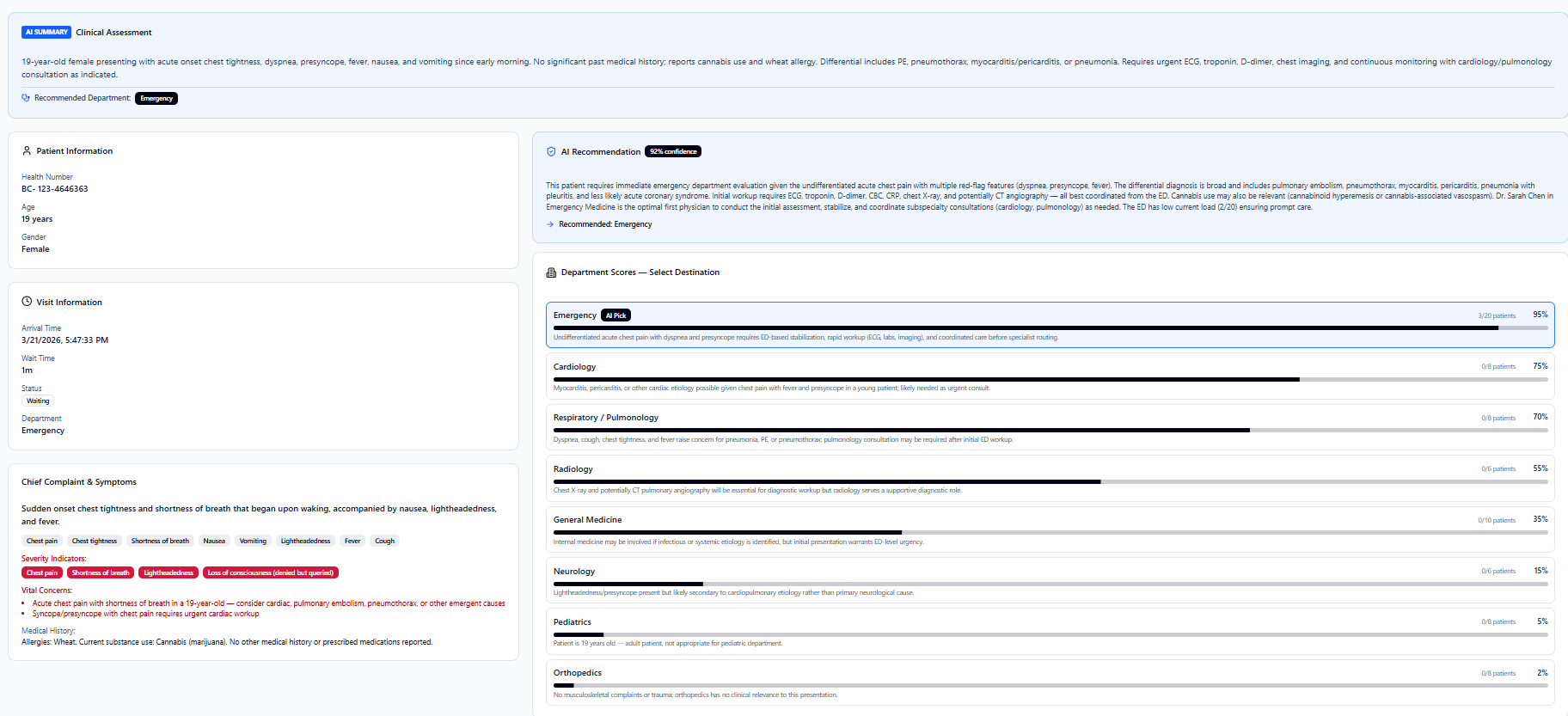
A specific patient dashboard only shown to the triage nurse. Gives them information about the medical history and decisons.
Inspiration
We were inspired by the long wait times of hospitals due to short staffing. We wanted to build a software that makes the lives of nurses and doctors easier.
What it does
TriageAssist is an AI-powered triage system that helps emergency department nurses route patients to the right department faster. A patient describes their symptoms in plain language, and the AI instantly extracts structured clinical data, assigns a CTAS urgency level (1-5), and recommends a department with confidence scores across all available departments. The nurse reviews the AI's recommendation, sees confidence breakdowns for every department, and makes the final routing decision — confirming or overriding as they see fit. Patients can track their status in real time through a separate portal.
How we built it
Backend: Python with FastAPI, SQLite database, and the Claude API for the AI pipeline (symptom extraction, CTAS triage scoring, department routing, and follow-up question generation)
- Frontend: React with Vite, Tailwind CSS, Material UI, and Radix UI components
- AI Pipeline: A two-stage system — Stage 1 extracts structured symptoms from free text, Stage 2 assigns urgency and scores all departments with clinical reasoning
- Architecture: REST API with full separation between AI recommendations and nurse decisions, creating an audit trail of every routing decision
Challenges we ran into
- Getting the AI to consistently return confidence scores for all
departments, not just the top recommendation
- Coordinating frontend and backend development across the team with merge conflicts
- Handling CORS and hot-reload issues during local development
- Designing the database schema to capture both AI recommendations and nurse overrides without losing data
Accomplishments that we're proud of
- The AI gives clinically sound recommendations — correctly identifying a chest pain patient as CTAS 1 and routing to Emergency with 97% confidence
- Built a complete audit trail where every AI suggestion and nurse decision is recorded
- The nurse always has final say — the system recommends but never auto-executes. This keeps it ethical.
- End-to-end flow works: patient intake, AI triage, nurse routing, patient status tracking
What we learned
- How to structure AI recommendations as suggestions rather than decisions in a clinical context
- Building multi-stage AI pipelines where each stage's output feeds the next
- The importance of storing both the AI's reasoning and the human's final choice for accountability
- How to design UIs that present AI confidence in an actionable way without overwhelming the user
What's next for TriageAssist
- Real-time WebSocket updates so the dashboard refreshes instantly when patients are routed
- Wait time estimation based on department load and CTAS level
- Discharge flow that properly decrements department and doctor patient counts
- Integration with hospital EHR systems for pulling patient medical history
- Analytics dashboard showing AI accuracy vs nurse override rates to continuously improve recommendations

Log in or sign up for Devpost to join the conversation.