-
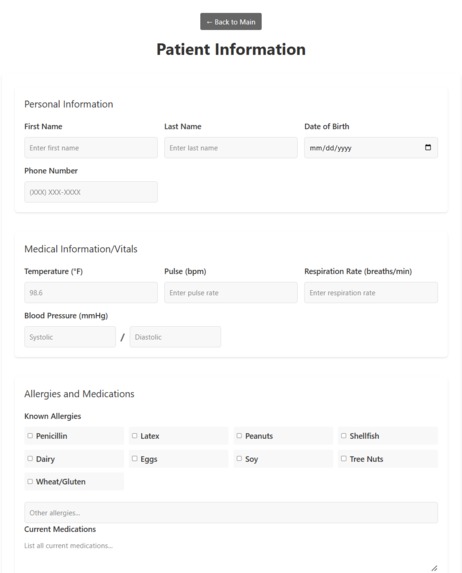
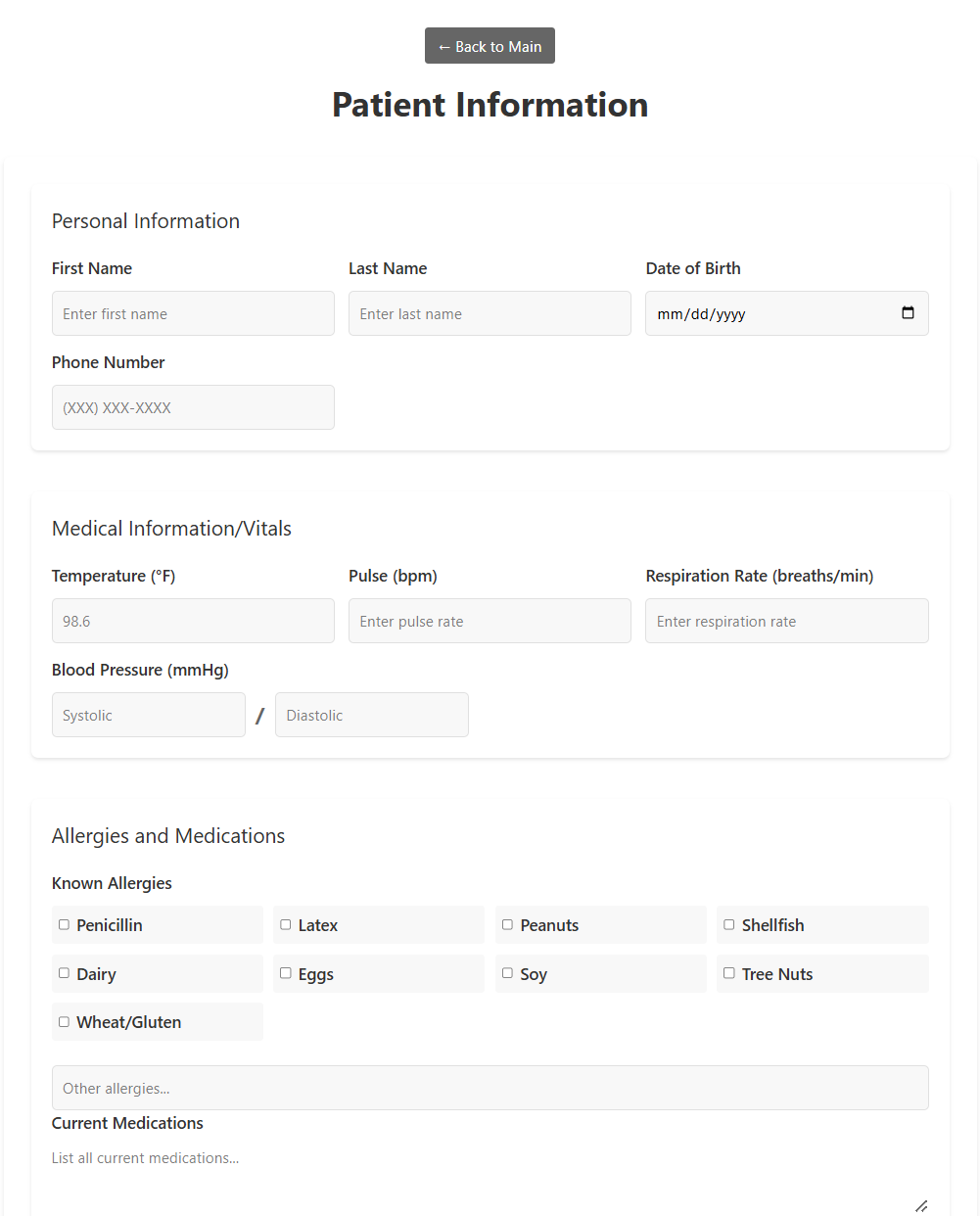
Patient Information
-
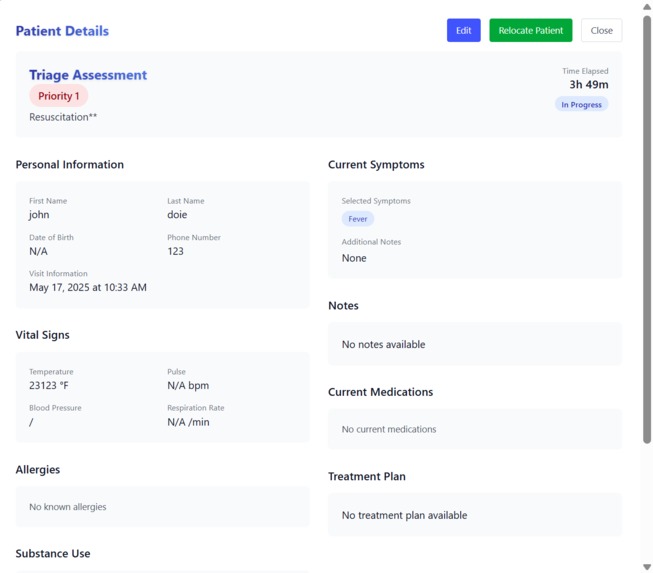
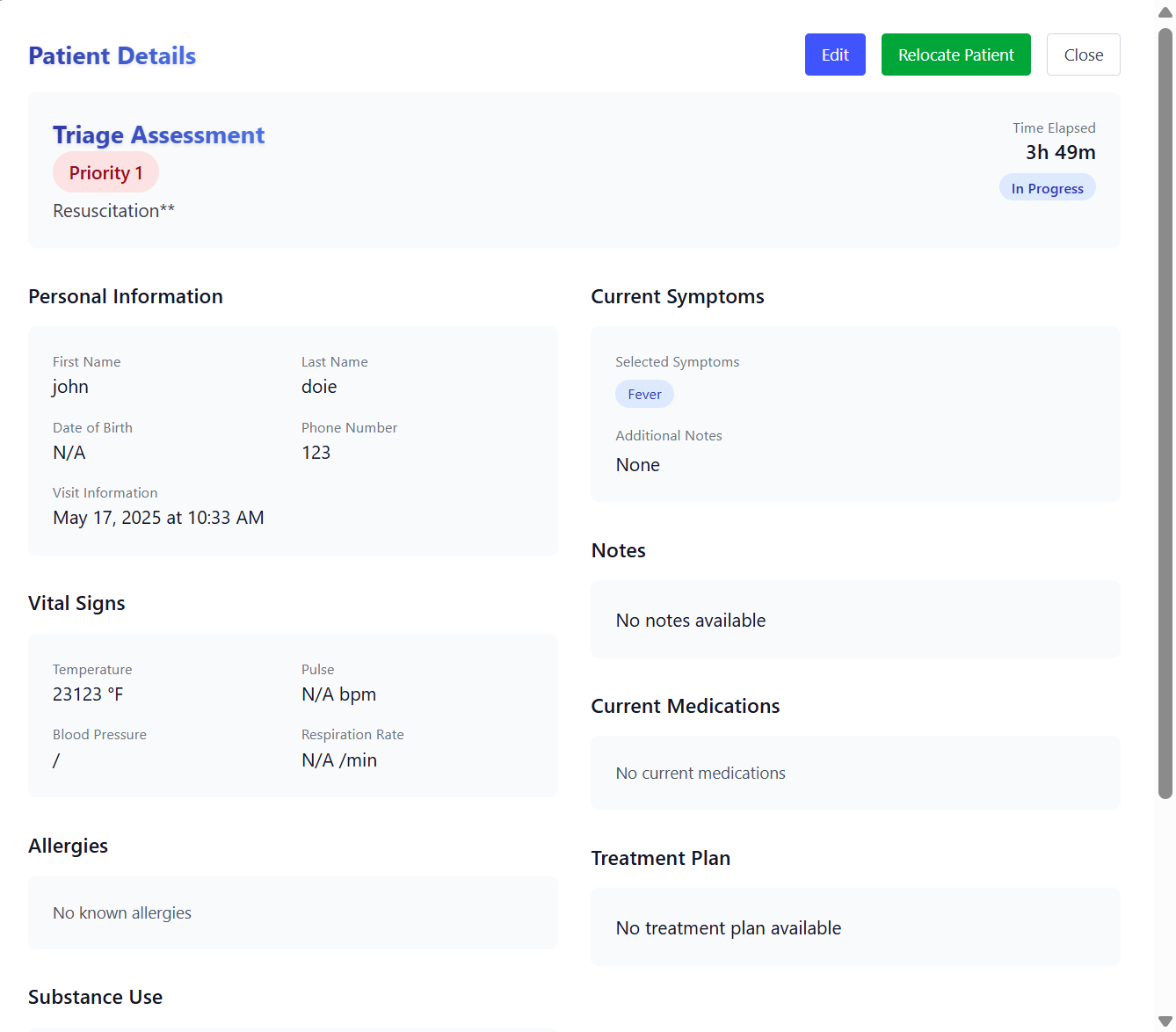
Patient Card
-
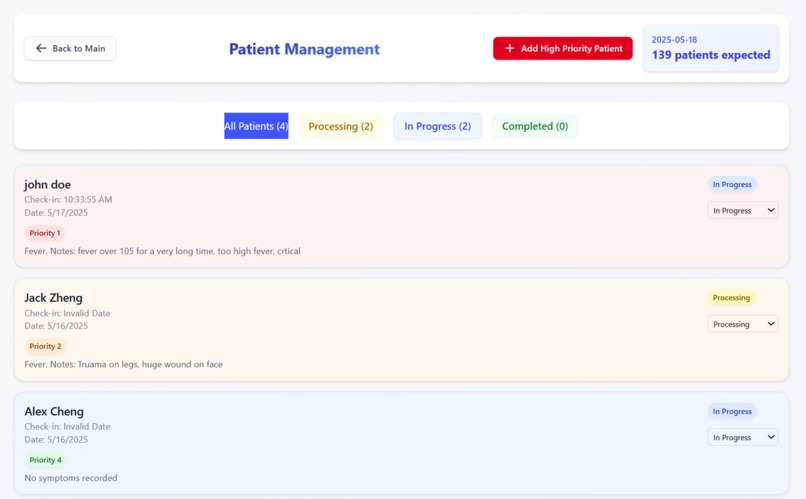
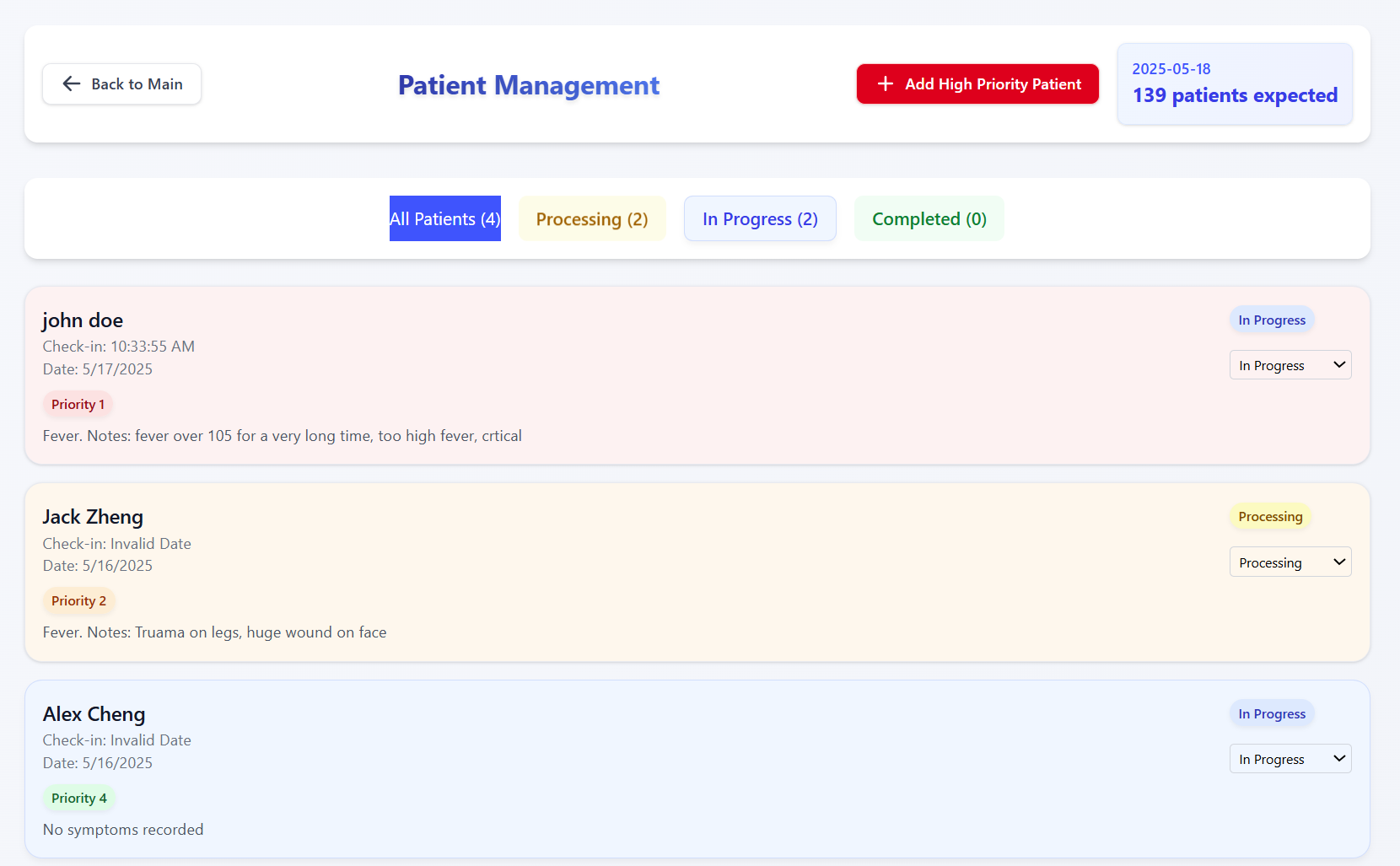
Nurse Portal
-
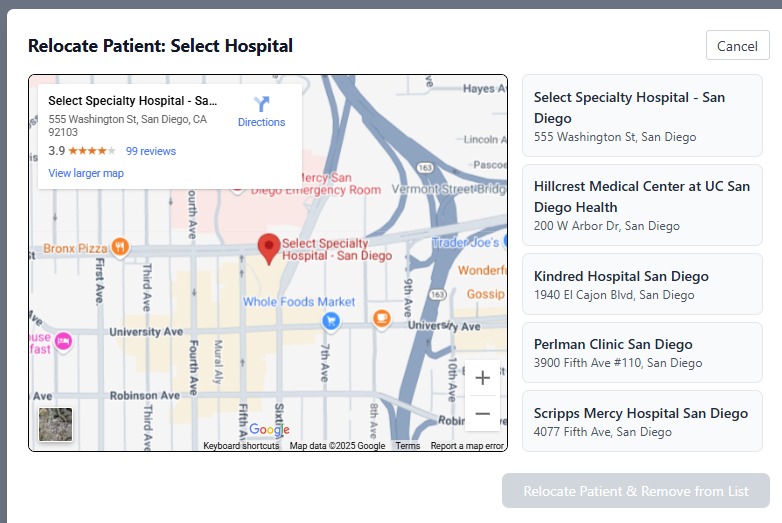
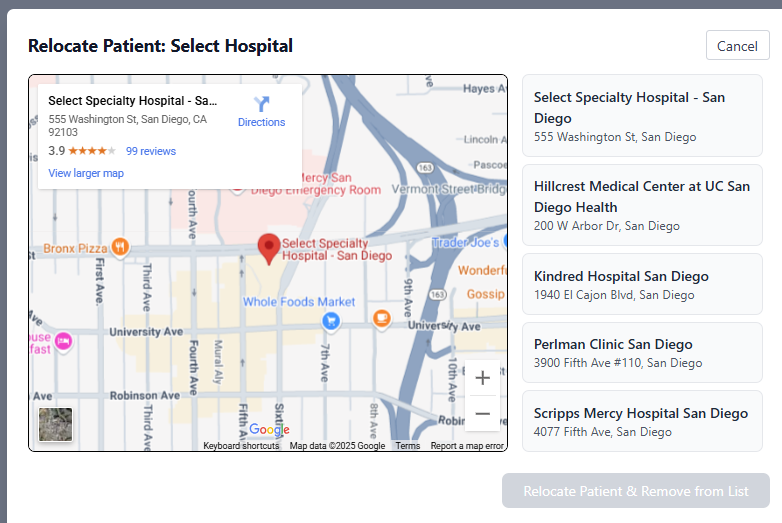
Google API / Map
-
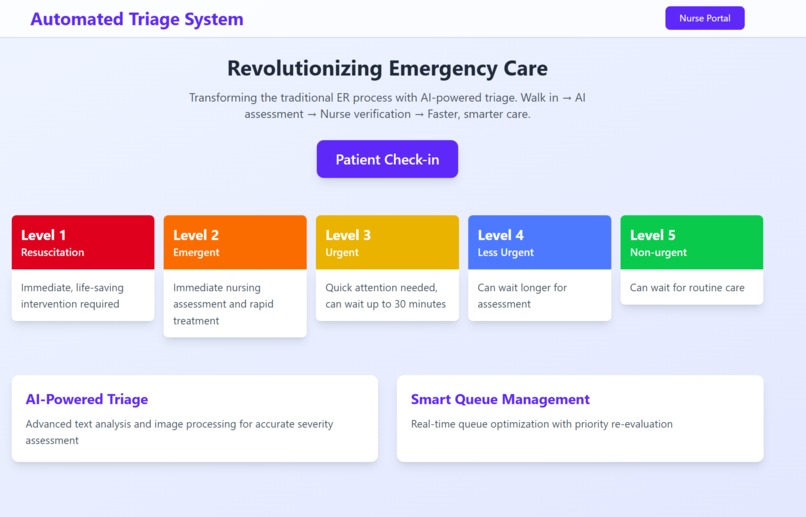
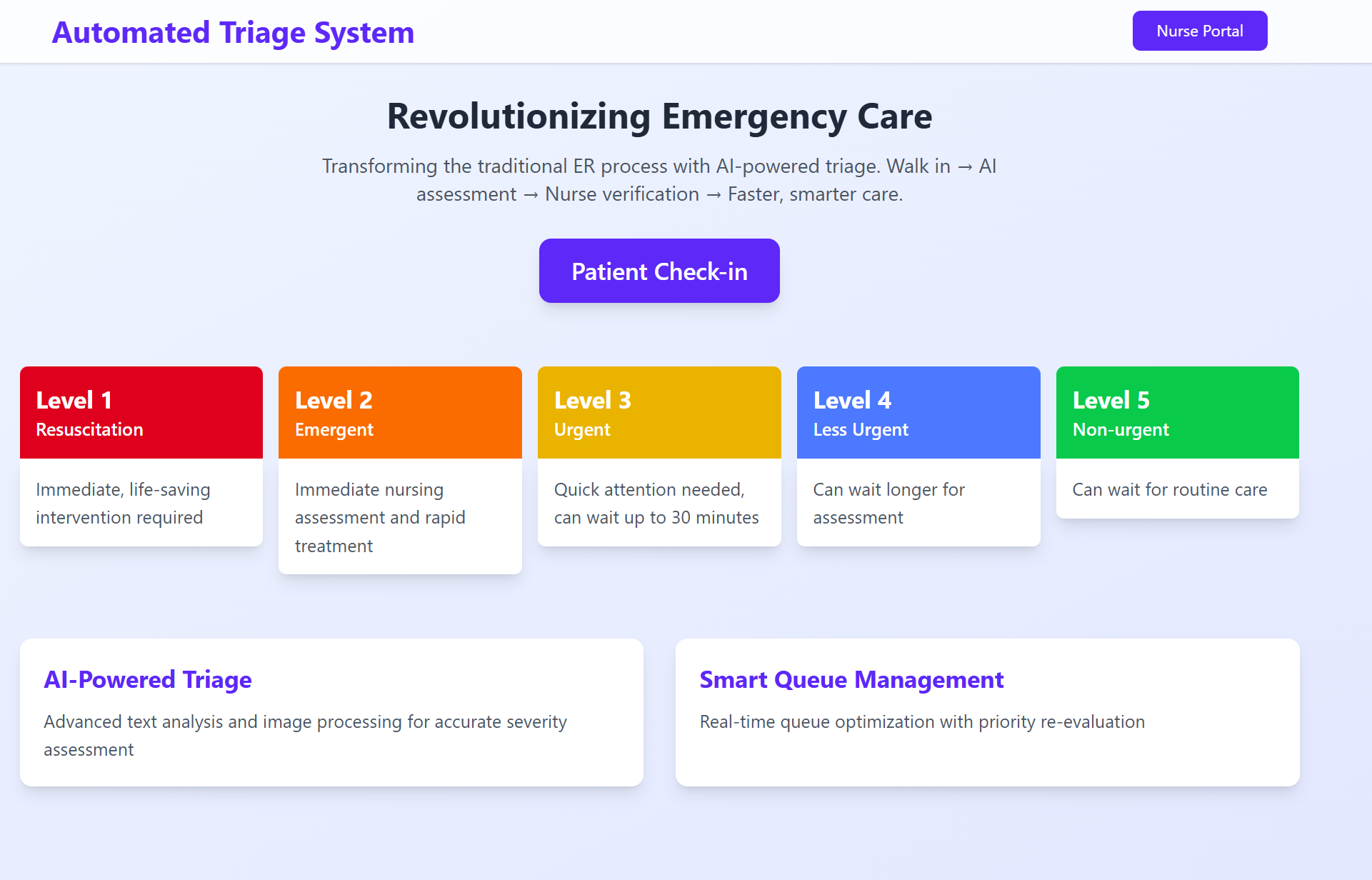
Landing Page
Inspiration
Just like many others, our own team has experienced the long, frustrating wait times for treatments at any medical center. Through our research, we noticed that these long waits are due to the inefficient triage methods used by current medical centers. Currently, patient check-in requires a nurse to enter personal information for each person. Using TriageAI, we plan to optimize the check-in process, allowing patients to enter their personal information, reducing the check-in process. Nurses are also lifted from the responsibility of paperwork and able to focus on treatment, allowing patients to receive faster treatment and care.
triage : preliminary assessment of patients to determine urgency of treatment
ESI (emergency severity index) : scale from 1 (immediate) to 5 (non-urgent)
What it does
TriageAI can be used by both patients and nurses with specialized features for both types of users.
Patient Interface:
1. Patient Form : Patients will get their vitals from the nurses upon arrival. Patients will then input their vitals into the form, as well as personal information and family health history into our app. Once the form is completed, our app will place the patient on the ESI and assign them a spot in the queue
Nurse Interface:
1. Authentication : In order to access patient finals, nurses will be required to sign into the portal.
2. Patient Cards : Once the forms are submitted, the nurses will be able to view and edit the patient’s information card. They are able to edit the patient's form, adjust their place on the queue, change their waiting status, and change their placement on the ESI as they wish.
3. Map / Patient Re-location : Nurses are able to utilize a Google Map API to search for nearby hospitals if a patient is in need of a particular specialist or immediate care that cannot be provided by the current medical center.
How we built it
We built Triage AI using a comprehensive tech stack:
For the frontend we used Vue JS with HTML and CSS. For the backend we used Flask with Flask-CORS to connect the frontend and the database. To store our patient data we used MongoDB with PyMongo. We used the Gemini API for triage assessment (ESI scoring) and suggested treatment plan generation. We used the Python Pandas library and Scikit-learn to create custom AI Python models for the hospital’s demand evaluation. Finally, we used Google Maps API for our hospital finding functionality.
Challenges we ran into
Database Integration: To manage patient records, we needed to store user data within a database. We faced issues initiating the database across devices with MongoDB. In addition, we spent significant time debugging issues accessing information from the database and displaying the patient records on the front-end through Vue.js.
Flask integration with Vue.js: We needed to create a separation between our front-end and back-end development. We faced problems with fetching data from the forms on Vue.js through HTTP requests and processing it for our database through Flask.
Accomplishments that we're proud of
We’re proud that we were able to get more than 5 hours of sleep, no energy drinks (only matcha, coffee (okay, maybe a small sip of Red Bull)), and we’re able to do something that helps patients and medical staff!
What we learned
We learned to utilize Vue.Js and Flask and how these frontend and backend frameworks can communicate and interact with each other through HTTPS requests. Furthermore, we learned how to use Google Maps, Firebase Authentication, and neural networks to make features in conjunction with these frameworks.
What's next for TriageAI
We hope to expand the usage of our system in order to allow cross-reference between medical centers to provide efficient treatment for all patients.


Log in or sign up for Devpost to join the conversation.