Inspiration
I did a first-aid course, and like most first-aid training in India, triage was taught in a standard classroom: very theory-focused, a flowchart on a slide. But triage is a skill that depends almost entirely on practical application. Knowing the steps on paper doesn't prepare you for a real scene, where several people are hurt, there's time pressure, and you have to find everyone before you start. I wanted to build a bridge between the theory and the practice: an AR drill that puts you under some of that pressure. On a phone or laptop you can see the whole room at once, so the most common mistake (starting on the first person you see and missing the one behind you) can't happen. On glasses it can: the casualties are on your floor, at real size, and someone can be behind you.
What it does
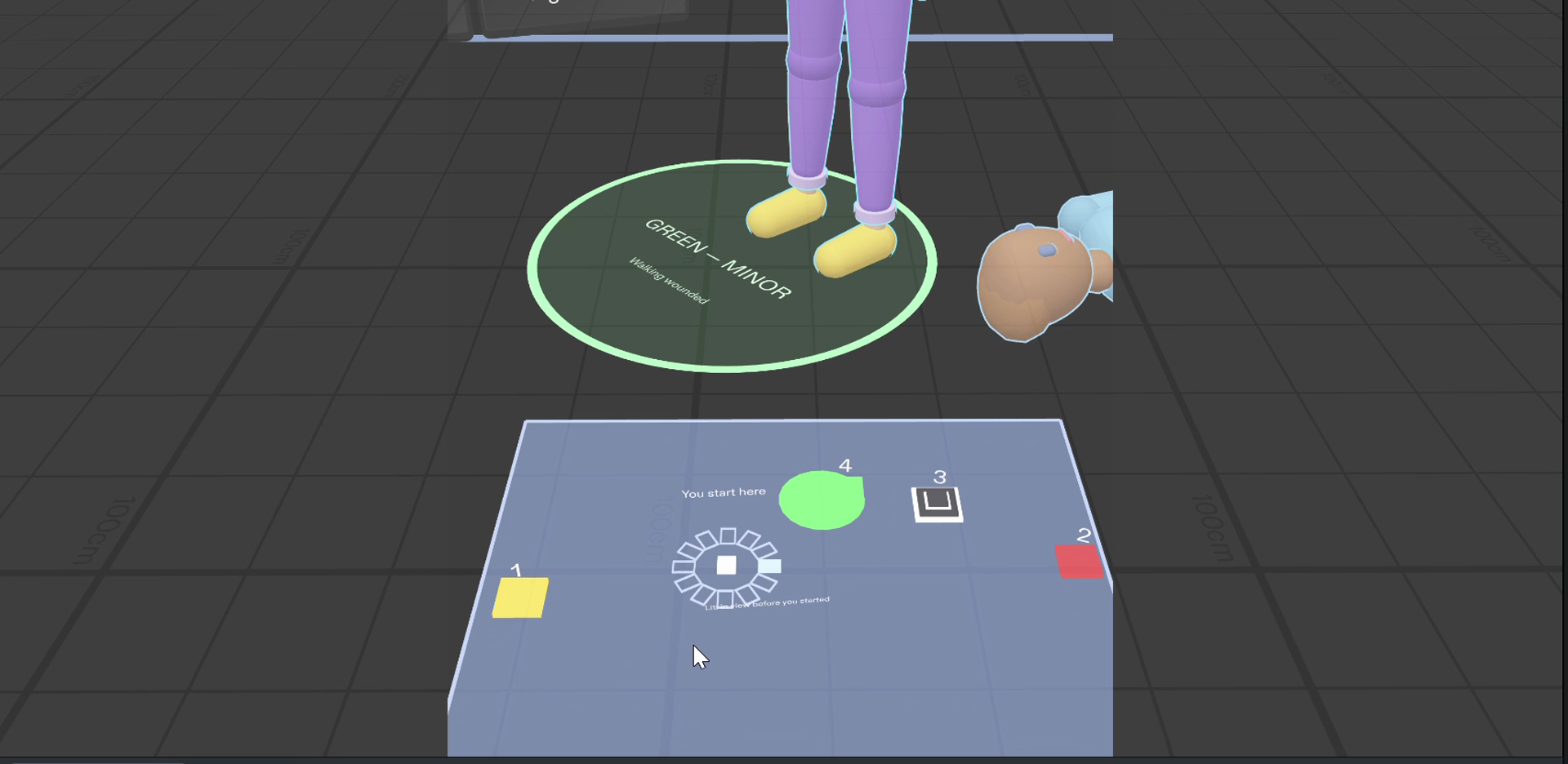
Triage Room puts four casualties on your floor at real size, in a scenario: "A gas cylinder burst in the college canteen. The fire is out. You're the first trained volunteer inside — four people need you." One of them is always behind you, groaning.
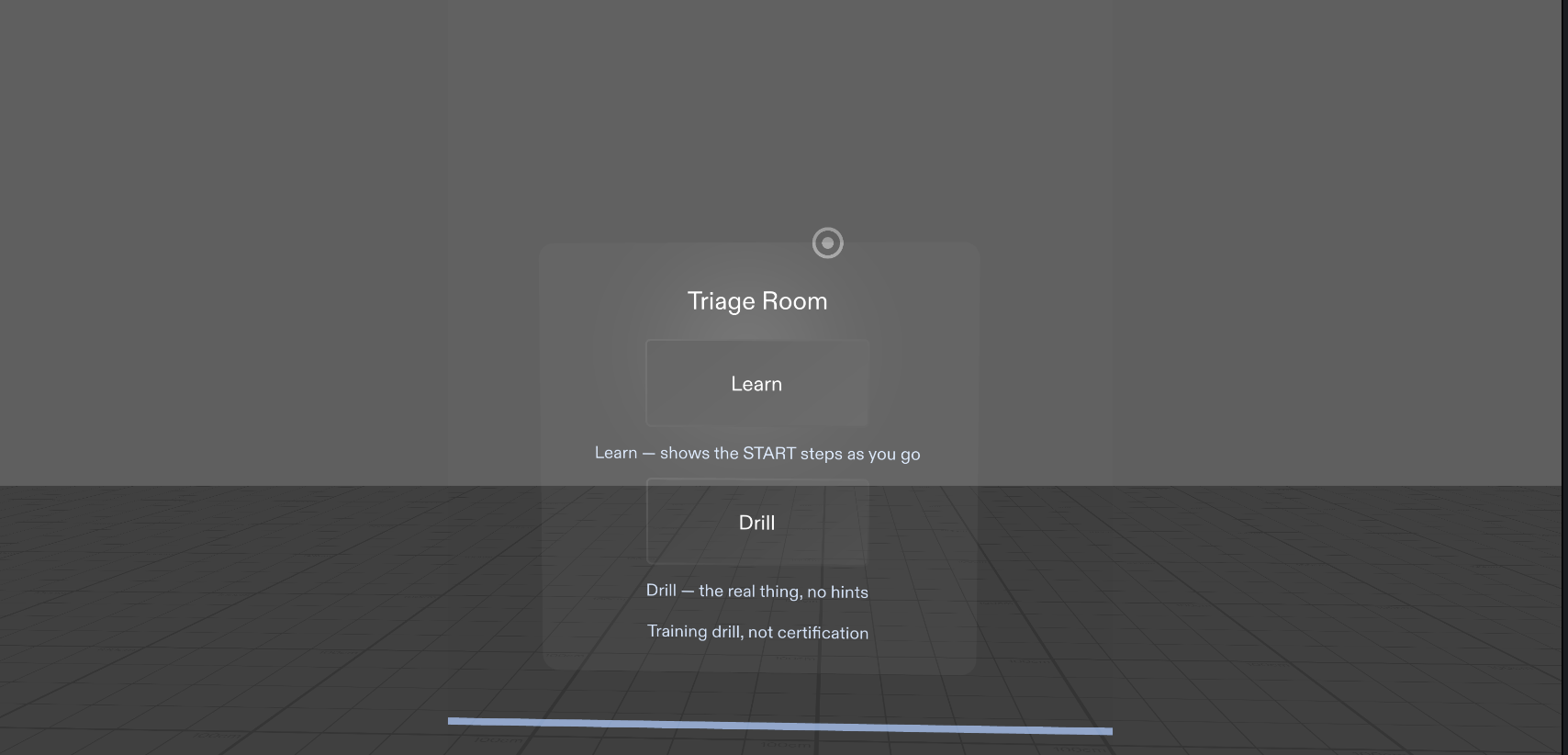
- Two modes. Learn shows the START steps as chips on each casualty's card, plus an arrow to the person behind you. Drill has no hints: one groan, with a caption, and you're on your own.
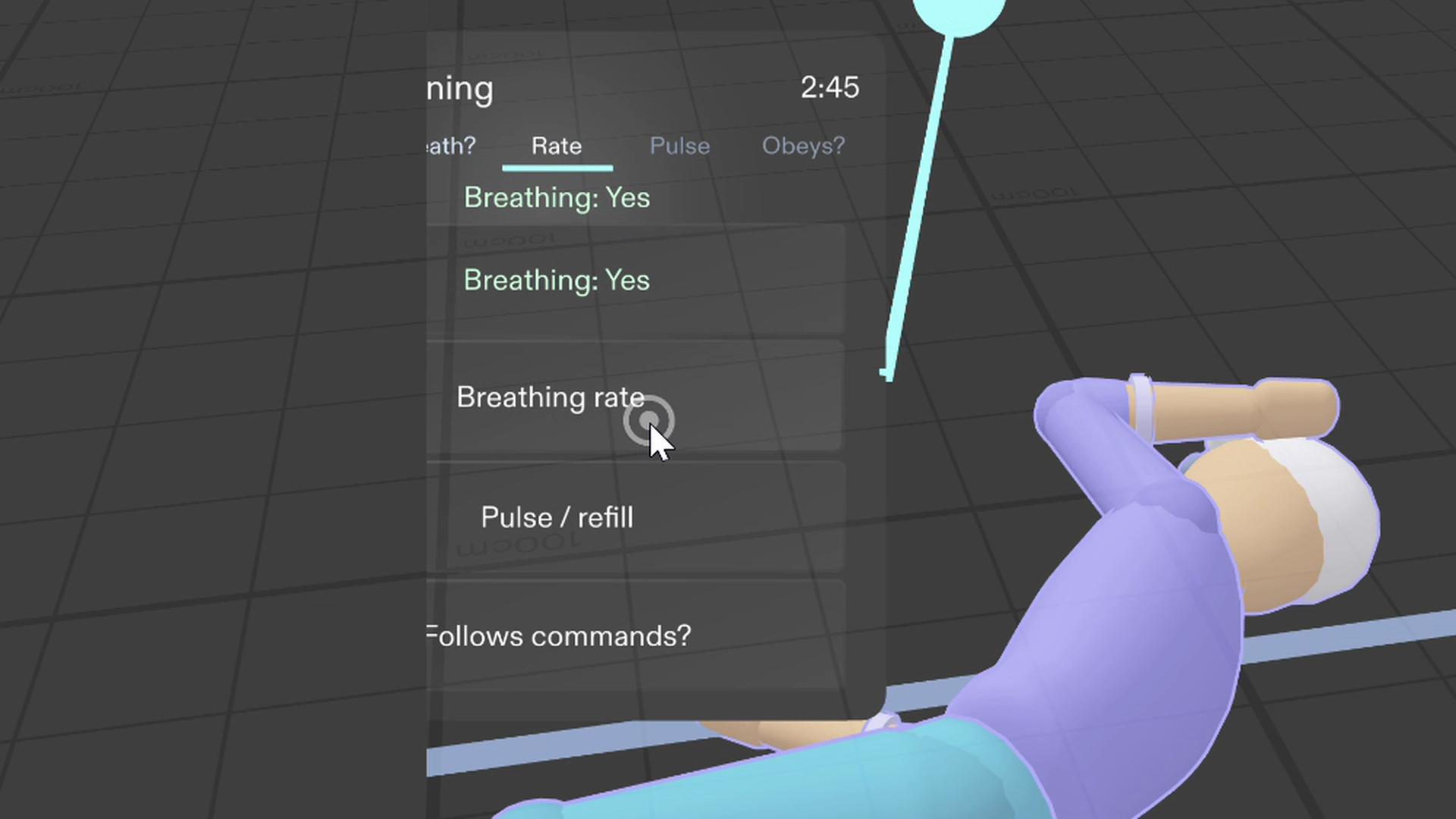
- START checks with big pinch buttons: breathing, rate, pulse or refill, and follows commands, with "Open airway" for anyone not breathing. Tag buttons only appear once a step has decided the tag. You call out to the walking casualty to send them to the green zone.
- Every tag shows a colour and a word. Expectant is dark grey with a white outline, never black, because black disappears on an additive display.
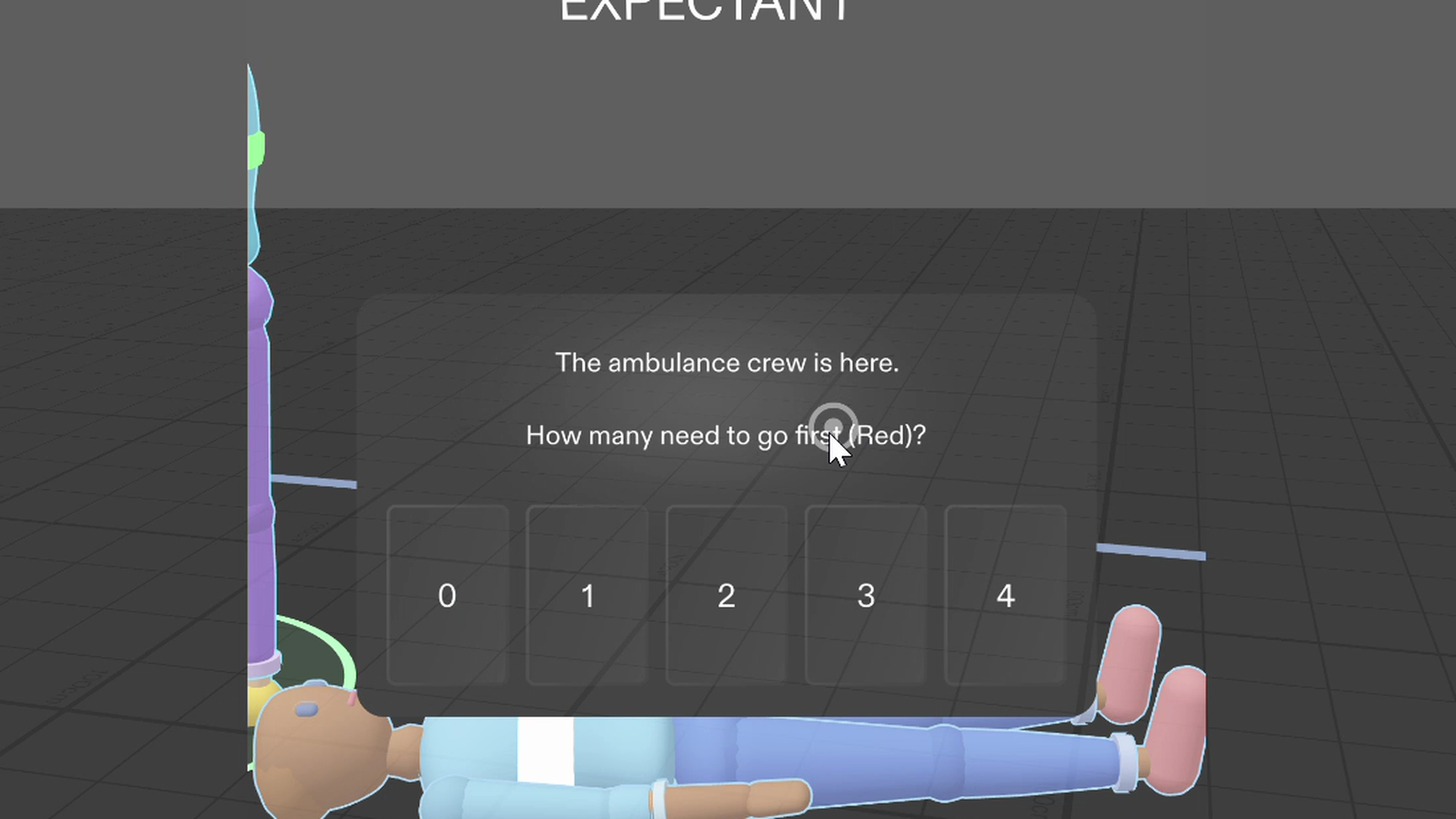
- "Scene clear" lets you decide when you're done, and asks "Have you found everyone?" without giving the answer away. Then the ambulance crew asks how many need to go first.
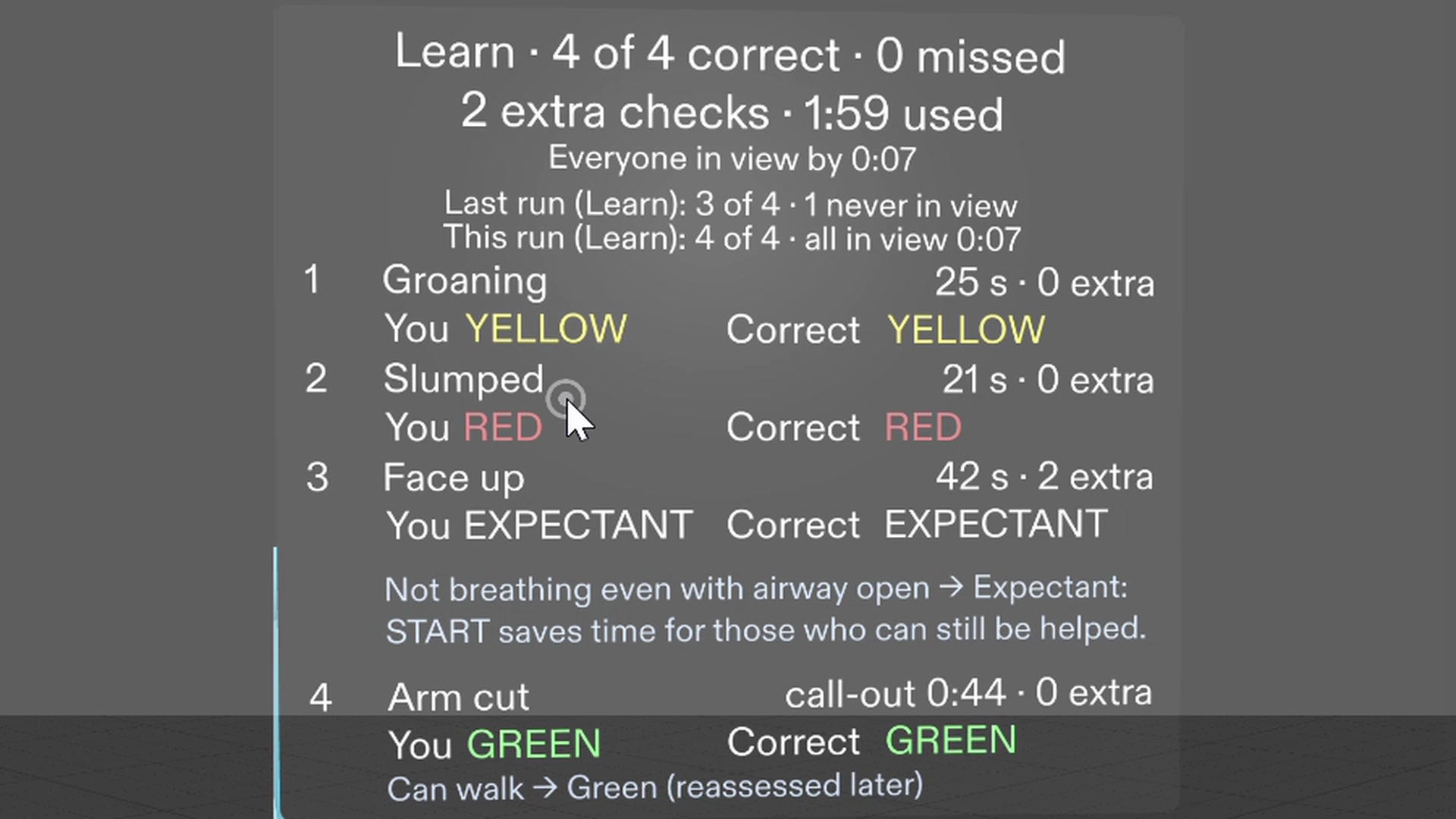
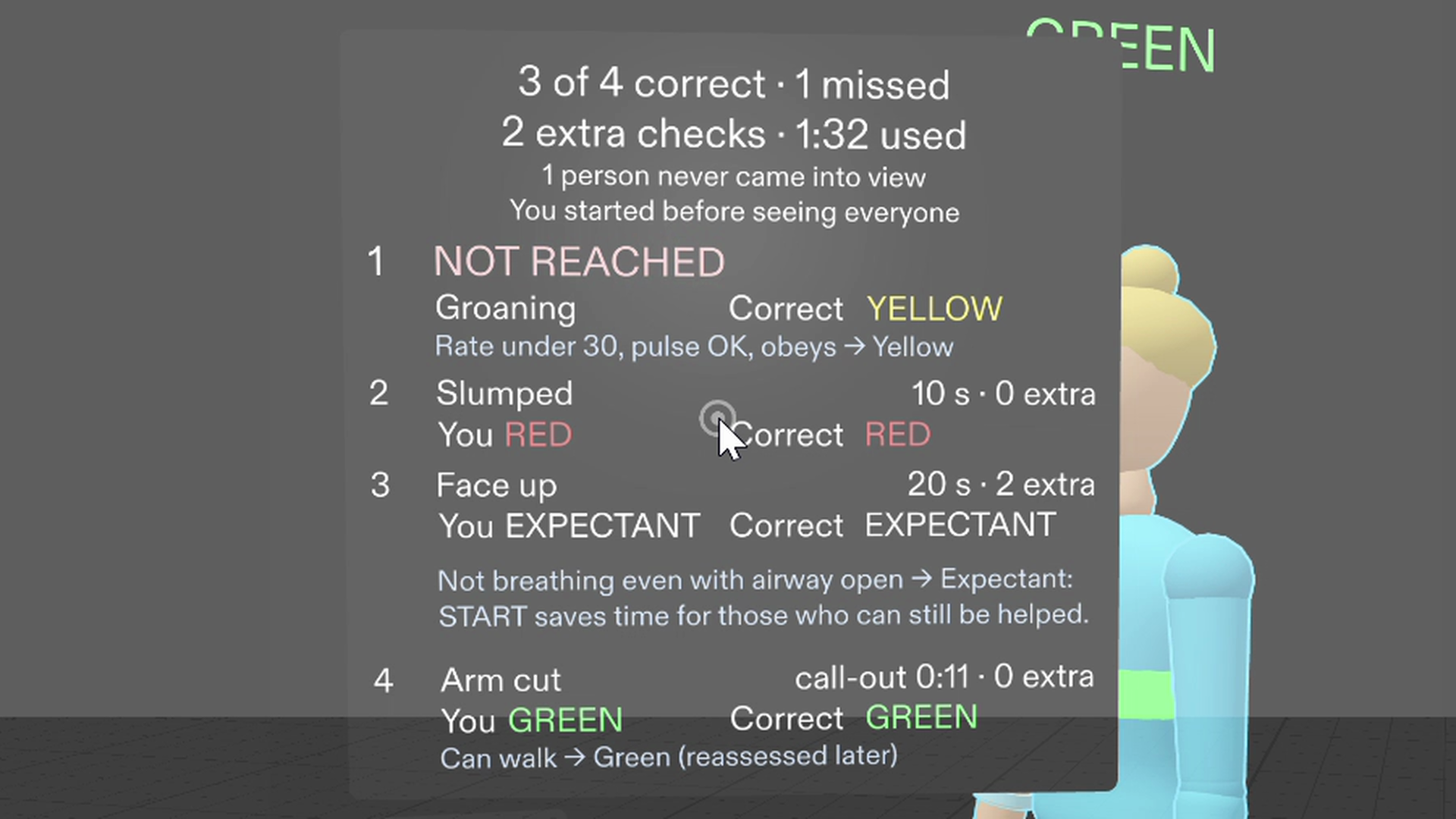
- The debrief shows your tag against the correct one for each person, the START rule that decides it, time taken, extra checks, and NOT REACHED for anyone you missed. It measures the lesson directly: when everyone first came into view, whether you started before seeing everyone, a ring on the floor map showing which directions were in view before your first action, and a tip for your next run.
- Again: Learn / Again: Drill starts a new run, and the debrief then compares it with your last one. In my demo, "3 of 4 · 1 never in view" became "4 of 4 · all in view by 0:07".
- Poses and cases are shuffled every run from a pool of 13, so you can't tag by appearance. You have to check.
How I built it
- Planning: I planned it with the hackathon's skill pack. The design brief is in
devpost/design-brief.md. - Building: I built it with Claude Code and CLAD over the Lens Studio MCP, step by step, in Lens Studio 5.23 with the Spectacles Interaction Kit and UI Kit. The casualty figures are built in code with MeshBuilder, so there are no downloaded models.
- Testing: every change was gated by tests before it was committed: 30 LEAF scenarios, run one at a time in the Lens Studio preview, and 12 plain Node test files (346 checks) for the pure logic: the START engine, scoring, layout, the pool, the tip, the ring and the handover. The START rules are tested against 12 cases, and no scripted value sits exactly on the 30/min or 2 s thresholds.
- Build log:
devpost/build-log.mdrecords every step, every test result and every mistake.
Challenges I ran into
- Lens Studio freezing: an inspector tool installed extra packages on its own and froze Lens Studio. I removed them and blocked those tools.
- The preview pausing: it only advances while it's visible on screen. Minimising Lens Studio stalled my test runs for 15 minutes before I worked out why.
- Designing for an additive display: dark colours turn see-through, so everything important is light, including the Expectant tag.
- Making the miss real: my first version had an arrow and a repeating groan in every mode, which made finding the person behind free. That's why Drill now has one groan and no arrow.
- A Restart bug: Restart crashed because it destroyed a button that was still being pressed. I fixed it by hiding the button first and destroying it half a second later.
Accomplishments I'm proud of
- The debrief measures the actual lesson ("1 person never came into view") instead of only scoring tags.
- The loop of debrief, tip, second run and comparison shows a learner improving within minutes.
- The whole project is test-gated, with honest limits written down.
What I learned
- How to design for glasses rather than a screen: real scale, things behind you, light colours and big targets.
- That a good drill measures the mistake people actually make.
Honest limits
- The vitals are scripted. Nothing is measured.
- Call-out, airway and "Open" are buttons, not voice or hand skills.
- "In view" is based on head direction, not eye tracking.
- It has only been run in the Lens Studio preview, never on Spectacles hardware.
- It's a training drill, not certification, and not a replacement for an in-person course.
What's next
- Test it with first-aid trainees and college volunteers.
- Run it on real Spectacles to check comfort and distances.
- A voice call-out.
- Placing casualties on your real floor and walls.
- A facilitator guide for running group sessions.
Try it
Open Triage-room.esproj in Lens Studio 5.23.2 and use the Interactive Preview (WASD to move, right-drag to look, click to pinch). To see the documented demo layout, select TriageRoom and tick Use demo seed on the TriageMain script.
Built With
- clad
- claude-code
- leaf-test-framework
- lens-studio
- lens-studio-mcp
- snap-spectacles
- spectacles-interaction-kit
- spectacles-ui-kit
- typescript
