-
-
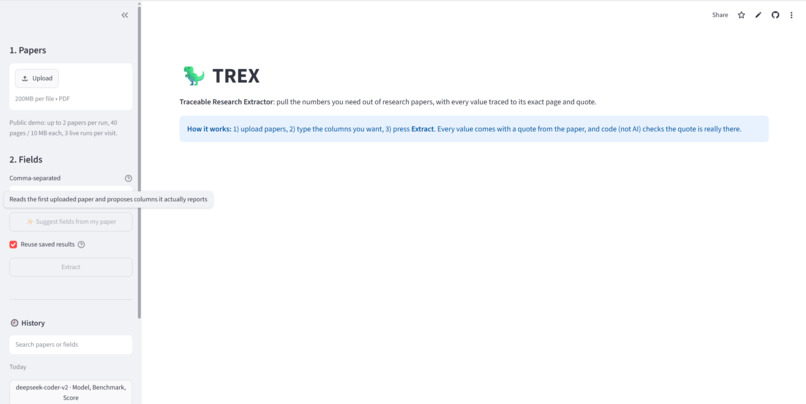
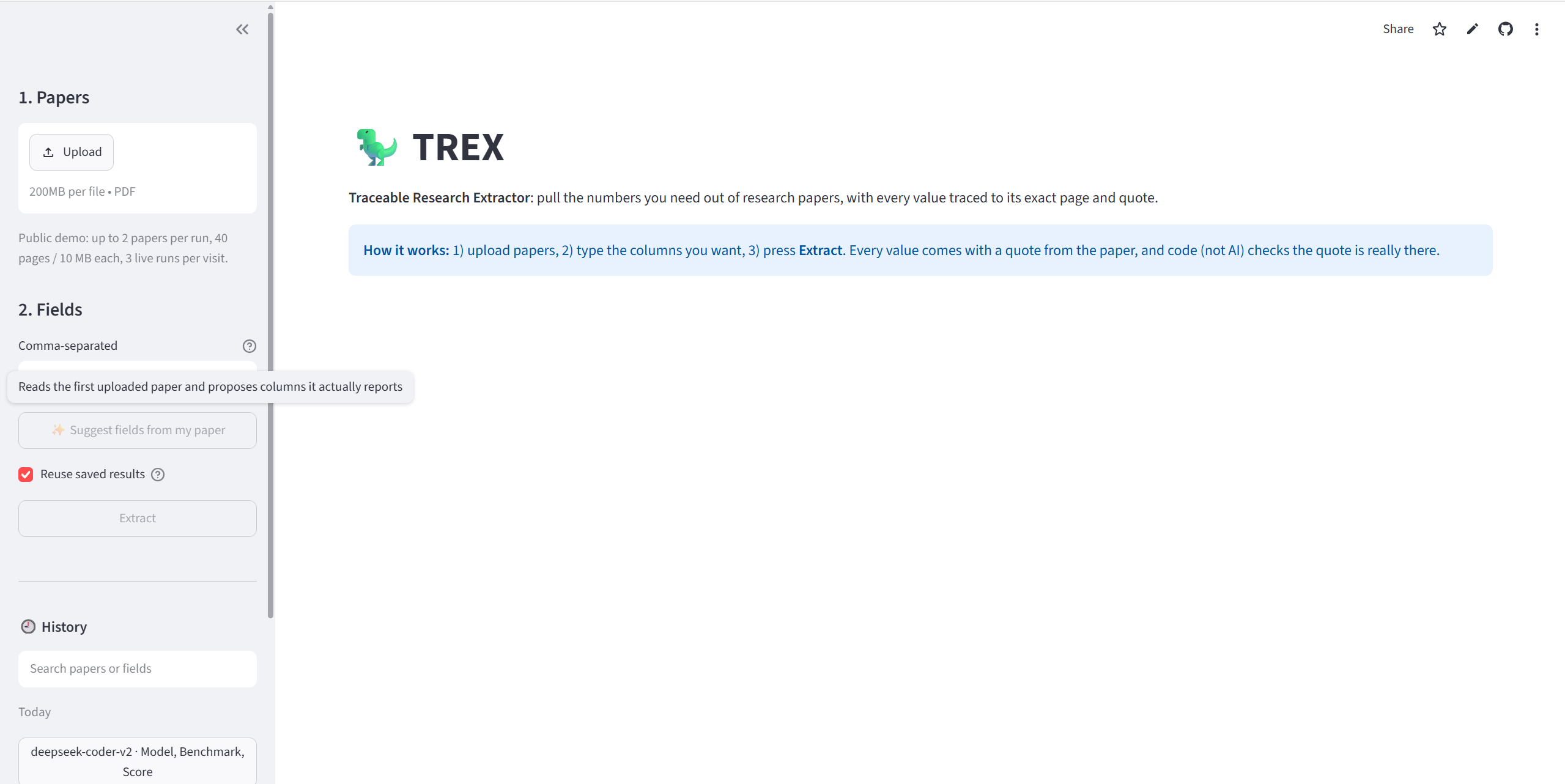
Main page
-
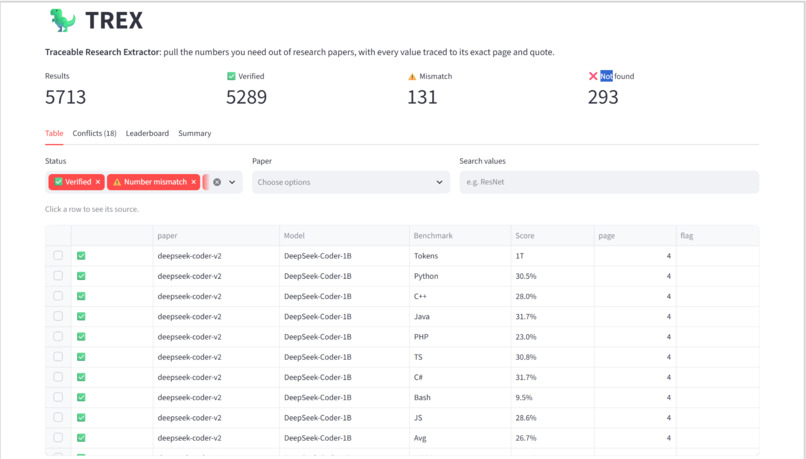
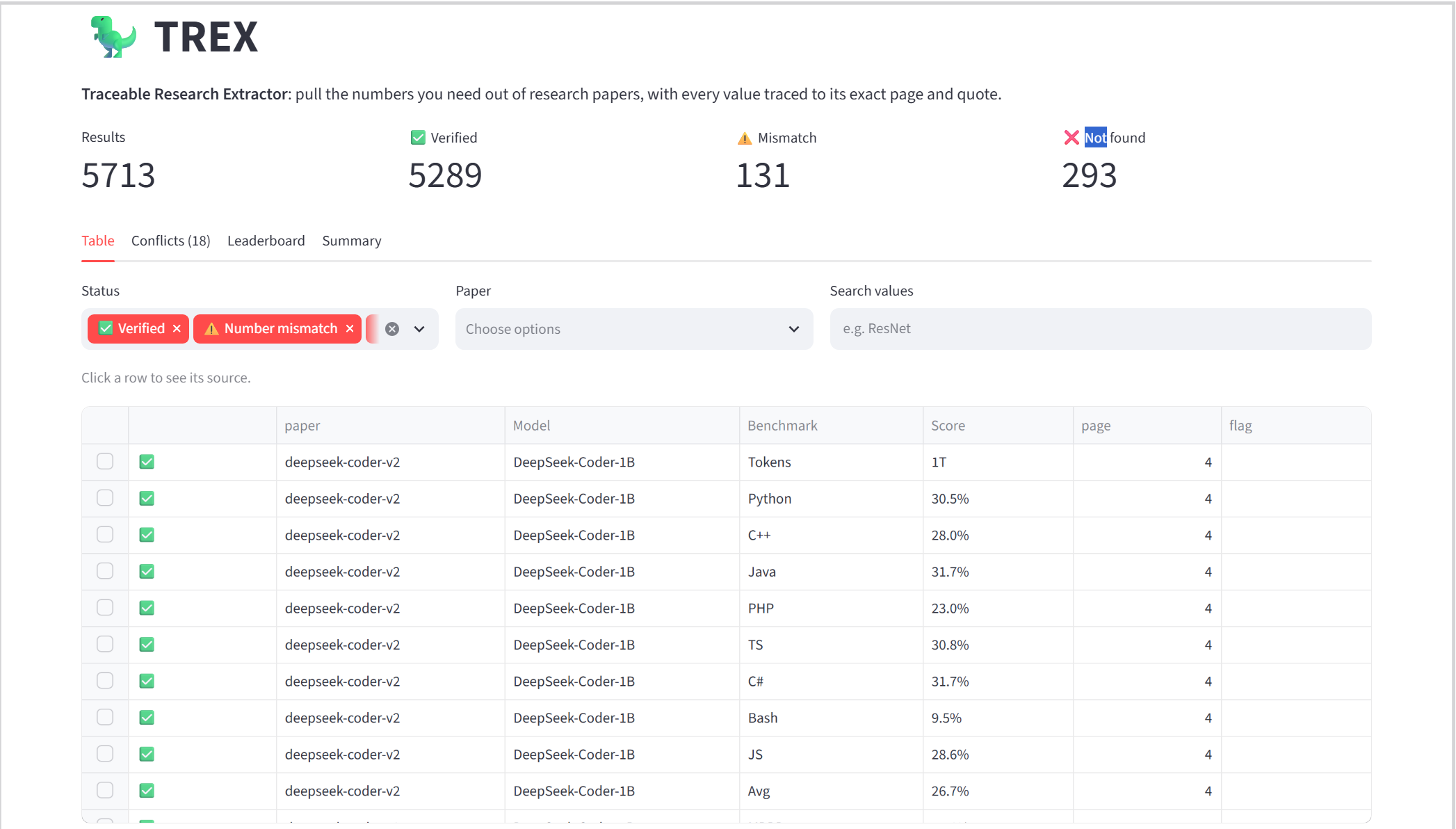
Generated table
-
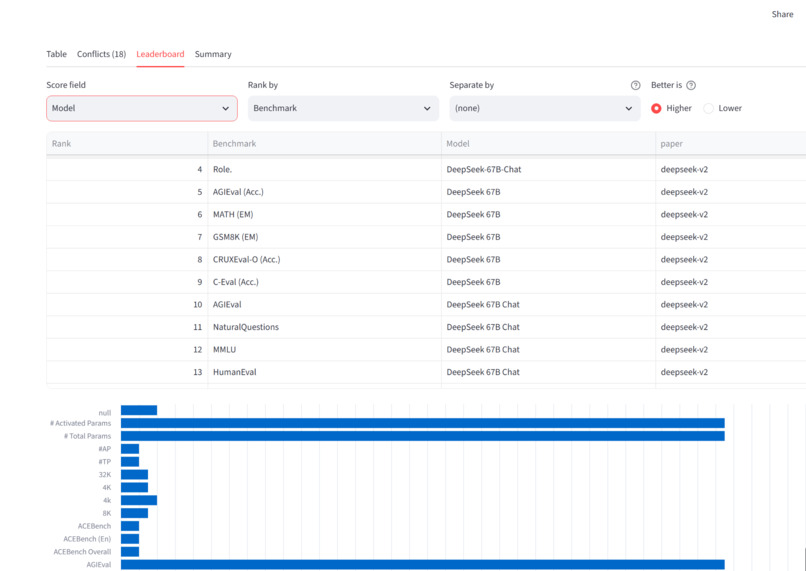
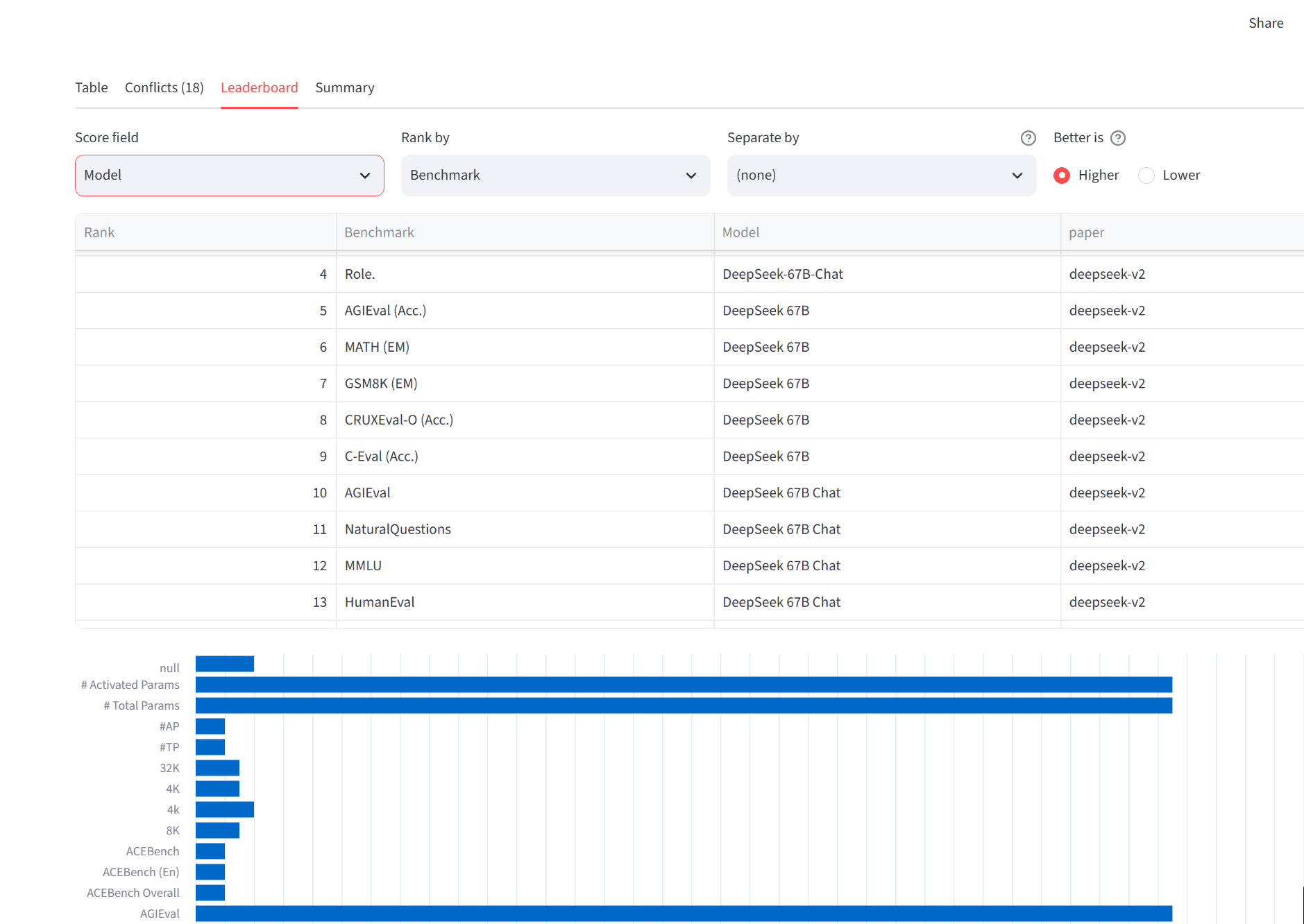
Leaderboard
-
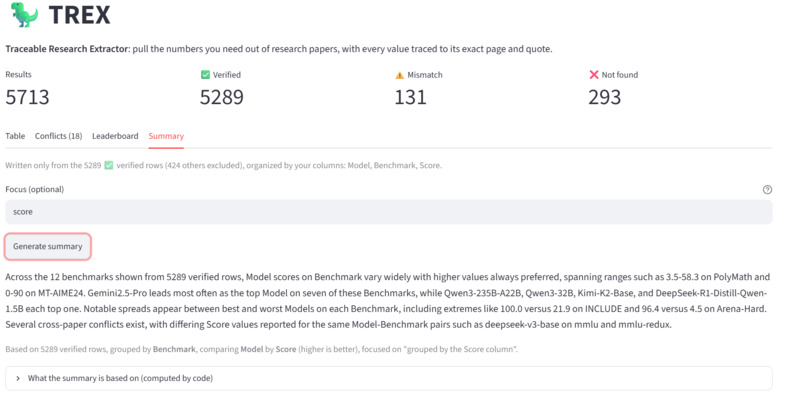
Summary
-
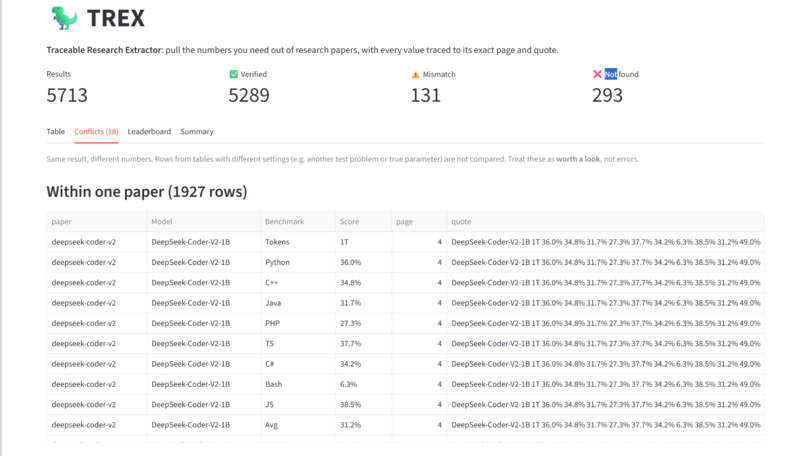
Found Conflicts
Inspiration
Before starting any research project, you need to know what's already been done. In practice, that means opening dozens of papers, hunting for results tables, and copying numbers into a spreadsheet by hand. It's one of the slowest, most error-prone steps of a literature review. AI tools can help, but they make up numbers, and in research a wrong number is worse than no number.
What it does
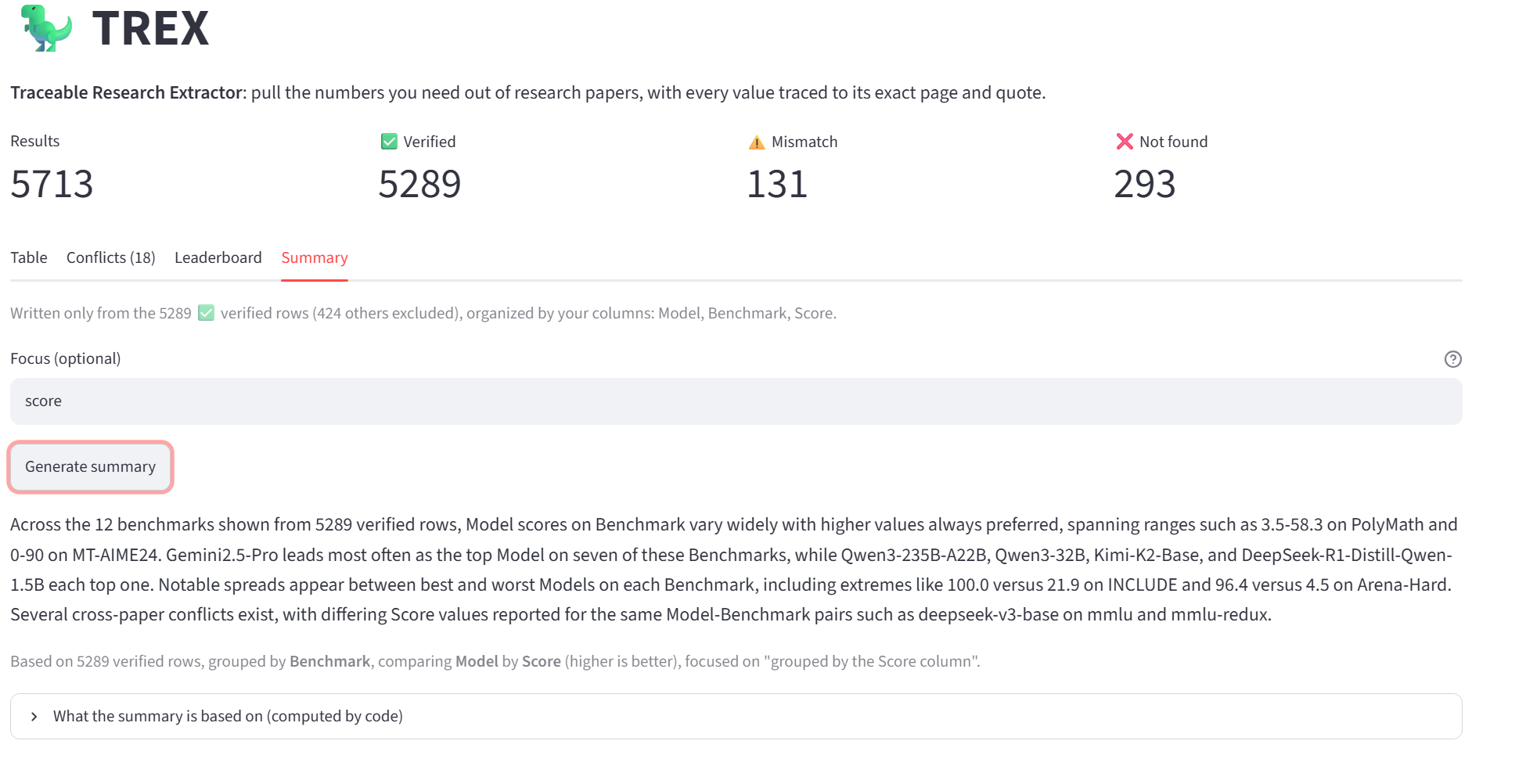
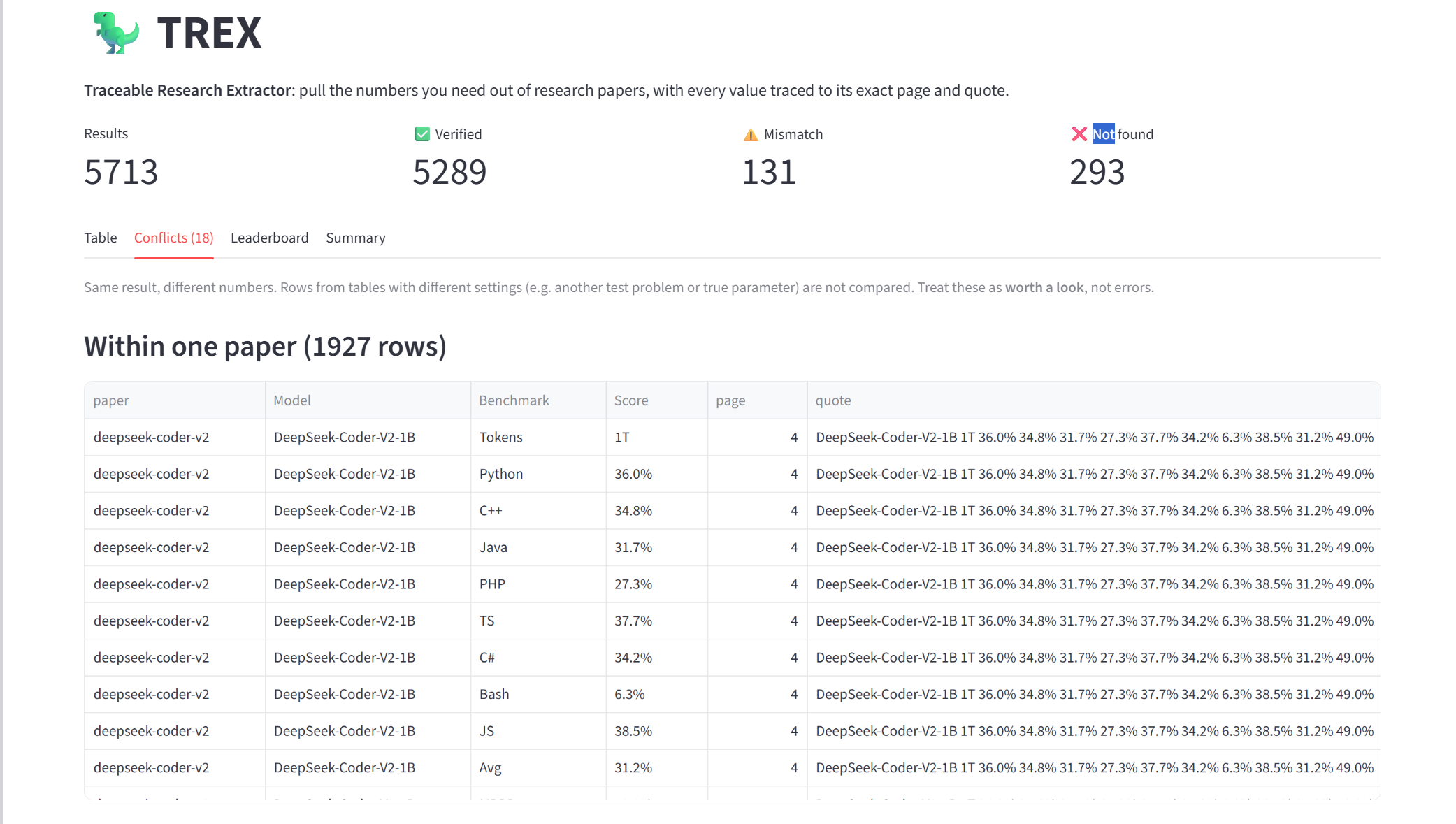
TREX extracts the specific data you ask for (e.g. Model, Benchmark, Score) from research paper PDFs and puts it into one comparison table, with an exact quote and page number for each one. . It works for any field. Plain code, not AI, verifies each value: the quote must exist in the paper, and the numbers must appear in the quote. If you're not sure what to ask for, Suggest fields reads the paper and proposes columns it actually reports. You can click any row to see the original PDF page with the quote highlighted. A leaderboard ranks results across papers using only verified rows, and a summary is written only from verified data.
How we built it
It's a Python app. PyMuPDF reads the PDF and renders the highlighted pages, xAI's Grok does the extraction, RapidFuzz and our own number parser do the checking, and Streamlit is the website, deployed on Streamlit Community Cloud.
Tiger Cloud is the memory. Every paper is stored by a hash of its contents, so if you (or anyone) run the same paper with the same columns again, it loads instantly with no AI call and no cost. Past runs reopen with the PDF included, which is what makes the highlighted pages work on the hosted site. I also keep an activity log as a TimescaleDB hypertable, with a real-time continuous aggregate for daily totals and a compression policy for older events.
Challenges we ran into
PDF tables come out as one number per line, with model names far away in the header, so matching numbers to the right model was hard. On large tables (one page had 288 numbers), the AI stopped early and skipped most rows. I redesigned the output into a compact table format. Switching to a compact format (headers once, then one short line per row) and sending dense pages on their own took our answer key from 7/38 to 38/38.
Accomplishments that we're proud of
On 38 values I checked by hand from two real AI technical reports (DeepSeek-R1 and Kimi-K2), TREX got all 38 right and verified every one. That's a small answer key, so I read it as "correct on what I checked", not a general accuracy rate. It also pulled 800+ values from those two papers in about three minutes, and the verification step caught the AI swapping two models' scores it had read off a bar chart. Also, I didn’t want a tool that only works on AI papers. It works on almost any paper that reports numbers in its text or tables. We tested it on AI technical reports, statistics papers and numerical analysis papers.
What we learned
AI is great but can’t be fully trusted blindly. Pairing it with simple, deterministic checks makes it reliable. I also learned to measure accuracy against a hand-checked answer key instead of trusting results that just look right. Let the AI do what it's good at, finding things in messy text, and let code decide what to trust. Every time I let the AI check its own work, it was confidently wrong somewhere.
What's next for TREX: Traceable Research Extractor
Structured table parsing and vision models for complex tables and charts, and improve the summary feature so it can take more detailed prompts.
Built With
- claude
- grok
- pymupdf
- python
- tigercloud

Log in or sign up for Devpost to join the conversation.