Inspiration
My inspiration for building this app was seeing how Jetpack Compose makes building UIs on Android so much more simple and customizable.
What it does
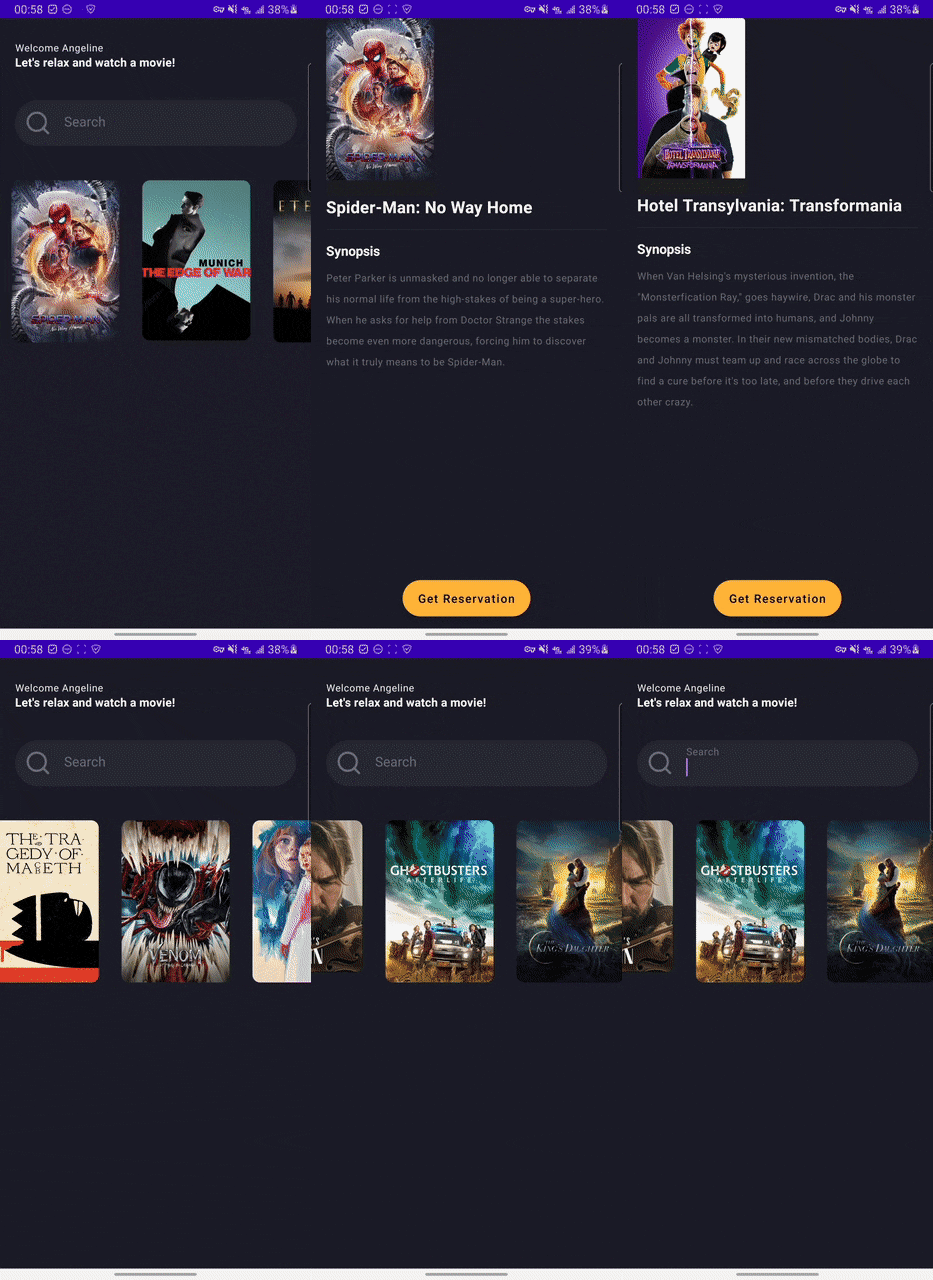
This app parses a JSON of the day's trending movies from The Movie Database API, and shows the movies' images in a list format. The user can click a movie's image, and it will open a screen for that movie, displaying its image, title, and synopsis.
How I built it
I build this app with Kotlin, Java, and the Jetpack Compose toolkit. I used a UI design on dribbble as my reference so I could just focus on implementing rather than designing.
Challenges I ran into
I faced many challenges while making this app, mostly due to my lack of experience with Jetpack Compose, as I only began learning it last week. Some examples are the images not being the right size and the button taking up the entire screen. However, while there were mistakes, I am glad I made them because I was able to learn from them by seeing what I was doing wrong. This way, I will not make the same mistake in the future.
Accomplishments that I'm proud of
I'm proud I was able to recreate the nice UI with Jetpack Compose while also adding some nice functionality in the app.
What I learned
I gained some great experience with Jetpack Compose. I also stumbled upon an amazing library that simplifies some tasks in Jetpack Compose. I will definitely be using it in the future as well.
What's next for Trending Movie App
A lot of the data from the API was not used. Some great features that could be added are:
- Display more data for each title.
- Allow the user to sort the order of the movies in the home screen.
Built With
- android-studio
- java
- jetpack-compose
- kotlin
- the-movie-db

Log in or sign up for Devpost to join the conversation.