Trending Funny Domains 🔥
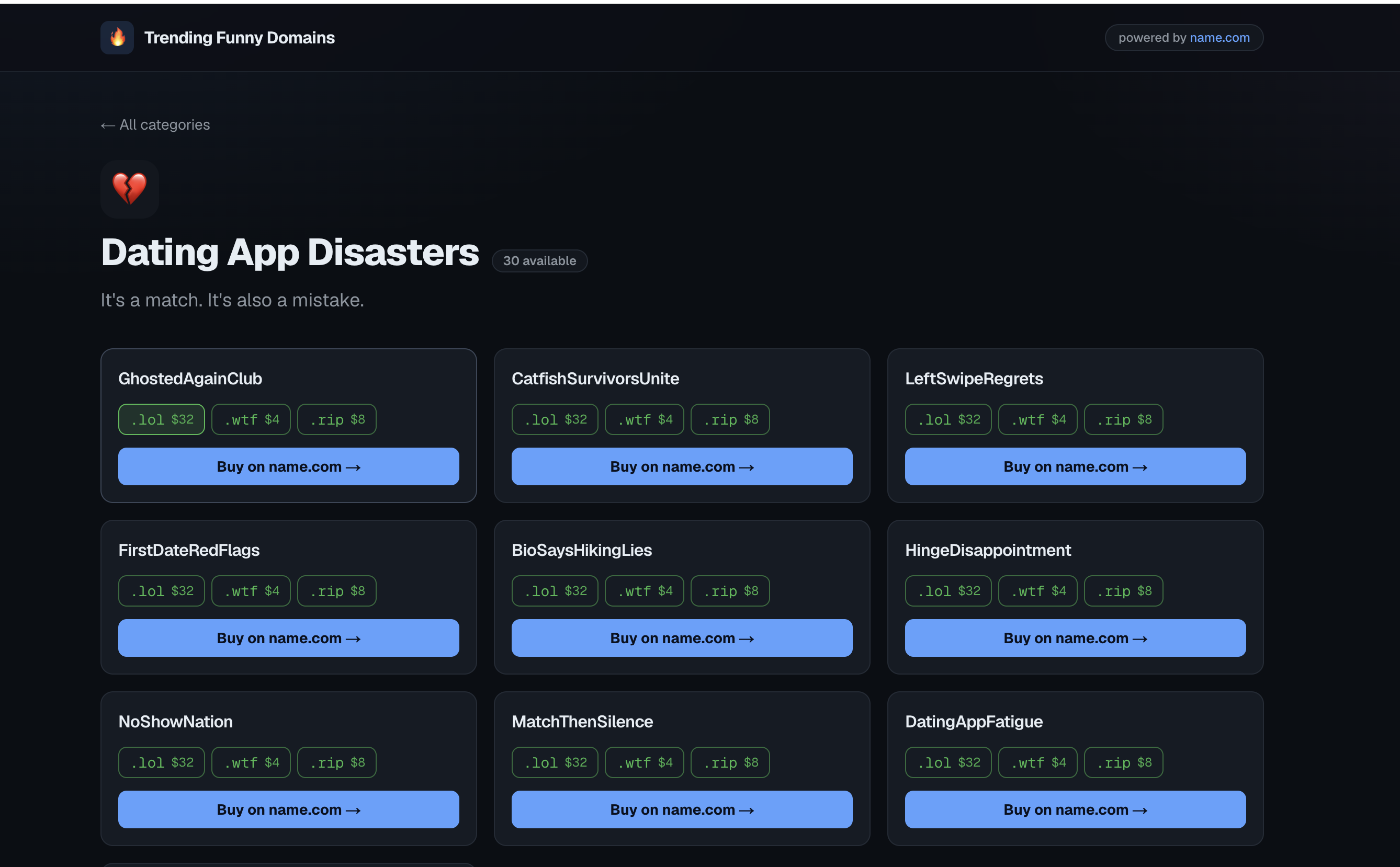
▎ Pick a funny category. Get a list of silly domain names. See if they are available and how much they cost using the name.com API. Buy the ▎ one you like on name.com using your own account.
💡 Inspiration
Finding a business name is hard. Most good names are taken. Brainstorming tools are boring. Checking if a name is available takes too long.
We made it fun. Instead of typing a keyword, you pick a theme like Political Satire or Gym Bro Culture. We give you a list of funny names that fit that theme. Every name is real and can be bought on name.com. It is comedy with a way to buy.
🛠️ How we built it
We used these tools:
- Next.js 16 (App Router + Turbopack) & React 19
- TypeScript
- Tailwind CSS v4
- name.com v4 REST API
- Vercel for hosting
The data is simple. There are 10 categories and about 100 names in data/categories.ts. We mix these names with endings like .lol or .wtf.
The name.com connection stays on the server. The browser calls /api/check-availability. This route talks to name.com. This keeps the API token safe.
Browser ──▶ /api/check-availability ──▶ name.com POST /domains:checkAvailability
We used one types.ts file to make sure the front end and back end work together perfectly.
We chose a special way to buy. The name.com API can buy a domain, but it would use our money and our account. That is not good for the user. Instead, we use a redirect. We send the user to a specific link on name.com:
$$\texttt{https://www.name.com/domain/search/}\,\langle\text{domain}\rangle$$
The user adds the name to their own cart and pays on their own account.
🎭 The mock engine
We wanted the app to work for demos without needing secret keys. If there is no name.com token, the API uses a mock engine. It is not random; it uses math so the same name always looks the same.
We use a math formula called a polynomial string hash:
$$ h(s) = \left| \sum_{i=0}^{n-1} c_i \cdot 31^{,n-1-i} \right| \pmod{2^{32}} $$
We use that number to decide everything:
$$ \text{available} ;=; \big(h \bmod 100 \ge 30\big) \quad\Longrightarrow\quad \approx 70%\ \text{of names are "open"} $$
$$ \text{premium} ;=; \big(h \bmod 11 = 0\big) $$
$$ \text{price} ;=; \begin{cases} 40 + (h \bmod 20) & \text{if premium} [4pt] ;,8 + (h \bmod 20) & \text{otherwise} \end{cases} $$
This makes the demo look real with different prices and "premium" tags. If you add the real keys, the app switches to live data immediately.
📚 What we learned
- Buying is different from checking. We learned that we shouldn't pay for the user. We had to change how the app works so the user pays directly.
- Keep secrets on the server. We had to keep the name.com tools on the server so they don't leak to the browser.
- Predictable fakes are better. Using math for the demo makes it easier to show.
- Types help a lot. Using one type file kept our code organized.
🧗 Challenges we faced
- New Next.js rules. Next.js 16 changed how things work. We had to read the new docs carefully.
- Making a good demo. We worked hard to make the fake prices and availability look real.
- Deployment issues. We had to fix some settings on Vercel so people could see the app without logging in.
- Changing the buy flow. At first, we tried to buy domains through our own account. We had to change it to a redirect so users could use their own accounts.
🚀 What's next
We want to add real registration, an affiliate link, AI to make more names, and a "vibe check" score for names.
Built With
- claudecode
- name.com
- vercel

Log in or sign up for Devpost to join the conversation.