-
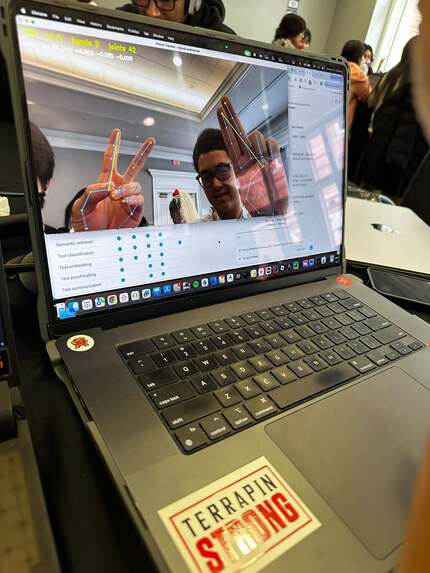
This is when we done out first step. We were really excited!
-
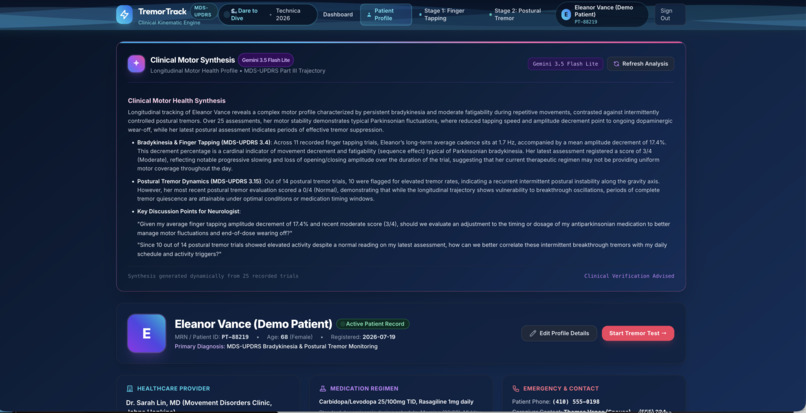
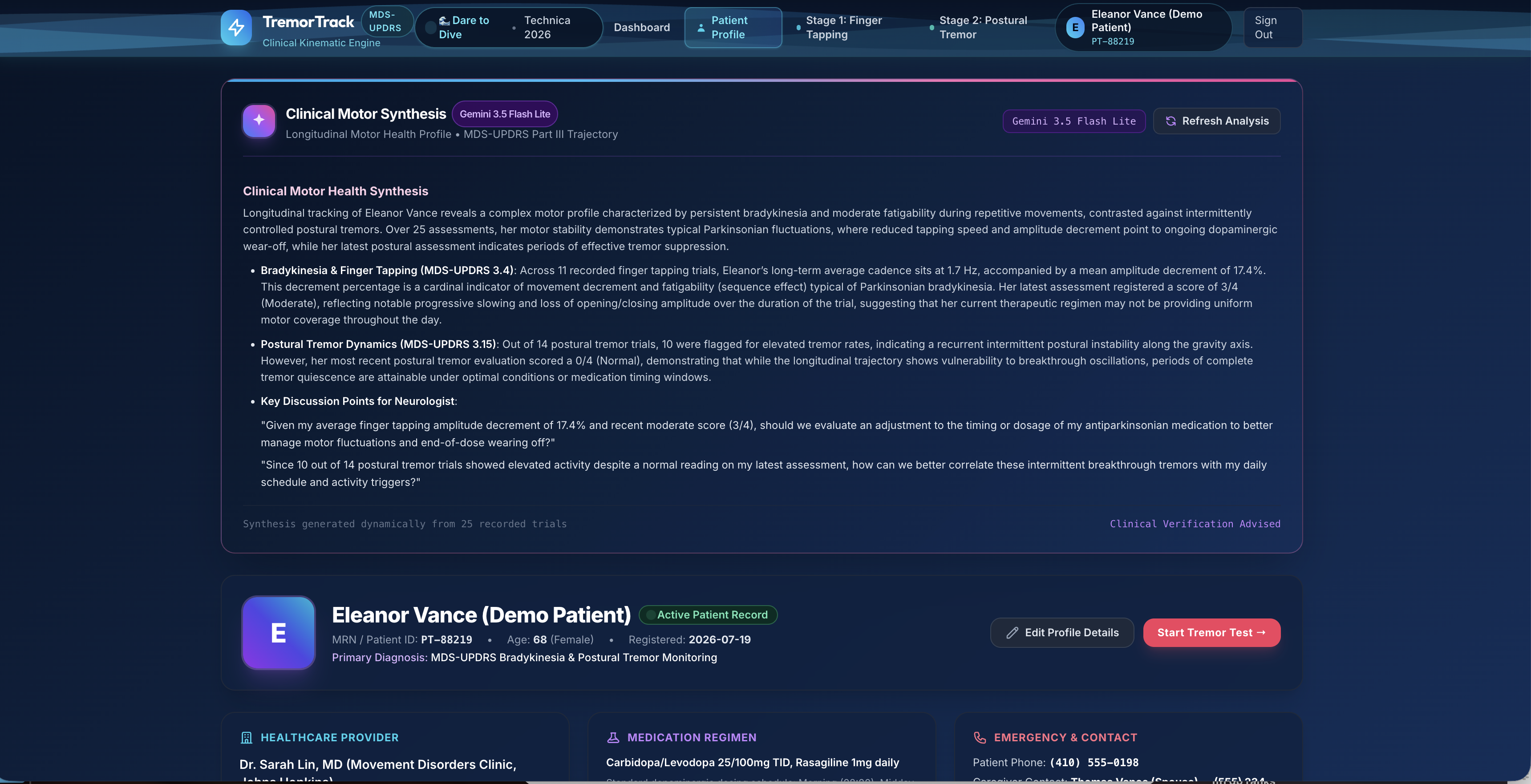
this is the UI/UX design of our website
-
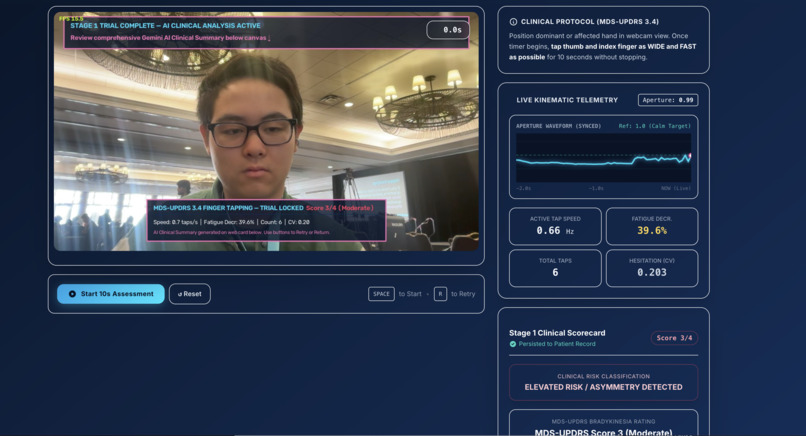
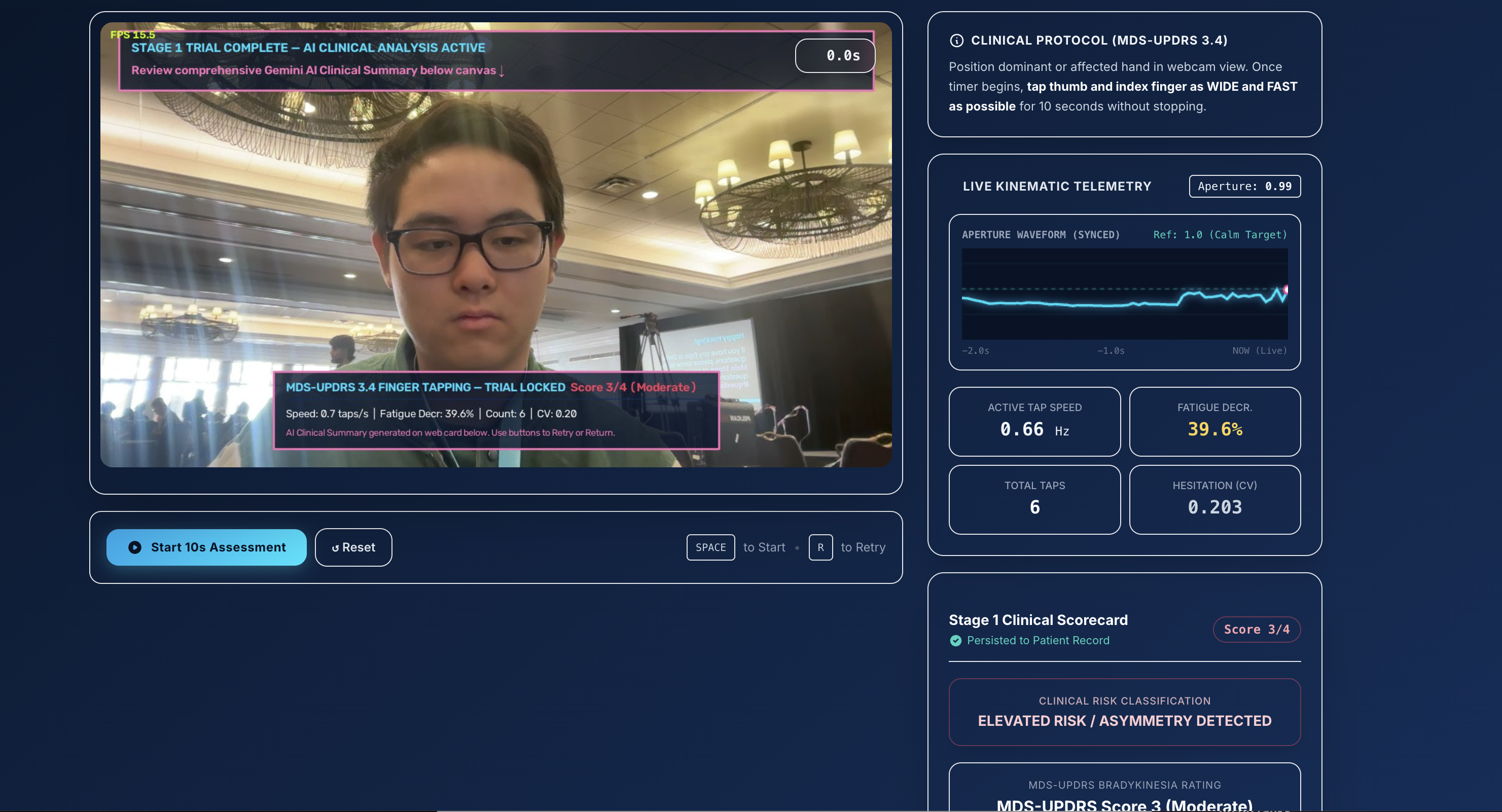
This is a testing of a final product, with Evan
Inspiration
One of us grew up in Vietnam, in a hometown where hospitals are far away and specialists are rare. An older person we know lives with Parkinson-type tremor symptoms. To get checked, they have to travel all the way to the city, a long and costly trip for a family with little money, and the assessment itself takes only one or two minutes: tap your fingers, hold out your hands, and the doctor watches.
That gap stuck with us. The test is simple, but the access to it is not. We asked: what if the camera already on a laptop or phone could do a first-pass version of those same two tests, so people only make the long trip when it’s actually needed?
What it does
TremorNator is a webcam-based movement screening tool. No wearables, no special hardware. It guides the user through two 10-second tests:
- Finger tapping (bradykinesia): tap thumb and index finger wide and fast. TremorNator counts taps, measures tap rate, and checks whether the taps shrink over time, the “sequence effect” clinicians look for.
- Postural tremor: hold the hand out still. TremorNator analyzes the hand’s tiny vibrations and checks how much of the shaking energy falls in the 4-6 Hz band typical of parkinsonian tremor.
-Everything appears live on a split-screen dashboard: your hand with a tracked skeleton on the left, and real-time signal graphs on the right (a scrolling tap waveform with peak-trend line, and a frequency spectrum with the 4-6 Hz zone highlighted in red). At the end it shows a color-coded severity badge modeled on the MDS-UPDRS 0-4 scale, and exports a one-page Patient Report image.
italics TremorNator is a screening and education demo. It is not a medical device and does not diagnose anything.
How we built it
- Pipeline: webcam, then hand tracking, then signal processing, then live display.
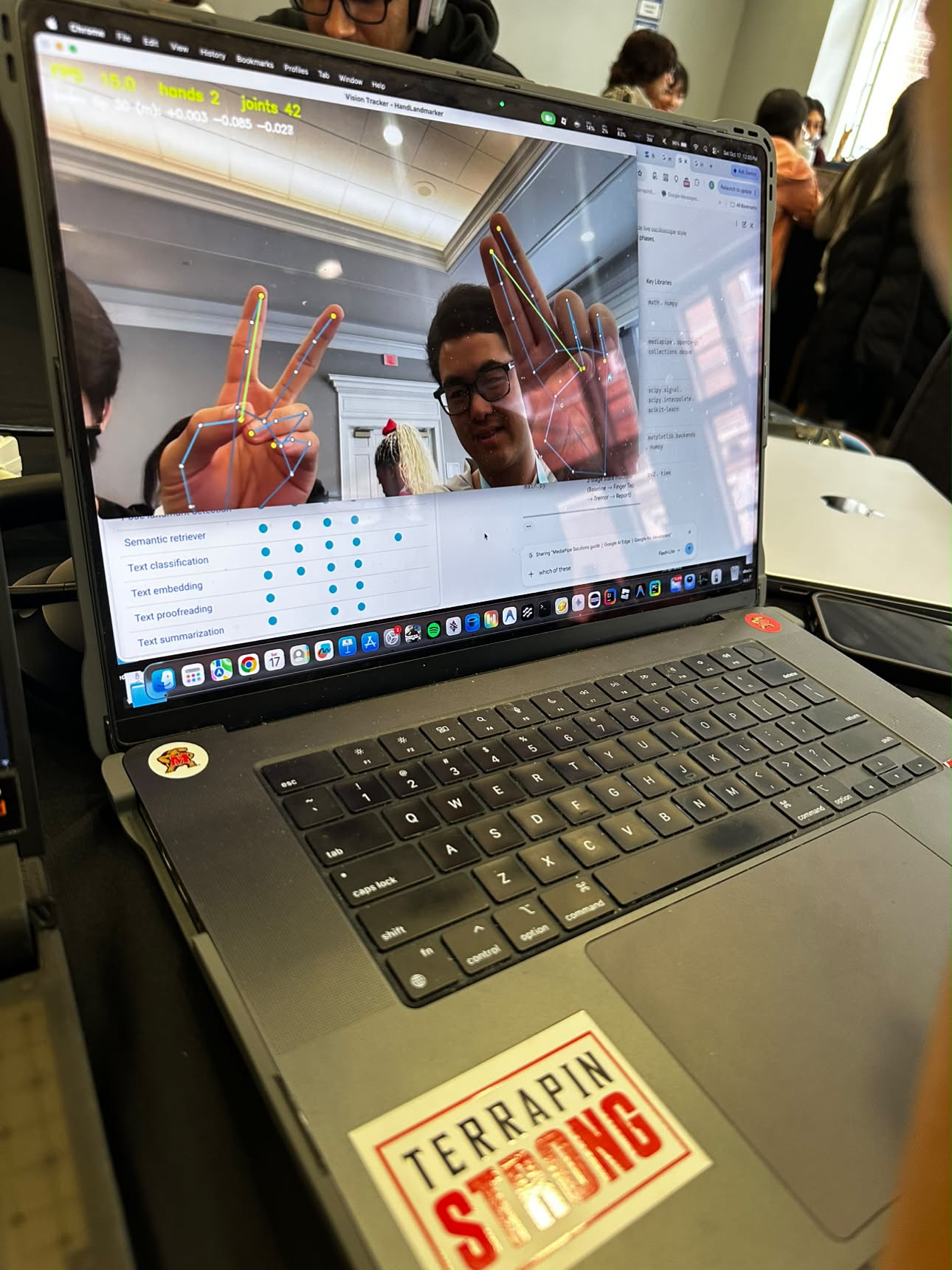
- Hand tracking: MediaPipe’s HandLandmarker finds 21 3D joints per frame, run through OpenCV at 720p in VIDEO mode so every frame has a precise timestamp. Scale-invariant features: we divide thumb-to-index distance by hand size (wrist to middle knuckle), so results don’t change if the user sits closer to or farther from the camera. For tremor, we track the hand’s vertical position in image space, also normalized by hand size, because MediaPipe’s world coordinates are centered on the hand and hide whole-hand shaking.
- DSP engine (SciPy): Webcam frames arrive at uneven times, so we resample onto a uniform 30 Hz grid.
- Tapping: find_peaks detects each tap; a linear regression through the peak heights gives the amplitude-decrement slope; tap-interval variability is recorded. Tremor: detrend, 1-12 Hz band-pass filter, then Welch’s method for the power spectrum; we report peak frequency, the fraction of power in 4-6 Hz, and RMS amplitude. Scoring: transparent rule-based thresholds, all kept in one block at the top of dsp.py so they can be calibrated and audited.
- HUD: Matplotlib renders to an in-memory image with FigureCanvasAgg and is stitched beside the webcam frame into one 1280x720 OpenCV window, with a timed two-stage state machine guiding the user.
- Team: We are a team of three, mostly first-year students, including a 10th grader, and for two of us this was our first hackathon. We split the work into three lanes: Evan (He has done other computer visions project before but simpler), Vision and Integration (hand tracking with MediaPipe, feeding live signals, wiring everything together); Minh, Signal Processing and Scoring (the SciPy tap and tremor analysis, thresholds, testing); and Kyle helps with brainstorming and testing the accuracy of the algorithms.
Challenges we ran into
Real computer vision needs math we haven’t learned yet. We’re freshmen (and one 10th grader), and measuring motion from video leans on ideas like signal processing, frequency analysis, and filtering that are normally taught in junior and senior years. When our results came out inaccurate, we couldn’t just rework the equations. So we changed our approach: instead of trying to out-math the problem, we treated the math as a tool we could test. We recorded healthy and simulated-tremor runs, plotted every intermediate signal, and tuned our thresholds against what we could actually see on the graphs. We also kept all the cutoff values in one place so anyone on the team could adjust them without touching the formulas:
- Making Matplotlib real-time. Redrawing plots normally kills frame rate. We solved it by drawing to an off-screen canvas, updating lines with set_data() instead of re-plotting, and [redrawing every N frames, if you did that].
- Tremor is hidden in hand-centered coordinates. Our first idea, using MediaPipe’s 3D world coordinates, couldn’t see whole-hand shaking, since those are relative to the hand’s own center. We switched to image-space position normalized by hand size.
- Uneven frame timing. Webcam frames are not evenly spaced, which breaks frequency analysis. Resampling to a uniform grid fixed it.
- Threshold calibration. Clinical cutoffs don’t transfer directly to a webcam. We tuned thresholds by running 16 healthy and 15 simulated-tremor trials until results were consistent.
- A 10-hour clock. We froze features at hour 8.5 so the demo would be reliable instead of ambitious.
Accomplishments that we're proud of
- A full pipeline from raw webcam to clinical-style report in [X] hours, with no extra hardware.
- A live, readable dashboard where a viewer can see a tremor appear as a spike inside the red 4-6 Hz zone.
- Scale-invariant measurements that work at different distances from the camera.
- Clear separation of results between healthy and simulated-tremor runs:
- Honest framing: transparent rules, visible thresholds, explicit limitations.
What we learned
- Turning a signal into a score is mostly about choosing the right representation: peaks and slope for rhythm, frequency spectrum for tremor.
- Signal-processing basics in practice: Nyquist limits (a 30 FPS camera can see up to 15 Hz, enough for 4-6 Hz tremor), filtering, and Welch’s method.
- Real-time systems need performance thinking early: buffers, redraw rates, and keeping heavy work out of the main loop.
- Health tech demands careful claims. Knowing what the tool can’t do is part of building it responsibly.
- MediaPipe and hand tracking: how a model turns a video frame into 21 joint positions, and how to turn those into measurements.
- Teamwork: splitting a project into lanes with clear handoffs so three people can build at once.
- Time management: we planned hour by hour and froze features early, so we had time to test instead of panic.
- Locking in: for two of us this was a first hackathon, and we learned how much focus a 10-hour build takes. ## What's next for TremorNator
- Connect patients to doctors remotely. The big goal: let a patient do the test at home or at a local health post, then send the results and the Patient Report to a doctor or health institution. That could mean fewer long, expensive trips to the city, especially for families who can’t afford them, and the long trip becomes a decision based on data instead of a default.
- Clinical validation with real patient data and clinician ratings, since our thresholds are currently hand-tuned.
- Longitudinal tracking so doctors can see changes over weeks, like medication response. Phone and browser version for low-cost access.
- Vietnamese-language interface and testing across different lighting, cameras, and skin tones.
- Privacy by design: process video on-device and share only the numbers.

Log in or sign up for Devpost to join the conversation.