Trello WMS Preview Power-Up
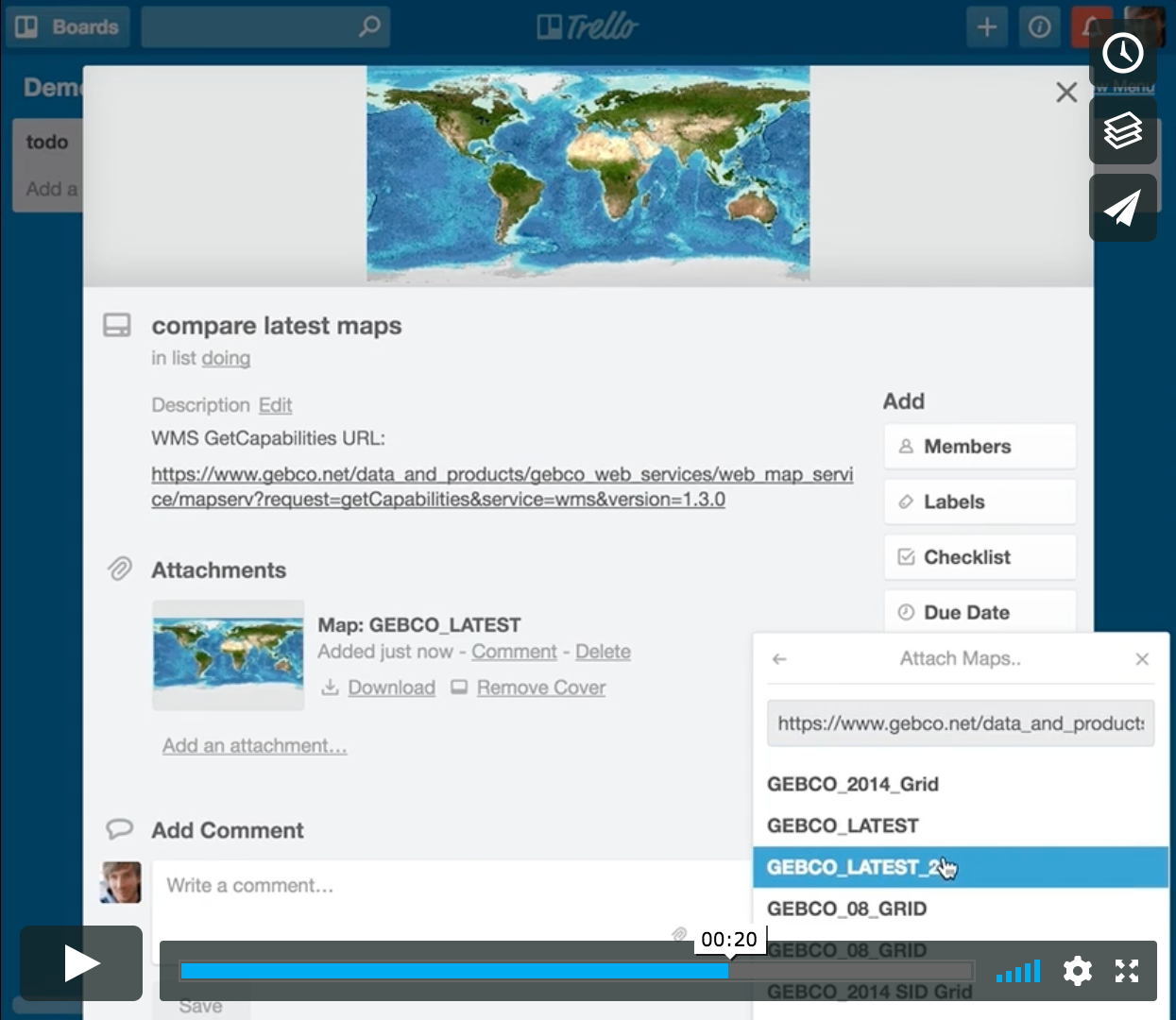
Trello Power-Up to attach maps and legend graphics of a given Web Map Service (WMS) to a card
requirements
- WMS in version
1.3.0 - WMS GetCapabilities accessible via
https:// - WMS GetCapabilities responds with CORS headers
Access-Control-Allow-Origin: * - WMS Layers uses CRS
EPSG:4326(a.k.a. WGS84)
samples
The General Bathymetric Chart of the Oceans (GEBCO) of the British Oceanographic Data Centre (BODC)
https://www.gebco.net/data_and_products/gebco_web_services/web_map_service/mapserv?request=getCapabilities&service=wms&version=1.3.0
=> legend graphic is a blank white imageIEM GOES Alaska VIS WMS Service of the Iowa State University
https://mesonet.agron.iastate.edu/cgi-bin/wms/goes/alaska_vis.cgi?SERVICE=WMS&VERSION=1.3.0&REQUEST=GetCapabilities
=> legend graphic is a blank white imageProxied WMS with OpenStreetMap Data of the Uni Heidelberg (it is proxied via Github to be accessible via https:// and with CORS headers)
https://dnltsk.github.io/trello-wms-preview-power-up/test-data/sample-get-capabilities-1.3.0.xml
=> layer "osm_auto:osm_lulc" is not working (configuration broken)
references
- Power-Up Client Library Documentation https://developers.trello.com/reference/#client-library
- Power-Up Tutorial http://tech.trello.com/power-up-tutorial-part-one/
- Power-Up Samples https://github.com/trello/power-up-template


Log in or sign up for Devpost to join the conversation.