-
-
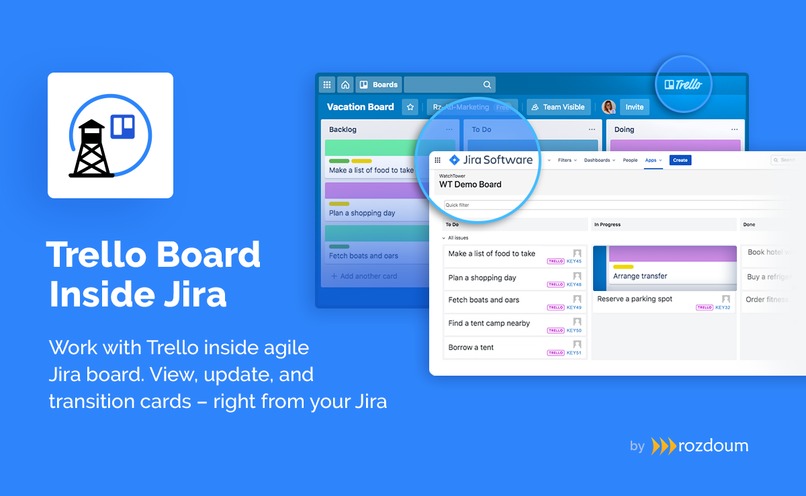
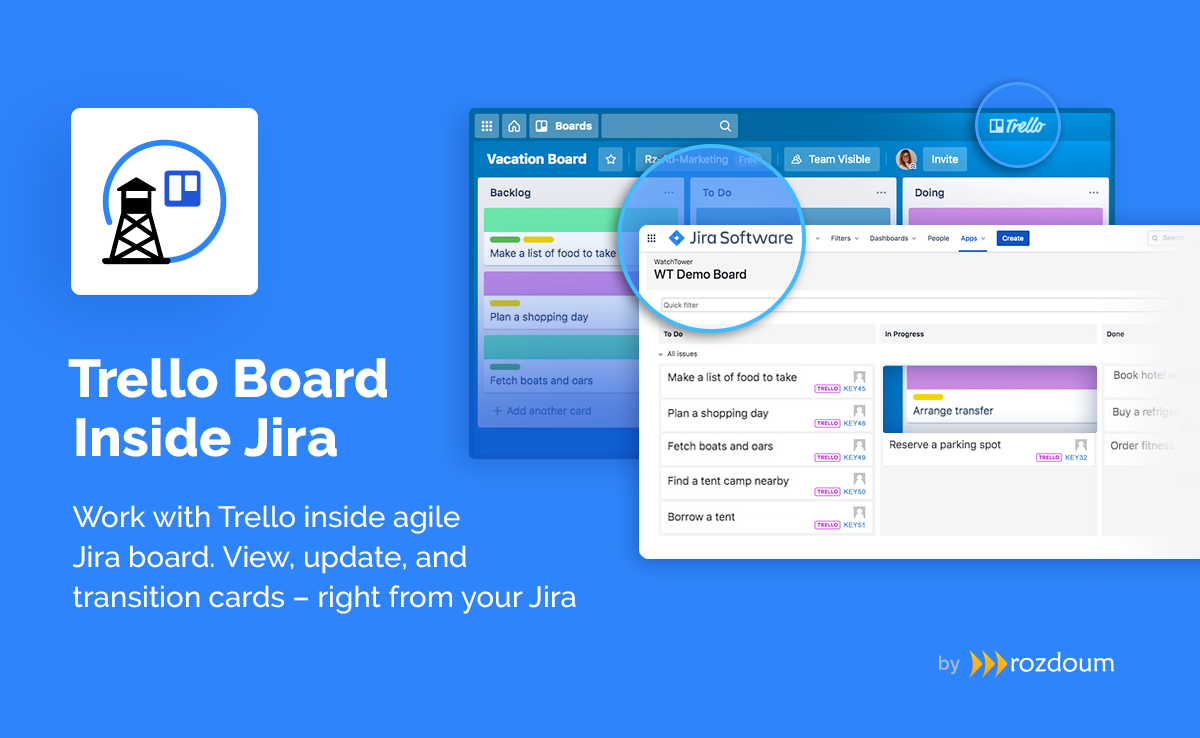
Trello Board Inside Jira acts as extension to WatchTower, allows tracking Trello cards along with Jira issues on a single board
-
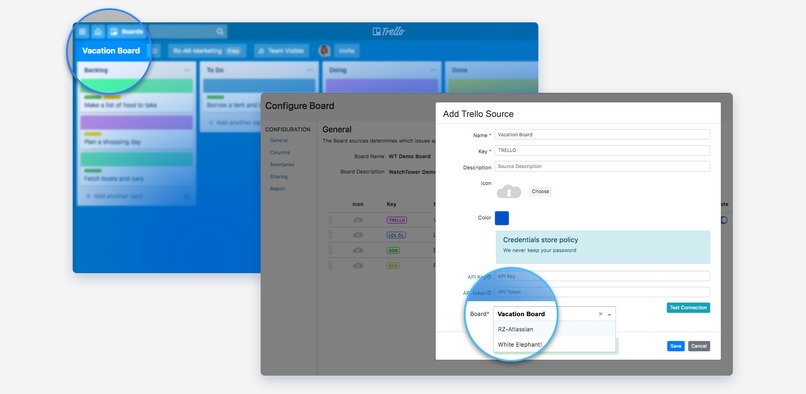
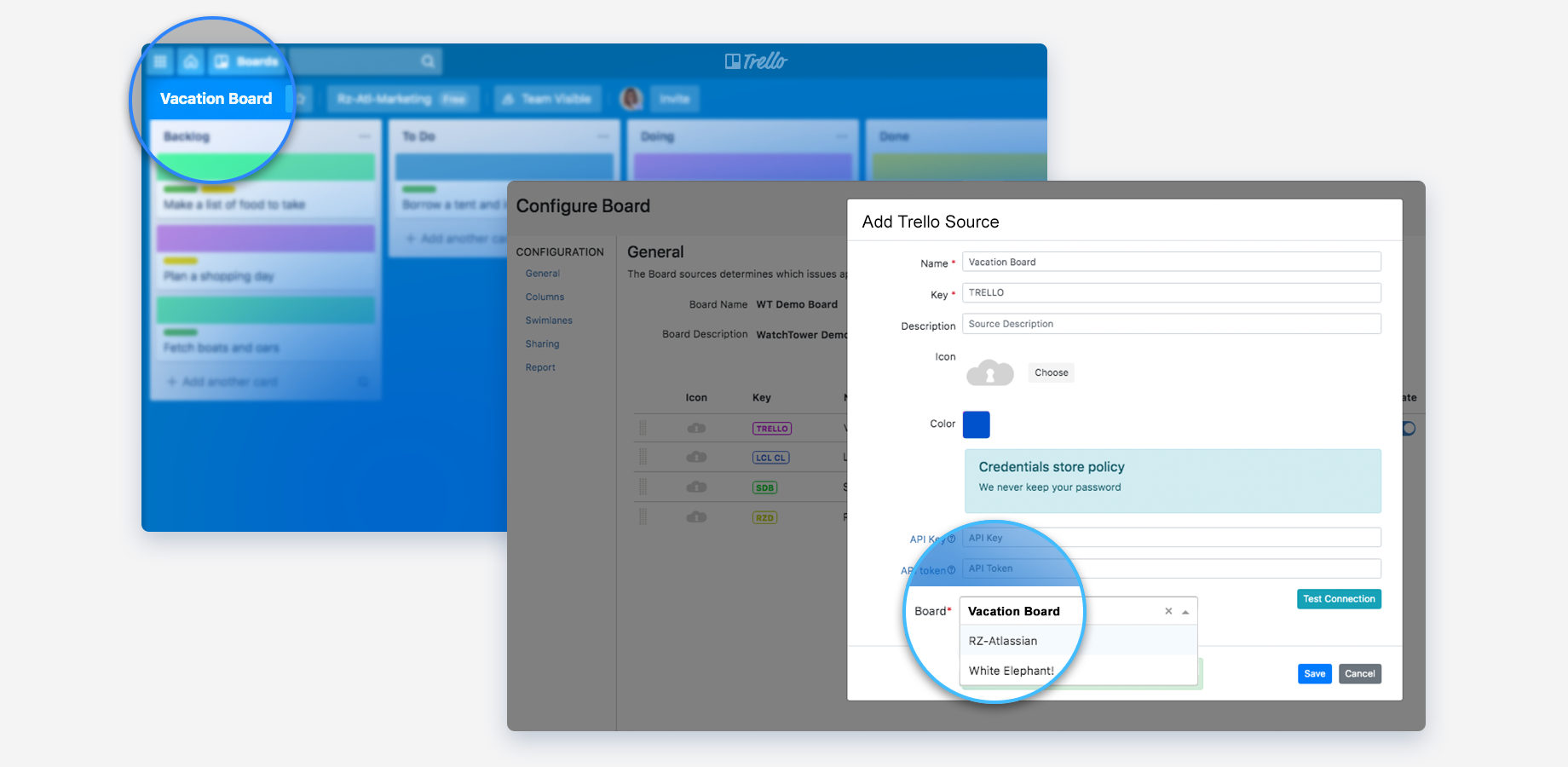
Connect Trello board to be used inside Jira - Use Trello board as a source in WatchTower to pull data from
-
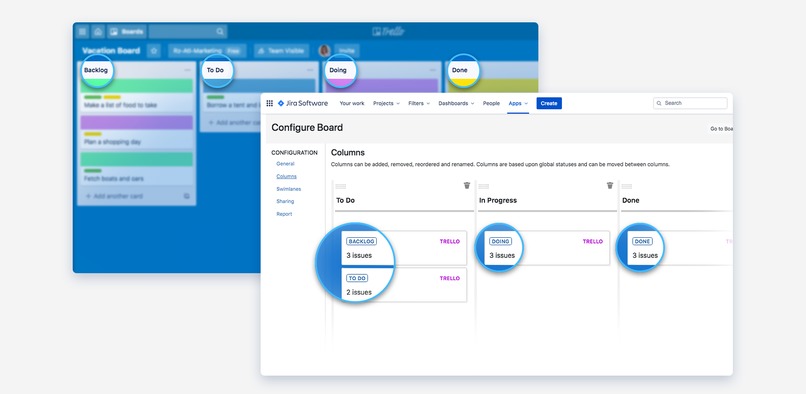
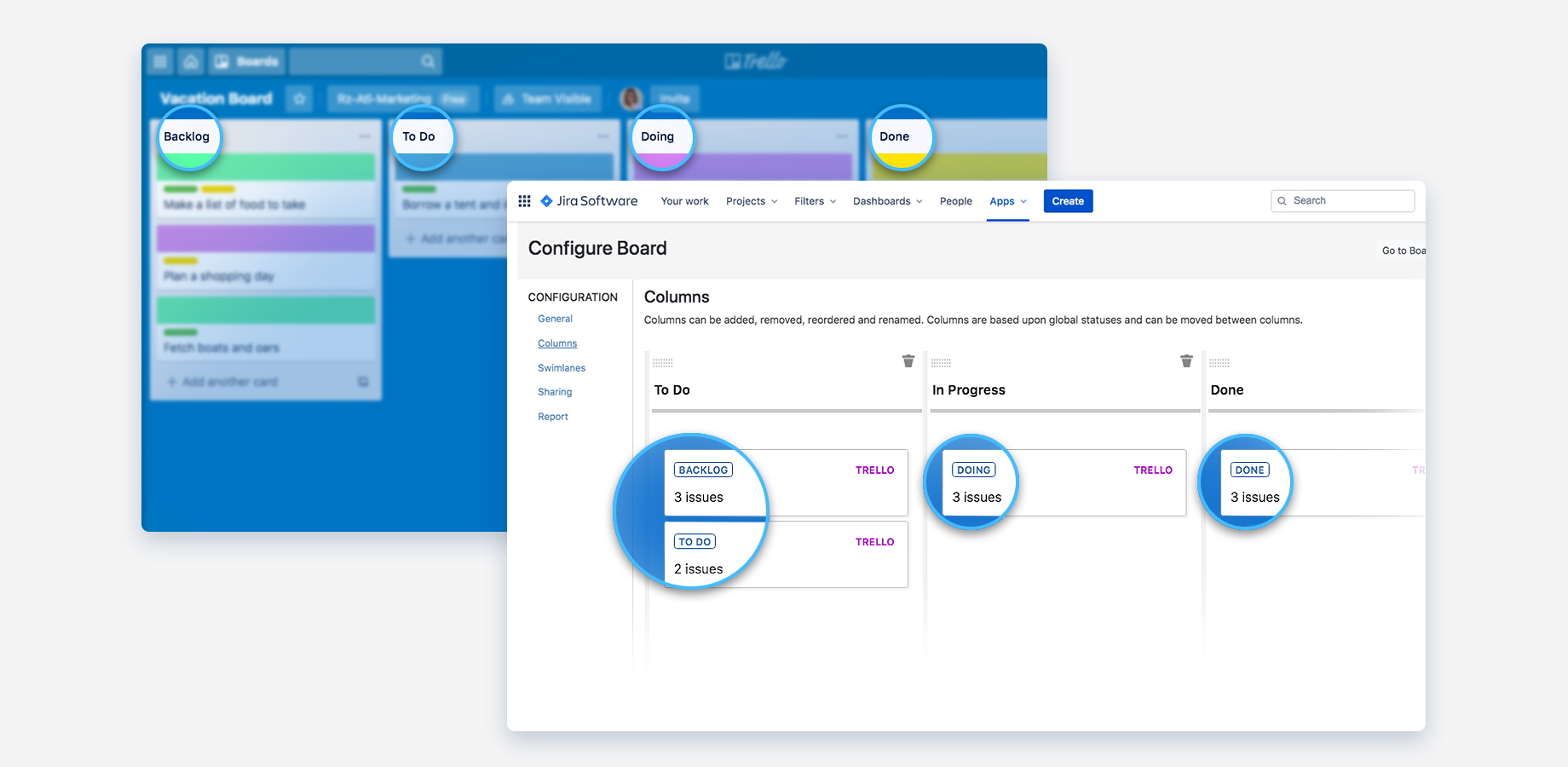
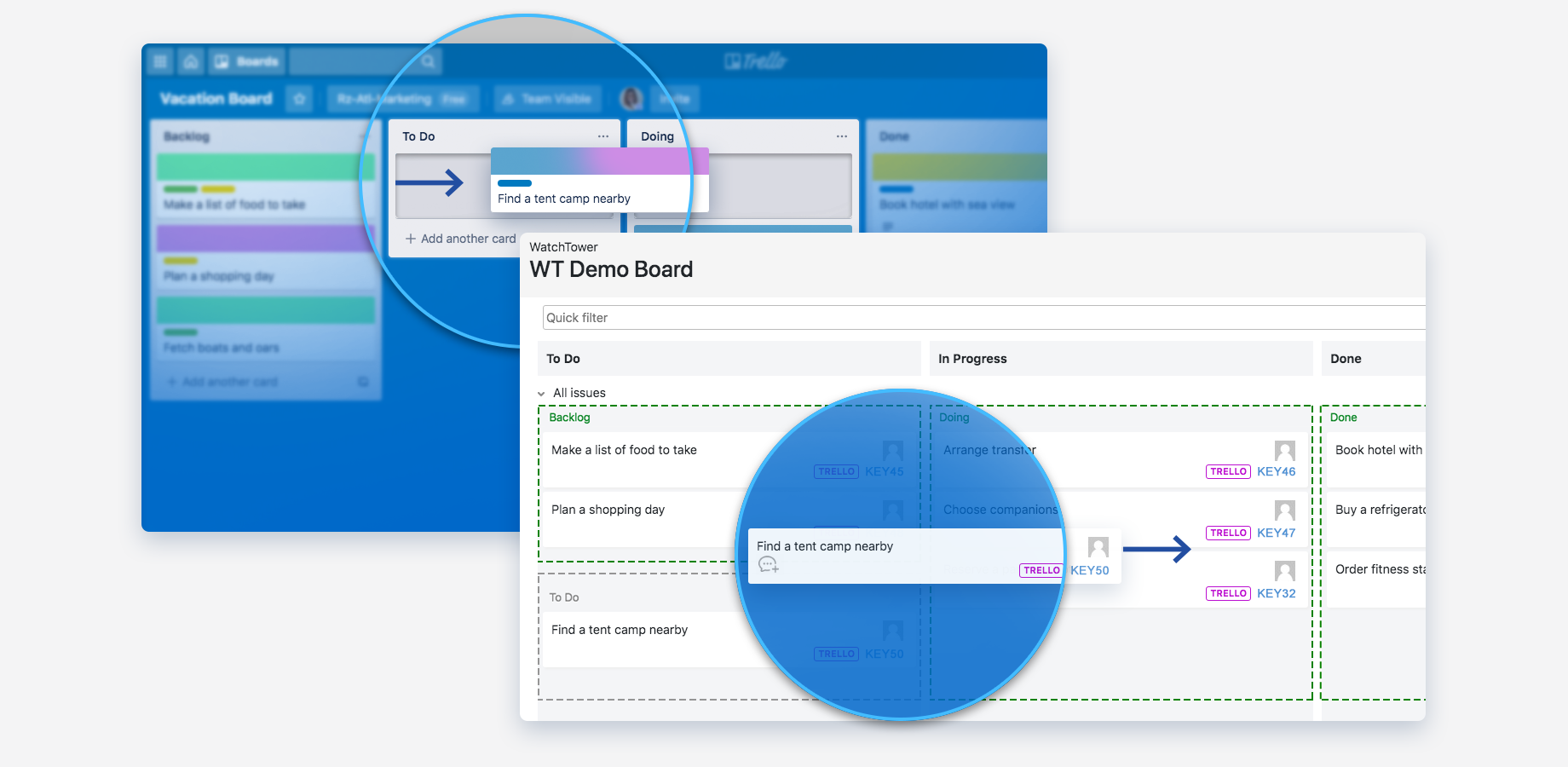
Make "list" from Trello act as "status" in Jira, which you can map to column on a board
-
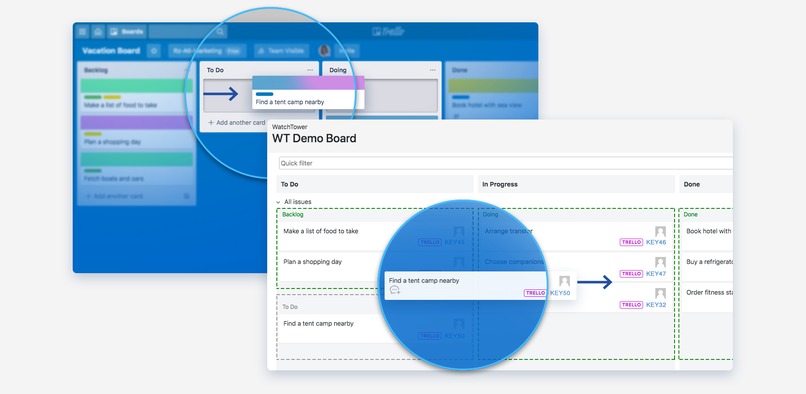
Update Trello cards right from your Jira board - Transition Trello cards in Jira and have them updated in Trello accordingly
-
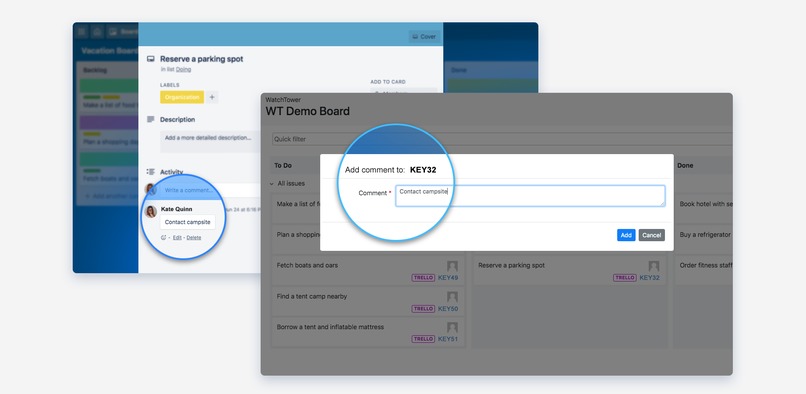
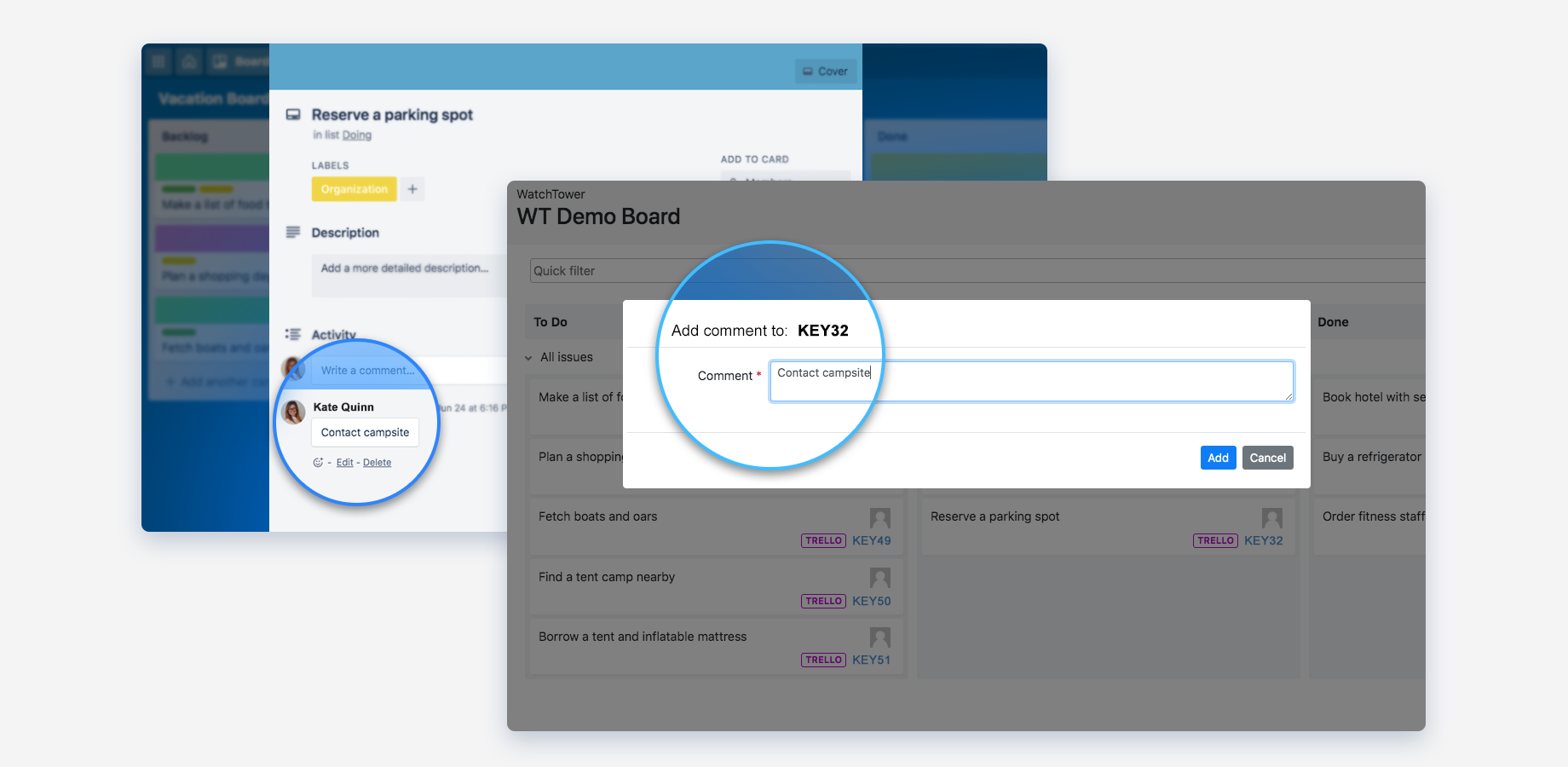
Add comments to "issue" in Jira and they automatically appear in Trello card
Inspiration
The roots of Trello Board inside Jira lay in the challenge of maintaining project management activities in distributed environment. It all started in 2017, when we faced the need of combining data from multiple Jira instances into one agile board - that's how WatchTower for Jira emerged. WatchTower aimed at consolidating data from several Server and Cloud Jiras into one agile board giving the user the possibility to control activities from one place. Becoming 2017's top three app choice in "Best Software Team App", over the years, WatchTower extended its functionality to enable Board Sharing, support of Cross-Jira JQL search, Quick filters and Time reports consolidating data from remote Jira instances.
With the feedback of our users, we realized that project management tools in use are not limited to Jira Software and there is a need for supporting the same idea of _ One-Control-Dashboard _ for projects spread over different tools. Trello, being very close to Jira and part of Atlassian product family, was chosen as the most requested from our users' feedback.
Now, with the help of Trello Board inside Jira you can add your Trello board as one of the sources in WatchTower and have a precise overview of all your activities spread across Jira instances and Trello.
What it does
Trello Board Inside Jira enhances team collaboration between Trello and Jira - the app allows adding data from Trello boards to agile board inside WatchTower.
You can view, comment, and transition Trello cards right from inside Jira, with immediate change inside Trello. A convenient tool to grasp the status of your projects in federated environment at a glance.
Check out the step-by-step guide.
How we built it
As Trello Board Inside Jira is an extension for WatchTower, connecting Trello as a source in Watchtower was an obvious choice. In WatchTower, we already have support for sources that represent Jira cloud instances. Similar to this, Trello board is connected as a new type of sources. We had to deal with a new type of authentication but the extensive Trello API made it convenient to achieve. Thereafter, we had to provide a certain mapping between Jira entities and Trello counterparts.
This way, lists became statuses, cards became issues. Transitions and changes to Trello cards were also implemented with the comprehensive Trello API.
Challenges we ran into
- Trello API
- Mapping of Trello entities and artifacts to corresponding counterparts in Jira.
Accomplishments that we're proud of
Seamless work with Trello from inside Jira
What's next for Trello Board Inside Jira
- Adding labels, images to cards etc.
- Editing Trello cards from Jira board
Built With
- angular.js
- atlassian-connect
- bootstrap





Log in or sign up for Devpost to join the conversation.