-
-
TreeLDR Logo
-
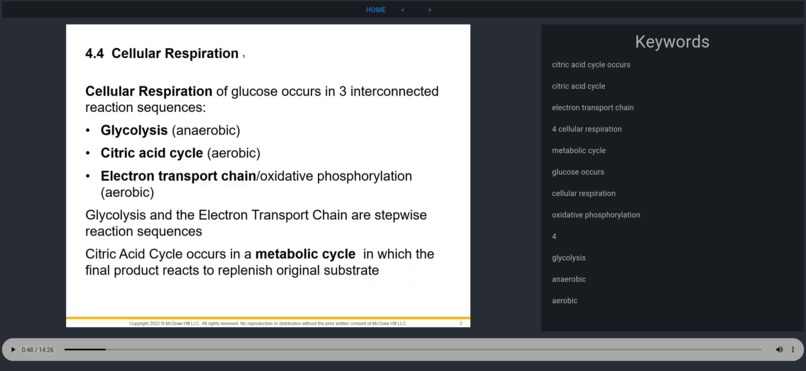
Screenshot of Front End
Inspiration
As the virtual world took over all forms of educational learning, we discovered that there seemed to be a discrepancy between the way information was presented versus the way information was stored and accessed. In particular, while great professors may have been able to give lectures packed to the brim with information, once that video was stored in the web, it became very unwieldy to navigate through and find specific bits of information. However, we noticed that despite these lectures being many hours long, most of them came in the form of slides--mostly unmoving, meaning that there was a way to greatly reduce the redundant information density contained within these videos for a more compact, explorable solution.
What it does
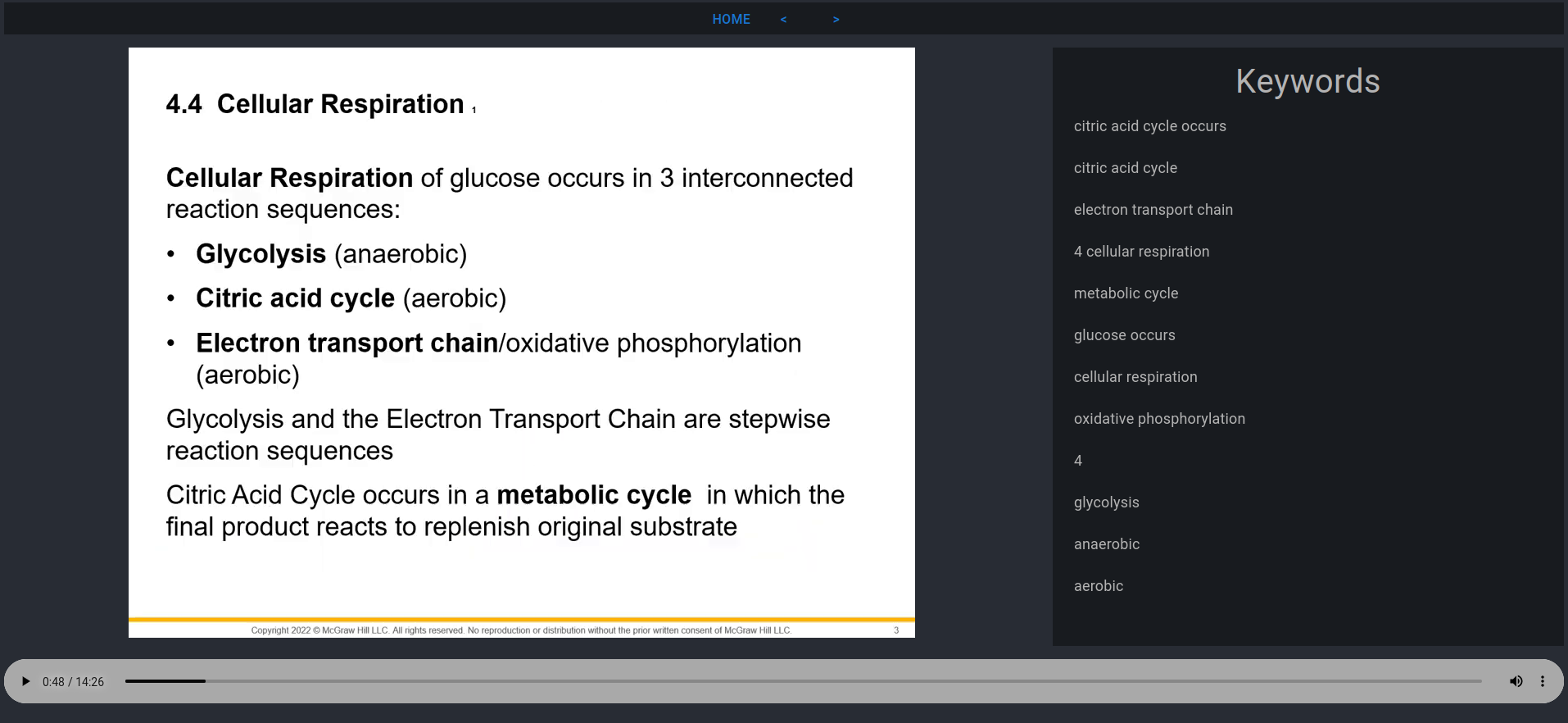
Enter TreeLDR. TreeLDR takes an arbitrary video file (it can be a URL, downloaded file, etc.) and outputs a sequence of slides annotated with key words and phrases that define that specific slide. Furthermore, these key words and phrases actually form links between slides through the entire video, meaning that when listening to the professor lecture over on one slide, you can click on an associated keyword and get a reminder of the previous slide where it was defined. Or, you could get a sneak peak of topics yet to come. TreeLDR strives to connect information with each other, bring together a more efficient viewing experience.
How we built it
We built TreeLDR using a combination of computer vision, natural language processing and front end engineering. We parse slides from a video sequence using computer vision before performing optical character recognition to get the paragraphs and lines within the text. From there, we perform keyword extraction, upon which we tokenize and match between all slides within a presentation in order to get a graph of common information between slides. That information is then transferred over to a front end website which aims for ease of use for students. We tried to make the UI as streamlined as possible so that anyone could use the tool, while still providing the depth that the many connections offer. TreeLDR is a tool built by students, for students.
Challenges we ran into
One major challenge we ran into early on was the extraction and matching of keywords from the slides. We knew that there would be many libraries capable of doing text recognition, but we were not aware of--at the time--of many common algorithms for semantic understanding of key phrases that can be used to match very different phrases between slides. However, we took the time to plan and researched many NLP algorithms, one being cosine distance, and were able to quickly get to speed with the meat of the backend. We also had trouble with integration late in the project, but because we set ourselves up early for success, we were doing well through the competition.
Accomplishments that we're proud of
We are quite proud of getting a working, polished product that delivers on the initial promise and uses some novel ideas to get a working system. We are also proud of how we planned the system from beginning to end, and made sure we hit the milestones along the way. In this way, we both became better coders, but also understood how to finish a project, market it, and make it usable for a general audience.
What we learned
We learned a great deal during this Hackathon. One of the most important lessons we learned was to build upon the work of others. Hacking is really about pulling together disparate knowledge from many different areas and combining them together in a unique way. We combined computer vision, natural language processing, server side programming, and front end engineering (all with a healthy dose of help from online resources) to create a great project that we are proud of.
What's next for TreeLDR
For TreeLDR, there is so much to improve. One possible idea is to extend the connection system, allowing for better keyword matching and able to work on larger data sets/longer slides. One of the most exciting things, however, is the ability to visualize a graph of the generated data, which is a completely new way of interacting with educational content. We envision a "prezi"-like presentation scheme where one can easily navigate and backtrack through relevant content, thus generating a solid flow for studying.


Log in or sign up for Devpost to join the conversation.