


Meta Ad Link: https://www.youtube.com/shorts/LnB_BwB3IKM
Inspiration
Every golfer films their swing. Almost none of those videos are worth showing anyone, because the second the ball leaves the club it disappears. Twenty pixels of white against a bright sky, gone in three frames.
TV solved this back in 2006. Broadcast tracers use calibrated multi-camera rigs, radar and a truck full of hardware, which is why the arc you see on Sunday is the one thing an amateur can never have.
I wanted to know if one iPhone, two taps and no server could do it.
What it does
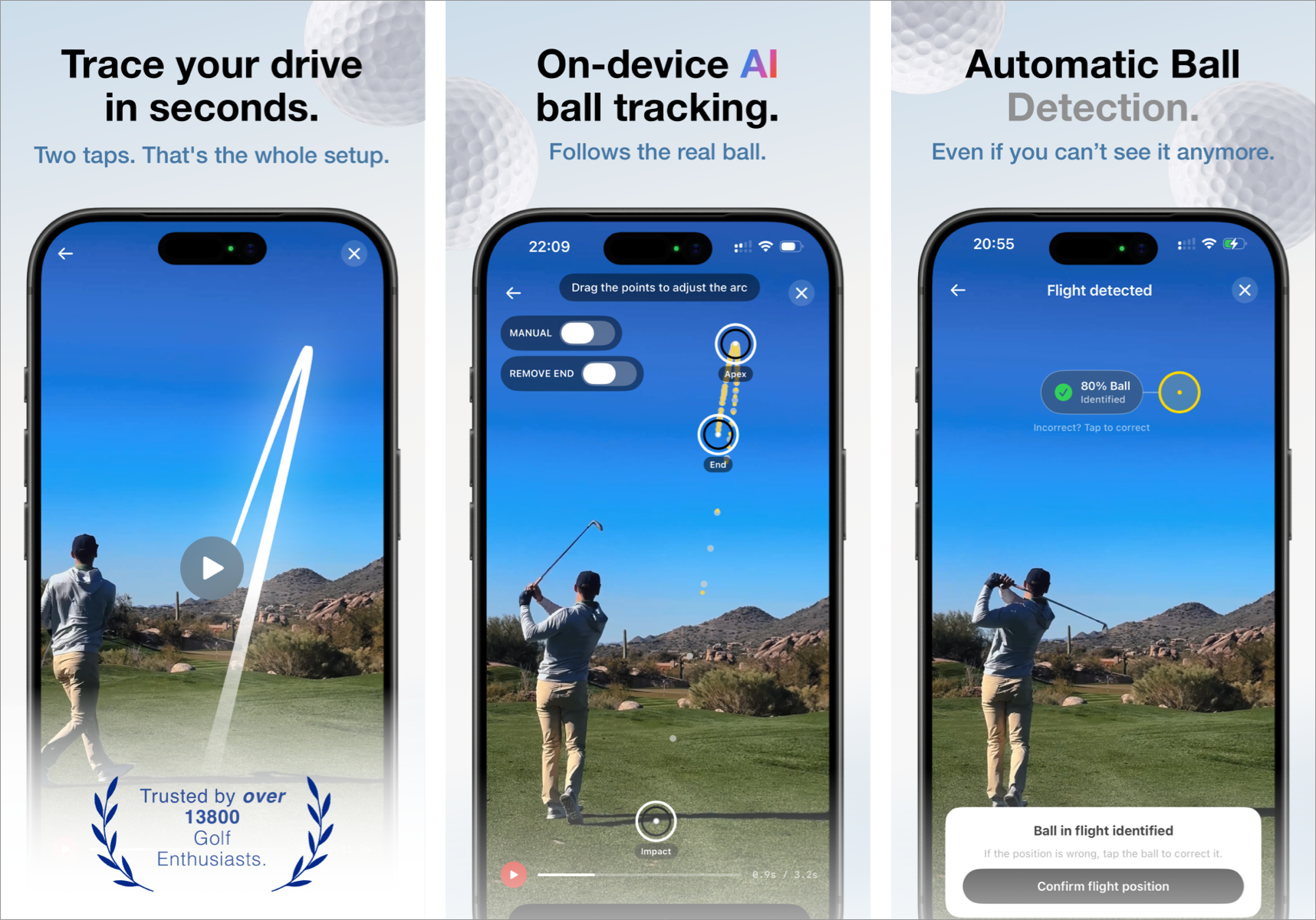
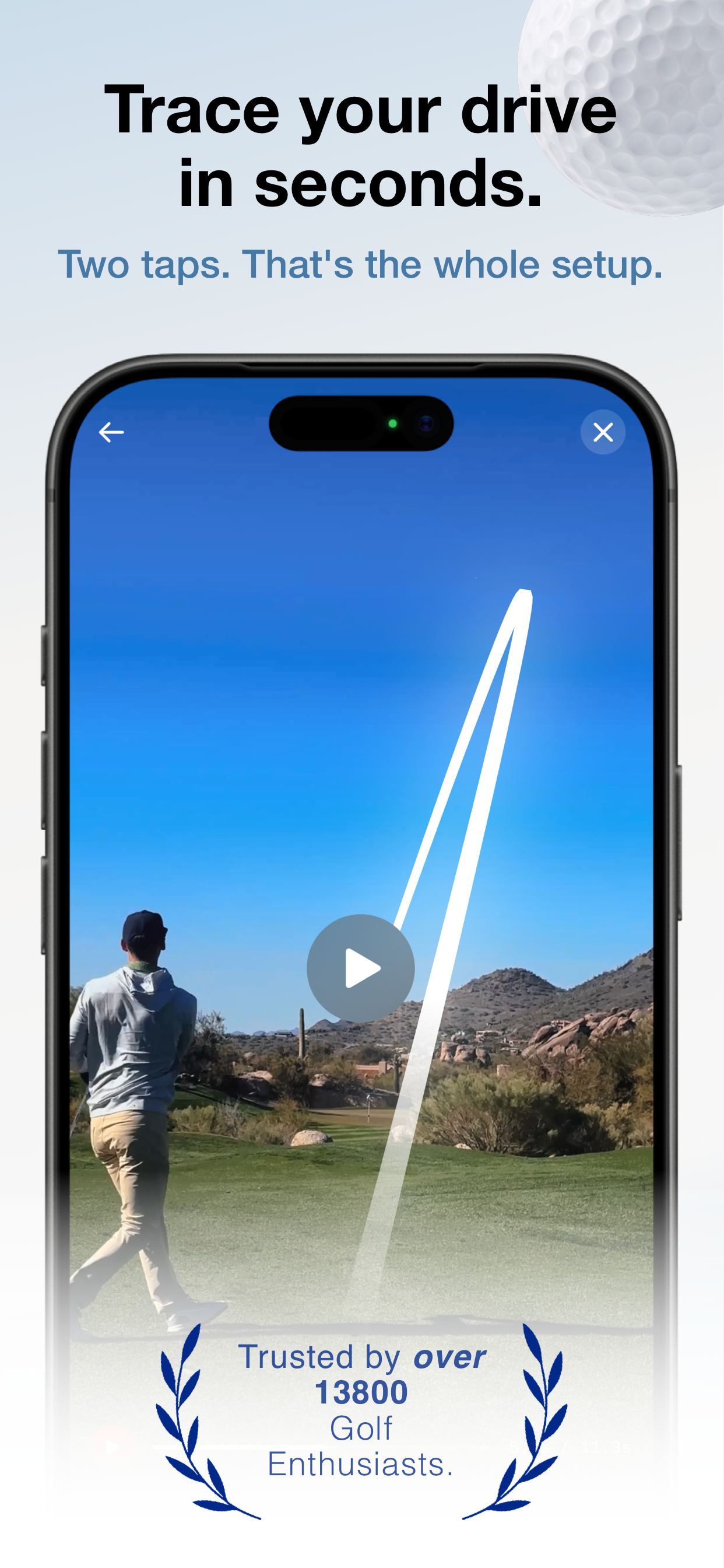
Trazo draws a broadcast-style flight trace onto any golf swing video.
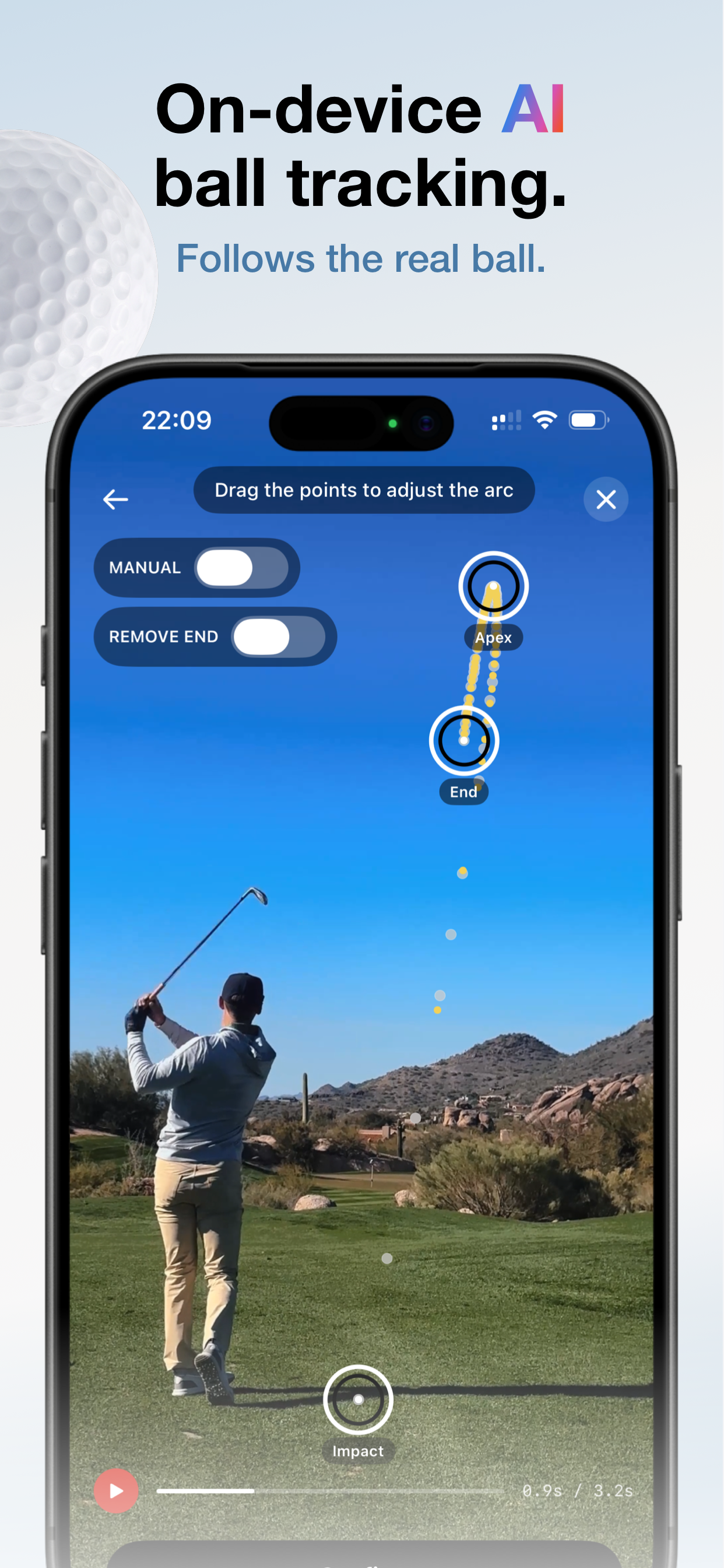
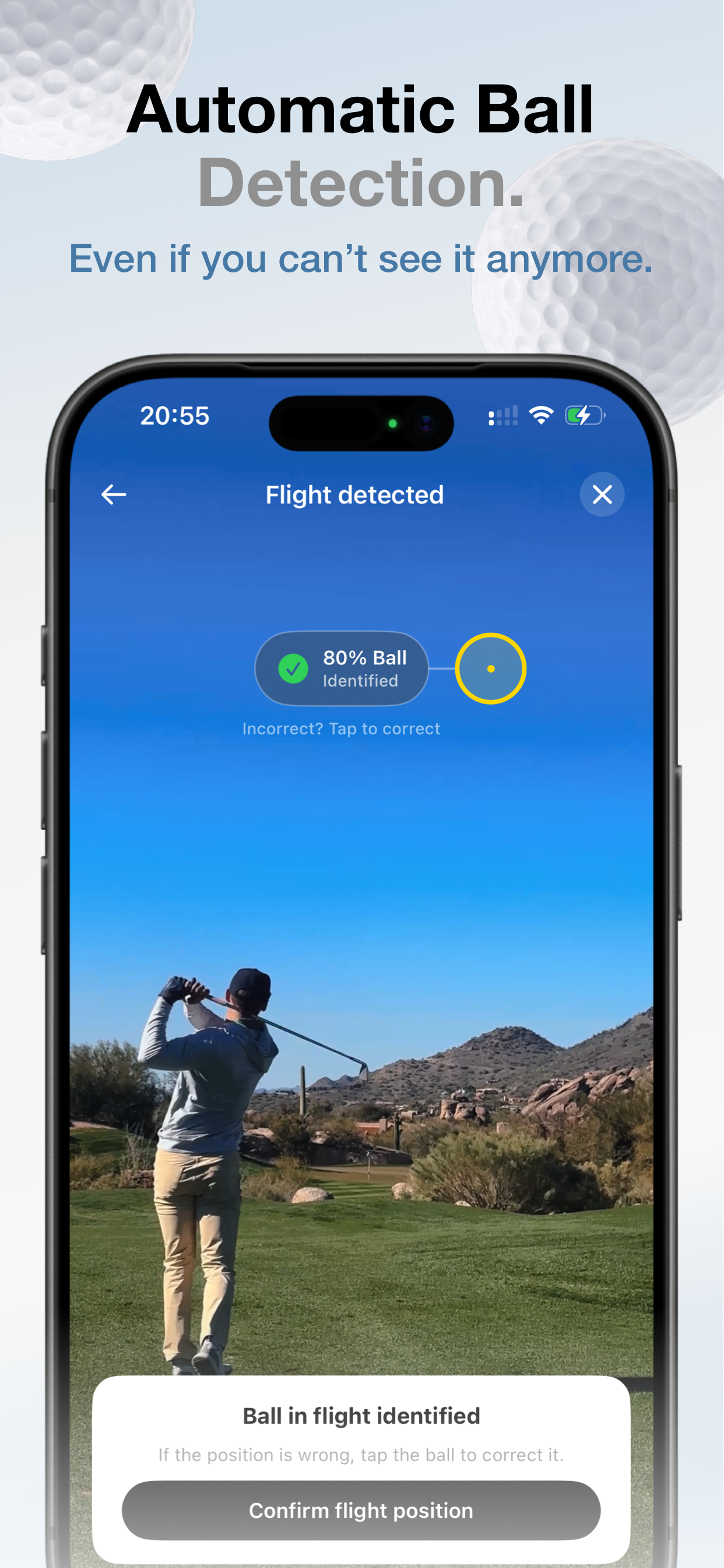
You pick a clip, tap the ball at address, tap it once in the air, and Trazo finds the ball frame by frame and draws the arc it actually flew. Not a generic parabola stretched between two points. Your draw curves. Your fade curves the other way. The apex sits where it really was.
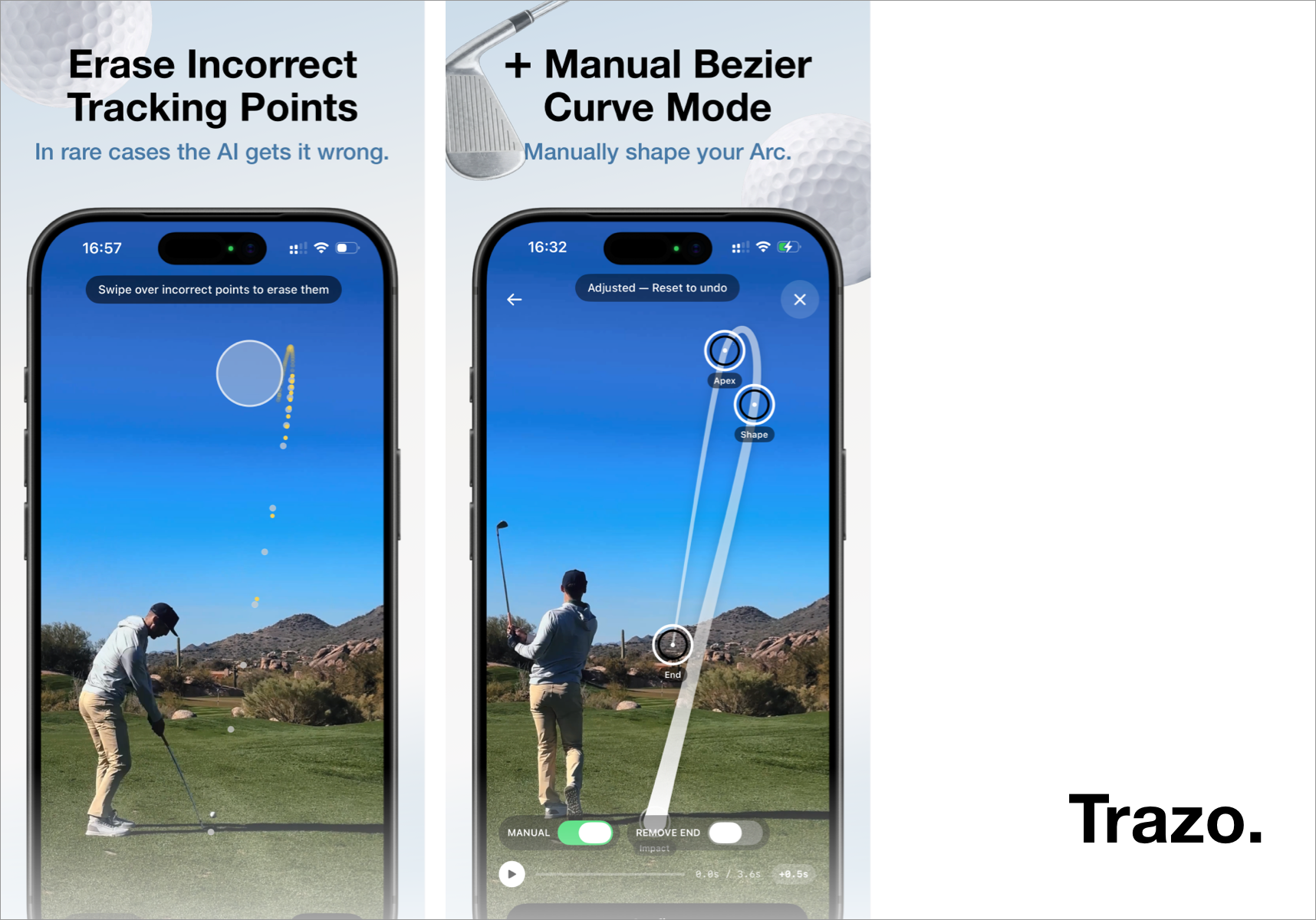
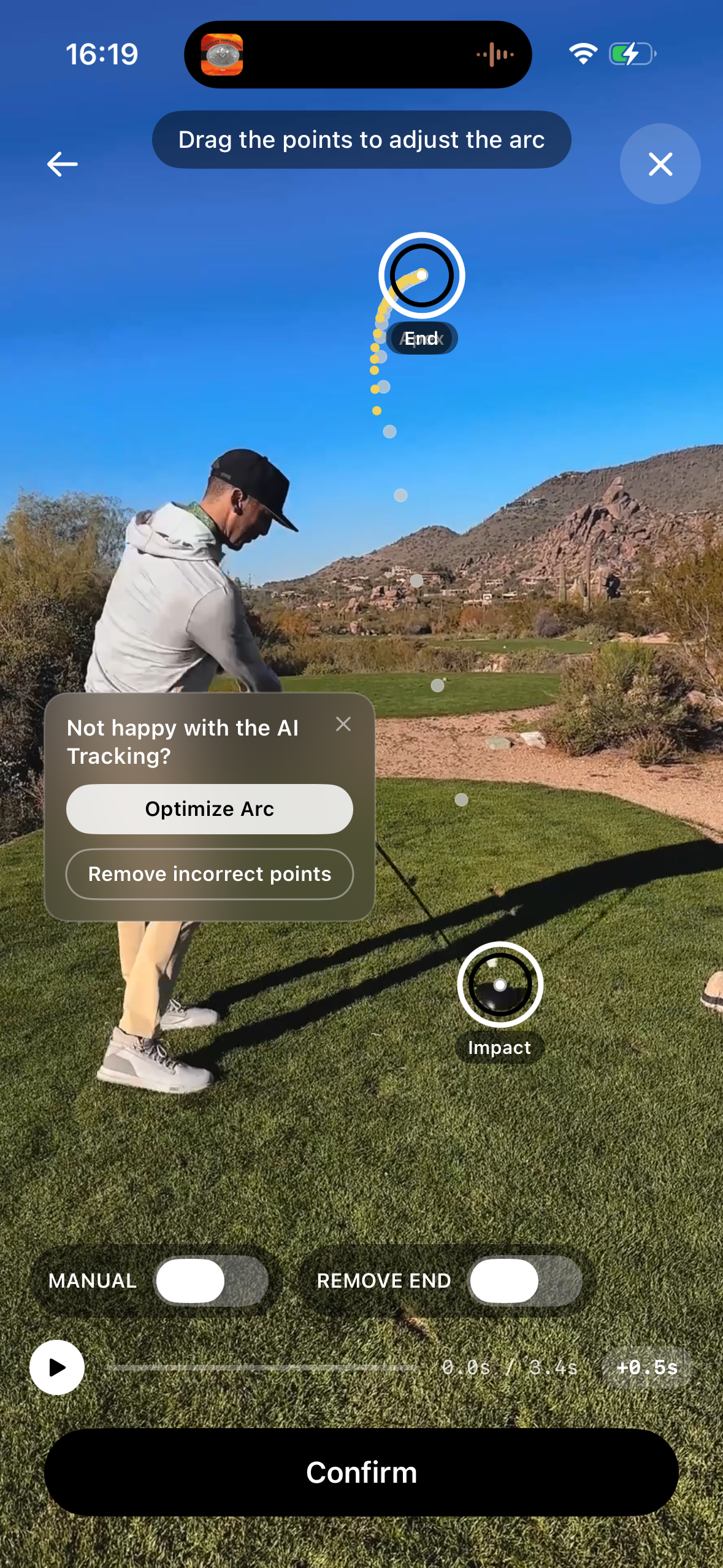
Then you make it yours: Six arc styles, ten colors, a glow slider, and a manual mode where you shape the curve by hand if the automatic trace doesn't nail it.
All of it runs on the device. No upload, no server, no cloud AI.
The technical side: How I built it
Seven stages, all on-device:
- Camera motion estimation - robust to the golfer walking through frame, so the trace stays locked to the ground when the phone moves
- Motion detection restricted to a launch corridor derived from the two taps
- Candidate filtering that rejects textured background and keeps only ball-like blobs
- A Core ML classifier as a fallback wherever motion detection loses the ball
- Multi-hypothesis tracking - every plausible candidate grows in parallel
- Scored election - the winning track is chosen on evidence, not on whichever candidate got there first
- Perspective-arc fitting for the part of the flight the camera never resolved
The core insight took me about a week to find: a golf ball receding from the camera does not trace a parabola in image space. Real height is ballistic, but projection shrinks everything by 1/distance, and distance grows linearly. Which gives:
$$y(t) = Y_h + C \cdot \frac{1 - at + bt^{2}}{1 + t/\tau}, \qquad C = y_{\text{tee}} - Y_h$$
where Y_h is the horizon and τ the recession time constant. Fitted to a measured ascent, this reproduces what the clips actually do: a violent climb that collapses, a long flat hang near the apex, and a slow settle toward the horizon - instead of the symmetric plunge a parabola predicts. The lateral motion gets the same treatment, which is why draws and fades keep bending the right way after the apex instead of dropping straight down.
Against real measured ascents it lands at 4-15px RMS across the whole flight.
Challenges I ran into
Half my detections were the ball's own afterimage. A frame difference lights up two places: where the ball is, and where it was one frame ago. Both are round, isolated, sky-backed, so both pass every filter. The proof was sitting in my own logs - a blob at position 746 in one frame showing up at 745 in the next. Once you see it, the fix is obvious. Before that, the tracker spent half its time chasing a ghost.
Junk kept winning. The original bootstrap locked onto whichever hypothesis reached three points first. On down-the-line shots that's always noise in a bush, because the real ball fades in and out and junk doesn't. Replacing first-past-the-post with a scored election fixed it in one run: the true track scored +263, the junk -214.
Hang time turned out to be mathematically unidentifiable. I tried to fit total flight time from the ascent and got 9.7px RMS at 3s, 8.0px at 5s, 7.8px at 6s. Flat. The data genuinely can't distinguish them - gravity and perspective compression aren't separable from a climb alone. But the fitted landing position only moved 17 pixels across that entire range. So the model can't tell you when the ball lands, and it turns out it doesn't need to. It knows where.
Rotated coordinate spaces ate a whole day. In-app recordings arrive as landscape pixel buffers with a 90° transform. Every "is the ball moving up?" check silently became "is the ball moving left?", and returned false for every real detection. Thirty thousand blobs found, zero hypotheses created.
A stabilizer that did nothing. Shipped, ran, produced visually identical output for weeks. The estimator was swallowing errors with try? and falling back to identity on every frame, with no logging, so it failed completely invisibly.
Frame rate, in the wrong direction. At 120fps the ball moves 2.5px per frame near the apex - less than its own diameter - so the frame difference cancels to nothing. Higher frame rates make detection worse. The fix was to make the analysis rate independent of the capture rate, so every constant I'd hand-tuned stays in the regime it was tuned for.
Accomplishments that I'm proud of
- Live on the App Store since September 16 - inside the Shipaton window, first submission cleared review
- 54 tracked ball positions on a single down-the-line drive, perspective fit at 4px RMS, 60% inlier ratio
- Zero servers. No backend, no cloud AI, no video leaving the device. Core ML, Vision, AVFoundation and a lot of arithmetic
- Works at 24, 30, 60 and 120fps, and on slow motion, from one adaptive tuning layer
- A manual mode that isn't an admission of defeat - Catmull-Rom through four handles with a tapered ribbon renderer, so the hand-drawn arc looks as good as the traced one
- Shipping a real computer vision system solo, in public, against a deadline
OneSignal Integration & Use Case
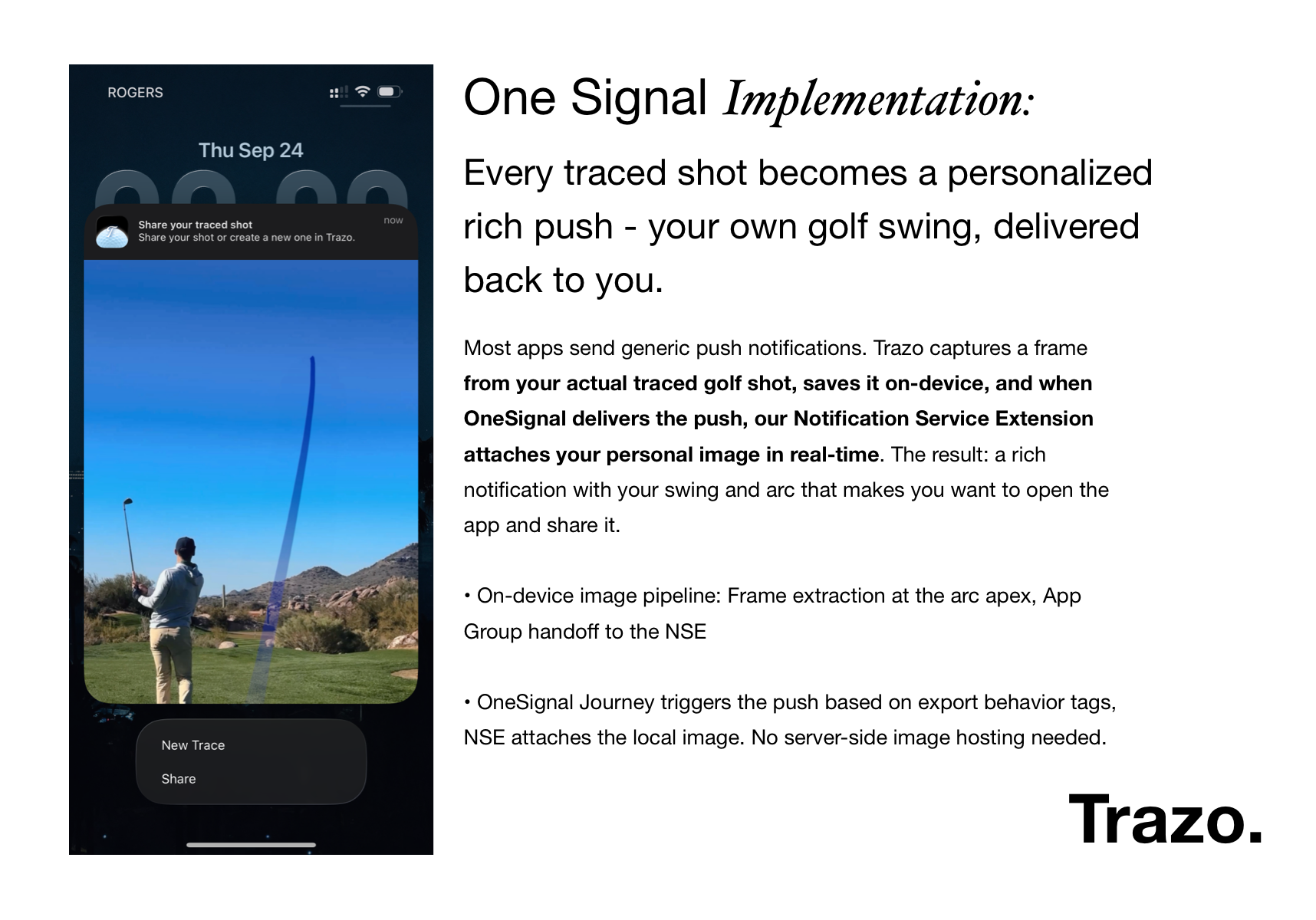
Every traced shot becomes a personalized rich push - your own golf swing, sent back to you.
Most apps send generic notifications. Trazo captures a frame from your actual traced shot, keeps it on the device, and when OneSignal delivers the push, a Notification Service Extension attaches your personal image at delivery time. What lands on the lock screen is a rich notification with your swing and your arc in it - the kind you open, and then share. See the attached slide in the screenshots for more information.
How it works:
- Dynamic user-generated content in a rich push - not a static marketing image
- On-device image pipeline: frame extraction at the arc apex, App Group handoff to the Notification Service Extension
- A OneSignal Journey fires the push from export-behaviour tags; the extension attaches the local image - no server-side image hosting anywhere in the chain
- Action buttons (Share / New trace) drive re-engagement straight from the lock screen
- Segmented by what the user said they care about during onboarding - accuracy, speed, looks or simplicity - so the copy in every message matches the reason they installed
The differentiator: the notification image is unique to each user's actual shot. It isn't a stock image or a template. And OneSignal never sees a pixel of it - the "nothing leaves your phone" promise holds for the messaging layer too. That's a deep handshake between OneSignal's delivery and iOS's Notification Service Extension API, and I haven't seen another app do it.
Noise
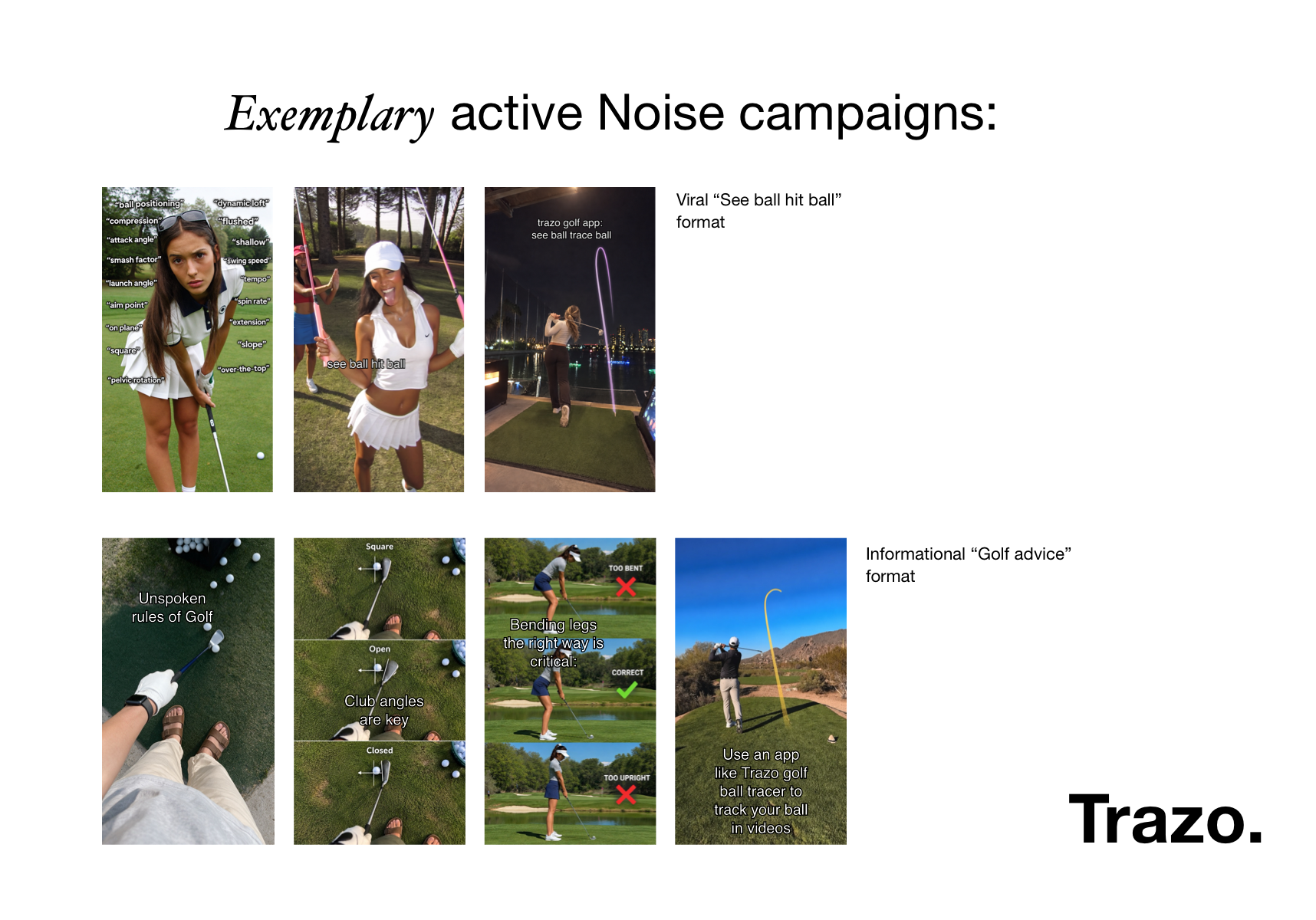
See the attached slide in the slideshow for more information.
A viral "see ball hit ball" format. A format some golf accounts already know - Lots of confusing golf terms on the first slide, then the punchline on the next slide "see ball hit ball" - with the last slide turning it: Trazo golf app: see ball trace ball. It rides a proven format instead of inventing one.
The informational "golf advice" format. Unspoken rules, club angles, setup mistakes - the content people save and send to friends - with Trazo arriving at the end as the natural tool: use an app like Trazo golf ball tracer to track your ball in videos. Trazo is the recommendation, not the subject.
Both end on the same App Store listing the Meta ads point at. The creators are paid per result (cpm), so the cost scales with what actually lands - and every repost is a data point on which hook golfers respond to.
Examplary posts:
https://www.tiktok.com/@rissa6773/photo/7687423410044931359?image_index=3 https://www.tiktok.com/@silenttruths.daily/photo/7687026479695187231?image_index=1 https://www.tiktok.com/@weilian44/photo/7687692612760882452?image_index=4 https://www.tiktok.com/@beautygal937/photo/7688197604173286689?image_index=3
Layers Integration
Trazo runs on Layers' growth loop:
- The Layers SDK is in the app for install-level attribution - every post and every ad traces to the installs it actually produced
- RevenueCat is connected to Layers, so trials and subscriptions attribute back to the content or ad that caused them, not just installs
- Layers' Social Agent handles posting to Trazo's accounts - content goes out, gets measured against its own baseline, and the hooks that bring users who stay get scaled while the ones that bring tourists get cut
The loop closes between what I ship and what gets posted, without me in the middle of it.
The business case
This niche has a property I explicitly looked out for when researching the app idea & niche: Some of the competitors run an unusually high revenue per install for a consumer app. See the attached slide in the slideshow for more information.
That flips the usual indie constraint. When RPI is that high, paid acquisition works at a CAC that would be unworkable in most categories, and growth stops depending on going viral.
The public numbers back it up. Solo-built apps in this niche have reached high four-figure monthly recurring revenue within months, on RevenueCat-verified figures. One developer, one app.
Trazo competes on the axis those apps are weakest on. The most common complaint across competing tracers is the incorrect AI-tracing, no option to manually correct the arc & the post-apex flight - the trace looks right up to the top of the arc, then drops in a straight line to the ground. That is exactly what I fixed with Trazo, especially with the perspective model outlined above.
Acquisition is already running. Meta ads are live, and the creative is built from real traces rather than mockups. Every arc in the ad came out of the app:
Video: https://www.youtube.com/shorts/LnB_BwB3IKM
Meta Ad Library: https://www.facebook.com/ads/library/?id=1615646066621355


Log in or sign up for Devpost to join the conversation.