-
-
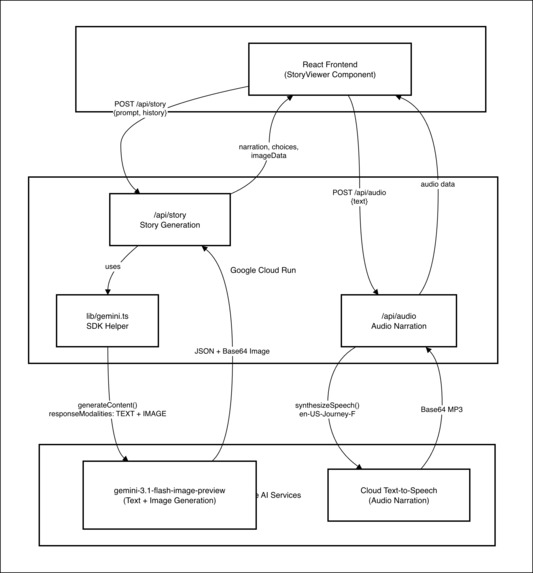
Project Diagram
-
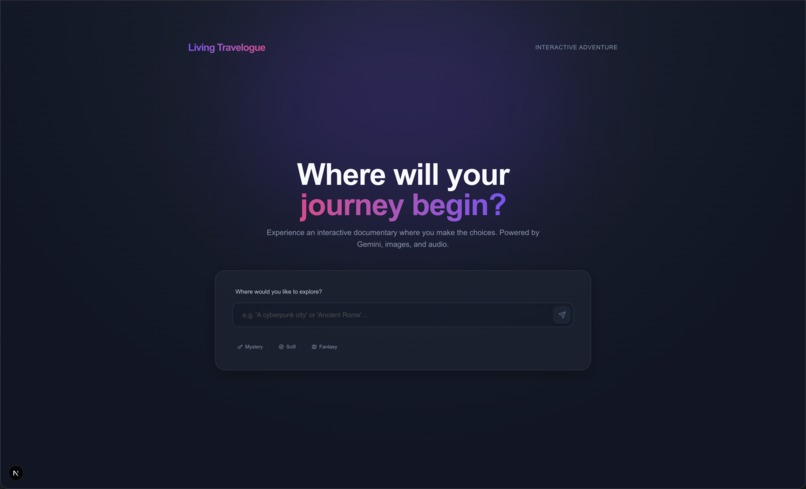
Project Landing Page
Travelogue — Project Story
Inspiration
A lot of my friends are starting families. I’ve watched their kids reach that age where they’re learning to read, discovering stories, and getting lost in imagination. And I kept thinking — why are stories still so static?
You wait for an author to release a book. You read it. You move on. You’re a passenger the entire time.
I’m not trying to replace authors. What I wanted to build was something different — an experience where the reader has agency. Where you don’t just consume a story, you participate in it.
For kids, that opportunity felt even more meaningful. If a child can read the text while hearing it narrated naturally, they’re not just entertained — they’re learning. They see how sentences flow. They hear tone and pacing. They connect words to emotion. It becomes active learning disguised as play.
For adults, it’s something else entirely: a 10-minute escape. Sit down, type a setting, and suddenly you’re the protagonist of a story that has never existed before.
That’s what Living Travelogue is about — turning stories into experiences.
What It Does
Living Travelogue is an immersive, interactive storytelling web app powered by Google’s Gemini model.
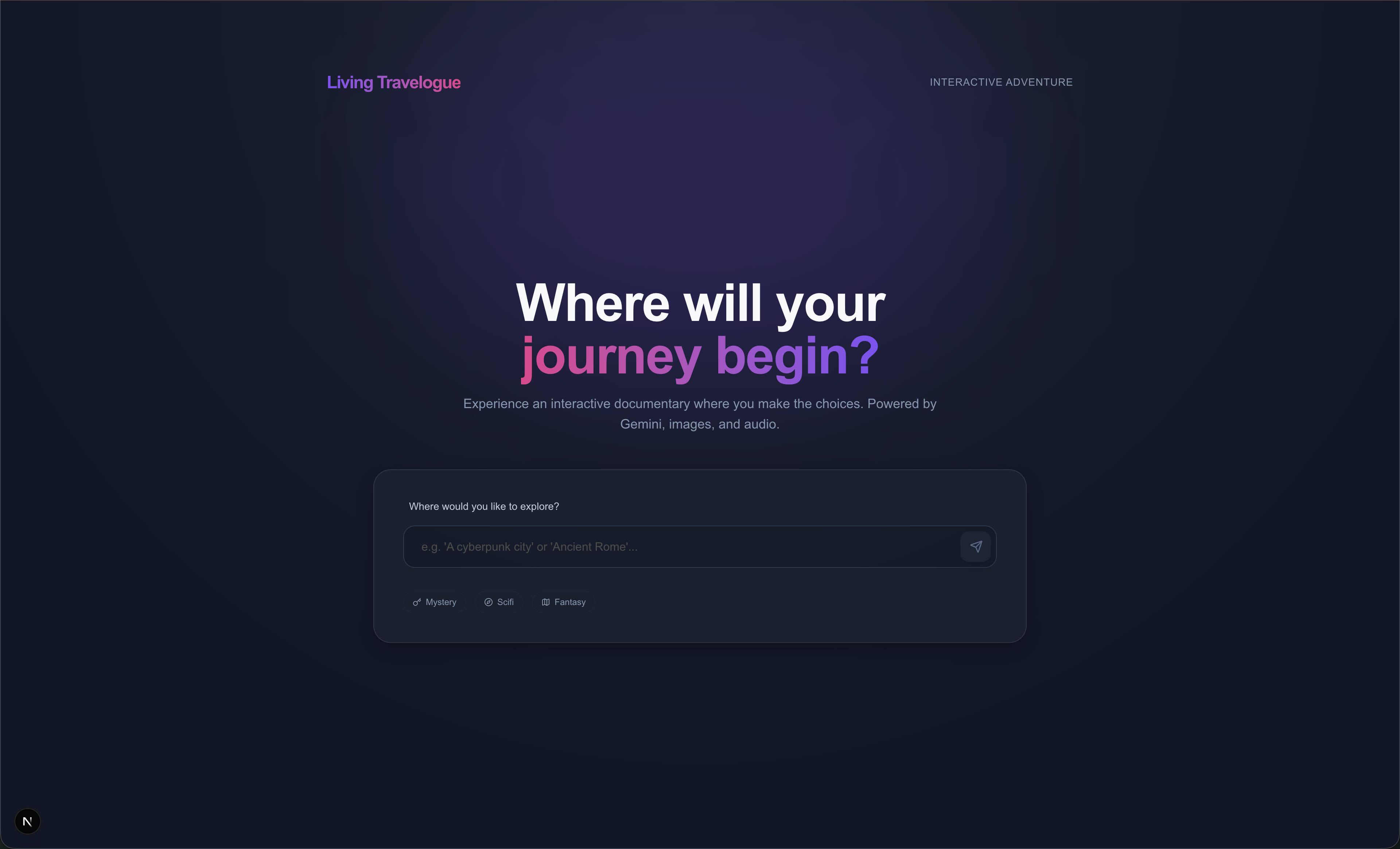
You enter a setting — a haunted mansion, the rings of Saturn, a forgotten jungle temple — and the system generates a cinematic scene where you are the main character.
Each chapter includes:
- Second-person narration that pulls you directly into the moment
- A dynamically generated illustration created alongside the text
- Natural-sounding audio narration synchronized with the story
- Three meaningful choices that shape what happens next
Every decision feeds back into the system with full context. The app keeps track of the evolving narrative, the previous illustration (to preserve visual style), and the choices you were given. That entire state is passed back into the model so the story remains coherent — characters remember, the art style stays consistent, and the options always make sense.
By the end, the conclusion reflects the exact path you chose.
No two adventures are the same.
How I Built It
This project pushed me outside my comfort zone.
My professional background isn’t in web development or app development. I normally work in automation and device management — building systems, managing infrastructure, and creating scalable workflows. Designing an interactive web app from scratch was a completely different world.
I had to learn how a modern web application actually connects together — how the frontend communicates with backend API routes, how state persists across interactions, how to structure multimodal prompts, and how to handle AI responses reliably. Then I had to deploy it all using Terraform and Cloud Run, which meant thinking about infrastructure in a new way within the context of an application.
I also leaned heavily on AI itself during the build process. Early on, I approached the architecture incorrectly because I didn’t fully understand the Gemini model ecosystem. I made separate API calls for text and images and tried to manually maintain consistency across turns. It worked, but it wasn’t elegant.
So I stopped and studied.
I dug into the Gemini documentation to understand which models supported interleaved multimodal output and which ones met the hackathon requirements. Once I identified the correct model, I redesigned the architecture.
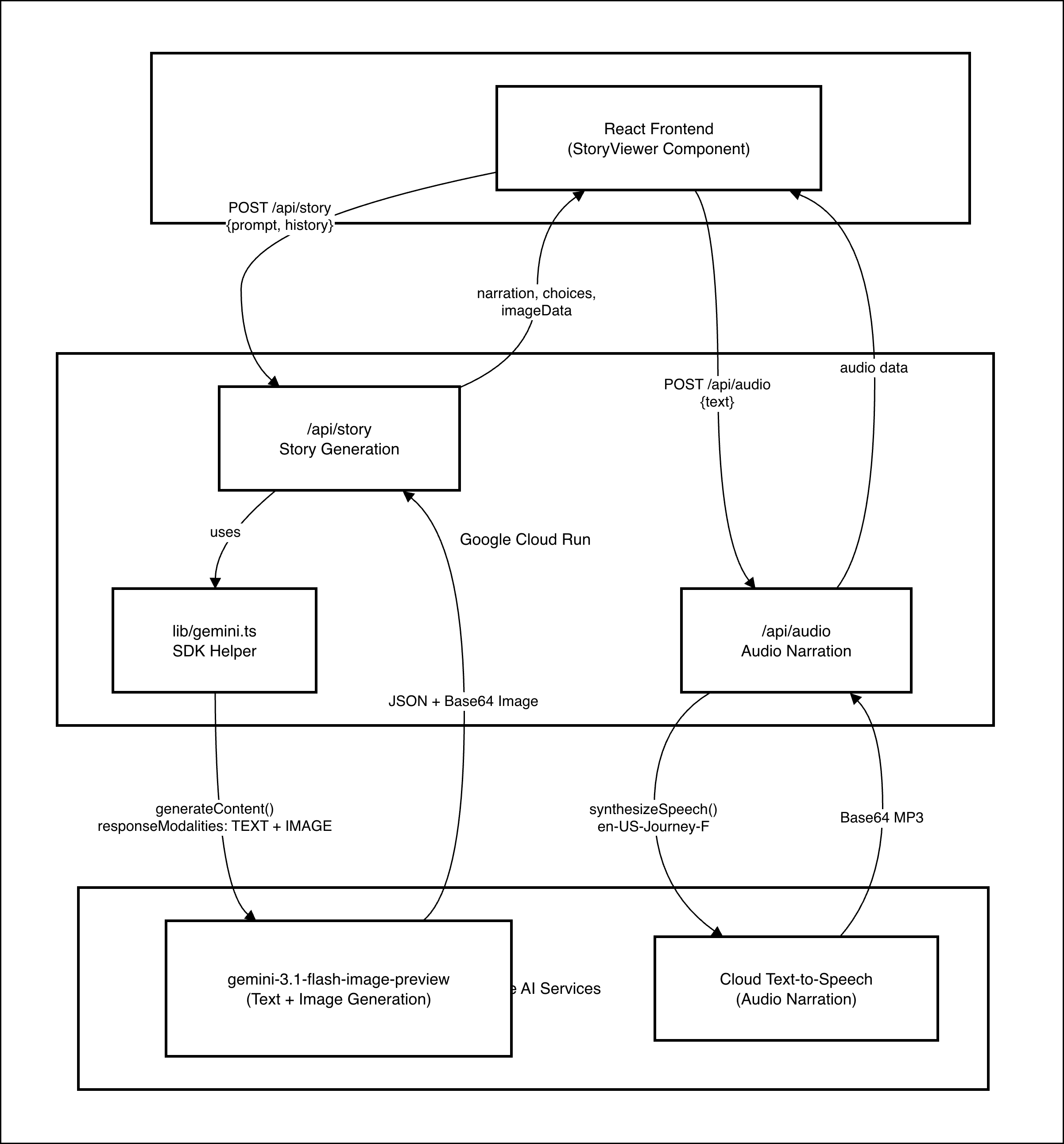
Instead of stitching together multiple requests, the app now makes a single multimodal call. It sends the full narrative context, the previous image as a reference for visual continuity, and structured instructions — and receives text and image together in one cohesive response. That shift simplified the system and dramatically improved story coherence.
There are two core API routes:
/api/story
Calls Gemini with both text and image modalities enabled in one request. The system prompt enforces structured output (narration and choices) followed by exactly one cinematic illustration. The previous image is passed back to maintain visual consistency.
/api/audio
Sends narration text to Google Cloud Text-to-Speech and returns a natural Journey voice recording.
On the frontend, a StoryViewer component manages conversation history, animated transitions, image loading states, and a custom audio player with scrub controls. Getting everything to feel smooth required careful state management.
Deployment is fully automated using Terraform. From enabling APIs to deploying the containerized app on Cloud Run with proper IAM, the environment can be recreated from scratch. For someone who doesn’t normally build web applications, that process was both challenging and genuinely fun to learn.
This project wasn’t just about building a storytelling app. It was about stepping into a new technical space and figuring it out end to end.
Challenges
Visual consistency
Without explicit constraints, the art style would shift between chapters. Feeding the previous image back into the model with style continuity instructions made a significant difference.
Model selection and architecture
Choosing the wrong approach at the beginning required a redesign. Understanding multimodal capabilities changed everything.
Parsing AI output reliably
Interleaved responses can include structured text, images, and artifacts. Defensive parsing logic was necessary to keep the system stable.
Story pacing
Without structure, stories would either end too early or continue indefinitely. A pacing framework tied to a fixed chapter count solved this.
Audio integration
Synchronizing narration playback with UI transitions required careful state and event handling.
What I’m Proud Of
- True multimodal generation in a single AI call
- Consistent visual storytelling across an entire adventure
- A polished, immersive user experience
- Fully automated infrastructure-as-code deployment
- A meaningful educational angle for reading development
It feels cohesive and intentional.
What I Learned
Context management directly impacts quality and consistency.
Model selection matters more than most people realize.
AI accelerates development, but architecture and validation still matter.
And stepping outside your domain forces growth in ways that staying comfortable never will.
What’s Next
Realistically, I don’t plan to continue expanding this specific project.
But I am building another storytelling application, and the experience I gained here — understanding multimodal models, context management, prompt structuring, and deployment — will directly influence that work. This project was a learning ground, and that knowledge carries forward.
If I were to extend Living Travelogue further, the first feature I would prioritize is multilingual narration. Making the experience available in multiple languages would make it more inclusive and more educational for families around the world.
Even if this exact project stops here, the ideas and technical lessons behind it definitely do not.
At its core, Living Travelogue is about agency.
Stories shouldn’t just happen to you.
You should be able to step inside them.
Built With
- docker
- gemini
- gemini-3.1-flash-image-preview
- google-cloud
- googlecloudrun
- googletexttospeechapi
- next.js
- terraform
- vertex


Log in or sign up for Devpost to join the conversation.