-
-

Loading Screen
-
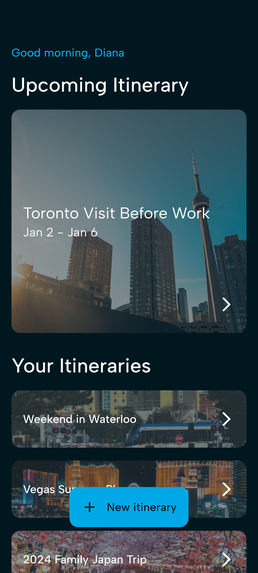
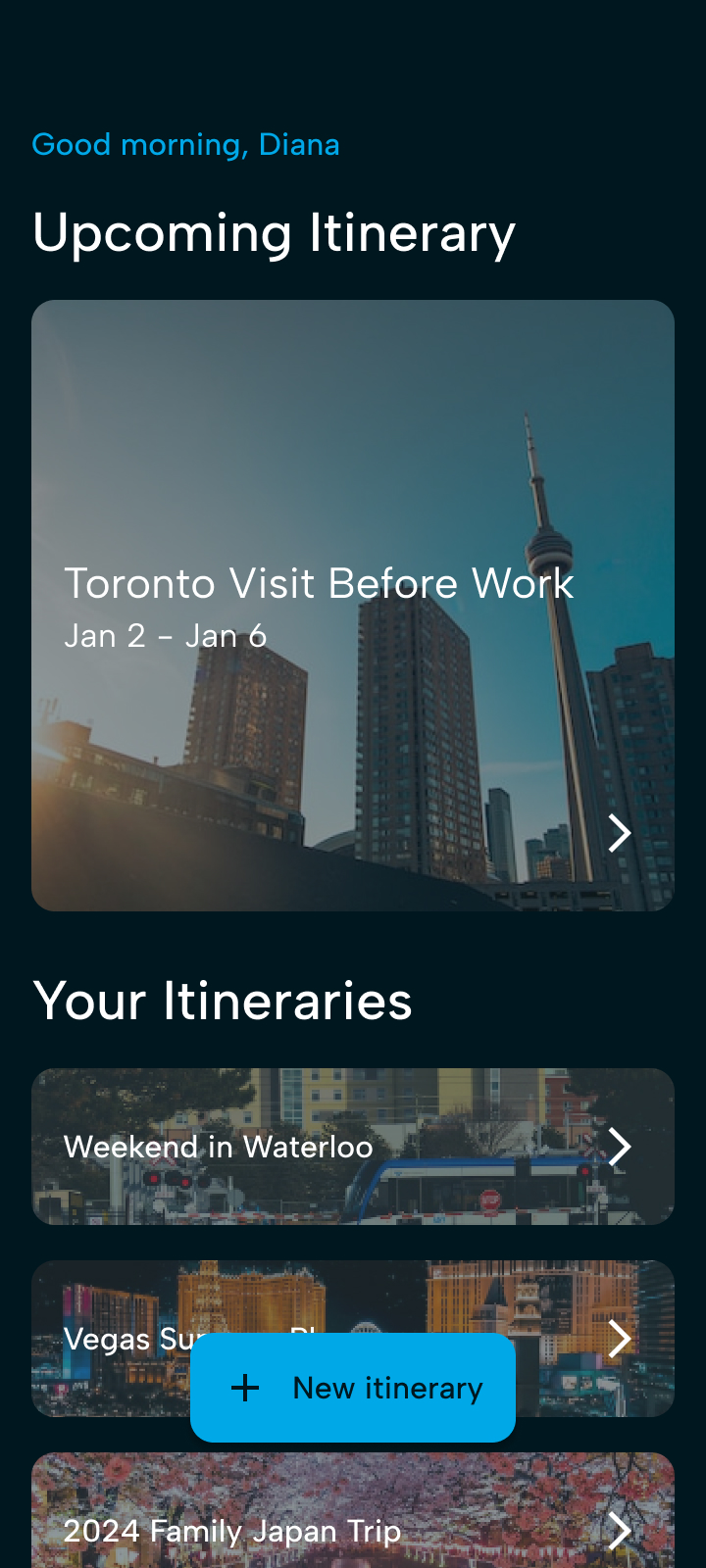
Itinerary Dashboard
-
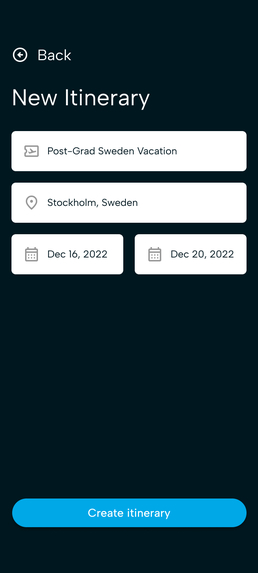
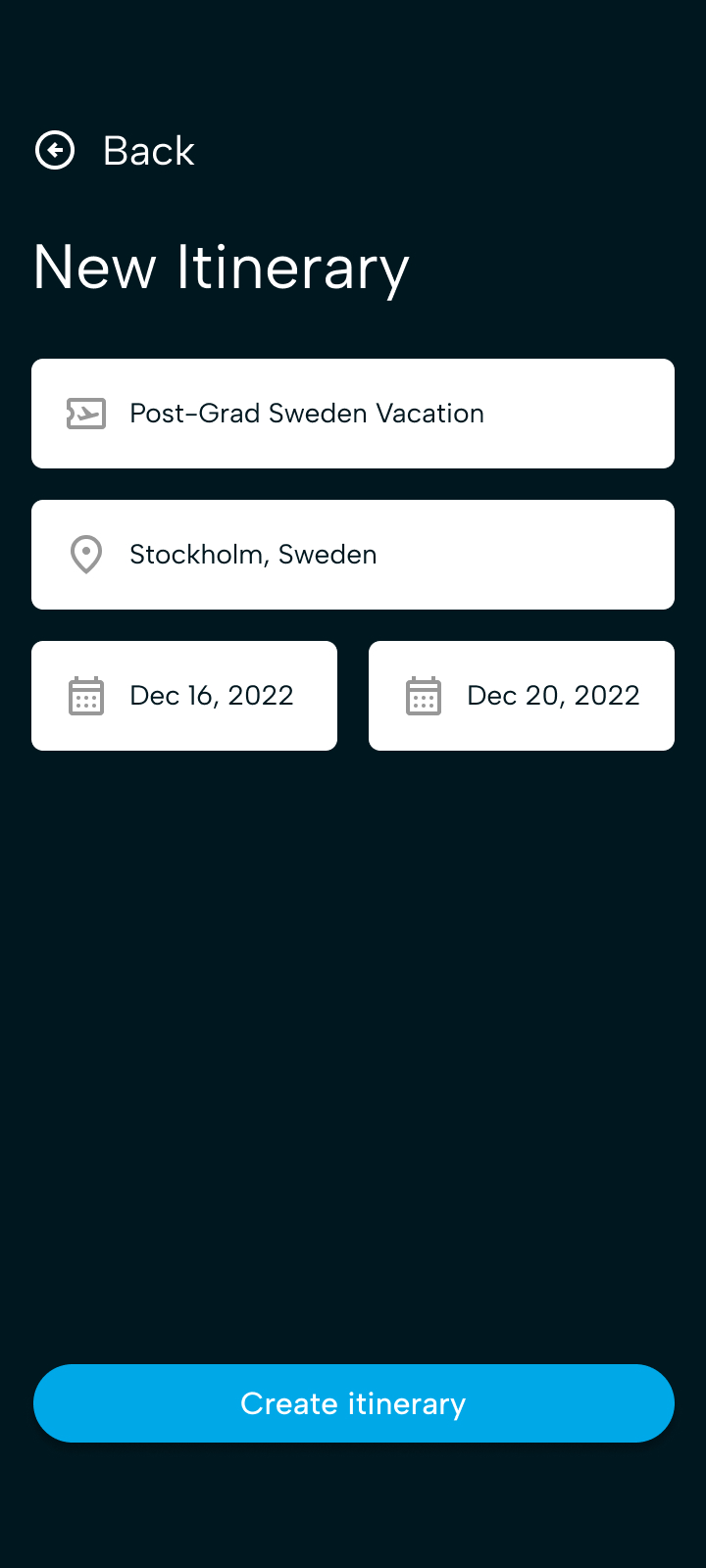
Itinerary Creation
-
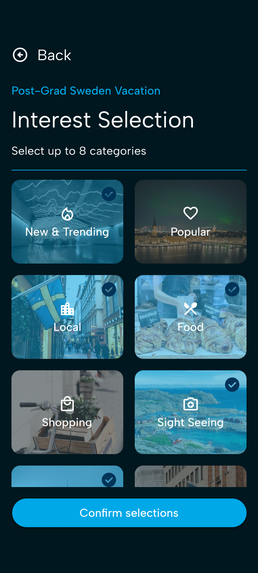
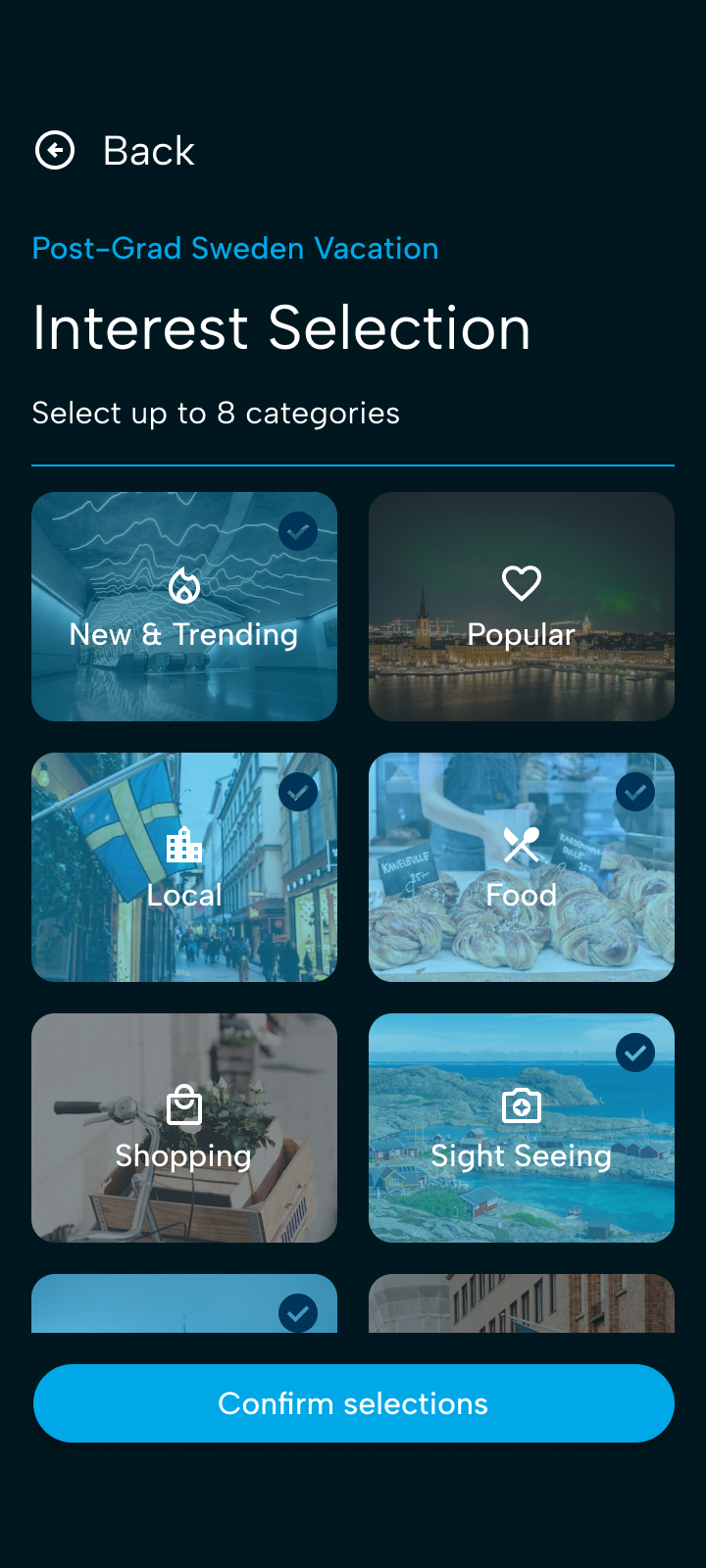
Interest Selection
-
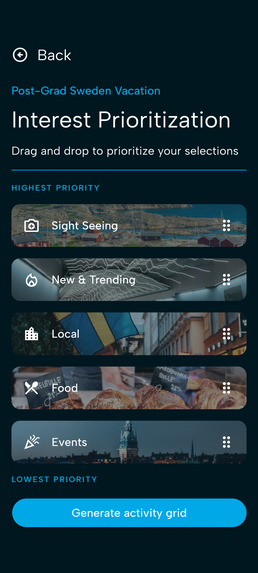
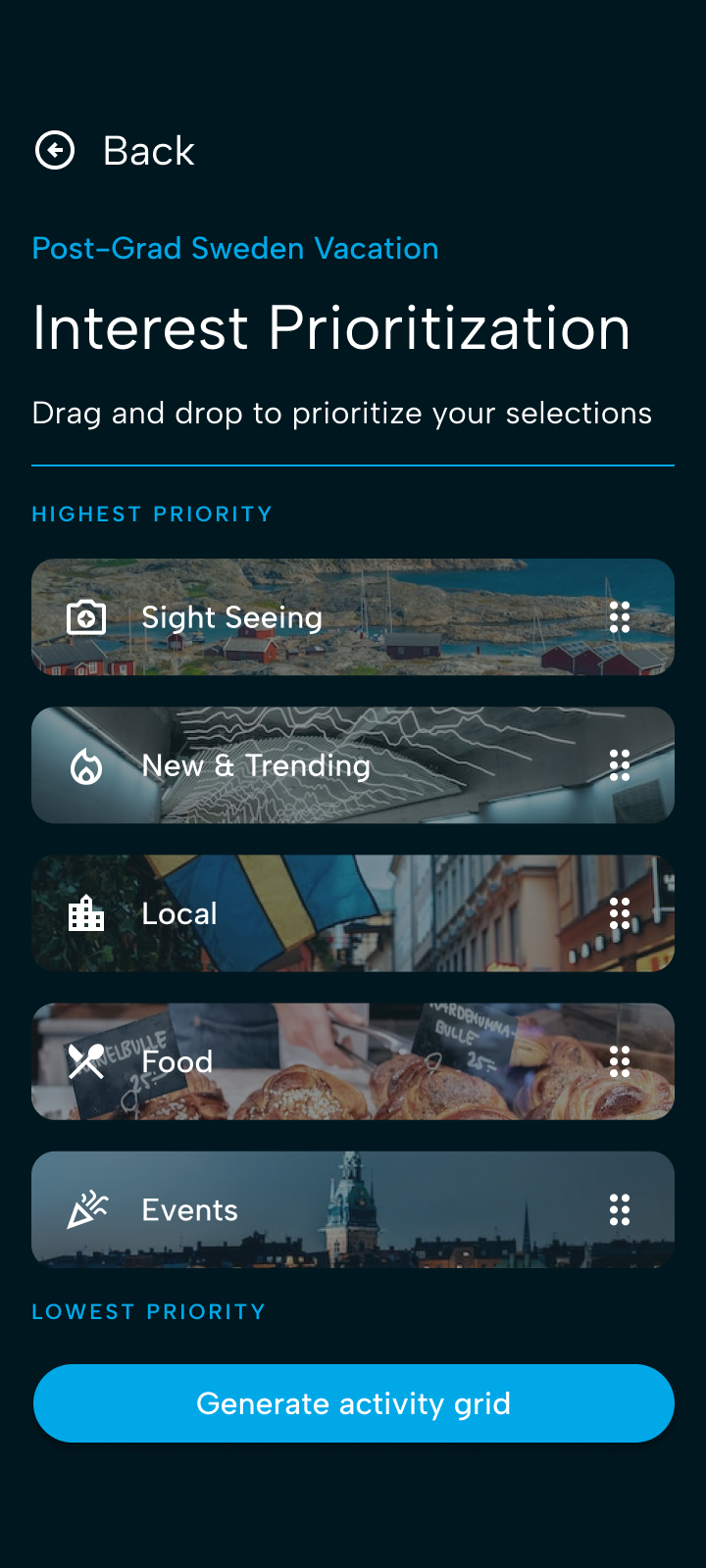
Interest Prioritization
-
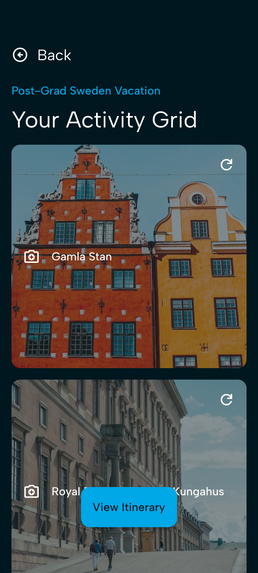
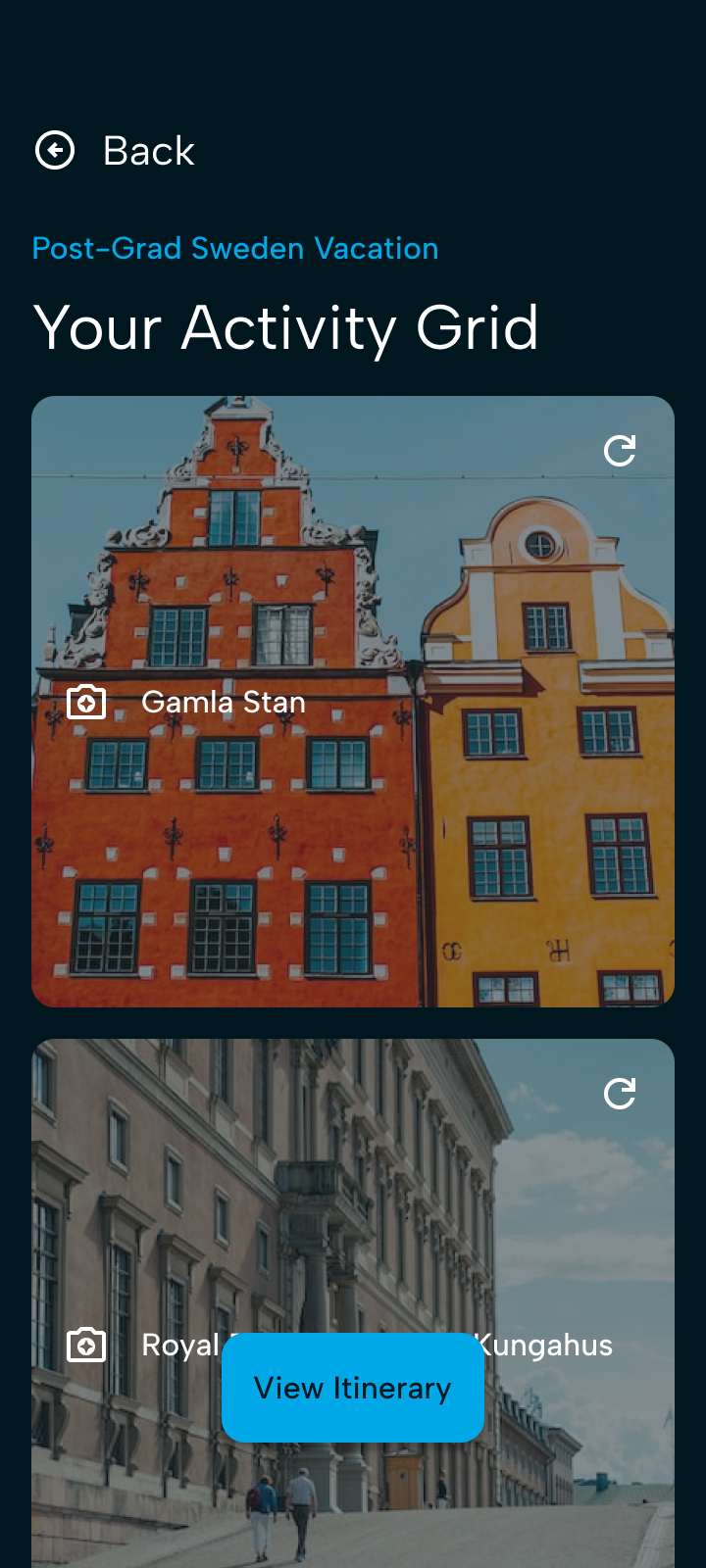
Activity Grid
-
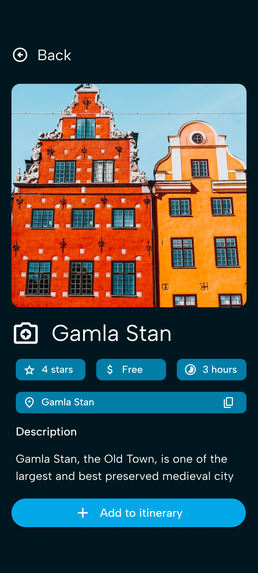
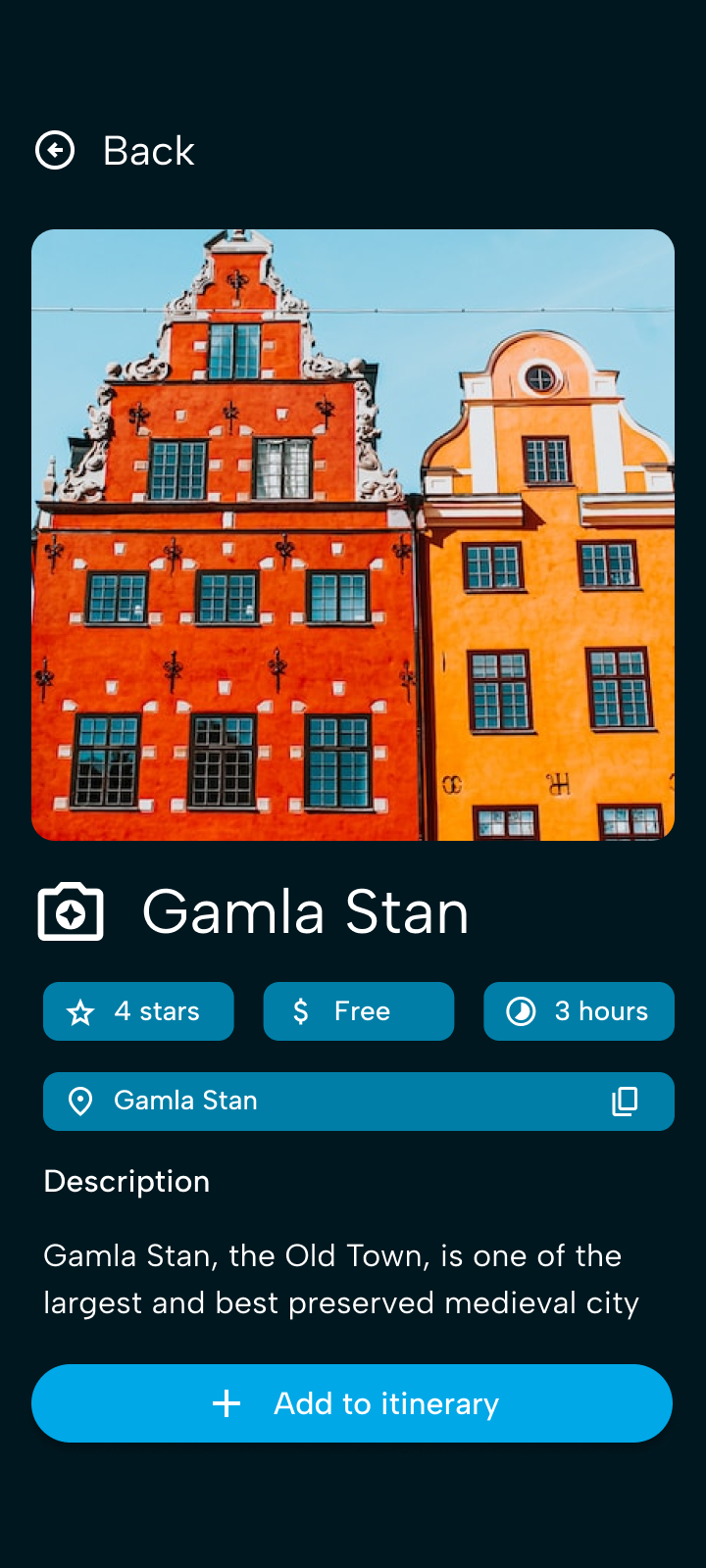
Activity Details
-
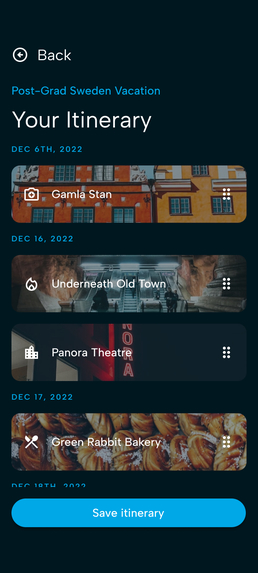
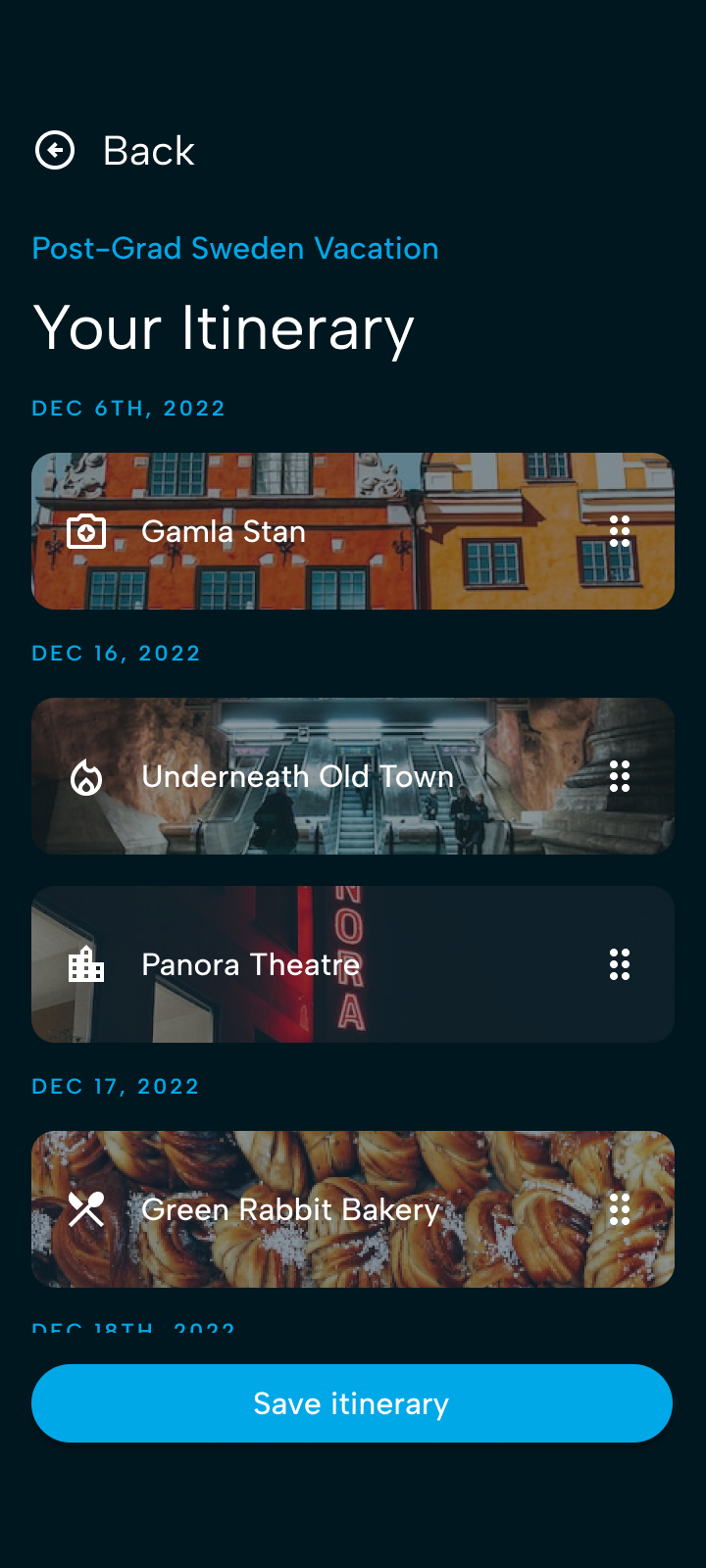
Curated Itinerary
-
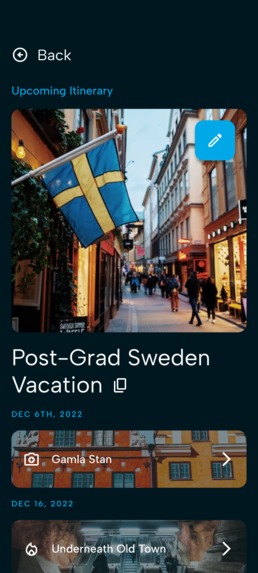
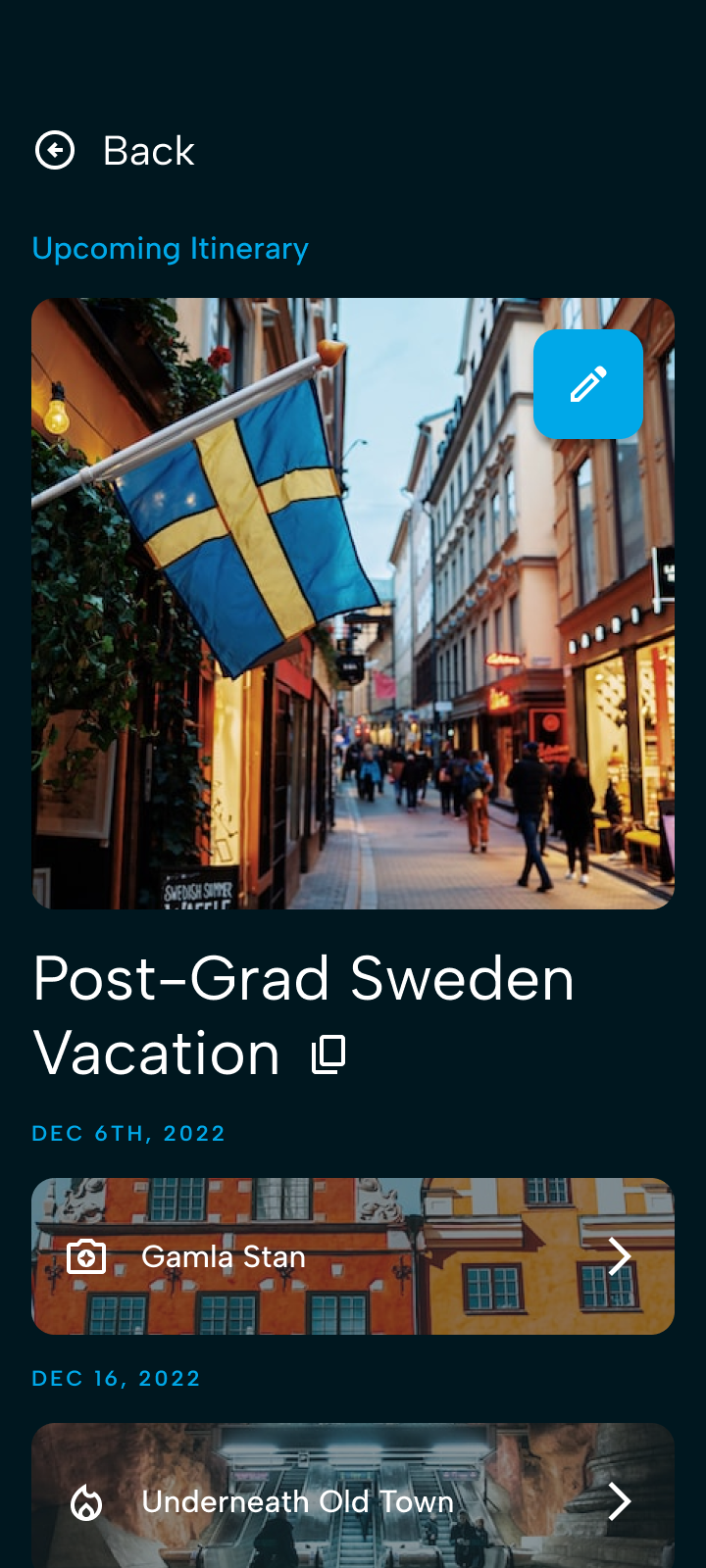
Completed Itinerary

Inspiration
Travel stress is a common phenomenon experienced by many travelers where mental strain and pressures are felt due to a variety of travel-related factors. Almost all factors that contribute to travel stress are attributed to activities that happen BEFORE the traveling has even begun!
One of these activities is developing a vacation itinerary which gets stressful and overwhelming quickly. Researching different travel activities for a vacation often cause travelers to deal with information overload, where a simple Google search returns hundreds of results. This leads travelers to experience the paradox of choice; the more options a person is able to select from, the less satisfied they are with their choice(s).
How might we enable travelers to plan travel activities and feel satisfied with their trip itineraries?
By using travelly, travelers can curate travel itineraries that cater to their interests while reducing the information overload experienced from researching to alleviate travel stress.
What it does
travelly enables travelers to curate travel itineraries by selecting activities that pertain to their interests so that they are not overloaded with irrelevant and excessive information.
Users select categories of interests and prioritize them on travelly. Afterward, travelly will scrape the web, and generate and display 8 activities they can choose from at a time to reduce information overload, ordered in travelly's activity grid. Users can use the activity grid to gain quick insight into these activities and add them to their itinerary. They can reload images in the activity grid if they see that there is something that does not pique their interest, but there will never be more than 8 items displayed to the user at a time so that they can be stres-free from information overload while researching for their travels!
The curated itinerary can be saved and accessed at any point for edits and viewing.
How we built it
travelly was designed using Figma using foundations and ideas from the Material Design 3 guidelines and images from Unsplash.
Challenges we ran into
A major challenge experienced was that it was difficult deciding on what information is relevant and irrelevant to users. Researching for travel is stressful, but that is because we do not want to plan a trip that we miss out on which is why travelers spend hours ensuring that they create the perfect itinerary.
Deciding on how many things to show at once to maximize selection satisfaction required some research into human psychology and understanding the cognitive limitations when it comes to making selections.
Another factor that was challenging was selecting HOW to display information to users without being overwhelming while still being informative. There was a need to experiment with icons, typography, words, structure, visual hierarchy, and many other visual elements to ensure that information was displayed in a concise and friendly manner to reduce information overload.
Accomplishments that we're proud of
I am proud that the mobile experience design is simple and meets the objective of helping users curate travel itineraries by reducing information overload to reduce travel stress associated with research.
The experience is easy to use and is focused on meeting its MVP. It does not overload users with information not only in terms of research but in the experience of actually using the application as well.
What we learned
I learned that using a combination of icons and images while not being text-heavy can help users take in information more quickly and effectively. Especially while designing for a mobile experience, users often do not have the time or time to read through large amounts of text. Learning how to display data on a small screen strategically for fast and easy consumption was something that was interesting to design for.
What's next for travelly
Some experiences that would be next for travelly are to design and improve upon:
- the experience of sharing itineraries with others and enabling them to make edits
- the experience of editing an itinerary after it has been created (name, dates, activities)
- the experience of revisiting and regenerating the activity grid after edits have been made
Built With
- figma


Log in or sign up for Devpost to join the conversation.