-
-
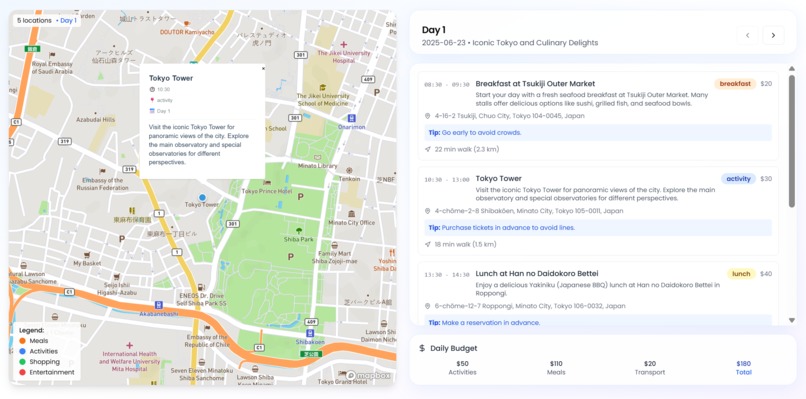
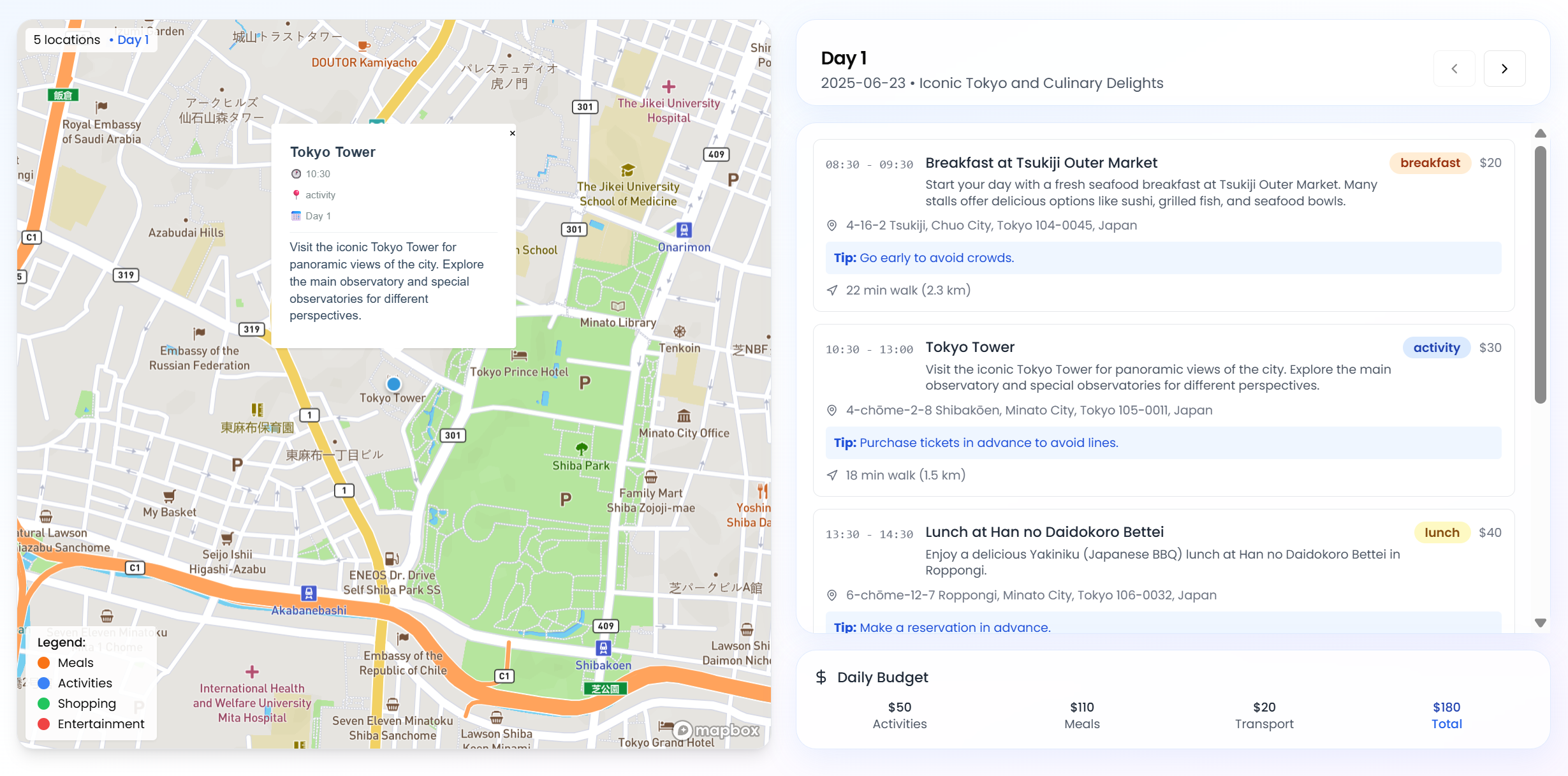
The finalized itinerary is paired with a Mapbox-powered interactive map displaying all relevant locations
-
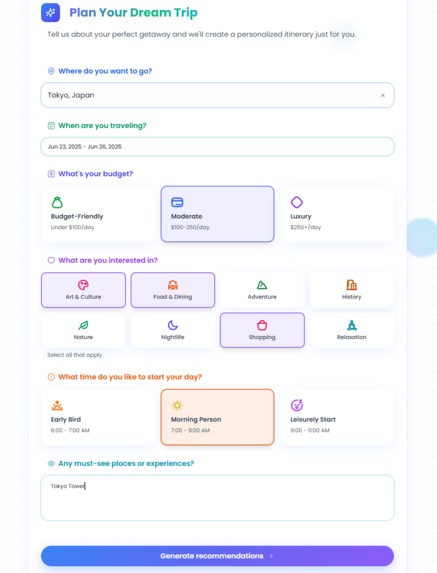
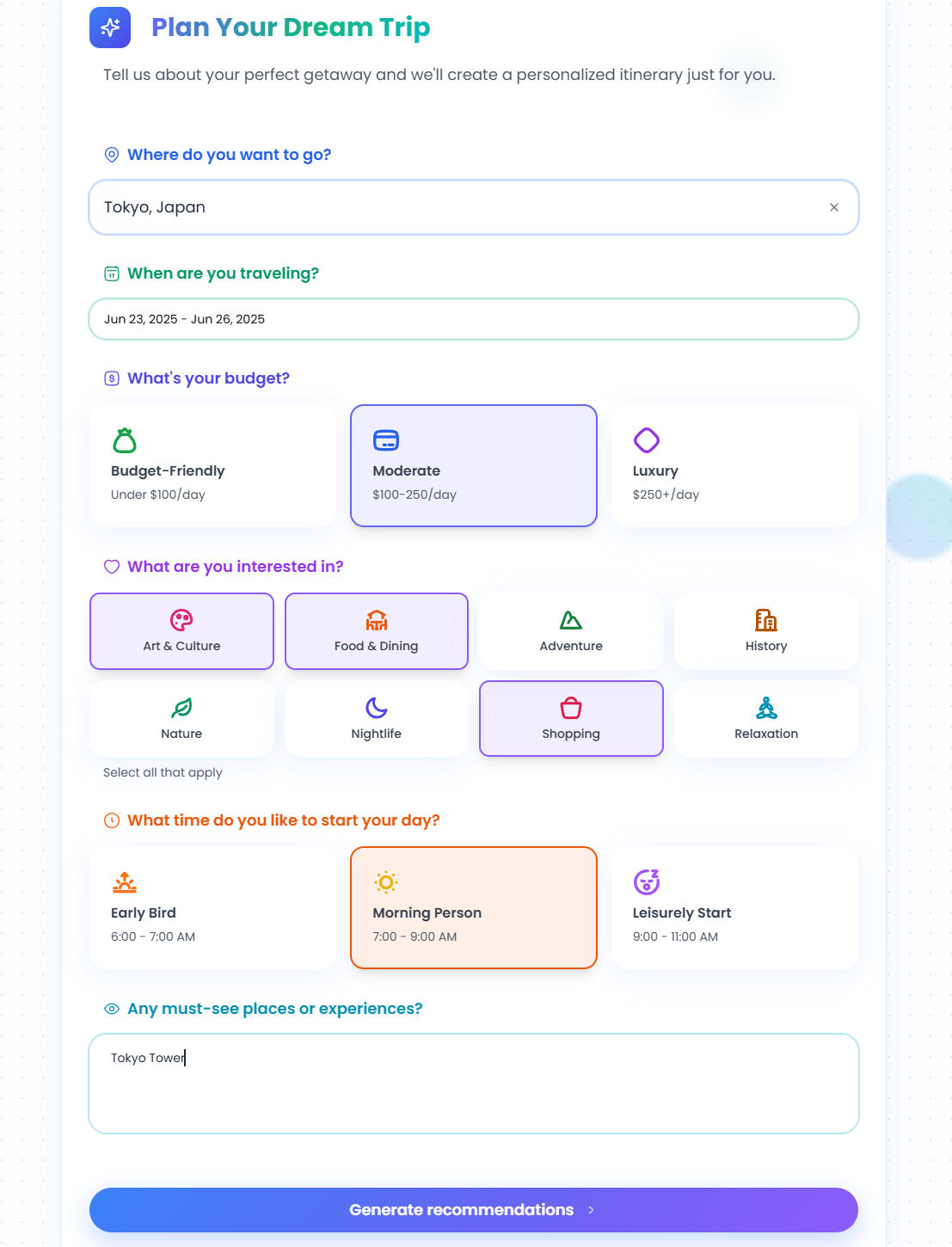
User preferences are structured into a Gemini prompt to generate a personalized, map-based travel itinerary
-
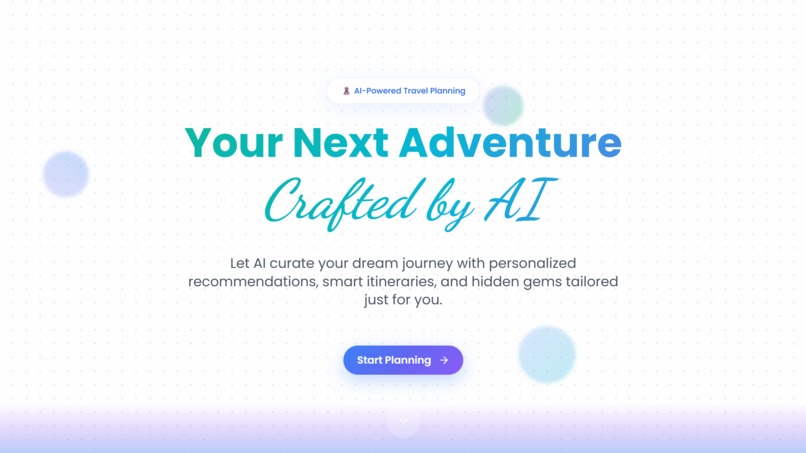
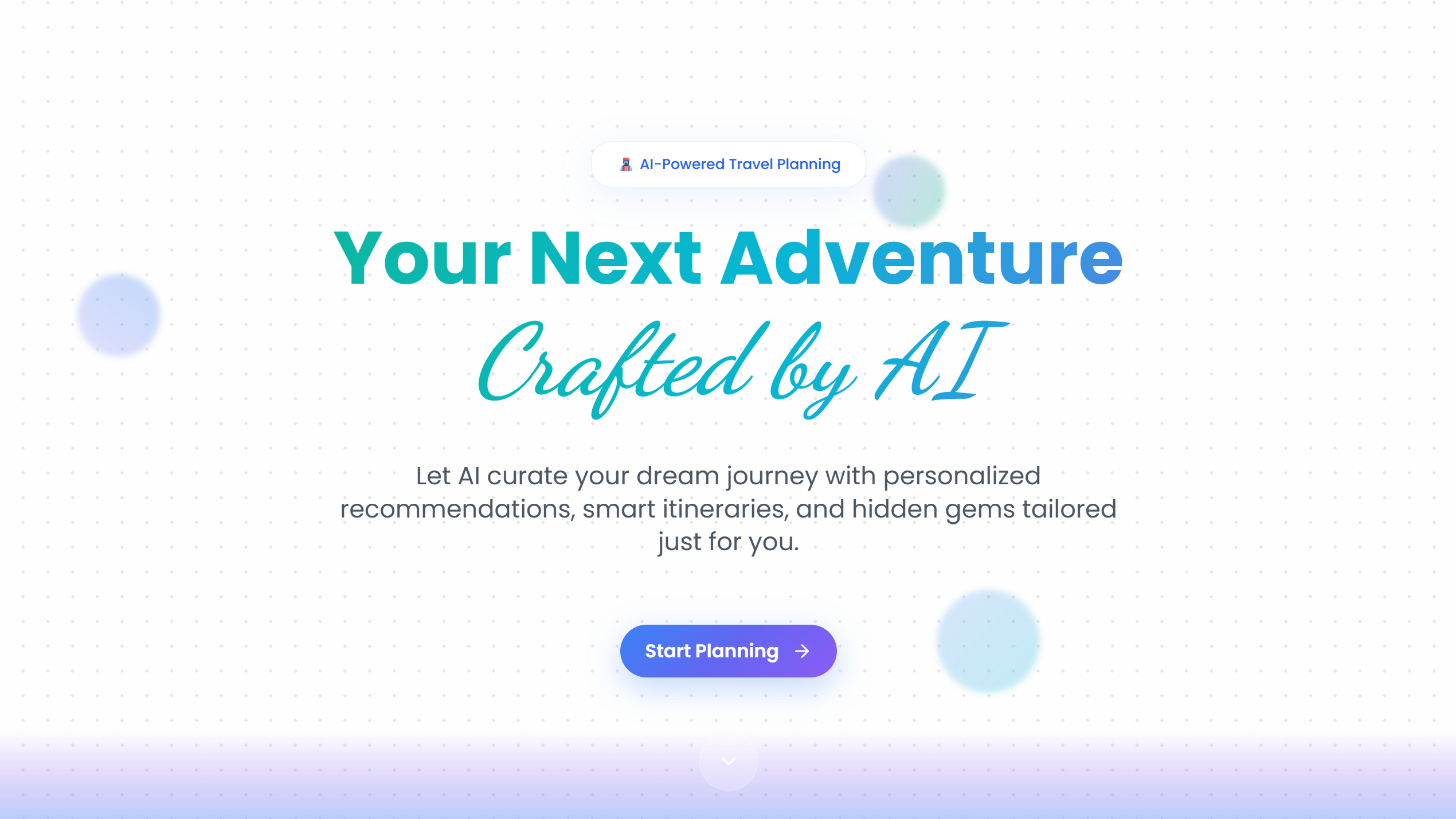
TravelGenie's landing page
-
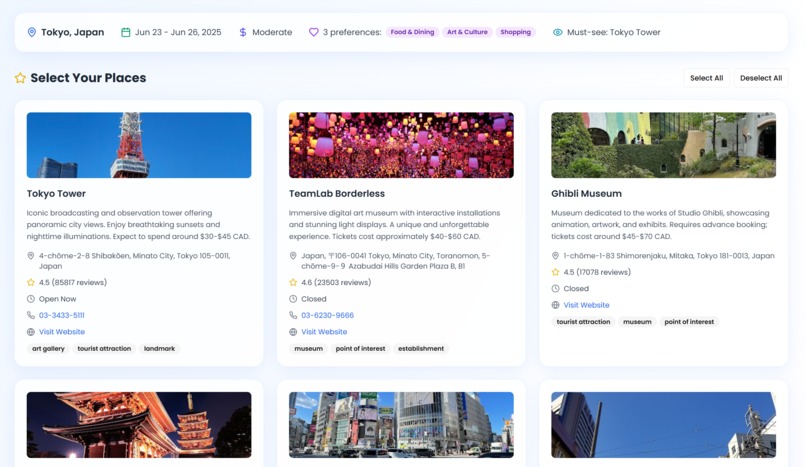
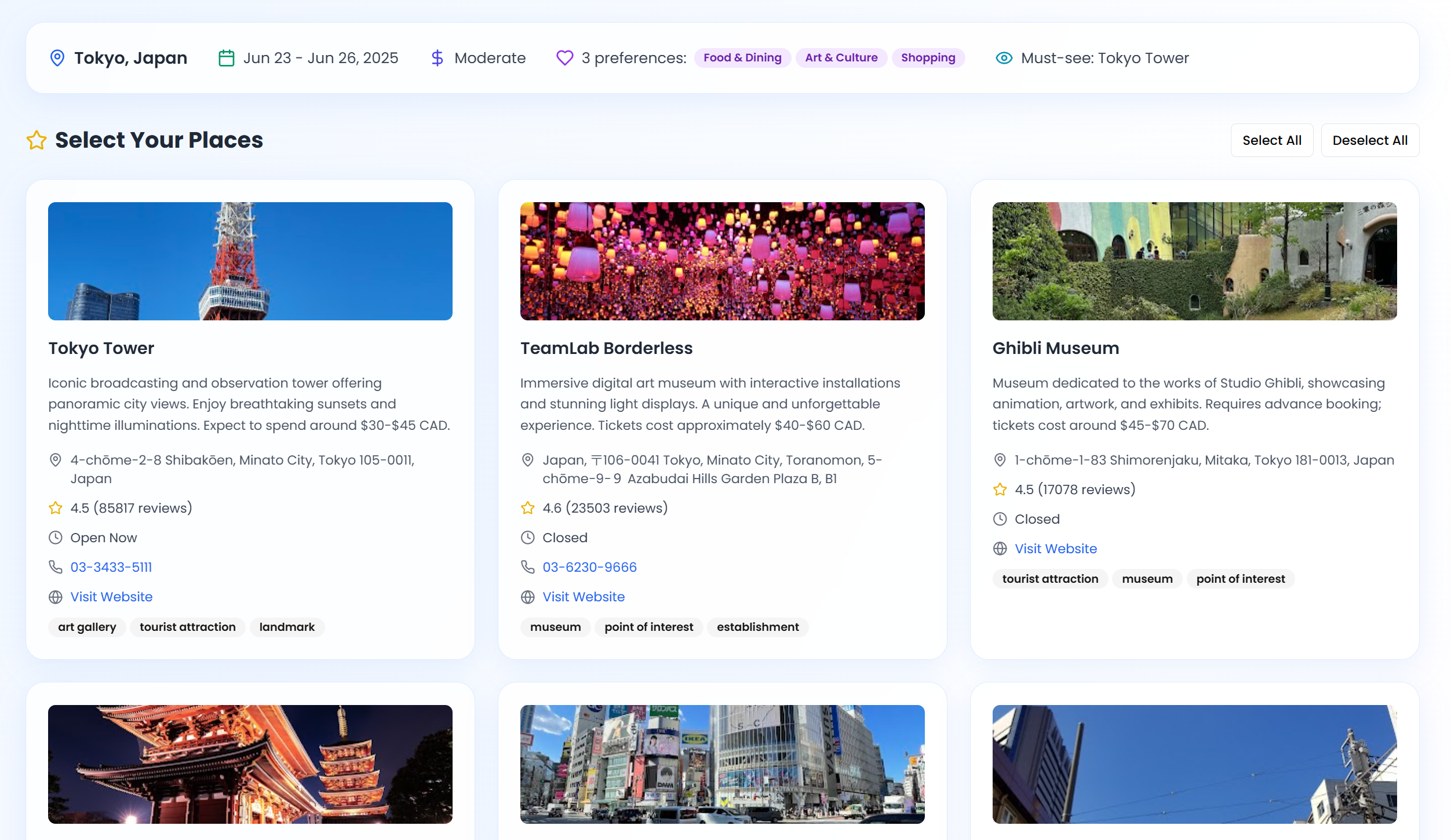
Users can pick their favorite recommendations to include in the final personalized itinerary
Inspiration
Travel planning often means juggling guidebooks, spreadsheets, and hours of research. We built TravelGenie to simplify that process: an AI-powered assistant that turns your dates, budget, and interests into a complete itinerary. Our goal was to make planning feel effortless and even a little inspiring.
What it does
- AI-Generated Itineraries
Day-by-day plans produced by Google’s Gemini 2.0 Flash AI - Smart Search and Dates
Destination autocomplete with Google Places and an intuitive calendar picker - Budget Options
Tailored recommendations for budget, moderate, or luxury travel - Interest Tags
Select from Art, Food, Adventure, History, Nature, Nightlife, Shopping, Relaxation - Custom Wake-Up and Must-Sees
Choose your ideal morning schedule and add any must-visit spots - Optimized Routing
Reduce transit time between locations with real-time map updates - Clean, Modern UI
Glass-morphism cards, sunset gradients, subtle animations, responsive design
How we built it
- Next.js 15, React 19, TypeScript for fast, reliable pages
- Google Gemini 2.0 Flash via serverless API routes under
/api - Google Places API for instant location search and attraction data
- Mapbox GL JS in a reusable
Map3Dcomponent with custom markers and routes - Tailwind CSS and shadcn/ui for accessible, consistent styling
- React Hook Form with Zod for form management and validation
- LocalStorage to keep your itinerary available across sessions
Challenges we encountered
- AI prompt tuning to ensure itineraries are coherent and geographically accurate
- Handling Google Places rate limits and errors on different devices
- Managing complex state with dates, locations, and AI responses
- Ensuring Mapbox’s load event fired reliably at various screen sizes
- Balancing animations and multiple API calls for smooth performance
Achievements
- Integrated three major APIs (Gemini AI, Google Places, Mapbox) into a seamless workflow
- Developed a robust map component that consistently renders buildings and routes
- Delivered a polished, responsive interface with full TypeScript coverage
- Built a working travel planner prototype in under 48 hours
Key learnings
- Crafting effective AI prompts for dependable results
- Advanced techniques for geographic API integration and map rendering
- React performance optimizations when using multiple external services
- Next.js App Router best practices and hydration considerations
- Efficient strategies for resolving complex merge conflicts
Next steps for TravelGenie
- Add route animations that guide users along their paths
- Implement user accounts and sharing features
- Offer PWA support with offline map access
- Integrate real-time weather, booking availability, and pricing updates
- Develop native mobile apps with GPS-based reminders
- Enable collaborative trip planning with budget tracking
- Expand internationally with additional languages, currencies, and local insights


Log in or sign up for Devpost to join the conversation.